Sponsored

Sync 3 v3.4 Build 21020

Dr. Zaius

Well-Known Member
First Name
Dennis
Joined
Dec 20, 2019
Threads
76
Messages
6,666
Reaction score
40,688
Location
Living The Dream
Vehicle(s)
2019 Ranger XLT FX4
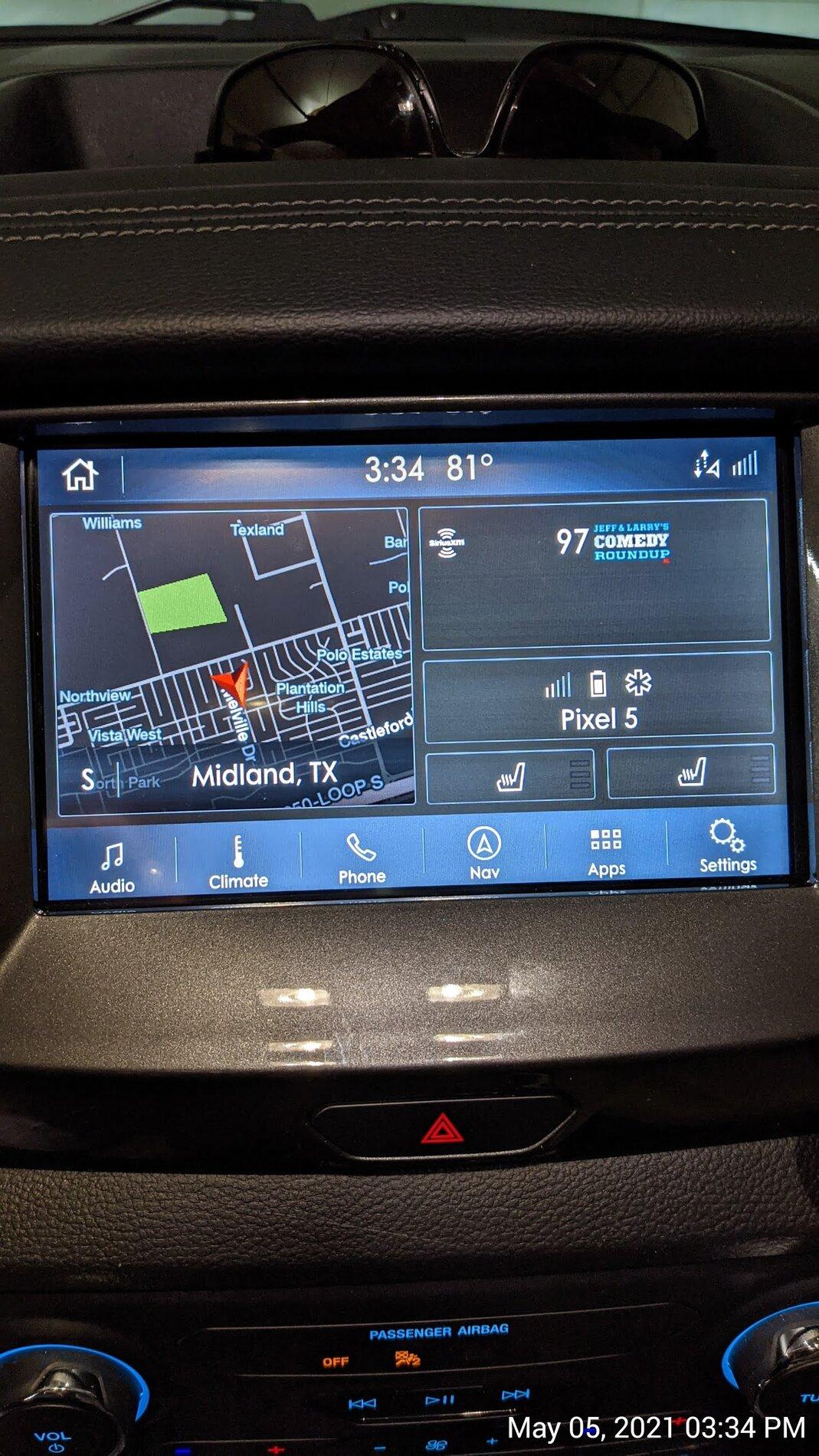
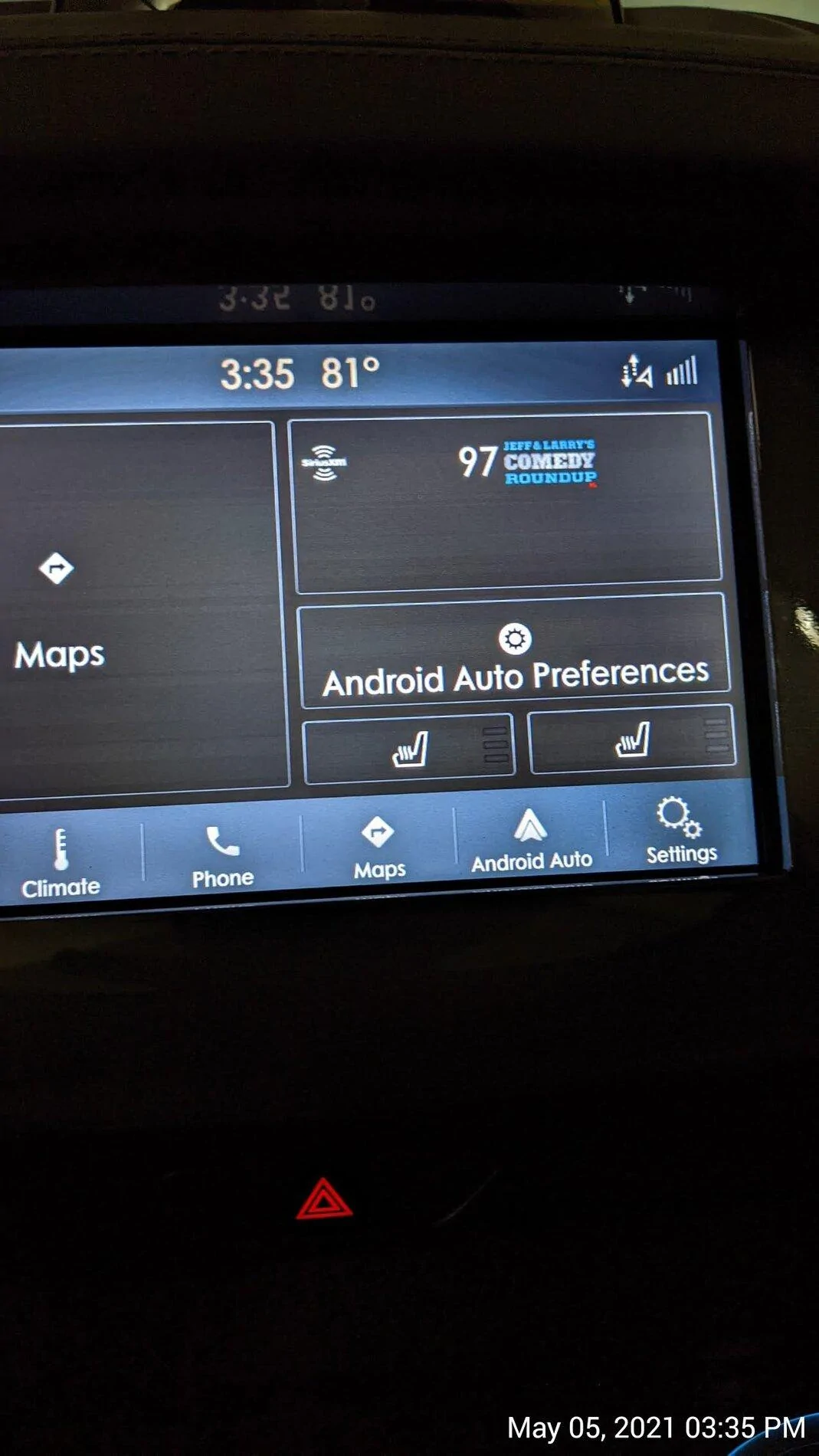
Every time we get a new Sync3 upgrade, I’m hoping that maybe in THIS version, we will finally be able to display the Android Auto map in the half screen map area of our home screen. I know this is possible, because it displays the phone’s map in that area of the home screen on my wife’s Lincoln Nautilus with the same version of Sync.

Maybe I’m missing something? Has anyone else been able to get the Google map to show up here? If so, how do you make it happen?
Sync3 Home.jpg
Sync3 home with AA on.webp
The map split screen works fine with IOS/CarPlay.

Mine displays the map on the left, selected music source on bottom right, and turn-by-turn directions in the upper right.

The map app used doesn't matter. It's the same with Waze, Apple Maps, Google Maps, or Gaia.
Sponsored

 

Tom_C

Well-Known Member
First Name
Tom
Joined
Apr 17, 2021
Threads
35
Messages
1,972
Reaction score
4,389
Location
Virginia, USA
Vehicle(s)
2020 Ranger Lariat SuperCab FX4
Occupation
System Admin, Retired
The map split screen works fine with IOS/CarPlay.

Mine displays the map on the left, selected music source on bottom right, and turn-by-turn directions in the upper right.

The map app used doesn't matter. It's the same with Waze, Apple Maps, Google Maps, or Gaia.
Does that just happen automatically or do you need to select it in the menu? I like the split screen but never could figure out how to use it.
 

Dr. Zaius

Well-Known Member
First Name
Dennis
Joined
Dec 20, 2019
Threads
76
Messages
6,666
Reaction score
40,688
Location
Living The Dream
Vehicle(s)
2019 Ranger XLT FX4
Does that just happen automatically or do you need to select it in the menu? I like the split screen but never could figure out how to use it.
It was automatic.

It started like that with I think v14 of IOS
 

CWO2LT

Active Member
First Name
Brent
Joined
Jun 18, 2019
Threads
2
Messages
39
Reaction score
97
Location
Alexandria, VA
Vehicle(s)
2019 Ford Ranger Lariat Sport trim 4 x 4, Hot Pepper Red, Line-X bed liner, Retrax Pro XR tonneau cover
I just downloaded via wifi and while installing the files, the system rebooted and never came back up. Nothing but a black screen for about a half hour now. Is this normal?
Update: like any computer that freezes, I pulled the fuse, reinstalled it and then the update completed. Just for others that might run into the same situation.
 

R_B

Well-Known Member
First Name
Robert
Joined
Aug 23, 2020
Threads
4
Messages
70
Reaction score
213
Location
Southern Nevada
Vehicle(s)
2019 Ford Ranger XLT 4WD
Occupation
Retired
Does that just happen automatically or do you need to select it in the menu? I like the split screen but never could figure out how to use it.
Try clicking on the Home icon, on the upper left side of the screen.
I left the door open to my garage so the wi-fi would connect better.
It took all of last night and most of today. Looks like it finally updated everything on mine.


VAMike

Well-Known Member
First Name
Mike
Joined
Feb 22, 2019
Threads
1
Messages
3,390
Reaction score
4,408
Location
Virginia
Vehicle(s)
2019 Ranger Lariat SuperCab
Shut it down. Let it sit for about 3-5 minutes to make sure it's asleep, then restart. Worth a shot.
I try every day or two. No change yet. OTA spins and eventually says up to date. Web site says update available. I'm not in a hurry and the usb update process is a pain in the butt so I'll wait and see if ota ever works.
 

GregsFX2Ranger

Well-Known Member
First Name
Greg
Joined
Mar 19, 2021
Threads
8
Messages
557
Reaction score
773
Location
Tennessee
Vehicle(s)
2021 XLT 302A 4x2 Rapid Red Black Appear Package
Occupation
Management
I try every day or two. No change yet. OTA spins and eventually says up to date. Web site says update available. I'm not in a hurry and the usb update process is a pain in the butt so I'll wait and see if ota ever works.
It appears the USB device is "less a pain in the butt" than the OTA update. I had no issues with the USB update.
 

Porpoise Hork

Well-Known Member
First Name
Bret
Joined
Apr 28, 2020
Threads
19
Messages
1,316
Reaction score
2,366
Location
Houston
Vehicle(s)
2022 F150 XLT Powerboost FX4 302A Oxford White
Occupation
IT
I’m out of ideas.
I was able to force the NA 2.20 map update by using the Cyanlabs North America 2.20 Map Installation (Stand-Alone) method.

At first it kept giving me errors and took a couple attempts to figure out that the tutorial is wrong and the map files needed to be in the SyncMyRide folder and not in the the root of the USB drive as the guide stated. Once moved to the folder the system updated the maps to NA 2.20 without a hitch.
 

VAMike

Well-Known Member
First Name
Mike
Joined
Feb 22, 2019
Threads
1
Messages
3,390
Reaction score
4,408
Location
Virginia
Vehicle(s)
2019 Ranger Lariat SuperCab
It appears the USB device is "less a pain in the butt" than the OTA update. I had no issues with the USB update.
I've done it before, and there's nothing in the new version that makes me want to do it again. I'll wait for ota or just not care if it updates. :)
 
OP
OP

tmcolegr

Well-Known Member
First Name
Todd
Joined
Dec 26, 2019
Threads
11
Messages
240
Reaction score
226
Location
Central FL
Vehicle(s)
2019 F150 Platinum 4x4 & 2019 Ranger XLT 4x4
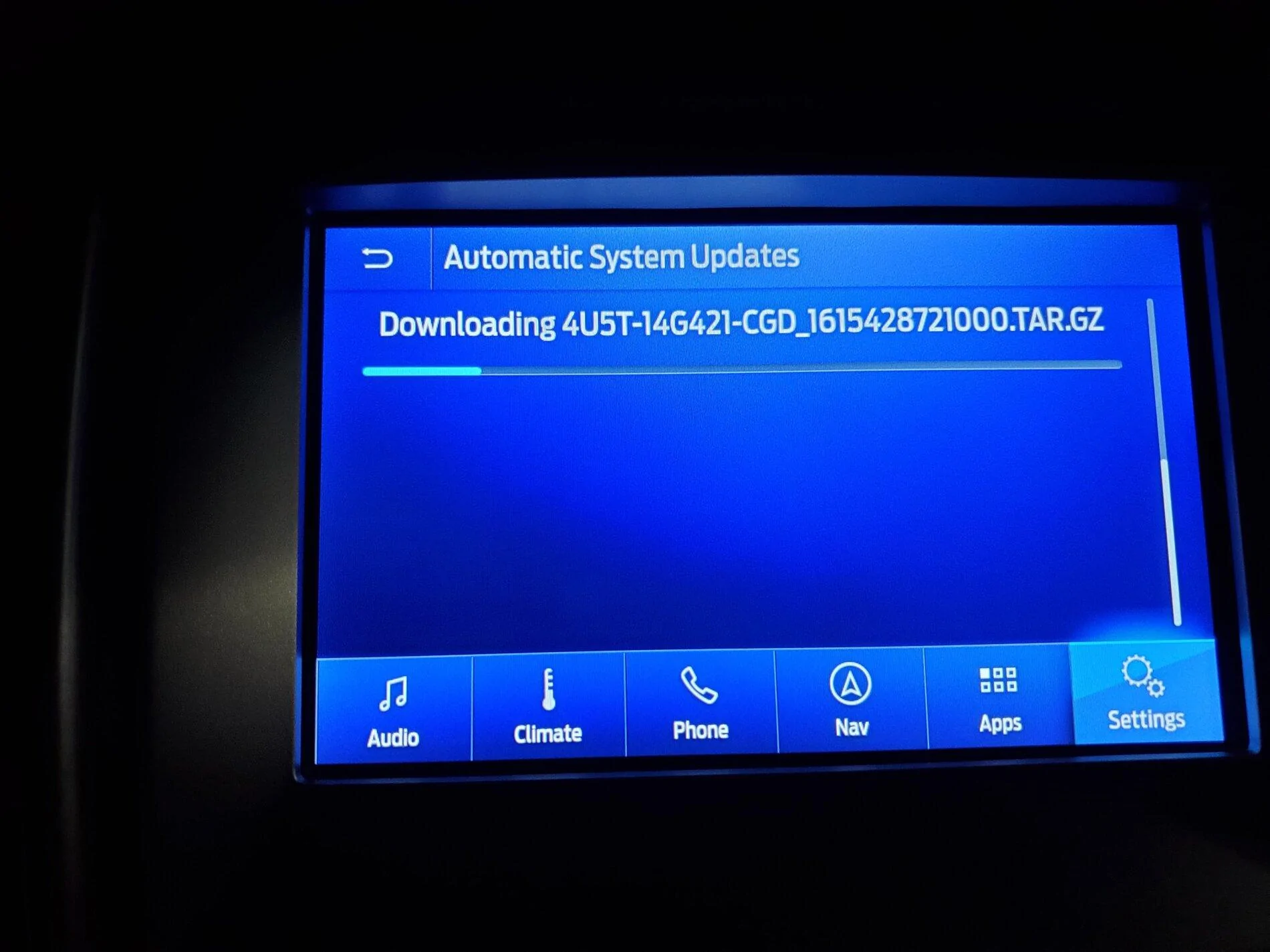
My truck has been struggling to download this file OTA for 3 days. Get's to approx. 33% and starts all over again. Wifi signal strength is NOT the issue.

20210504_025601.webp
 

Porpoise Hork

Well-Known Member
First Name
Bret
Joined
Apr 28, 2020
Threads
19
Messages
1,316
Reaction score
2,366
Location
Houston
Vehicle(s)
2022 F150 XLT Powerboost FX4 302A Oxford White
Occupation
IT
My truck has been struggling to download this file OTA for 3 days. Get's to approx. 33% and starts all over again. Wifi signal strength is NOT the issue.

20210504_025601.webp
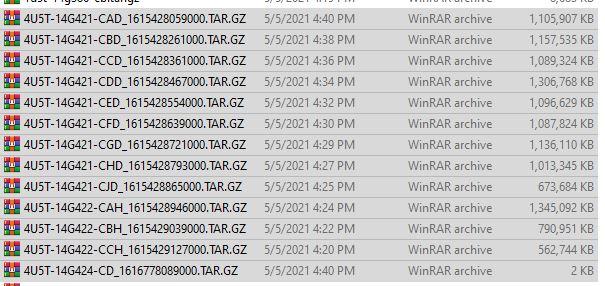
The NA 2.20 maps update contains 13 individual files and is nearly 12 GB (zipped) in total. All the file names are very similar so chances are your seeing it downloading different files and not realizing it. Other factors also impact the speed that are the WiFi link speed and protocol type. I have not looked to see what type it is using but based on what I have seen so far it's likely using 802.11g with a max bandwidth of 54Mbps. Ford also appears to have a bandwidth cap on each download session as even using the Cyanlabs updater to download the files takes about 15 minutes on a gigabit fiber connection.

These are the 13 map, voice, and license files that make up the NA 2.20 update.
NA 220.JPG
 
Last edited:

RedlandRanger

Moderator
First Name
Rob
Joined
Nov 14, 2018
Threads
42
Messages
5,111
Reaction score
11,105
Location
Oregon
Vehicle(s)
2019 Ford Ranger Lariat FX4, 1973 Mercury Capri
Vehicle Showcase
1
I was able to force the NA 2.20 map update by using the Cyanlabs North America 2.20 Map Installation (Stand-Alone) method.

At first it kept giving me errors and took a couple attempts to figure out that the tutorial is wrong and the map files needed to be in the SyncMyRide folder and not in the the root of the USB drive as the guide stated. Once moved to the folder the system updated the maps to NA 2.20 without a hitch.
Since I can't seem to get the maps via OTA (it keeps telling me "up to date") I'm trying the Cyanlabs updater. I did it previously and it worked well. One question if you know the answer - why does it tell me the upgrade mode is "downgrade"? I have 21020 already installed and input that into the updater tool.

I'm trying to get all the map files downloaded now. I have a long drive next week and figured that would be a good time to do the map update.
 

landiscarrier

Well-Known Member
First Name
Landis
Joined
Jun 2, 2020
Threads
19
Messages
965
Reaction score
2,509
Location
Pocono Mtns Pa
Vehicle(s)
2025 Ranger Raptor
Occupation
Sales
I can't get the updated maps either....maybe because I have a 2019 and used up my free map updates??
Sponsored


Top