Sponsored

Sync 3 v3.4 Build 21020

Secousse

Well-Known Member
First Name
Secousse
Joined
Apr 6, 2021
Threads
8
Messages
230
Reaction score
427
Location
CA
Vehicle(s)
2021 Lariat Tremor
I think some folks are confusing the sync update and the NAV update. My nav is at 1.19, so that matches what Ford says.
I don't know, it's possible. So let me put out the summary this way:

Ultimately we will all have different versions of the North America maps (NA119, NA220) based on the year of release of the vehicle, but I believe we should all end up with with the same version of SYNC (3.4.21020) until the next release.
Sponsored


 

Tom_C

Well-Known Member
First Name
Tom
Joined
Apr 17, 2021
Threads
35
Messages
1,972
Reaction score
4,389
Location
Virginia, USA
Vehicle(s)
2020 Ranger Lariat SuperCab FX4
Occupation
System Admin, Retired
Ok. I have a 2020, so maybe mine is currently 1.19
 

Dr. Zaius

Well-Known Member
First Name
Dennis
Joined
Dec 20, 2019
Threads
76
Messages
6,666
Reaction score
40,688
Location
Living The Dream
Vehicle(s)
2019 Ranger XLT FX4
I just checked and my 2019 is at NA 2 20, though it is still updating every time I turn the key on.

Sync update is already complete.
 

Rp930

Well-Known Member
First Name
Rick
Joined
Nov 19, 2018
Threads
20
Messages
1,794
Reaction score
3,514
Location
Denver
Vehicle(s)
‘19 Ford Ranger Lariat, ‘23 Macan,’21 Shelby GT500
Occupation
Retired
Incorrect.. my 2019 has updated to the newest version of Sync and now updating the nav to 220 all completely OTA in the past couple of days... still downloading/installing the map files but the version changed to 220 this yesterday.
I stand corrected. OTA must have opened up for Sync.
 

Mellow

Well-Known Member
First Name
Joe
Joined
Mar 11, 2019
Threads
22
Messages
578
Reaction score
1,525
Location
DFW, TX
Vehicle(s)
19 Sport Lariat 2WD Plat. White
I stand corrected. OTA must have opened up for Sync.
Yes, my 1st update last year was only via USB but this one kicked off and while sssslllllooooowwwww... appears to be working.

I much prefer the map update I had with my Mazda CX-5 - pull out the SD card, put in your computer and open up some software to update the map files on the card then insert it back in the car...


VAMike

Well-Known Member
First Name
Mike
Joined
Feb 22, 2019
Threads
1
Messages
3,390
Reaction score
4,408
Location
Virginia
Vehicle(s)
2019 Ranger Lariat SuperCab
I have neither a sync update nor a nav update available ota on my 19
 

Rp930

Well-Known Member
First Name
Rick
Joined
Nov 19, 2018
Threads
20
Messages
1,794
Reaction score
3,514
Location
Denver
Vehicle(s)
‘19 Ford Ranger Lariat, ‘23 Macan,’21 Shelby GT500
Occupation
Retired
I have neither a sync update nor a nav update available ota on my 19
Mike - Try disconnecting the truck from your network and reconnecting. I had to do that for the maps update.
 

CWO2LT

Active Member
First Name
Brent
Joined
Jun 18, 2019
Threads
2
Messages
39
Reaction score
97
Location
Alexandria, VA
Vehicle(s)
2019 Ford Ranger Lariat Sport trim 4 x 4, Hot Pepper Red, Line-X bed liner, Retrax Pro XR tonneau cover
I just downloaded via wifi and while installing the files, the system rebooted and never came back up. Nothing but a black screen for about a half hour now. Is this normal?
 

JoeC

Well-Known Member
First Name
Joe
Joined
Oct 29, 2019
Threads
2
Messages
241
Reaction score
625
Location
New England
Vehicle(s)
2019 Ranger Lariat
Thanks folks!

I saw this thread;
Went to owner.ford.com, downloaded the update, put it on a USB, installed (took 35 min), didn't get a .xml file to upload, so did Check for updates on truck (it did notify the owner.ford site, and also downloaded and installed the 4U5T.....file (another 35 min), and now I'm at Sync 3.4.21020, NAV NA 2 20.

Your experiences and suggestions made it a piece of cake.

Thanks again!
Well, it looks like I was a tad premature indicating all was well!

Since then it's been OTA loading/installing files, with no end in sight!
I have NO IDEA how many it has to do; IT DOESN'T TELL ME ANYTHING!
(like File 1 OF 10, 2 of 10, etc)?
I have NO IDEA why it indicated my version as NA 2 20, when it had DAYS of downloading to go!
And, evidently, it can only do that in my driveway, on my home wifi, as I've never been able to have it recognize its own ATT hotspot wifi, that I pay for; so it can continue as I drive..

I know many of us wanted updates OTA, but this implementation of it is really poor.
Maybe it'll be done by summer, who knows?
$40.00 for a USB MAP UPDATE seems like a bargain now.

Sorry for saying this was a piece of cake.
 

GaryMc

Active Member
First Name
Gary
Joined
May 24, 2020
Threads
3
Messages
38
Reaction score
66
Location
Midland, TX
Vehicle(s)
2019 Ranger Lariat RWD, 2019 Lincoln Nautilus
Occupation
Retired
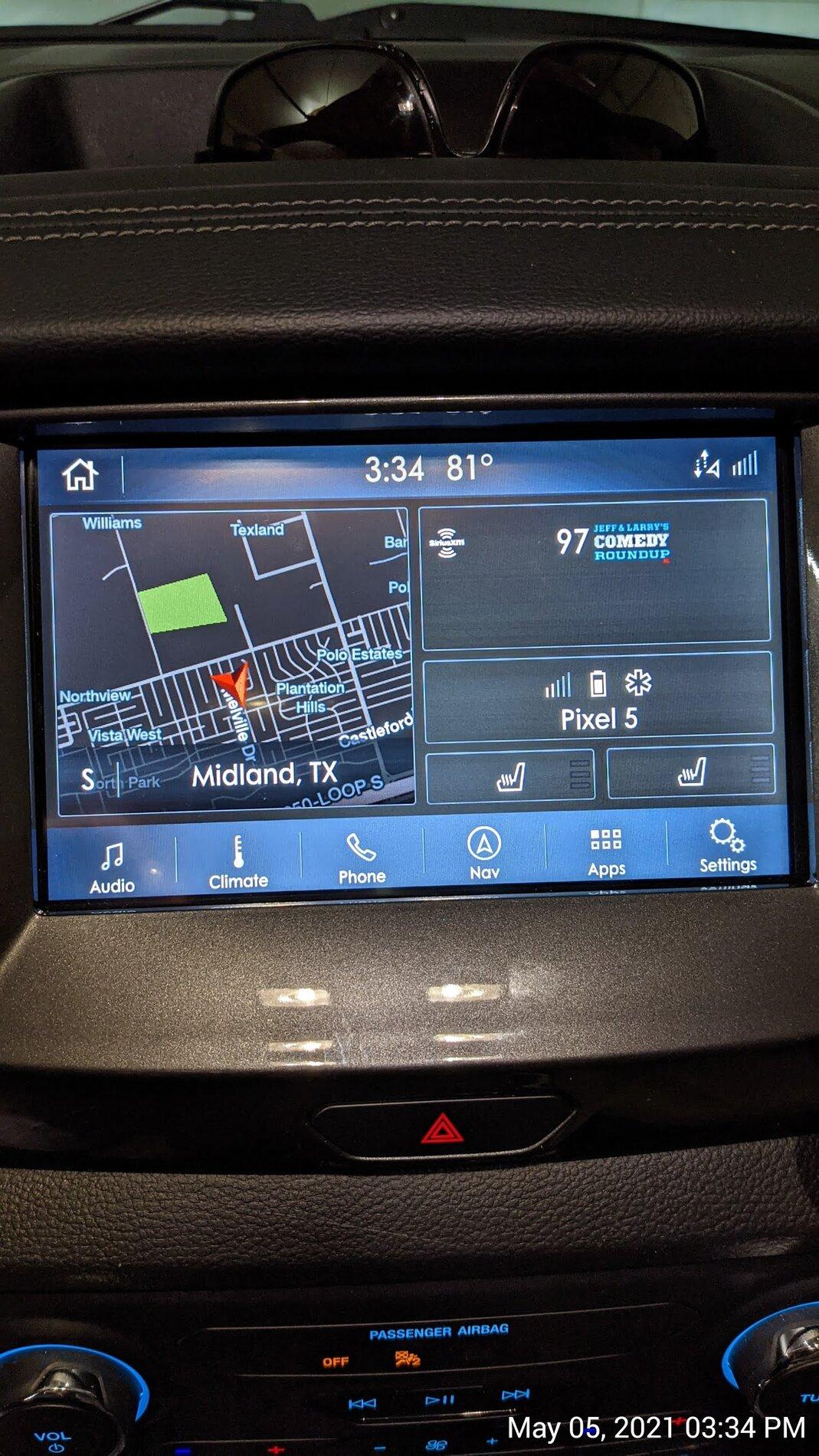
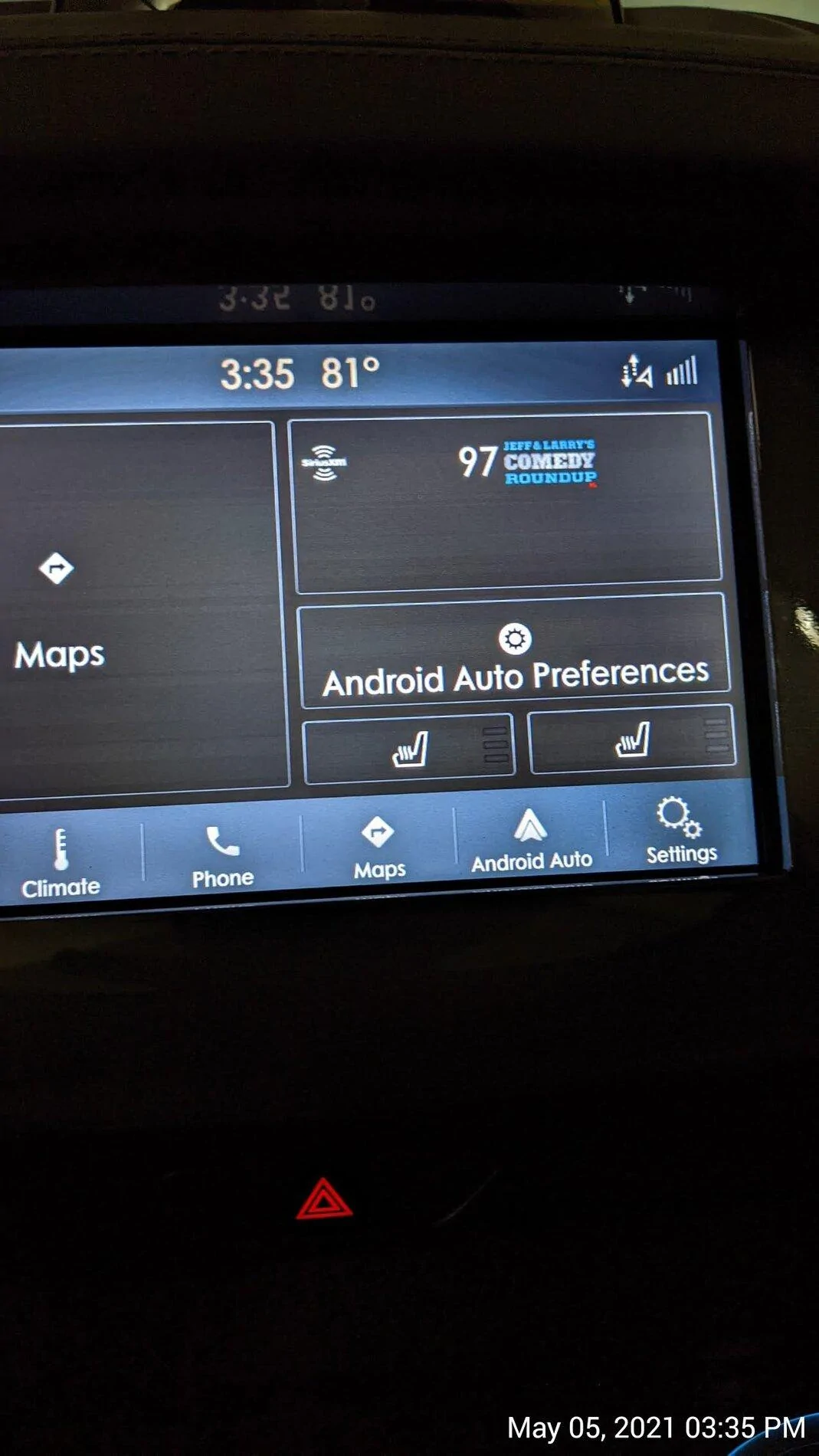
Every time we get a new Sync3 upgrade, I’m hoping that maybe in THIS version, we will finally be able to display the Android Auto map in the half screen map area of our home screen. I know this is possible, because it displays the phone’s map in that area of the home screen on my wife’s Lincoln Nautilus with the same version of Sync.

Maybe I’m missing something? Has anyone else been able to get the Google map to show up here? If so, how do you make it happen?
Sync3 Home.jpg
Sync3 home with AA on.webp
 

Porpoise Hork

Well-Known Member
First Name
Bret
Joined
Apr 28, 2020
Threads
19
Messages
1,316
Reaction score
2,366
Location
Houston
Vehicle(s)
2022 F150 XLT Powerboost FX4 302A Oxford White
Occupation
IT
Mike - Try disconnecting the truck from your network and reconnecting. I had to do that for the maps update.
Managed to get build 21020 completed via USB but still on NA 1 19 maps. Then tried checking for updates and nothing the system reported it is up to date. Completed a master reset of the Sync system and reconnected to my WiFi and checked again, still no more updates and on NA 1 19 maps. :confused:
 

Rp930

Well-Known Member
First Name
Rick
Joined
Nov 19, 2018
Threads
20
Messages
1,794
Reaction score
3,514
Location
Denver
Vehicle(s)
‘19 Ford Ranger Lariat, ‘23 Macan,’21 Shelby GT500
Occupation
Retired
Managed to get build 21020 completed via USB but still on NA 1 19 maps. Then tried checking for updates and nothing the system reported it is up to date. Completed a master reset of the Sync system and reconnected to my WiFi and checked again, still no more updates and on NA 1 19 maps. :confused:
Does the update check try to run? The spinning circles?
 

UofMEngineer

Well-Known Member
Joined
Apr 19, 2019
Threads
1
Messages
516
Reaction score
334
Location
Michigan
Vehicle(s)
20' Escape Hybrid,18' Fusion Hybrid
I just downloaded via wifi and while installing the files, the system rebooted and never came back up. Nothing but a black screen for about a half hour now. Is this normal?
Shut it down. Let it sit for about 3-5 minutes to make sure it's asleep, then restart. Worth a shot.
 

Porpoise Hork

Well-Known Member
First Name
Bret
Joined
Apr 28, 2020
Threads
19
Messages
1,316
Reaction score
2,366
Location
Houston
Vehicle(s)
2022 F150 XLT Powerboost FX4 302A Oxford White
Occupation
IT
Does the update check try to run? The spinning circles?
Yes it does. It flashes between the spinning circles and check for updates 3-4 times then after about a minute it reports back it's up to date.
 

Rp930

Well-Known Member
First Name
Rick
Joined
Nov 19, 2018
Threads
20
Messages
1,794
Reaction score
3,514
Location
Denver
Vehicle(s)
‘19 Ford Ranger Lariat, ‘23 Macan,’21 Shelby GT500
Occupation
Retired
Yes it does. It flashes between the spinning circles and check for updates 3-4 times then after about a minute it reports back it's up to date.
I’m out of ideas.
Sponsored


Top