Sponsored

Sync 3 v3.4 Build 21020

Sped68

Well-Known Member
First Name
Harley
Joined
Feb 26, 2020
Threads
1
Messages
137
Reaction score
449
Location
Saskatoon, SK
Vehicle(s)
2019 Ranger XLT FX4
Since I can't seem to get the maps via OTA (it keeps telling me "up to date") I'm trying the Cyanlabs updater. I did it previously and it worked well. One question if you know the answer - why does it tell me the upgrade mode is "downgrade"? I have 21020 already installed and input that into the updater tool.

I'm trying to get all the map files downloaded now. I have a long drive next week and figured that would be a good time to do the map update.
The OTA update became available for me last night and SYNC updated smoothly within a hour or so. It then indicated it was all up to date but I was still on maps NA 1 18.
I cycled the ignition and tried again but it wouldn’t find the map update. I then toggled the automatic update box off then back on and it then found the map update. After each file I’ve had to do this. I might be at file 4 and at this rate it’ll be awhile. My map software is now showing NA 2 20 but it’s currently downloading another map file as we speak.
Sponsored

 

RedlandRanger

Moderator
First Name
Rob
Joined
Nov 14, 2018
Threads
42
Messages
5,111
Reaction score
11,105
Location
Oregon
Vehicle(s)
2019 Ford Ranger Lariat FX4, 1973 Mercury Capri
Vehicle Showcase
1
Does anyone know if the OTA update works ONLY on Wifi or does it use the cell modem in the truck? I don't have the data package - I never enabled it.

At this point it seems the cyanlabs update will be the easier choice. Doing updates really should not be this hard, honestly.
 

JACER

Well-Known Member
First Name
John
Joined
Feb 7, 2020
Threads
4
Messages
129
Reaction score
451
Location
Plant City, FL
Vehicle(s)
2019 Ranger Lariat
Occupation
Retired Firefighter
Yesterday I connected my 2019 Lariat to my high speed connection here in my summer home in Franklin, NC. For the first time ever, including when I owned our 2017 Explorer, I started to receive an update over the air.

Sync 3.3 has been updated to 3.4 and now further updating, which I presume to be the NAV update. I had been in & out of our park yesterday, but upon each return I checked & the download resumed.

My NAV was shown as NA 1 18. It is now shown as NA 2 20.
 

Tom_C

Well-Known Member
First Name
Tom
Joined
Apr 17, 2021
Threads
35
Messages
1,972
Reaction score
4,389
Location
Virginia, USA
Vehicle(s)
2020 Ranger Lariat SuperCab FX4
Occupation
System Admin, Retired
Does anyone know if the OTA update works ONLY on Wifi or does it use the cell modem in the truck? I don't have the data package - I never enabled it.

At this point it seems the cyanlabs update will be the easier choice. Doing updates really should not be this hard, honestly.
Yes, as far as I know updates require wifi. I think the onboard cell service is just for basic stuff like starting the car with the app. I don't think they want to allow huge data transfers on that link.

As for cyanlabs, I just signed up, but do you need the sync3 updater to grab the files or can you download them manually? The map installation like talks about prepping the installer .lst file, but doesn't tell you have to get the actual files, unless I am missing something

https://community.cyanlabs.net/t/no...nstallation-stand-alone-without-reformat/2965


RedlandRanger

Moderator
First Name
Rob
Joined
Nov 14, 2018
Threads
42
Messages
5,111
Reaction score
11,105
Location
Oregon
Vehicle(s)
2019 Ford Ranger Lariat FX4, 1973 Mercury Capri
Vehicle Showcase
1
Yes, as far as I know updates require wifi. I think the onboard cell service is just for basic stuff like starting the car with the app. I don't think they want to allow huge data transfers on that link.

As for cyanlabs, I just signed up, but do you need the sync3 updater to grab the files or can you download them manually? The map installation like talks about prepping the installer .lst file, but doesn't tell you have to get the actual files, unless I am missing something

https://community.cyanlabs.net/t/no...nstallation-stand-alone-without-reformat/2965
I had to try quite a few times to get all the files - one in particular I ended up downloading myself (having to re-try 3 times to get the file). I didn't see where you could copy and paste the URLS for all the files, but I typed this on in manually:

https://givisivsustorageprod.blob.core.windows.net/swparts/4U5T-14G421-CCD_1615428361000.TAR.GZ

I finally have all the files for the upgrade - almost 16GB worth. When the Syn3 Updater downloads the files, it puts them into a Syn3Updater folder under your downloads directory. It will keep files that it completes so that if you have to start over it won't start from scratch. I probably restarted the process 10+ times in order to get all the files. I'd get an error when trying to download one of the files (connection closed) - then try again an it would usually work, getting the same error on another file.

I also got the answer to my "downgrade" question here:

https://cyanlabs.net/tutorials/windows-automated-method-update-to-3-4/#downgrade

If you are currently on any version above 3.4.19274 and wish to update maps you should use this method.
So I think I have a good USB to do the update - I have a 4ish hour drive next week so I think I will attempt to do the map upgrade then.
 

Porpoise Hork

Well-Known Member
First Name
Bret
Joined
Apr 28, 2020
Threads
19
Messages
1,316
Reaction score
2,366
Location
Houston
Vehicle(s)
2022 F150 XLT Powerboost FX4 302A Oxford White
Occupation
IT
Since I can't seem to get the maps via OTA (it keeps telling me "up to date") I'm trying the Cyanlabs updater. I did it previously and it worked well. One question if you know the answer - why does it tell me the upgrade mode is "downgrade"? I have 21020 already installed and input that into the updater tool.

I'm trying to get all the map files downloaded now. I have a long drive next week and figured that would be a good time to do the map update.
Make sure to have v3.319052 of the Syn3 updater tool. Then click on the gear icon in the lower left corner and set the Region to US/Canada, and the install mode to reformat. Apply the settings and it should flip to the Home icon. From here set it to Download Only (No USB) and set the options for New Version to US, Canada, & Mexico/ Sync 3.4.21020, Map Version 2.20 (2020) - NA. Once you do the Select Packages will populate below. You can now deselect the VOICE and GRACENOTES packages here but leave APPS and all the rest as you need APPS enabled to initiate the download. Click Start and it will throw the reformat warnings for a 2020 and up car. Since were not actually reformatting you can click Yes on it and the Final Warning alert and continue Download prompt. After that the updater tool will download the files to the default save location. It'll take about 10-15 minutes to download them all. Once done you can move to the next step by removing all the files in the SyncMyRide folder and copying the 13 map files to it and editing the autoinstall.lst file as stated by the tutorial. Once done insert the USB and it will start the update.
 

RedlandRanger

Moderator
First Name
Rob
Joined
Nov 14, 2018
Threads
42
Messages
5,111
Reaction score
11,105
Location
Oregon
Vehicle(s)
2019 Ford Ranger Lariat FX4, 1973 Mercury Capri
Vehicle Showcase
1
Make sure to have v3.319052 of the Syn3 updater tool. Then click on the gear icon in the lower left corner and set the Region to US/Canada, and the install mode to reformat. Apply the settings and it should flip to the Home icon. From here set it to Download Only (No USB) and set the options for New Version to US, Canada, & Mexico/ Sync 3.4.21020, Map Version 2.20 (2020) - NA. Once you do the Select Packages will populate below. You can now deselect the VOICE and GRACENOTES packages here but leave APPS and all the rest as you need APPS enabled to initiate the download. Click Start and it will throw the reformat warnings for a 2020 and up car. Since were not actually reformatting you can click Yes on it and the Final Warning alert and continue Download prompt. After that the updater tool will download the files to the default save location. It'll take about 10-15 minutes to download them all. Once done you can move to the next step by removing all the files in the SyncMyRide folder and copying the 13 map files to it and editing the autoinstall.lst file as stated by the tutorial. Once done insert the USB and it will start the update.
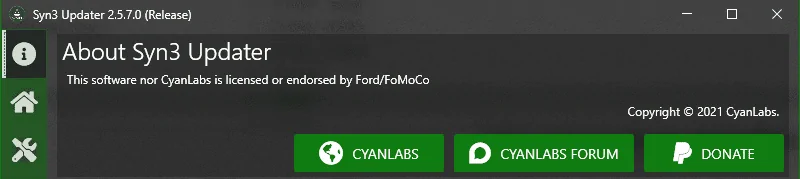
Where did you get v3.319052? I downloaded from the cyanlabs page and I got 2.5.7.0:

1620317733077.webp
 

Porpoise Hork

Well-Known Member
First Name
Bret
Joined
Apr 28, 2020
Threads
19
Messages
1,316
Reaction score
2,366
Location
Houston
Vehicle(s)
2022 F150 XLT Powerboost FX4 302A Oxford White
Occupation
IT
Where did you get v3.319052? I downloaded from the cyanlabs page and I got 2.5.7.0:

1620317733077.png
There's two versions listed depending on where you look. The updater tool itself is 2.5.7.0 (Release) and the Car Configuration (Gear Icon) is 3.3.19052. Sorry for the confusion.
 

TechnicallyReal

Well-Known Member
First Name
Ryan
Joined
Aug 20, 2020
Threads
6
Messages
460
Reaction score
609
Location
Eh?
Vehicle(s)
'19 Ranger Lariat 4x4
Occupation
Software Engineer / IT Admin
Since I can't seem to get the maps via OTA (it keeps telling me "up to date") I'm trying the Cyanlabs updater. I did it previously and it worked well. One question if you know the answer - why does it tell me the upgrade mode is "downgrade"? I have 21020 already installed and input that into the updater tool.

I'm trying to get all the map files downloaded now. I have a long drive next week and figured that would be a good time to do the map update.
Upgrade mode "downgrade" is on purpose. I forget why exactly. It chooses the mode based on what you tell it you already have on your head unit, and for some combinations it has to trick the head unit into think it's a downgrade in order to update every component you want.
 

TechnicallyReal

Well-Known Member
First Name
Ryan
Joined
Aug 20, 2020
Threads
6
Messages
460
Reaction score
609
Location
Eh?
Vehicle(s)
'19 Ranger Lariat 4x4
Occupation
Software Engineer / IT Admin
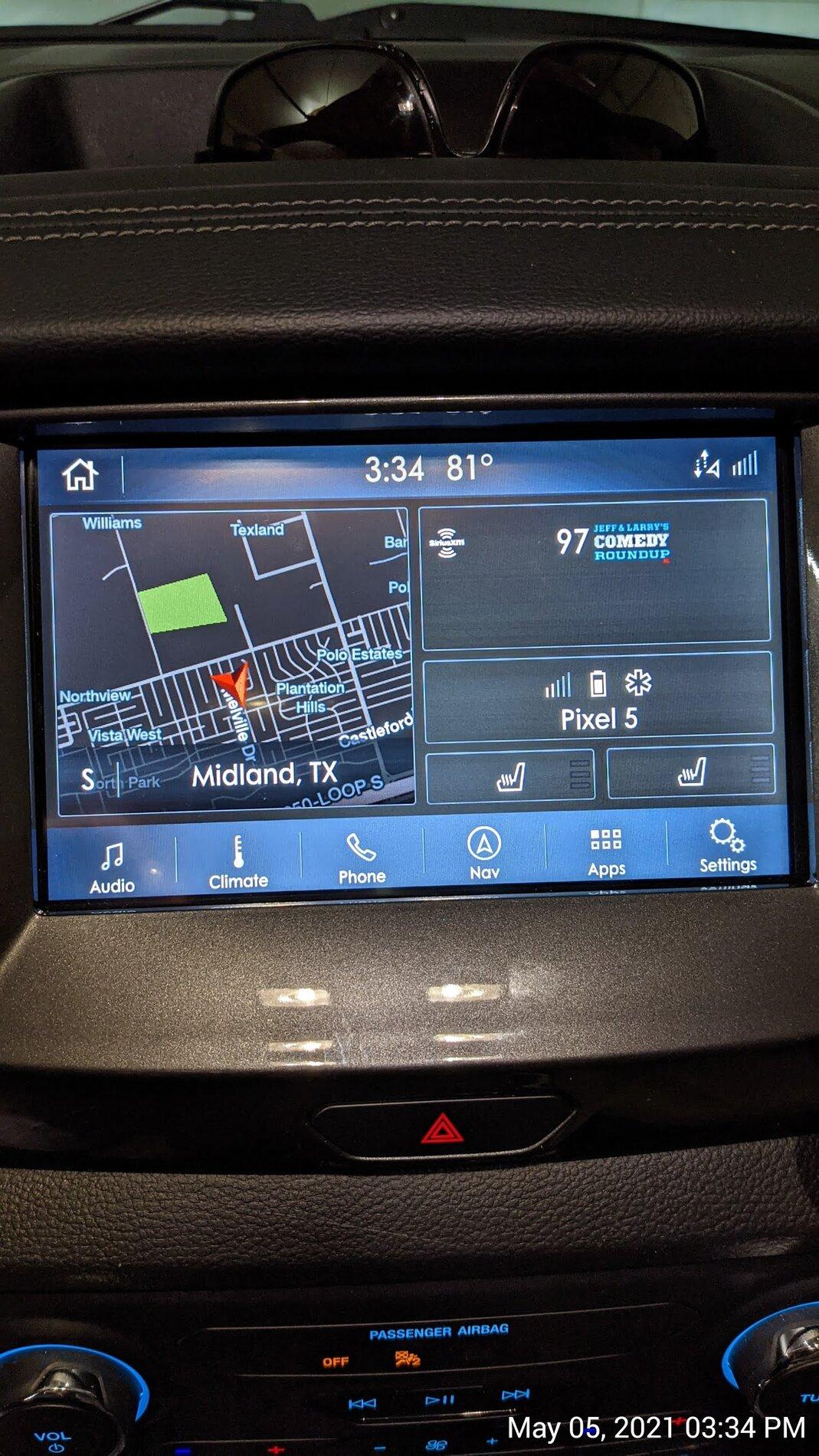
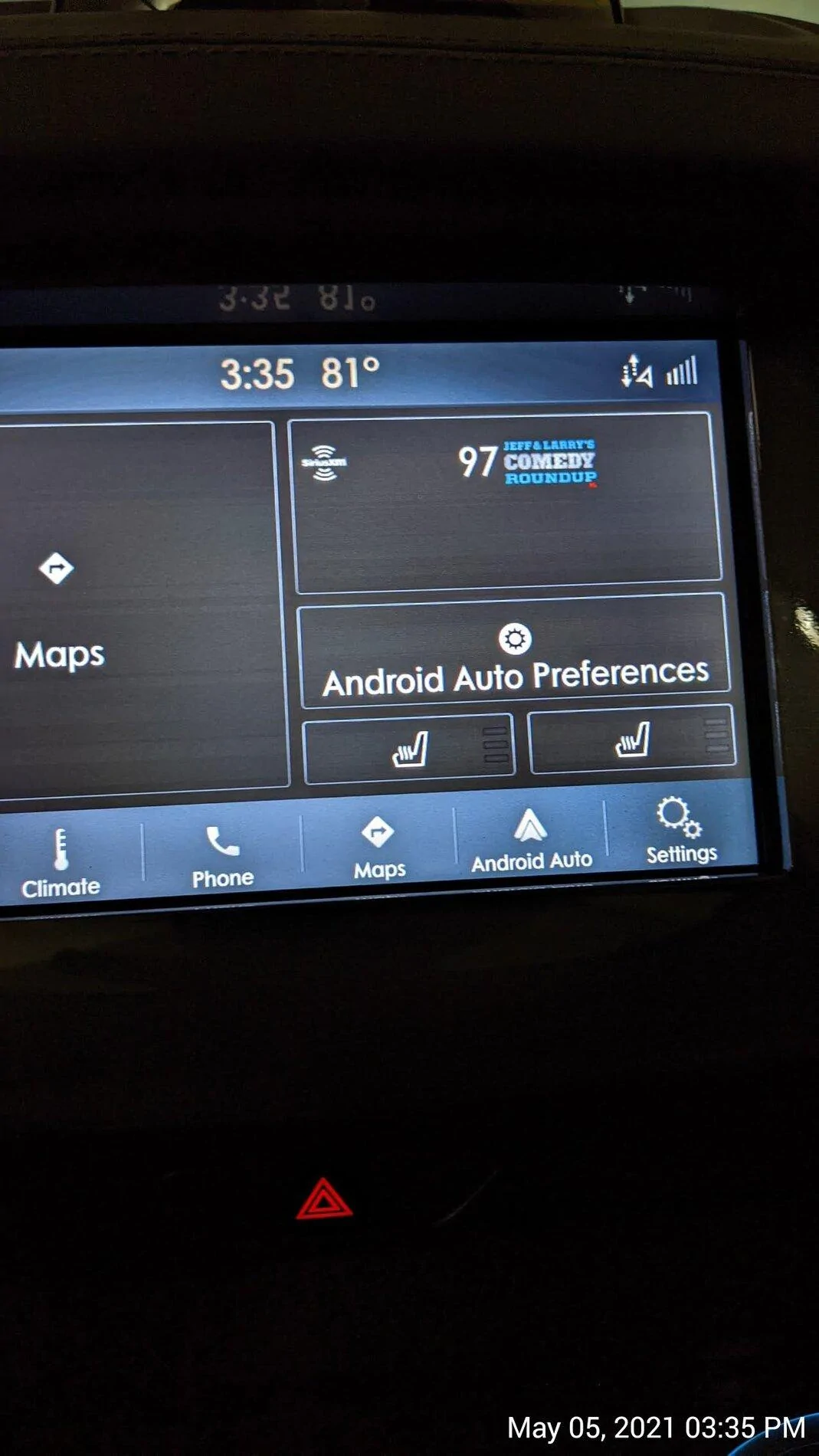
Every time we get a new Sync3 upgrade, I’m hoping that maybe in THIS version, we will finally be able to display the Android Auto map in the half screen map area of our home screen. I know this is possible, because it displays the phone’s map in that area of the home screen on my wife’s Lincoln Nautilus with the same version of Sync.

Maybe I’m missing something? Has anyone else been able to get the Google map to show up here? If so, how do you make it happen?
Sync3 Home.jpg
Sync3 home with AA on.webp
Wow I had no idea that that was a thing on other head units. I would like that as well. Hopefully a future update brings that in like you said. Do you have any photos of it working like that from your Nautilus?
 

Strokerduster

Well-Known Member
First Name
Paul
Joined
Oct 16, 2018
Threads
11
Messages
634
Reaction score
2,543
Location
Texas
Vehicle(s)
2019 ranger XLT, 2019 Edge ST, 1946 CJ2a street rod, shop full of motoorcycles
Vehicle Showcase
1
I tried to update to 3.4 several weeks ago via wifi. Never got it to work and blew it off. Yesterday it just appeared, don't know how but I like it much better than 3.0. Now if I can just get it to work on wifes ST......
 

RedlandRanger

Moderator
First Name
Rob
Joined
Nov 14, 2018
Threads
42
Messages
5,111
Reaction score
11,105
Location
Oregon
Vehicle(s)
2019 Ford Ranger Lariat FX4, 1973 Mercury Capri
Vehicle Showcase
1
WiFi only.
Thanks for the info - that is what I figured - given the size of the data files for the map update, I think I'll just use the cyanlabs updater. It worked really well for me previously. If I didn't do that, I'd have to keep the truck on and powered up for quite some time I'd think in order to download the map files.


Top