Sponsored

Sync 3 v3.4 Build 21020

GregsFX2Ranger

Well-Known Member
First Name
Greg
Joined
Mar 19, 2021
Threads
8
Messages
557
Reaction score
773
Location
Tennessee
Vehicle(s)
2021 XLT 302A 4x2 Rapid Red Black Appear Package
Occupation
Management
I connected mine with 2.4G, mainly because I have a guest network for my wifi home network that is not connected to my internal network. Won't tell anyone what to do, but I don't have anything 'not trusted' on my internal network.
2.4G here too, Simplest method. My security cameras don't like anything but 2.4G either.
Sponsored


SymChris

Well-Known Member
First Name
Chris
Joined
Apr 25, 2020
Threads
6
Messages
252
Reaction score
470
Location
Mississauga, ON, Canada
Vehicle(s)
2019 Ranger Lariat FX4 / 2017 Escape SE FWD
Updated today, Thank you OP
Not sure when this will be available on the Ford Owner Website, but Oasis indicates it has been released for 2019/21 Rangers

No, I don't know what is new with this build
Thank you for posting this! I think the Ford site can't accept our XML's right now because it won't let me upload either, but the install worked no problem. I was on 3.4 20282 prior to this for what it's worth (fwiw).... I'm curious to what it may have done over 20282 because so far it seems the same?
 

Radioman

Well-Known Member
First Name
Kent
Joined
Sep 18, 2019
Threads
7
Messages
1,827
Reaction score
8,913
Location
Roseville, CA
Vehicle(s)
2017 Toyota Highlander, 2020 Ranger Lariat 4x2, 2025 JL Jeep Rubicon
Occupation
Retired RF Telecommications Manager
Today I upgraded from Build 20282 to Build 21020. The install went well, about 35 mins. As others have stated, I had to enable Wi-Fi and Search for Updates before Ford would recognize the update.

Since I was on a roll, I downloaded updates for the NAV and installed them on a thumb drive. It consists of 15 files (including the license file) and about 11.5 GB of data. :shock: I have not attempted the install yet and I'm not sure if I will end up at 119 or ???
 

TechnicallyReal

Well-Known Member
First Name
Ryan
Joined
Aug 20, 2020
Threads
6
Messages
460
Reaction score
609
Location
Eh?
Vehicle(s)
'19 Ranger Lariat 4x4
Occupation
Software Engineer / IT Admin
I was just about to use Syn3 Updater to get this version when I noticed it was on the official site.

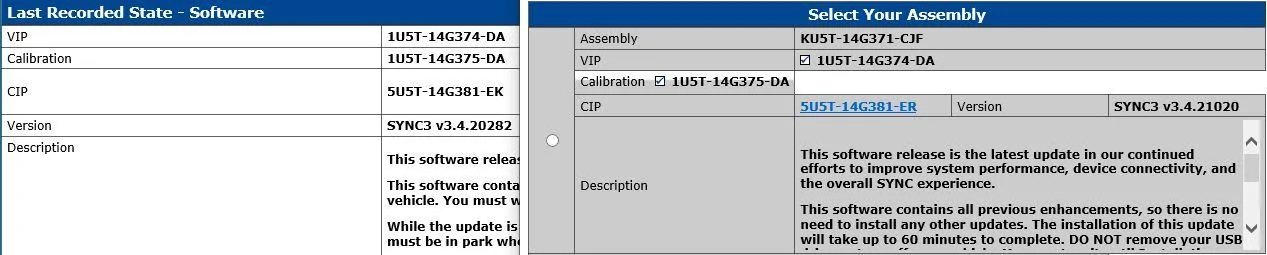
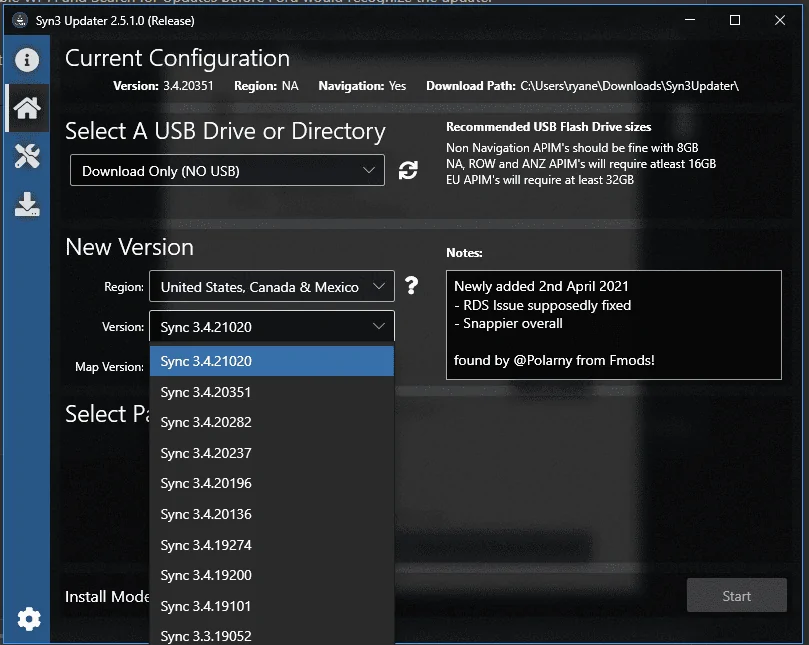
I updated and so far can only say that it seems solid. Fewer stutters/hiccups when switching screens. Notes from Syn3 Updater say:

Newly added 2nd April 2021
- RDS Issue supposedly fixed
- Snappier overall

found by @Polarny from Fmods!
1620003585459.png


FYI the notes for the previous version, 20351, says this:

No reported issues
- Navigation seems faster for searching addresses etc
- Carplay seems to load quicker
- New section in the navigation to allow quick access to things when moving
 
OP
OP

tmcolegr

Well-Known Member
First Name
Todd
Joined
Dec 26, 2019
Threads
11
Messages
240
Reaction score
226
Location
Central FL
Vehicle(s)
2019 F150 Platinum 4x4 & 2019 Ranger XLT 4x4
Did my main update via USB, started it and drove for over an hour. Updating system message disappeared from screen and I had gotten to my destination, so I turned it off. Checked system and it still had the old version showing. Started it again after I got home, took about 15 minutes, said it was done and it would be ready after next restart. Once it was restarted, did the automatic wifi update of the maps, so it's at NA 2 20 now. The maps took about another hour from start to finish. Everything is working, nothing lost, guess it's good to go.
That's interesting...

I have numerous 2019 vehicles with Sync 3 v3.4 with either build 20282 or the new 21020 build and the Navigation Map Update site still says NA 1 19 is the most current version.


BGDOGY

Well-Known Member
First Name
Tommy
Joined
Oct 5, 2019
Threads
4
Messages
113
Reaction score
216
Location
virginia
Vehicle(s)
2019 Ford Ranger Lariat 4x4 crew cab
That's interesting...

I have numerous 2019 vehicles with Sync 3 v3.4 with either build 20282 or the new 21020 build and the Navigation Map Update site still says NA 1 19 is the most current version.
After the USB update, had to then turn on the automatic updates and tell it to look for any updates, that's when it found the nav update. It takes awhile to search for the update, I don't usually use the automatic updates, because I don't sit in my driveway with the truck on and connected to my wifi and it seems to take forever to even find there are updates available.
 

huckleberry

Member
Joined
Apr 11, 2020
Threads
0
Messages
23
Reaction score
42
Location
North America
Vehicle(s)
2019 Ford Ranger Lariat Screw FX4
i ended up downloading approximately 8 separate nav updates ota before scans confirmed i was finally current.
 
OP
OP

tmcolegr

Well-Known Member
First Name
Todd
Joined
Dec 26, 2019
Threads
11
Messages
240
Reaction score
226
Location
Central FL
Vehicle(s)
2019 F150 Platinum 4x4 & 2019 Ranger XLT 4x4
i ended up downloading approximately 8 separate nav updates ota before scans confirmed i was finally current.
...and it updated navigation via wifi with the engine shut off? What navigation version are you currently at?
 

huckleberry

Member
Joined
Apr 11, 2020
Threads
0
Messages
23
Reaction score
42
Location
North America
Vehicle(s)
2019 Ford Ranger Lariat Screw FX4
v 2 20, but it read same early on and never changed with the additional updates. this was the last update it picked up ota...

oXp3ak.webp


yeah, engine off in garage whole time. ran scan & once it picked up another and began downloading simply left and after 30-45 mins repeated process. was kind of funny at first, but then became bit of a chore...
 
Last edited:

UofMEngineer

Well-Known Member
Joined
Apr 19, 2019
Threads
1
Messages
516
Reaction score
334
Location
Michigan
Vehicle(s)
20' Escape Hybrid,18' Fusion Hybrid
yeah, engine off in garage whole time. ran scan & once it picked up another and began downloading simply left and after 30-45 mins repeated process. was kind of funny at first, but then became bit of a chore...
I don't know if it was really designed it for this particular scenario (continual monitoring). My guess is it's meant to be invisible and slowly pull down everything it needs over a series of power cycles, then update in the background. Mostly invisible process.
 

Mellow

Well-Known Member
First Name
Joe
Joined
Mar 11, 2019
Threads
22
Messages
578
Reaction score
1,525
Location
DFW, TX
Vehicle(s)
19 Sport Lariat 2WD Plat. White
I don't know if it was really designed it for this particular scenario (continual monitoring). My guess is it's meant to be invisible and slowly pull down everything it needs over a series of power cycles, then update in the background. Mostly invisible process.
That's what I'm thinking and that makes the most sense. Just reconnected mine to my wifi and it started downloading an update.
 

Dr. Zaius

Well-Known Member
First Name
Dennis
Joined
Dec 20, 2019
Threads
76
Messages
6,666
Reaction score
40,688
Location
Living The Dream
Vehicle(s)
2019 Ranger XLT FX4
Does this update remove the infuriating practice of graying out Carplay playlist access if the vehicle is moving?

I have Carplay in several other vehicles and none of them do this except Sync after the last update.

This "feature" in and of itself is almost enough for me to sell my truck because it is so frustrating.

Edit: Just completed the update and sure enough, it still grays out the recent playlist selection when moving.

More asinine Nannyware.

Some things I can understand but this just sucks.

My Kenwood, Sony, and Pioneer head units with the latest firmware don't do this BS.

Does this only happen in vehicles with Nav?

If so, can I disable the built-in Nav since I never use it?
 
Last edited:

Mellow

Well-Known Member
First Name
Joe
Joined
Mar 11, 2019
Threads
22
Messages
578
Reaction score
1,525
Location
DFW, TX
Vehicle(s)
19 Sport Lariat 2WD Plat. White
Not sure when this will be available on the Ford Owner Website, but Oasis indicates it has been released for 2019/21 Rangers

No, I don't know what is new with this build

I just hope Ford included all the files with this release

Capture1.JPG
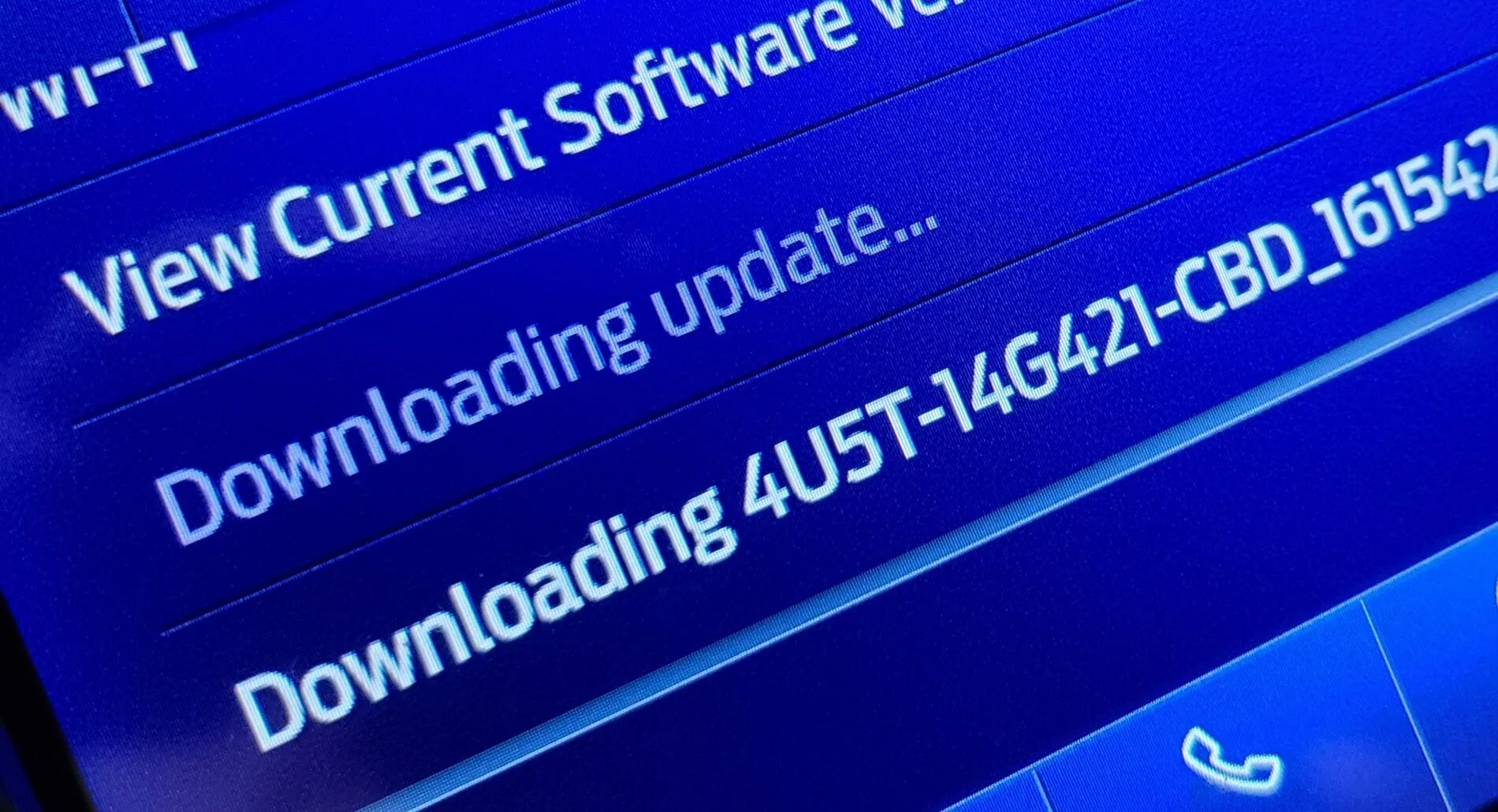
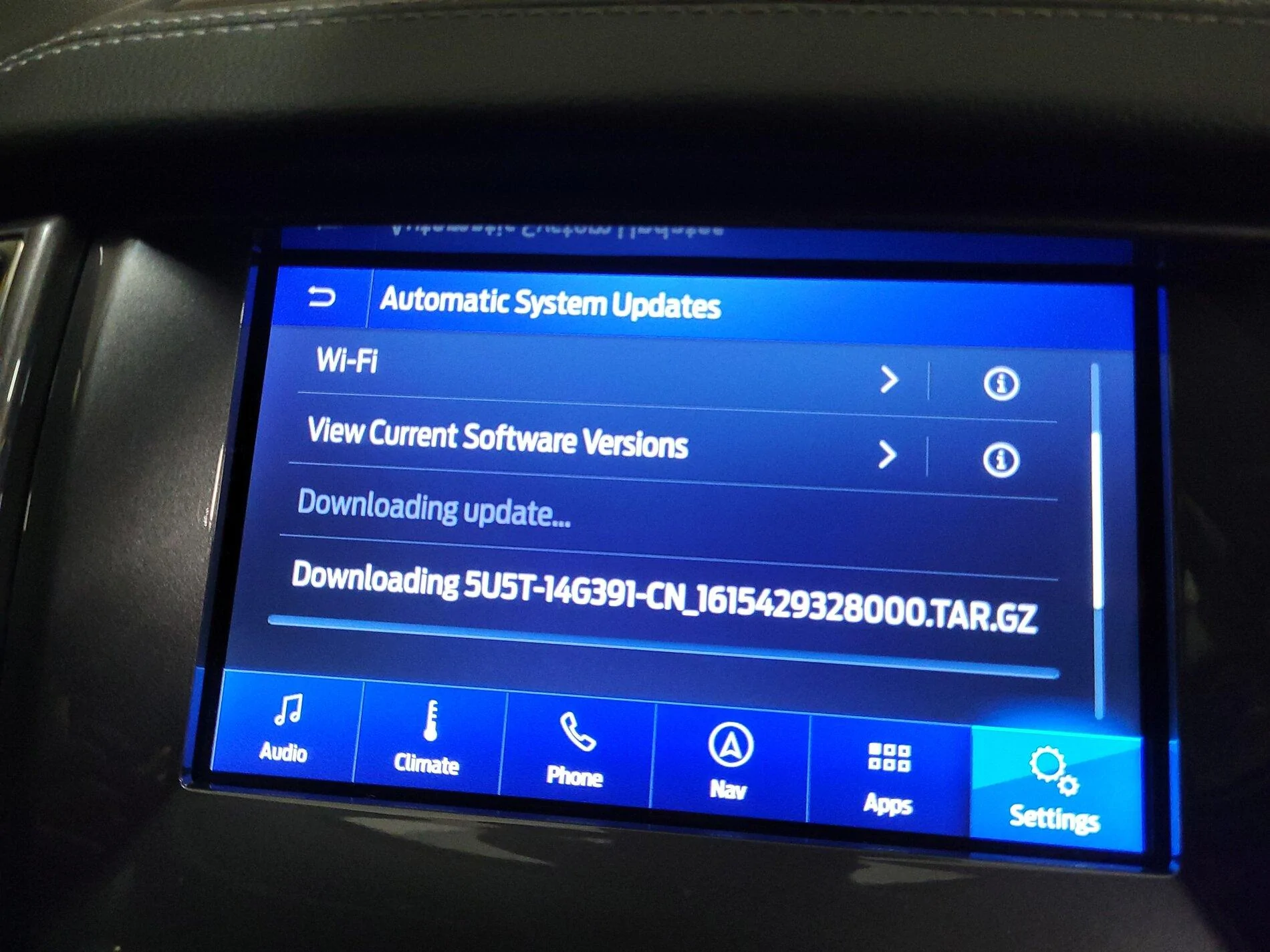
Mine is trying to download the 5U5T one now.. not sure if it downloaded others as I wasn't watching it the whole time.

IMG_20210503_103105.webp
 

Hirnlego

Well-Known Member
First Name
Jason
Joined
Jan 24, 2020
Threads
1
Messages
82
Reaction score
50
Location
SC
Vehicle(s)
2019 Ford Ranger XLT 302A
Does this update remove the infuriating practice of graying out Carplay playlist access if the vehicle is moving?

I have Carplay in several other vehicles and none of them do this except Sync after the last update.

This "feature" in and of itself is almost enough for me to sell my truck because it is so frustrating.

Edit: Just completed the update and sure enough, it still grays out the recent playlist selection when moving.

More asinine Nannyware.

Some things I can understand but this just sucks.

My Kenwood, Sony, and Pioneer head units with the latest firmware don't do this BS.

Does this only happen in vehicles with Nav?

If so, can I disable the built-in Nav since I never use it?

This is one of the more annoying features Sync has along with disabling USB searching for music added in audio. It is on all version NAV or non NAV.
I have been using the voice commands to search but this still limits the number of options.

Any images or info from anyone on what the update changed would be great.
 

Secousse

Well-Known Member
First Name
Secousse
Joined
Apr 6, 2021
Threads
8
Messages
230
Reaction score
427
Location
CA
Vehicle(s)
2021 Lariat Tremor
So after familiarizing myself with the whole update process and the options available (since it's my first Ford and I purchased it not even a month ago), and I've successfully updated SYNC to 3.4 21020 using a USB stick.

I noticed that my Navigation Maps Version remains at NA119 even after checking for updates manually - is that the latest or should I be expecting a newer one?
Sponsored


Top