Sponsored

Sync 3 v3.4 Build 21020

Gizmokid2005

Well-Known Member
Joined
Dec 1, 2019
Threads
13
Messages
1,279
Reaction score
1,875
Location
GA
Website
gizmokid2005.com
Vehicle(s)
2019 Ford Ranger XLT 4X4 SCrew
Occupation
SQL Developer
Vehicle Showcase
1
Thank you. If I recall correctly, someone earlier in this thread posted on how to get that one-touch functioning again.
Page 79 in your manual has the details on how to reset it.
 

UofMEngineer

Well-Known Member
Joined
Apr 19, 2019
Threads
1
Messages
516
Reaction score
334
Location
Michigan
Vehicle(s)
20' Escape Hybrid,18' Fusion Hybrid
I guess you could try pulling the fuse or even disconnecting the battery to hard reboot the system.

You may just have to take it to a dealer to get them to take care of it if nothing else works. Of course, that will probably involve a complete reset and you'll have to set up everything again.

Maybe @UofMEngineer has seen this before and can help.....
So, if it were me I'd shut off the Automatic Updates option, shut the car off for a few minutes, then run the USB map update. I think a few others have done that when they got tired of waiting and it worked. I'm not well versed in the OTA process so I can't help much beyond that unfortunately.
 

CJohnStanchina

Active Member
First Name
CJohn
Joined
Mar 2, 2020
Threads
2
Messages
43
Reaction score
51
Location
Maple Grove, MN
Vehicle(s)
2019 Ford Ranger Lariat 4x4 SuperCab
So, if it were me I'd shut off the Automatic Updates option, shut the car off for a few minutes, then run the USB map update. I think a few others have done that when they got tired of waiting and it worked. I'm not well versed in the OTA process so I can't help much beyond that unfortunately.
I can't thank all of you enough for your suggestions...but here I sit...third day of failure. Here's what I've tried: What UofMEngineer & SymChris suggested (turning off automatic updates). What AlCohenUSA suggested above (hard reboot via battery disconnect & verify a good WiFi connection). I've also tried turning WiFi off, as well as a soft HU reboot (push and hold volume/power button while also pushing skip track forward button). Many of these seem to interrupt the attempted install of 4U5T-14G422-CAH_1625428946000.TAR.GZ, but nothing seems to kill it. And that's what I think is the heart of the problem -- Sync has hung up on installing the file above, and I need to find a way to kill/cancel it. Since I think I'm currently two builds behind, I thought about trying to USB install 21194, but I'm afraid that because my truck believes it's still not finished trying to complete the 21020 install, it will continue to attempt to finish that before moving on to any other attempted update. I have also not attempted the CyanLabs solution, which I admit I haven't researched and don't understand what/how it would do things differently. Thoughts? Anyone?? I'm fearful that a master reset may be the only option. If so, is there a way to save some sort of preferences profile that I could just reload after the master reset? Or would that kind of functionality make too much sense? Honestly, I feel like I'm just about ready to take a BFH to the whole GDF system.


UofMEngineer

Well-Known Member
Joined
Apr 19, 2019
Threads
1
Messages
516
Reaction score
334
Location
Michigan
Vehicle(s)
20' Escape Hybrid,18' Fusion Hybrid
What do you mean when you say it’s stuck? If you shut of automatic updates and WiFi, I would think using your normal USB updater (for maps or 21194) would work. Have you tried running a USB update with those both disabled?
 

CJohnStanchina

Active Member
First Name
CJohn
Joined
Mar 2, 2020
Threads
2
Messages
43
Reaction score
51
Location
Maple Grove, MN
Vehicle(s)
2019 Ford Ranger Lariat 4x4 SuperCab
What do you mean when you say it’s stuck? If you shut of automatic updates and WiFi, I would think using your normal USB updater (for maps or 21194) would work. Have you tried running a USB update with those both disabled?
Thank you for your continued assistance and your question. I mean that 4U5T-14G422-CAH_1625428946000.TAR.GZ has already been downloaded, so theoretically, turning WiFi off should have no impact. Also, because Sync has not completed installing this file (based on what I see on the progress bar, as shown in previous screenshots), it seems unwilling to move on to any other update process as it seems to think that the installation process for 21020 is incomplete. I have tried to initiate a USB update with both WiFi and Automatic Updates turned off, and nothing on the Display changes...forever. As soon as I go back and turn automatic updates back on, I see that the installation for the above mentioned file is still hung up at roughly 50% completion, as it has been for days. Actually, it's probably been hung up on that file install since the automatic update to 21020 back in early May. Ever since the interface changed in early May, I have had ridiculous lag times in getting Sync to respond to touch screen inputs. I now suspect that's because it's been trying to complete the installation this file in the background for months. What am I missing here?
 

CJohnStanchina

Active Member
First Name
CJohn
Joined
Mar 2, 2020
Threads
2
Messages
43
Reaction score
51
Location
Maple Grove, MN
Vehicle(s)
2019 Ford Ranger Lariat 4x4 SuperCab
What do you mean when you say it’s stuck? If you shut of automatic updates and WiFi, I would think using your normal USB updater (for maps or 21194) would work. Have you tried running a USB update with those both disabled?
It's almost like I need to be able to interrupt the boot path like you can in Windows, by directing the BIOS to look to an alternate source (USB drive, Blu-Ray Drive, etc.) for an OS (or in this case, an update).
 

alcohenusa

Well-Known Member
First Name
Alan
Joined
Jul 22, 2020
Threads
12
Messages
478
Reaction score
727
Location
CO
Vehicle(s)
2020 Ranger Lariat 4x4
Occupation
Retired
It's almost like I need to be able to interrupt the boot path like you can in Windows, by directing the BIOS to look to an alternate source (USB drive, Blu-Ray Drive, etc.) for an OS (or in this case, an update).
If you are still under warranty, your best bet may be to let a dealer fix it. If you go the Cyan Labs route, that may fix it.

I don’t use Cyan Labs as I do not want to give them an out for a warranty claim if something should go south.
 

UofMEngineer

Well-Known Member
Joined
Apr 19, 2019
Threads
1
Messages
516
Reaction score
334
Location
Michigan
Vehicle(s)
20' Escape Hybrid,18' Fusion Hybrid
Ever since the interface changed in early May, I have had ridiculous lag times in getting Sync to respond to touch screen inputs.
You may have more wrong with that module than the update. I'd run it in and get it checked, it may need to be replaced.
 

CJohnStanchina

Active Member
First Name
CJohn
Joined
Mar 2, 2020
Threads
2
Messages
43
Reaction score
51
Location
Maple Grove, MN
Vehicle(s)
2019 Ford Ranger Lariat 4x4 SuperCab
If you are still under warranty, your best bet may be to let a dealer fix it. If you go the Cyan Labs route, that may fix it.

I don’t use Cyan Labs as I do not want to give them an out for a warranty claim if something should go south.
Thank you for your perspective -- on both points. I AM still under warranty, so your second comment really rings true with me. Thanks again.
 

CJohnStanchina

Active Member
First Name
CJohn
Joined
Mar 2, 2020
Threads
2
Messages
43
Reaction score
51
Location
Maple Grove, MN
Vehicle(s)
2019 Ford Ranger Lariat 4x4 SuperCab
You may have more wrong with that module than the update. I'd run it in and get it checked, it may need to be replaced.
Thank you...you sure could be right. My concern is like when you reach out to pretty much any tech support conduit, and they're like, "Well, have you tried restarting?" And their next response will be, "Well, you're gonna have to reinstall the OS." (e.g., Master Reset). I don't mean to sh!t on Ford's dealer network, but from my experience, you get a lot of situations where the dealer points at the factory and the factory points at the dealer. I just want my problem solved, please (not directed at you, UofMEngineer, of course, but rather at the "machine"). And BTW, I am the grandson of a man who put in 37 or 38 years at the tower in Dearborn. So in spite of the tone of my comments, I still have a long and emotional connection to the Blue Oval.
 

Progeny2021

Banned
Banned
First Name
Joe
Joined
Oct 20, 2021
Threads
24
Messages
1,211
Reaction score
2,692
Location
Charlotte, NC
Vehicle(s)
2019 Ranger Lariat Super Crew Cab
Occupation
Retired
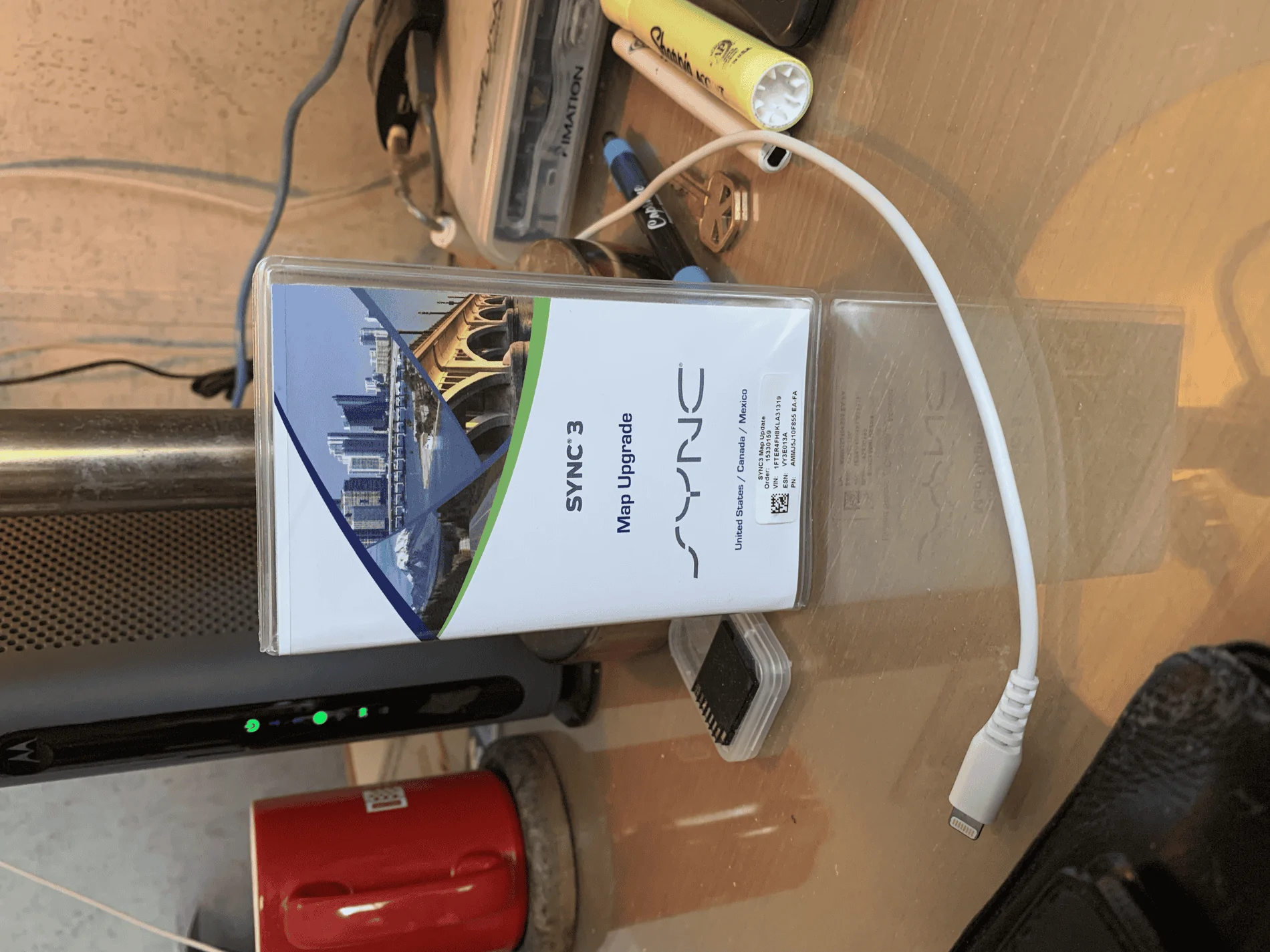
I recently performed the SYNC3 firmware/map upgrade. Bought the Map USB stick from Ford. Hooked up battery charger. First upload was a failure as Lariat didn't have the most recent SYNC3 upgrade despite 'automatic wifi upgrade' selected.

I then manually requested 'updates' and the over the air 'home wifi' upgrade started - took hours! Think I'll try a USB option next time. USB map update went without a hitch after the SYNC3 update completed. Make sure your current SYNC3 version ends in 21194 before starting the 2_20 USB map upgrade.

tempImagexfsxrZ.png
Sponsored


Top