Sponsored

FORScan Crowdsourced Wiki

FoMoCoDave

Well-Known Member
First Name
Dave
Joined
Nov 15, 2020
Threads
4
Messages
61
Reaction score
96
Location
Blue Ridge Mtns VA
Vehicle(s)
2020 Ranger XLT
The terrain modes can only be added with the terrain management 4x4 switch, without it you'll never have access to them.
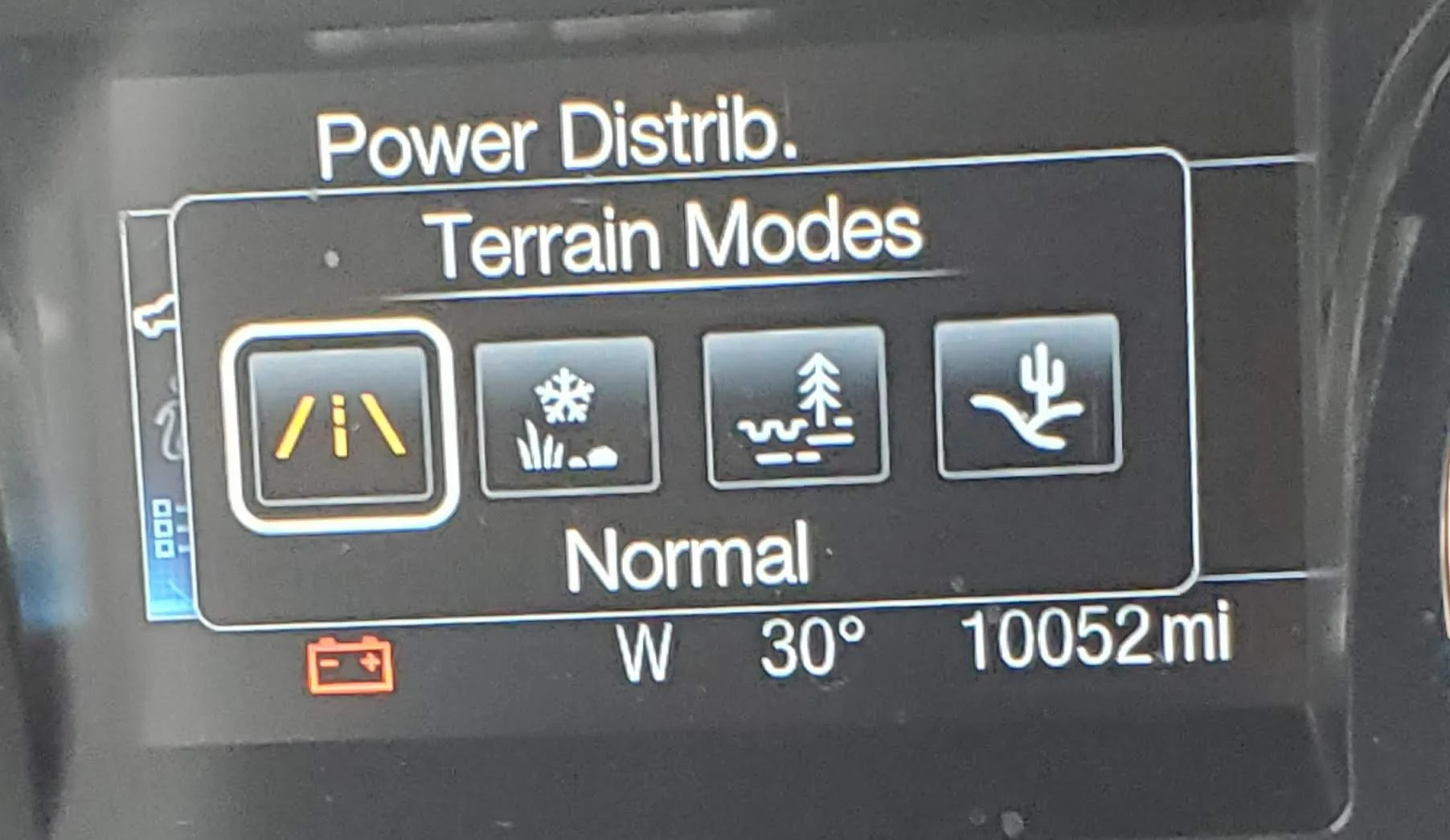
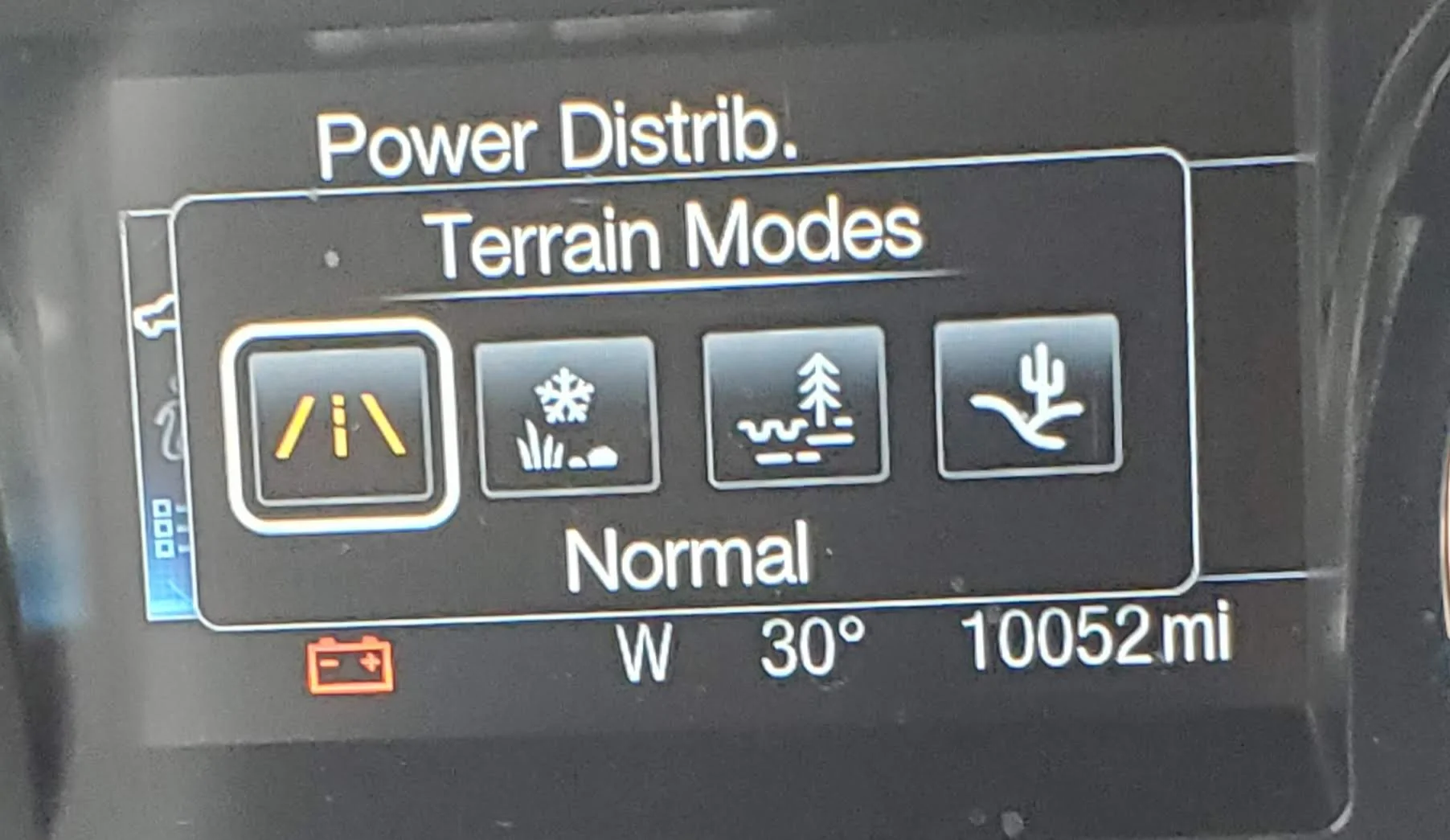
I do have the switch and I called them by the wrong name earlier. Cycle thru the terrain modes by multiple presses on the button center of the rotating knob. Pressing that button brings up the terrain modes display and it goes away on its own in a few seconds.

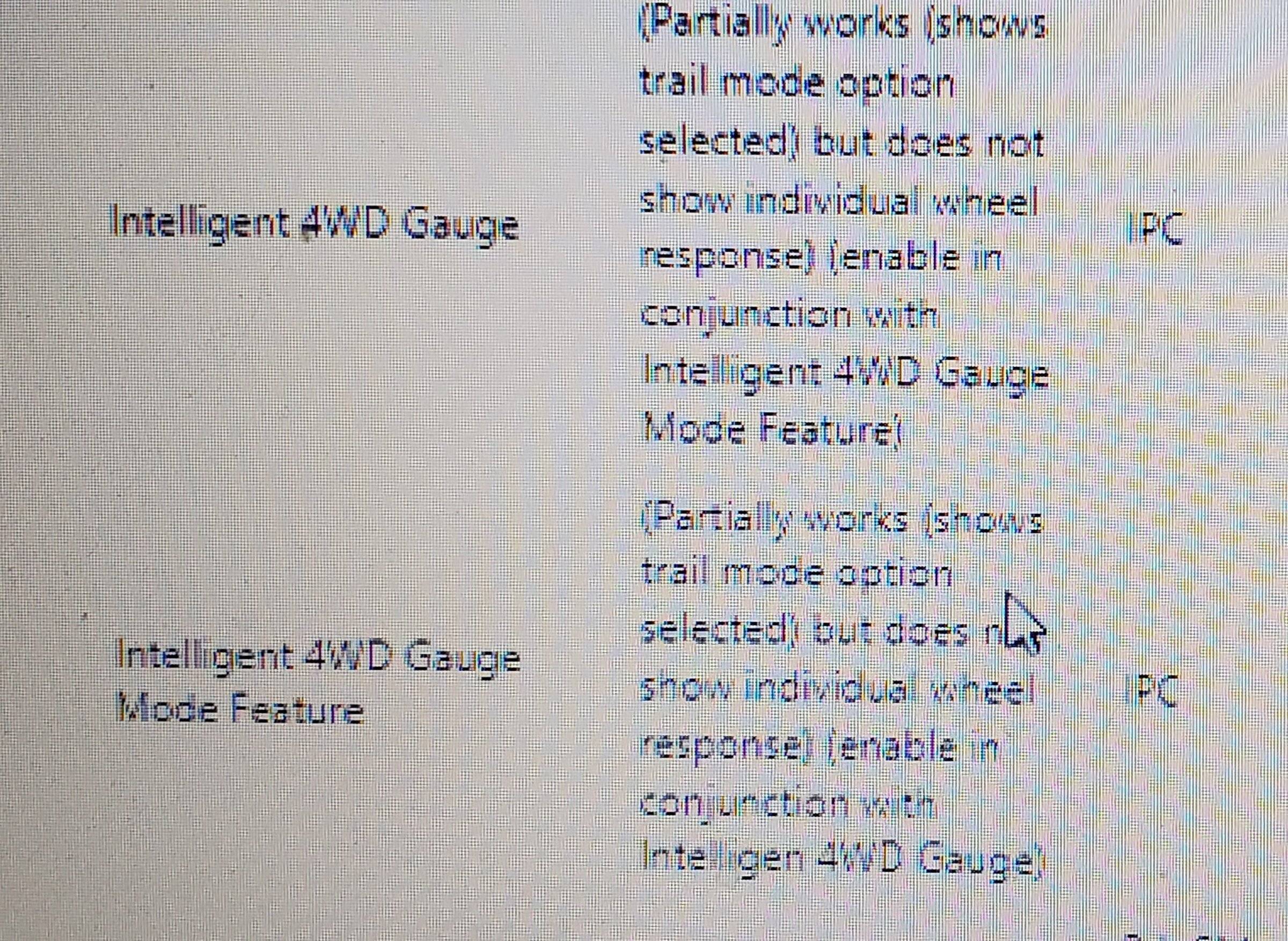
The question to me now, Is this what intelligent 4wd gauge mode is referring to, the temporary screen that shows terrain mode selection?
Sponsored

 
Last edited:
Gizmokid2005

Well-Known Member
Joined
Dec 1, 2019
Threads
13
Messages
1,279
Reaction score
1,875
Location
GA
Website
gizmokid2005.com
Vehicle(s)
2019 Ford Ranger XLT 4X4 SCrew
Occupation
SQL Developer
Vehicle Showcase
1
I do have the switch and I called them by the wrong name earlier. Cycle thru the terrain modes by multiple presses on the button center of the rotating knob. Pressing that button brings up the terrain modes display and it goes away on its own in a few seconds.

The question to me now, Is this what intelligent 4wd gauge mode is referring to, the temporary screen that shows trail management selection?
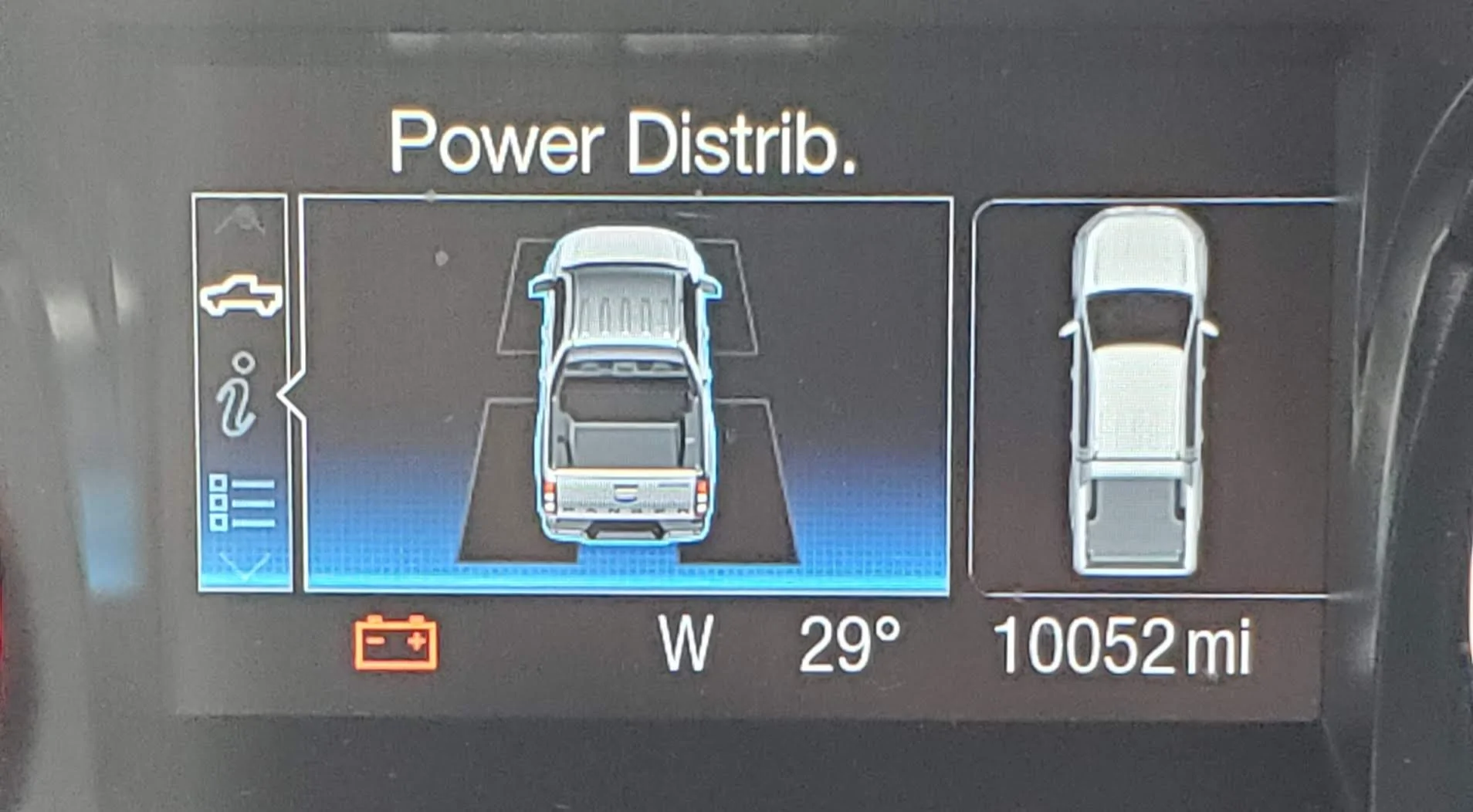
No, the intelligent 4wd gauge doesn't really work on non-FX4 truck. In the offroading screen (Truck information) scroll and you'll see the power distribution screen, that's what that option refers to.
 

Mirage775

Well-Known Member
First Name
Jason
Joined
Apr 24, 2021
Threads
51
Messages
974
Reaction score
2,183
Location
Huntsville, Alabama
Vehicle(s)
23 Bronco 2dr Badlands SAS, 24 Bronco 2dr Heritage Limited, 95 F-150 XLT SWB 4x4
Occupation
Water Meter Tech I
Vehicle Showcase
1
Thanks Jason
I have that screen showing the angles also.

You helped me get out to look in my truck and see about the battery levels. The new non-beta software doesn't like my old plug thats all for today lol. I did take a look at the screens and found what I was asking about.

I'm was wondering about this, think I have the answer now.
20220130_134923.jpg

I pretty sure this above refers to the pic below
20220130_133509.jpg

This screen goes away after a few seconds.
[/QUOTE]

I don't even see the Intelligent 4wd Gauge on my laptop? Only thing I saw was Off-road Gauge. My FORScan does recognize that my truck is a 2wd, maybe that's why the gauge doesn't show up?
 

FoMoCoDave

Well-Known Member
First Name
Dave
Joined
Nov 15, 2020
Threads
4
Messages
61
Reaction score
96
Location
Blue Ridge Mtns VA
Vehicle(s)
2020 Ranger XLT
No, the intelligent 4wd gauge doesn't really work on non-FX4 truck. In the offroading screen (Truck information) scroll and you'll see the power distribution screen, that's what that option refers to.
I had the power distribution screen before I ever touched forscan. It shows the 2wd or 4wd power distribution, boring as the mpg avg bar. Power dist for each wheel would be nice. Though I would barely use it.
20220130_132626.webp

The power distribution screens in the background of the terrain mode screen on my truck.
20220130_133509.webp
 

Nopalito

Well-Known Member
First Name
Richard
Joined
May 4, 2021
Threads
4
Messages
163
Reaction score
594
Location
Colorado
Vehicle(s)
21 Cactus Grey XLT
Occupation
Emergency Manager
Won't do anything. Many things in Forscan are for other vehicles and do not work for our rangers. Unfortunately our Rangers only have a pressure switch for the oil and not a sender for pressure or temp.
Damn. I want to see my oil pressure but guess I’ll have to tap the sump or run a sandwich plate


Adamcarr

Active Member
First Name
Adolf
Joined
Feb 27, 2022
Threads
2
Messages
31
Reaction score
40
Location
Tx
Vehicle(s)
2022 ford ranger xlt
New to forum, been through a tons if posts. I have a 2022 ranger and was tired of the auto shutoff. Went ahead and ran forscan. I want to say thank to all the knowledgeable people that put this thread together.

Has anyone ran with these changes that were made with forscan for more than a yr? Just curious if any issues have arrived from doing the changes longterm wise.
 

Frenchy

Well-Known Member
First Name
Chris
Joined
Mar 15, 2020
Threads
169
Messages
7,716
Reaction score
11,030
Location
Elizabeth, Colorado
Vehicle(s)
2012 Nissan Frontier, 1994 F150 XL, 2022 Ford Transit
Occupation
Field Service Technician
No issues that I'm aware of. I ran the changes.made for over a year and the truck did just fine for me.
 

Adamcarr

Active Member
First Name
Adolf
Joined
Feb 27, 2022
Threads
2
Messages
31
Reaction score
40
Location
Tx
Vehicle(s)
2022 ford ranger xlt
No issues that I'm aware of. I ran the changes.made for over a year and the truck did just fine for me.
What changes did you end up going with? I went with terrain management, Bambi mode, disabled auto stop, enabled 4wd gauges, and enabled fog light with corner turn.
 

Frenchy

Well-Known Member
First Name
Chris
Joined
Mar 15, 2020
Threads
169
Messages
7,716
Reaction score
11,030
Location
Elizabeth, Colorado
Vehicle(s)
2012 Nissan Frontier, 1994 F150 XL, 2022 Ford Transit
Occupation
Field Service Technician
With Forscan I enabled terrain Management, Bambi Mode, and 4WD Gauges. Auto Start Stop was disabled by a tune. Never had any issues
 

Dahveed

Well-Known Member
First Name
David
Joined
Aug 9, 2020
Threads
9
Messages
496
Reaction score
1,144
Location
Central Kansas
Vehicle(s)
2020 Ranger XLT 4x4 / 2020 Ford Edge ST-Line
Occupation
Pharmacy Consultant
Does anyone know if adjusting the battery management target from 75% to 90% also causes the truck to decide it needs to go to "deep sleep" sooner? Since it now believes the battery should be maintaining 90%?
 

VegasRanger

Well-Known Member
First Name
Steve
Joined
Jun 1, 2021
Threads
39
Messages
884
Reaction score
1,903
Location
Las Vegas
Vehicle(s)
2021 STX Crew Cab 4x4
Occupation
Damper Salesman
Does anyone know if adjusting the battery management target from 75% to 90% also causes the truck to decide it needs to go to "deep sleep" sooner? Since it now believes the battery should be maintaining 90%?
That’s a damn good question. I switched it from 75 to 90 myself over a month ago because I kept getting deep sleep issues and also once the truck completely died (no lights, chimes, dash light etc.) even though battery was at 12.9V, and the only thing that brought her back up to life was disconnecting the negative. Ever since switching to 90 all of my issues have gone. No more deep sleep issues. I used to get deep sleep at least twice a week before changing it to 90.

I’ll keep you posted if anything changes
 

rydfree

Well-Known Member
First Name
Benny
Joined
Sep 3, 2021
Threads
16
Messages
985
Reaction score
3,687
Location
Alabama
Vehicle(s)
2020 Ranger FX4 Super crew Lariet - Mercedes GLK
Occupation
Maintenance
Vehicle Showcase
1
Does anyone know if adjusting the battery management target from 75% to 90% also causes the truck to decide it needs to go to "deep sleep" sooner? Since it now believes the battery should be maintaining 90%?
Yes it will if you do not drive it enough to get the charge to that level .
 

VegasRanger

Well-Known Member
First Name
Steve
Joined
Jun 1, 2021
Threads
39
Messages
884
Reaction score
1,903
Location
Las Vegas
Vehicle(s)
2021 STX Crew Cab 4x4
Occupation
Damper Salesman
Well it happened again. Truck just went into sleep mode even though I changed my SOC to 90% and the truck literally only sat for a few hours after a 30 mile ride. I checked the voltage and the battery is at 12.38 which is barely over 50% charged....
 

JohnnyO

Well-Known Member
First Name
Jon
Joined
Apr 8, 2021
Threads
24
Messages
1,991
Reaction score
6,231
Location
Pittsburgh, PA
Vehicle(s)
2020 Ranger STX 4x4
Occupation
Asst. Greenskeeper, Bushwood Country Club
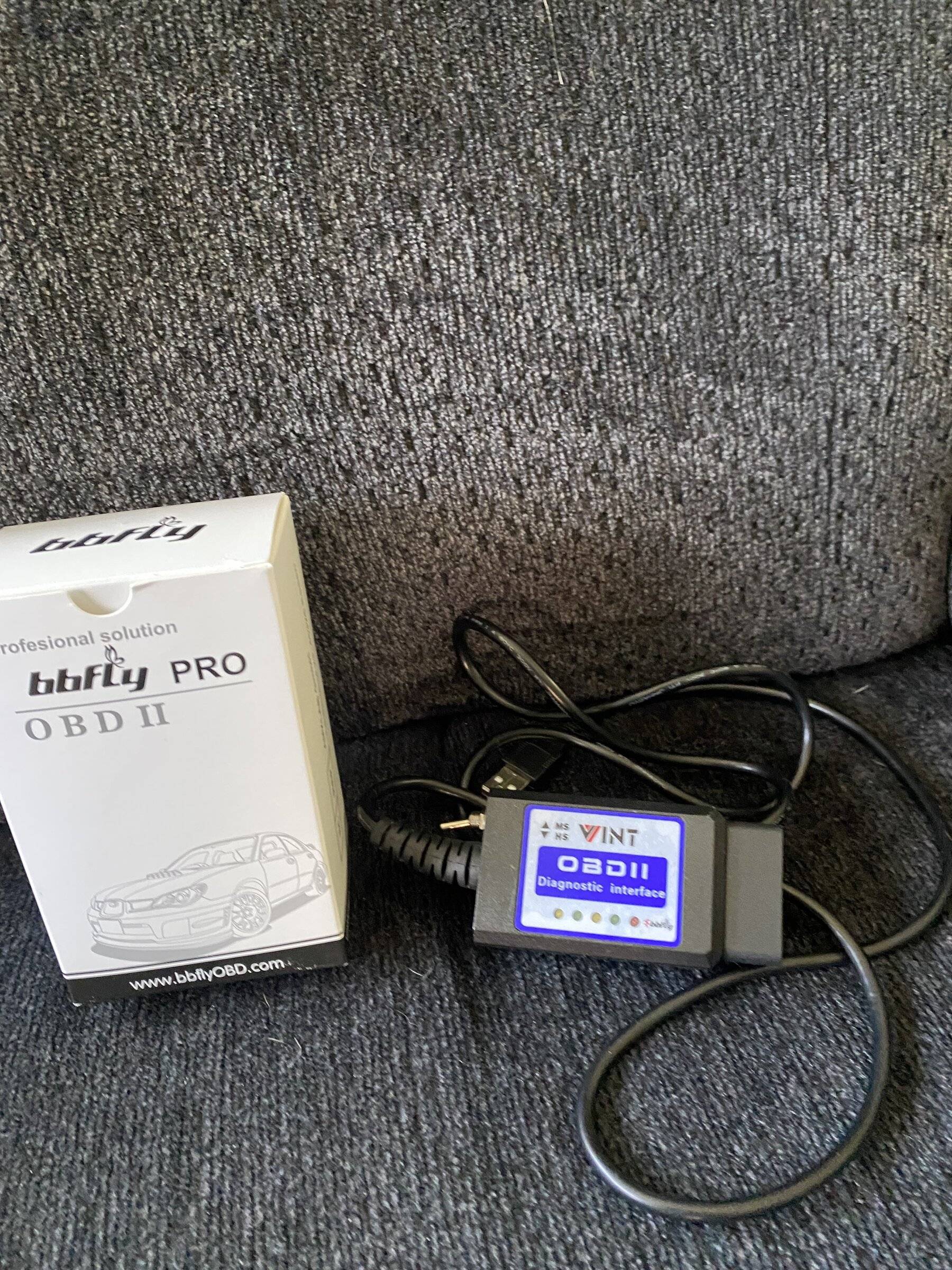
I bought this cable on the advice of a friend but instructions are minimal and I was unable to download a driver to make it work. I may or may not try again. I supposedly downloaded Forscan but when I open it nothing is there and when I tried to register for their forums it told me I didn’t answer the question or enter my email, which I had done. I thought this would be easy but I’m starting to think it’s not worth the bother.
Cable is going back to Amazon.

D1ACC6DA-CC40-4D5E-9CE5-1836EFD8A88A.jpeg
 

Dgc333

Well-Known Member
First Name
Dave
Joined
Aug 24, 2021
Threads
17
Messages
1,744
Reaction score
4,116
Location
Massachusetts
Vehicle(s)
21 Ranger Lariat
Occupation
Engineer
I bought this cable on the advice of a friend but instructions are minimal and I was unable to download a driver to make it work. I may or may not try again. I supposedly downloaded Forscan but when I open it nothing is there and when I tried to register for their forums it told me I didn’t answer the question or enter my email, which I had done. I thought this would be easy but I’m starting to think it’s not worth the bother.
Cable is going back to Amazon.

D1ACC6DA-CC40-4D5E-9CE5-1836EFD8A88A.jpeg
I have that one and it worked just fine with ForScan on my Focus ST and two Mustangs but would not read all the modules on the Ranger. I used it on Windows 7, Windows 10 and Windows 11 and when I plugged it in it installed whatever generic driver Windows was happy with.

I got the OBDLink EX that was recommended by ForScan and it works perfectly with the Ranger. I have only used it on a Windows 11 machine and same thing it installed what ever driver Windows was happy with.
Sponsored


Top