Sponsored

FORScan Crowdsourced Wiki

Mirage775

Well-Known Member
First Name
Jason
Joined
Apr 24, 2021
Threads
51
Messages
974
Reaction score
2,185
Location
Huntsville, Alabama
Vehicle(s)
23 Bronco 2dr Badlands SAS, 24 Bronco 2dr Heritage Limited, 95 F-150 XLT SWB 4x4
Occupation
Water Meter Tech I
Vehicle Showcase
1
Is there a spreedsheet or google doc for Ranger forscan changes?

I was back again tonite after a few months to find some info on changing the battery charge level and I may have missed it in the on the page.

I did find something about an offroad display that show something but doesn't show individual wheels, What is this for on an XLT?
I have had the power output display for 2 or 4wd.
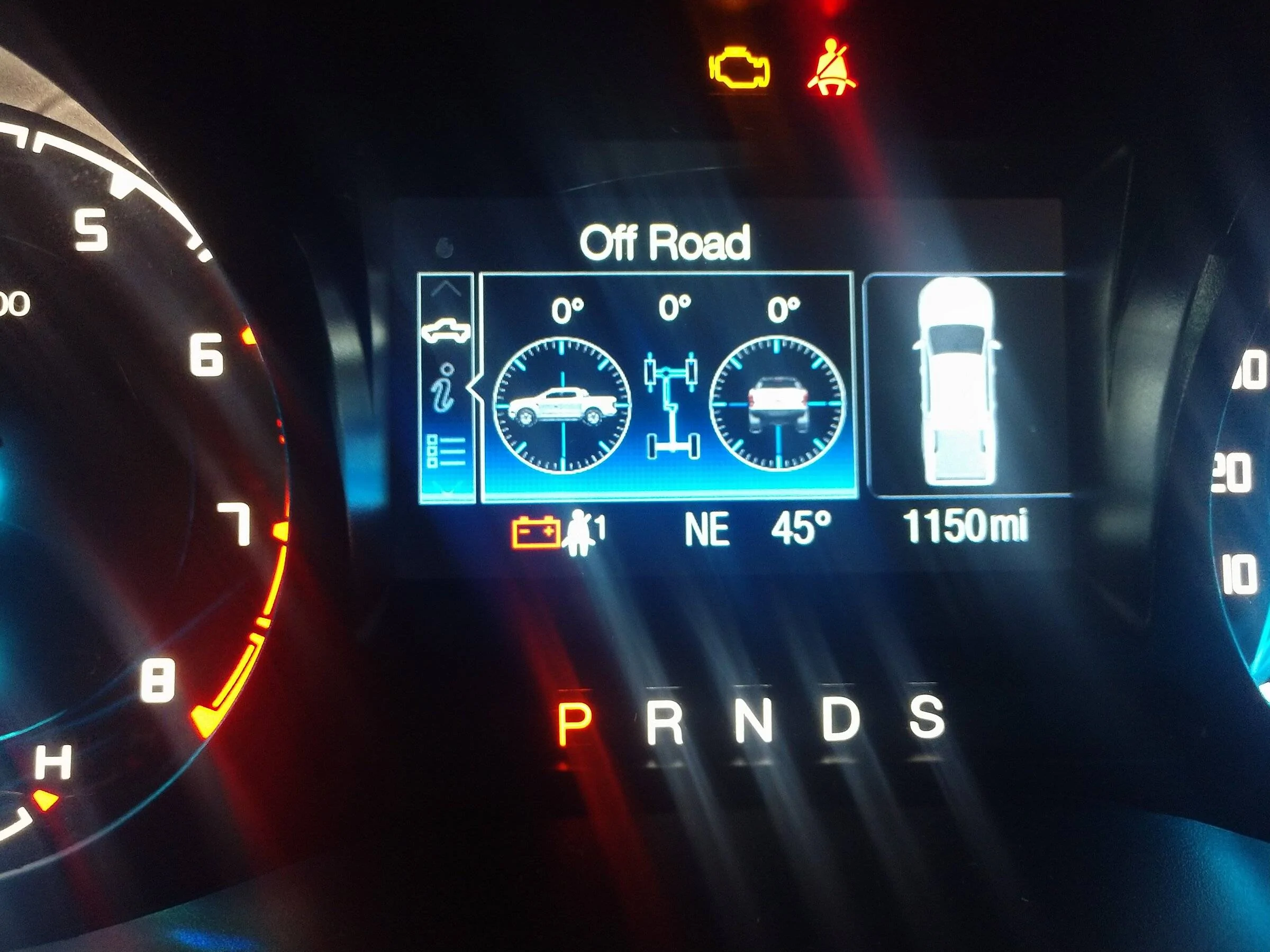
plus I enabled trail management and its showing in the offroad display and gauges that I turned on awhile ago. Shows on dash with the incline and lean angles.

I was just checking the Bronco forscan page. There is a link to a google spreadsheet at the top of their page. They are pretty happy to be able to enable Sport mode on some models, not the same as Baja mode I've learned.
I changed the battery charge level to 90%, like I've seen others do.

The Off-road gauges on my XLT 2wd look like this:
IMG_20220123_082715947.webp


I thought it was kinda neat and would only serve its' purpose for me, if I were racing on a road course.

That's the only Off-Road gauge that works for my '21.
Sponsored
 

FoMoCoDave

Well-Known Member
First Name
Dave
Joined
Nov 15, 2020
Threads
4
Messages
61
Reaction score
96
Location
Blue Ridge Mtns VA
Vehicle(s)
2020 Ranger XLT
Thanks Jason
I have that screen showing the angles also.

You helped me get out to look in my truck and see about the battery levels. The new non-beta software doesn't like my old plug thats all for today lol. I did take a look at the screens and found what I was asking about.

I'm was wondering about this, think I have the answer now.
20220130_134923.jpg

I pretty sure this above refers to the pic below
20220130_133509.jpg

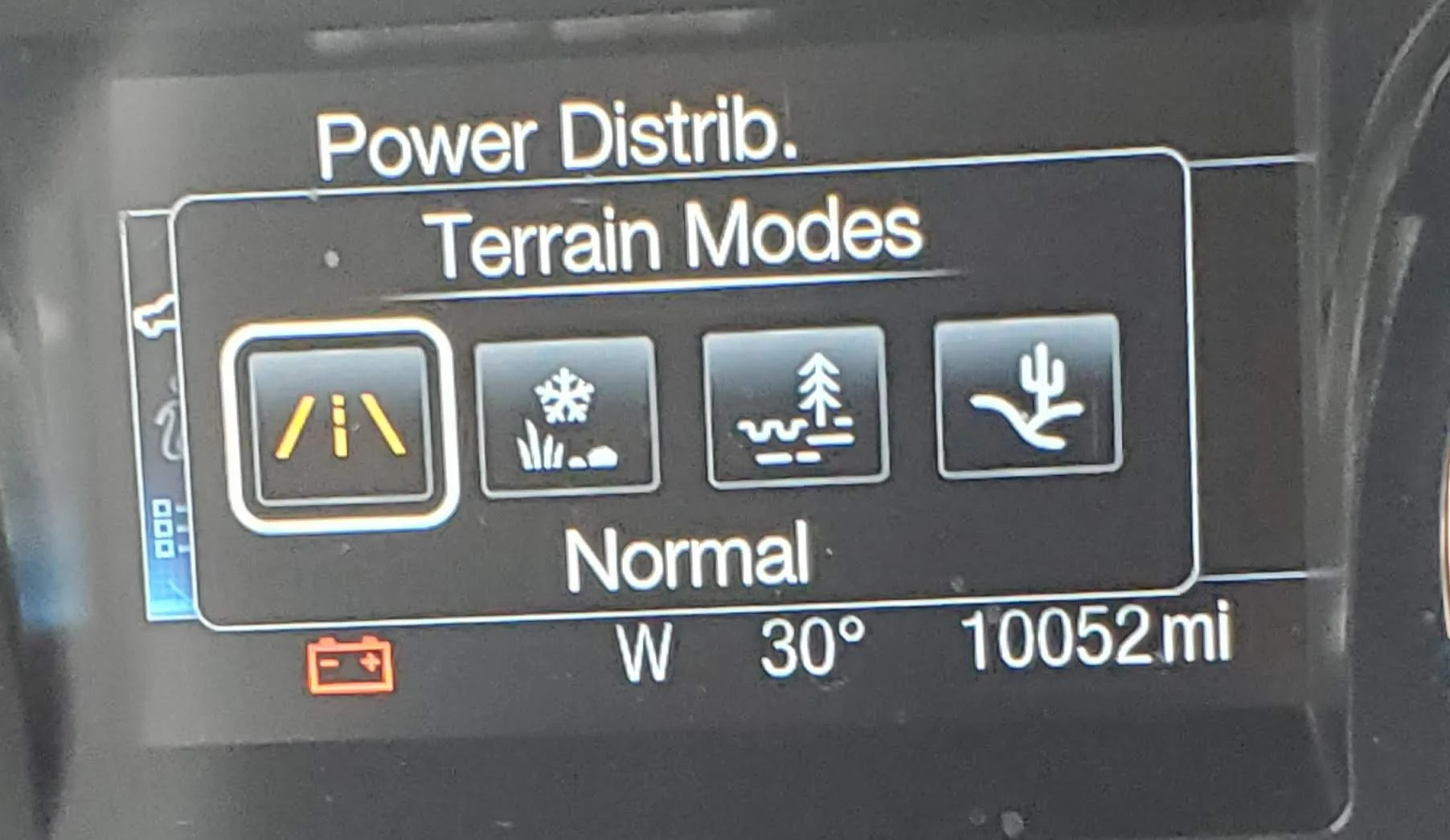
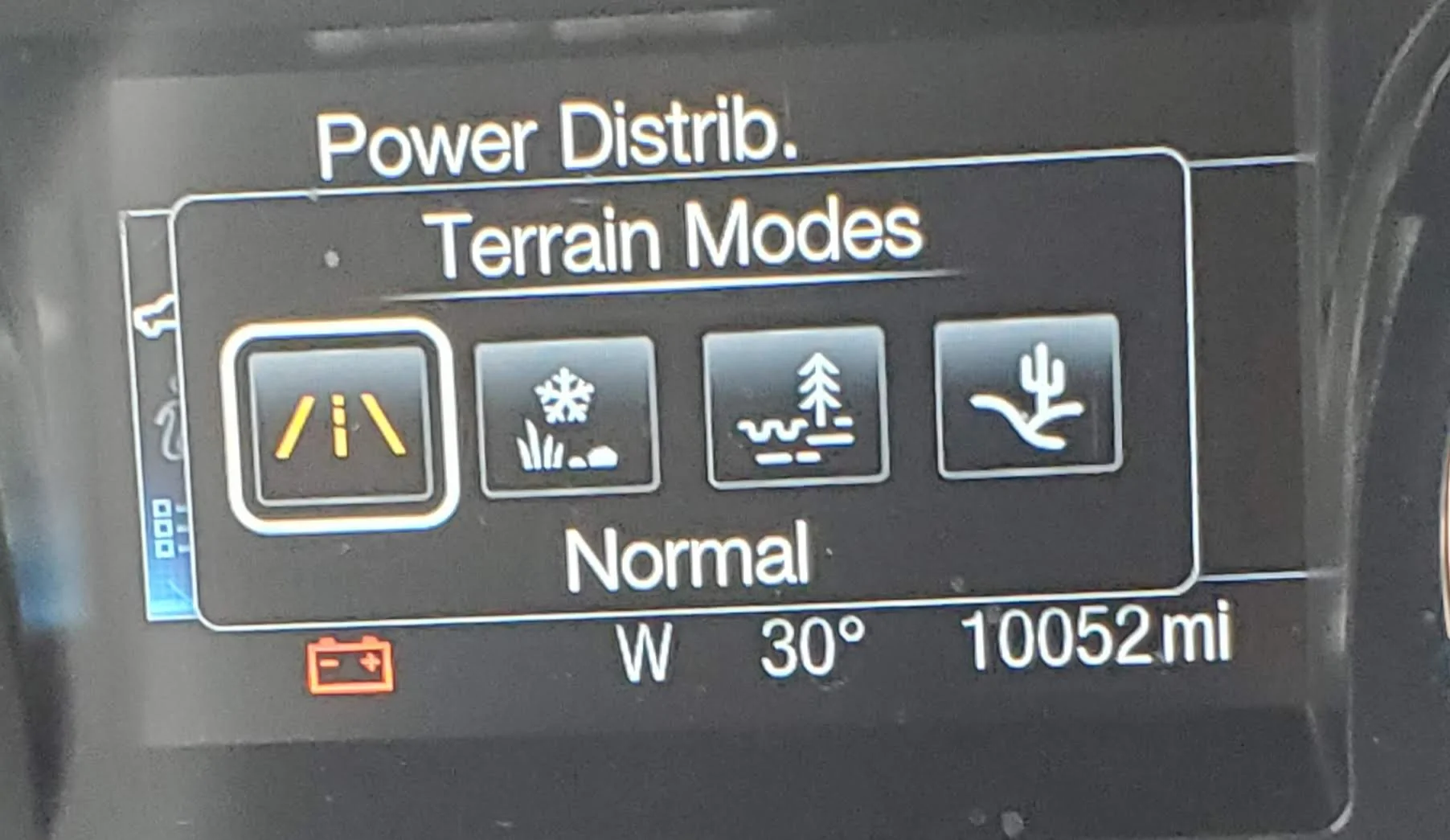
This screen goes away after a few seconds.[/QUOTE]
 

Gizmokid2005

Well-Known Member
Joined
Dec 1, 2019
Threads
13
Messages
1,279
Reaction score
1,875
Location
GA
Website
gizmokid2005.com
Vehicle(s)
2019 Ford Ranger XLT 4X4 SCrew
Occupation
SQL Developer
Vehicle Showcase
1
Thanks Jason
I have that screen showing the angles also.

You helped me get out to look in my truck and see about the battery levels. The new non-beta software doesn't like my old plug thats all for today lol. I did take a look at the screens and found what I was asking about.

I'm was wondering about this, think I have the answer now.
20220130_134923.jpg

I pretty sure this above refers to the pic below
20220130_133509.webp

This screen goes away after a few seconds.
The terrain modes can only be added with the terrain management 4x4 switch, without it you'll never have access to them.
 

FoMoCoDave

Well-Known Member
First Name
Dave
Joined
Nov 15, 2020
Threads
4
Messages
61
Reaction score
96
Location
Blue Ridge Mtns VA
Vehicle(s)
2020 Ranger XLT
The terrain modes can only be added with the terrain management 4x4 switch, without it you'll never have access to them.
I do have the switch and I called them by the wrong name earlier. Cycle thru the terrain modes by multiple presses on the button center of the rotating knob. Pressing that button brings up the terrain modes display and it goes away on its own in a few seconds.

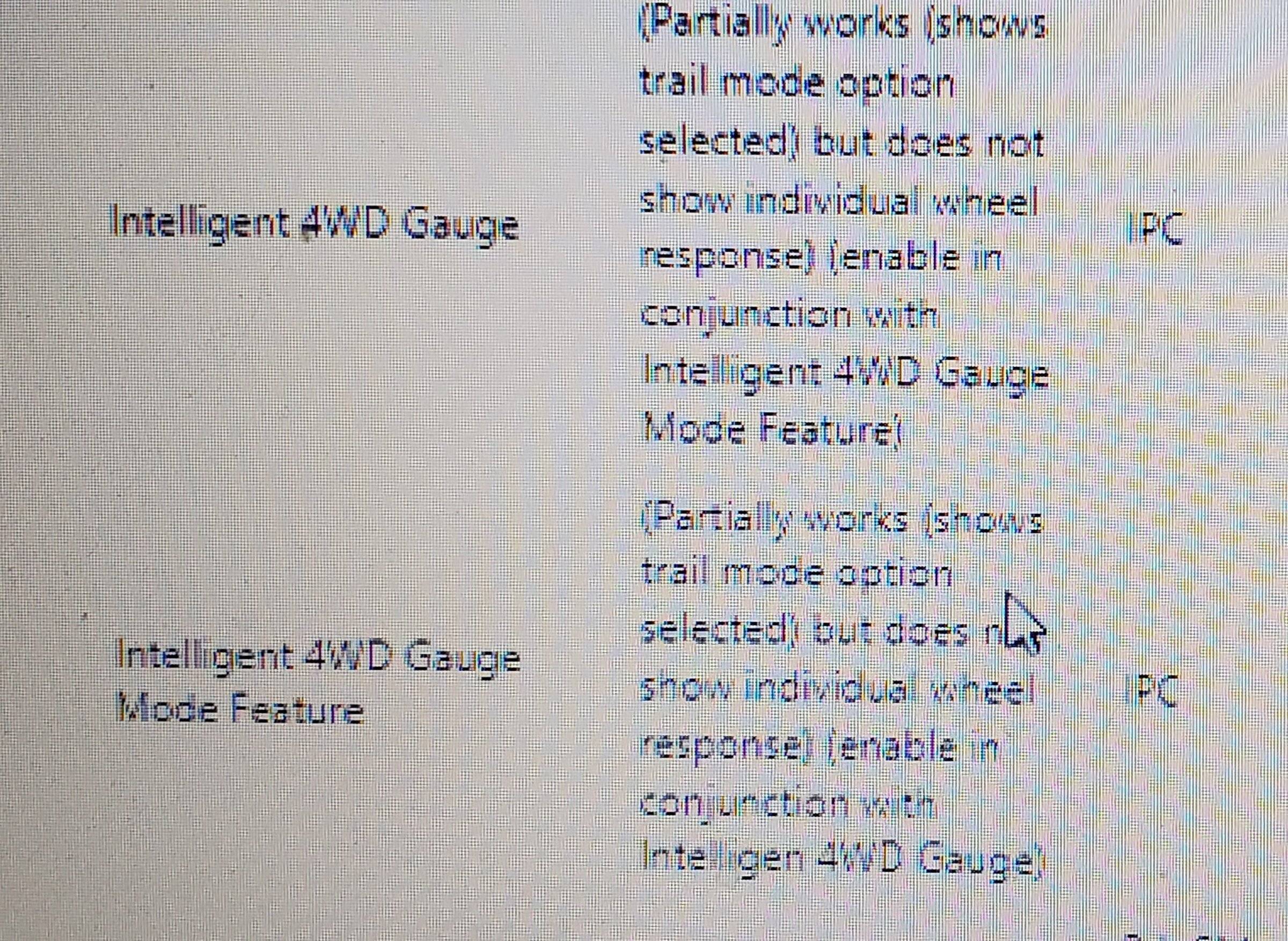
The question to me now, Is this what intelligent 4wd gauge mode is referring to, the temporary screen that shows terrain mode selection?
 
Last edited:

Gizmokid2005

Well-Known Member
Joined
Dec 1, 2019
Threads
13
Messages
1,279
Reaction score
1,875
Location
GA
Website
gizmokid2005.com
Vehicle(s)
2019 Ford Ranger XLT 4X4 SCrew
Occupation
SQL Developer
Vehicle Showcase
1
I do have the switch and I called them by the wrong name earlier. Cycle thru the terrain modes by multiple presses on the button center of the rotating knob. Pressing that button brings up the terrain modes display and it goes away on its own in a few seconds.

The question to me now, Is this what intelligent 4wd gauge mode is referring to, the temporary screen that shows trail management selection?
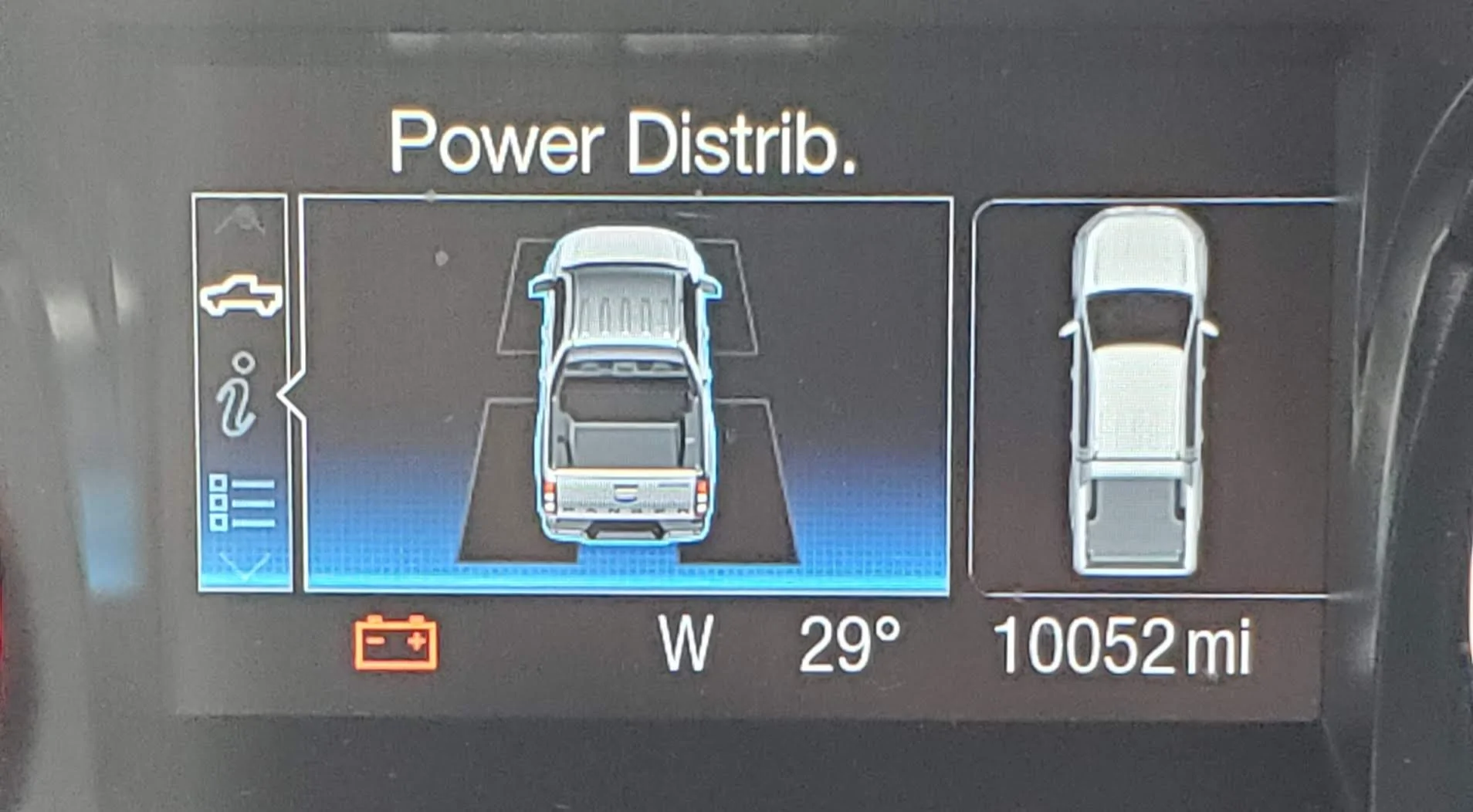
No, the intelligent 4wd gauge doesn't really work on non-FX4 truck. In the offroading screen (Truck information) scroll and you'll see the power distribution screen, that's what that option refers to.


Mirage775

Well-Known Member
First Name
Jason
Joined
Apr 24, 2021
Threads
51
Messages
974
Reaction score
2,185
Location
Huntsville, Alabama
Vehicle(s)
23 Bronco 2dr Badlands SAS, 24 Bronco 2dr Heritage Limited, 95 F-150 XLT SWB 4x4
Occupation
Water Meter Tech I
Vehicle Showcase
1
Thanks Jason
I have that screen showing the angles also.

You helped me get out to look in my truck and see about the battery levels. The new non-beta software doesn't like my old plug thats all for today lol. I did take a look at the screens and found what I was asking about.

I'm was wondering about this, think I have the answer now.
20220130_134923.jpg

I pretty sure this above refers to the pic below
20220130_133509.jpg

This screen goes away after a few seconds.
[/QUOTE]

I don't even see the Intelligent 4wd Gauge on my laptop? Only thing I saw was Off-road Gauge. My FORScan does recognize that my truck is a 2wd, maybe that's why the gauge doesn't show up?
 

FoMoCoDave

Well-Known Member
First Name
Dave
Joined
Nov 15, 2020
Threads
4
Messages
61
Reaction score
96
Location
Blue Ridge Mtns VA
Vehicle(s)
2020 Ranger XLT
No, the intelligent 4wd gauge doesn't really work on non-FX4 truck. In the offroading screen (Truck information) scroll and you'll see the power distribution screen, that's what that option refers to.
I had the power distribution screen before I ever touched forscan. It shows the 2wd or 4wd power distribution, boring as the mpg avg bar. Power dist for each wheel would be nice. Though I would barely use it.
20220130_132626.webp

The power distribution screens in the background of the terrain mode screen on my truck.
20220130_133509.webp
 

Nopalito

Well-Known Member
First Name
Richard
Joined
May 4, 2021
Threads
4
Messages
160
Reaction score
587
Location
Colorado
Vehicle(s)
21 Cactus Grey XLT
Occupation
Emergency Manager
Won't do anything. Many things in Forscan are for other vehicles and do not work for our rangers. Unfortunately our Rangers only have a pressure switch for the oil and not a sender for pressure or temp.
Damn. I want to see my oil pressure but guess I’ll have to tap the sump or run a sandwich plate
 

Adamcarr

Active Member
First Name
Adolf
Joined
Feb 27, 2022
Threads
2
Messages
31
Reaction score
40
Location
Tx
Vehicle(s)
2022 ford ranger xlt
New to forum, been through a tons if posts. I have a 2022 ranger and was tired of the auto shutoff. Went ahead and ran forscan. I want to say thank to all the knowledgeable people that put this thread together.

Has anyone ran with these changes that were made with forscan for more than a yr? Just curious if any issues have arrived from doing the changes longterm wise.
 

Frenchy

Well-Known Member
First Name
Chris
Joined
Mar 15, 2020
Threads
164
Messages
7,541
Reaction score
10,751
Location
Elizabeth, Colorado
Vehicle(s)
2012 Nissan Frontier, 1994 F150 XL, 2022 Ford Transit
Occupation
Field Service Technician
No issues that I'm aware of. I ran the changes.made for over a year and the truck did just fine for me.
 

Adamcarr

Active Member
First Name
Adolf
Joined
Feb 27, 2022
Threads
2
Messages
31
Reaction score
40
Location
Tx
Vehicle(s)
2022 ford ranger xlt
No issues that I'm aware of. I ran the changes.made for over a year and the truck did just fine for me.
What changes did you end up going with? I went with terrain management, Bambi mode, disabled auto stop, enabled 4wd gauges, and enabled fog light with corner turn.
 

Frenchy

Well-Known Member
First Name
Chris
Joined
Mar 15, 2020
Threads
164
Messages
7,541
Reaction score
10,751
Location
Elizabeth, Colorado
Vehicle(s)
2012 Nissan Frontier, 1994 F150 XL, 2022 Ford Transit
Occupation
Field Service Technician
With Forscan I enabled terrain Management, Bambi Mode, and 4WD Gauges. Auto Start Stop was disabled by a tune. Never had any issues
 

Dahveed

Well-Known Member
First Name
David
Joined
Aug 9, 2020
Threads
9
Messages
497
Reaction score
1,148
Location
Central Kansas
Vehicle(s)
2020 Ranger XLT 4x4 / 2020 Ford Edge ST-Line
Occupation
Pharmacy Consultant
Does anyone know if adjusting the battery management target from 75% to 90% also causes the truck to decide it needs to go to "deep sleep" sooner? Since it now believes the battery should be maintaining 90%?
 

VegasRanger

Well-Known Member
First Name
Steve
Joined
Jun 1, 2021
Threads
39
Messages
884
Reaction score
1,901
Location
Las Vegas
Vehicle(s)
2021 STX Crew Cab 4x4
Occupation
Damper Salesman
Does anyone know if adjusting the battery management target from 75% to 90% also causes the truck to decide it needs to go to "deep sleep" sooner? Since it now believes the battery should be maintaining 90%?
That’s a damn good question. I switched it from 75 to 90 myself over a month ago because I kept getting deep sleep issues and also once the truck completely died (no lights, chimes, dash light etc.) even though battery was at 12.9V, and the only thing that brought her back up to life was disconnecting the negative. Ever since switching to 90 all of my issues have gone. No more deep sleep issues. I used to get deep sleep at least twice a week before changing it to 90.

I’ll keep you posted if anything changes
 

rydfree

Well-Known Member
First Name
Benny
Joined
Sep 3, 2021
Threads
16
Messages
985
Reaction score
3,689
Location
Alabama
Vehicle(s)
2020 Ranger FX4 Super crew Lariet - Mercedes GLK
Occupation
Maintenance
Vehicle Showcase
1
Does anyone know if adjusting the battery management target from 75% to 90% also causes the truck to decide it needs to go to "deep sleep" sooner? Since it now believes the battery should be maintaining 90%?
Yes it will if you do not drive it enough to get the charge to that level .
Sponsored


Top