Sponsored

Just updated to Sync 3.4 on my Ranger 2019

Gizmokid2005

Well-Known Member
Joined
Dec 1, 2019
Threads
13
Messages
1,279
Reaction score
1,875
Location
GA
Website
gizmokid2005.com
Vehicle(s)
2019 Ford Ranger XLT 4X4 SCrew
Occupation
SQL Developer
Vehicle Showcase
1
This was the exact behavior i experienced as well 5 minute reboots i used the fix i posted in post # 500 to get my climate back. After 2 master resets i was able to get my Ford Pass working again and my SIRIUS subscription updated after about 3 minutes being on channel 1 . Everything is working as it should and its fairly responsive. I started this at 4:30 so 3 hours later ..... lol
The *original* update took longer than that, but these "new" installs did not. I'm not really interested in going through FORscan to fix this faux pas by the updater. I have plenty of various bluetooth OBDII connectors, but I don't have a desire to buy a wired one and fight with FORScan to fix this. If it's gotta go to the dealer to fix, then so be it. It's definitely a bit frustrating to say the least.
Sponsored


UofMEngineer

Well-Known Member
Joined
Apr 19, 2019
Threads
1
Messages
516
Reaction score
334
Location
Michigan
Vehicle(s)
20' Escape Hybrid,18' Fusion Hybrid
FYI i got my climate controls back using this, all is well again and as always before you go poking around with AS-BUILTS in forscan back it up
OK, so I think I see what is going on here. It's interesting... So, the bit that you're toggling controls the climate UI. Technically, 1 is OFF, so the 0x8 means you shouldn't have the Climate domain on screen. That's why it disappears. Per the configuration it shouldn't be there. It looks like in earlier software, it may have been controlled by a different bit, maybe it was linked to voice. As was noted, the temperature voice commands work, but the UI is gone. I'll report this one.

EDIT: If you had climate, and it did NOT disappear, if you know how can you PM me the as built info referenced here. My guess is it's going to be a 0, but it'd be nice to confirm.
 

JaysOnTheEDGE

Well-Known Member
First Name
Jay
Joined
Oct 17, 2019
Threads
13
Messages
804
Reaction score
1,489
Location
North Carolina
Vehicle(s)
2019 Ranger XLT Sport 4x4, 2021 Escape SEL AWD
Occupation
Office Equipment Technician
The *original* update took longer than that, but these "new" installs did not. I'm not really interested in going through FORscan to fix this faux pas by the updater. I have plenty of various bluetooth OBDII connectors, but I don't have a desire to buy a wired one and fight with FORScan to fix this. If it's gotta go to the dealer to fix, then so be it. It's definitely a bit frustrating to say the least.
i agree my original updated rebooted 8 times in 45 minutes and the funny thing was the climate showed during the 2nd and 3rd reboot. 4th it disappeared w but it never said update completed screen that some have posted thinking back it started doing the 5 minute loop during the 4-8th update after that i stopped it.
 

Gizmokid2005

Well-Known Member
Joined
Dec 1, 2019
Threads
13
Messages
1,279
Reaction score
1,875
Location
GA
Website
gizmokid2005.com
Vehicle(s)
2019 Ford Ranger XLT 4X4 SCrew
Occupation
SQL Developer
Vehicle Showcase
1
i agree my original updated rebooted 8 times in 45 minutes and the funny thing was the climate showed during the 2nd and 3rd reboot. 4th it disappeared w but it never said update completed screen that some have posted thinking back it started doing the 5 minute loop during the 4-8th update after that i stopped it.
Yeah, it seems as if for non-nav a single reboot is all that is needed and you should not have the USB plugged in after it reboots. It didn't even wait for me to confirm the message or restart before it rebooted. This update is a bit odd. I didn't have these kinds of problems with Sync 2 in my '15 Mustang (aside from the like 30 minute install time).
 

Figarou

Well-Known Member
Joined
Mar 22, 2019
Threads
25
Messages
2,408
Reaction score
13,793
Location
Texas
Vehicle(s)
2022 Ford Edge ST, 2019 Ford Ranger Lariat
I just finished mine. My SIRIUS subscription is gone... hope that clears up!
My SIRIUS subscription updated on it's own after powering down and then restarted the truck.

Now I'm in the process of updating my navigation maps since it never took the update in the 1st place. ?


Anthony

Well-Known Member
First Name
Anthony
Joined
Feb 6, 2019
Threads
43
Messages
692
Reaction score
1,301
Location
Connecticut
Vehicle(s)
2019 Ford Ranger XLT FX4 SCrew
Occupation
COO
Vehicle Showcase
1
My non-Nav only rebooted once.
 

iamjustjohn

New Member
First Name
John
Joined
Jul 29, 2020
Threads
0
Messages
1
Reaction score
0
Location
Minnesota
Vehicle(s)
2019 Ford Edge & 2001 Ford Ranger
Is it possible that this update has not been activated for all 2019 VINs? I’ve been following this thread for weeks and weeks and have been officially waiting for the update for my 2019 Edge.
 

Dmax

Well-Known Member
Joined
Dec 26, 2019
Threads
24
Messages
508
Reaction score
586
Location
Denver, CO
Vehicle(s)
2019 Ford Ranger Lariat 4x4
Vehicle Showcase
1
Anyone having issue with the parking sensors? Not really liking the feedback it’s giving me.
 

Hot Pepper Red Zeppelin

Well-Known Member
Joined
Jun 19, 2019
Threads
42
Messages
435
Reaction score
1,739
Location
Earth
Vehicle(s)
2019 Ranger XLT
Well this is a huge fail so far afaict.

No black display. I was running a black display in night mode with the brightness maxed out.

Brightness control is there but not accessible in any mode.

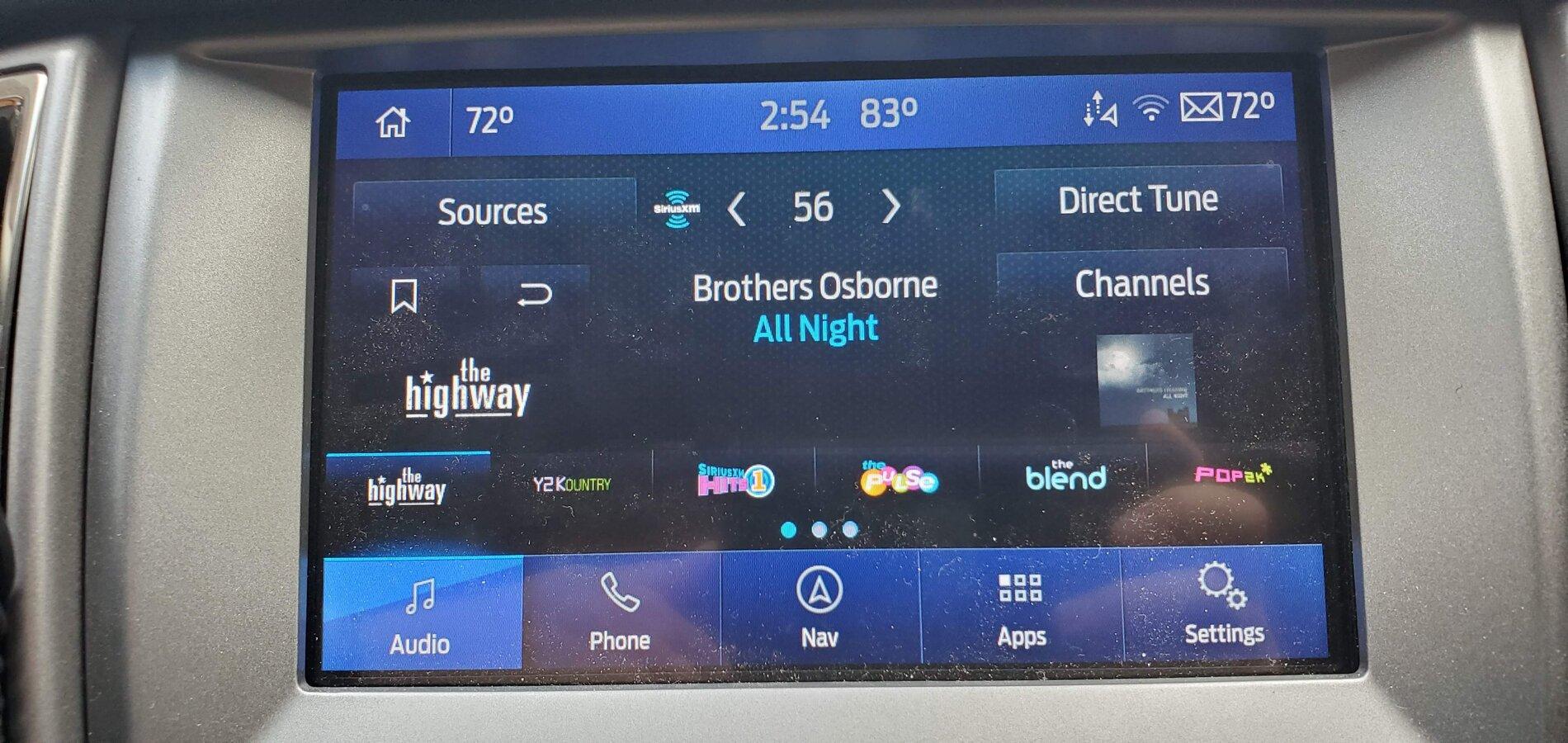
In audio mode the 1st bank of Sirius presets is offset to the right.

In audio mode they got rid of the presets button used to cycle thru the preset banks so now you have to cycle thru all the audio options to get back to a bank you've passed.

That damn connect a device message is still there I think.
 
Last edited:

WxNerd2015

Well-Known Member
First Name
Trevor
Joined
Oct 17, 2018
Threads
9
Messages
296
Reaction score
1,036
Location
Gregory, Michigan
Vehicle(s)
2019 Ranger, 2011 Wrangler, 2017 Escape
Occupation
Applications Engineer
Vehicle Showcase
1
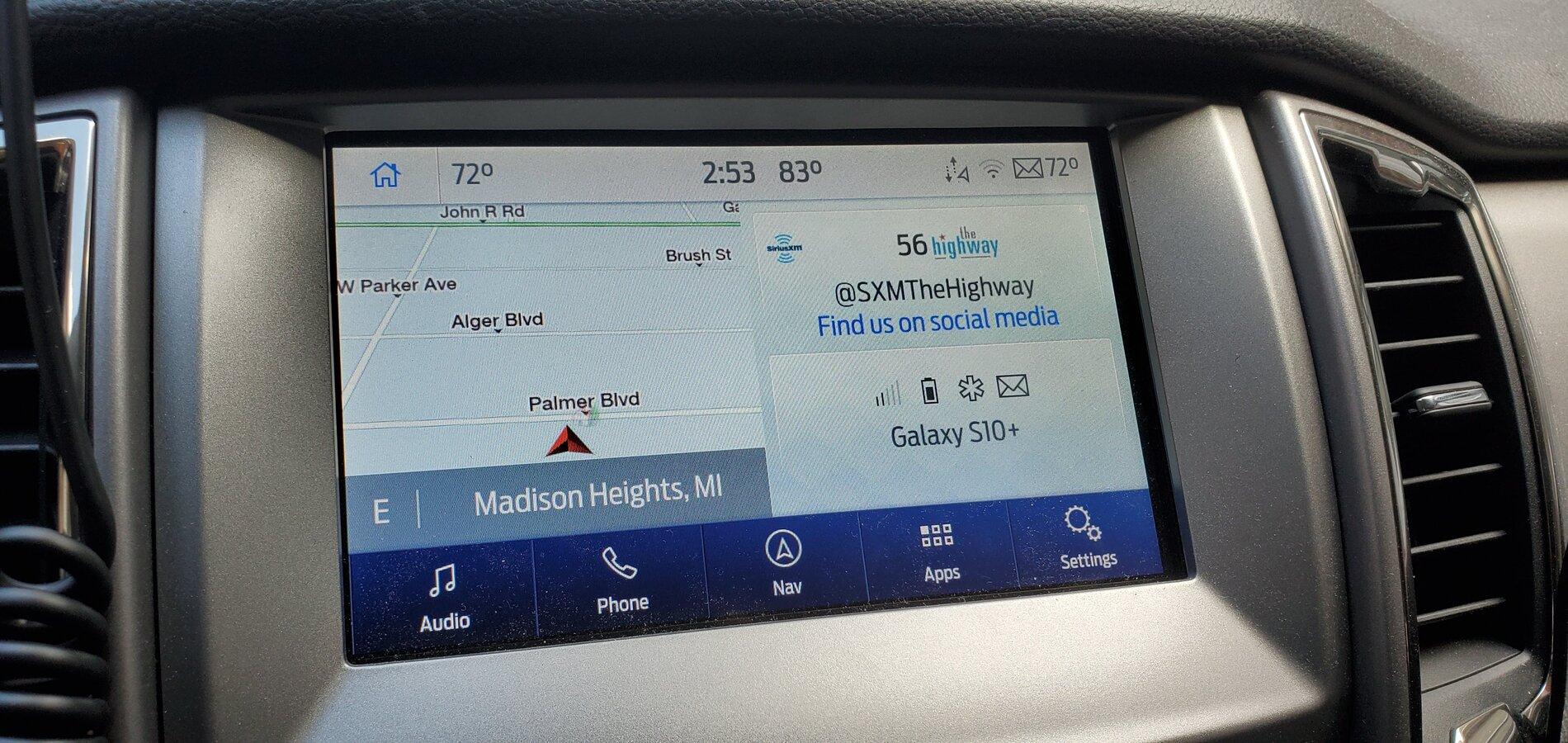
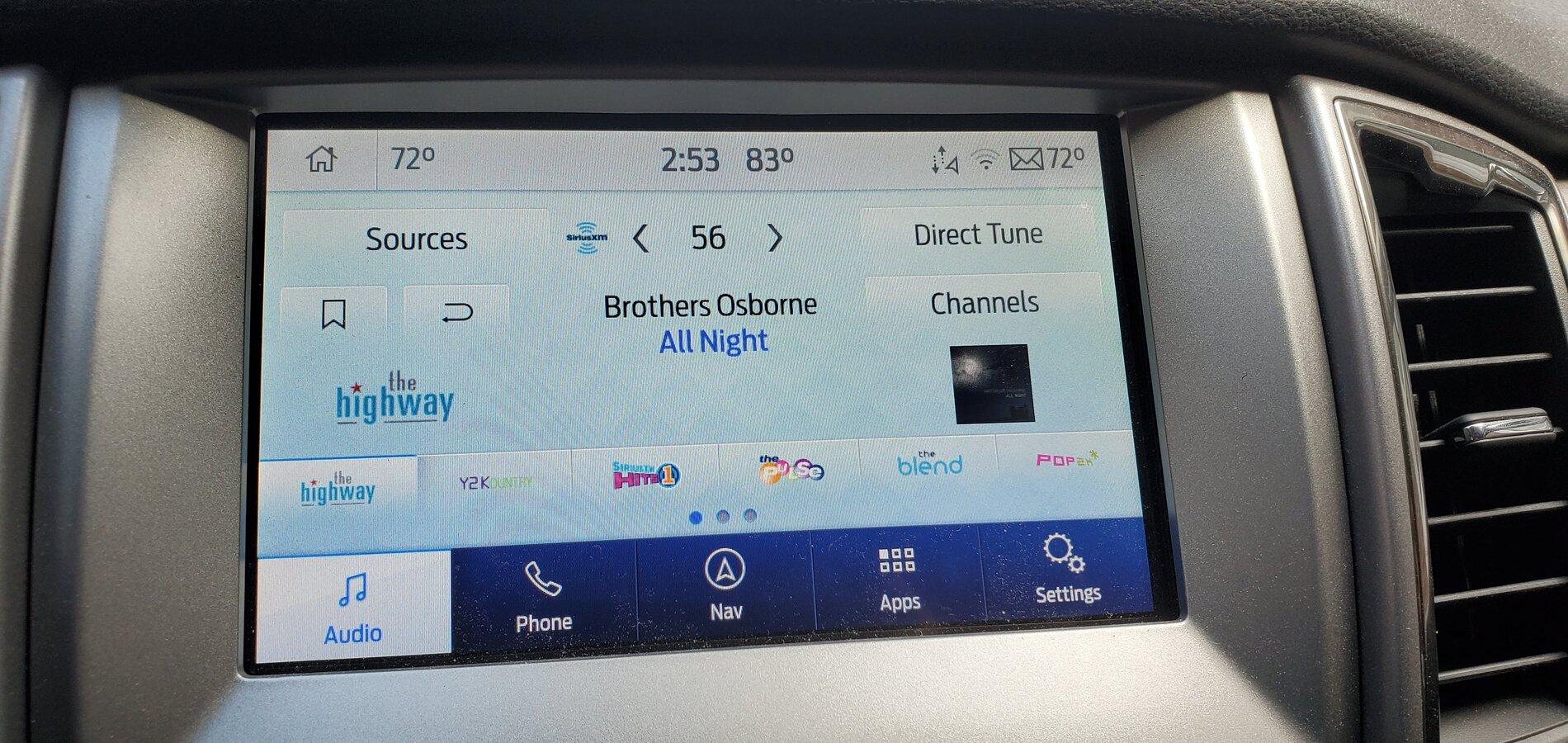
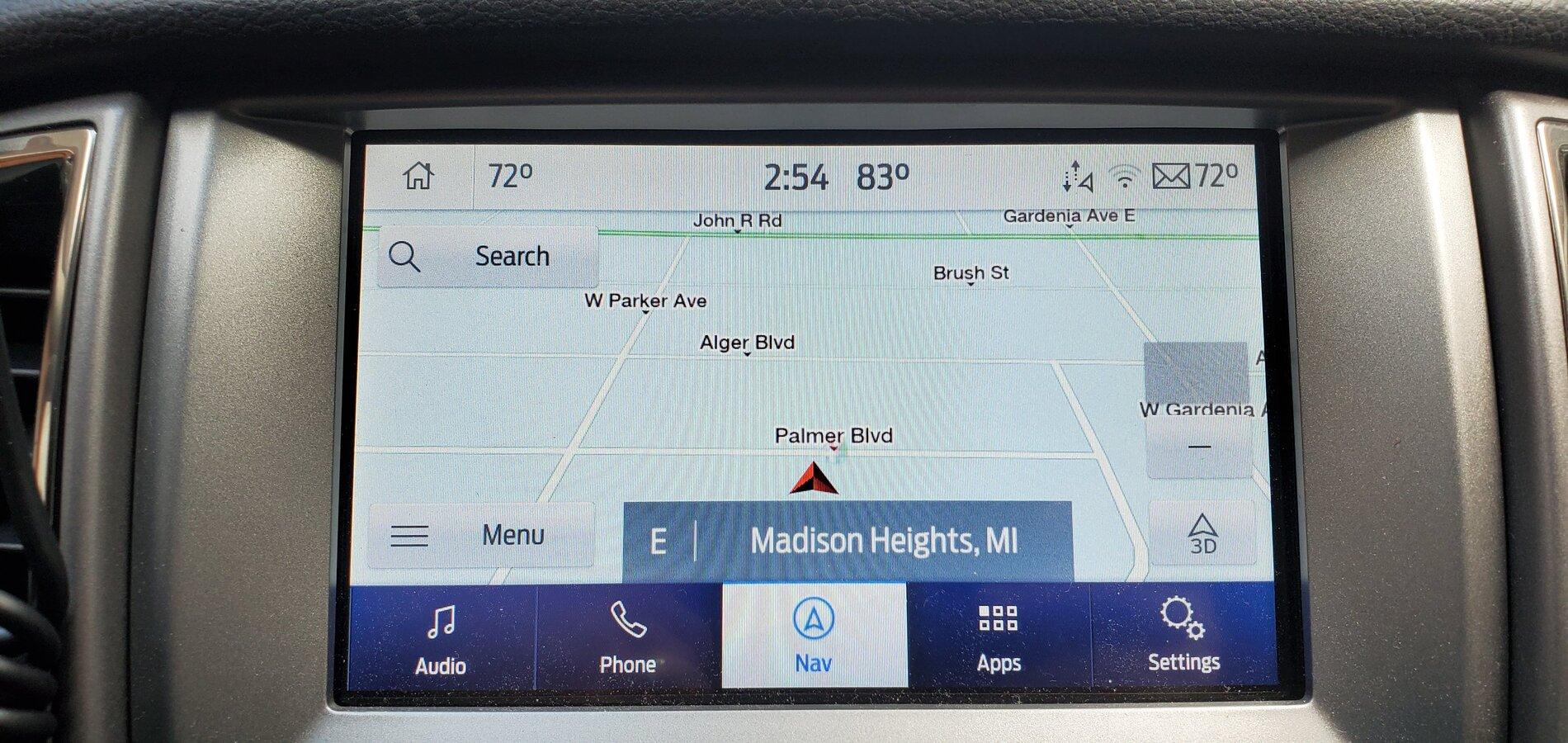
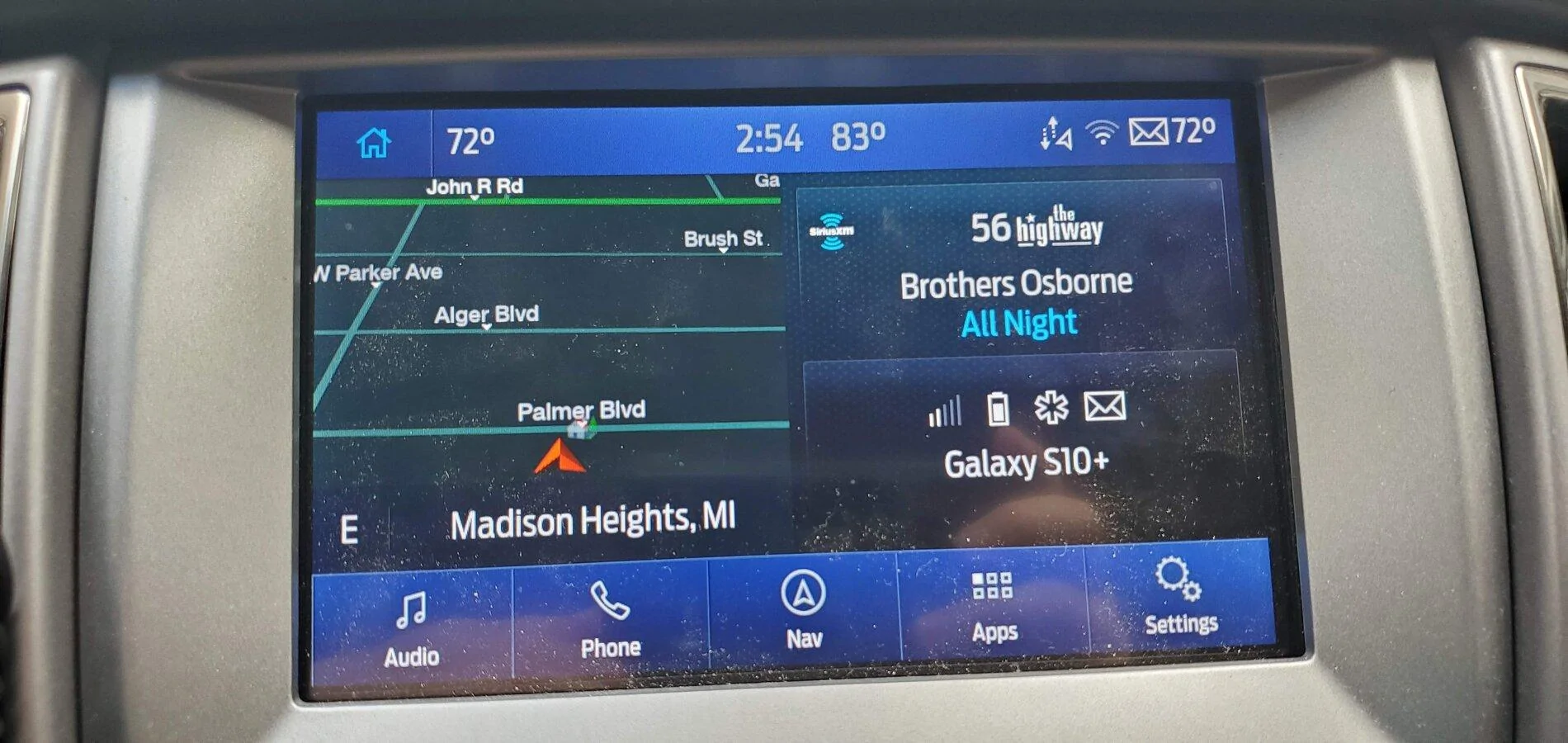
Got mine updated! Might end up leaving it in night mode all the time as I really like the all blue look, but I will give some things a try!

Sync 3.3 Build 19052 --> Sync 3.4 Build 20136

As for ease of update, my installation by USB hung about about 30 minutes and would not allow any radio information to display on the radio screen. I could not turn the radio on and the Ford loading logo would not display either. However the climate and backup camera still worked. Quick trip to the dealer and they refreshed the installation and it finished running with no issues. Dealer informed me that they see the issue I had a lot, so not sure exactly what caused it to hang, but happy with the end result now! And luckily my dealer is only 3 miles away to swing by real quick!

20200729_145335.jpg


20200729_145342.jpg


20200729_145414.jpg


20200729_145445.jpg


20200729_145450.jpg


20200729_145456.jpg
 

d_ganggreen

Active Member
Joined
Jan 29, 2020
Threads
3
Messages
34
Reaction score
9
Location
Texas
Vehicle(s)
2019 Ranger Lariat
What all is the forscan fix for this again? Anyone have before and after configuration values? Only thing I can think of is there was some change made to handling of the config values for climate domain in 3.4 to cause it. I've never seen it happen myself to look into. You can report a bug using the bug reporter utility in 3.4 (in Settings under the Analytics & Diagnostics).
I can try to look back for what I did, but I used the NON as built function in Forscan to get my climate back. I had to change two settings from disabled to enabled and that was it.
I have a 19 Lariat with Nav and heated seats.
 

d_ganggreen

Active Member
Joined
Jan 29, 2020
Threads
3
Messages
34
Reaction score
9
Location
Texas
Vehicle(s)
2019 Ranger Lariat
Is it possible that this update has not been activated for all 2019 VINs? I’ve been following this thread for weeks and weeks and have been officially waiting for the update for my 2019 Edge.
My wife's 2019 Edge is still showing 3.3 as current as well.
 

Clump

Well-Known Member
First Name
Charlie
Joined
Mar 24, 2020
Threads
8
Messages
267
Reaction score
936
Location
Felton, DE
Vehicle(s)
2022 Explorer ST former 2021 Ranger Lariat Tremor
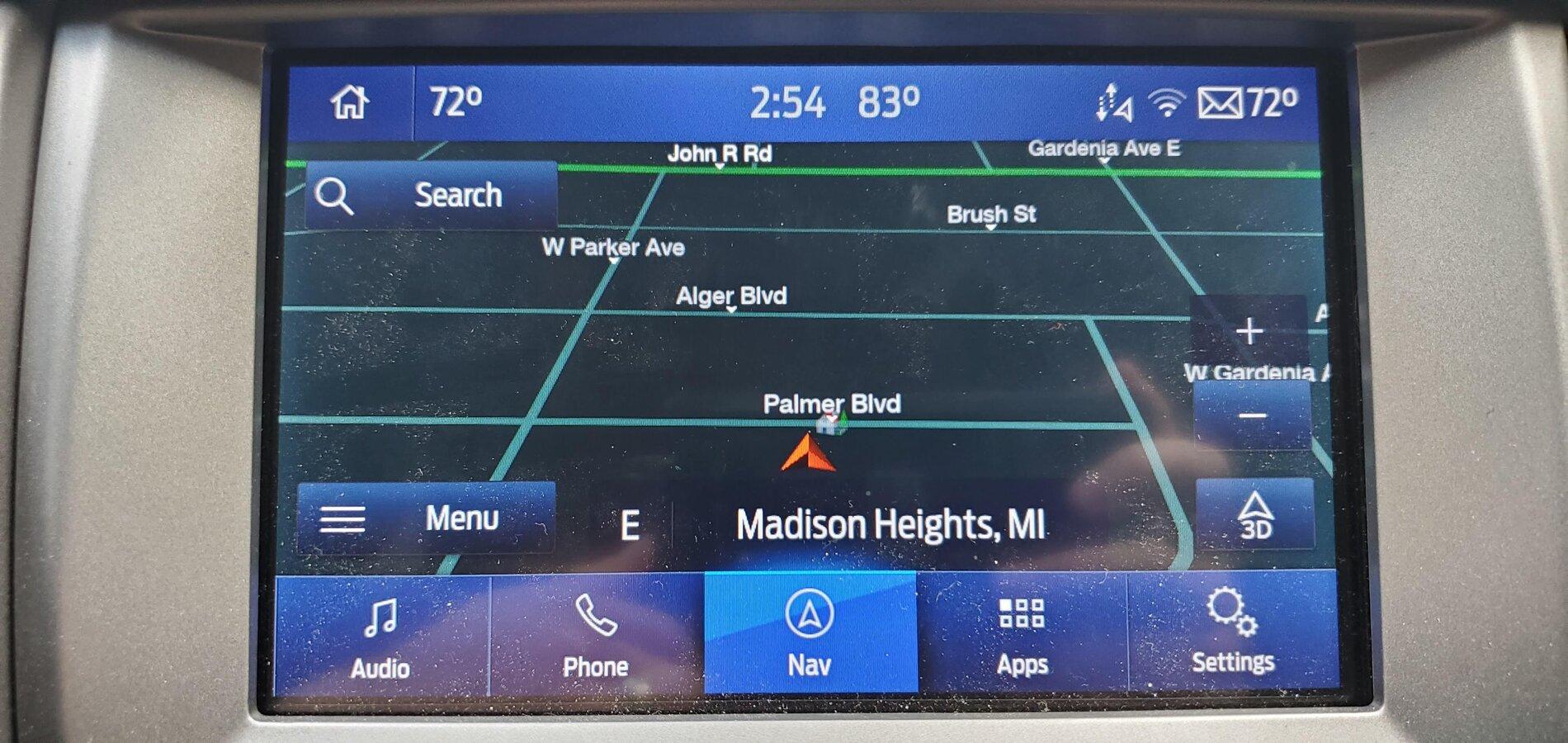
Both you and I have XLT S-Crew 4x4 and had the issue, whereas Clump has a Lariet and didn't have the issue. I realize it's probably reaching at this point but so far the commonality is XLT trim. Normally it wouldn't be a huge deal but without the climate button we have no control over the vents.
I also have Nav. No idea if that's important, but it's a data point.
 

Tesseract

Active Member
First Name
Andrew
Joined
Nov 15, 2019
Threads
3
Messages
43
Reaction score
59
Location
Woodbury, CT
Vehicle(s)
2019 Magnetic Ranger XLT S-crew FX4
I just updated my 2019 XLT Supercrew FX4 with no navigation. Update went fine, took about 30 minutes, only 1 reboot. I got the update complete message and the xml file to upload to the ford site.

But my climate controls are missing (just for another data point). I have Forscan so I'll try and fix it later today.
 

demothus

Member
First Name
Brandon
Joined
Jul 29, 2020
Threads
0
Messages
9
Reaction score
2
Location
Why
Vehicle(s)
2019 Ford Ranger XLT
Occupation
Product Engineer
Got mine updated! Might end up leaving it in night mode all the time as I really like the all blue look, but I will give some things a try!

Sync 3.3 Build 19052 --> Sync 3.4 Build 20136

As for ease of update, my installation by USB hung about about 30 minutes and would not allow any radio information to display on the radio screen. I could not turn the radio on and the Ford loading logo would not display either. However the climate and backup camera still worked. Quick trip to the dealer and they refreshed the installation and it finished running with no issues. Dealer informed me that they see the issue I had a lot, so not sure exactly what caused it to hang, but happy with the end result now! And luckily my dealer is only 3 miles away to swing by real quick!

20200729_145335.jpg


20200729_145342.jpg


20200729_145414.jpg


20200729_145445.webp


20200729_145450.jpg


20200729_145456.jpg
Looks like you're missing your climate controls too.

The *original* update took longer than that, but these "new" installs did not. I'm not really interested in going through FORscan to fix this faux pas by the updater. I have plenty of various bluetooth OBDII connectors, but I don't have a desire to buy a wired one and fight with FORScan to fix this. If it's gotta go to the dealer to fix, then so be it. It's definitely a bit frustrating to say the least.
Agreed. I have FORscan as well but it shouldn't be necessary for an official update...Ford should really pull this update until more testing is done.
Sponsored

 
Last edited:


Top