Radioman
Well-Known Member
- First Name
- Kent
- Joined
- Sep 18, 2019
- Threads
- 7
- Messages
- 1,840
- Reaction score
- 8,972
- Location
- Roseville, CA
- Vehicle(s)
- 2017 Toyota Highlander, 2020 Ranger Lariat 4x2, 2025 JL Jeep Rubicon
- Occupation
- Retired RF Telecommications Manager
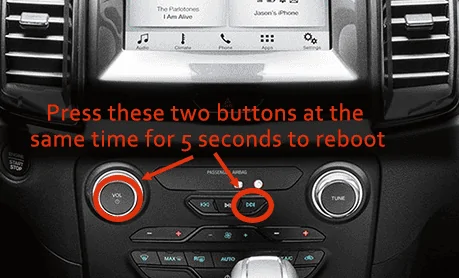
I had the same issue after updating in that the Ford website would not accept the XML file. Someone suggested connecting the truck to my WiFi which I did. Now Ford does recognize my update. YMMV.Question, for those who have updated to the latest build via USB. Once finished, did you log back on to Ford and upload the XML flie? Reason I ask is about 4 months ago I updated to the latest build Via USB, install went great no issues. About 2 weeks ago I noticed that the Screen was doing another download, the same version that I already installed, I do have auto updates enabled. Well after one week the thing was still trying and has frozen all user operation on the screen. I did a master reset and the screen just sat black for a day, did a soft reboot with the USB connected this morning on the 40 minute drive in, and its now trying to update. Got to work had to shut the truck off, hopefully it will continue and finish after my 40 min drive back home. I wonder if all this was caused because I did not upload the XML log, so ford thought I had the old rev and pushed the download. Perhaps this confused the unit and put the console in limbo. I do know one thing, once I get this sorted out, auto download is getting turned off as its hokey at best.,
Sponsored