Sponsored

Issues with morimoto xb headlights

ryan_burchett

Member
First Name
Ryan
Joined
Dec 30, 2022
Threads
1
Messages
5
Reaction score
0
Location
Ohio
Vehicle(s)
2023 Ford Ranger FX4
Occupation
HVAC
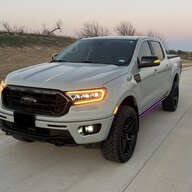
I installed a new set of morimoto headlights on my new 2023 Ranger over Christmas weekend. At first everything worked fine. The next morning, the drl wouldn't light on the driver's side when I unlocked or locked the vehicle. I later drove the vehicle and the turn signal was rapid flashing when using the driver's side. I called and had another set overnighted. Installed the complete new set wiring and all the next day. Same trouble. I have noticed that when I turn the headlights to just on instead of the auto function on the dash that everything works fine. Then you have to turn the headlights on and off everytime you get in the vehicle. Also don't get use if the daytime running lights that way. I'm in fuse block 19 like everything calls for. Any ideas would be greatly appreciated.
Sponsored
 

MagneticRanger

Well-Known Member
Joined
Jun 9, 2019
Threads
4
Messages
124
Reaction score
237
Location
Ontario, Canada
Vehicle(s)
2019 Ford Ranger SuperCab FX4
Just spit balling here...these are 2 different products..

But I purchased a set of AlphaRex Pro's and the instructions/directions regarding DRL wiring called to use fuse #24

(As mentioned at very bottom of link I provided)


https://alpharexusa.com/how-to-wire-the-drl-harness/

I didn't install my lights ...but since I've had them installed I have had no hyperflashing nor issues with DRL's

But definitely follow your products guides/manuals and given direction from the manufacturer
 
OP
OP

ryan_burchett

Member
First Name
Ryan
Joined
Dec 30, 2022
Threads
1
Messages
5
Reaction score
0
Location
Ohio
Vehicle(s)
2023 Ford Ranger FX4
Occupation
HVAC
I'll try that. Morimoto said to try different fuse locations but I don't understand how the passenger side is fine and the driver's side is having issue with both sets of lights I've tried. I'll repost after switching it.
 
OP
OP

ryan_burchett

Member
First Name
Ryan
Joined
Dec 30, 2022
Threads
1
Messages
5
Reaction score
0
Location
Ohio
Vehicle(s)
2023 Ford Ranger FX4
Occupation
HVAC
24 is there but would not except a fuse. There's the holes but nothing to grab the fuse and hold it in.
 

yamahaSHO

Well-Known Member
First Name
Jason
Joined
Oct 14, 2021
Threads
9
Messages
548
Reaction score
1,246
Location
Greenwood, AR
Website
www.jaztuning.com
Vehicle(s)
22 Ranger, 23 Maverick, 04 S2000, 07 Sky RL
Occupation
ECU Calibration - USAF Retired
Vehicle Showcase
1
I am wondering if you could just pin the DRL lead into the Morimoto connector that plugs into the OEM connector. The pin is not populated for the DRL and the pin for the DRL looks similar... I may try to de-pin and pin it back into the main connector. This would make it easier as I was going to run the turn-on feel into the vehicle since the fuse box is designed to seal.


YouStayClassy

Member
First Name
Casey
Joined
Sep 16, 2024
Threads
0
Messages
11
Reaction score
16
Location
Fort Worth, TX
Vehicle(s)
2021 Ford Ranger FX4 Lariat
Occupation
Internal Audit
Did you ever get this resolved? I recently purchased a 2021 Ranger with factory LEDs, installed the Morimoto XB headlights, and I am having the identical symptom. I had a couple of friends offer a suggestion, but I was curious what happened on your end.
 

airline tech

Well-Known Member
Joined
Aug 24, 2022
Threads
28
Messages
4,447
Reaction score
8,498
Location
Midwest - KS
Vehicle(s)
2022 Ranger Lariat-Super Crew, Cactus Gray
Occupation
Aircraft Tech
Ref: My Thread
Now this is how your Factory LED's are set (Configured)
The Factory LED uses a Dedicated DRL (Bright & Dim) as DRL & Parking

Since the Morimotos add Turns on that power circuit (PLUS) adds an additional power tap - screws with the BCM power feed to the Headlights.

Updated Findings for Lariat Headlight Swap | 2019+ Ford Ranger and Raptor Forum (5th Generation) - Ranger5G.com

Using the above as a Ref Point for - Factory LED Forscan settings

You MAY TRY, either or both setting changes to get them to work properly.
1. Change Dedicated DRL - From Dedicated - To Turn
2. Change Allowed DRL Options - From Incorrect Value or Not Configured -- To (+Turn)

Basically, the BCM needs to know that the Park/ Turn and the DRL are a SHARED circuit. I just do not know how the extra (TAPPED) power factors into this as these settings are for only BCM power output control. BUT may help in getting it to play nice.

Plus, also note - that since the DRL's are now (Tapped) power, some have reported that if they (Turn-Off) the DRL option in the IPC settings menu, that helped solve their issue.
The BCM is still trying to power the DRL's, if you select it off in the IPC Settings, the BCM will no longer want to power them.
So, to be clearer - you have 2 separate power sources trying to power the DRL
1. Fuse Tapped Source (switched)
2. BCM - Power

Just a Ponder of Thought:
I have pondered if the reason for the Tapped Power source was reasoned to help in selling them to avoid (Hey you need Forscan) to make adjustments and there was not a Full dive into how they operate and they missed what the BCM is still trying to do.
I would love to have a set to PLAY WITH for TESTING to see if that (Tapped) source is actually REQUIRED and use Forscan Only to tweak the settings.
I believe onther member here had the VLAND (?) lights and this proved to be false.
It solely depends on how the (Internal Wiring) of the Headlight itself is wired as it appears they vary somewhat by manufacture vs the OEM Halo or LED's.
It would be much simpler if they had a specific wiring pinout they had to follow, but that is not the case (it appears)
The main roadblock in this - You CANNOT see the internal wiring of the lights and how they vary.
 

YouStayClassy

Member
First Name
Casey
Joined
Sep 16, 2024
Threads
0
Messages
11
Reaction score
16
Location
Fort Worth, TX
Vehicle(s)
2021 Ford Ranger FX4 Lariat
Occupation
Internal Audit
Ref: My Thread
Now this is how your Factory LED's are set (Configured)
The Factory LED uses a Dedicated DRL (Bright & Dim) as DRL & Parking

Since the Morimotos add Turns on that power circuit (PLUS) adds an additional power tap - screws with the BCM power feed to the Headlights.

Updated Findings for Lariat Headlight Swap | 2019+ Ford Ranger and Raptor Forum (5th Generation) - Ranger5G.com

Using the above as a Ref Point for - Factory LED Forscan settings

You MAY TRY, either or both setting changes to get them to work properly.
1. Change Dedicated DRL - From Dedicated - To Turn
2. Change Allowed DRL Options - From Incorrect Value or Not Configured -- To (+Turn)

Basically, the BCM needs to know that the Park/ Turn and the DRL are a SHARED circuit. I just do not know how the extra (TAPPED) power factors into this as these settings are for only BCM power output control. BUT may help in getting it to play nice.

Plus, also note - that since the DRL's are now (Tapped) power, some have reported that if they (Turn-Off) the DRL option in the IPC settings menu, that helped solve their issue.
The BCM is still trying to power the DRL's, if you select it off in the IPC Settings, the BCM will no longer want to power them.
So, to be clearer - you have 2 separate power sources trying to power the DRL
1. Fuse Tapped Source (switched)
2. BCM - Power

Just a Ponder of Thought:
I have pondered if the reason for the Tapped Power source was reasoned to help in selling them to avoid (Hey you need Forscan) to make adjustments and there was not a Full dive into how they operate and they missed what the BCM is still trying to do.
I would love to have a set to PLAY WITH for TESTING to see if that (Tapped) source is actually REQUIRED and use Forscan Only to tweak the settings.
I believe onther member here had the VLAND (?) lights and this proved to be false.
It solely depends on how the (Internal Wiring) of the Headlight itself is wired as it appears they vary somewhat by manufacture vs the OEM Halo or LED's.
It would be much simpler if they had a specific wiring pinout they had to follow, but that is not the case (it appears)
The main roadblock in this - You CANNOT see the internal wiring of the lights and how they vary.
 

YouStayClassy

Member
First Name
Casey
Joined
Sep 16, 2024
Threads
0
Messages
11
Reaction score
16
Location
Fort Worth, TX
Vehicle(s)
2021 Ford Ranger FX4 Lariat
Occupation
Internal Audit
Ref: My Thread
Now this is how your Factory LED's are set (Configured)
The Factory LED uses a Dedicated DRL (Bright & Dim) as DRL & Parking

Since the Morimotos add Turns on that power circuit (PLUS) adds an additional power tap - screws with the BCM power feed to the Headlights.

Updated Findings for Lariat Headlight Swap | 2019+ Ford Ranger and Raptor Forum (5th Generation) - Ranger5G.com

Using the above as a Ref Point for - Factory LED Forscan settings

You MAY TRY, either or both setting changes to get them to work properly.
1. Change Dedicated DRL - From Dedicated - To Turn
2. Change Allowed DRL Options - From Incorrect Value or Not Configured -- To (+Turn)

Basically, the BCM needs to know that the Park/ Turn and the DRL are a SHARED circuit. I just do not know how the extra (TAPPED) power factors into this as these settings are for only BCM power output control. BUT may help in getting it to play nice.

Plus, also note - that since the DRL's are now (Tapped) power, some have reported that if they (Turn-Off) the DRL option in the IPC settings menu, that helped solve their issue.
The BCM is still trying to power the DRL's, if you select it off in the IPC Settings, the BCM will no longer want to power them.
So, to be clearer - you have 2 separate power sources trying to power the DRL
1. Fuse Tapped Source (switched)
2. BCM - Power

Just a Ponder of Thought:
I have pondered if the reason for the Tapped Power source was reasoned to help in selling them to avoid (Hey you need Forscan) to make adjustments and there was not a Full dive into how they operate and they missed what the BCM is still trying to do.
I would love to have a set to PLAY WITH for TESTING to see if that (Tapped) source is actually REQUIRED and use Forscan Only to tweak the settings.
I believe onther member here had the VLAND (?) lights and this proved to be false.
It solely depends on how the (Internal Wiring) of the Headlight itself is wired as it appears they vary somewhat by manufacture vs the OEM Halo or LED's.
It would be much simpler if they had a specific wiring pinout they had to follow, but that is not the case (it appears)
The main roadblock in this - You CANNOT see the internal wiring of the lights and how they vary.
Thanks! I figured it was an issue with the amperage on the tap line into the fuse box, so I was figuring it would involve running a dedicated line to the battery rather than fuse box. This makes more sense, so it appears I need to invest in a Forscan tool and software now.
 

YouStayClassy

Member
First Name
Casey
Joined
Sep 16, 2024
Threads
0
Messages
11
Reaction score
16
Location
Fort Worth, TX
Vehicle(s)
2021 Ford Ranger FX4 Lariat
Occupation
Internal Audit
Ref: My Thread
Now this is how your Factory LED's are set (Configured)
The Factory LED uses a Dedicated DRL (Bright & Dim) as DRL & Parking

Since the Morimotos add Turns on that power circuit (PLUS) adds an additional power tap - screws with the BCM power feed to the Headlights.

Updated Findings for Lariat Headlight Swap | 2019+ Ford Ranger and Raptor Forum (5th Generation) - Ranger5G.com

Using the above as a Ref Point for - Factory LED Forscan settings

You MAY TRY, either or both setting changes to get them to work properly.
1. Change Dedicated DRL - From Dedicated - To Turn
2. Change Allowed DRL Options - From Incorrect Value or Not Configured -- To (+Turn)

Basically, the BCM needs to know that the Park/ Turn and the DRL are a SHARED circuit. I just do not know how the extra (TAPPED) power factors into this as these settings are for only BCM power output control. BUT may help in getting it to play nice.

Plus, also note - that since the DRL's are now (Tapped) power, some have reported that if they (Turn-Off) the DRL option in the IPC settings menu, that helped solve their issue.
The BCM is still trying to power the DRL's, if you select it off in the IPC Settings, the BCM will no longer want to power them.
So, to be clearer - you have 2 separate power sources trying to power the DRL
1. Fuse Tapped Source (switched)
2. BCM - Power

Just a Ponder of Thought:
I have pondered if the reason for the Tapped Power source was reasoned to help in selling them to avoid (Hey you need Forscan) to make adjustments and there was not a Full dive into how they operate and they missed what the BCM is still trying to do.
I would love to have a set to PLAY WITH for TESTING to see if that (Tapped) source is actually REQUIRED and use Forscan Only to tweak the settings.
I believe onther member here had the VLAND (?) lights and this proved to be false.
It solely depends on how the (Internal Wiring) of the Headlight itself is wired as it appears they vary somewhat by manufacture vs the OEM Halo or LED's.
It would be much simpler if they had a specific wiring pinout they had to follow, but that is not the case (it appears)
The main roadblock in this - You CANNOT see the internal wiring of the lights and how they vary.
Thanks again for the recommendations!

I tried a ForScan tool and software based on the thread recommendations you linked. I got in, changed both settings, and it worked the first time. Boom!

Initially, I was concerned we were talking $$$ for ForScan, it was much more economical than I thought! Bonus - it was a win-win because my wife just bought a Ford Edge so I get to use it for both vehicles.
 

airline tech

Well-Known Member
Joined
Aug 24, 2022
Threads
28
Messages
4,447
Reaction score
8,498
Location
Midwest - KS
Vehicle(s)
2022 Ranger Lariat-Super Crew, Cactus Gray
Occupation
Aircraft Tech
Thanks again for the recommendations!

I tried a ForScan tool and software based on the thread recommendations you linked. I got in, changed both settings, and it worked the first time. Boom!

Initially, I was concerned we were talking $$$ for ForScan, it was much more economical than I thought! Bonus - it was a win-win because my wife just bought a Ford Edge so I get to use it for both vehicles.
Awesome - Glad it worked.
 

Big Blue

Well-Known Member
First Name
Lee
Joined
May 5, 2020
Threads
16
Messages
3,927
Reaction score
9,352
Location
Wisconsin
Vehicle(s)
2019 Ford Ranger XLT FX4 Supercrew lighting blue
Occupation
Retired mechanical designer
This whole issue is getting real interesting. I just installed a set of OLM by Coplus lights in my 2019 XLT with halogen lights. I had them set to use the fog lights as DRL and include parking lights with the DRLs. I also run my headlight switch in AUTO exclusively. The OLM lights are basically the same as the Morimotos, only cheaper. Because Coplus in Taiwan makes them for Morimoto along with many of their other lights. I has the exact same startup sequences as the Morimoto lights.

I installed them using the same instructions, fuse 19. Mine are working as expected in AUTO, with no chages to my Forscan settings. Except the DRLs are on in all switch positions. I do not notice the startup sequence unless parked in front of a window, kind of cool. Love the turn signal sequence. Used Forscan to clear all DTCs after installing, none have reappeared.

My only disappointment is my parking lights do not come on with the DRLs. They only come on with the headlights. I personally like to have tailights along with the DRLs especially at dusk and dawn, and when towing my travel trailer. I have tried various Forscan settings with no success.

As @airline tech has said I think that the extra power feed is to make the lights plug and play in dealing with the very convoluted DRL logic of the OEM setup. It takes the switch posotion out of the equation. It has to deal with whether you have halogen or LED lights as well as what position the switch is in. Whether you have dedicated DRLs or are using one of the other front lights. I had hoped the include parking lights option would have still worked as it is a separate selection.

As far as one side working and one side not. Or, it working with the headlights on. I would be looking at a possible ground problem. Those are always fun. There's only three of them in the harness for each light. Or check that all the connectors including the DRL harness are tight.
 

airline tech

Well-Known Member
Joined
Aug 24, 2022
Threads
28
Messages
4,447
Reaction score
8,498
Location
Midwest - KS
Vehicle(s)
2022 Ranger Lariat-Super Crew, Cactus Gray
Occupation
Aircraft Tech
This whole issue is getting real interesting. I just installed a set of OLM by Coplus lights in my 2019 XLT with halogen lights. I had them set to use the fog lights as DRL and include parking lights with the DRLs. I also run my headlight switch in AUTO exclusively. The OLM lights are basically the same as the Morimotos, only cheaper. Because Coplus in Taiwan makes them for Morimoto along with many of their other lights. I has the exact same startup sequences as the Morimoto lights.

I installed them using the same instructions, fuse 19. Mine are working as expected in AUTO, with no chages to my Forscan settings. Except the DRLs are on in all switch positions. I do not notice the startup sequence unless parked in front of a window, kind of cool. Love the turn signal sequence. Used Forscan to clear all DTCs after installing, none have reappeared.

My only disappointment is my parking lights do not come on with the DRLs. They only come on with the headlights. I personally like to have tailights along with the DRLs especially at dusk and dawn, and when towing my travel trailer. I have tried various Forscan settings with no success.

As @airline tech has said I think that the extra power feed is to make the lights plug and play in dealing with the very convoluted DRL logic of the OEM setup. It takes the switch posotion out of the equation. It has to deal with whether you have halogen or LED lights as well as what position the switch is in. Whether you have dedicated DRLs or are using one of the other front lights. I had hoped the include parking lights option would have still worked as it is a separate selection.

As far as one side working and one side not. Or, it working with the headlights on. I would be looking at a possible ground problem. Those are always fun. There's only three of them in the harness for each light. Or check that all the connectors including the DRL harness are tight.
At first, I was confused on what you were wanting to achieve, as the Headlight DRL strip is a 3 -Way Function on the Morimoto and OLM
DRL - Bright (White)
Parking - Dim (White)
Turn - Amber
But then read it again and if you want to be like our northern neighbor (Canada) where the DRL's are always on (Including) the taillights (parking)

You may try this setting (copy) from my lighting thread

You do have another option - To set the DRLs as to be on in any position except - Headlamp Position (Including Off) - It is known as Conventional DRL , US Trucks are set to Configurable DRL
Using Forscan - Easy Way - Set (DRL Conditions) to Option (A) I think, you only have 2 choices here (A or B), If I recall Option B is what US Trucks are set to, so change it to the other option.
But keep in mind that the Taillights will also be on - (I think) from other owners posting.
So, if you want DRL without Auto Position and make them on (Always) change this setting.

So, IDK how the OLM / Morimoto's will play/work with changing this setting but worth a try.
Note: In Headlamp position the DRL will (should) switch to (Parking-Dim) as these settings are for factory headlights.
You are looking for (DRL Conditions) in the BCM Menu (Forscan), if I am correct set, it to Option (A)
or the opposite of what it is currently set (you only have 2 choices (A or B) it should be set on (B) I THINK
 

Big Blue

Well-Known Member
First Name
Lee
Joined
May 5, 2020
Threads
16
Messages
3,927
Reaction score
9,352
Location
Wisconsin
Vehicle(s)
2019 Ford Ranger XLT FX4 Supercrew lighting blue
Occupation
Retired mechanical designer
At first, I was confused on what you were wanting to achieve, as the Headlight DRL strip is a 3 -Way Function on the Morimoto and OLM
DRL - Bright (White)
Parking - Dim (White)
Turn - Amber
But then read it again and if you want to be like our northern neighbor (Canada) where the DRL's are always on (Including) the taillights (parking)

You may try this setting (copy) from my lighting thread

You do have another option - To set the DRLs as to be on in any position except - Headlamp Position (Including Off) - It is known as Conventional DRL , US Trucks are set to Configurable DRL
Using Forscan - Easy Way - Set (DRL Conditions) to Option (A) I think, you only have 2 choices here (A or B), If I recall Option B is what US Trucks are set to, so change it to the other option.
But keep in mind that the Taillights will also be on - (I think) from other owners posting.
So, if you want DRL without Auto Position and make them on (Always) change this setting.

So, IDK how the OLM / Morimoto's will play/work with changing this setting but worth a try.
Note: In Headlamp position the DRL will (should) switch to (Parking-Dim) as these settings are for factory headlights.
You are looking for (DRL Conditions) in the BCM Menu (Forscan), if I am correct set, it to Option (A)
or the opposite of what it is currently set (you only have 2 choices (A or B) it should be set on (B) I THINK
With the DRL harness the DRL strips on the lights are on any time the truck is started, no matter switch position. I am totally fine with this. Because I live with my switch in AUTO, I would not care if the tail/parking were on all the time or when not in park. The truck is running and the draw of the LED tailights in minimum.

It just seems that with these headlights that the "DRL Configuration" setting and the "Daytime Running Lights Includes Parkinglamps" setting do nothing.

I did try both the A and B settings, and did not get a difference. Mine (US) were in A mode. I beleive Canada only recently required NEW vehicles to include the parking (tailights) with the all the time DRLs.

Yes anytime any other lighting is on (parking or headlights) the DRLs are in dim mode. On alone they are bright, very bright.
 

Big Blue

Well-Known Member
First Name
Lee
Joined
May 5, 2020
Threads
16
Messages
3,927
Reaction score
9,352
Location
Wisconsin
Vehicle(s)
2019 Ford Ranger XLT FX4 Supercrew lighting blue
Occupation
Retired mechanical designer
At first, I was confused on what you were wanting to achieve, as the Headlight DRL strip is a 3 -Way Function on the Morimoto and OLM
DRL - Bright (White)
Parking - Dim (White)
Turn - Amber
But then read it again and if you want to be like our northern neighbor (Canada) where the DRL's are always on (Including) the taillights (parking)

You may try this setting (copy) from my lighting thread

You do have another option - To set the DRLs as to be on in any position except - Headlamp Position (Including Off) - It is known as Conventional DRL , US Trucks are set to Configurable DRL
Using Forscan - Easy Way - Set (DRL Conditions) to Option (A) I think, you only have 2 choices here (A or B), If I recall Option B is what US Trucks are set to, so change it to the other option.
But keep in mind that the Taillights will also be on - (I think) from other owners posting.
So, if you want DRL without Auto Position and make them on (Always) change this setting.

So, IDK how the OLM / Morimoto's will play/work with changing this setting but worth a try.
Note: In Headlamp position the DRL will (should) switch to (Parking-Dim) as these settings are for factory headlights.
You are looking for (DRL Conditions) in the BCM Menu (Forscan), if I am correct set, it to Option (A)
or the opposite of what it is currently set (you only have 2 choices (A or B) it should be set on (B) I THINK
OK, update on my DRL want. Went into Forscan today and double check all my settings.

I have my "Allowed DRL Options" set to "128 - All Options".
My "DRL Conditions" is set to "A" for U.S.
MY "DRL Configuration" is set to "4 - Fog Lamp".
My "Daytime Running Lights Includes Parklamps" is set to "Enable".

What I found was I had the DRLs turned off in the IPC menu. Once I turned them back on everything is working how I want. With the switch in Auto: when I start the truck the DRL strip comes on bright. When I take the truck out of Park the strip dims and the parking lamps and fogs come on. When the outside light gets dim enough from the headlights to come on the the fogs turn off.
Sponsored


Top