Sponsored

Is my Sync update Current?

alcohenusa

Well-Known Member
First Name
Alan
Joined
Jul 22, 2020
Threads
12
Messages
478
Reaction score
727
Location
CO
Vehicle(s)
2020 Ranger Lariat 4x4
Occupation
Retired
So, did they send you away without fixing it?

Ford customer service is 800-392-3673. But I have gotten much better results contacting them through Twiiter.

I would also escalate to the dealership GM, especially if this is the selling dealer.
Sponsored

 
Last edited:

PonyXpress

Well-Known Member
First Name
Steve
Joined
Feb 18, 2019
Threads
9
Messages
267
Reaction score
176
Location
Sacramento CA
Vehicle(s)
2019 Ford Ranger
Can anyone confirm the sync and map latest versions for 2019 Ranger? Ford says there is a update for my truck, but the files look the same to me.
 

Dgc333

Well-Known Member
First Name
Dave
Joined
Aug 24, 2021
Threads
17
Messages
1,742
Reaction score
4,112
Location
Massachusetts
Vehicle(s)
21 Ranger Lariat
Occupation
Engineer
Not sure what Sync version shipped with a 2019 Ranger but the current officially released versions for your truck would be 3.4.21194 and NA 2 20 for the maps.

My 21 Ranger came with 3.4.21098 and maps NA 1 19. I updated as soon as I got the truck home.
 
OP
OP
Sapo

Sapo

Well-Known Member
Joined
Oct 1, 2021
Threads
6
Messages
50
Reaction score
165
Location
Northern New Mexico
Vehicle(s)
2019 Ford Ranger Lariat
Occupation
Retired
O
So, did they send you away without fixing it?

Ford customer service is 800-392-3673. But I have gotten much better results contacting them through Twiiter.

I would also escalate to the dealership GM, especially if this is the selling dealer.
They did send me away with fixing it and claimed that the 2019 model was not capable of being updated to Sync 3.4. I went home and relaxed a bit and reviewed all the posts on this forum and decided to try updating with via USB versus Wifi.

I got my jump drive 100 gig formatted and down loaded the update. I received an error message and called tech support at https://help.ford.com/. The tech was a very pleasant and knowledgeable young lady who said I that I should try a smaller jump drive.

I copied the file to an empty, formatted 8 gig drive went out to the Ranger, started it up and inserted it and the update quickly started. About 2 hours later I had 3.4 operating in my 2019 Ford Ranger Lariat.

Thank you all for your help!


Porpoise Hork

Well-Known Member
First Name
Bret
Joined
Apr 28, 2020
Threads
19
Messages
1,316
Reaction score
2,366
Location
Houston
Vehicle(s)
2022 F150 XLT Powerboost FX4 302A Oxford White
Occupation
IT
I had the worst success with Sync updating over WiFi. Finally gave up and started using Cyanlabs and have not had any problem since. Even when updating the maps to NA2.20 when Ford said mine couldn't take the update it went smoothly.

cool, thank you!
The latest Sync build available is 3.4.22048 (installed via Cyanlabs) I have been on it for a little over a month now and do not have any major complaints with it. Only minor issue is CarPlay connecting is sometimes delayed, but that is more likely iOS 15.4.1 causing it since it started with that update.
 
Last edited:

alcohenusa

Well-Known Member
First Name
Alan
Joined
Jul 22, 2020
Threads
12
Messages
478
Reaction score
727
Location
CO
Vehicle(s)
2020 Ranger Lariat 4x4
Occupation
Retired
O

They did send me away with fixing it and claimed that the 2019 model was not capable of being updated to Sync 3.4. I went home and relaxed a bit and reviewed all the posts on this forum and decided to try updating with via USB versus Wifi.

I got my jump drive 100 gig formatted and down loaded the update. I received an error message and called tech support at https://help.ford.com/. The tech was a very pleasant and knowledgeable young lady who said I that I should try a smaller jump drive.

I copied the file to an empty, formatted 8 gig drive went out to the Ranger, started it up and inserted it and the update quickly started. About 2 hours later I had 3.4 operating in my 2019 Ford Ranger Lariat.

Thank you all for your help!
Glad you got it working.
 

Old NaCl

Well-Known Member
First Name
Greg
Joined
Jun 28, 2022
Threads
6
Messages
205
Reaction score
522
Location
Tennessee
Vehicle(s)
2019 XLT Ranger 2X4
Occupation
Mechanical Designer
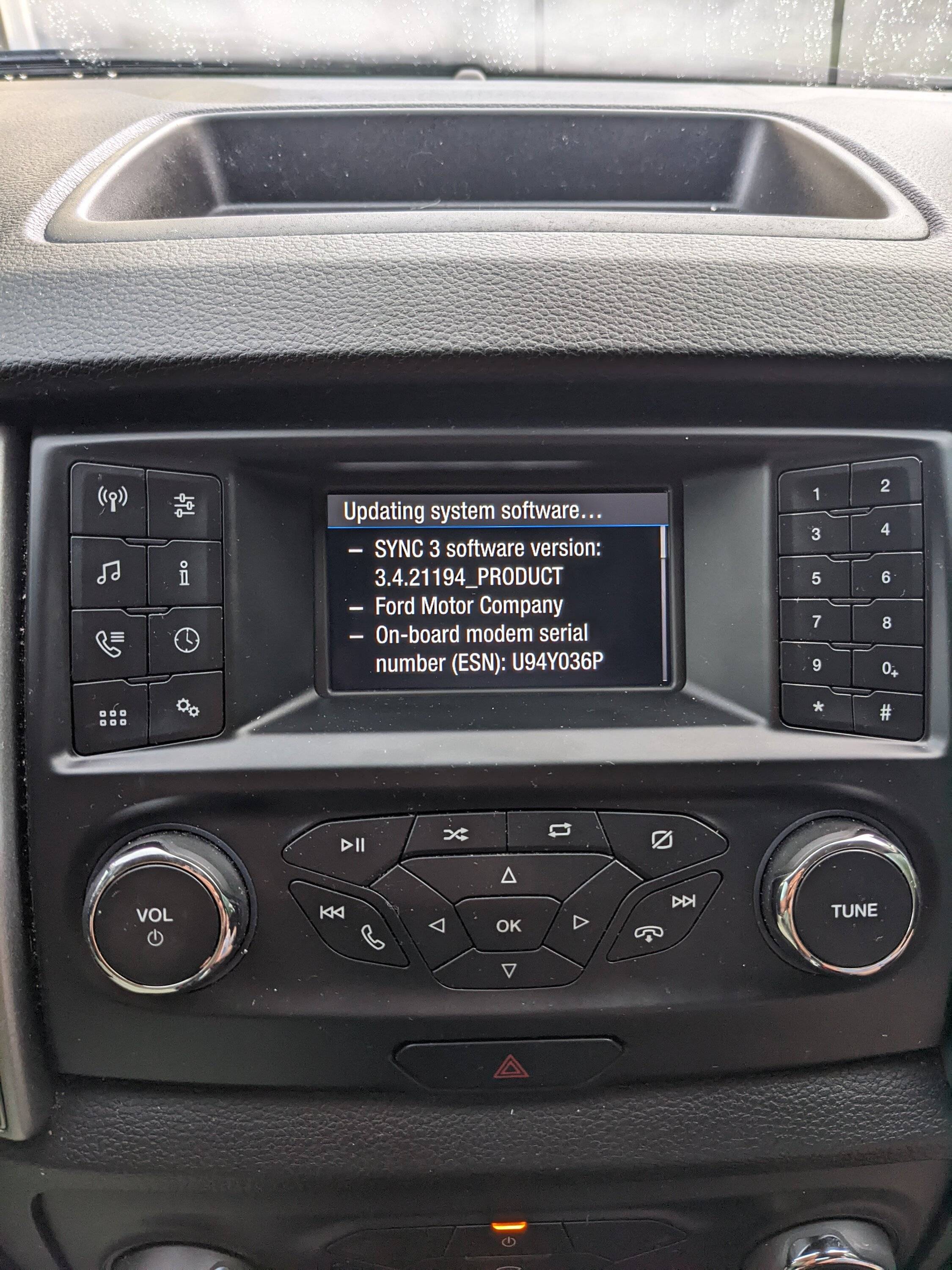
About how long does the USB, update take? I'm 3 minutes shy of an hour. Truck still says updating software.
Versions shows updated
Vech 2019 ranger XLT.

PXL_20220809_231759572.jpg
 

Old NaCl

Well-Known Member
First Name
Greg
Joined
Jun 28, 2022
Threads
6
Messages
205
Reaction score
522
Location
Tennessee
Vehicle(s)
2019 XLT Ranger 2X4
Occupation
Mechanical Designer
Success had to restart the truck to get the message system update complete.
 

dapakattack

Well-Known Member
First Name
Daniel
Joined
Dec 30, 2020
Threads
5
Messages
398
Reaction score
1,642
Location
North Texas
Vehicle(s)
2020 Ranger XLT 4x4
If you are using a Mesh network, you might run into some issues. I found this post and turned off Fast Roaming as described by SteveMat72 in the last post: Reddit Article
 

Old NaCl

Well-Known Member
First Name
Greg
Joined
Jun 28, 2022
Threads
6
Messages
205
Reaction score
522
Location
Tennessee
Vehicle(s)
2019 XLT Ranger 2X4
Occupation
Mechanical Designer
If you are using a Mesh network, you might run into some issues. I found this post and turned off Fast Roaming as described by SteveMat72 in the last post: Reddit Article
I had the original sync that was factory installed last update was 4/2019.
I could not get updates over WiFi ( time outs). USB (thumb drive 4 Gig) worked it just would not say system update complete. After 1hr 15 min I just said screw it and turned the Ingition off.

I did not sit in the truck and wait, just checked in on the update process every 10 to 15 mins.
 

Big Blue

Well-Known Member
First Name
Lee
Joined
May 5, 2020
Threads
16
Messages
3,927
Reaction score
9,352
Location
Wisconsin
Vehicle(s)
2019 Ford Ranger XLT FX4 Supercrew lighting blue
Occupation
Retired mechanical designer
Just updated my '19 XLT with no NAV to 3.4 build 22200 using Cyan Labs. Was on build 21194 that Ford said was latest. No issues so far. doesn't look much different. Initially seems a little more responsive. Time will tell.
 

Dgc333

Well-Known Member
First Name
Dave
Joined
Aug 24, 2021
Threads
17
Messages
1,742
Reaction score
4,112
Location
Massachusetts
Vehicle(s)
21 Ranger Lariat
Occupation
Engineer
Just updated my '19 XLT with no NAV to 3.4 build 22200 using Cyan Labs. Was on build 21194 that Ford said was latest. No issues so far. doesn't look much different. Initially seems a little more responsive. Time will tell.
Well if you read the CyanLabs forum thread on 3.4.22200 a lot of people have been having issues with the radio and SirusXM not working after this update and have gone back to 3.4.22194. Hopefully you don't.
 

kieefer

Well-Known Member
First Name
keith
Joined
Dec 26, 2017
Threads
25
Messages
1,059
Reaction score
1,960
Location
Tennessee
Vehicle(s)
2025 F150 King Ranch - 97 BMW M3
Occupation
Retired
Just curious, anyone know if other manufacturers require updates that take A DAMN HOUR???
 

Dgc333

Well-Known Member
First Name
Dave
Joined
Aug 24, 2021
Threads
17
Messages
1,742
Reaction score
4,112
Location
Massachusetts
Vehicle(s)
21 Ranger Lariat
Occupation
Engineer
Just curious, anyone know if other manufacturers require updates that take A DAMN HOUR???
Yep, the uConnect in my wife's Dodge and Jeep takes an hour to do an update.

FWIW, my experience has been an operating system update with Sync takes about 30 minutes, map update takes and hour and both at the same time can take over an hour and a 1/2.

Also, my 21 Ranger wirelessly updated the maps from NA 1 19 to NA 2 20 over night the first day I had it home. I used Cyanlabs to update 3.4.22194 to get the SirusXM Travel Link fix. Ford did a wireless update for 3.4.22194 again about a week after I had installed it.
Sponsored


Top