Sponsored

Additional "Software Gauges" Available?

txquailguy

Well-Known Member
First Name
Mark
Joined
Aug 14, 2020
Threads
20
Messages
892
Reaction score
2,241
Location
Colorado
Vehicle(s)
2019 Ford Ranger FX4 Lariat - 2020 Hyundai Kona Ultimate
Occupation
Biologist
Vehicle Showcase
1
That would be about $50 more than I paid to setup Torque Pro. I will admit I already had a tablet laying around. Here is the deal, the ultra gauge is not going to give you anymore data than Torque Pro which is cheaper even if you had to buy a screen device. It’s all about what sensor data or better yet, lack of sensor data. You can use the android device for other things that the ultra gauge won’t do. But hey....I’m all about the mods so get it and let us know what u think ?
Sponsored


dapakattack

Well-Known Member
First Name
Daniel
Joined
Dec 30, 2020
Threads
5
Messages
398
Reaction score
1,642
Location
North Texas
Vehicle(s)
2020 Ranger XLT 4x4
Man, you guys do a lot of cool stuff. Sorry if my rant doesn't really belong here.
I'd just like the XLT instrument panel to be customizable with the things that are already available on other screens. The truck is shown on the right with the lane departure lines. Fine, highlight those lines red when departing but keep them off otherwise. Show the psi of each tire on that screen.

The center screen 4 box readout should be configurable. I don't really care how long I've been driving on Trip 1. Show me:
*miles to empty
*miles driven
*current gear
*current speed
* or whatever other info my heart desires
If I want a bigger readout then I can scroll to those individually.

Why does the left side have to show which menu I'm in? It already tells me in the upper center of the screen. Getting rid of that left side menu could add a little bit of space to the now center readout.
 

Gizmokid2005

Well-Known Member
Joined
Dec 1, 2019
Threads
13
Messages
1,279
Reaction score
1,875
Location
GA
Website
gizmokid2005.com
Vehicle(s)
2019 Ford Ranger XLT 4X4 SCrew
Occupation
SQL Developer
Vehicle Showcase
1
Man, you guys do a lot of cool stuff. Sorry if my rant doesn't really belong here.
I'd just like the XLT instrument panel to be customizable with the things that are already available on other screens. The truck is shown on the right with the lane departure lines. Fine, highlight those lines red when departing but keep them off otherwise. Show the psi of each tire on that screen.

The center screen 4 box readout should be configurable. I don't really care how long I've been driving on Trip 1. Show me:
*miles to empty
*miles driven
*current gear
*current speed
* or whatever other info my heart desires
If I want a bigger readout then I can scroll to those individually.

Why does the left side have to show which menu I'm in? It already tells me in the upper center of the screen. Getting rid of that left side menu could add a little bit of space to the now center readout.
Just a note, the left side of that screen can also be your gear indicator which is how I use it.

But I otherwise agree, either the dash screen or the infotainment screen could use some extra customization.

OBD2AA through my phone with Torque has provided a lot of that to the center screen but it's still not perfect.
 

txquailguy

Well-Known Member
First Name
Mark
Joined
Aug 14, 2020
Threads
20
Messages
892
Reaction score
2,241
Location
Colorado
Vehicle(s)
2019 Ford Ranger FX4 Lariat - 2020 Hyundai Kona Ultimate
Occupation
Biologist
Vehicle Showcase
1
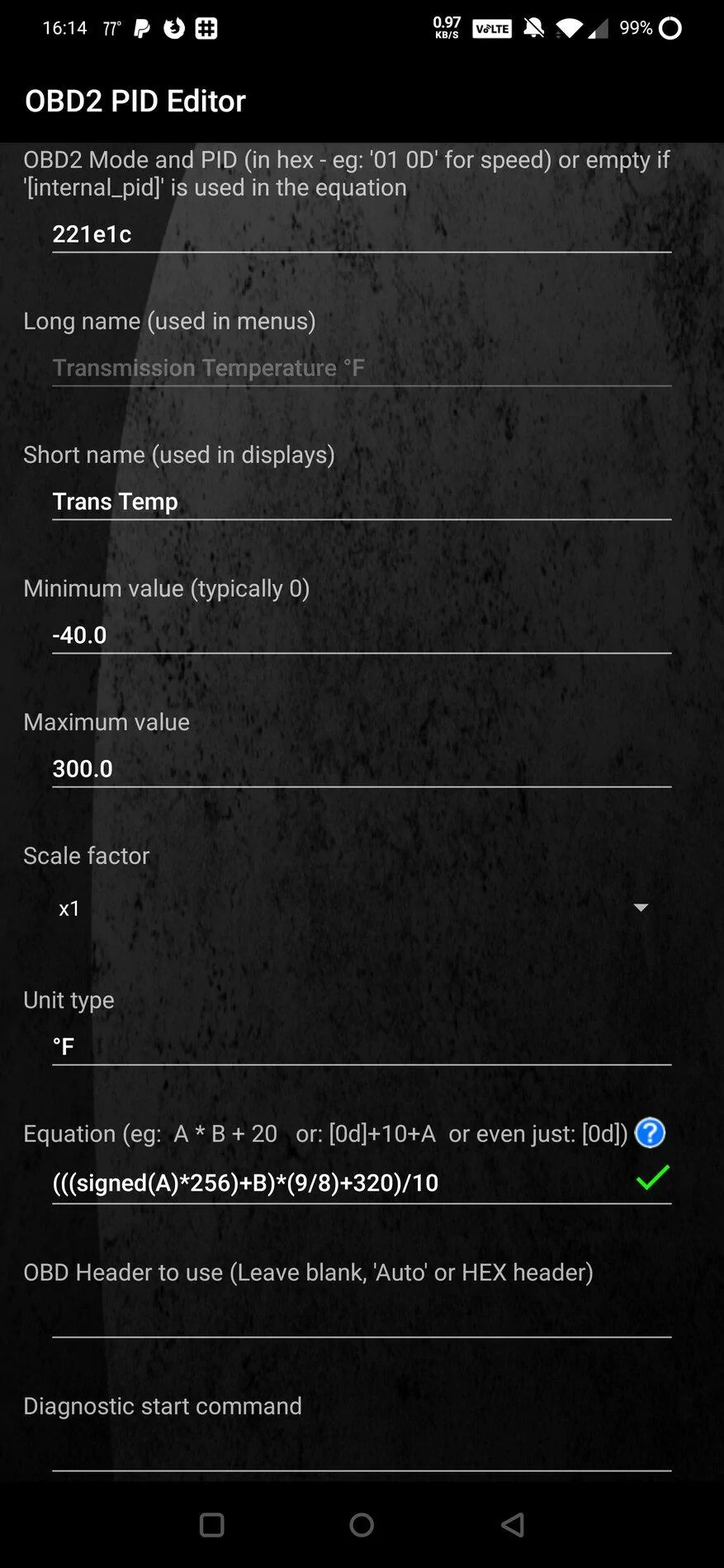
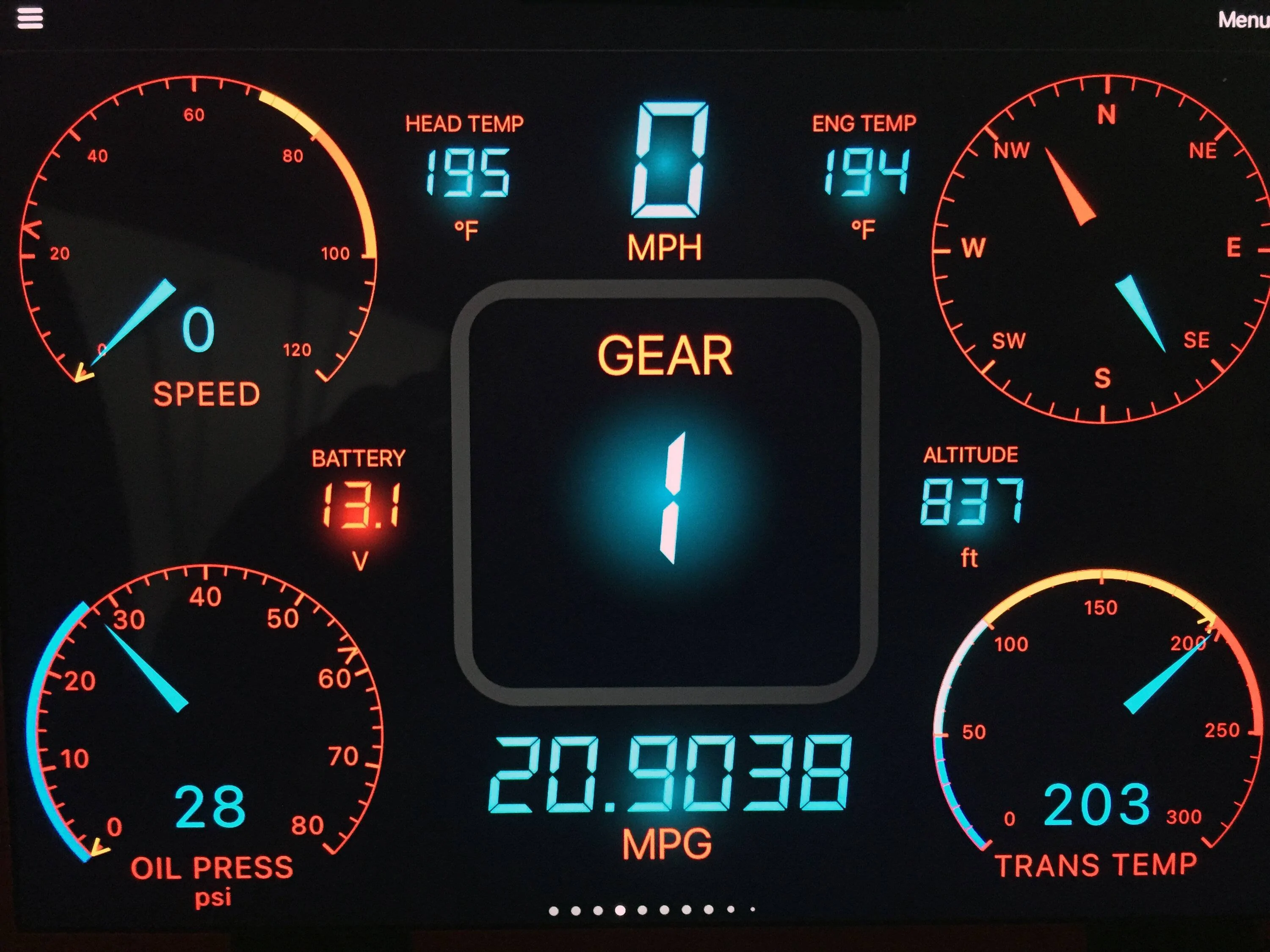
So I've been tinkering. I finally got Transmission Temp added to Torque once I looked up the formula.

Code for degrees Fahrenheit:
Code:
(((signed(A)*256)+B)*(9/8)+320)/10
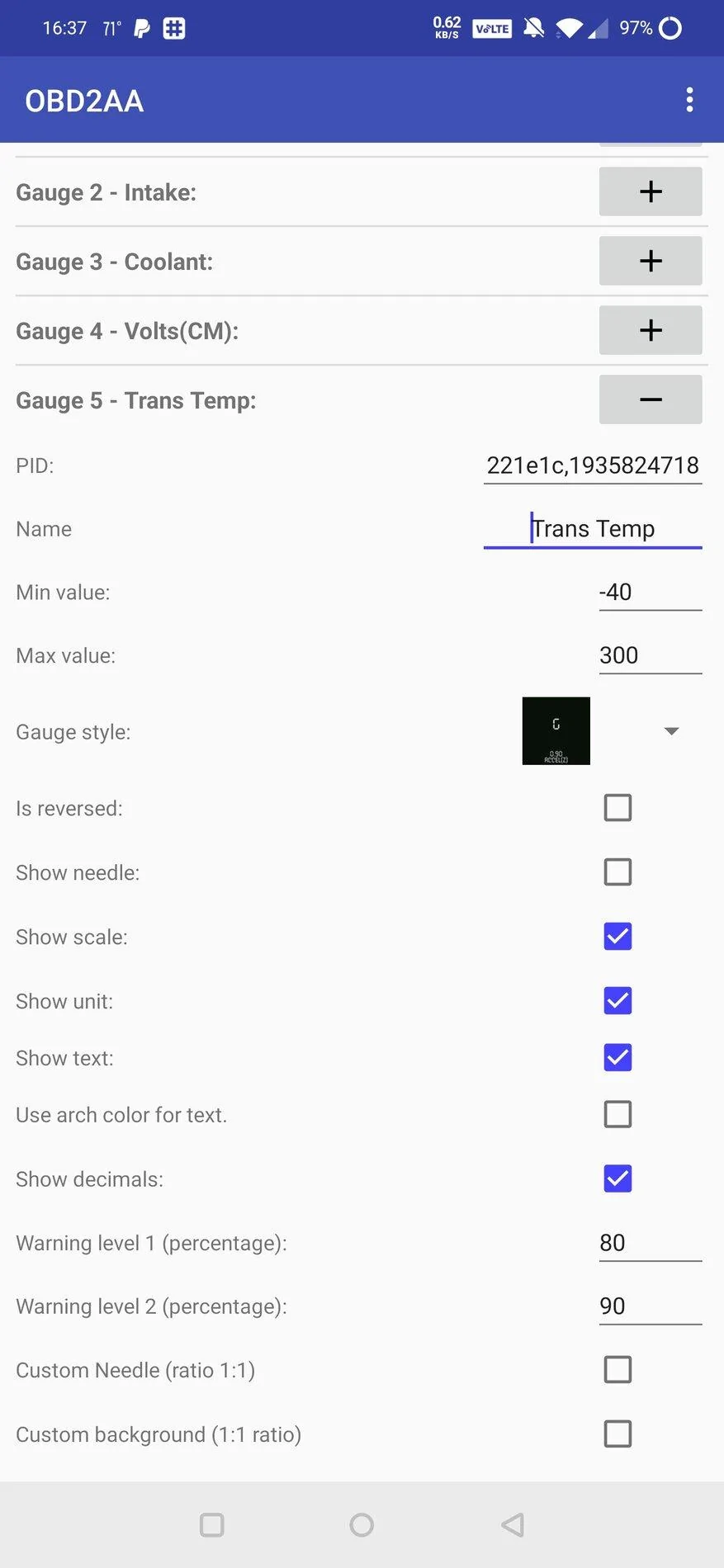
This works fine in torque. I tried adding it to OBD2AA yesterday, and it would show up, but never with a temp and would actually completely lock up OBD2AA until I wound up removing it. And just now I tried to select this PID again so I could take screenshots for here, and it's just not even showing up as an option anymore.

One thing I've noticed as well, OBD2AA will launch Torque and it'll run in the background, but unless I foreground the app (actually open it) it'll never connect to my OBDII adapter, which is weird.

Screenshot_20201106-161436.jpg


******EDIT*******

And now it's picking it up again. This looks like what I had before that was causing it to crash (minus the gauge style, I had changed it for another PID).

Screenshot_20201106-163723.jpg
Thanks for the info on this (Trans Temp formula)....works like a champ!!
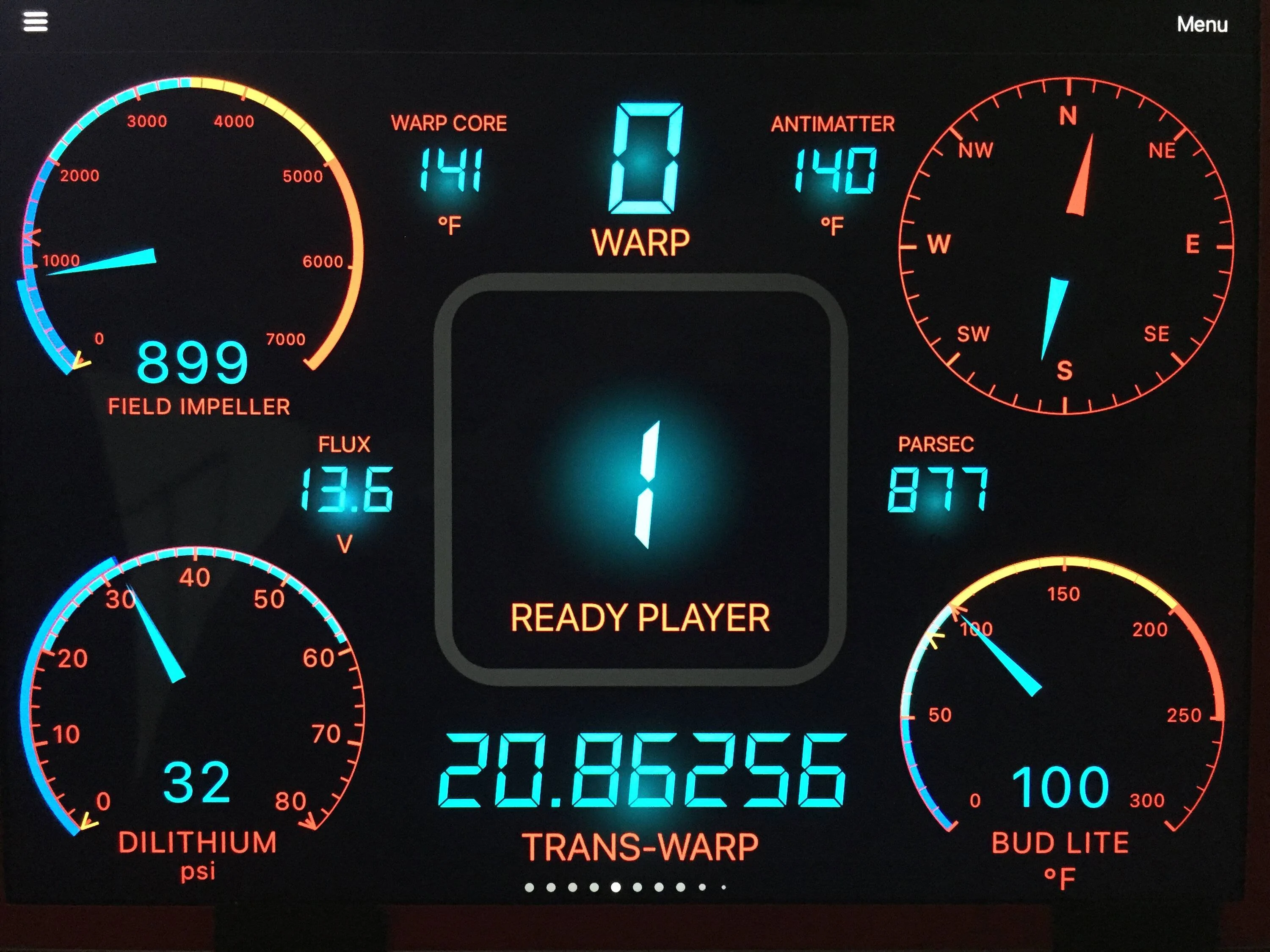
I may try out the XDA app but honestly....I like having the gauges running on the tablet in my dash tray. The magnetic mount I bought is very unobtrusive and works great! It gives the Ranger a cool look with the gauges up on the dash...especially at night. Plus I don't really care for the gauge "look" on the XDA setup. I have a Torque gauge setup for daytime and another for night that looks so awesome. Anyway, I do love the way you guys are running your gauges....that's pretty cool! Thanks for all the info!!! Big Blue too!!
 

txquailguy

Well-Known Member
First Name
Mark
Joined
Aug 14, 2020
Threads
20
Messages
892
Reaction score
2,241
Location
Colorado
Vehicle(s)
2019 Ford Ranger FX4 Lariat - 2020 Hyundai Kona Ultimate
Occupation
Biologist
Vehicle Showcase
1
Can someone explain what the "timing advance" sensor it showing?
TIA


Rviator

Well-Known Member
First Name
Doug
Joined
Apr 30, 2019
Threads
20
Messages
445
Reaction score
870
Location
FLA
Vehicle(s)
A 2019 Ford Ranger of course, and a 2015 Yamaha YZF-R3
Occupation
retired aerospace engineer
Vehicle Showcase
1
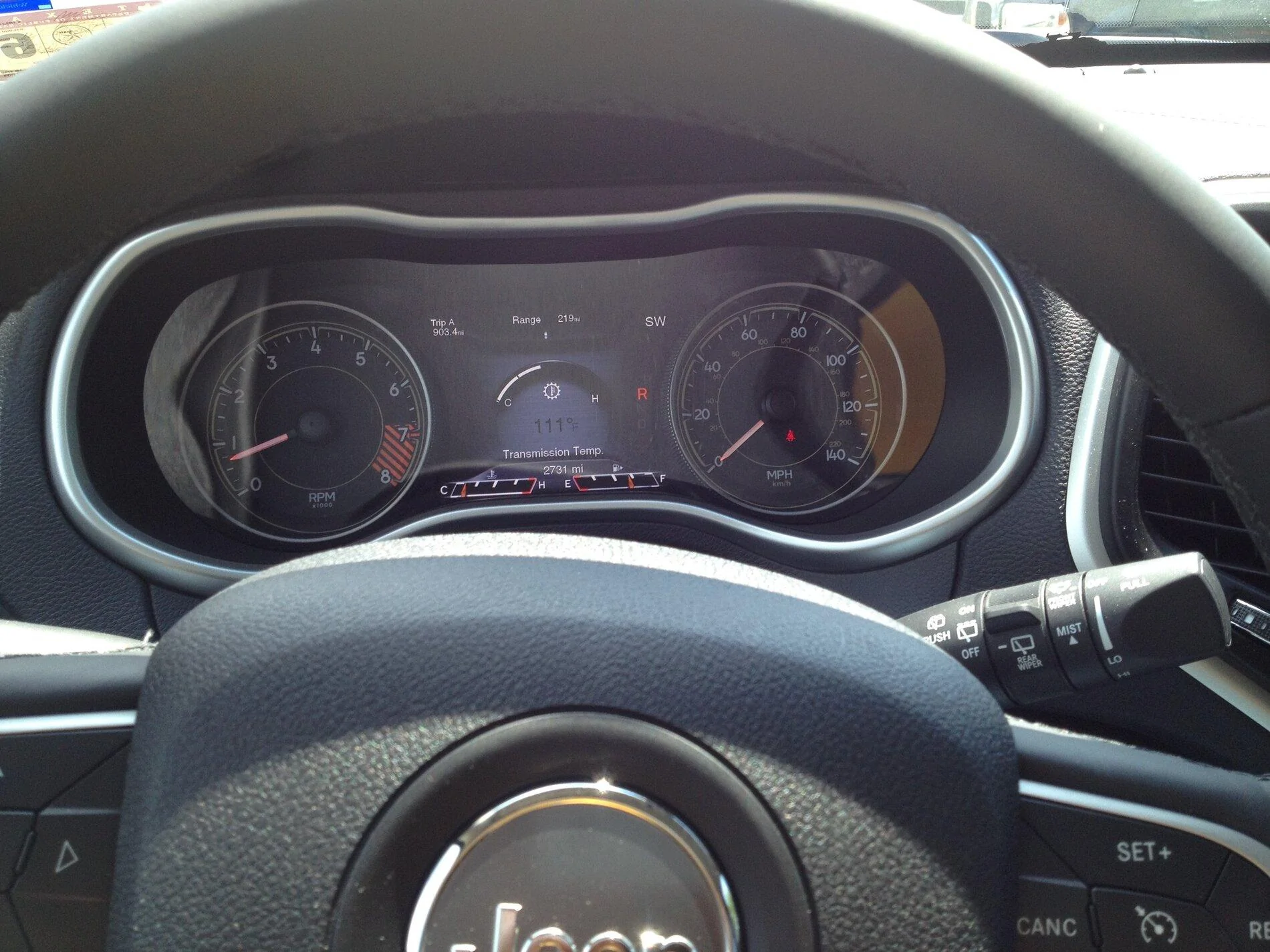
As much as I hate to admit it FCA got it about right with my old 2014 Jeep Cherokee Trailhawk. The center is showing trans temp and was configurable to other data including oil temp! Each of the smaller text surrounding data was also configurable.
IMG_2381.webp
 

Big Blue

Well-Known Member
First Name
Lee
Joined
May 5, 2020
Threads
16
Messages
3,927
Reaction score
9,352
Location
Wisconsin
Vehicle(s)
2019 Ford Ranger XLT FX4 Supercrew lighting blue
Occupation
Retired mechanical designer
Just a point of reference for those using Torque Pro. Go to Setting and Manage Extra PIDs/Sensors. Add the predefined set for Ford. This will add Several extra PIDs. Not all work for our trucks, but if you connect to your truck and add a new gauge to Torque Pro with your truck running. The ones that do work will be highlighted in green and show the current value being reported.

I know this was mentioned earlier but though it worth repeating, as this thread has heated up again.
 

Msfitoy

Well-Known Member
First Name
Sid
Joined
Mar 5, 2019
Threads
67
Messages
9,192
Reaction score
28,362
Location
North Carolina
Vehicle(s)
2019 Ranger, 2003 MINI Cooper S, 2021 Honda CT125
Occupation
NWO Robot Polisher
Vehicle Showcase
1
Last edited:

Chris M

Well-Known Member
First Name
Chris
Joined
Jun 11, 2020
Threads
20
Messages
4,498
Reaction score
19,801
Location
Surprise, AZ
Vehicle(s)
2021 Ranger XLT Sport 4X4
Occupation
Security Supervisor

Msfitoy

Well-Known Member
First Name
Sid
Joined
Mar 5, 2019
Threads
67
Messages
9,192
Reaction score
28,362
Location
North Carolina
Vehicle(s)
2019 Ranger, 2003 MINI Cooper S, 2021 Honda CT125
Occupation
NWO Robot Polisher
Vehicle Showcase
1
Last edited:


Top