Sponsored

FORScan Modifications

Mirage775

Well-Known Member
First Name
Jason
Joined
Apr 24, 2021
Threads
51
Messages
974
Reaction score
2,185
Location
Huntsville, Alabama
Vehicle(s)
23 Bronco 2dr Badlands SAS, 24 Bronco 2dr Heritage Limited, 95 F-150 XLT SWB 4x4
Occupation
Water Meter Tech I
Vehicle Showcase
1
What you are doing in Forscan hasn't really changed, just how you do it. All Forscan does is to edit what is basically a configuration (setup) file. It does NOT edit any programming code, never has. You would need to reflash the module firmware to do that. You are just making selections of options given to you by the original programmers. Originally you edited the setup file directly, by changing the "code" for the option you wanted to change. The setup file is just a spreadsheet with different cells for different options. It gets read into the module when out it "boots up". Current versions of Forscan have have made it easier to make these edits by giving us menu options to select, rather than editing the HEX "codes" in the actual spreadsheet.

The ECU/PCU is where the engine tuning is kept. Forscan does not give us access to this area, so nothing you do in Forscan should affect the tune. Some people have reported that having a tune loaded has affected their ability to get into their truck with Forscan. Seems to be rather random.

One addition point. When you are working in Forscan, Forscan has read the file out of the module in your truck. You are actual editing a copy on your computer. This is why you need to save it back to the module and "reboot" the module to make the changes take affect. You should also save a new backup file to your computer with your changes for the future. DO NOT overwrite your original backups of your factory Savior files.

Sorry to get long winded, and I know the more computer savvy among us know all this. Just wanted to try and help some of the Forscan newbies understand what they are getting into.
I might PM you later with some minor questions ?
Sponsored


jvm051

Active Member
Joined
May 30, 2021
Threads
7
Messages
37
Reaction score
19
Location
Phoenix
Vehicle(s)
2021 Ranger Sport
It's been a while since I did anything with Forscan but all I did was turn off the enhanced engine sound, change the splash screen an maybe one thing I can't remember.

Seems like I had to join the forscan forum for final activation.
Is the enhanced engine sound just a enable/disable option now or does the code still have to be changed?
 

Gizmokid2005

Well-Known Member
Joined
Dec 1, 2019
Threads
13
Messages
1,279
Reaction score
1,875
Location
GA
Website
gizmokid2005.com
Vehicle(s)
2019 Ford Ranger XLT 4X4 SCrew
Occupation
SQL Developer
Vehicle Showcase
1
Is the enhanced engine sound just a enable/disable option now or does the code still have to be changed?
It's just a GUI option now, has been for quite a while. You can find it on the wiki.
 

Langwilliams

Well-Known Member
First Name
Langley
Joined
Dec 31, 2019
Threads
26
Messages
3,204
Reaction score
7,503
Location
Lorain, Ohio
Vehicle(s)
2019 Ford Ranger XLT, 2014 Harley Street Glide
Occupation
Mail Carrier (retired) Navy Vet
Is the enhanced engine sound just a enable/disable option now or does the code still have to be changed?
It's an on off setting but I forgot what I changed. I think I also cancelled the noise cancelling
 

Mirage775

Well-Known Member
First Name
Jason
Joined
Apr 24, 2021
Threads
51
Messages
974
Reaction score
2,185
Location
Huntsville, Alabama
Vehicle(s)
23 Bronco 2dr Badlands SAS, 24 Bronco 2dr Heritage Limited, 95 F-150 XLT SWB 4x4
Occupation
Water Meter Tech I
Vehicle Showcase
1
@Big Blue I got everything working today. I had to type in my OEM PCM code, but I did not have to revert back to the stock tune :) I didn't change much. I saved a new file before I started messing with stuff and I saved a file of what I changed too. The only things I changed were the splash screen to the Raptor and the Offroad gauge in the instrument cluster. I was looking and learning different things.

It's funny, my remote start option was disabled, but I got the OEM Remote Start option? It was way to cold here to mess with it much, so I'll probably do some more with it tomorrow, like the ABS Bleed, Bambi mode, Engine sounds off and maybe some other small changes?

Also, I saw auto start/stop in 2 different sections. One was enabled and one was disabled? Is that supposed to be right? I have it disabled through my tune.

I have aftermarket LED headlight housings and would love to find out how to disable their DRL. AlphaRex said the only way to disable it, was to cut their grey wire under the headlight housing itself...

I did see something like a Performance Brake change? Anyone know what that is/does? Honestly, there isn't much I want to change on it, but I got the 3 year license, just because whynot?


A Tale Of Two Rangers

Well-Known Member
First Name
David
Joined
Dec 9, 2021
Threads
0
Messages
55
Reaction score
250
Location
Huntington Beach
Vehicle(s)
2021 Ranger XLT 4x4, 1999 Ranger XLT 4x4
Occupation
Marketing
@Big Blue I got everything working today. I had to type in my OEM PCM code, but I did not have to revert back to the stock tune :) I didn't change much. I saved a new file before I started messing with stuff and I saved a file of what I changed too. The only things I changed were the splash screen to the Raptor and the Offroad gauge in the instrument cluster. I was looking and learning different things.
It's funny, my remote start option was disabled, but I got the OEM Remote Start option? It was way to cold here to mess with it much, so I'll probably do some more with it tomorrow, like the ABS Bleed, Bambi mode, Engine sounds off and maybe some other small changes?

Also, I saw auto start/stop in 2 different sections. One was enabled and one was disabled? Is that supposed to be right? I have it disabled through my tune.

I have aftermarket LED headlight housings and would love to find out how to disable their DRL. AlphaRex said the only way to disable it, was to cut their grey wire under the headlight housing itself...

I did see something like a Performance Brake change? Anyone know what that is/does? Honestly, there isn't much I want to change on it, but I got the 3 year license, just because whynot?
I did the same as you, just minimal changes.
I added the courtesy wipe (extra sweep of the wipers) after you use the windshield washer. I too paid for the license. It's only fair if you plan to keep the changes.
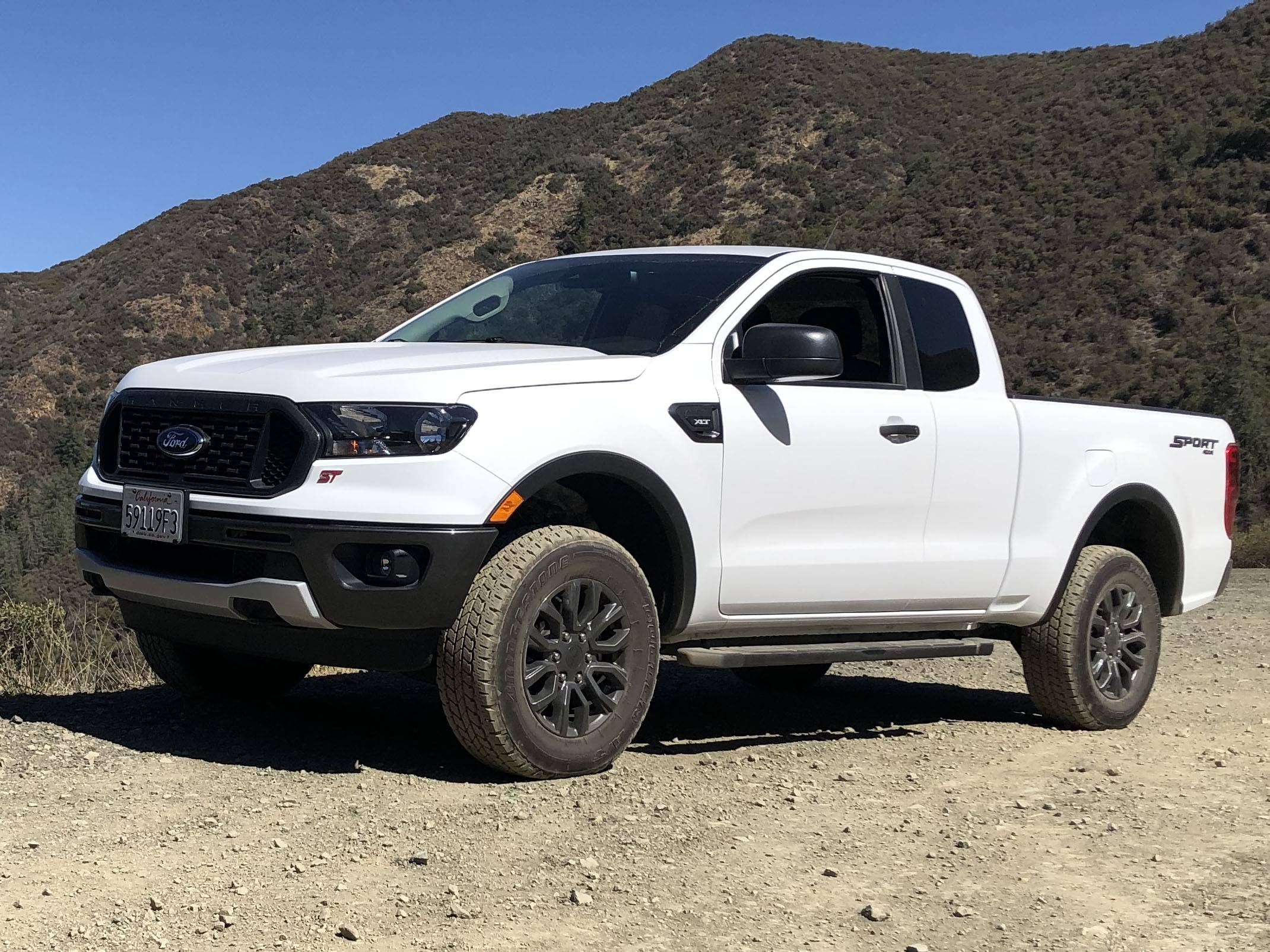
I chose the ST splash screen as I had some extra ST badges when I did the ST Octane Academy with the purchase of my Focus ST3.
I've got a fake badged Ranger ST. When I took it in for the first service, the dealer said he'd never seen a Ranger ST. I told him how I came to own and install them.
ST Badged Ranger.jpg
 
Last edited:

Big Blue

Well-Known Member
First Name
Lee
Joined
May 5, 2020
Threads
16
Messages
3,927
Reaction score
9,352
Location
Wisconsin
Vehicle(s)
2019 Ford Ranger XLT FX4 Supercrew lighting blue
Occupation
Retired mechanical designer
@Big Blue I got everything working today. I had to type in my OEM PCM code, but I did not have to revert back to the stock tune :) I didn't change much. I saved a new file before I started messing with stuff and I saved a file of what I changed too. The only things I changed were the splash screen to the Raptor and the Offroad gauge in the instrument cluster. I was looking and learning different things.

It's funny, my remote start option was disabled, but I got the OEM Remote Start option? It was way to cold here to mess with it much, so I'll probably do some more with it tomorrow, like the ABS Bleed, Bambi mode, Engine sounds off and maybe some other small changes?

Also, I saw auto start/stop in 2 different sections. One was enabled and one was disabled? Is that supposed to be right? I have it disabled through my tune.

I have aftermarket LED headlight housings and would love to find out how to disable their DRL. AlphaRex said the only way to disable it, was to cut their grey wire under the headlight housing itself...

I did see something like a Performance Brake change? Anyone know what that is/does? Honestly, there isn't much I want to change on it, but I got the 3 year license, just because whynot?
You will find some things that do not work on our rangers and some that will only apply to Lariats because they have those features and your XLT does not. There are several that show up but only apply to F150s. Check out the Forscan WIKI thread for which changes work on our Rangers.
 

Mirage775

Well-Known Member
First Name
Jason
Joined
Apr 24, 2021
Threads
51
Messages
974
Reaction score
2,185
Location
Huntsville, Alabama
Vehicle(s)
23 Bronco 2dr Badlands SAS, 24 Bronco 2dr Heritage Limited, 95 F-150 XLT SWB 4x4
Occupation
Water Meter Tech I
Vehicle Showcase
1
I did the same as you, just minimal changes.
I added the courtesy wipe (extra sweep of the wipers) after you use the windshield washer. I too paid for the license. It's only fair if you plan to keep the changes.
I chose the ST splash screen as I had some extra ST badges when I did the ST Octane Academy with the purchase of my Focus ST3.
I've got a fake badged Ranger ST. When I took it in for the first service, the dealer said he'd never seen a Ranger ST. I told him how I came to own and install them.
Mine has an option in the instrument cluster for a courtesy wiper option already? I haven't had to drive it in the rain yet, so I'm not sure if it's there or not?

I first used the Shelby splash thingy and it looked sweet! I wanted an "ST" badge, but couldn't find an all blacked out one?

When the license runs out, we don't loose the options we've checked, do we?
 

Mirage775

Well-Known Member
First Name
Jason
Joined
Apr 24, 2021
Threads
51
Messages
974
Reaction score
2,185
Location
Huntsville, Alabama
Vehicle(s)
23 Bronco 2dr Badlands SAS, 24 Bronco 2dr Heritage Limited, 95 F-150 XLT SWB 4x4
Occupation
Water Meter Tech I
Vehicle Showcase
1
You will find some things that do not work on our rangers and some that will only apply to Lariats because they have those features and your XLT does not. There are several that show up but only apply to F150s. Check out the Forscan WIKI thread for which changes work on our Rangers.
I've looked at the 1st page of the Wiki and assume that's all that we can change and if so, it's not really that much?

I saw someone changed something with the battery percentage from 75 to 90, but I forgot what exactly it was?
 

A Tale Of Two Rangers

Well-Known Member
First Name
David
Joined
Dec 9, 2021
Threads
0
Messages
55
Reaction score
250
Location
Huntington Beach
Vehicle(s)
2021 Ranger XLT 4x4, 1999 Ranger XLT 4x4
Occupation
Marketing
Mine has an option in the instrument cluster for a courtesy wiper option already? I haven't had to drive it in the rain yet, so I'm not sure if it's there or not?

I first used the Shelby splash thingy and it looked sweet! I wanted an "ST" badge, but couldn't find an all blacked out one?

When the license runs out, we don't loose the options we've checked, do we?
I have a log book in the truck with every change I tried and either kept or returned to the stock setting.

The courtesy wipe is in the same group as the instrument cluster changes. You can set it for 1, 2 or more extra sweeps. It happens automatically when you use the washer. There is a half-second pause and then the courtesy wipe or wipes happen.

When I purchased my Focus ST3 it came with a free 1-day driving school at Miller Motorsport Park. At the completion of the course they gave everyone blacked out ST badges to replace the red badges.


Mirage775

Well-Known Member
First Name
Jason
Joined
Apr 24, 2021
Threads
51
Messages
974
Reaction score
2,185
Location
Huntsville, Alabama
Vehicle(s)
23 Bronco 2dr Badlands SAS, 24 Bronco 2dr Heritage Limited, 95 F-150 XLT SWB 4x4
Occupation
Water Meter Tech I
Vehicle Showcase
1
I have a log book in the truck with every change I tried and either kept or returned to the stock setting.

The courtesy wipe is in the same group as the instrument cluster changes. You can set it for 1, 2 or more extra sweeps. It happens automatically when you use the washer. There is a half-second pause and then the courtesy wipe or wipes happen.

When I purchased my Focus ST3 it came with a free 1-day driving school at Miller Motorsport Park. At the completion of the course they gave everyone blacked out ST badges to replace the red badges.

Oh, I see what you mean about the wiper now. I personally don't mind having to manually do it. Vehicles are getting way too advanced, at least for my tastes, LOL!

I believe I found a Black ST badge on Fleabay, but they wanted damn near $100 bucks for it... I watched your video, I've never been much of a fan of auto-x, but I would love to do a road course with the Ranger :)
 

Cabose-1

Well-Known Member
First Name
Eli
Joined
Jan 19, 2021
Threads
9
Messages
1,982
Reaction score
7,473
Location
Texas
Vehicle(s)
2024 Ranger XLT, 4x2, Advance Tow, E-Locker
Occupation
Student
@Big Blue I got everything working today. I had to type in my OEM PCM code, but I did not have to revert back to the stock tune :) I didn't change much. I saved a new file before I started messing with stuff and I saved a file of what I changed too. The only things I changed were the splash screen to the Raptor and the Offroad gauge in the instrument cluster. I was looking and learning different things.
It's funny, my remote start option was disabled, but I got the OEM Remote Start option? It was way to cold here to mess with it much, so I'll probably do some more with it tomorrow, like the ABS Bleed, Bambi mode, Engine sounds off and maybe some other small changes?

Also, I saw auto start/stop in 2 different sections. One was enabled and one was disabled? Is that supposed to be right? I have it disabled through my tune.

I have aftermarket LED headlight housings and would love to find out how to disable their DRL. AlphaRex said the only way to disable it, was to cut their grey wire under the headlight housing itself...

I did see something like a Performance Brake change? Anyone know what that is/does? Honestly, there isn't much I want to change on it, but I got the 3 year license, just because whynot?
What i know as of now from actually using forscan
There is for the gauge cluster ass. It is in the menu of the gauge cluster. The fuel milage part. If im making any sense, it enables what it shows for ass, turned off by driver, working normal, plug in use, drive mode selected, etc
In the gauge cluster.
The second part of ass is in the bcm. This is where it actually gets disabled. Makes the dash button just a useless button. But it also disables battery management. I have not noticed a difference on battery management. It is a daily driver so gets used for work errands and so on.
The drl. That is a feature that can be disabled through your menu on the gauge cluster.
I have a 4x2 xlt
Enabled the off road guages too. And the remote start, for the ford app on our phones? Or for the remote? I do not know about that one.
Any more help needed i can add pics. Just ask. Be happy to help
 

Mirage775

Well-Known Member
First Name
Jason
Joined
Apr 24, 2021
Threads
51
Messages
974
Reaction score
2,185
Location
Huntsville, Alabama
Vehicle(s)
23 Bronco 2dr Badlands SAS, 24 Bronco 2dr Heritage Limited, 95 F-150 XLT SWB 4x4
Occupation
Water Meter Tech I
Vehicle Showcase
1
What i know as of now from actually using forscan
There is for the gauge cluster ass. It is in the menu of the gauge cluster. The fuel milage part. If im making any sense, it enables what it shows for ass, turned off by driver, working normal, plug in use, drive mode selected, etc
In the gauge cluster.
The second part of ass is in the bcm. This is where it actually gets disabled. Makes the dash button just a useless button. But it also disables battery management. I have not noticed a difference on battery management. It is a daily driver so gets used for work errands and so on.
The drl. That is a feature that can be disabled through your menu on the gauge cluster.
I have a 4x2 xlt
Enabled the off road guages too. And the remote start, for the ford app on our phones? Or for the remote? I do not know about that one.
Any more help needed i can add pics. Just ask. Be happy to help
Gotcha on the instrument cluster ASS light, LOL! That's where it was still enabled, but 5-Star definitely disabled it on the tune, per my request. It's weird, if I drive in "D", the console light is off, but ASS never engages. When I switch to "S", the ASS console light comes on. That was throwing me off, but after talking to 5-Star Tuning last week, that answered that. I assume if I turn ASS off in the instrument cluster section, that the console light won't come on in "S" mode at all? It's not a big deal, as long as ASS isn't working, as I really dislike that feature...

As far my DRL's, they're not like OEM. I have AlphaRex LUXX LED headlight assemblies. If I turn off DRL in the trucks' settings on the dash, that just turns off my dim DRL lights. These light have a completely different DRL and AlphaRex told me if I wanted to disable the DRL's, I had to cut a grey wire, in the bottom of their headlight assembly. These are my lights:

My DRL's

I'm not sure I'll actually use the offroad gauges, since my truck is lowered, I just thought that was a neat feature and might look cool on a road track course?

I'm not sure which section I saw the Remote Start in, but it was disabled. I did notice that on my key fob, if I push the start button, like the idiots at the dealer showed me, that it does absolutely nothing. But, if I use Ford app on my phone, it works perfectly? I used that last Friday to warm up my truck before leaving work.

Once it warms up today, I'll go out to the garage and mess with it some more. I also realized that I didn't save any of the AS BUILT files.... :( but, at least, I did not change anything in these files, but I was told I needed to save them as backups, in case something did get changed by accident in?

I didn't know how to do the ABS bleed yesterday, but I watched a video last night, that explains it, so that will be done today.
 

Mirage775

Well-Known Member
First Name
Jason
Joined
Apr 24, 2021
Threads
51
Messages
974
Reaction score
2,185
Location
Huntsville, Alabama
Vehicle(s)
23 Bronco 2dr Badlands SAS, 24 Bronco 2dr Heritage Limited, 95 F-150 XLT SWB 4x4
Occupation
Water Meter Tech I
Vehicle Showcase
1
OK yall, I went out to the garage about 1.5 hours ago and cranked up the ole propane heater and got to work.

I looked at the FORScan Wiki on here and went from there :)

I saved every one of the AS BUILT files, there were a lot on my truck!

After that was done, I did the ABS Bleed and ABS Reset.

Then, I changed my Splash Screen back to the Raptor intro.

I enabled the Off-Road Gauge back.

I disabled the other ASS option.

I disabled DRL, but in my case, it didn't work, because of the lights I have installed... Wonder if that can be added in the future?

So, that being said, I added parking lights on with DRL's

I enabled Bambi mode, even though I rarely drive at night...

I enabled the other Remote Start, assuming that's the one on my FOB?

I changed the Power Point outlets to go off in 5 seconds.

I looked at my Enhanced Engine Sound through Speakers and it was already disabled? Maybe they did this to the 2021's?

I disabled Battery Management (BMS?)

I disabled the Welcome/Goodbye screen on the Instrument Cluster

I meant to change the one option in one of the Battery areas from 75% to 90%, like I saw someone on here do... Unsure what that option does exactly?

I think that's all I actually changed. Would be nice if you can change the lighting, but I assume that's a bulb replacement deal?

Is there anything else yall recommend I do? I do wish they still have the lifelong license option available, as I would've bought that one...

Thanks for the help!

EDIT: I did change the courtesy wipe to the #2 setting.
 
Last edited:

Cabose-1

Well-Known Member
First Name
Eli
Joined
Jan 19, 2021
Threads
9
Messages
1,982
Reaction score
7,473
Location
Texas
Vehicle(s)
2024 Ranger XLT, 4x2, Advance Tow, E-Locker
Occupation
Student
OK yall, I went out to the garage about 1.5 hours ago and cranked up the ole propane heater and got to work.

I looked at the FORScan Wiki on here and went from there :)

I saved every one of the AS BUILT files, there were a lot on my truck!

After that was done, I did the ABS Bleed and ABS Reset.

Then, I changed my Splash Screen back to the Raptor intro.

I enabled the Off-Road Gauge back.

I disabled the other ASS option.

I disabled DRL, but in my case, it didn't work, because of the lights I have installed... Wonder if that can be added in the future?

So, that being said, I added parking lights on with DRL's

I enabled Bambi mode, even though I rarely drive at night...

I enabled the other Remote Start, assuming that's the one on my FOB?

I changed the Power Point outlets to go off in 5 seconds.

I looked at my Enhanced Engine Sound through Speakers and it was already disabled? Maybe they did this to the 2021's?

I disabled Battery Management (BMS?)

I disabled the Welcome/Goodbye screen on the Instrument Cluster

I meant to change the one option in one of the Battery areas from 75% to 90%, like I saw someone on here do... Unsure what that option does exactly?

I think that's all I actually changed. Would be nice if you can change the lighting, but I assume that's a bulb replacement deal?

Is there anything else yall recommend I do? I do wish they still have the lifelong license option available, as I would've bought that one...

Thanks for the help!
Up to you what you want really.
I disabled the key in ignition door chime
Seat belt reminder for both passenger and driver.
Blinker on fog light for that side turns on. Also turns on with steering angle at night. Dont remember what the feature is called. And really does not light up a dark corner.
And the bronco splash screen
Sponsored


Top