
Sponsored
Just updated to Sync 3.4 on my Ranger 2019

Big Blue
Well-Known Member
Has anyone found a theme with a black background? This blue isn't doing it for me.
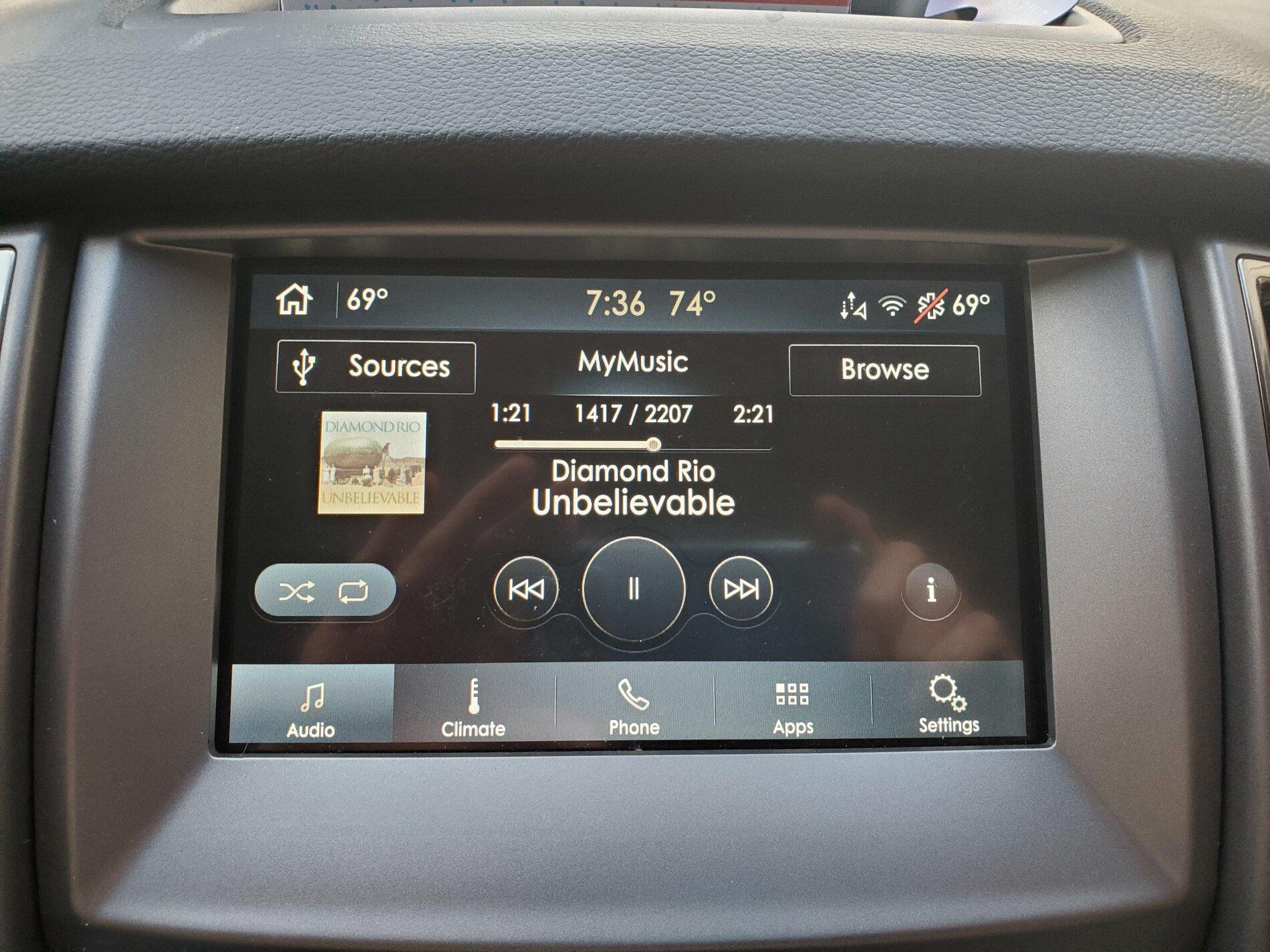
This work for you??
Go into The APIM Configuration menu in Forscan. Set the "Brand" to Lincoln and set the "Visual Design Variants" to Lincoln Timeless. Then go into Display Settings in SYNC and set the Background to whichever one of the four choices you like best. You can set a different one for Day and Night modes if you leave it in Auto or lock it into Night mode all the time, that's what I did. I like the look of the Lincoln Audio screen better than the Ford one also.
There are several different Ford and Lincoln "Visual Design Variants". But all the Fords arre the same and all the Lincolns are the same colorwise. Just stay away from the ones that say 10 in the title, They mess with screen resolution/size.
Have fun.

RedlandRanger
Moderator
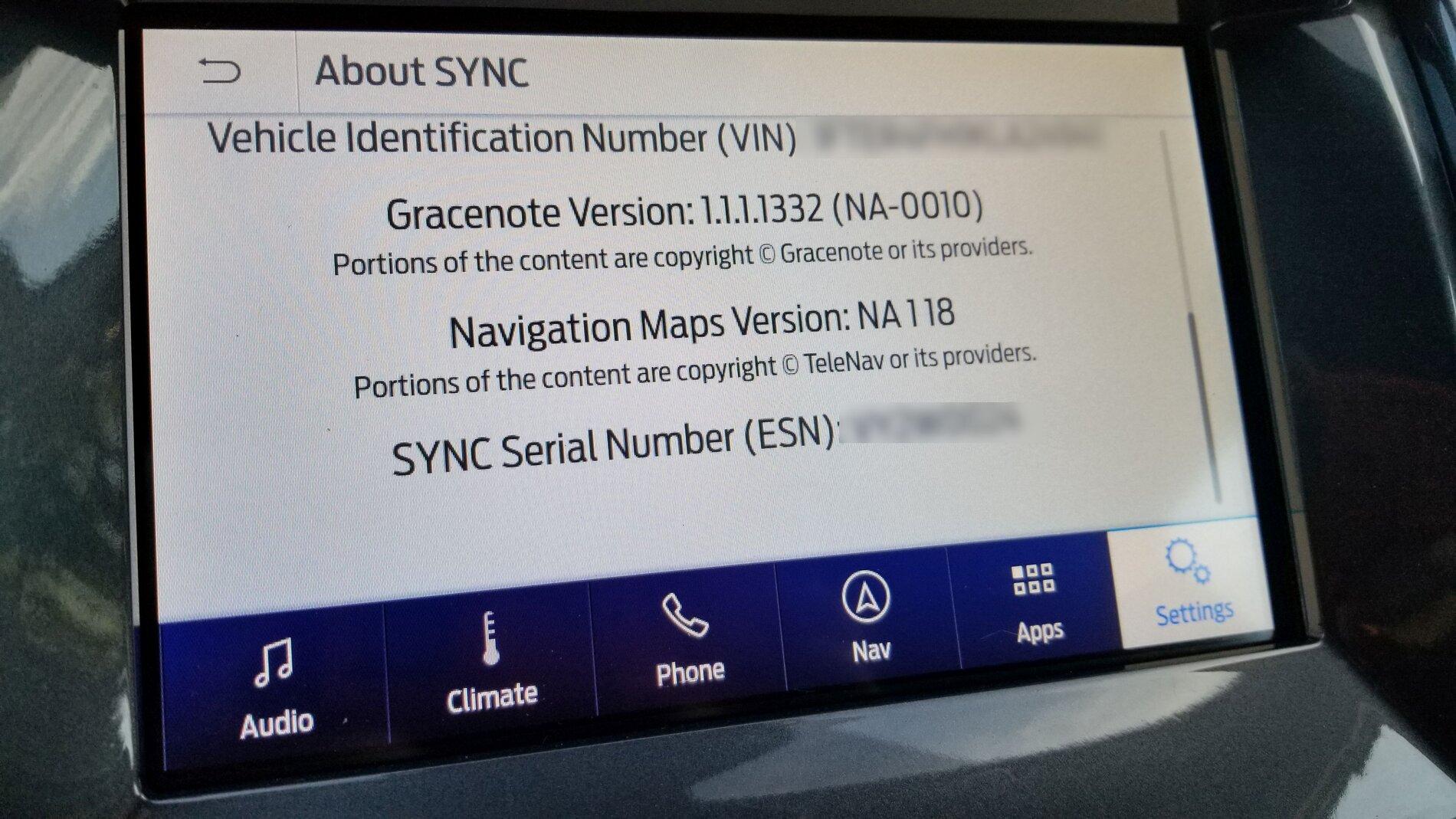
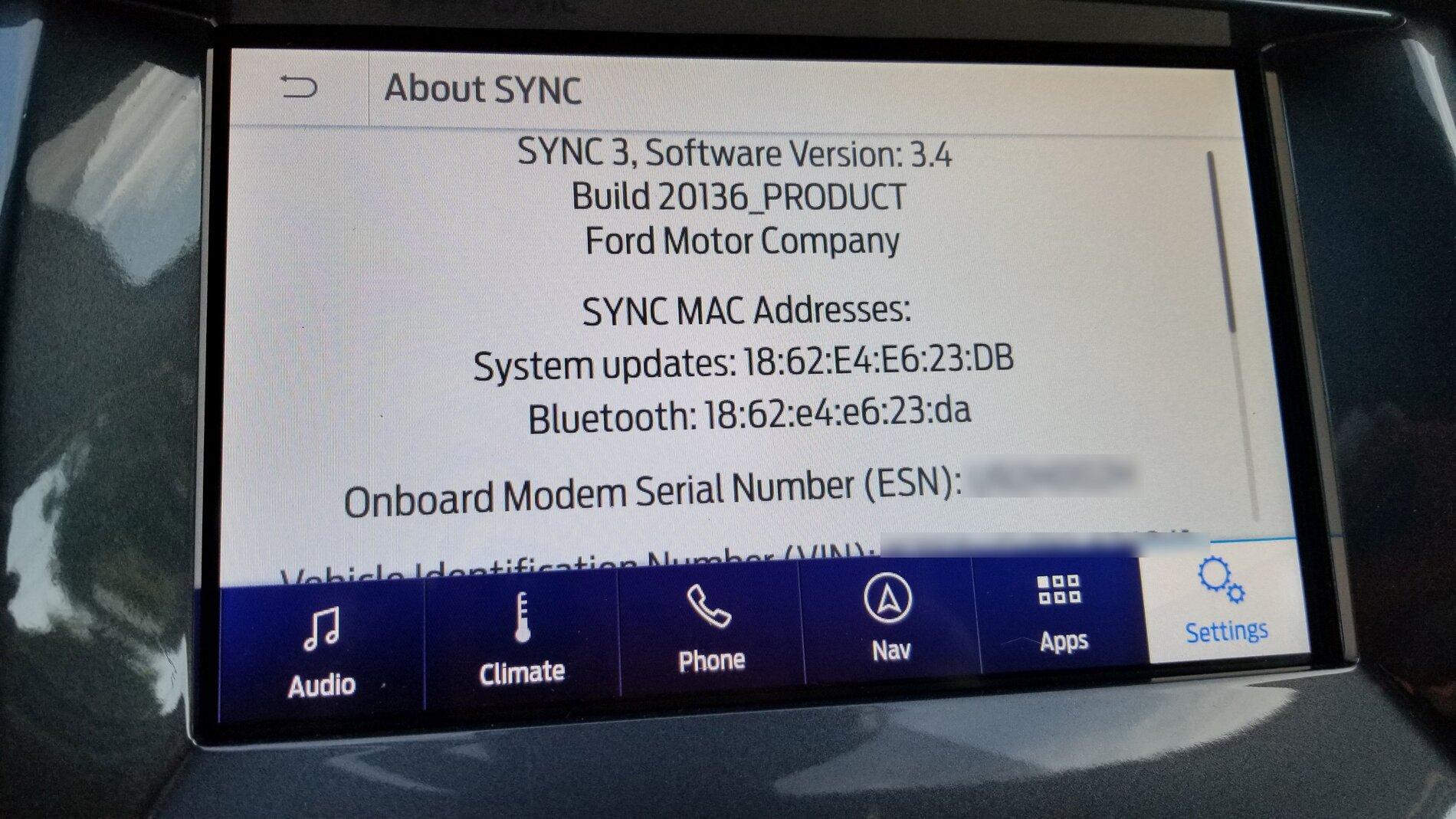
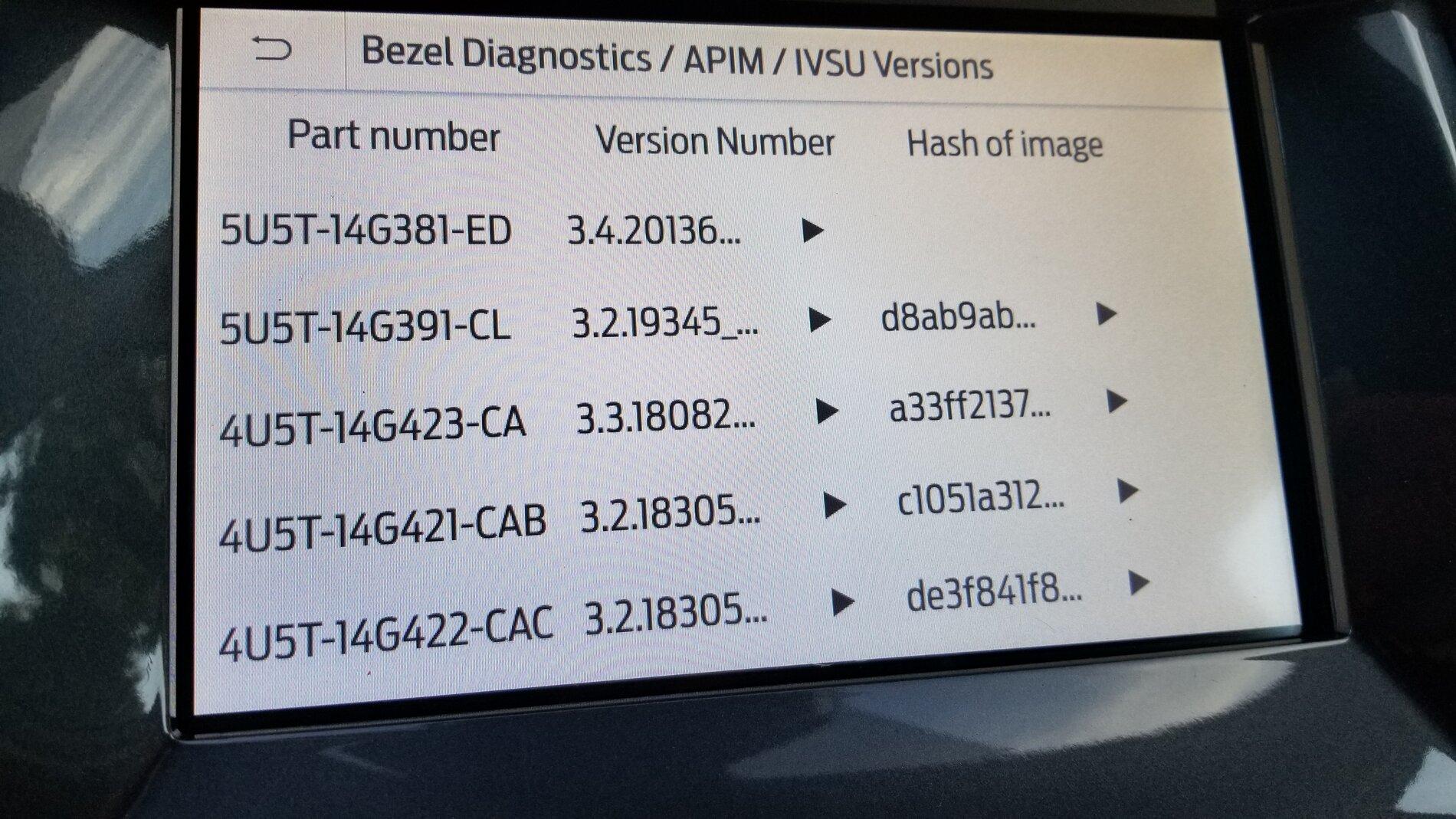
I had previously done the Cyanlabs 3.4 upgrade a few months ago but I decided to do the "official" upgrade today. I went for a hike, and while I was driving to the trailhead I put my flash drive in - it rebooted twice (with no prompt) and it appears as though I have version 20136 installed now. I did get a "the update is complete, you can remove your flash drive now" message - I left it in a bit longer but it didn't seem to do anything.
I tried my voice commands (did a temperature command) and it worked fine. It seems like everything worked OK - I didn't lose my climate controls but I'm guessing since I did the "early" 3.4 upgrade I fixed it after that so this didn't break it.
@UofMEngineer , could you look at these screen shots and see if everything looks good to you? I would very much appreciate it.

I tried my voice commands (did a temperature command) and it worked fine. It seems like everything worked OK - I didn't lose my climate controls but I'm guessing since I did the "early" 3.4 upgrade I fixed it after that so this didn't break it.
@UofMEngineer , could you look at these screen shots and see if everything looks good to you? I would very much appreciate it.
UofMEngineer
Well-Known Member
Looks good.I had previously done the Cyanlabs 3.4 upgrade a few months ago but I decided to do the "official" upgrade today. I went for a hike, and while I was driving to the trailhead I put my flash drive in - it rebooted twice (with no prompt) and it appears as though I have version 20136 installed now. I did get a "the update is complete, you can remove your flash drive now" message - I left it in a bit longer but it didn't seem to do anything.
I tried my voice commands (did a temperature command) and it worked fine. It seems like everything worked OK - I didn't lose my climate controls but I'm guessing since I did the "early" 3.4 upgrade I fixed it after that so this didn't break it.
@UofMEngineer , could you look at these screen shots and see if everything looks good to you? I would very much appreciate it.
RedlandRanger
Moderator
Thank you for confirming! I didn't get the .xml file to upload back to Ford (to tell them the upgrade was successful), but last time I tried to do it, it never worked anyway, so I'm not going to sweat that at all.Looks good.

weasel1
Well-Known Member
- First Name
- Derek
- Joined
- Sep 14, 2019
- Threads
- 8
- Messages
- 566
- Reaction score
- 726
- Location
- Pembroke, Ontario
- Vehicle(s)
- 19 Ranger Lighting Blue FX4 w/302A
- Occupation
- Nuclear Operator
Awesome, thank you!It’s under another option further down the configuration menu. I think they call it power seats, then you have the options (disable) (heat and cool) (heat). This is all from memory, so don’t count on my description. Next time I’m on FORScan I will take a screenshot.
Big Blue
Well-Known Member
I was digging through my APIM today, It is called "Seat Button Icons"Awesome, thank you!
tmcolegr
Well-Known Member
- First Name
- Todd
- Joined
- Dec 26, 2019
- Threads
- 11
- Messages
- 240
- Reaction score
- 226
- Location
- Central FL
- Vehicle(s)
- 2019 F150 Platinum 4x4 & 2019 Ranger XLT 4x4
can you please post screenshots of the changes you makeAwesome, thank you!
weasel1
Well-Known Member
- First Name
- Derek
- Joined
- Sep 14, 2019
- Threads
- 8
- Messages
- 566
- Reaction score
- 726
- Location
- Pembroke, Ontario
- Vehicle(s)
- 19 Ranger Lighting Blue FX4 w/302A
- Occupation
- Nuclear Operator
I'll do my best to remember!can you please post screenshots of the changes you make

GrandpaD
Member
- Joined
- Mar 19, 2020
- Threads
- 0
- Messages
- 21
- Reaction score
- 31
- Location
- Hampton Roads, Virginia
- Vehicle(s)
- 2019 Magnetic Ranger Lariat FX4
- Occupation
- Retired
For the heated seats icon I used this FORScan setting. The icons appeared on the main screen as well as on the climate screen.
MotoWojo
Well-Known Member
Thanks, I had tried the Lincoln themes already, I was hoping for more black. Looks like this is the best I can get.
This work for you??
Go into The APIM Configuration menu in Forscan. Set the "Brand" to Lincoln and set the "Visual Design Variants" to Lincoln Timeless. Then go into Display Settings in SYNC and set the Background to whichever one of the four choices you like best. You can set a different one for Day and Night modes if you leave it in Auto or lock it into Night mode all the time, that's what I did. I like the look of the Lincoln Audio screen better than the Ford one also.
There are several different Ford and Lincoln "Visual Design Variants". But all the Fords arre the same and all the Lincolns are the same colorwise. Just stay away from the ones that say 10 in the title, They mess with screen resolution/size.
Have fun.
Big Blue
Well-Known Member
Not quite sure what you mean by More black. I think it does match the interior better than the blue Ford screens. Hopefully on the next release there will be more color choices/themes.?Thanks, I had tried the Lincoln themes already, I was hoping for more black. Looks like this is the best I can get.

weasel1
Well-Known Member
- First Name
- Derek
- Joined
- Sep 14, 2019
- Threads
- 8
- Messages
- 566
- Reaction score
- 726
- Location
- Pembroke, Ontario
- Vehicle(s)
- 19 Ranger Lighting Blue FX4 w/302A
- Occupation
- Nuclear Operator
I'm not sure what the heck is going on, but I can't get the icons to pop up. I checked in the menus and I enabled the "Seat Button Icons". Didn't work, but now shows enabled. I also checked the APIM "as-built" settings and I already had a 3 in the right spot. I'm not too concerned at this point because using the button is a little easier than the touch screen, but it is a puzzle. One good thing for me, is that I tried to enable the use of fog lights as DRL's and it worked!For the heated seats icon I used this FORScan setting. The icons appeared on the main screen as well as on the climate screen.
tmcolegr
Well-Known Member
- First Name
- Todd
- Joined
- Dec 26, 2019
- Threads
- 11
- Messages
- 240
- Reaction score
- 226
- Location
- Central FL
- Vehicle(s)
- 2019 F150 Platinum 4x4 & 2019 Ranger XLT 4x4
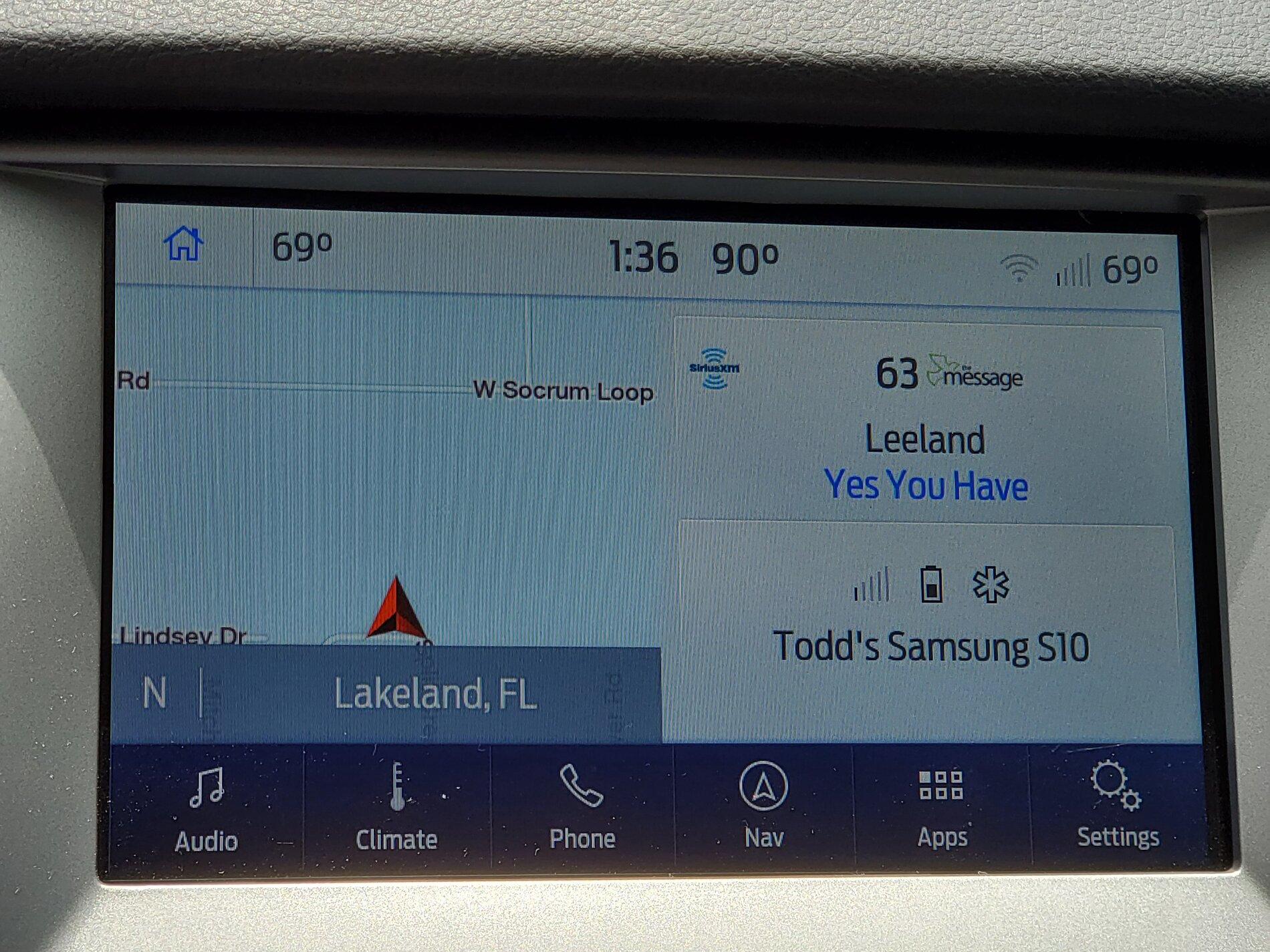
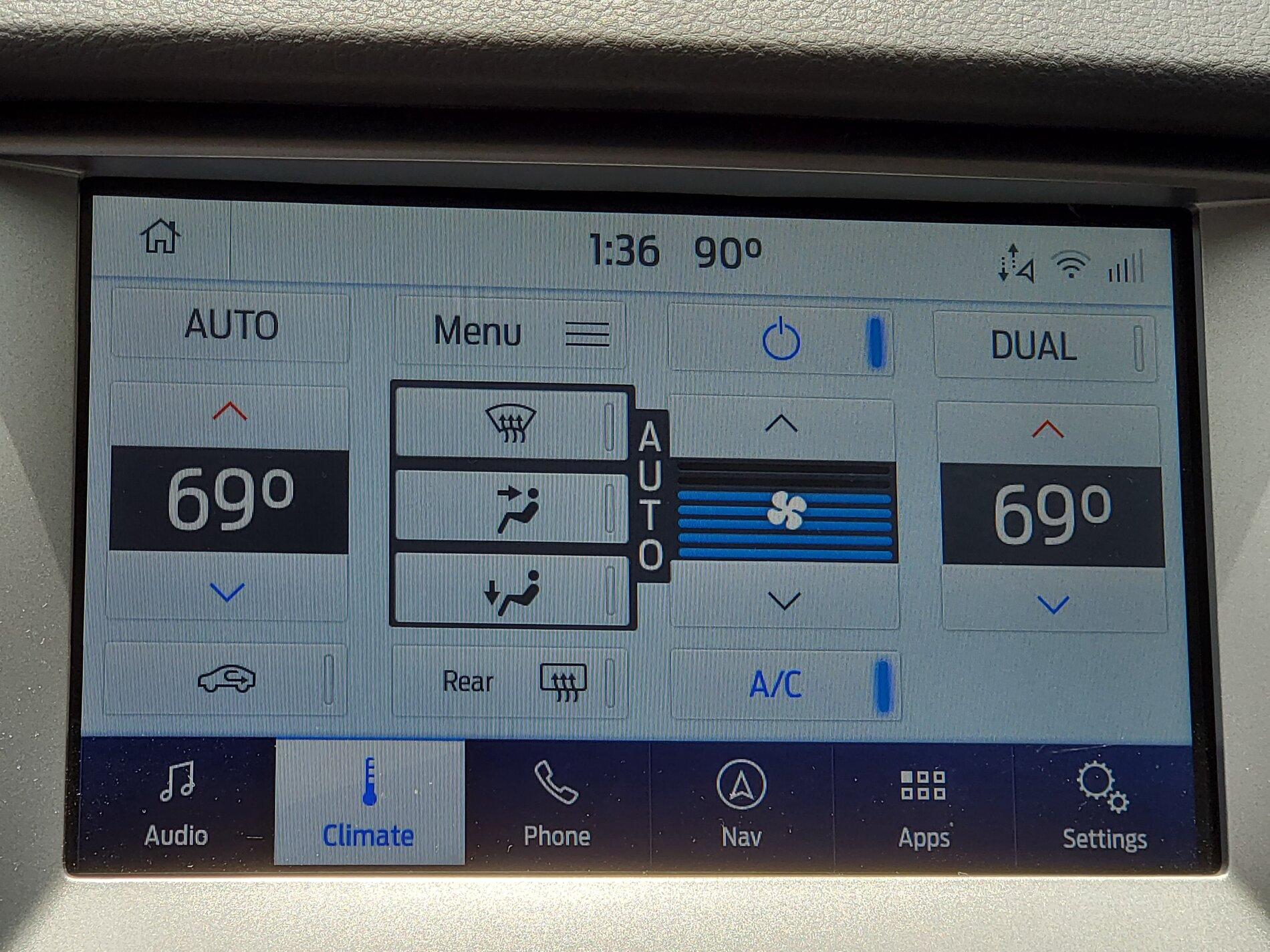
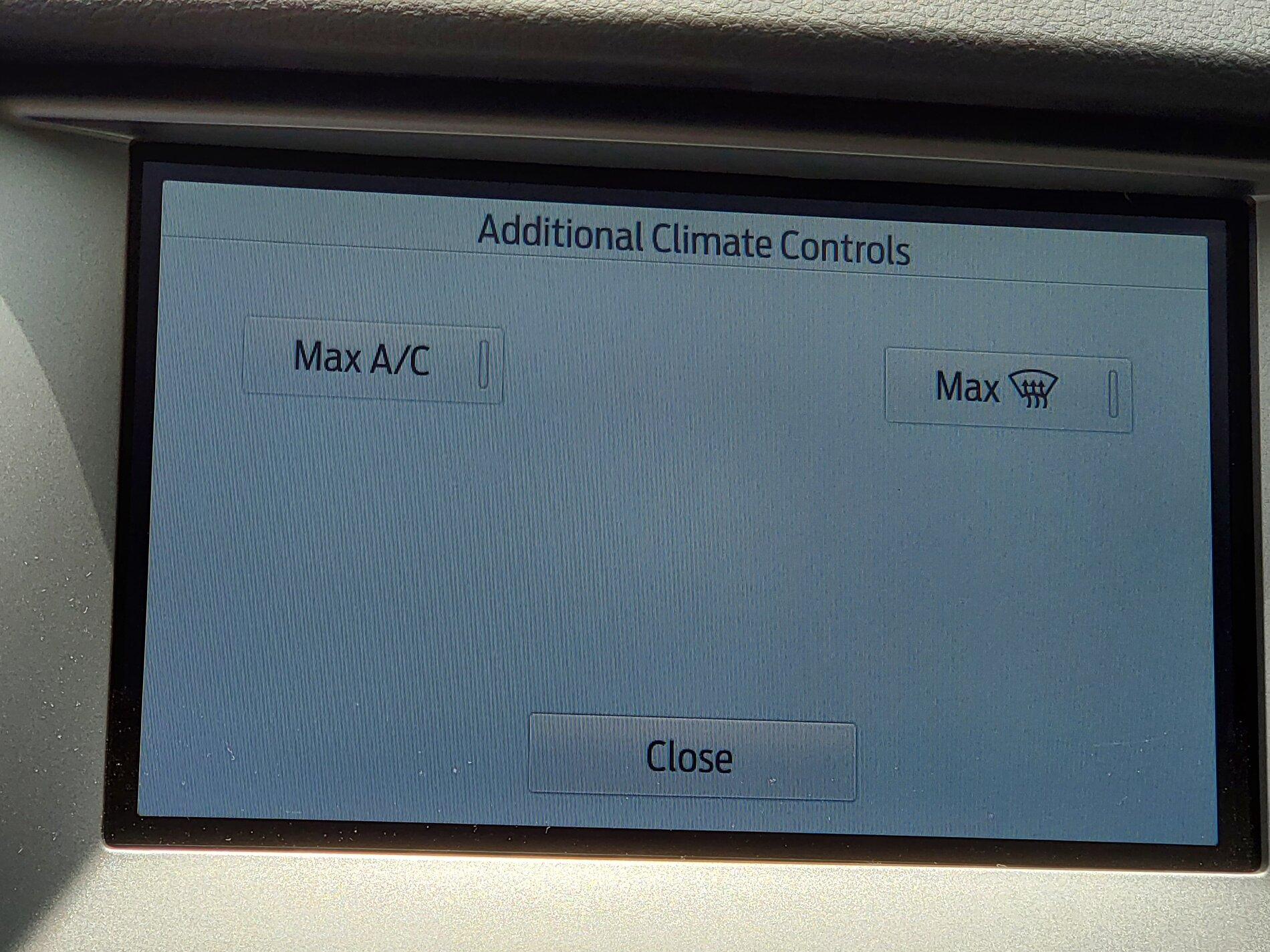
So that's interesting. My "As-Built" for that address is a 0, not a 3 so I'm going to assume I never had the heated seat button icon on either the Additional Climate Controls screen or Home screen.I'm not sure what the heck is going on, but I can't get the icons to pop up. I checked in the menus and I enabled the "Seat Button Icons". Didn't work, but now shows enabled. I also checked the APIM "as-built" settings and I already had a 3 in the right spot. I'm not too concerned at this point because using the button is a little easier than the touch screen, but it is a puzzle. One good thing for me, is that I tried to enable the use of fog lights as DRL's and it worked!


PS: Enabling only Climate Domain restored my climate controls. Did not need to enable Climate Icons: Mode and Recirculation
Last edited:
Big Blue
Well-Known Member
Slight correction they don't appear on the climate screen, they are on the home screen and the sub menu of the climate screen. That confused me when I first enabled them.For the heated seats icon I used this FORScan setting. The icons appeared on the main screen as well as on the climate screen.
"Weasel1" do you have them on the home screen? I tend to use the hard buttons anyway, but why they buried them on a sub-menu I guess only Ford Knows.
Sponsored
Similar threads


- Replies
- 7
- Views
- 1,983


