Sponsored

Just updated to Sync 3.4 on my Ranger 2019

DavidR

Well-Known Member
First Name
David
Joined
Jul 22, 2019
Threads
4
Messages
389
Reaction score
328
Location
Eastern CA
Vehicle(s)
2019 Ranger XLT Supercab Saber FX4
Occupation
Engineer
Wow, just finished updating both Maps and Sync, including DL'ing Forscan to fix the climate screen. It's tempting to pull the stick during the Maps install, but having read this and other threads, I stuck with it and it finished after about 1.5 hours. It reboots twice as described, but it flashes some awfully confusing messages in the process, such as "restart your vehicle as soon as convenient". Needless to say, I ignored those, but it sounds like the update scripts contain some cruft that needs to be dealt with to make it less confusing.

Anyway, like they say, sometimes you just have to make it be about the journey as well as the destination, and try to enjoy the ride :whew:
Sponsored


RangerRaptor

Well-Known Member
First Name
Rob
Joined
Sep 22, 2019
Threads
3
Messages
156
Reaction score
196
Location
Denver
Vehicle(s)
2019 Ford Ranger Lariat (previously 2012 Ford SVT Raptor)
My climate control worked while I was updating, even with the new 3.4 UI. But when it completely finished, the climate control was gone.

I just made the changes in FORScan and climate control is back. I added the heated seats buttons as well.
 
Last edited:

BGDOGY

Well-Known Member
First Name
Tommy
Joined
Oct 5, 2019
Threads
4
Messages
113
Reaction score
216
Location
virginia
Vehicle(s)
2019 Ford Ranger Lariat 4x4 crew cab
I'm guess I'm lucky, my 3.3 to 3.4 upgrade went off well. I thought it was done at one point and it fussed at me to put the USB drive back in, took about 45 minutes. My climate controls and everything worked just as it did before. I then followed up with the NA119 map update, which took 60 minutes for part one, then it rebooted, had me restart the truck and then it took another 40 minutes. Camera looks like it did before, voice commands working. Mine is a 2019 lariat with the 501A package, I think my build date was in January.
 

DrSafety

Well-Known Member
First Name
Dave
Joined
Apr 1, 2019
Threads
6
Messages
134
Reaction score
160
Location
West Michigan
Vehicle(s)
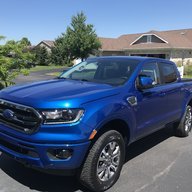
2019 Ranger Lariat Electric Blue
Vehicle Showcase
1
Did my update this afternoon Lariat no nav. Build date 6/2019. Update took less than 30 minutes. Checked (thanks to UofM engineer) the as built 7D0-04-01 was set to xxxx-xx0x-xxxx. No loss of climate controls. No issues. I like being able to see Sirius channel name artist and song on my right dash screen.
 

weasel1

Well-Known Member
First Name
Derek
Joined
Sep 14, 2019
Threads
8
Messages
566
Reaction score
726
Location
Pembroke, Ontario
Vehicle(s)
19 Ranger Lighting Blue FX4 w/302A
Occupation
Nuclear Operator
Prior to the update to Sync3.4 I enabled the three climate features with FORScan, as my APMI was defaulted to DISABLE which would have resulted in loss of climate controls.

Ford needs to hire a graphic designer as the appearance of all the displays looks like a kid's first attempt at a PowerPoint presentation.


0814200716.webp
0814200716_HDR.webp


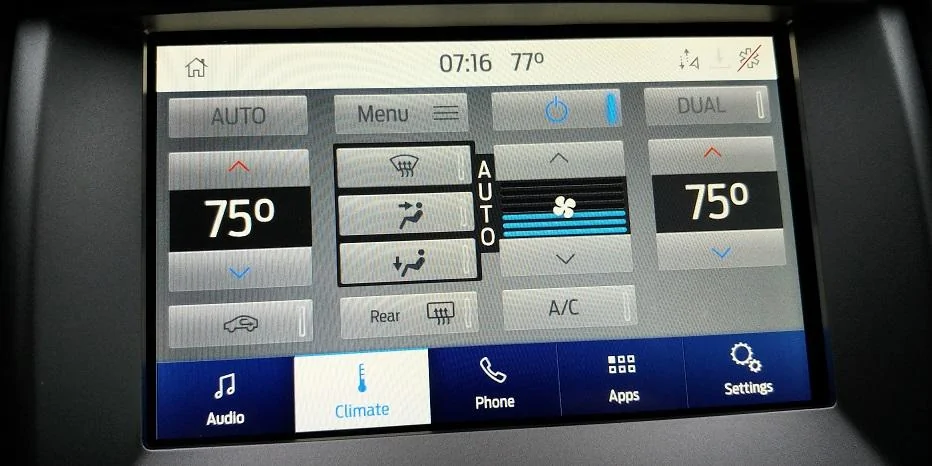
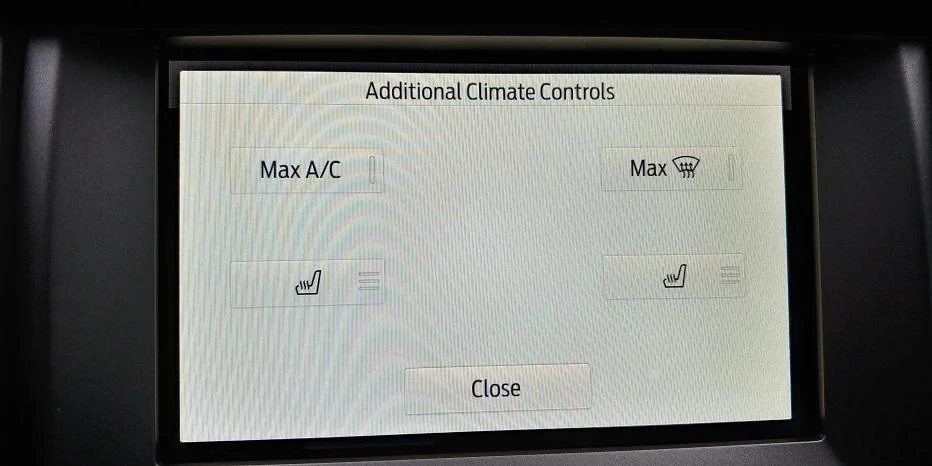
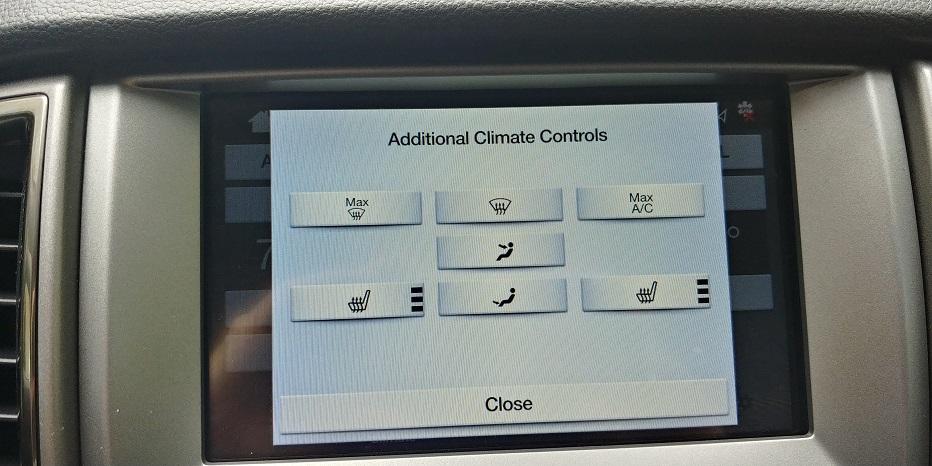
New design from Sync3.4. Under MENU - Additional Climate Controls it appears there are less controls in the new menu than the older 3.3 controls. Is this normal or is something missing again due to the glitch like Climate Controls?

0805201444_HDR.webp
0805201444a_HDR.jpg


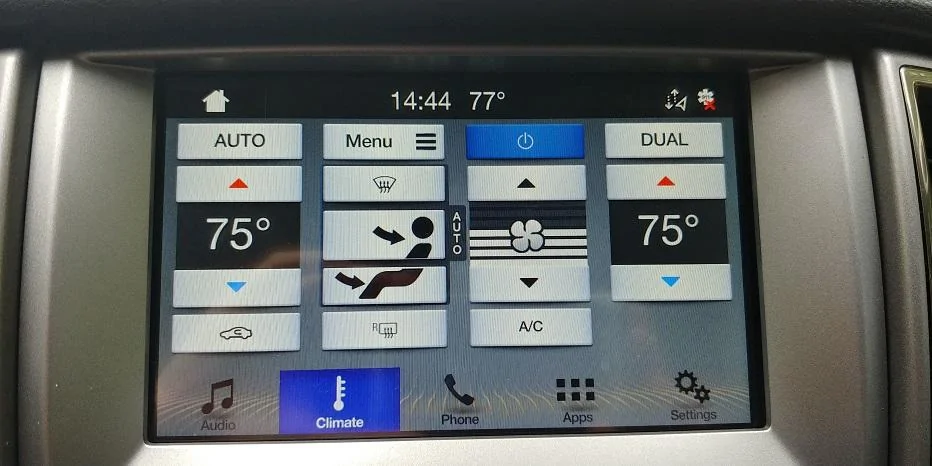
Sync 3.3 views and Additional Climate Controls menu. The missing controls under this menu in 3.4 are actually on the main display, so no big deal, however, under 3.4 the design and layout of this sub menu is horrible. Will have to play with the design and see if I can get the Ford Classic and Lincoln Timeless mix back. As result of another glitch in the system.
I guess I'm going to have to play with ForScan again. I went under menu and the heated seats aren't showing up there. Can anyone point me where to look to fix this?


Apples

Well-Known Member
First Name
Alan
Joined
Jun 14, 2020
Threads
20
Messages
687
Reaction score
1,318
Location
Roswell, NM
Vehicle(s)
2019 Ranger XLT
Occupation
Retired
My total upgrade from 3.3 to 3.4 took just 21 minutes.
 

Rp930

Well-Known Member
First Name
Rick
Joined
Nov 19, 2018
Threads
20
Messages
1,794
Reaction score
3,514
Location
Denver
Vehicle(s)
‘19 Ford Ranger Lariat, ‘23 Macan,’21 Shelby GT500
Occupation
Retired
My total upgrade from 3.3 to 3.4 took just 21 minutes.
Yeah That’s the easy one. The maps, that’s a different deal.
 

RangerRaptor

Well-Known Member
First Name
Rob
Joined
Sep 22, 2019
Threads
3
Messages
156
Reaction score
196
Location
Denver
Vehicle(s)
2019 Ford Ranger Lariat (previously 2012 Ford SVT Raptor)
Yeah That’s the easy one. The maps, that’s a different deal.
The Nav update file is huge. I get 300Mb download speed and I’m using a USB 3.0 drive. The file has to be downloaded, unzipped, and transferred to USB. I’m guessing the download and install took me ~90 mins. Actually takes about an hour for the install with the truck running. I forgot to disable auto-stop on the engine, so I had to start the truck again and resume the install. Plus another 15 mins using FORScan to re-enable climate control.
 

RangerRaptor

Well-Known Member
First Name
Rob
Joined
Sep 22, 2019
Threads
3
Messages
156
Reaction score
196
Location
Denver
Vehicle(s)
2019 Ford Ranger Lariat (previously 2012 Ford SVT Raptor)
I guess I'm going to have to play with ForScan again. I went under menu and the heated seats aren't showing up there. Can anyone point me where to look to fix this?
It’s under another option further down the configuration menu. I think they call it power seats, then you have the options (disable) (heat and cool) (heat). This is all from memory, so don’t count on my description. Next time I’m on FORScan I will take a screenshot.
 

rpeterson53

Well-Known Member
Joined
Sep 23, 2019
Threads
4
Messages
85
Reaction score
125
Location
Richland, WA
Vehicle(s)
2019 Ranger Lariat, 2019 Mazda MX-5 RF, 2016 Subaru Outback 3.6R
I'm not going to plow through 65 pages of files....

This said, in the last three days, I've spent more time talking to Ford and their Sync supplier, than I would like. But, I finally spoke with a really knowledgable Ford Rep, with a sweet voice and disposition. Only to find out, she uses an iMac at home! Great!

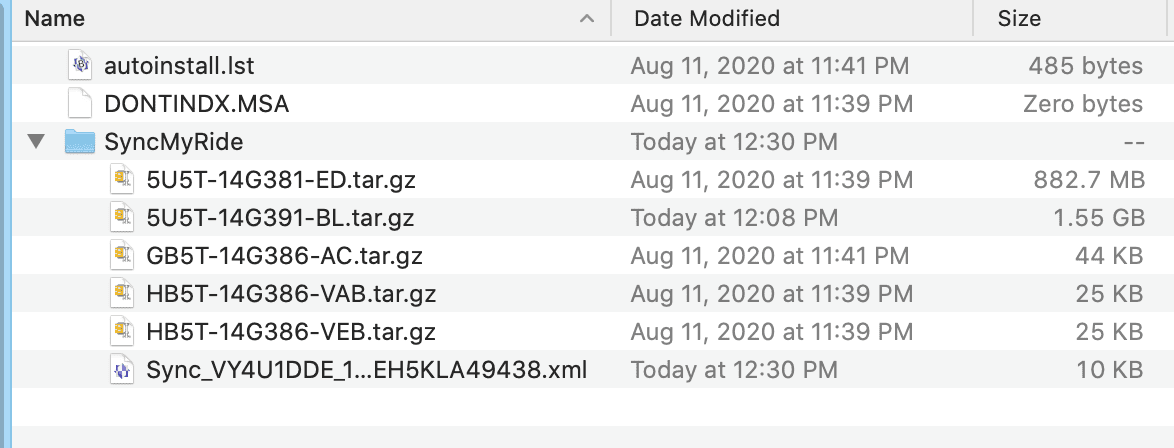
The reason the down loaded files don't work when using Apple's iMac software, is that it doesn't organize them correctly. Considering what base operating system Ford's Sync operates on, I down loaded the free version of Win-Zip for iMac. Further, from talking to the young lady, even Window's built-in, zip application, doesn't do it correctly most of the time.

The photo below is what the unzipped file should look like on a Mac or PC. If it doesn't, download some other app and try it.

I'll agree with one or two comments from above. Apparently, not everything works until you reboot the program after the update. All this reminds me of the old adage about try, try, again!

Screen Shot 2020-08-14 at 12.34.09 PM.png
 

rpeterson53

Well-Known Member
Joined
Sep 23, 2019
Threads
4
Messages
85
Reaction score
125
Location
Richland, WA
Vehicle(s)
2019 Ranger Lariat, 2019 Mazda MX-5 RF, 2016 Subaru Outback 3.6R
I have downloaded the 3.4 zip file for my Lariat. I have *.gz files but no *.xml file. I expanded the zip file both on a Mac and Windows machine and no *.xml file which is also what the Ford website shows should be there.

Any ideas why this is ?
 

rpeterson53

Well-Known Member
Joined
Sep 23, 2019
Threads
4
Messages
85
Reaction score
125
Location
Richland, WA
Vehicle(s)
2019 Ranger Lariat, 2019 Mazda MX-5 RF, 2016 Subaru Outback 3.6R
Same software.


The restart is because the script doesn’t have a Delay option at the end yet. I was hoping g that would be fixed by now. Your software is fine though as all it is doing is running the XML tool over again, then restarting.
 

rpeterson53

Well-Known Member
Joined
Sep 23, 2019
Threads
4
Messages
85
Reaction score
125
Location
Richland, WA
Vehicle(s)
2019 Ranger Lariat, 2019 Mazda MX-5 RF, 2016 Subaru Outback 3.6R
Is there supposed to be a*.xml file in the SynchMyRide folder after unzipping the downloaded file ? I have downloaded the file several time and extracted on a Mac and Windows machine but there is no .xml file in the folder. Is the .xml file created after the update is complete ?
 

UofMEngineer

Well-Known Member
Joined
Apr 19, 2019
Threads
1
Messages
516
Reaction score
334
Location
Michigan
Vehicle(s)
20' Escape Hybrid,18' Fusion Hybrid
Is there supposed to be a*.xml file in the SynchMyRide folder after unzipping the downloaded file ? I have downloaded the file several time and extracted on a Mac and Windows machine but there is no .xml file in the folder. Is the .xml file created after the update is complete ?
SYNC should add it once you finish the install. It’s not part of the download. It’s what you upload back to Ford.
 

rpeterson53

Well-Known Member
Joined
Sep 23, 2019
Threads
4
Messages
85
Reaction score
125
Location
Richland, WA
Vehicle(s)
2019 Ranger Lariat, 2019 Mazda MX-5 RF, 2016 Subaru Outback 3.6R
SYNC should add it once you finish the install. It’s not part of the download. It’s what you upload back to Ford.

Thanks so much ! The screenshot on the Ford download page showed the file so now I'm good.

Cheers
Sponsored


Top