Sponsored

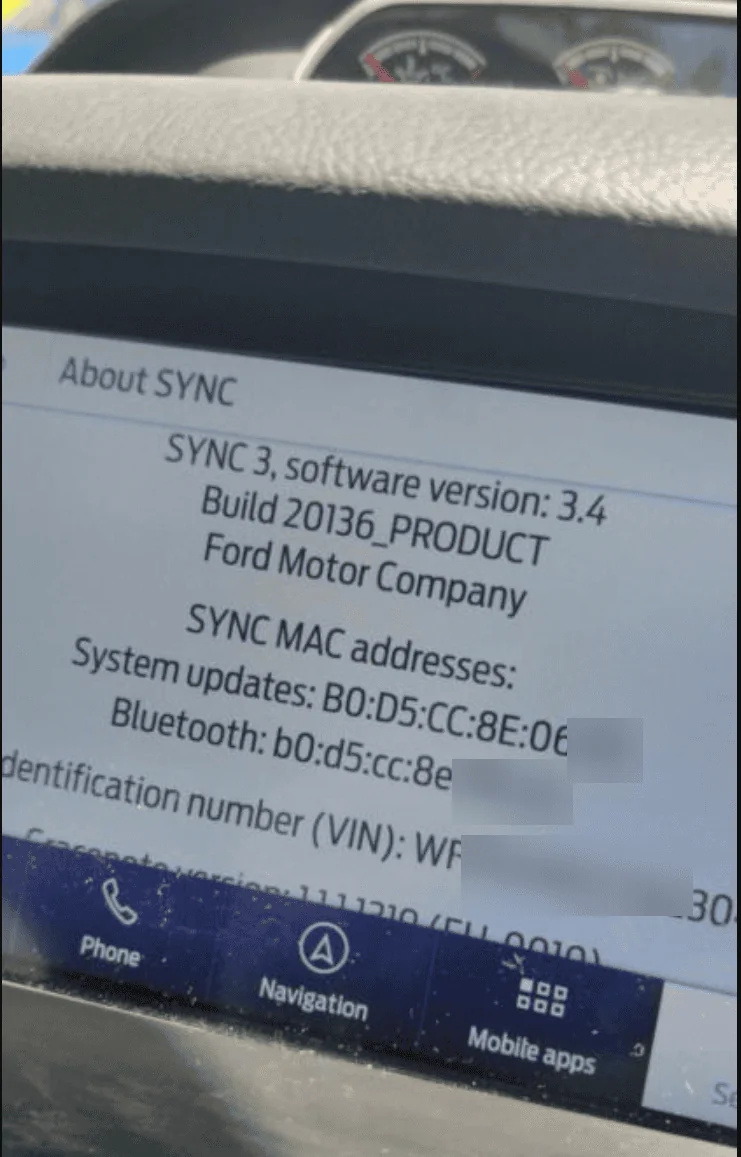
Just updated to Sync 3.4 on my Ranger 2019

BHunted

Well-Known Member
First Name
John
Joined
Sep 26, 2019
Threads
13
Messages
615
Reaction score
858
Location
Sumner County, TN
Vehicle(s)
2019 Ford Ranger Lariat, 2019 Ford Mustang
Occupation
Retired
Vehicle Showcase
1
19Q1 only launched today on that site. That’s what the new maps notification was referencing. It only offered 18Q1 prior. If you have 19Q1 already then you’re up to date as far as map data goes.
Would be nice if they'd post what version the next update is and when. The confusion starts when the go by years and quarters. Hence, end of first quarter has arrived and gone date wise.
Ford maps have always been a thorn for me. They are slow on updates to current roads. We have a main road here that was in the works for over a year and Ford maps still do not show it. All other maps I have, ie., Garmin, Google, Apple, etc... are updated with the correct road location. When I had my Ford Fusion in I believe was 2014, I went through 3 map updates. No changes on roads over 60 years old. Even after I told them which roads. They seem to have NO cartographer that work in hand. The rep said to me, no more free maps from Ford. Ask for another one, I'd have to pay. I told her if she'd update your maps, I'd gladly if need be.
Garmin is a great company and updates almost on command. In other words, I'd call Garmin, they'd connect me with the cartographer. I'd give them the updates street info, (the 60 year old street), and bam. Next updates had the new road info in them.
Roads change continuously. They need to keep up. No longer are the days where we carry a box of various Hagstrom maps which were not cheap.
Sponsored

 

UofMEngineer

Well-Known Member
Joined
Apr 19, 2019
Threads
1
Messages
516
Reaction score
334
Location
Michigan
Vehicle(s)
20' Escape Hybrid,18' Fusion Hybrid
Would be nice if they'd post what version the next update is and when. The confusion starts when the go by years and quarters. Hence, end of first quarter has arrived and gone date wise.
Ford maps have always been a thorn for me. They are slow on updates to current roads. We have a main road here that was in the works for over a year and Ford maps still do not show it. All other maps I have, ie., Garmin, Google, Apple, etc... are updated with the correct road location. When I had my Ford Fusion in I believe was 2014, I went through 3 map updates. No changes on roads over 60 years old. Even after I told them which roads. They seem to have NO cartographer that work in hand. The rep said to me, no more free maps from Ford. Ask for another one, I'd have to pay. I told her if she'd update your maps, I'd gladly if need be.
Garmin is a great company and updates almost on command. In other words, I'd call Garmin, they'd connect me with the cartographer. I'd give them the updates street info, (the 60 year old street), and bam. Next updates had the new road info in them.
Roads change continuously. They need to keep up. No longer are the days where we carry a box of various Hagstrom maps which were not cheap.
Yep, the lag time is still ~1 year, though they've gotten them out a little quicker these past two. I don't even get them internally to start testing usually until sometime in the fall of the release year once all of the map and voice data are created. The ones for NA anyway.

The map data itself is from HERE. So, anything missing you'd need to inform them of. You can do so via their map creator tool. That's what I use personally when I come across a recording, etc. that failed because of incorrect or missing map data.
 

BHunted

Well-Known Member
First Name
John
Joined
Sep 26, 2019
Threads
13
Messages
615
Reaction score
858
Location
Sumner County, TN
Vehicle(s)
2019 Ford Ranger Lariat, 2019 Ford Mustang
Occupation
Retired
Vehicle Showcase
1
Yep, the lag time is still ~1 year, though they've gotten them out a little quicker these past two. I don't even get them internally to start testing usually until sometime in the fall of the release year once all of the map and voice data are created. The ones for NA anyway.

The map data itself is from HERE. So, anything missing you'd need to inform them of. You can do so via their map creator tool. That's what I use personally when I come across a recording, etc. that failed because of incorrect or missing map data.
Just signed up. I'll poke around. Surprised that -any- mapping company weren't already spidering and stealing others data. You'd think like Google steals everything that maps could be harvested.
 

Big Blue

Well-Known Member
First Name
Lee
Joined
May 5, 2020
Threads
16
Messages
3,930
Reaction score
9,374
Location
Wisconsin
Vehicle(s)
2019 Ford Ranger XLT FX4 Supercrew lighting blue
Occupation
Retired mechanical designer
Yep, the lag time is still ~1 year, though they've gotten them out a little quicker these past two. I don't even get them internally to start testing usually until sometime in the fall of the release year once all of the map and voice data are created. The ones for NA anyway.

The map data itself is from HERE. So, anything missing you'd need to inform them of. You can do so via their map creator tool. That's what I use personally when I come across a recording, etc. that failed because of incorrect or missing map data.
Almost makes me happy I don't have NAV and use AA with Google Maps.


SOHK_Alumni

Well-Known Member
First Name
Win
Joined
Feb 20, 2020
Threads
12
Messages
352
Reaction score
705
Location
Tampa
Vehicle(s)
2019 Ranger, 2019 Ranger FX4, 2002 Vanden Plas, 1977 Eclat
Occupation
Glorified Mechanic
Huge kudos to Cyan Labs!!

I love 3.4, but may have to find a way to back it out. My APIM/Nav faults on a timing issue.

APIM is an older unit in my non-nav 2019. If I don't give the APIM enough time between unlocking the doors and starting the engine, I get a Navigation fault. Clear the pop-up and Nav works perfectly.

Maybe flashing the firmware would help, but that's not a released feature in Forscan yet.

Tempted to find a newer APIM just to keep 3.4 and the BA119 maps.
 

Tj4thewin

New Member
First Name
Tj
Joined
Jun 29, 2020
Threads
0
Messages
4
Reaction score
1
Location
Texas
Vehicle(s)
F150
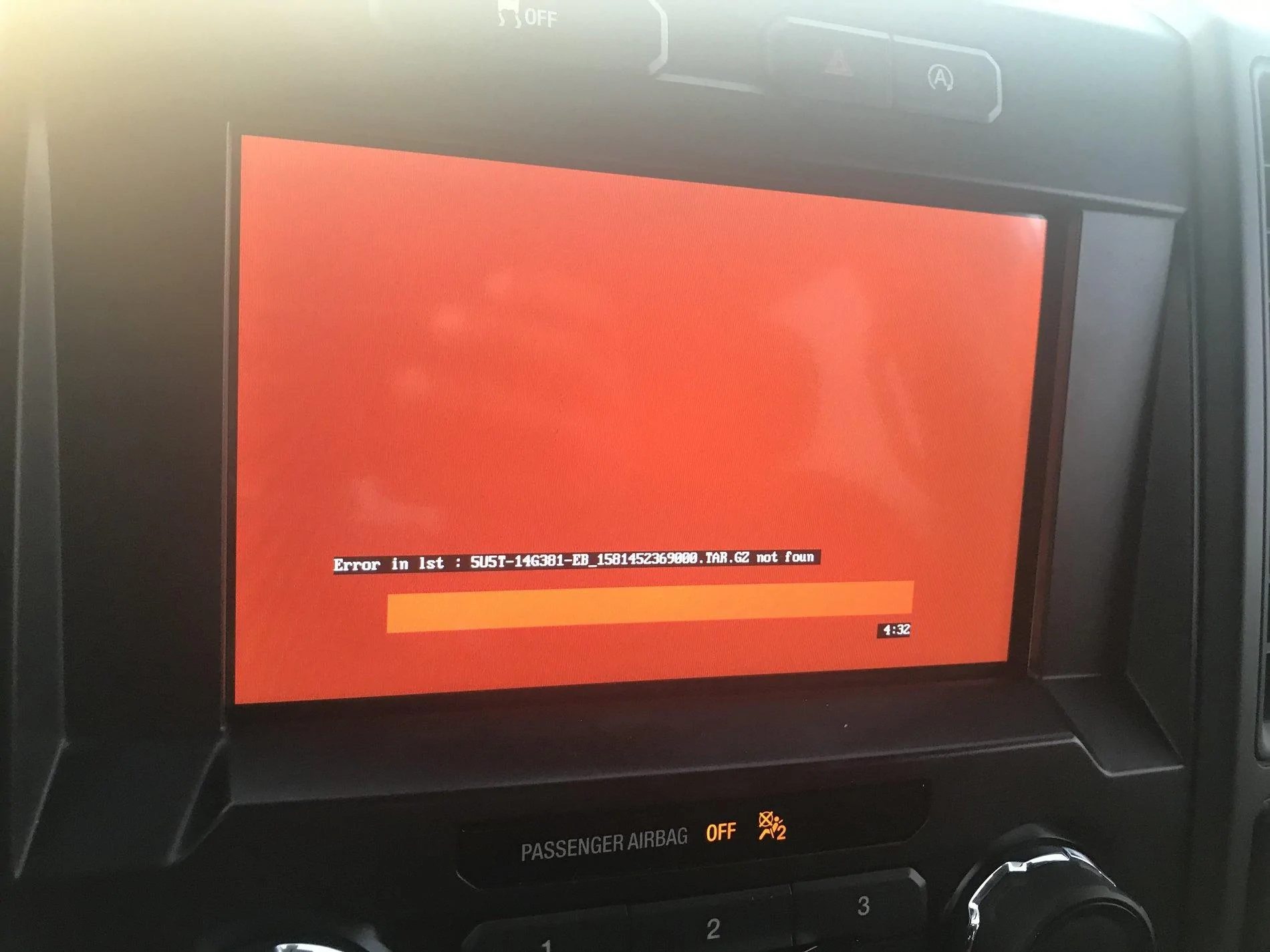
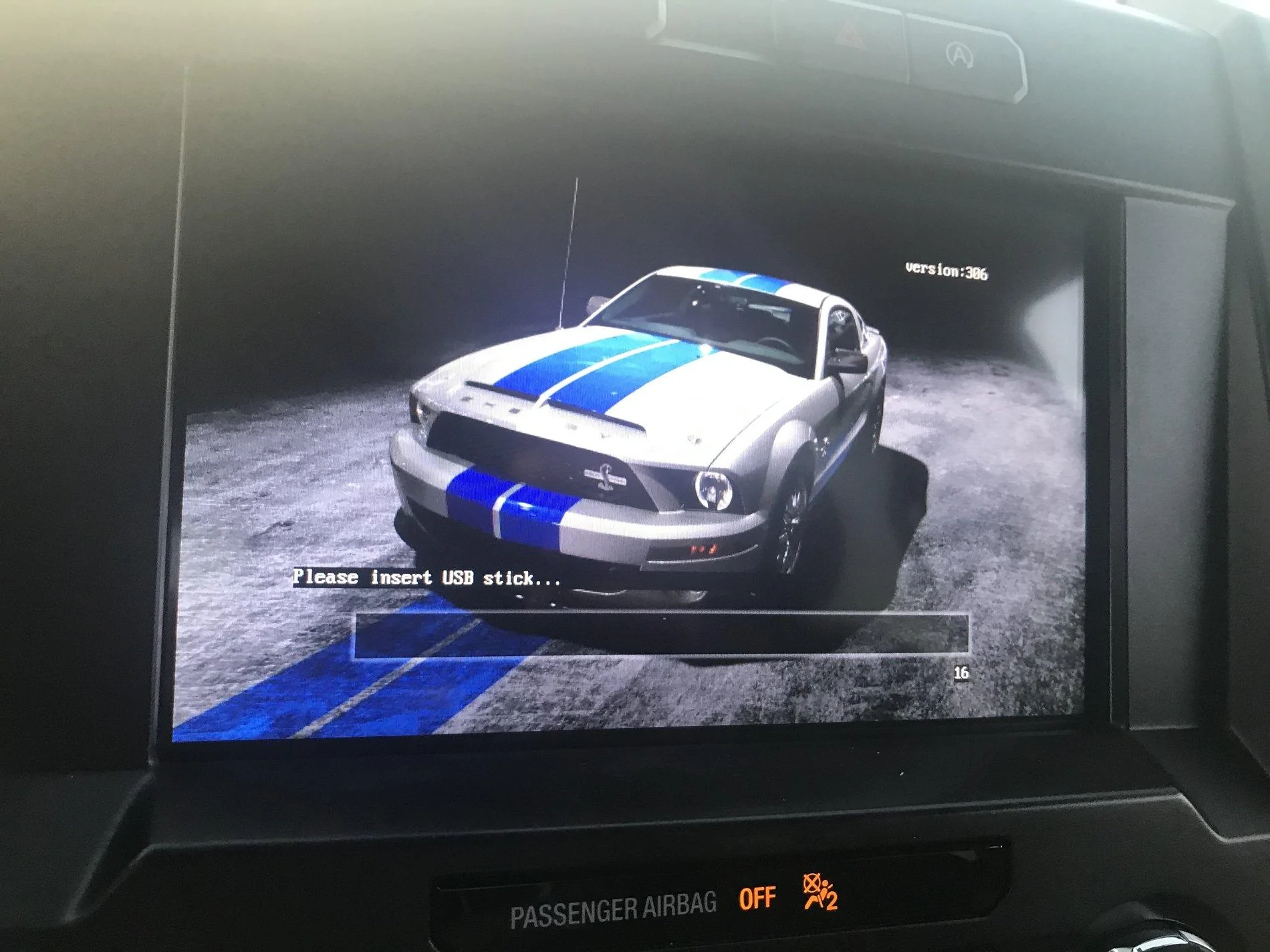
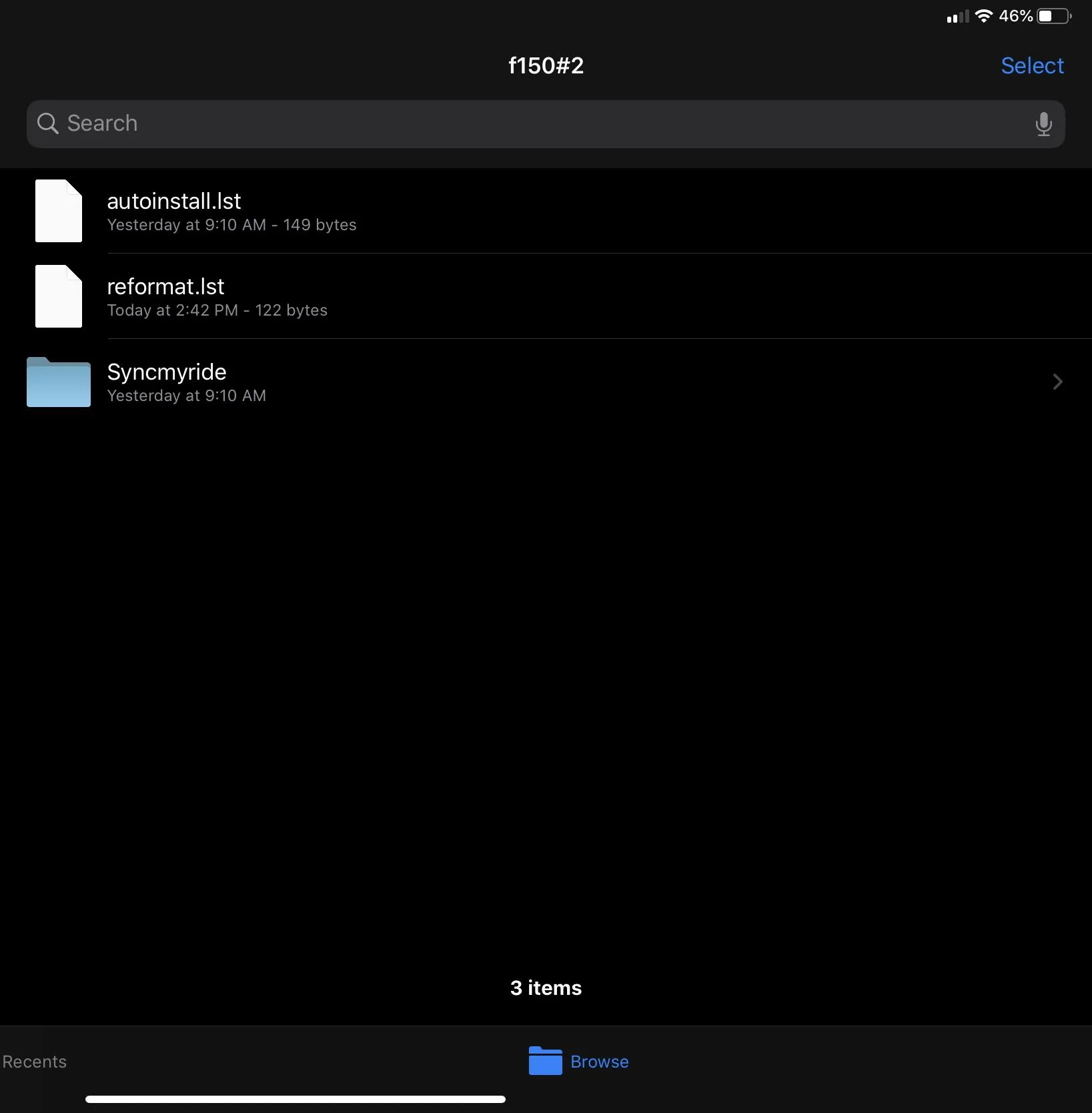
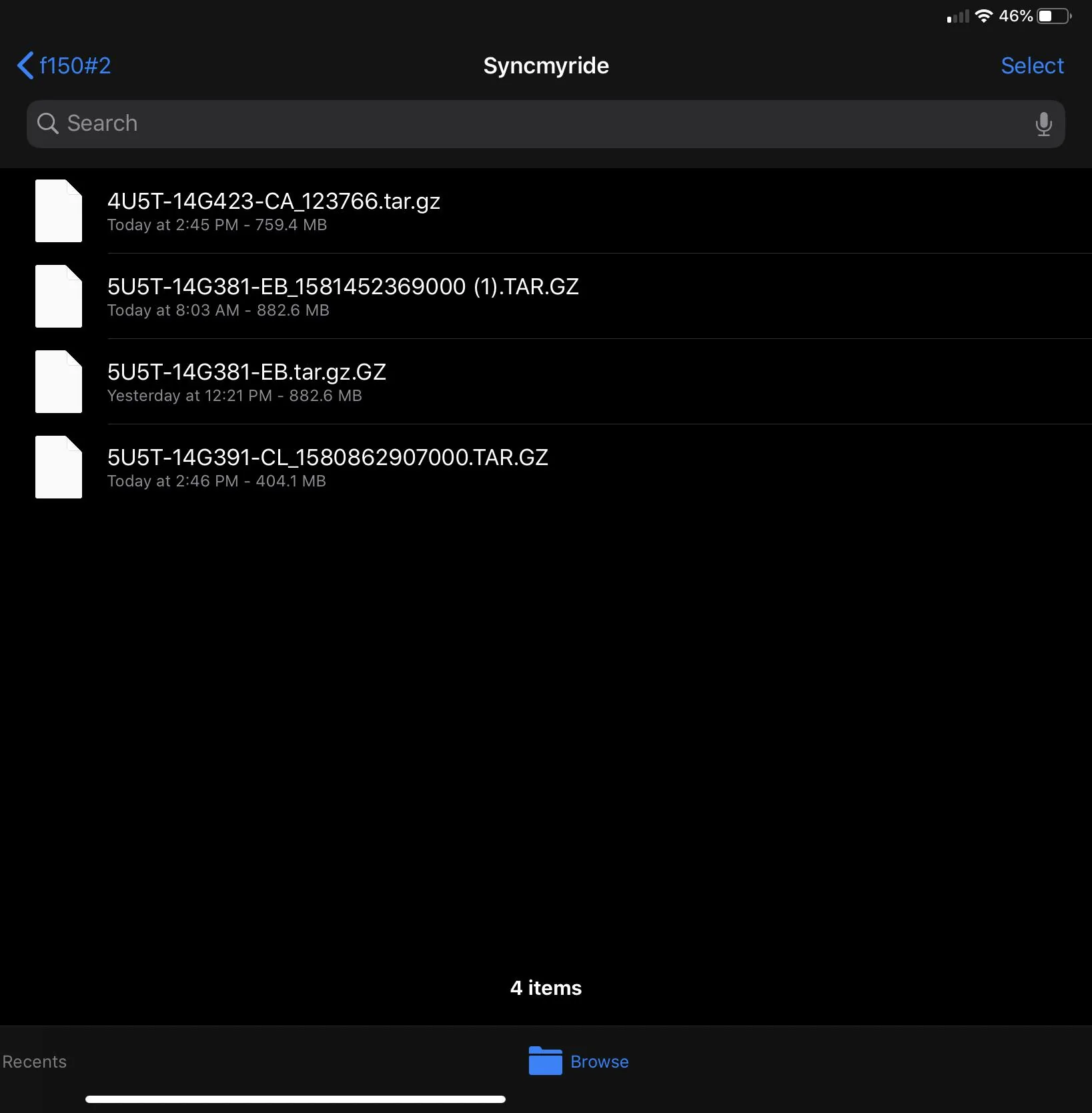
You are missing a file it would seem, did you use the windows application? there is a manual version if you aren't a windows user on my website also
https://cyanlabs.net/tutorials/update-ford-sync-3-2-2-3-0-to-version-3-4-all-years-3-4-19200/
1593716829490.png

you must download all files it tells you to and put them all in SyncMyRide folder and then copy the text contents to a reformat.lst

This is my setup. I did it from that site with the manual version ... it was 3 files when I did the version with no nav.

C1D20654-0748-4765-8891-FFFB6F3F7A1C.webp


88EB6A10-75BA-435C-A475-1D4E5BCE12C9.webp
 

themikeyan

Well-Known Member
First Name
Mike
Joined
Mar 3, 2019
Threads
8
Messages
319
Reaction score
483
Location
LA, CA
Vehicle(s)
19 Lariat FX4
Hi All,

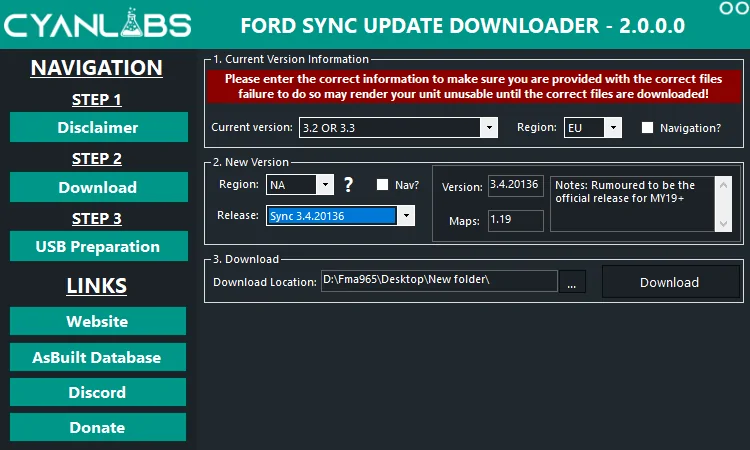
Firstly to confirm i am "the cyanlabs" see here https://cyanlabs.net/about/


Thanks for linking my tool :) i hope it makes things a lot easier, i am trying to implement "update" and "reformat" but confirming what people are currently running is the issue, depending on current voice versions, gracenotes versions etc they may or may not needed updated one when they update apps etc, i have access to the Sync filesystem and can see things the normal end user can not.

To clarify i had no legal issues with ford at all but it was technically their IP and could be liable. i decided it was best to remove the packages, and instead link to ford's own hosted files on azure. the reformat tool is hosted elsewhere not affiliated with meand MD5 checked to ensure integrity


Excellent write up :)


I would love to know this also


Yes although my guide/tool is mostly for 3.0 and older, it can be used on newer but there is technically no need. or retrofitted cars.

follow the manual guide on my website ;)


oh ALSO added 20136 to FordSyncDownloader
1592659338873.png

1592659263386.png
Tool worked flawlessly for me to get to 20136, climate, nav all there, many thanks! Donation coming
 

RangerRaptor

Well-Known Member
First Name
Rob
Joined
Sep 22, 2019
Threads
3
Messages
156
Reaction score
196
Location
Denver
Vehicle(s)
2019 Ford Ranger Lariat (previously 2012 Ford SVT Raptor)
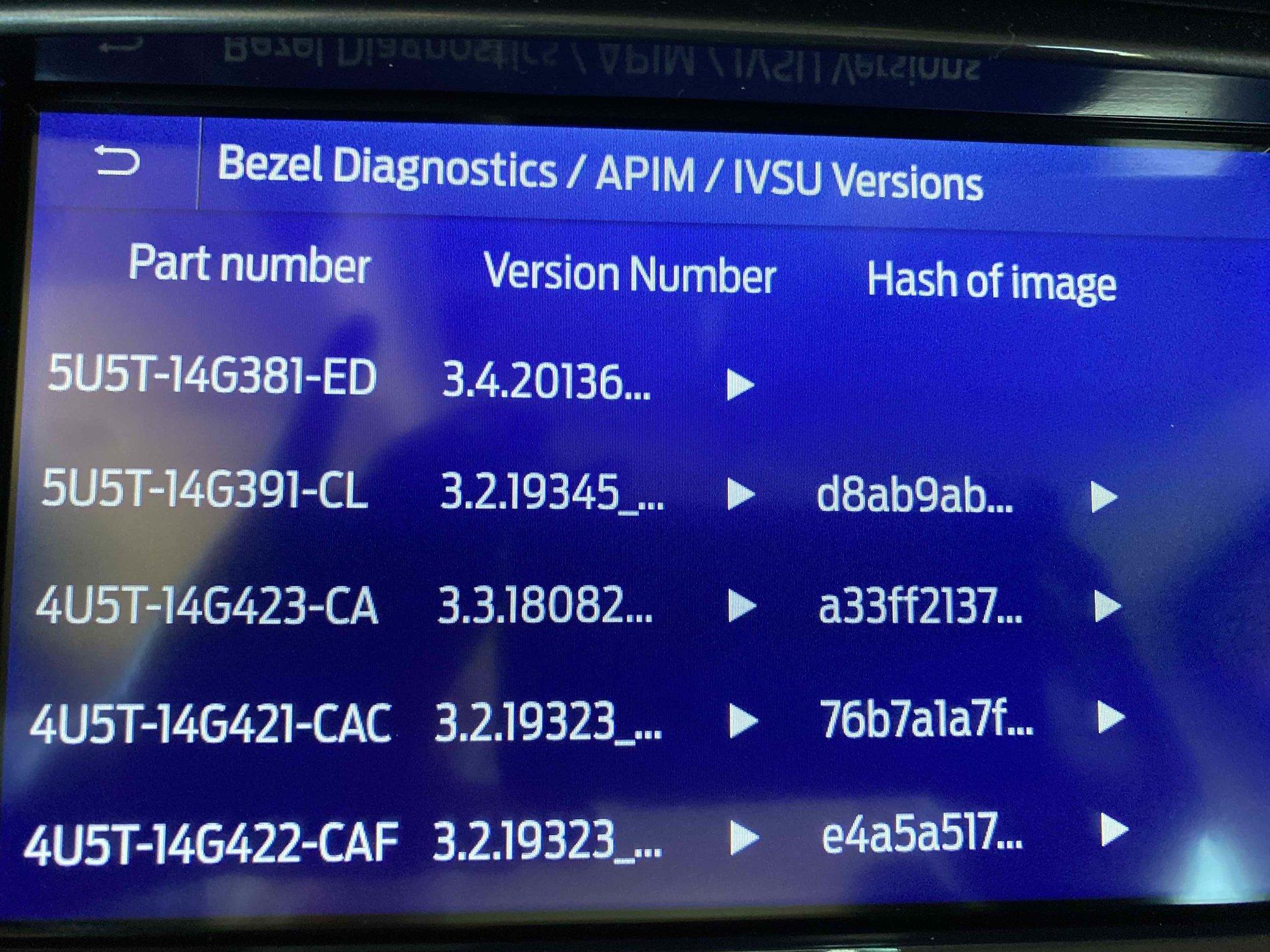
Successfully updated my Sync Build from 20021 to 20136 this morning. After doing a Master Reset I have restored all of my settings, Phones, FordPass, and SiriusXM. Every things looks great so far, and I did not "lose" Climate controls on my display, but that appeared to be resolved in the 20021 build.

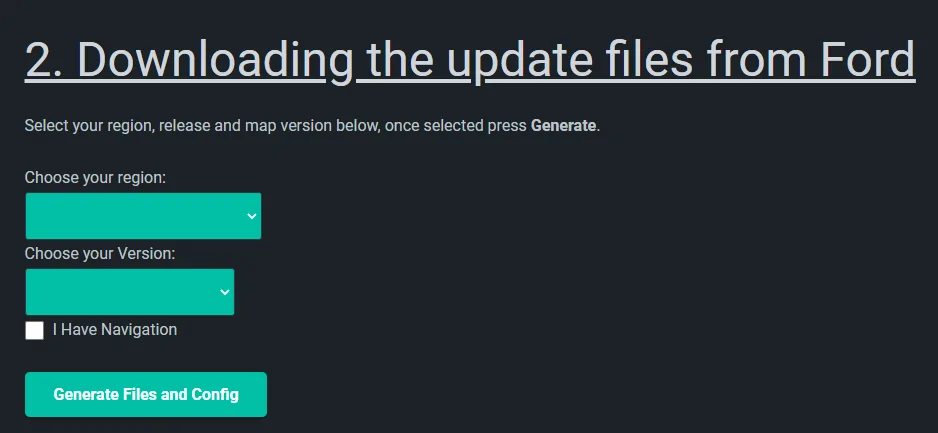
There is an updated 2.0 version of the Cyanlabs.net Ford Sync Update Downloader tool.
If you have already downloaded and installed an earlier version of the tool you can update to V2.0 right in the app.

Since my build level was at 20021 I had to "downgrade" my Sync build level below 19274 to be able to use the tool to upgrade to 20136. I decided to try the new version of the tool in my Windows 7 virtual machine via VMware Fusion on my Mac, and this time around the tool worked great for me.

I created two USB drives, one to execute the Sync level downgrade, and one to execute the Sync upgrade to 20136. I decided to create two keys rather than reuse the same key because I prefer to be driving when doing the Sync software update rather than sitting in park idling in my driveway.

The Sync downgrade used only 1GB of space on the USB drive, and the execution time of the downgrade was 6 minutes 45 seconds.

The Sync 20136 upgrade used 14.42GB of space on the USB drive, and the execution time of the upgrade was 28 minutes. I do have the Nav package.

20136 Build.jpg


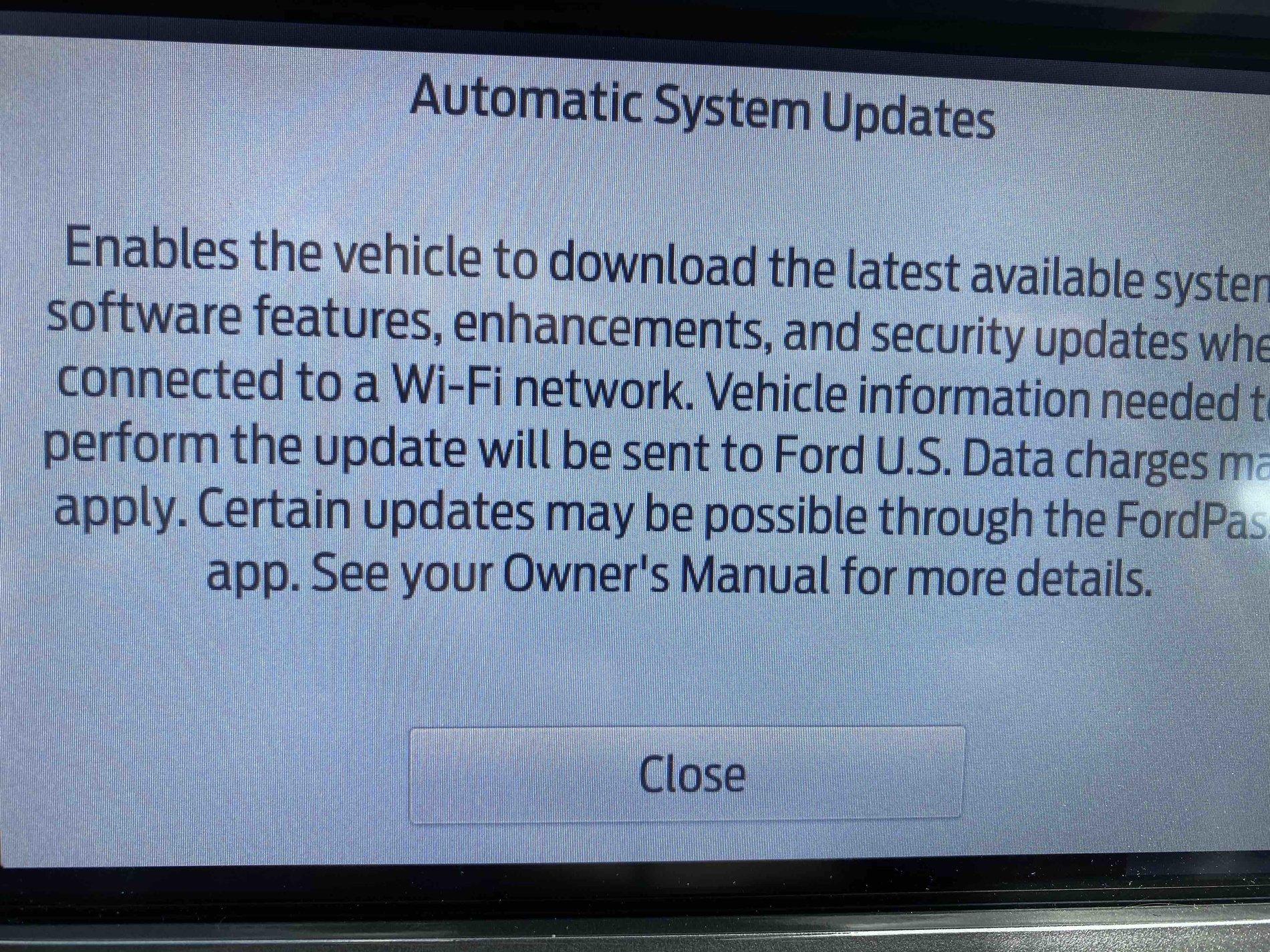
Based on the "Automatic System Updates" panel and info it would seem this "could" be the last time I have to update my Sync App or other software using a USB drive.

The new info states the latest available software updates are enabled via a Wi-Fi network, while certain updates may be possible via the FordPass app.

Auto Updates.jpg


Ready for my future Sync updates to be wireless via my home network.

Many thanks to Cyanlabs and UofMEngineer for their information on Ford Sync software.
What steps do you need to take to restore FordPass and SiriusXM? I finally got the USB to download and copy over the install files. I’m going to try the upgrade tomorrow.
 

Rocketeer61

Well-Known Member
First Name
Bill
Joined
Jun 18, 2020
Threads
3
Messages
512
Reaction score
1,108
Location
Utah
Vehicle(s)
2020 Ranger STX
Occupation
Retired
Vehicle Showcase
1
I got the same "SYNC 3 update - transform your commute" message on My Ford Pass on my phone today. As others have done, I got on my laptop and no update is available. I then called Ford customer service on the 800 number. I had to find and give them my VIN (real convenient) and they also said that no update is available.

What a sh!tshow!!!
Yep. Kinda makes me wonder how we ever lived without what is somehow necessary these days...
 

diswell

New Member
Joined
Jul 5, 2020
Threads
0
Messages
1
Reaction score
5
Location
Canada
Vehicle(s)
Ford Edge 2013
Registered an account just to say a big thank you to everyone who has contributed to this thread. I actually own a 2013 Ford Edge and spent my weekend swapping out a Sync 2 for Sync 3 HW (Saturday) then doing the 3.4 upgrade (20136) today. All went without a hitch, thanks to the knowledgeable advice shared here. :clap:
 

Texas Scout

Well-Known Member
First Name
Pablo
Joined
Oct 22, 2019
Threads
0
Messages
48
Reaction score
44
Location
Merritt Island
Vehicle(s)
2019 Ford Ranger Lariat, White Platinum
What steps do you need to take to restore FordPass and SiriusXM? I finally got the USB to download and copy over the install files. I’m going to try the upgrade tomorrow.
SiriusXM will restore its service automatically after the update when the app can sync with the SiriusXM satellites.

The FordPass Connect restore requires you on your Sync display: Settings>FordPass Connect>Connectivity Setting enable Connectivity Features,Location, Vehicle data & Remote ctrl.

After you have enabled the settings in your vehicle, you then need to re-authenticate via your FordPass app on your mobile phone to your FordPass account.
 

sblasl

New Member
First Name
Scott
Joined
Jul 6, 2020
Threads
0
Messages
2
Reaction score
1
Location
Heber Springs, AR
Vehicle(s)
2011 Ford Edge Sport
Occupation
Retired
Hello to all of you knowledgeable folks, and yes, I signed up specifically to learn from many of you. Totally new to all of this infotainment, Sync3, APIM, FORScan, etc...?. I have a 2011 Ford Edge Sport that I recently upgraded the screen and APIM to Sync3. It was pulled from a 2017 Ford Edge Sport. (I have the Sync3 APIM donor vehicle Vin#). It was programmed to my Vin #, the "as built", except for one thing - I had the Startup Screen changed permanently to the "ST Ford Performance" screen"?. The APIM came with version 3.0, Build 18093. It has Nav and currently at Version NA 1 18.

Because I don't have a Windows machine/computer nor access to one (I'll need to check our local library) nor do I have any real working knowledge of using Microsoft Windows which means I am clueless if I have to do anything regarding FORScan and everything that goes along with it. I was going to use the cyan labs app https://cyanlabs.net/applications/ford-sync-downloader/. I do have plenty of USB3 memory sticks. I am trying to get up to speed with what version number and build number of the Sync3 software I should upgrade to and was hoping that I might obtain some recommendations from this group.

Do you folks have some suggestions of how best I should approach this update and is there a particular version number and build number that I should use? Any tips would be appreciated. Remember that I am unable to do FORScan.

Any chance that someone here lives in the Central Arkansas area? New to this and lack the equipment and want to be on the safe side should something go wrong.

Thanks,
Scott
 
Last edited:

Rick - Saber

Well-Known Member
First Name
Rick
Joined
Apr 18, 2019
Threads
4
Messages
303
Reaction score
377
Location
NC
Vehicle(s)
Sport Ranger 4x4
I am liking the upgraded Sync 3.4 and the Cyan installer made things really easy. Been over a week or so and I had not had a need to use Waze until the other day. Sync 3.4 does not see Waze for me anymore and does not start it up on screen like it used to when I plugged in the phone.

Had to go old school and use Waze on the phone via dash mount. Those with 3.4 upgrade, Waze and Android did you have any issues and how did you solve them? I did the Sync master reset after install. Un-installed and re-installed Waze and Andriod Auto andrestarted my phone the other day. Un-paired and paired phone, etc.

Upon plugging my phone in Sync very briefly ( two or three seconds) shows the map, AA icons like it used to then they disappear. Even if I do press them in time it still does not go to maps or Waze. Phone shows message about USB access like it used to. Ignoring phone message Waze used to start on Sync, now it does not even if ignored, press OK or Cancel for prompt.

Skimmed back about half a dozen or so pages and don't recall seeing mention of people having trouble with Waze after their Sync upgrades. Would like to solve this issue, is nice having Waze on the main screen.
Sponsored


Top