Sponsored

Issue Updating Maps

Engmus

Well-Known Member
First Name
Anthony
Joined
Aug 30, 2019
Threads
7
Messages
76
Reaction score
100
Location
Pennsylvania
Vehicle(s)
19 Ranger Lariat
Occupation
Information Technology
Hey Team,

Sync3 novice here, I've done factory update from Ford only no Cyanlabs, to 3.4.22251, today I downloaded the latest maps from Sync Navigation page, and put it on two different flash drives, both clear of any data, fresh partitions and formats to ExFat32.

License file in the proper place, etc etc.

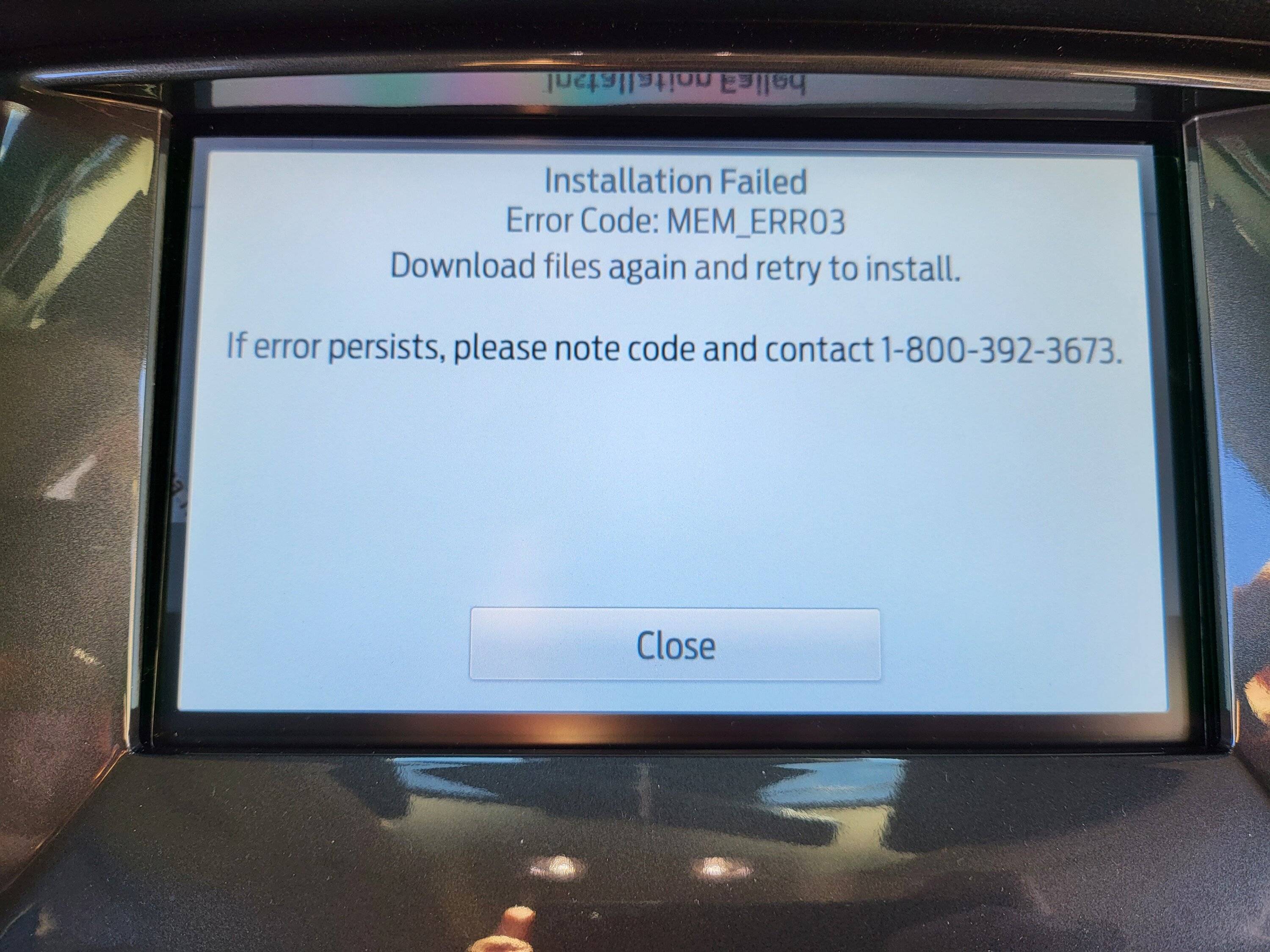
I continue to get "MEM_ERR03" when install the latest map updates. I've done a master reset of my system and no change. I'm not sure if I can "Reinstall" the latest version of sync 3.4 or what my next steps should be.

Any advice or tips would be appreciated.

Thanks all,

20230306_121336.jpg
Sponsored


alcohenusa

Well-Known Member
First Name
Alan
Joined
Jul 22, 2020
Threads
12
Messages
478
Reaction score
727
Location
CO
Vehicle(s)
2020 Ranger Lariat 4x4
Occupation
Retired
Hey Team,

Sync3 novice here, I've done factory update from Ford only no Cyanlabs, to 3.4.22251, today I downloaded the latest maps from Sync Navigation page, and put it on two different flash drives, both clear of any data, fresh partitions and formats to ExFat32.

License file in the proper place, etc etc.

I continue to get "MEM_ERR03" when install the latest map updates. I've done a master reset of my system and no change. I'm not sure if I can "Reinstall" the latest version of sync 3.4 or what my next steps should be.

Any advice or tips would be appreciated.

Thanks all,
20230306_121336.jpg
Sounds like you haven taken the correct steps. You could try disconnecting the battery (or remove the Sync Fuse(s)) to let the hardware reset. If you still cannot get it to work, then you may have to visit a dealer for resolution.

Maybe @UofMEngineer can provide other things to try.
 

RangerBill

Well-Known Member
First Name
Bob
Joined
Jun 8, 2022
Threads
3
Messages
1,600
Reaction score
2,121
Location
PA
Vehicle(s)
2019 Ford Ranger Lariat Super Crew FX4
Occupation
retired
Hey Team,

Sync3 novice here, I've done factory update from Ford only no Cyanlabs, to 3.4.22251, today I downloaded the latest maps from Sync Navigation page, and put it on two different flash drives, both clear of any data, fresh partitions and formats to ExFat32.

License file in the proper place, etc etc.

I continue to get "MEM_ERR03" when install the latest map updates. I've done a master reset of my system and no change. I'm not sure if I can "Reinstall" the latest version of sync 3.4 or what my next steps should be.

Any advice or tips would be appreciated.

Thanks all,

20230306_121336.jpg
Here is what Ford says to try:
https://www.ford.com/support/how-to...-i-receive-a-memory-error-when-updating-sync/

Good luck!
 
OP
OP
Engmus

Engmus

Well-Known Member
First Name
Anthony
Joined
Aug 30, 2019
Threads
7
Messages
76
Reaction score
100
Location
Pennsylvania
Vehicle(s)
19 Ranger Lariat
Occupation
Information Technology
Thanks RangerBill, I already ran through the Master Reset procedure, sadly.
 

SDXLT

Well-Known Member
First Name
Josh
Joined
Dec 30, 2022
Threads
28
Messages
322
Reaction score
600
Location
San Diego
Vehicle(s)
2021 XLT FX4
You have to use a drive with at least 8GB of memory if I remember correctly. I ended up buying a fast drive with 256GB off Amazon for under $20 and it’s worked fine for me.


UofMEngineer

Well-Known Member
Joined
Apr 19, 2019
Threads
1
Messages
516
Reaction score
334
Location
Michigan
Vehicle(s)
20' Escape Hybrid,18' Fusion Hybrid
Hey Team,

Sync3 novice here, I've done factory update from Ford only no Cyanlabs, to 3.4.22251, today I downloaded the latest maps from Sync Navigation page, and put it on two different flash drives, both clear of any data, fresh partitions and formats to ExFat32.

License file in the proper place, etc etc.

I continue to get "MEM_ERR03" when install the latest map updates. I've done a master reset of my system and no change. I'm not sure if I can "Reinstall" the latest version of sync 3.4 or what my next steps should be.

Any advice or tips would be appreciated.

Thanks all,

20230306_121336.jpg
You're going to have to call customer service to get a special file they'll send you that'll uninstall all the map chunks, then you re-run the new map installer.
 
OP
OP
Engmus

Engmus

Well-Known Member
First Name
Anthony
Joined
Aug 30, 2019
Threads
7
Messages
76
Reaction score
100
Location
Pennsylvania
Vehicle(s)
19 Ranger Lariat
Occupation
Information Technology
That sounds super easy to obtain, any keywords I need to\can drop that would indicate to the 1800 staff I need this?

I think i'm going to be stonewalled to "Take your truck to a dealer"
Sponsored


Top