Figarou
Well-Known Member
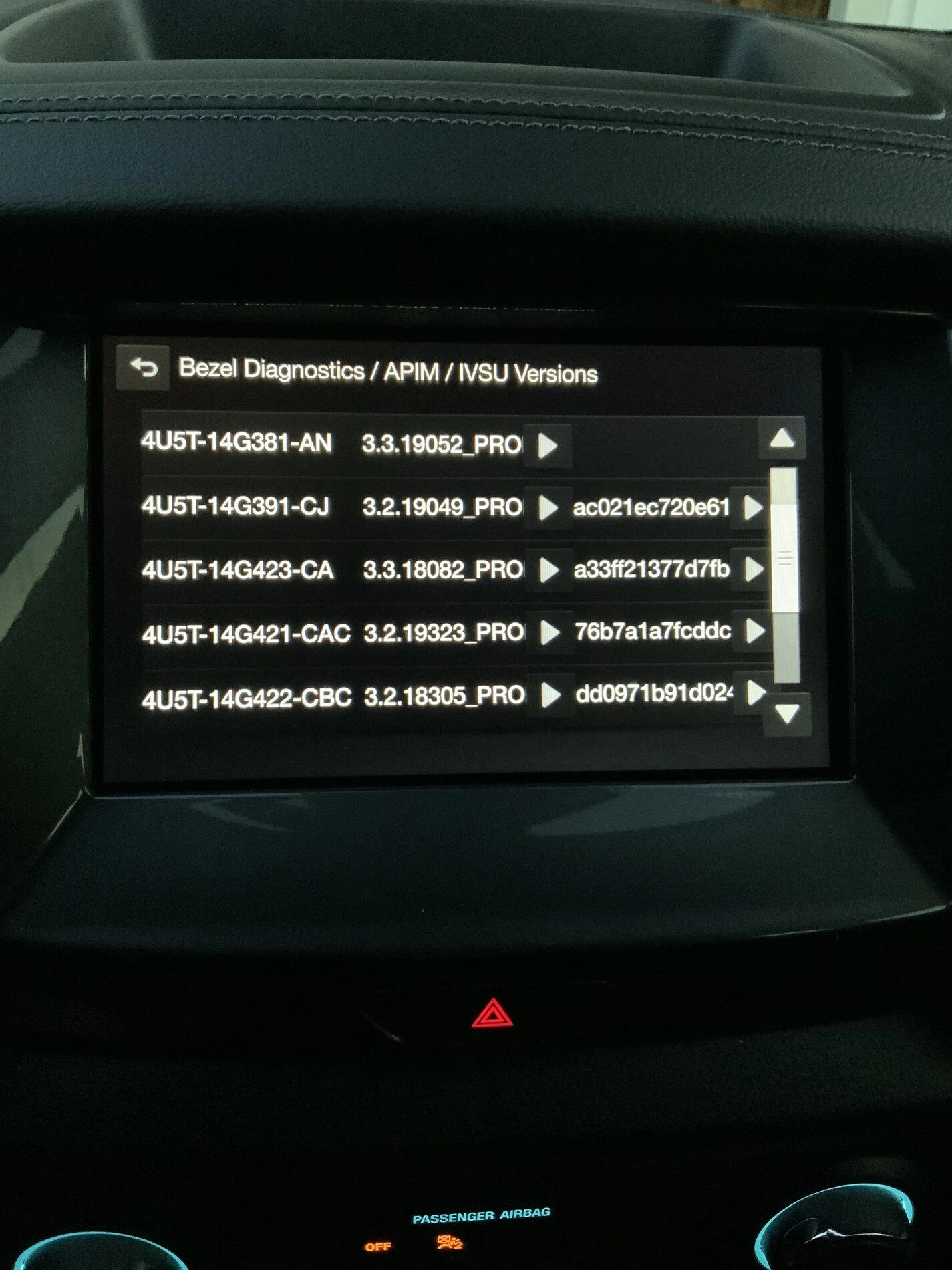
I guess that explains why I didn't see any changes after the update.Highly likely it did. v3.3 has a bug where the nav data version string isn't updating.
I'll wait for the official update to v3.4.
Sponsored

I guess that explains why I didn't see any changes after the update.Highly likely it did. v3.3 has a bug where the nav data version string isn't updating.
Does your drive have an activity indication light to see if it's actually pulling the packages down?No restarts. Thumb drive is fine. It gets past all prompts to Installing System Update and nothing happens from there!
Update to this. It was the size of the drive. There must have not been enough room for Sync3 to move files around. It worked after I used a 32GB drive and it worked fine.Understood. That's an odd error for a map update which is why I asked for the other info.
Looks OK. Not familiar with the error message. Do you have another drive you can try it out with?
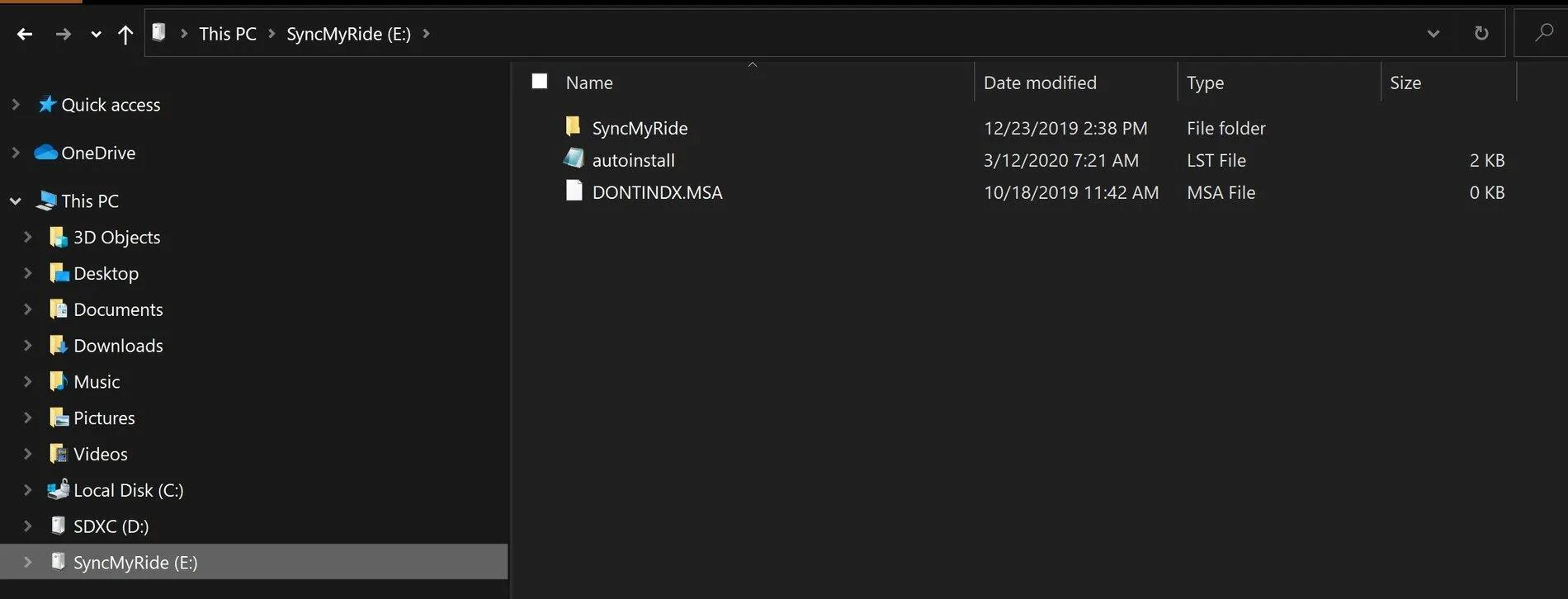
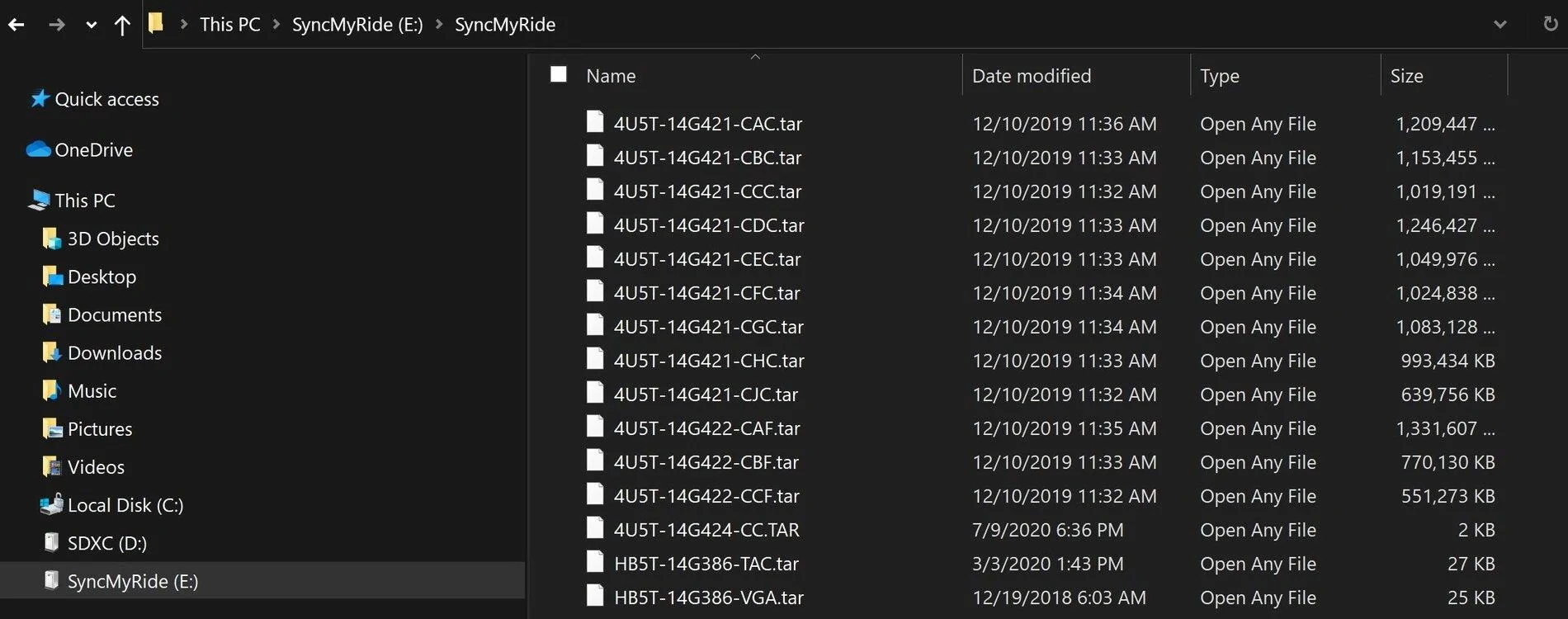
Thank you for the file snap shot. I re-formatted my USB drive and the same thing happened with the Update message disappearing. Not wanting to wait for another hour, I started with a fresh our of the wrapper USB drive. Re-installed the map update and took it to the Ranger. This time, the message to asking if I wanted to update with the warning message did not appear. But the message on top of the screen stayed up so I went for an hour's drive. The system flashed for me to remove the USB after 50 minutes or so. Then it rebooted. After the Re-boot, it warned me that it was doing an update and then continued to do an update for another 40 minutes. After 40 minutes, the message to remove the USB drive appeared and this time I removed the drive. Then, I pulled over, and shut off the engine, opened the door and re-started the engine. No noticeable changes to the version numbers. NA 1 18 stayed.I wish you luck Larry. As an aside my USB was quick formatted and at 32KB unit allocation size. I don't know that that would make a difference. I've attached images of the USB file structure on my stick. If the system update does not stay on and if the USB led doesn't flash you can stop right away, it did not work. That would only take a minute or so.
As an aside, I jumped into the Cyanlabs tool yesterday. I said I was going to wait until official 3.4 release but had a moment of patience weakness. Personally, I am very well versed with software and imaging. The Cyanlab tool worked very well. I'll give this a couple of days to look for issues and then drop some coin to them. 38 minute flash to go to 3.4, navigation checked, maps 19.1 and all the versioning is now correct. I suspect this will be easier than the official release from Ford because Cyanlabs has put effort to understand the installation process and common pitfalls.


I'm glad it worked. With 3.3 I had voice navigation lag but none of the other symptoms you described and the base installation took under an hour, not ~90 minutes.Thank you for the file snap shot. I re-formatted my USB drive and the same thing happened with the Update message disappearing. Not wanting to wait for another hour, I started with a fresh our of the wrapper USB drive. Re-installed the map update and took it to the Ranger. This time, the message to asking if I wanted to update with the warning message did not appear. But the message on top of the screen stayed up so I went for an hour's drive. The system flashed for me to remove the USB after 50 minutes or so. Then it rebooted. After the Re-boot, it warned me that it was doing an update and then continued to do an update for another 40 minutes. After 40 minutes, the message to remove the USB drive appeared and this time I removed the drive. Then, I pulled over, and shut off the engine, opened the door and re-started the engine. No noticeable changes to the version numbers. NA 1 18 stayed.
You are brave with Cyanlabs. You are really tempting me because I have been wanting to update to 3.4. Since I did the update to 3.3, there are times the Synch locks up and I have had to re-boot the system by removing fuse from the dashboard. Without doing so, the Sync Screen stays on. Version 3.3 has been slower to respond to touch inputs than the original factory load. I have been waiting for 3.4 in the hopes to get better responsiveness back. Please let us know how 3.4 goes if you decide to actually do the load.
Me too, I just looked. Function buttons work on the bezel but no option for climate on the touchscreen display. Not a biggie for me at this moment. I will likely wait for official release and redo as opposed to forscan effort.I spoke too soon. Just noticed that I do NOT have my climate control on my Ranger anymore. I will have to look through and see if I can add it back somehow.
Mine seems to have not loaded my voice stuff like it did when I did the previous year map update. I am unable to use voice for entering navigation. Do you have a tip for getting the voice files installed?Does your drive have an activity indication light to see if it's actually pulling the packages down?
That's odd. It should've deleted that file before it even ran the map update. In any case, since there is already data there you'll need to replace that file alone. What you can do is edit the autoinstall.lst so that it installs only the 14G422-CAF pack. That's the U.S. English pack. If you want the Mexican Spanish or Canadian French as well, repeat the process for those. Make sense?Mine seems to have not loaded my voice stuff like it did when I did the previous year map update. I am unable to use voice for entering navigation. Do you have a tip for getting the voice files installed?
Will this work? I don't really need the Mexican Spanish or Canadian French.That's odd. It should've deleted that file before it even ran the map update. In any case, since there is already data there you'll need to replace that file alone. What you can do is edit the autoinstall.lst so that it installs only the 14G422-CAF pack. That's the U.S. English pack. If you want the Mexican Spanish or Canadian French as well, repeat the process for those. Make sense?
That’ll do.Will this work? I don't really need the Mexican Spanish or Canadian French.
[SYNCGen3.0_ALL]
Item1 = 4U5T-14G422-CAF
Open1 = SyncMyRide\4U5T-14G422-CAF.tar.gz
Options = Autoinstall
Have you tried full reformat of the drives? Somewhere a package is getting corrupted it would appear.So I have attempted to download maps three times using 2 different thumb drives and get same error message after about 5 minutes into update process. PKG_ERR03 Any ideas?