Sponsored

How often do you have to reboot your entertainment/Nav system?

airline tech

Well-Known Member
Joined
Aug 24, 2022
Threads
28
Messages
4,447
Reaction score
8,498
Location
Midwest - KS
Vehicle(s)
2022 Ranger Lariat-Super Crew, Cactus Gray
Occupation
Aircraft Tech
Define the need for the Reboot, what is it doing or not doing?
If not fully powering up, with the Ignition Cycle, and you are having to force the power up with the Buttons then it is not receiving the proper ignition status message, which may be related to the FOB
Sponsored
 
OP
OP

Shawn_Mc

Active Member
First Name
Shawn
Joined
Aug 18, 2023
Threads
5
Messages
35
Reaction score
36
Location
So Cal
Vehicle(s)
2019 Ford Ranger Lariat
Occupation
Race Engine builder
They may be related, as the PATS System is looking for a FOB and may be causing issues with the Sync getting an authorized power up via the Wake Circuit

Have you replaced the battery (again)?
Have you tried the spare FOB?
With same results (Low Key Battery) Message

If yes, then I suspect an issue with PATS, Scan for Codes and perform a BCM & IPC Self-Test. For the FOB Issue.

If good, then do a RTM Self-Test

The BCM test will cover all PATS related Antennas,
The IPC test, will cover the Message
The RTM test will cover the Frequency Com between the FOB and the RTM

I think there may be something to this. When I put the key into the cup holder as if it was dead, the screen boots 3-4 times faster and I dont get the low battery message either. I havent tried the other fob yet, but I will, just to see if there's a difference.
 

DukeCanBuildit

Well-Known Member
First Name
Duke
Joined
Jul 27, 2020
Threads
66
Messages
9,603
Reaction score
45,991
Location
Kitchener, Ontario
Vehicle(s)
2019 XLT SuperCab - FTW!
Occupation
Retired (P/T) Caregiver (F/T)
Vehicle Showcase
1
Reboot? FOBs?

This is why I pray to the base model gods daily.

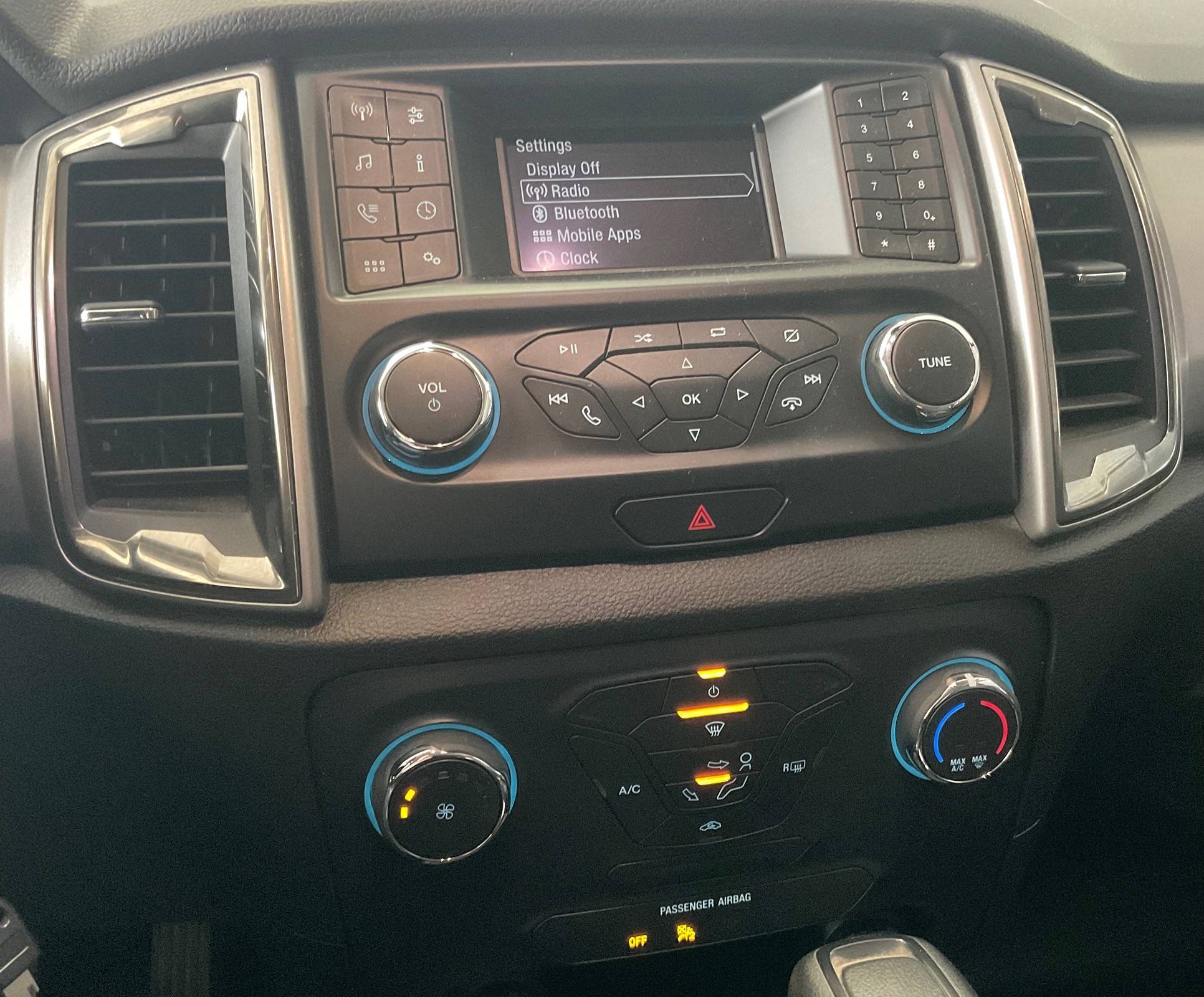
IMG_3775.jpeg


I bet if you look at the back of this system, it has “PHILCO” printed on it.
 

DasBoot

Active Member
First Name
Chuck
Joined
Apr 9, 2024
Threads
0
Messages
37
Reaction score
50
Location
Maine
Vehicle(s)
2019 XLT
Occupation
Retired
I get a "Low key battery" warning about 2-3 times a week. Key has a brand new battery in it. But beyond that, I have to reboot the entertainment/nav screen using the power and FF buttons at least every other day. Sometimes a couple times per day.
The battery monitor needs to be reset
 

airline tech

Well-Known Member
Joined
Aug 24, 2022
Threads
28
Messages
4,447
Reaction score
8,498
Location
Midwest - KS
Vehicle(s)
2022 Ranger Lariat-Super Crew, Cactus Gray
Occupation
Aircraft Tech
The battery monitor needs to be reset
For the (Low Key Battery) message, the BMS has nothing to do with it per se, however it would be a good idea to check the battery voltage as that voltage would affect the PATS (Antennas) as well as the RTM (Radio Transceiver Module).
I believe it's the FOB itself and the APIM (Sync) system is not seeing a valid Ignition Status message to boot up.
To my understanding that is his issue, Sync Not Booting up at engine start, along with a consistent Low-Key Battery (Message) on the IPC Screen, this is why I think they are related.
The truck (PATS) requires a valid challenge and response signal from the FOB for engine start and full power up.


OP
OP

Shawn_Mc

Active Member
First Name
Shawn
Joined
Aug 18, 2023
Threads
5
Messages
35
Reaction score
36
Location
So Cal
Vehicle(s)
2019 Ford Ranger Lariat
Occupation
Race Engine builder
The engine will start even though I get the low battery message the key, and also, the proximity lock works fine as does the remote start, too. But ever since I started putting the key into the cup holder the Entertainment system boots up ever time.

The second fob doesn't seem to change any of the odd habits this thing has.

There's a lot to be said about the "base model". All these tech features are pure liability

My next truck will be a 64-66 Chevy, with an LS probably, running a Holly Dominator EFI and the rest of it will be manual switches, keys, and an aftermarket single DIN radio with actual knobs.
 

airline tech

Well-Known Member
Joined
Aug 24, 2022
Threads
28
Messages
4,447
Reaction score
8,498
Location
Midwest - KS
Vehicle(s)
2022 Ranger Lariat-Super Crew, Cactus Gray
Occupation
Aircraft Tech
Have you scanned for codes; I cannot precisely find where (which) antenna (receives) the signal from the FOB, I believe you have a bad antenna.
To generate the - Low Key Battery Message
It may be looking at all (4) antennas

There are 4:
LF - Door Handle
RF - Door Handle
Center Antenna - Under the Center Console
Rear Antenna - Behind the Rear Seat (about floor level), behind the panel (cover)

Description of the Antennas (for interior) frequency each antenna produces a low frequency of about 3 feet.
So, I suspect that the Center antenna is the issue, but it is the (Back-Up) location for the PATs and may just be using (that function) of it to allow a (no-issue) boot of the sync.

So, a possible pinpoint would be to have the FOB near each antenna location (other than the center console) and see if you can get the same results as you do with it in the center console.
This MAY pinpoint down which antenna is producing a weak signal.
 

airline tech

Well-Known Member
Joined
Aug 24, 2022
Threads
28
Messages
4,447
Reaction score
8,498
Location
Midwest - KS
Vehicle(s)
2022 Ranger Lariat-Super Crew, Cactus Gray
Occupation
Aircraft Tech
Ok, I have a possible solution to the Low-Key Battery Warning.
With the truck running and that message on the IPC - press the lock or unlock button on the FOB.
(1) Time
Only have 1 FOB near the truck and repeat the process with the spare FOB

This is an attempt to get that message to reset and see a new RF strength from the FOB.

Next would be pulling the fuse for the BCM and PATs, to attempt to clear the message from memory if the above solution does not work.
or better yet, disconnect the battery for a short while.
I am thinking it is just a simple matter of getting that message to reset and force a new (RF) strength update from the FOB, I just don't know where that (read) comes from (specifically)
 

Radioman

Well-Known Member
First Name
Kent
Joined
Sep 18, 2019
Threads
7
Messages
1,826
Reaction score
8,904
Location
Roseville, CA
Vehicle(s)
2017 Toyota Highlander, 2020 Ranger Lariat 4x2, 2025 JL Jeep Rubicon
Occupation
Retired RF Telecommications Manager
Ok, I have a possible solution to the Low-Key Battery Warning.
With the truck running and that message on the IPC - press the lock or unlock button on the FOB.
(1) Time
Only have 1 FOB near the truck and repeat the process with the spare FOB

This is an attempt to get that message to reset and see a new RF strength from the FOB.

Next would be pulling the fuse for the BCM and PATs, to attempt to clear the message from memory if the above solution does not work.
or better yet, disconnect the battery for a short while.
I am thinking it is just a simple matter of getting that message to reset and force a new (RF) strength update from the FOB, I just don't know where that (read) comes from (specifically)
I don't know if your solution above with work, but I must say how much I appreciate your inputs to us and your willingness to follow through on helping us with the Ranger.
 

RangerBill

Well-Known Member
First Name
Bob
Joined
Jun 8, 2022
Threads
3
Messages
1,600
Reaction score
2,121
Location
PA
Vehicle(s)
2019 Ford Ranger Lariat Super Crew FX4
Occupation
retired
The engine will start even though I get the low battery message the key, and also, the proximity lock works fine as does the remote start, too. But ever since I started putting the key into the cup holder the Entertainment system boots up ever time.

The second fob doesn't seem to change any of the odd habits this thing has.

There's a lot to be said about the "base model". All these tech features are pure liability

My next truck will be a 64-66 Chevy, with an LS probably, running a Holly Dominator EFI and the rest of it will be manual switches, keys, and an aftermarket single DIN radio with actual knobs.
To get rid of the low key battery message, try starting the truck and then press the lock button on the key fob. See if this clears the message from occurring.

If that doesn't work, try pressing the OK button on the steering wheel when the message appears.
Sponsored


Top