Sponsored

FORScan Modifications

Ranger3

Well-Known Member
First Name
Dj
Joined
Apr 28, 2021
Threads
51
Messages
372
Reaction score
381
Location
New jersey
Vehicle(s)
2020 Ranger Xlt Sport 4x4
Occupation
Store Mgr
I'm only guessing, but based on other firmware I've played with the firmware option may only enable showing the feature in the dashboard cluster menu. If physically available, it would then need to be enabled in the dash menu as well.

I have a 2020 XLT and it definitely has automatic braking on by default. I was taking my wife to a doctor's appointment and it saved us from a red light runner when our light turned green. I was impressed, as it reacted faster than I could and we stopped just inches short of a collision.
Yes but is ur forscan screen disabled like mine?
Sponsored


MHRanger

Well-Known Member
First Name
Mark
Joined
Apr 26, 2019
Threads
4
Messages
53
Reaction score
39
Location
Georgia
Vehicle(s)
2019 Ford Ranger XLT
I'm on the AAWireless list and can tell from the updates he must be putting a lot of time and effort into that! There have been challenges with supply and having to find ways around them including redesigning for new hardware that is available etc.
I received my AAWireless device last month. It was worth the wait. Connects fast.
 

SVTPaul

Well-Known Member
First Name
Paul
Joined
Dec 8, 2020
Threads
2
Messages
268
Reaction score
719
Location
Newfoundland, Canada
Vehicle(s)
2021 Ranger, 2004 SVT Cobra, 2008 Subaru STi
Occupation
Engineer
I received my AAWireless device last month. It was worth the wait. Connects fast.
Good to hear! I was on the June or July delivery schedule, I can't recall which. I haven't paid too much attention as I'm just patiently waiting for the day it shows up.


micl9

Well-Known Member
First Name
Mike
Joined
Dec 21, 2019
Threads
31
Messages
1,368
Reaction score
1,949
Location
Apex, NC
Vehicle(s)
2019 Ranger XLT Fx4 302A
Vehicle Showcase
1
I received my AAWireless device last month. It was worth the wait. Connects fast.
Good to hear! I was on the June or July delivery schedule, I can't recall which. I haven't paid too much attention as I'm just patiently waiting for the day it shows up.
Yes I was June and latest update implied we are close! No I am getting antsy! In the mean time I did find a more reliable cable and AA/ODB2AA work everytime. But cant wait till I can leave in my pocket or on the wireless charger and not have to plug in.
But holy hijacks, I just realized we are in the FORscan thread - sorry guys back to FORscan!
AAWireless thread HERE
 

ScrappyLaptop

Well-Known Member
First Name
Scrappy
Joined
Aug 2, 2020
Threads
7
Messages
242
Reaction score
547
Location
SF Bay Area
Vehicle(s)
2020 Ranger XLT SuperCrew 2x4
Occupation
IT
Plz let me know and refer to my photo...thks
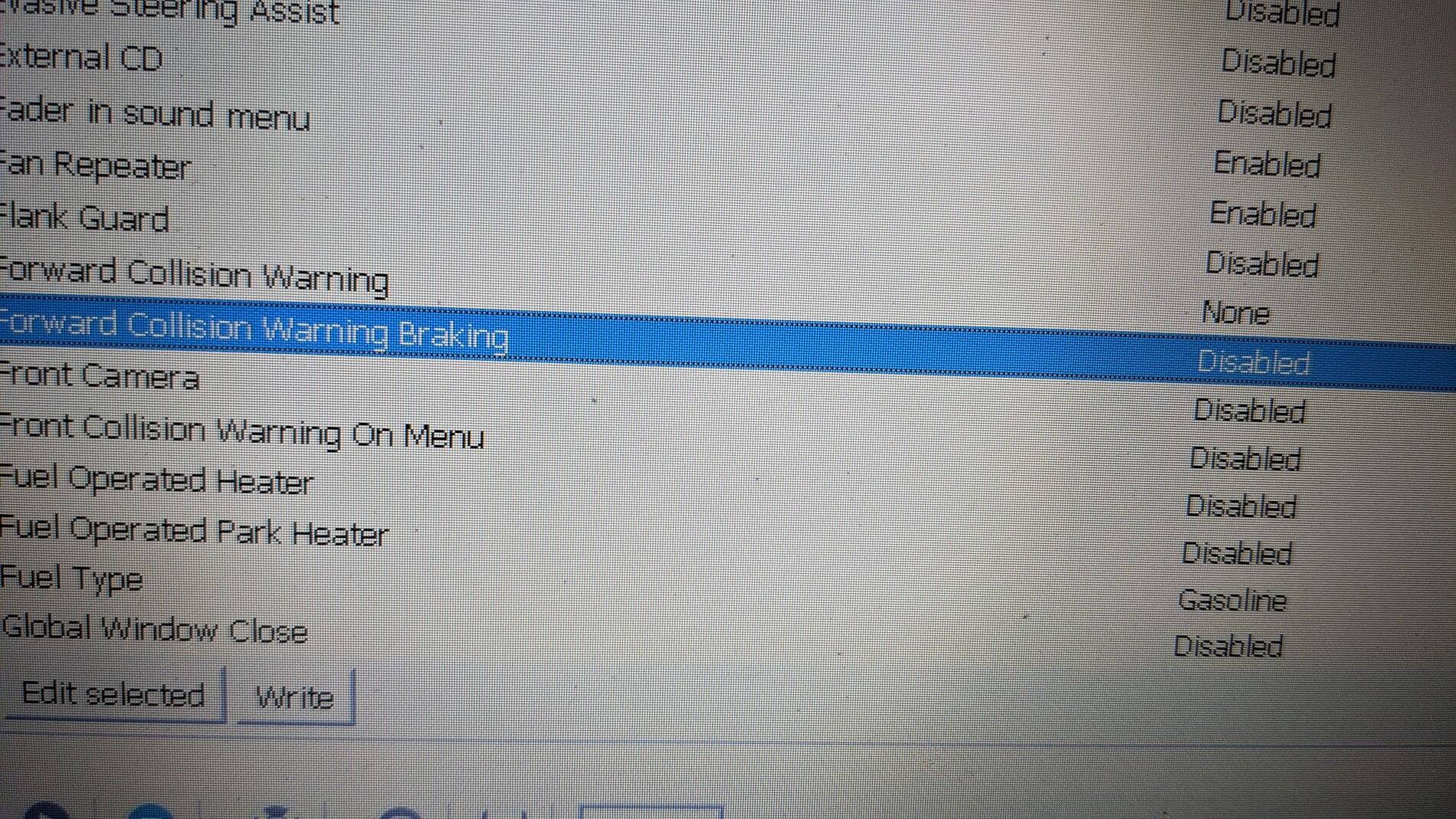
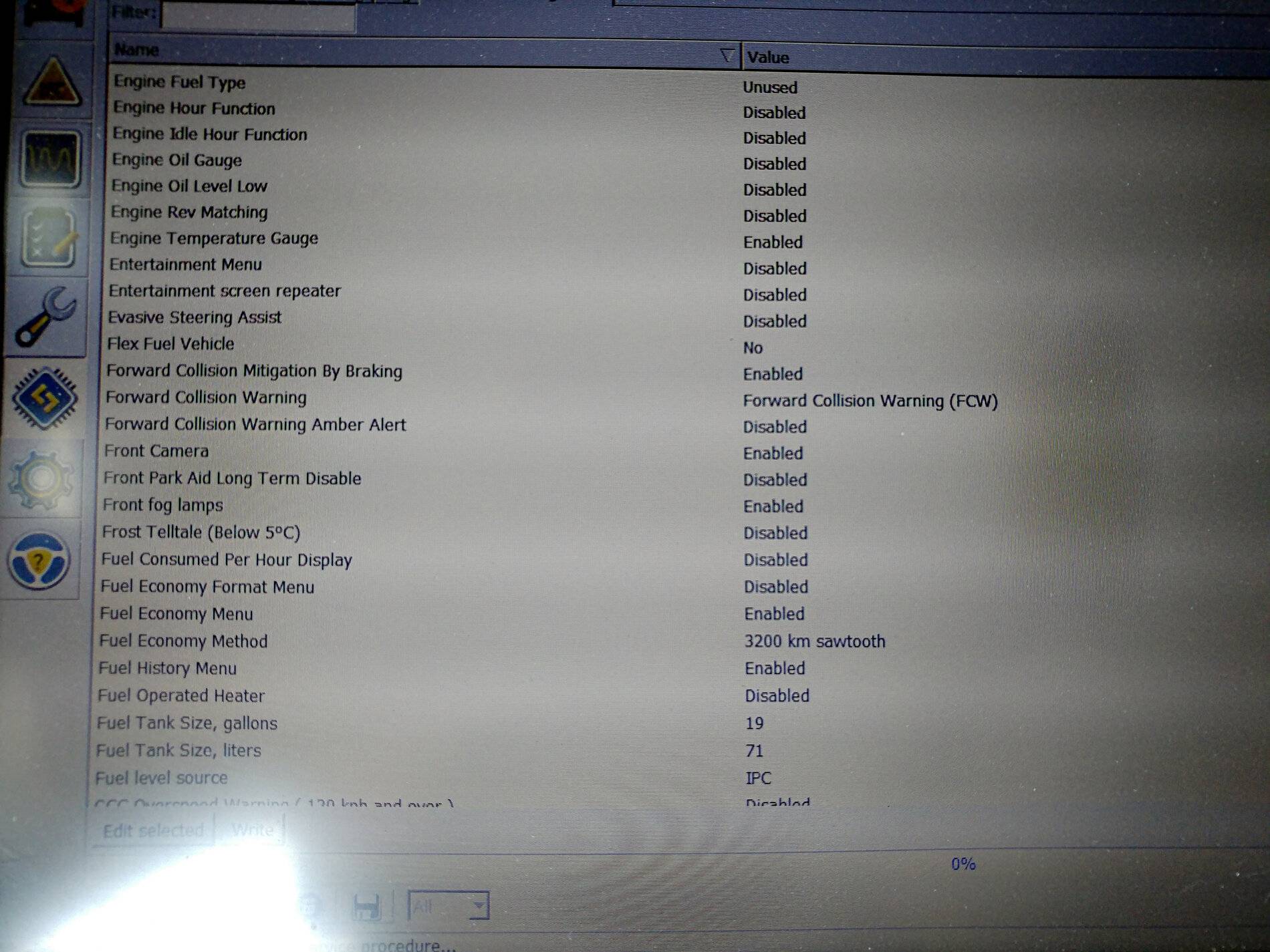
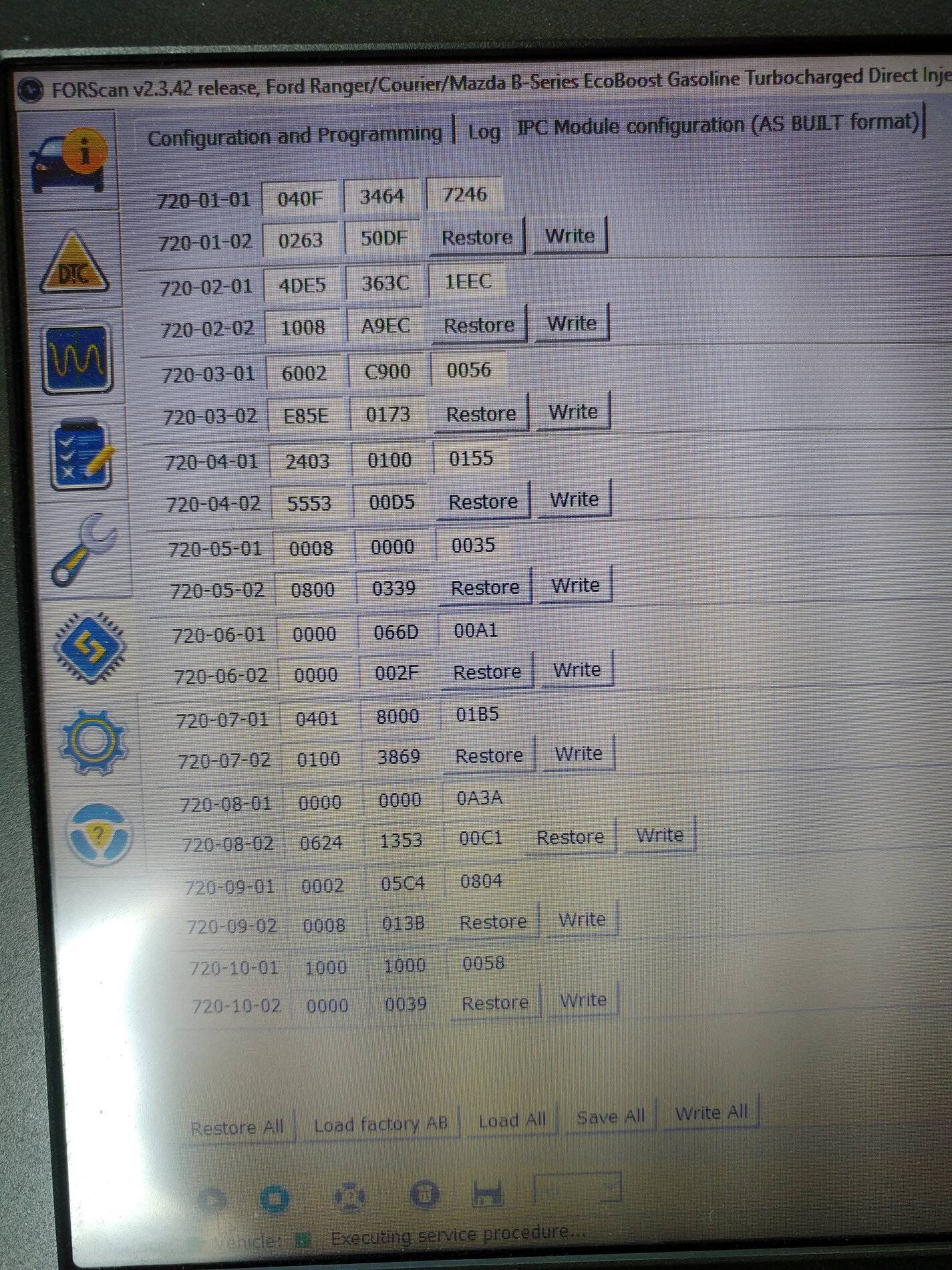
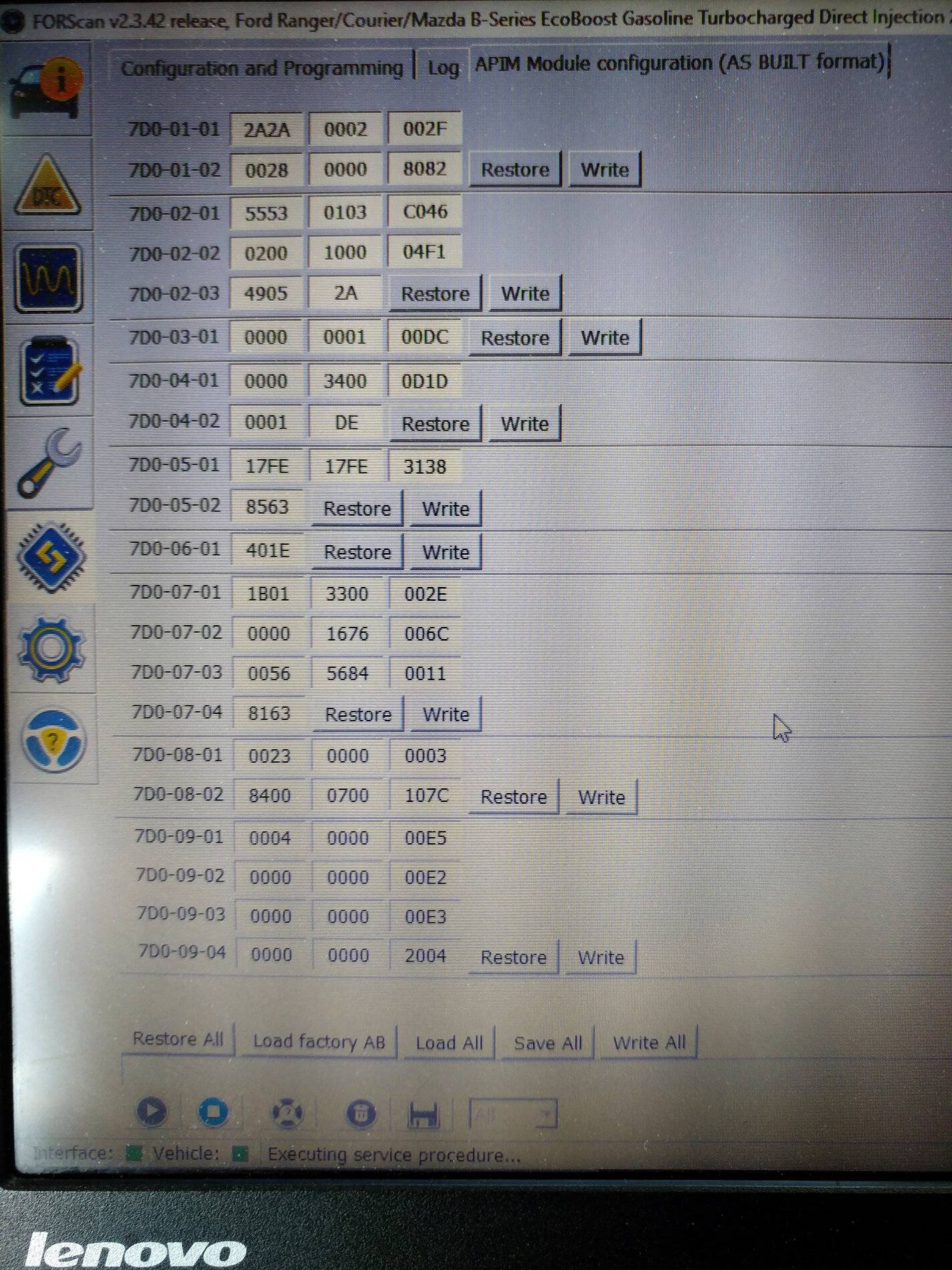
Sorry for the delay. I've attached a photo of that section of the IPC module.

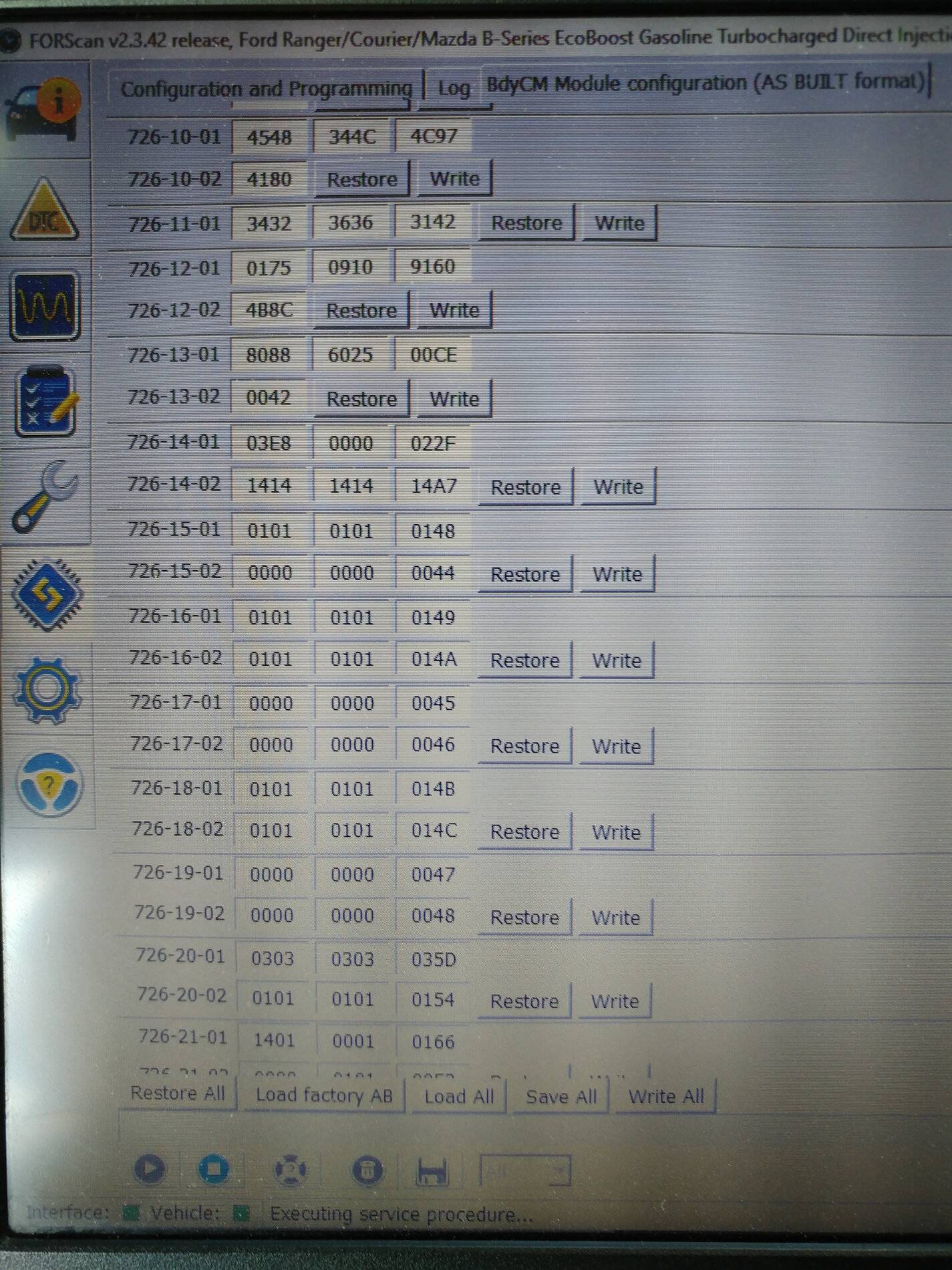
But also, I noticed on the F-150 there are four locations that store Forward Collision-related settings. They are:
720-01-02 (IPC)
720-03-02 (IPC)
726-13-01 (BCM)
7D0-09-01 (APIM)
Again, that's from the F-150 so I wouldn't follow it blindly & we can't be sure the byte position is the same (ie 999-99*-999, where the asterisk denotes which byte holds that setting). But it might be worth digging around on the Forscan forum & comparing the values to these? I've a feeling from that forum that some settings enable others that then in turn enable a feature, if that made any sense.

(edit: Also, apparently phone orientation makes a big difference in the Moiré patterns/interference lines in a photo of a laptop screen. Sorry bout that, let me know if any are not readable. The second & fourth are particularly nasty.)

FCW & FCWB.jpg


720_01_02 & 720_03_02_IPC.jpg
726_13_01.jpg

7D0-09-01.jpg
 
Last edited:

2020FRL

Well-Known Member
First Name
Alan
Joined
Jan 23, 2021
Threads
22
Messages
410
Reaction score
993
Location
Grand Junction, Colorado
Vehicle(s)
2020 Ford Ranger Lariat, 2014 Harley Tri Glide
Occupation
Retired
Somewhere in all the reading I did, I saw a link to inexpensive tablets that would run Forscan. I thought I bookmarked it, but, apparently my uber tech talents failed me again. Anyone remember seeing that the can guide this old fart to it?
 

machinist85

Well-Known Member
Joined
Oct 25, 2020
Threads
3
Messages
200
Reaction score
488
Location
n/a
Vehicle(s)
n/a
If you just want it for diagnostics any android/apple tablet would work or even your phone. But if you want to program with it you'll need a windows device. About any of the cheap windows tablets on amazon would work just fine for Forscan. For a couple hundred bucks you could get an older generation Microsoft Surface tablet on ebay. I personally use a laptop. I think the bigger screen makes it easier to use.
 

2020FRL

Well-Known Member
First Name
Alan
Joined
Jan 23, 2021
Threads
22
Messages
410
Reaction score
993
Location
Grand Junction, Colorado
Vehicle(s)
2020 Ford Ranger Lariat, 2014 Harley Tri Glide
Occupation
Retired
Thanks, the behemoth I have works fine but I think I will look for either a smaller laptop or maybe a Microsoft Surface.

I also need a windows based unit. to keep the Harley tune updated (kind of a similar thing to ForScan, except you actually can tune the air fuel ratios. I also use it to keep the Nav Maps on my trike updated. And I suspect the maps on the truck will need it too.
 

VengeanceWithin

Well-Known Member
Joined
Mar 29, 2021
Threads
6
Messages
56
Reaction score
44
Location
Utah
Vehicle(s)
2020 Ford Ranger Lariat
Anyone on here been able to turn on “Bambi mode” with a Lariat edition? I enabled it in Forscan but it doesn’t seem to work. Is there another setting that I need to change?

I did get the DRL w/park lights to work.

Thanks
 

foxunderhill

Well-Known Member
First Name
Cory
Joined
Mar 19, 2021
Threads
7
Messages
53
Reaction score
89
Location
Rhode Island
Vehicle(s)
2021 Ranger Lariat SuperCrew 4x4
Occupation
Soldier
Anyone on here been able to turn on “Bambi mode” with a Lariat edition? I enabled it in Forscan but it doesn’t seem to work. Is there another setting that I need to change?

I did get the DRL w/park lights to work.

Thanks
My Lariat successfully turned on Bambi mode with just the one toggle in Forscan. Works great.
 

SVTPaul

Well-Known Member
First Name
Paul
Joined
Dec 8, 2020
Threads
2
Messages
268
Reaction score
719
Location
Newfoundland, Canada
Vehicle(s)
2021 Ranger, 2004 SVT Cobra, 2008 Subaru STi
Occupation
Engineer
My Lariat successfully turned on Bambi mode with just the one toggle in Forscan. Works great.
Same here on my 2021 Lariat. I also intended to enable parklights with DRL's but it already was by default (I hadn't physically looked at them to verify as I assumed they were not).
 

D Fresh

Banned
Banned
First Name
Doug
Joined
Dec 10, 2020
Threads
20
Messages
6,272
Reaction score
13,570
Location
Colorado
Vehicle(s)
'20 Lariat FX4, '17 FiST, '16 CX-5, '95 YJ
Occupation
Milkman
Ok, Amazon will be sending me a refurbished HP windows 10 laptop and an OBD link cable in the next few days.

Ready to get my feet wet.

Any recommended "intro to Forscan" videos I can watch while waiting for delivery?
 

SVTPaul

Well-Known Member
First Name
Paul
Joined
Dec 8, 2020
Threads
2
Messages
268
Reaction score
719
Location
Newfoundland, Canada
Vehicle(s)
2021 Ranger, 2004 SVT Cobra, 2008 Subaru STi
Occupation
Engineer
There's a few good ones out there if you look around. Here's a few you can try if you like:


With YouTube being what it is, I'm sure you'll see other useful vids popping up as well...until you eventually end up watching some abstract thing not even related to FORScan at all. The typical "research" experience..lol
Sponsored


Top