
Sponsored
Sync 3 v3.4.23188
- Thread starter alcohenusa
- Start date
- Watchers 23
Loading

Phantomfixer
Well-Known Member
So,I had my vehicle in for service 6 times after the last update.I always felt that the update had caused all my issues with sync and my Ford Pass app and Sirius.The dealer spent a lot of time replacing parts and troubleshooting and in no way am I trying to criticize them since they tried to help me as best they could.I've been waiting for this update hoping it would resolve all my sync issues.I tried to down load the update via the internet but it told me my sync was up to date so I downloaded the update to a usb and installed it.Happy to say it seems to have resolved all my issues.Hopefully it has not created others
Ohwell
Well-Known Member
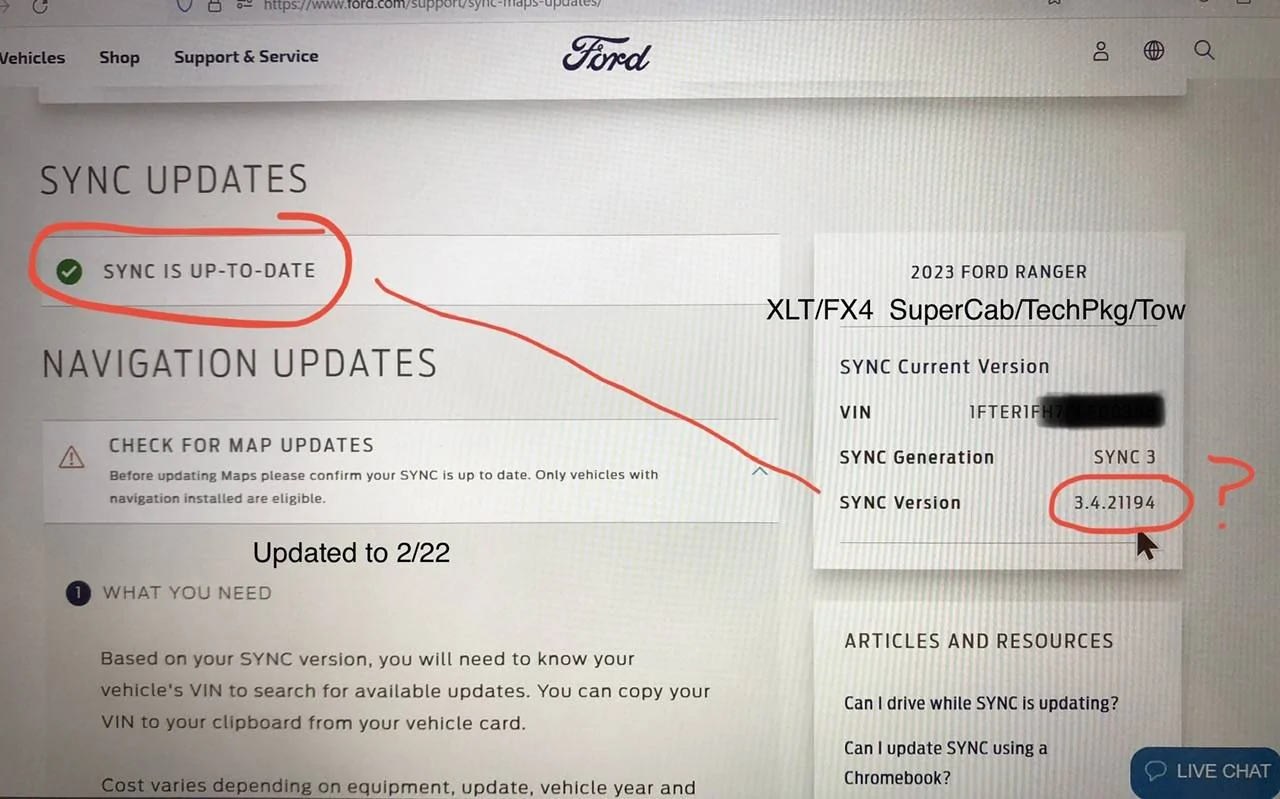
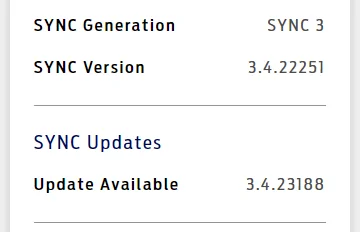
I also have a 2023, I think Ford just does a poor job of keeping their Vin databases updated. Mine came with 22251 and it says I am up to date also. I am guessing we will be last in line to get the update.I don’t get it… why does Ford NOT make the updates available to everyone? Do they really push them out regionally, and in diff time waves?
Just logged in… says my ‘23 is current with 3.4.21194
GManRanger
Member
Thank You Tom!I updated to 3188 about 2 weeks ago from cyanlabs. Seems to work for me... I still get the location warnings after starting, but I can live with that.
I just went to CyanLab’s site, installed Sync3 Updater, and downloading 3.4.23188 now. Easy. Thx.
Will update this comment after install to truck.
EDIT…. Install to truck went smooth, solid update ??
Last edited:
Grandaccess
Well-Known Member
- First Name
- Robert
- Joined
- Jul 8, 2023
- Threads
- 6
- Messages
- 1,156
- Reaction score
- 2,648
- Location
- Binghamton, N.Y
- Vehicle(s)
- 2021 Ford Ranger XLT FX4
- Occupation
- Computer Consultant
my only issue with the last update, it wont allow me to reply voice to a text that came in 
It says it wont let me for my safety! so you want me to pick up my phone and text while driving then?
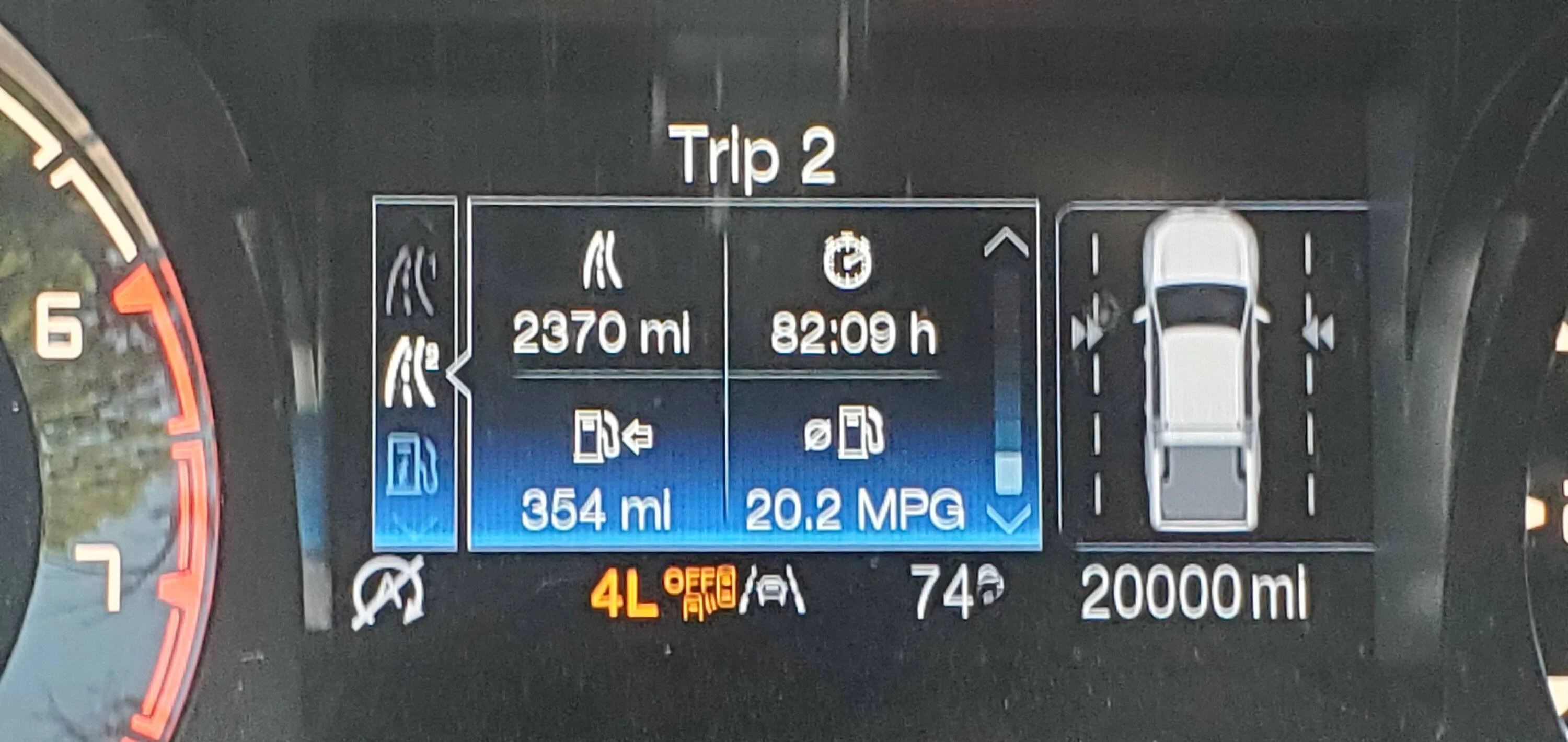
I use android auto and Love it! I cant live without my youtube music play lists ( I drive a Lot! ) in the last 3 months I have put 7000 miles on my truck and I just turned 20k two days ago ....

It says it wont let me for my safety! so you want me to pick up my phone and text while driving then?
I use android auto and Love it! I cant live without my youtube music play lists ( I drive a Lot! ) in the last 3 months I have put 7000 miles on my truck and I just turned 20k two days ago ....

SigOris
Well-Known Member
- First Name
- John
- Joined
- May 18, 2022
- Threads
- 52
- Messages
- 1,272
- Reaction score
- 4,213
- Location
- Greenwood Maine
- Vehicle(s)
- MY23 F150 CC Lariat PB & MY25 Mustang GT Convertible 60th #0807
- Occupation
- Retired DoD EE
ThanksNew Sync 3 version available from Ford this afternoon. Downloading now. Will probably not install until at least tomorrow.

MAC user TIP
when it asks where to SAVE, remove DOT zip, then save
when download complete, xfer to USB stick
when xfer complete, add back DOT zip
extract to USB stick
move files on USB stick per FORD instructions
was successful on MY21 BS-OBX and MY22 Ranger Lariat
although FORD having issues with uploaded XML file
imagine that, FORD SYNC site having issues
unheard of ????

Dr. Zaius
Well-Known Member
- First Name
- Dennis
- Joined
- Dec 20, 2019
- Threads
- 81
- Messages
- 7,037
- Reaction score
- 43,055
- Location
- Living The Dream
- Vehicle(s)
- 2019 Ranger XLT FX4
SYNC only has issues on days that end in Y....
although FORD having issues with uploaded XML file
imagine that, FORD SYNC site having issues
unheard of ????
If you schedule your update around that it's flawless.
OP
OP

alcohenusa
Well-Known Member
- Thread starter
- #23
Updated with no issues. XML file uploaded too!New Sync 3 version available from Ford this afternoon. Downloading now. Will probably not install until at least tomorrow.
Dgc333
Well-Known Member
- First Name
- Dave
- Joined
- Aug 24, 2021
- Threads
- 17
- Messages
- 1,743
- Reaction score
- 4,113
- Location
- Massachusetts
- Vehicle(s)
- 21 Ranger Lariat
- Occupation
- Engineer
I didn't realize the XML file was still a thing. In the past seven years of owning vehicles with Sync 3 I have only been successful once in uploading the XML file but the Sync site will reflect the version I have installed within a couple of three weeks.
AzureRanger
Well-Known Member
Question about this tip.....when does it ask you where to SAVE? When I push Download Update, it just starts downloading without asking me where to save. Thanks.Thanks
MAC user TIP
when it asks where to SAVE, remove DOT zip, then save
when download complete, xfer to USB stick
when xfer complete, add back DOT zip
extract to USB stick
move files on USB stick per FORD instructions
was successful on MY21 BS-OBX and MY22 Ranger Lariat
although FORD having issues with uploaded XML file
imagine that, FORD SYNC site having issues
unheard of ????
Jedadiah
Well-Known Member
- First Name
- Jed
- Joined
- Jun 10, 2021
- Threads
- 10
- Messages
- 366
- Reaction score
- 965
- Location
- Central Kentucky
- Vehicle(s)
- Former '21 SuperCab Owner
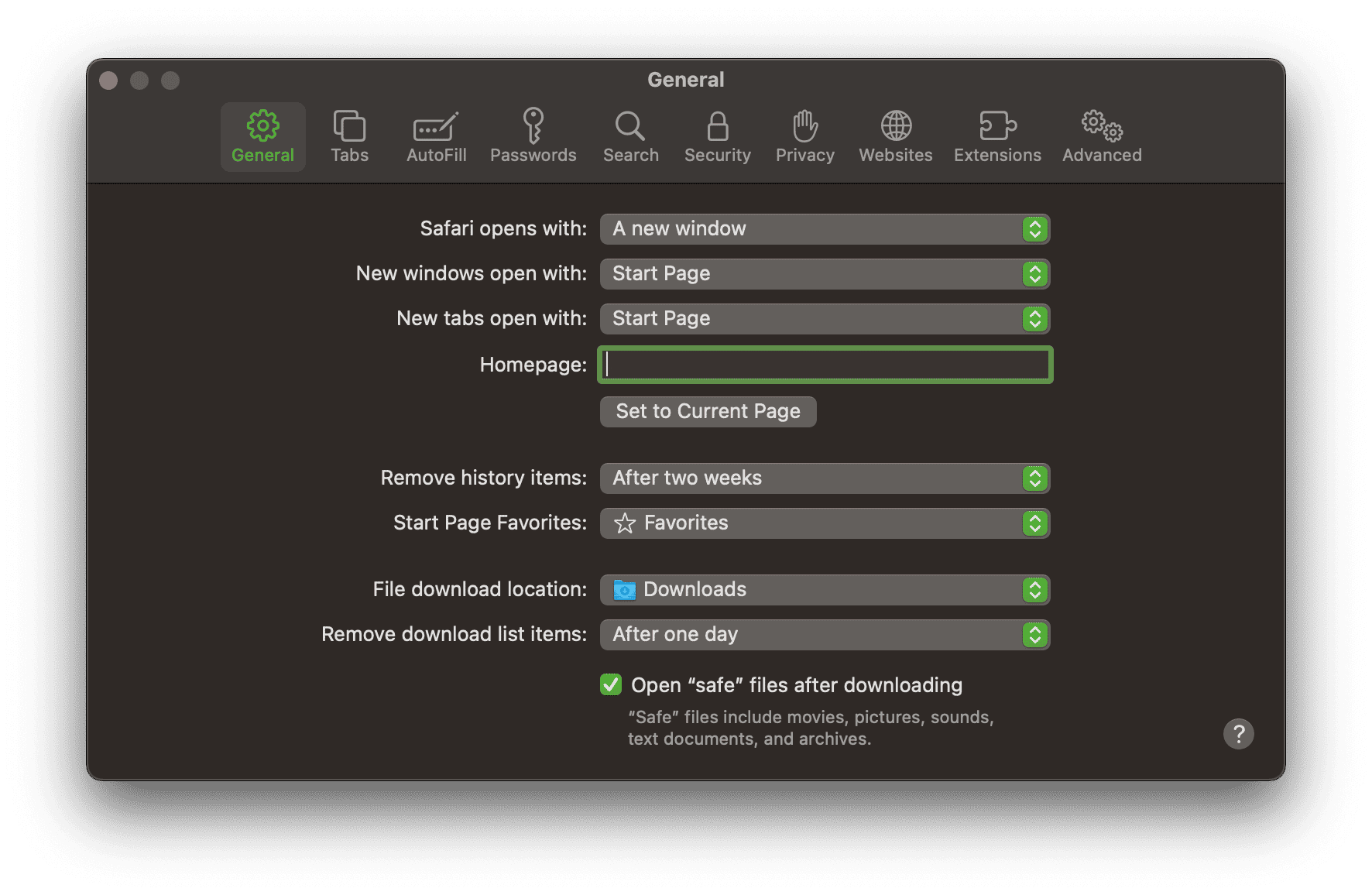
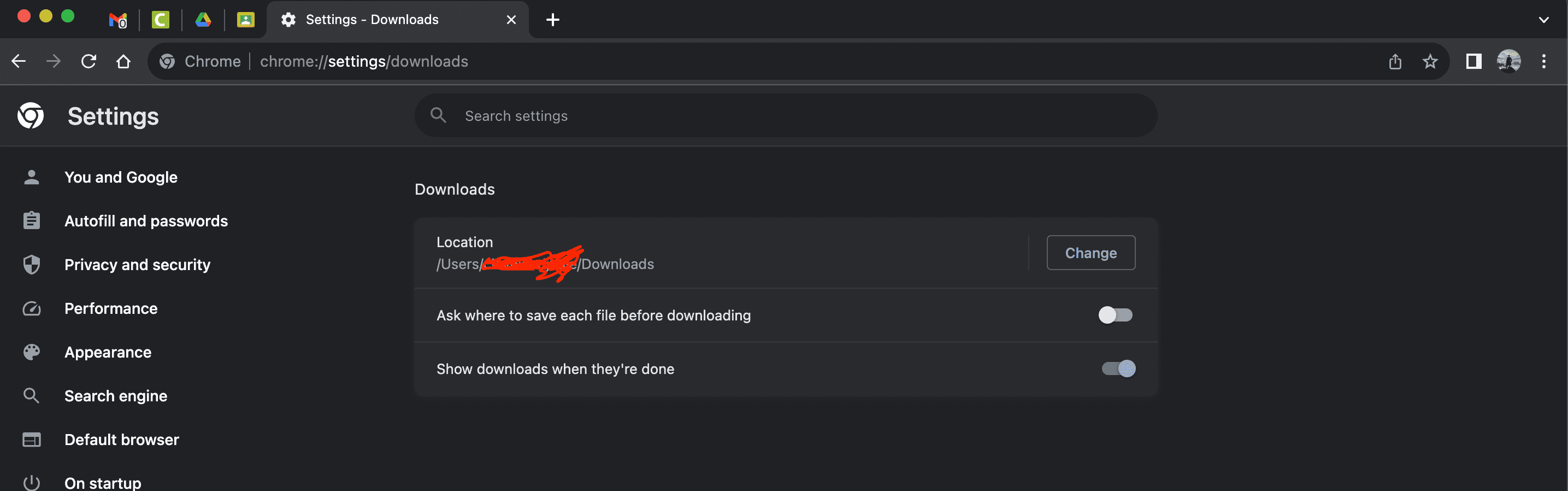
Unless you've specified somewhere else, most browsers just default to the "Downloads" folder.Question about this tip.....when does it ask you where to SAVE? When I push Download Update, it just starts downloading without asking me where to save. Thanks.
Safari:
Chrome:
AzureRanger
Well-Known Member
If that's the case, it seems like I can't remove the ".zip" before saving. Not sure I understand what that does anyway. Will the update not work if the .zip isn't removed before saving as suggested?Unless you've specified somewhere else, most browsers just default to the "Downloads" folder.
Safari:

Chrome:

SigOris
Well-Known Member
- First Name
- John
- Joined
- May 18, 2022
- Threads
- 52
- Messages
- 1,272
- Reaction score
- 4,213
- Location
- Greenwood Maine
- Vehicle(s)
- MY23 F150 CC Lariat PB & MY25 Mustang GT Convertible 60th #0807
- Occupation
- Retired DoD EE
I use Safari and I may have set my preferences to ask every time where to downloadQuestion about this tip.....when does it ask you where to SAVE? When I push Download Update, it just starts downloading without asking me where to save. Thanks.
SigOris
Well-Known Member
- First Name
- John
- Joined
- May 18, 2022
- Threads
- 52
- Messages
- 1,272
- Reaction score
- 4,213
- Location
- Greenwood Maine
- Vehicle(s)
- MY23 F150 CC Lariat PB & MY25 Mustang GT Convertible 60th #0807
- Occupation
- Retired DoD EE
It makes it so a zipped file will not automatically unzip.If that's the case, it seems like I can't remove the ".zip" before saving. Not sure I understand what that does anyway. Will the update not work if the .zip isn't removed before saving as suggested?
it took me several iteraions on the last update to figure out a working sequence from downloading to inserting usb stick
SigOris
Well-Known Member
- First Name
- John
- Joined
- May 18, 2022
- Threads
- 52
- Messages
- 1,272
- Reaction score
- 4,213
- Location
- Greenwood Maine
- Vehicle(s)
- MY23 F150 CC Lariat PB & MY25 Mustang GT Convertible 60th #0807
- Occupation
- Retired DoD EE
See the screenshot that was provided?If that's the case, it seems like I can't remove the ".zip" before saving. Not sure I understand what that does anyway. Will the update not work if the .zip isn't removed before saving as suggested?
just below the red blob there’s text how to handle downloads
Sponsored


