Sponsored

2019 software update

mtbikernate

Well-Known Member
Joined
Apr 13, 2020
Threads
11
Messages
1,174
Reaction score
2,636
Location
NC
Vehicle(s)
2019 Ranger XLT 4x4
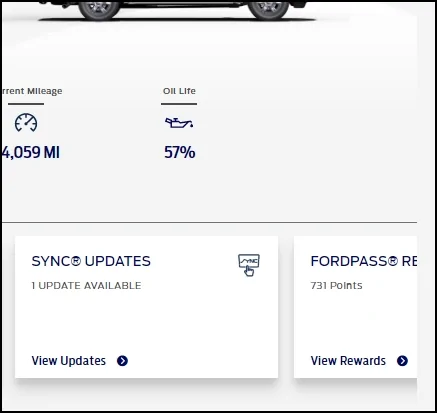
I log on to the Ford Owner Website, where all the information on your vehicle is maintained. If there is an update you can find it there and download it. The instructions on how are provided. The only thing is if when you did the last update and it doesn't update in your system you need to verify the update you installed against what is shown as the last update.
A sync.jpg
this is what I've always done for my usb updates
Sponsored

 
OP
OP
Arly

Arly

Well-Known Member
First Name
Arlyn
Joined
Sep 29, 2020
Threads
8
Messages
1,138
Reaction score
6,663
Location
Houghton MI
Vehicle(s)
2019 Ranger XLT super cab (dog space)
Occupation
trails maintenance
My spouse did go to the ford site and DLed the update. We'll install it during the next trip that takes more an 1/2 and hour. If we are considering another ford product that takes huge updates like this, we'll not purchase it. Oh well. Thanks for the help! :thumbsup:
 

Tom_C

Well-Known Member
First Name
Tom
Joined
Apr 17, 2021
Threads
35
Messages
1,972
Reaction score
4,389
Location
Virginia, USA
Vehicle(s)
2020 Ranger Lariat SuperCab FX4
Occupation
System Admin, Retired
you might not purchase a new vehicle ever again, then. because OTA updates are becoming increasingly prevalent
Truth. My wife just bought a new volvo and it needed an update the first month. I didn't look into doing it myself because she had to go to the dealer anyway for something else.
 
OP
OP
Arly

Arly

Well-Known Member
First Name
Arlyn
Joined
Sep 29, 2020
Threads
8
Messages
1,138
Reaction score
6,663
Location
Houghton MI
Vehicle(s)
2019 Ranger XLT super cab (dog space)
Occupation
trails maintenance
Truth. My wife just bought a new volvo and it needed an update the first month. I didn't look into doing it myself because she had to go to the dealer anyway for something else.
Well that is what we tried doing serveal times, ask the dealer or leave it idling in the driveway. Takes to long... to much of a hassle.


subquark

Well-Known Member
First Name
David
Joined
Jan 28, 2022
Threads
11
Messages
4,544
Reaction score
23,071
Location
Portsmouth, NH
Website
subQuark.com
Vehicle(s)
Soupie! Race Red '22 XL 101A Scab 4X2 w/steelies
Occupation
game publisher
Been tring to update this "no longer new" trucks software. Seems it takes hours and hours even when we have a good Wi-Fi signal here so we gave up. The only annoyanc is the "need wi-fi to update" comes on all the time its started. Should we just give up? Not a happy customer if this is only way to update it. I was told this by the dealership.
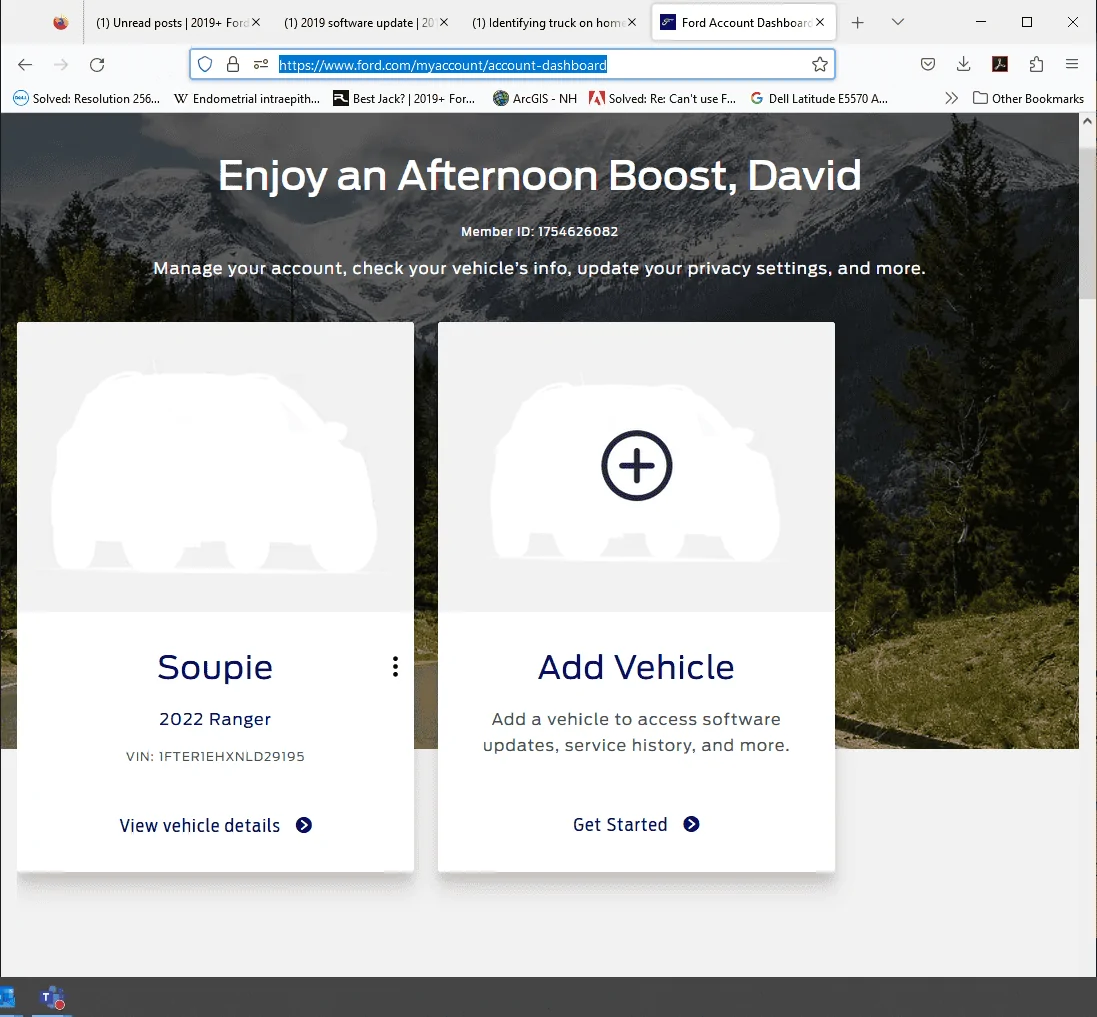
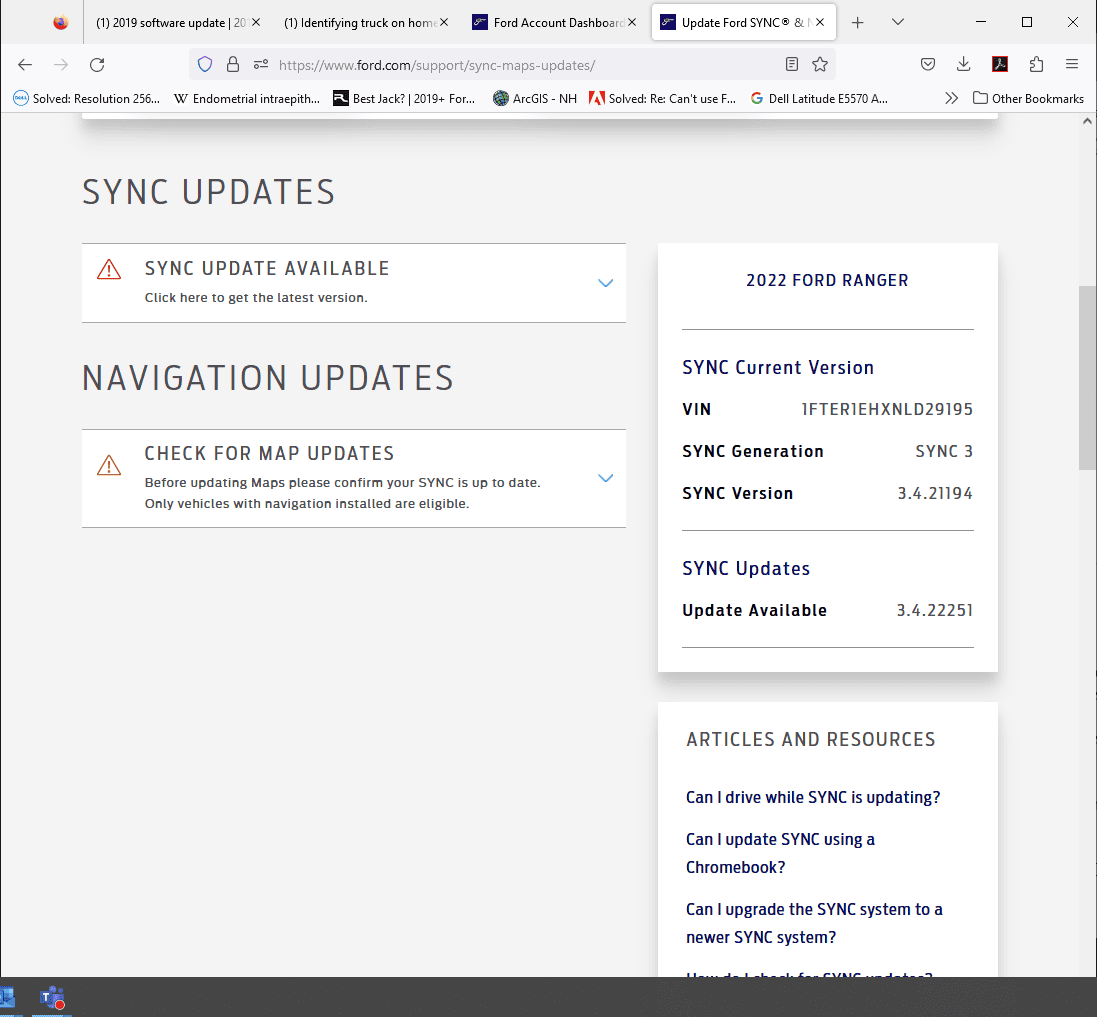
Log into your Ford.com account and get to the dashboard:
https://www.ford.com/myaccount/account-dashboard
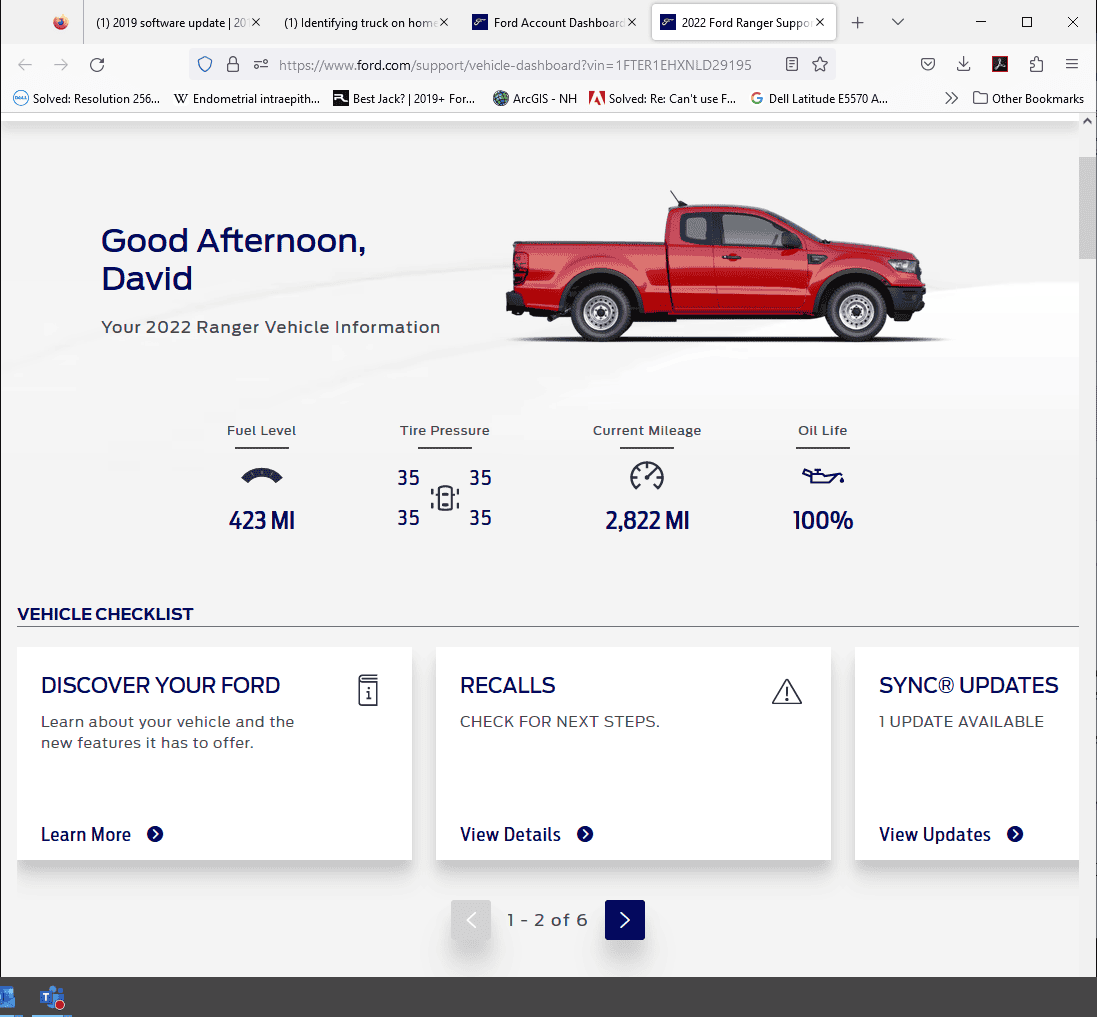
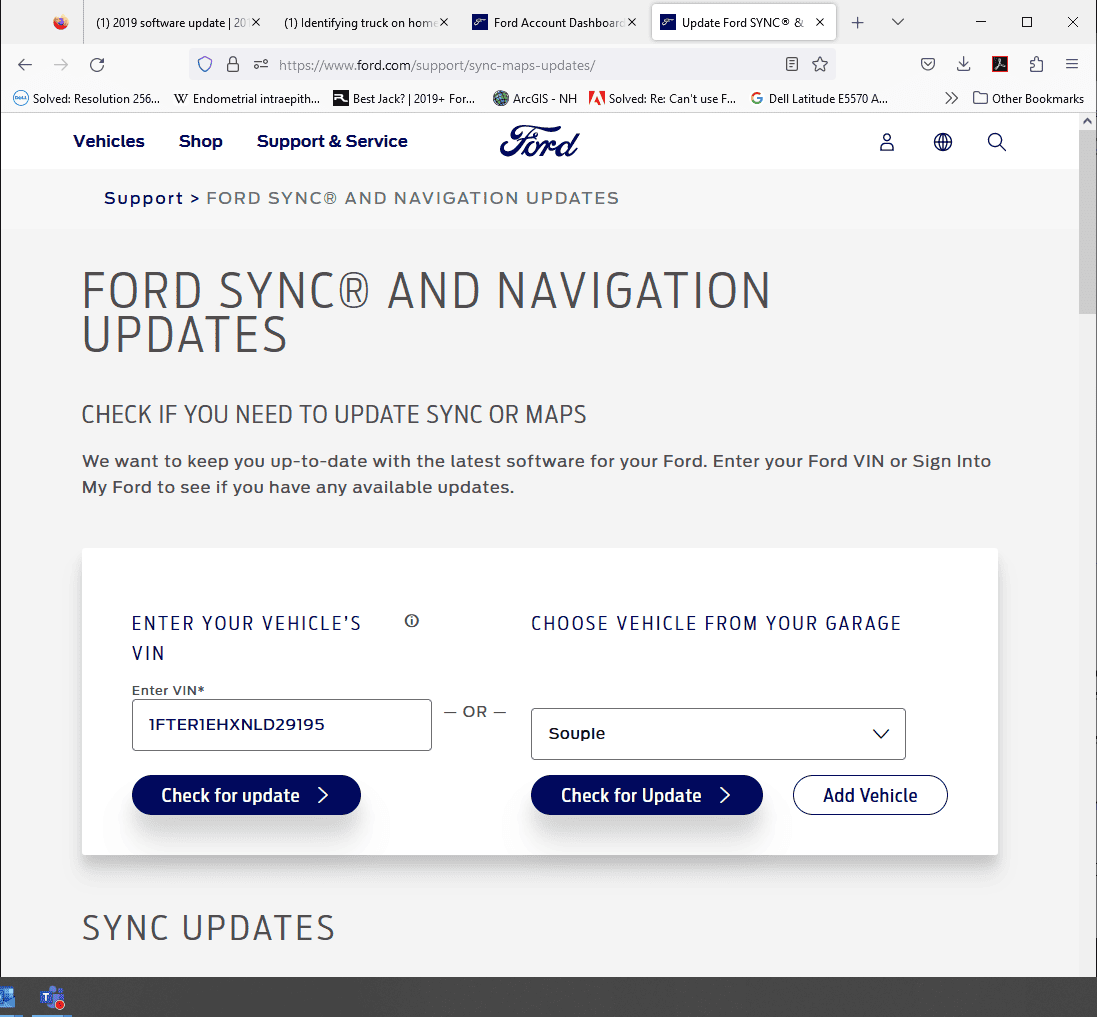
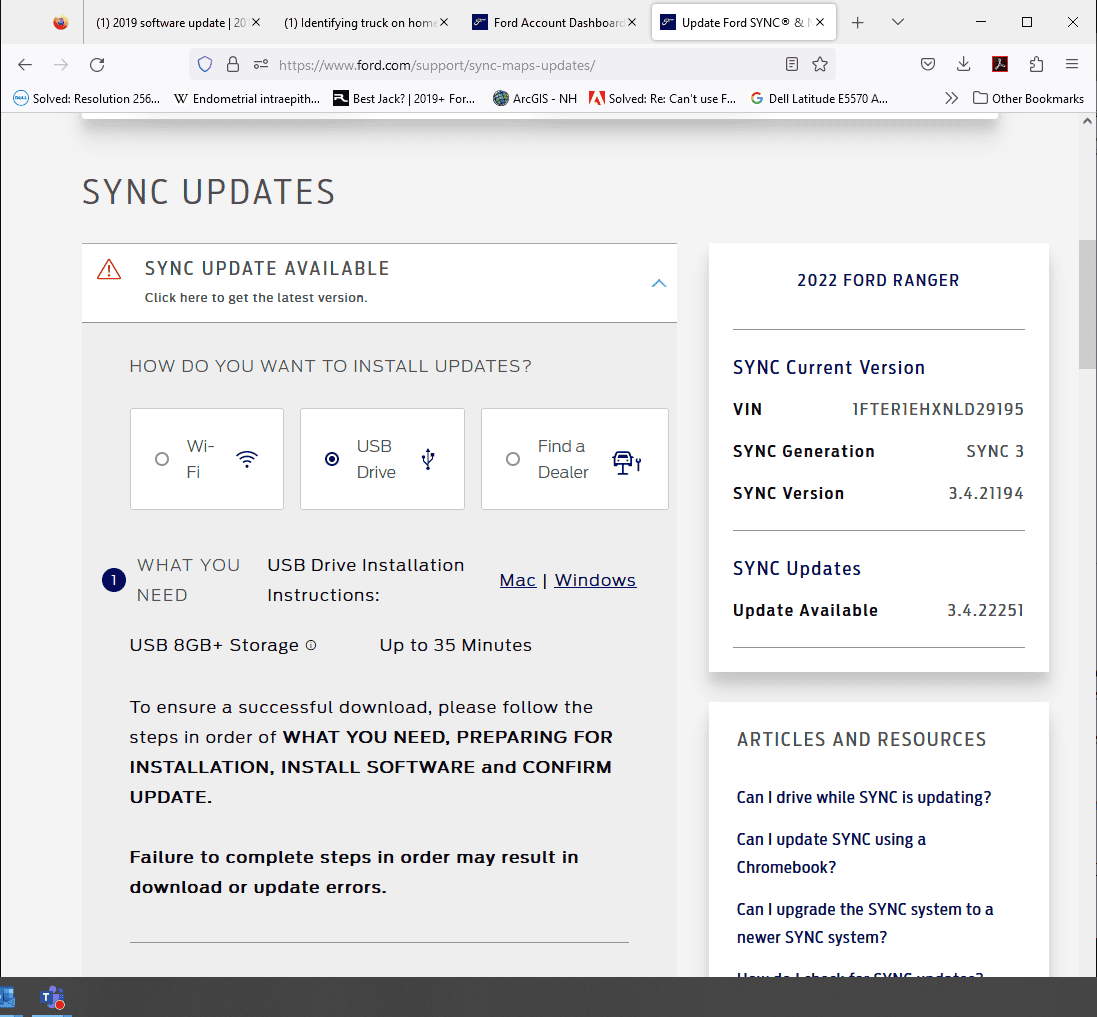
then View vehicle details, then View Updates Sync Updates, then Check for update, and select USB Drive

Follow the instructions which has you download a zip file and copy all the files in it to the root of a USB drive.

Go sit in the truck, start the truck, and stick the USB into the truck's USB port under the 12 volt plugs (I have an XL and only have one USB port). Give it a minute to find the USB, then it'll do the update by itself.

I've done it twice so far and each time took about 5 minutes.

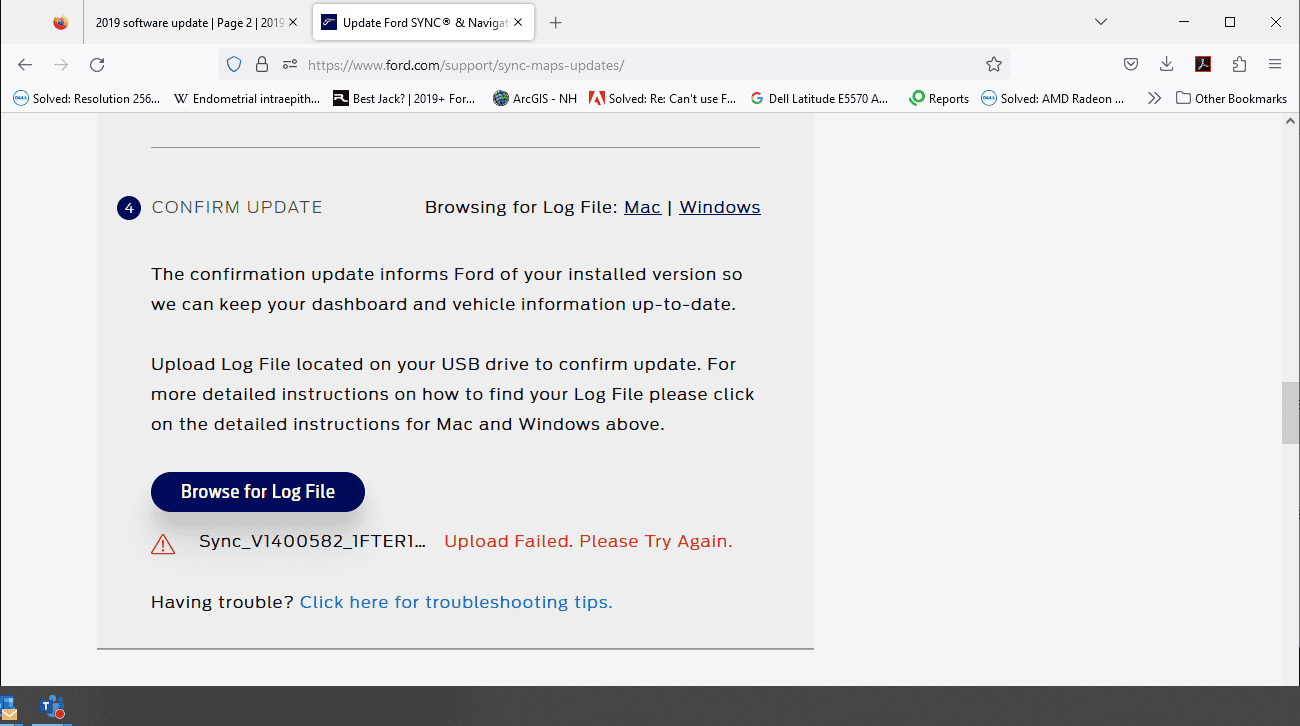
Once it's done, it places a "confirmation" file on your stick and they tell you to go back to your Ford.com account and upload that file. BUT that seems to not work for anyone and some have said that Ford says they will never fix that.'

So I wouldn't even bother to try to upload it. The version is in the info in Sync in the truck, so if anyone wanted to verify it, they can see it in person.

Here's my post on the last one with pictures of the 4 inch screen as it goes through the update:
https://www.ranger5g.com/forum/threads/sync-update.24015/post-566349

Good luck!

1683825497010.webp


1683825543289.png


1683825591984.png


1683825612944.png

1683825632577.png
 

pboggini

Well-Known Member
First Name
Pete
Joined
Nov 30, 2018
Threads
12
Messages
235
Reaction score
253
Location
San Jose, CA
Vehicle(s)
2019 Lightning Blue XL Ranger 4x2 Supercrew.
As I mentioned, be careful with "unzip the zip file" as if you don't use the right tool it won't unzip correctly and you won't have the files named correctly or in the right directory. Maybe Windows does it right since it likes backslashes. But, since I've dealt with zip files for well over 30 years the mistake I made was assuming I could just unzip it and copy it over which didn't work.

I do think I was able to upload the updated file after the update completed and now when I go to that website or look in Fordpass it thinks I'm up to date.
 

Tom_C

Well-Known Member
First Name
Tom
Joined
Apr 17, 2021
Threads
35
Messages
1,972
Reaction score
4,389
Location
Virginia, USA
Vehicle(s)
2020 Ranger Lariat SuperCab FX4
Occupation
System Admin, Retired
Log into your Ford.com account and get to the dashboard:
https://www.ford.com/myaccount/account-dashboard
then View vehicle details, then View Updates Sync Updates, then Check for update, and select USB Drive

Follow the instructions which has you download a zip file and copy all the files in it to the root of a USB drive.

Go sit in the truck, start the truck, and stick the USB into the truck's USB port under the 12 volt plugs (I have an XL and only have one USB port). Give it a minute to find the USB, then it'll do the update by itself.

I've done it twice so far and each time took about 5 minutes.

Once it's done, it places a "confirmation" file on your stick and they tell you to go back to your Ford.com account and upload that file. BUT that seems to not work for anyone and some have said that Ford says they will never fix that.'

So I wouldn't even bother to try to upload it. The version is in the info in Sync in the truck, so if anyone wanted to verify it, they can see it in person.

Here's my post on the last one with pictures of the 4 inch screen as it goes through the update:
https://www.ranger5g.com/forum/threads/sync-update.24015/post-566349

Good luck!
That sounds familiar. It's probably fixed now, but a year or more ago the confirmation file thing didn't work for some reason.
 

subquark

Well-Known Member
First Name
David
Joined
Jan 28, 2022
Threads
11
Messages
4,544
Reaction score
23,071
Location
Portsmouth, NH
Website
subQuark.com
Vehicle(s)
Soupie! Race Red '22 XL 101A Scab 4X2 w/steelies
Occupation
game publisher
That sounds familiar. It's probably fixed now, but a year or more ago the confirmation file thing didn't work for some reason.
=(
Still no love on the confirmation file upload, just tried this minute:

1683826926674.png


also @pboggini
 

AzScorpion

Moderator
First Name
Dave
Joined
Jul 25, 2019
Threads
335
Messages
26,281
Reaction score
132,393
Location
Back Home In AZ!
Vehicle(s)
2023 Ford Ranger Tremor
Occupation
Retired...Full Time Slacker
By the way, the latest update has not yet fixed my squealing damper ... @AzScorpion

here's a pic of my damper in action:
1683827153499.png
That squealing is probably all that Poutine you've been eating! ? :oops:?
 

scarchild35

Well-Known Member
First Name
Chris
Joined
May 16, 2022
Threads
5
Messages
339
Reaction score
930
Location
St. Louis
Vehicle(s)
2000 Ford Ranger
Occupation
Sales Engineer
Ok, so this may be dumb but...
My truck indicates everything is up to date, however, my Ford Pass app has an ugly red exclamation mark on the update section. My trim level is XL. Sure I've got STX and FX2 but I don't think that affects anything regarding the computer or updates. I do not have the 8" screen just the very basic one. Anyone else have this situation and is this something I should be concerned with? My solution is to simply not look at the update section on the app, lol. But a part of me wonders if I'm missing something.
Thank you in advance.
 

pboggini

Well-Known Member
First Name
Pete
Joined
Nov 30, 2018
Threads
12
Messages
235
Reaction score
253
Location
San Jose, CA
Vehicle(s)
2019 Lightning Blue XL Ranger 4x2 Supercrew.
I also have an XL with STX (no FX2 though) so I have the small screen and did the update via USB. Don't know where you are looking where you see that error. I don't see any errors in my Fordpass app. Well just the pre collision ones when it's super cold outside and before the Windshield thaws.
 

RedlandRanger

Moderator
First Name
Rob
Joined
Nov 14, 2018
Threads
42
Messages
5,111
Reaction score
11,105
Location
Oregon
Vehicle(s)
2019 Ford Ranger Lariat FX4, 1973 Mercury Capri
Vehicle Showcase
1


Top