Sponsored

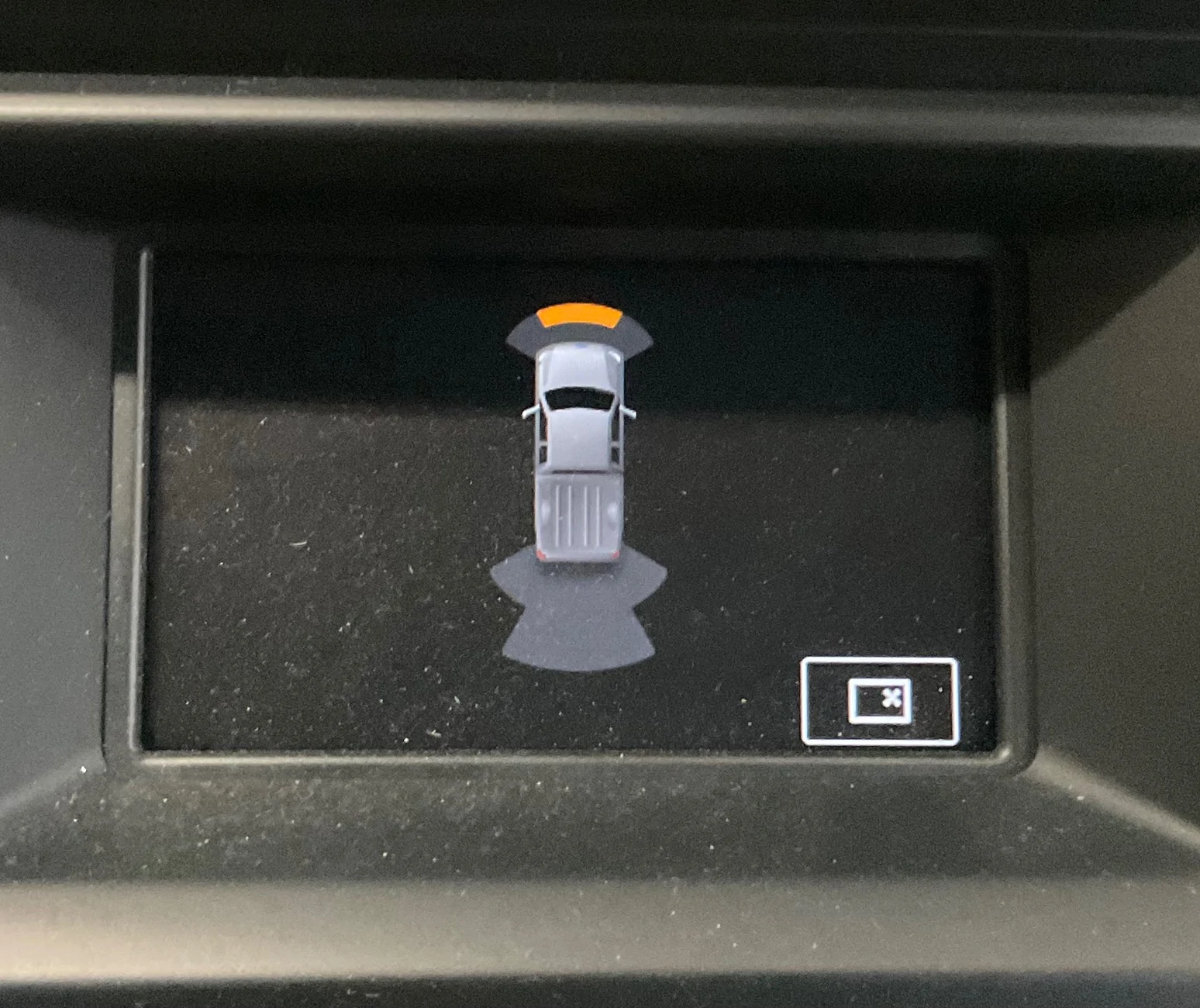
MYSTERY SOLVED: Odd Image on 4” Non-touchscreen Display

airline tech

Well-Known Member
Joined
Aug 24, 2022
Threads
28
Messages
4,465
Reaction score
8,542
Location
Midwest - KS
Vehicle(s)
2022 Ranger Lariat-Super Crew, Cactus Gray
Occupation
Aircraft Tech
Thanks Richard.

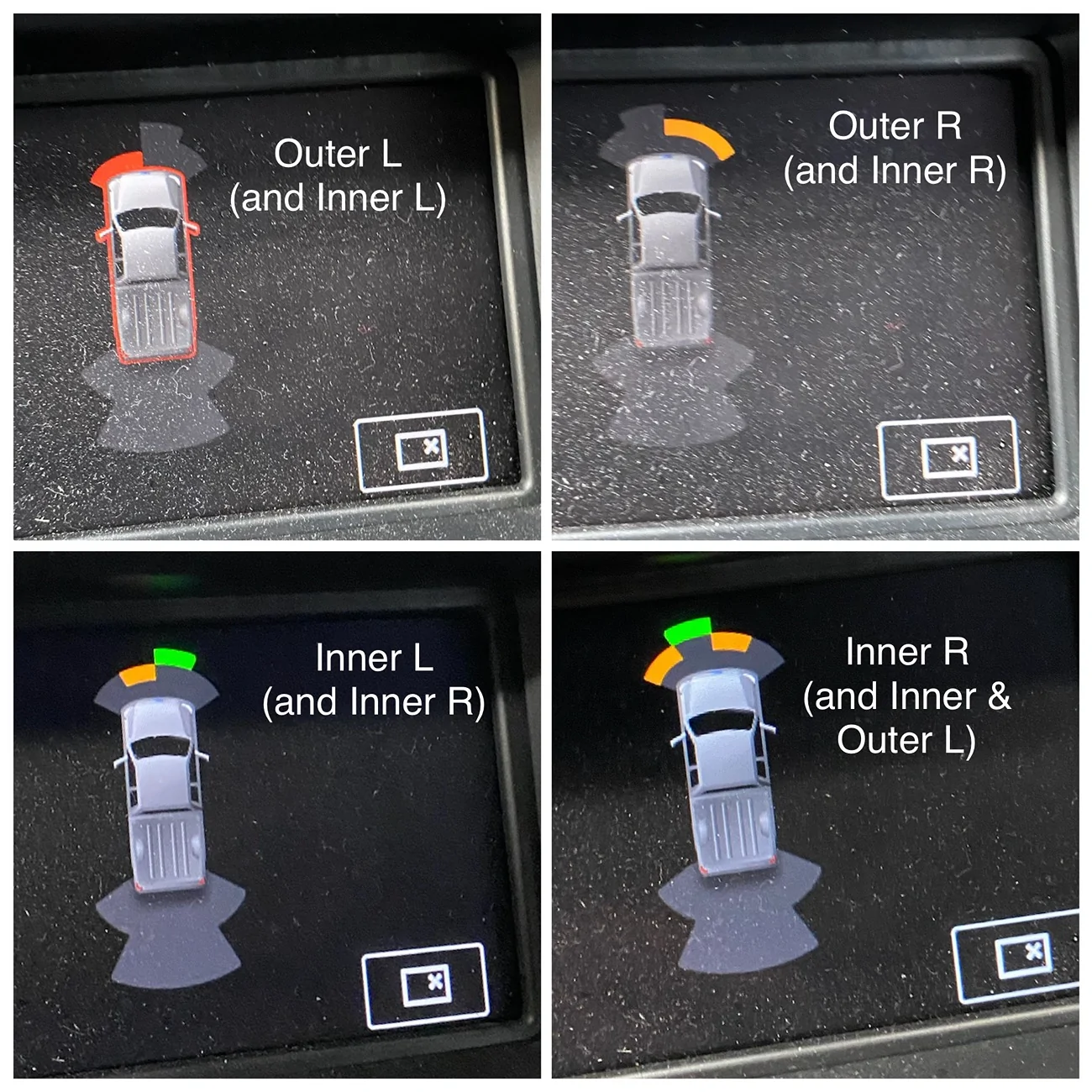
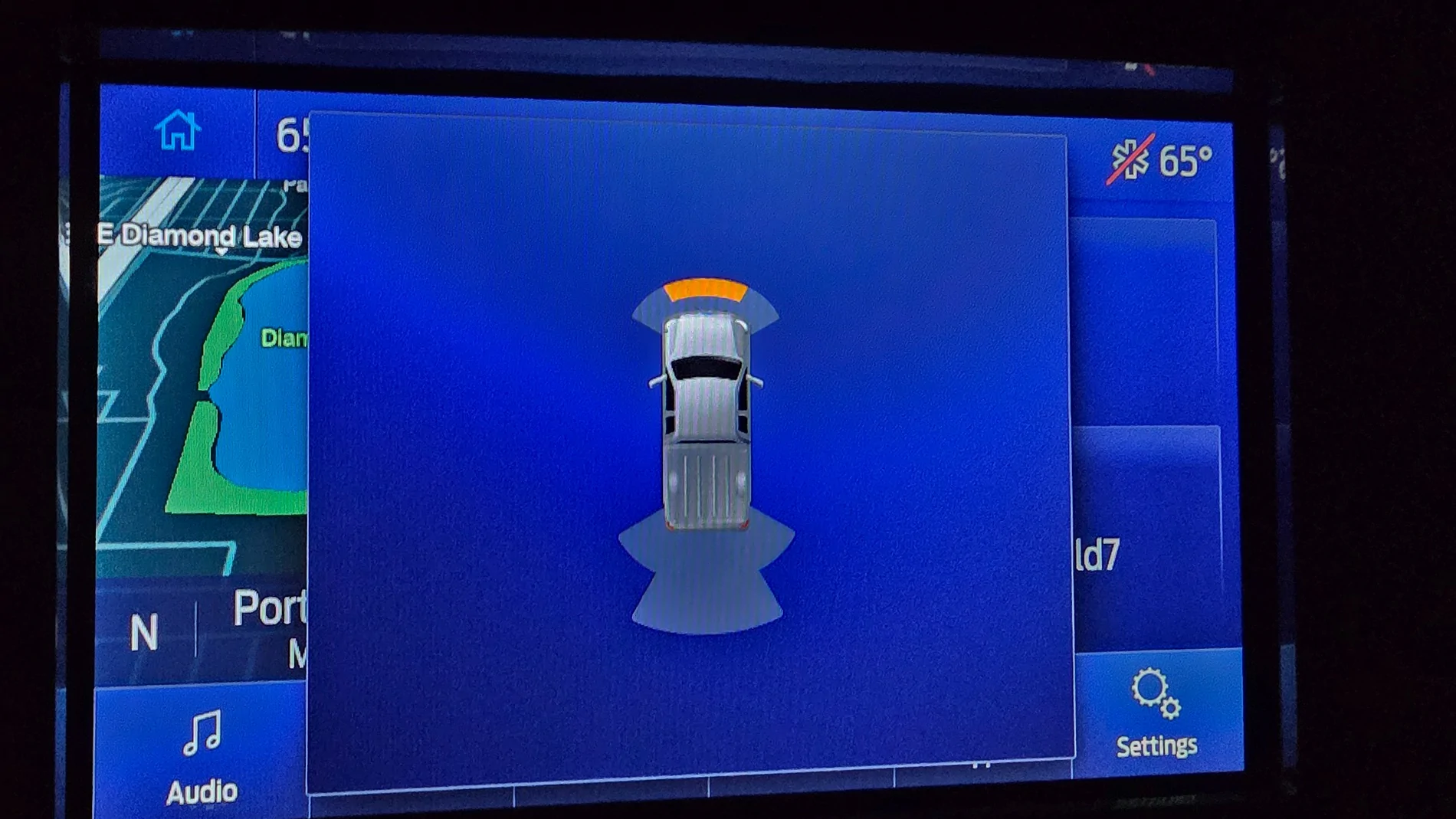
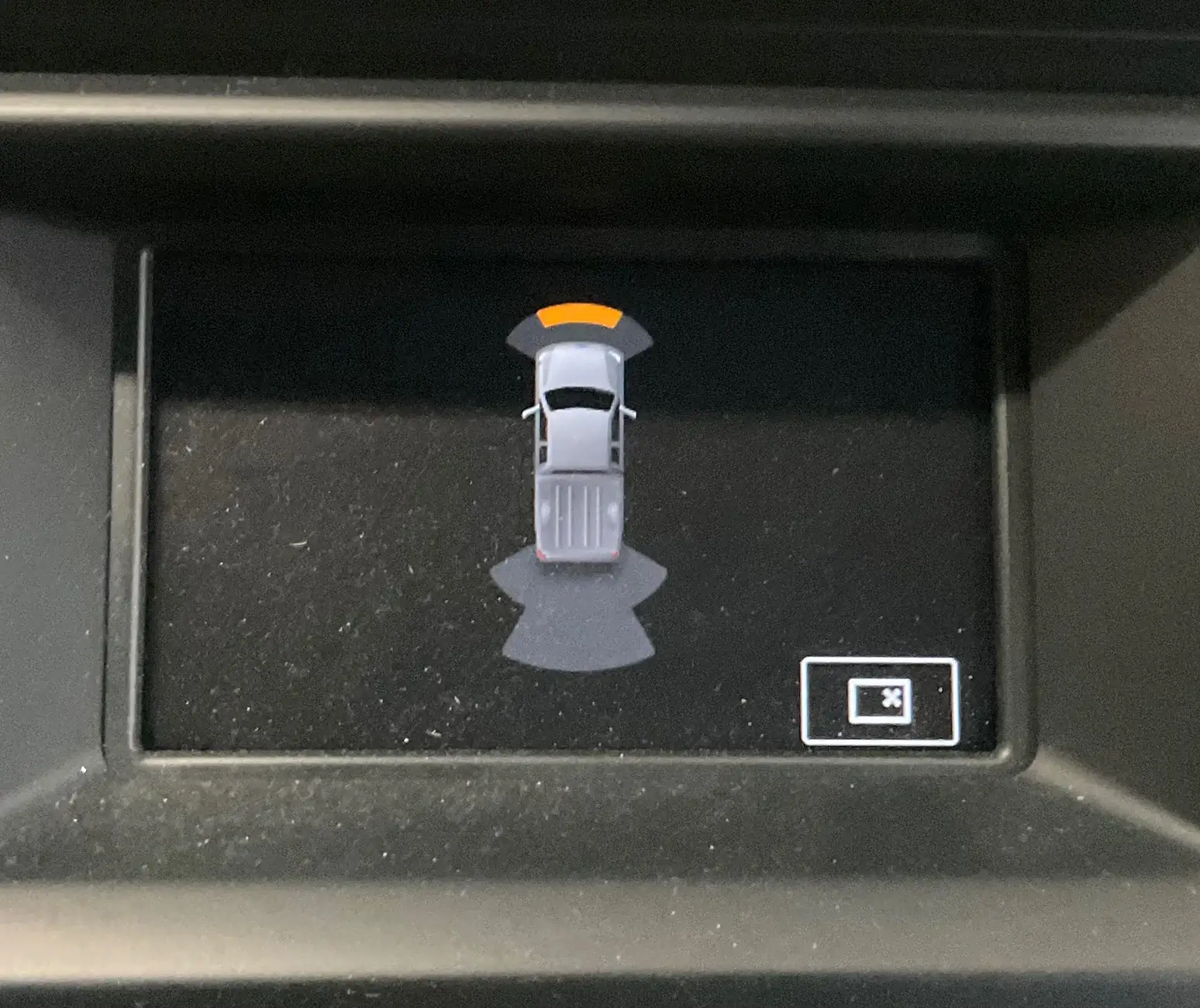
It seems the forward parking aid screen image of the larger infotainment system doesn’t have anything but the truck image and distance indicators.

i.e., no mystery icon like in the bottom RH corner of my screen

IMG_0184.webp


Just to confirm:
Do all 4 Front Sensors register (objects)
I see the front (inners) but do the outers register?

IMG_0180.webp
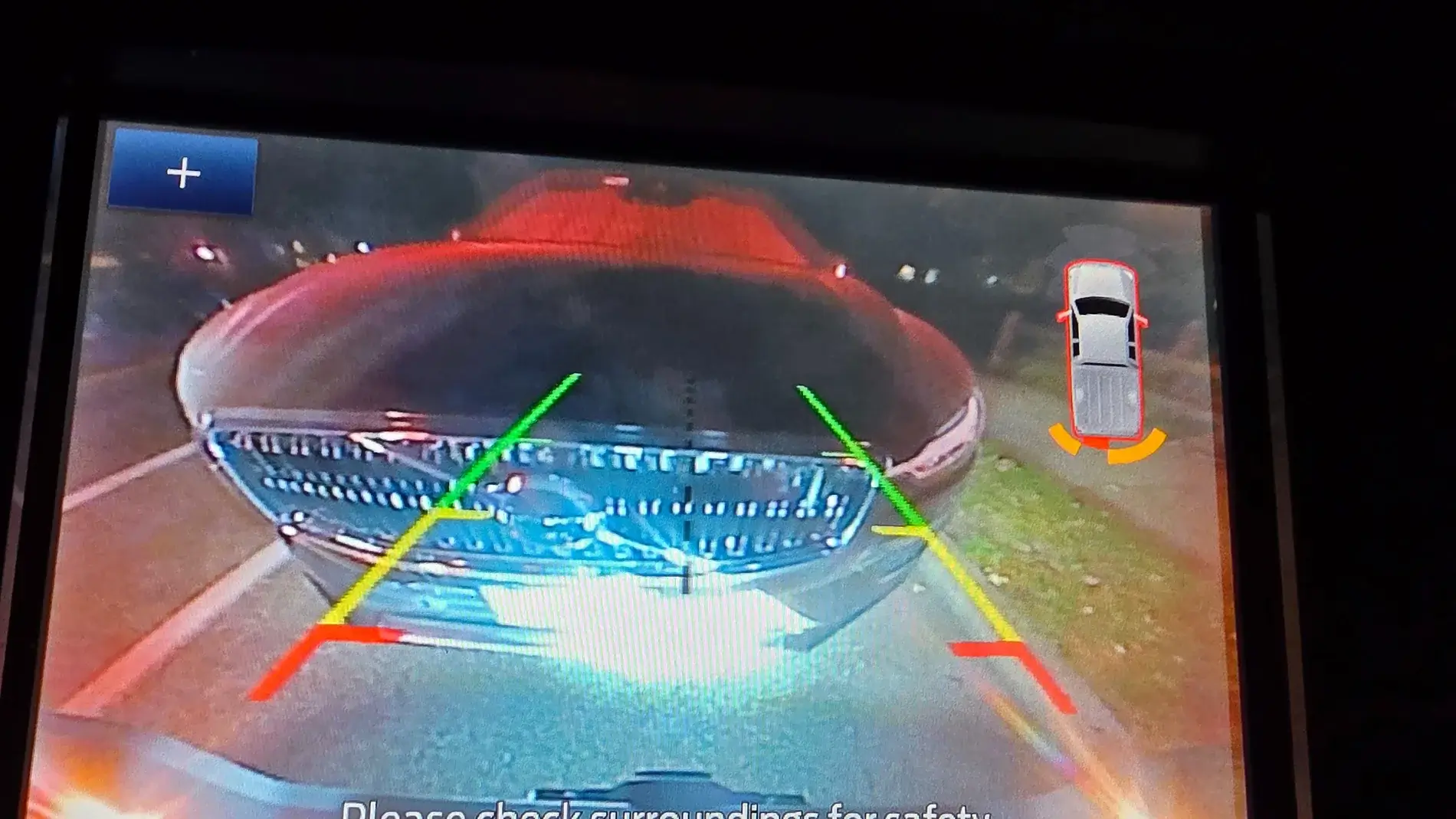
Just to confirm - Rear Parking Sensor Operation
and using this as a ref:
Do all 4 of the rear sensors - pick up objects when you are backing into the garage

1760753800495-r3.webp


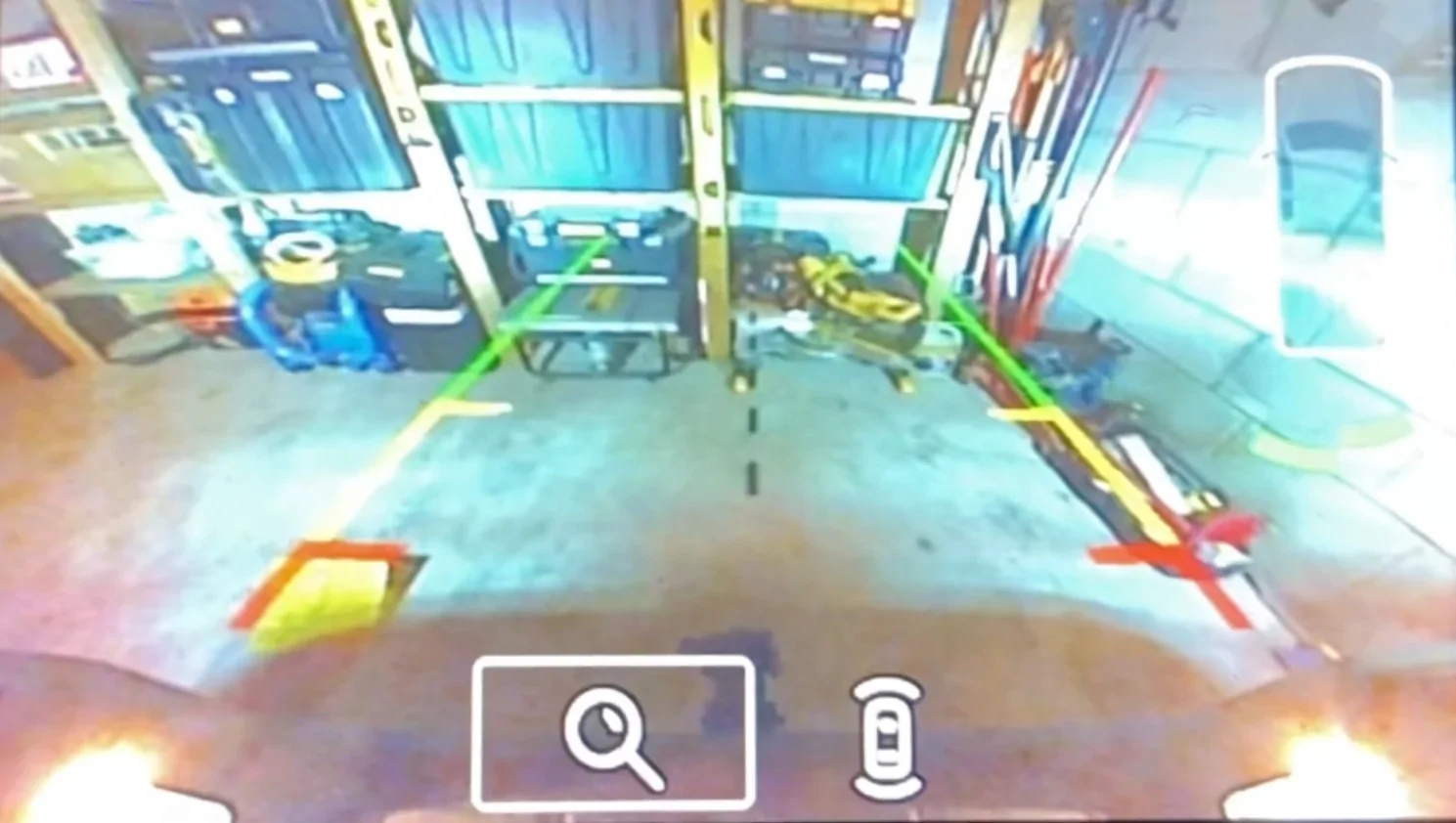
When you continue to back up here - 3 of the 4 rear sensors should be changing colors, the passenger outer (?) Maybe
1760754046204-yy.webp


Sorry: It did not post the way I wanted it:
Edit:
Do all 4 sensors pick up objects - I see the Front (Inners) but not the outers
1760754662131-io.webp
Sponsored

 
OP
OP
DukeCanBuildit

DukeCanBuildit

Well-Known Member
First Name
Duke
Joined
Jul 27, 2020
Threads
66
Messages
9,666
Reaction score
46,221
Location
Kitchener, Ontario
Vehicle(s)
2019 XLT SuperCab - FTW!
Occupation
Retired (P/T) Caregiver (F/T)
Vehicle Showcase
1
Just to confirm - Rear Parking Sensor Operation
and using this as a ref:
Do all 4 of the rear sensors - pick up objects when you are backing into the garage


1760753800495-r3.webp


When you continue to back up here - 3 of the 4 rear sensors should be changing colors, the passenger outer (?) Maybe

1760754046204-yy.webp


Sorry: It did not post the way I wanted it:
Edit:
Do all 4 sensors pick up objects - I see the Front (Inners) but not the outers

1760754662131-io.webp
All the sensors are working fine when backing up and moving forward. In the picture I posted, there is a pillar in front of the truck with open shelving on each side - that might be why you don’t see the outers. Also, the camera may have captured only the inners before the outers lit up.

The sensors and screen animations all operate as they should. There’s just that weird icon in the bottom RH corner that I’m trying to figure out.
 

PltFX4

Well-Known Member
First Name
Richard
Joined
Jan 29, 2020
Threads
26
Messages
692
Reaction score
1,270
Location
Minneapolis, MN
Vehicle(s)
2019 Ranger Lariat FX4
Just to confirm - Rear Parking Sensor Operation
and using this as a ref:
Do all 4 of the rear sensors - pick up objects when you are backing into the garage

(Photo)

When you continue to back up here - 3 of the 4 rear sensors should be changing colors, the passenger outer (?) Maybe

(Photo)

Sorry: It did not post the way I wanted it:
Edit:
Do all 4 sensors pick up objects - I see the Front (Inners) but not the outers

(Photo)
@airline tech When I was backing up, the 4 sensors on the rear bumper, lit up at various moments... the photo shows what the final display was when I stopped and took the photo. Note that the center line of the camera was not on the center line of the SUV so the "red" sensor was a little closer to the SUV than the other... or so I theorize.
 

airline tech

Well-Known Member
Joined
Aug 24, 2022
Threads
28
Messages
4,465
Reaction score
8,542
Location
Midwest - KS
Vehicle(s)
2022 Ranger Lariat-Super Crew, Cactus Gray
Occupation
Aircraft Tech
@airline tech When I was backing up, the 4 sensors on the rear bumper, lit up at various moments... the photo shows what the final display was when I stopped and took the photo. Note that the center line of the camera was not on the center line of the SUV so the "red" sensor was a little closer to the SUV than the other... or so I theorize.
I was using your PIC as a ref for Duke, for him to ref what the rear sensors should be doing.
I was thinking that possibly (the icon) may be trying to display a (!) failure of one of the sensors.
Since he states (ALL) are working - that's not it
 
OP
OP
DukeCanBuildit

DukeCanBuildit

Well-Known Member
First Name
Duke
Joined
Jul 27, 2020
Threads
66
Messages
9,666
Reaction score
46,221
Location
Kitchener, Ontario
Vehicle(s)
2019 XLT SuperCab - FTW!
Occupation
Retired (P/T) Caregiver (F/T)
Vehicle Showcase
1
I was using your PIC as a ref for Duke, for him to ref what the rear sensors should be doing.
I was thinking that possibly (the icon) may be trying to display a (!) failure of one of the sensors.
Since he states (ALL) are working - that's not it
I thought that’s where you might be going with those questions. After sleeping on it, I know I’ve seen outer sensors ping on my screen but have I seen every one of them ping at some point? I can’t really say for sure.

To be 100% sure they are all working as they should, I’ll approach a solid wall straight on and at angles this morning (forward and reverse), to double-check all sensors.

Also, if a sensor wasn’t working or if the module wasn’t picking up the signal, would there be a code I could grab with my reader?

It’s an odd quirk and finding someone on the forum with an XLT who, like me, doesn’t have the tech package, could prove difficult. Most folks with the small screen are likely to have the XL trim level and no parking aid sensors.


NotBudule2

Well-Known Member
First Name
Robert
Joined
Jul 8, 2024
Threads
9
Messages
1,028
Reaction score
4,315
Location
WV
Vehicle(s)
21 Ranger
Occupation
Retired
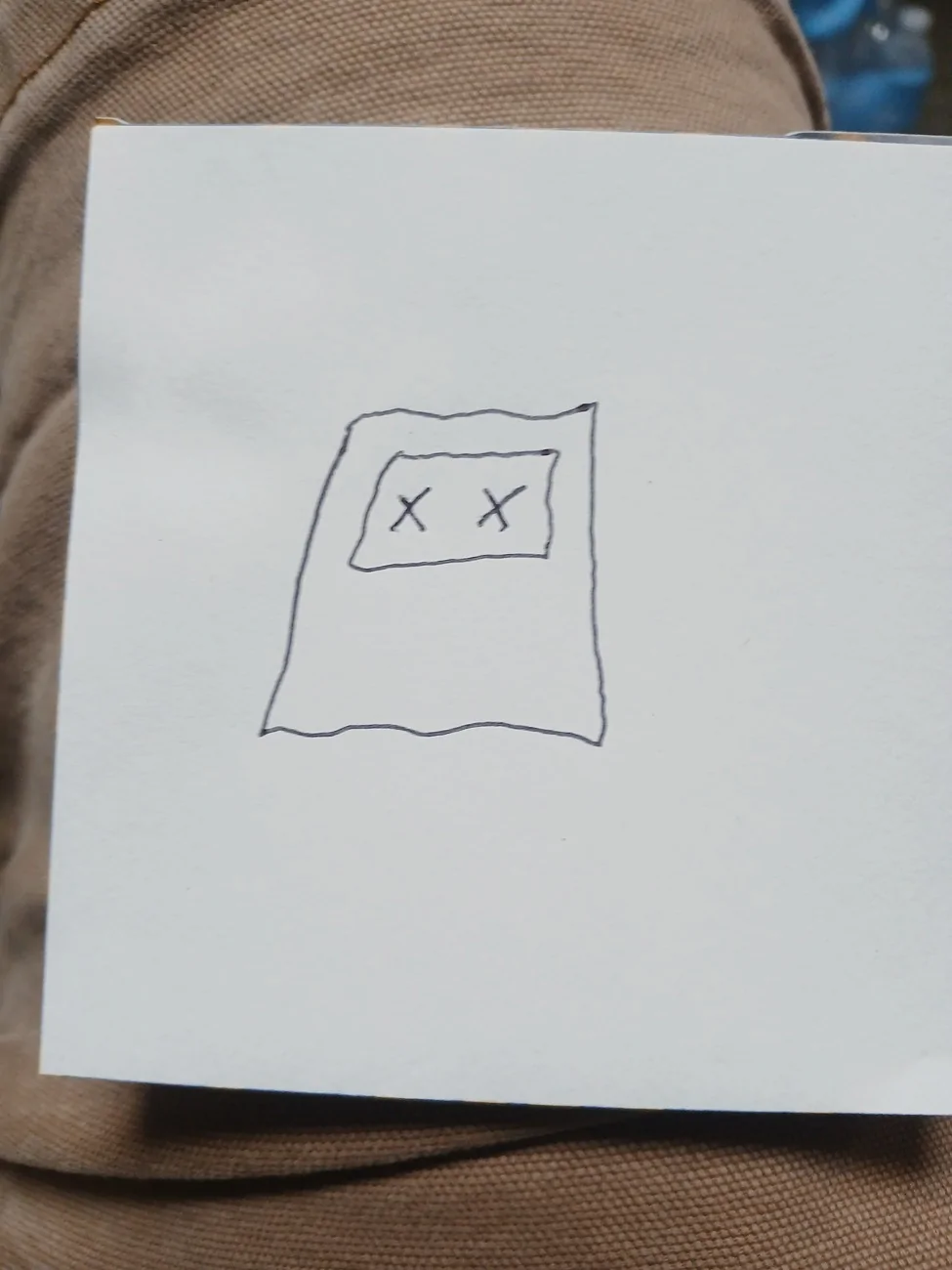
I'm not sure what it means in your truck but I know EXACTLY what it means at my house because that is one of two possible post it notes that I will see when I approach our bedroom door at nite , 1st one means come on in , the second one is the one like yours and it means she's sleeping 😴 alone...
20251018_073336.webp
20251018_073325.webp
8
 

airline tech

Well-Known Member
Joined
Aug 24, 2022
Threads
28
Messages
4,465
Reaction score
8,542
Location
Midwest - KS
Vehicle(s)
2022 Ranger Lariat-Super Crew, Cactus Gray
Occupation
Aircraft Tech
I thought that’s where you might be going with those questions. After sleeping on it, I know I’ve seen outer sensors ping on my screen but have I seen every one of them ping at some point? I can’t really say for sure.

To be 100% sure they are all working as they should, I’ll approach a solid wall straight on and at angles this morning (forward and reverse), to double-check all sensors.

Also, if a sensor wasn’t working or if the module wasn’t picking up the signal, would there be a code I could grab with my reader?

It’s an odd quirk and finding someone on the forum with an XLT who, like me, doesn’t have the tech package, could prove difficult. Most folks with the small screen are likely to have the XL trim level and no parking aid sensors.
Yes, it they were bad - you should have a message (on the IPC) Check Park Aid and you should have a code.
A other way to check the operation of the sensors is:
Key (On) or Engine Running - does not matter, as long as the key is on the sensors are producing a feedback power.
Use your phone and (video sound) all 8 sensors, you will hear all of them producing a vibrating sound.
Also, you can use a helper as the display (will only come up) when in reverse or drive all you have to do is walk or stand in front of the sensors for them to display.

Some optional things to try (since we do not know) what the (x) actually is.
Try deselecting the (park aid switch) center console and back on.

Since I recently went through this circuit, here is the thread

Front Parking Sensors Not Working Properly Due To Grille Guard | 2019+ Ford Ranger and Raptor Forum (5th Generation) - Ranger5G.com
 

IdahoRanger

Well-Known Member
First Name
Steve
Joined
Sep 26, 2019
Threads
12
Messages
4,332
Reaction score
21,522
Location
Idaho
Vehicle(s)
2019 Lariat SuperCrew FX4
Occupation
RETIRED
I'm not sure what it means in your truck but I know EXACTLY what it means at my house because that is one of two possible post it notes that I will see when I approach our bedroom door at nite , 1st one means come on in , the second one is the one like yours and it means she's sleeping 😴 alone...
20251018_073336.webp
20251018_073325.webp
8
As a man, with the one X I would just assume she wants me on the same side of the bed that she is. Just sayin'. :devil:
 
OP
OP
DukeCanBuildit

DukeCanBuildit

Well-Known Member
First Name
Duke
Joined
Jul 27, 2020
Threads
66
Messages
9,666
Reaction score
46,221
Location
Kitchener, Ontario
Vehicle(s)
2019 XLT SuperCab - FTW!
Occupation
Retired (P/T) Caregiver (F/T)
Vehicle Showcase
1
Yes, it they were bad - you should have a message (on the IPC) Check Park Aid and you should have a code.
A other way to check the operation of the sensors is:
Key (On) or Engine Running - does not matter, as long as the key is on the sensors are producing a feedback power.
Use your phone and (video sound) all 8 sensors, you will hear all of them producing a vibrating sound.
Also, you can use a helper as the display (will only come up) when in reverse or drive all you have to do is walk or stand in front of the sensors for them to display.

Some optional things to try (since we do not know) what the (x) actually is.
Try deselecting the (park aid switch) center console and back on.

Since I recently went through this circuit, here is the thread

Front Parking Sensors Not Working Properly Due To Grille Guard | 2019+ Ford Ranger and Raptor Forum (5th Generation) - Ranger5G.com
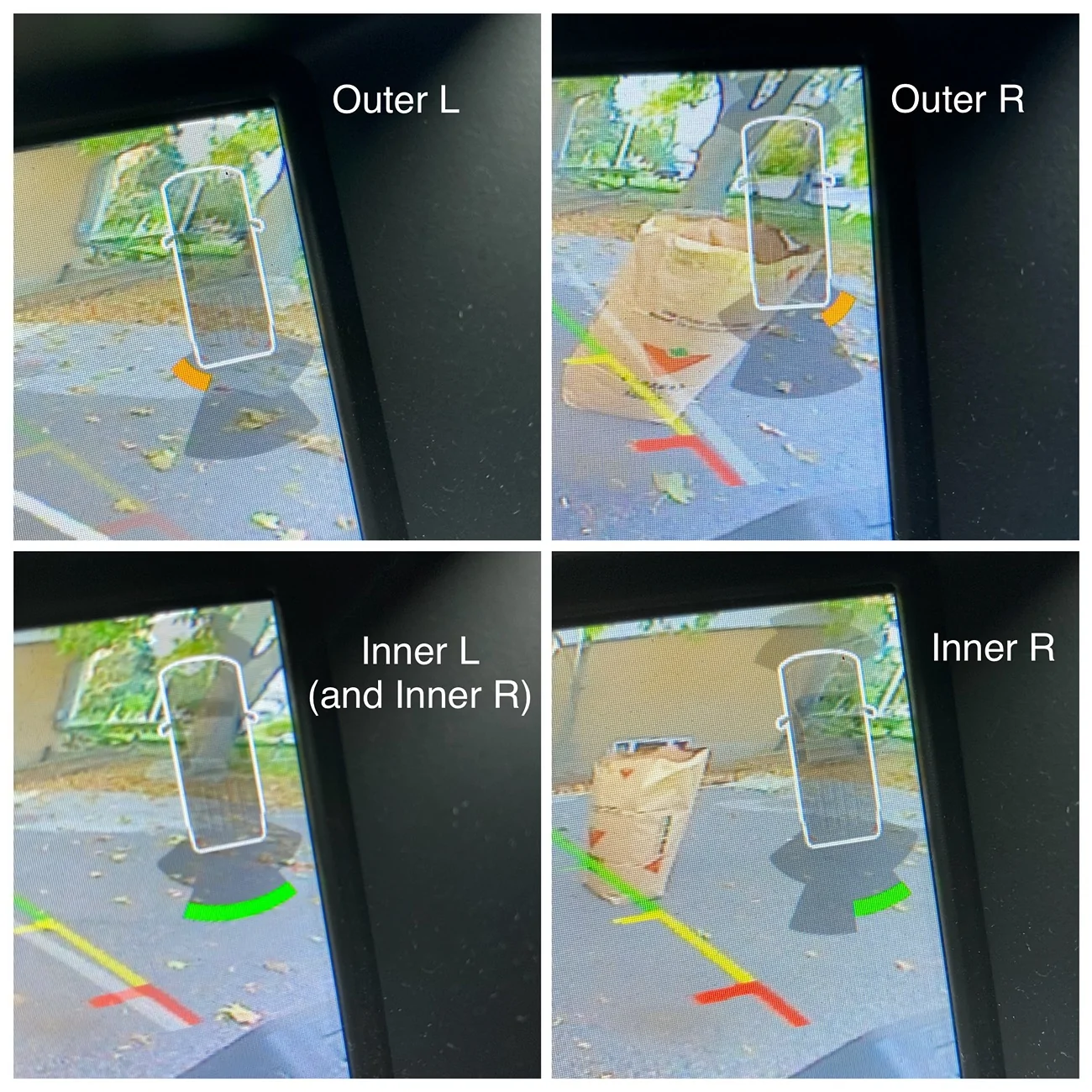
I wasn’t exactly sure what you meant by using my phone, but I did check all eight sensors. I also touched each sensors to see if I could feel a vibration - I think there was a tactile response but it was faint so I decided to drive toward a leaf bag that was handy and document it.

IMG_0198.webp


IMG_0197.webp


Scanner shows no DTCs - I have a base model Innova scanner.

If I toggle off the sensors using the console button, as I approach the object and the forward parking aid screen appears, the screen simply reverts to the radio screen. If I toggle it off before approaching the object, as expected, nothing happens - no forward parking aid screen appears and no audible warnings occur.

So, all sensors work and the icon remains a mystery.
 

Motorpsychology

Well-Known Member
First Name
Chris
Joined
Nov 13, 2019
Threads
21
Messages
3,298
Reaction score
11,523
Location
Prescott, WI
Vehicle(s)
2021 Ranger STX SuperCab 4X4 Carbonized grey; 2025 Mazda CX-90 Platinum Quartz
Occupation
Vagabond
Totally flummoxed, Duke. I searched the Owner's Manual and all I could find is what has already been discussed here. Also, the icon you have doesn't appear in any symbology. All I can guess at is that it is some sort of sensor alignment tool?


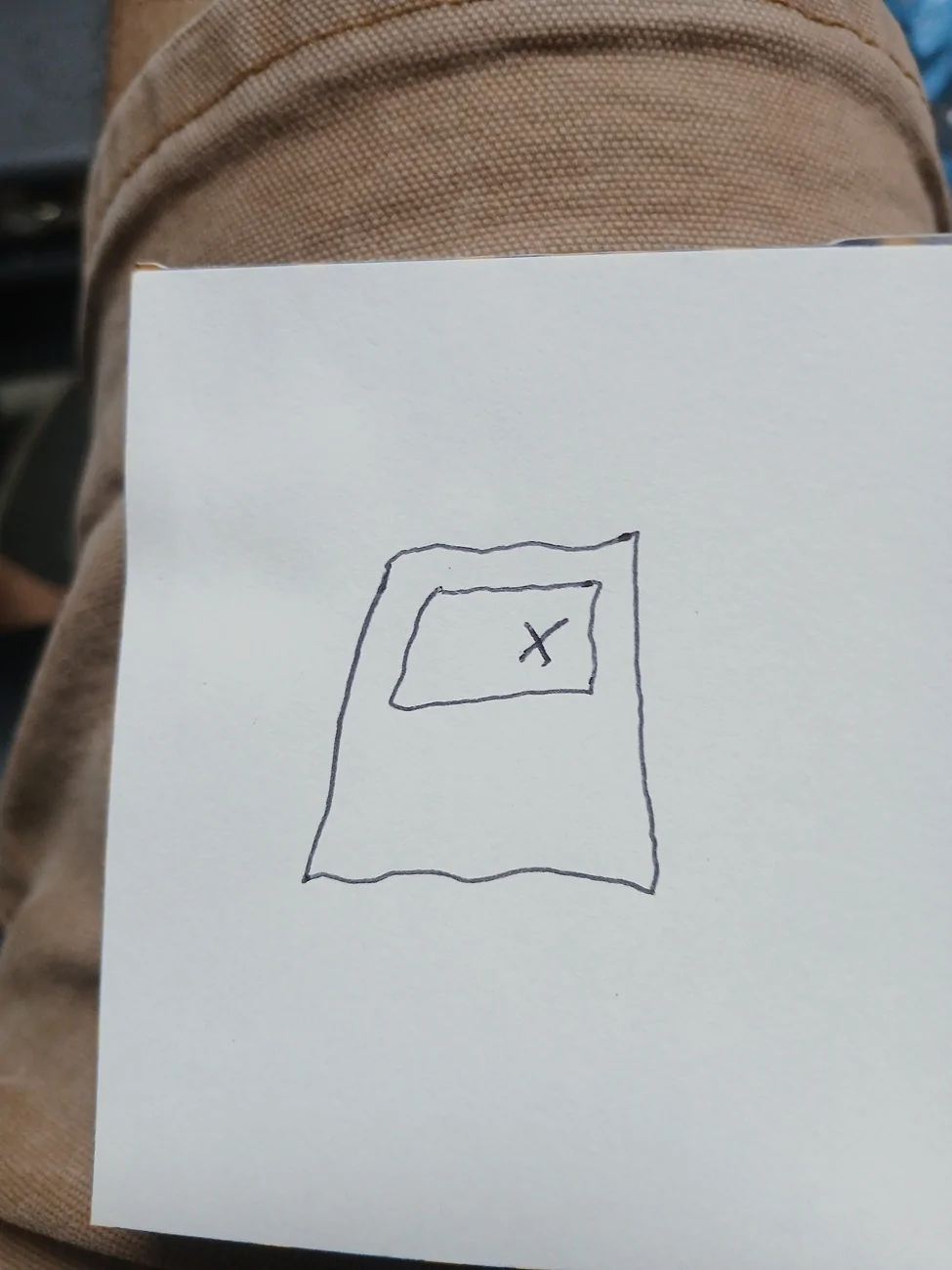
"Place stamp here if mailing outside of Canada??"
Grin & bear It.webp
 
OP
OP
DukeCanBuildit

DukeCanBuildit

Well-Known Member
First Name
Duke
Joined
Jul 27, 2020
Threads
66
Messages
9,666
Reaction score
46,221
Location
Kitchener, Ontario
Vehicle(s)
2019 XLT SuperCab - FTW!
Occupation
Retired (P/T) Caregiver (F/T)
Vehicle Showcase
1
Totally flummoxed, Duke. I searched the Owner's Manual and all I could find is what has already been discussed here. Also, the icon you have doesn't appear in any symbology. All I can guess at is that it is some sort of sensor alignment tool?


"Place stamp here if mailing outside of Canada??"
Grin & bear It.webp
I poured over the 500+ pages as well. It’s puzzling.

I can’t help but think it’s an “image not found” message like you get online when the image has been moved or deleted…

IMG_0199.png


Know what I mean?

But if it is that, what the heck is the image that can’t be found?
 
OP
OP
DukeCanBuildit

DukeCanBuildit

Well-Known Member
First Name
Duke
Joined
Jul 27, 2020
Threads
66
Messages
9,666
Reaction score
46,221
Location
Kitchener, Ontario
Vehicle(s)
2019 XLT SuperCab - FTW!
Occupation
Retired (P/T) Caregiver (F/T)
Vehicle Showcase
1
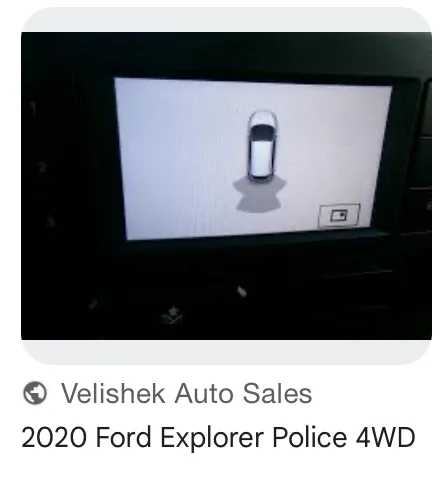
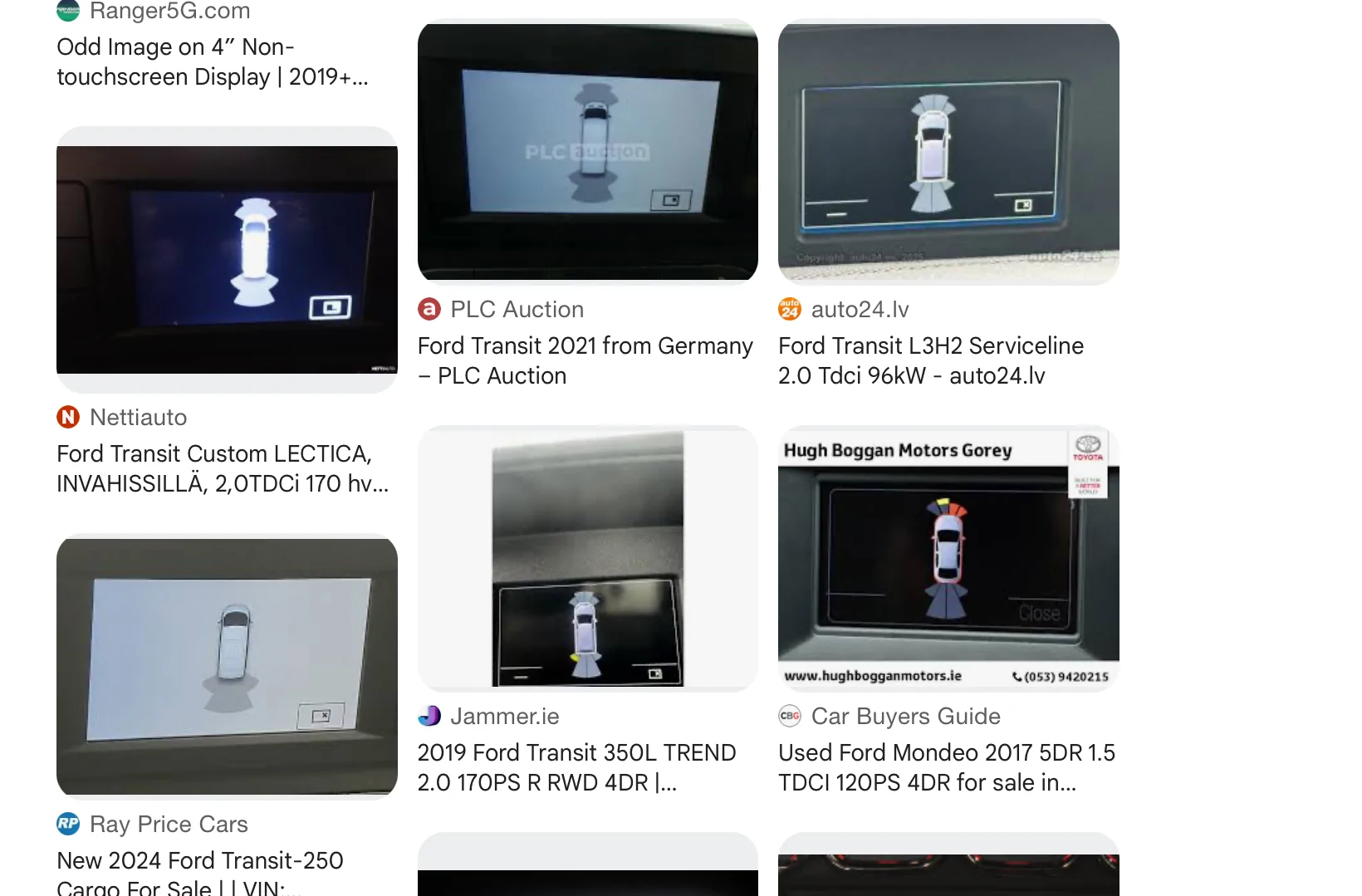
I did a reverse image search and the result was interesting…


IMG_0202.webp


IMG_0201.webp


Ford Transit and Explorer show the same thing.
 

RangerBill

Well-Known Member
First Name
Bob
Joined
Jun 8, 2022
Threads
3
Messages
1,613
Reaction score
2,144
Location
PA
Vehicle(s)
2019 Ford Ranger Lariat Super Crew FX4
Occupation
retired
I poured over the 500+ pages as well. It’s puzzling.

I can’t help but think it’s an “image not found” message like you get online when the image has been moved or deleted…

IMG_0199.png


Know what I mean?

But if it is that, what the heck is the image that can’t be found?
Did this just occur recently or was it always displayed?
 
OP
OP
DukeCanBuildit

DukeCanBuildit

Well-Known Member
First Name
Duke
Joined
Jul 27, 2020
Threads
66
Messages
9,666
Reaction score
46,221
Location
Kitchener, Ontario
Vehicle(s)
2019 XLT SuperCab - FTW!
Occupation
Retired (P/T) Caregiver (F/T)
Vehicle Showcase
1
Did this just occur recently or was it always displayed?
Hey Bob,

It’s been there for a long time - has likely always been there. It was simply never an issue - still isn’t but I’ve been curious about it.

At first, I chalked it up to being something that was available on the larger touchscreens but simply wasn’t active on my smaller non-touchscreen. It was the same with the zoom in-out toggle feature on the reverse screen. I just thought it didn’t apply to my truck until I started pressing dash buttons and learned that it worked. I figured I’d eventually stumble upon what the mystery icon on the parking aid screen does, just as I do with so many new features when my phone gets an update.

Now that I’m retired, I can fuss about it full-time. :D
Sponsored


Top