Sponsored

Map Update Troubleshooting - Loss of Nav VR

OP
OP

UofMEngineer

Well-Known Member
Joined
Apr 19, 2019
Threads
1
Messages
516
Reaction score
334
Location
Michigan
Vehicle(s)
20' Escape Hybrid,18' Fusion Hybrid
I think so, but I’m probably going to try again with the Bluetooth turned off.
No voice pack, you pulled it early. Like Rp said, it needs to stay in until it gets through all of the auto restarts and the done message sticks on screen.
Sponsored


slowmachine

Well-Known Member
First Name
Mike
Joined
Jul 18, 2020
Threads
39
Messages
929
Reaction score
1,978
Location
New Hampshire
Vehicle(s)
2015 Jeep Wrangler, waiting for a Ranger PHEV
No voice pack, you pulled it early. Like Rp said, it needs to stay in until it gets through all of the auto restarts and the done message sticks on screen.
Tried it two more times. Message shows on the screen to shut down to complete, so I stopped the truck, shut down, waited for the dash to go dark, then restarted. Results are the same.
 
OP
OP

UofMEngineer

Well-Known Member
Joined
Apr 19, 2019
Threads
1
Messages
516
Reaction score
334
Location
Michigan
Vehicle(s)
20' Escape Hybrid,18' Fusion Hybrid
Tried it two more times. Message shows on the screen to shut down to complete, so I stopped the truck, shut down, waited for the dash to go dark, then restarted. Results are the same.
So you ignored all of the interim automatic restarts? How many did you let it go through? How long did it run before you pulled it?
 

slowmachine

Well-Known Member
First Name
Mike
Joined
Jul 18, 2020
Threads
39
Messages
929
Reaction score
1,978
Location
New Hampshire
Vehicle(s)
2015 Jeep Wrangler, waiting for a Ranger PHEV
So you ignored all of the interim automatic restarts? How many did you let it go through? How long did it run before you pulled it?
I was driving, so I continued on for about 30 minutes after the message appeared on the screen. It restarted once before I had chance to pull over. I stopped and removed the USB stick, then shut down and restarted the truck.
 

Rp930

Well-Known Member
First Name
Rick
Joined
Nov 19, 2018
Threads
20
Messages
1,794
Reaction score
3,514
Location
Denver
Vehicle(s)
‘19 Ford Ranger Lariat, ‘23 Macan,’21 Shelby GT500
Occupation
Retired
I was driving, so I continued on for about 30 minutes after the message appeared on the screen. It restarted once before I had chance to pull over. I stopped and removed the USB stick, then shut down and restarted the truck.
You are not waiting long enough. When it is finishEd the pop up screen will stay on. Ignore the other restarts.


slowmachine

Well-Known Member
First Name
Mike
Joined
Jul 18, 2020
Threads
39
Messages
929
Reaction score
1,978
Location
New Hampshire
Vehicle(s)
2015 Jeep Wrangler, waiting for a Ranger PHEV
Directory of my USB stick
You are not waiting long enough. When it is finishEd the pop up screen will stay on. Ignore the other restarts.
Will it prompt me to remove the USB stick? If not, when should I pull it out?
 

Rp930

Well-Known Member
First Name
Rick
Joined
Nov 19, 2018
Threads
20
Messages
1,794
Reaction score
3,514
Location
Denver
Vehicle(s)
‘19 Ford Ranger Lariat, ‘23 Macan,’21 Shelby GT500
Occupation
Retired
The message will stay on and tell you to remove the USB.

I did the same thing. Just ignore the other messages until the message stays on the screen.
 

slowmachine

Well-Known Member
First Name
Mike
Joined
Jul 18, 2020
Threads
39
Messages
929
Reaction score
1,978
Location
New Hampshire
Vehicle(s)
2015 Jeep Wrangler, waiting for a Ranger PHEV
The message will stay on and tell you to remove the USB.

I did the same thing. Just ignore the other messages until the message stays on the screen.
Thanks. I’ll try again tomorrow.
 

slowmachine

Well-Known Member
First Name
Mike
Joined
Jul 18, 2020
Threads
39
Messages
929
Reaction score
1,978
Location
New Hampshire
Vehicle(s)
2015 Jeep Wrangler, waiting for a Ranger PHEV
Thanks. I’ll try again tomorrow.
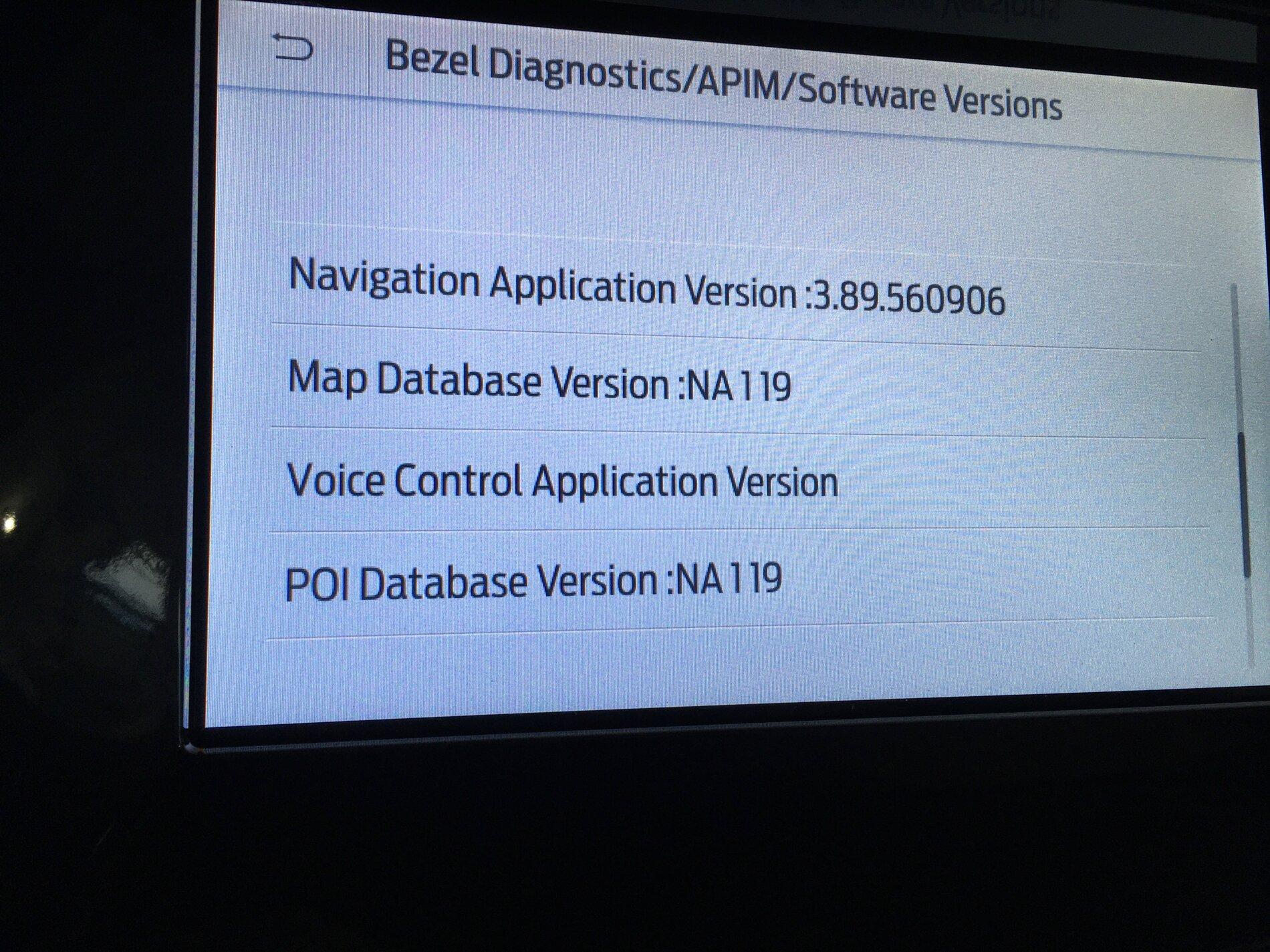
Thanks for the assistance. I got it working today. The update took much longer than I expected. The info screen still doesn't show a Voice Control app version, but I tested it and it works.

IMG_0251.jpeg
 

Rp930

Well-Known Member
First Name
Rick
Joined
Nov 19, 2018
Threads
20
Messages
1,794
Reaction score
3,514
Location
Denver
Vehicle(s)
‘19 Ford Ranger Lariat, ‘23 Macan,’21 Shelby GT500
Occupation
Retired
Thanks for the assistance. I got it working today. The update took much longer than I expected. The info screen still doesn't show a Voice Control app version, but I tested it and it works.

IMG_0251.jpeg
Glad it worked. Yes it does take longer than you would think and the messages flashing on the screen are confusing.
 

GeorgeinNY

New Member
First Name
George
Joined
Dec 6, 2020
Threads
0
Messages
1
Reaction score
1
Location
Westchester County NY
Vehicle(s)
2019 Edge 2020 Escape Titanium
Occupation
Retired
Posted in a few spots, but may help here as well...

Given there have been more than a few posts about problems after a map update, I figured I’d add a thread with the general troubleshooting. The most common problem is loss of navigation voice commands after an install. This can be caused by:

1) A partial / failed install
2) The updated nav voice image not loading post install

Snipped
UofMEngineer, Just wanted to thank you for your solution! I don't have a Raptor but I do have a 2019 Edge and encountered same problem. Having done updates before I was aware of the convoluted Ford update operation. Thought I had followed all the restarts etc instructions yet voice command failed. Finding your post on how to check for the files I tried it and sure enough I was missingthe needed file. Did a re-upate of the navigation and all works great. That after trying numerous solutions including Master Resets etc.

Thank you again for taking the time to address this issue.

George in NY
 

Dr. Zaius

Well-Known Member
First Name
Dennis
Joined
Dec 20, 2019
Threads
76
Messages
6,655
Reaction score
40,605
Location
Living The Dream
Vehicle(s)
2019 Ranger XLT FX4
Quick question concerning map updates:

I haven't updated mine because I always use my phone nav, but today I did the Sync update and decided to update the maps as well.

I had checked prior and I was offered a free download of the updated maps.

Now I only get the option to purchase a USB for $40 plus shipping.

I've had the truck slightly over a year.

Are the free download maps only available for a year and then you must purchase updates?
 

VAMike

Well-Known Member
First Name
Mike
Joined
Feb 22, 2019
Threads
1
Messages
3,390
Reaction score
4,408
Location
Virginia
Vehicle(s)
2019 Ranger Lariat SuperCab
Quick question concerning map updates:

I haven't updated mine because I always use my phone nav, but today I did the Sync update and decided to update the maps as well.

I had checked prior and I was offered a free download of the updated maps.

Now I only get the option to purchase a USB for $40 plus shipping.

I've had the truck slightly over a year.

Are the free download maps only available for a year and then you must purchase updates?
If you started the process of updating the maps previously you should have gotten an email. You only get one chance per update to get the email, but you can use the link from the email multiple times.

It's a stupid process, designed to sell $40 usb sticks.
Sponsored


Top