SilverRanger
Member
- Thread starter
- #1
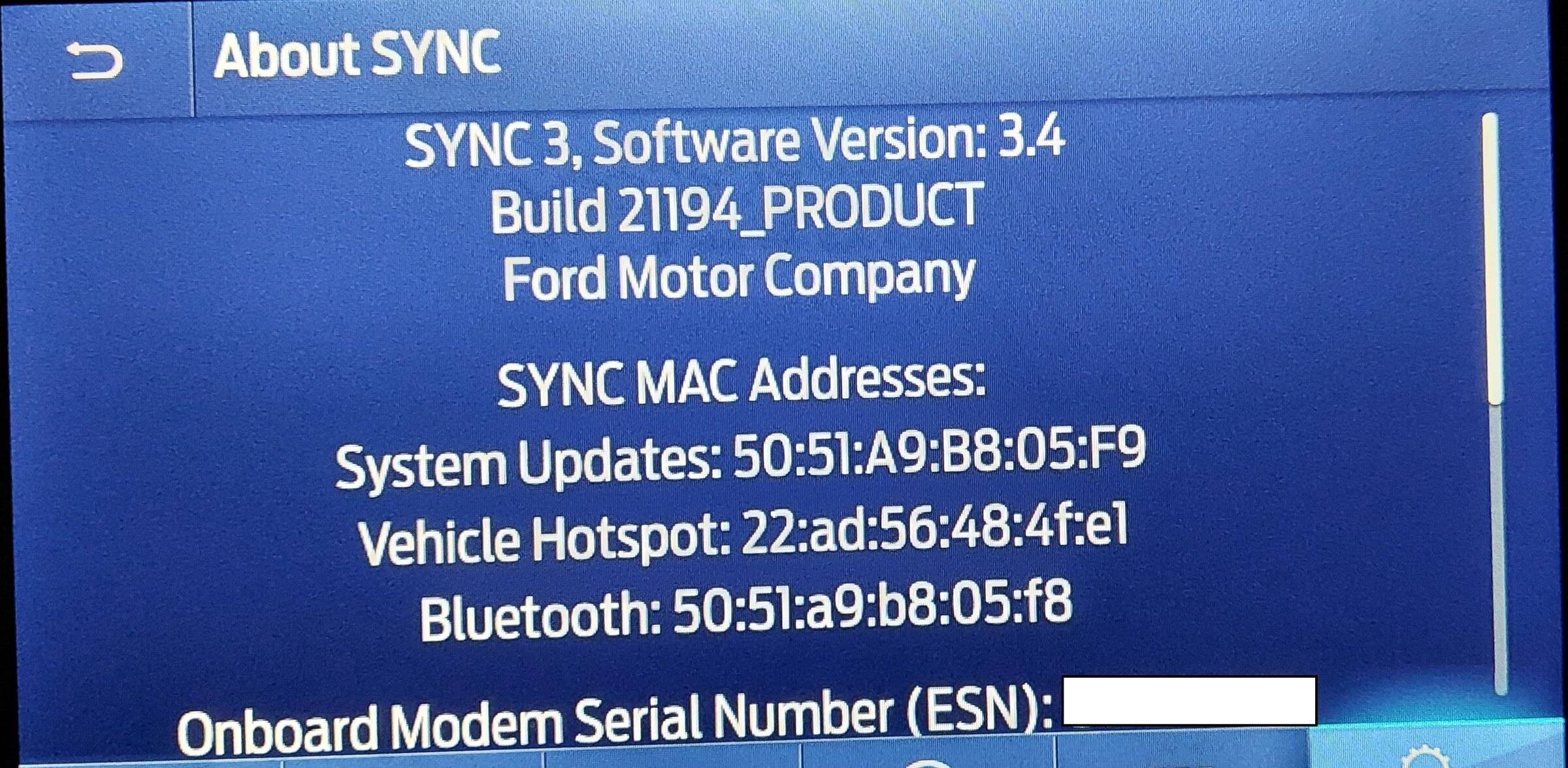
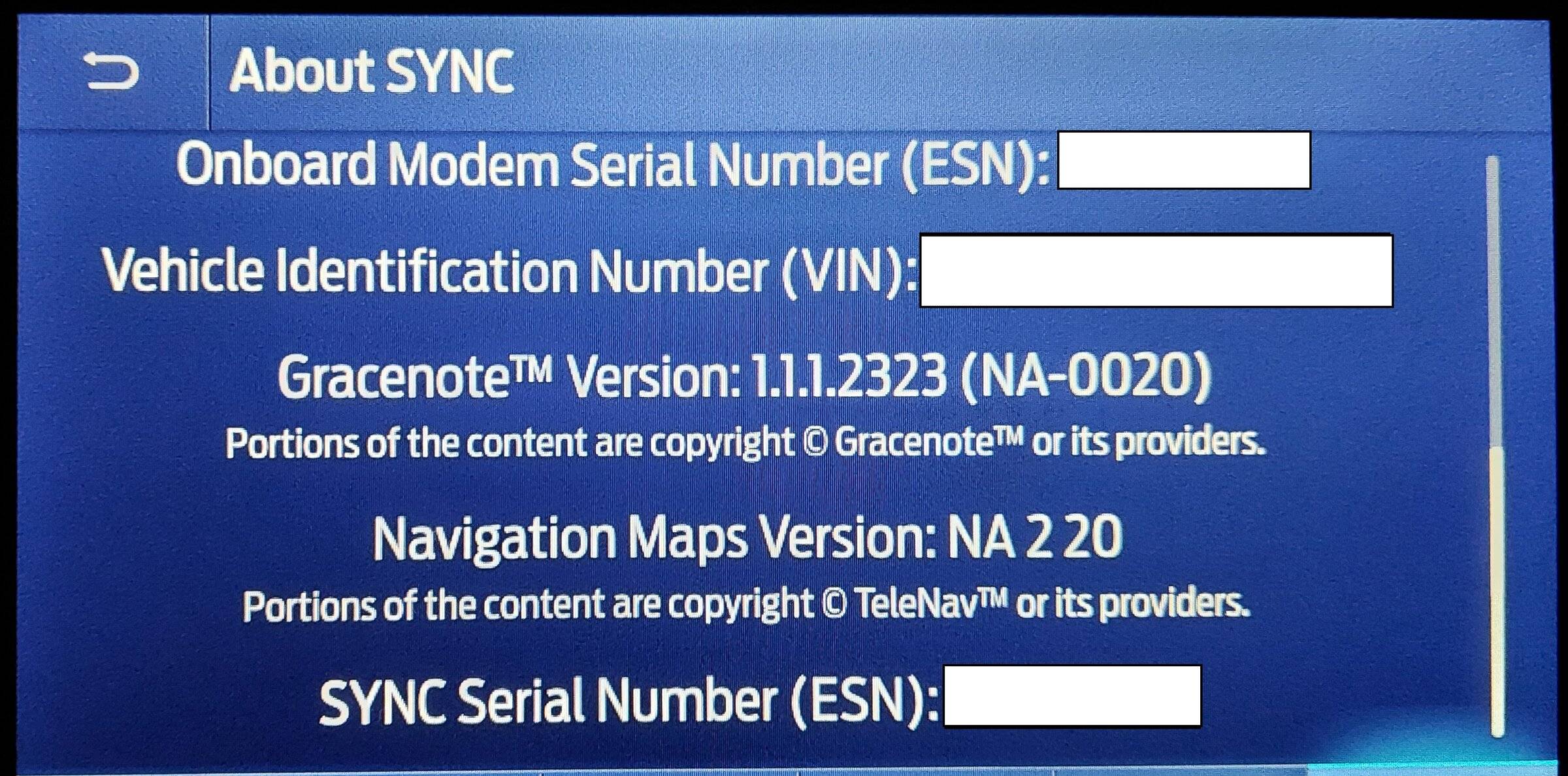
Successfully updated my Sync to V3.4 and updated maps to NA220.
Took a few days to come up with the right recipe using the free download approach for my 2019 Ranger. My limited IT background probably hurt me more than anything as I was trying to unpack the tar.gz files etc. Don't go all IT on it
It warns you must be at Sync V3.4, that was pretty straight forward once I connected to my house wifi. Probably needed about 1 hour to complete after a couple of false starts. It would show about 1/3 progress and then just hang. I messed with it a couple of times, to the point I can't tell you what I did to get it to work, but it finally completed.
If you are eligible for the free Maps download, log on and/or enter your VIN. You will get access to the maps sync32.zip and a license.zip. First, just expand the sync32.zip to an empty 16GB USB stick. You should see a directory SyncMyRide and in that directory you will see 13 or so files ending in ...tar.gz.
Then download the license file and unpack that to the USB stick. It will land in the top level directory and contain the license file and another key file named autoinstall.lst and maybe a few other small files. The USB stick is now ready for use.
At that point, the Ford provided Map Software Update Install Procedure becomes a useful reference.
Insert the USB and it will detect the files and begin the install process.
The instructions say expect it to take an hour. I was two hours into my truck idling and it still had not completed. I decided to drive around to cool off the truck and as soon as I started driving I could see the Sync screens doing stuff (icons would dim out and come back etc.) 5 minutes later it said it was complete and to remove the USB stick. Yeah!
I kind of get the feeling if I had decided to take a drive sooner it would have completed sooner. I have no way to confirm that, though.
It was a major PITA and every update is super slow a-la 1990s vintage computers on 2400 baud analog modems... but its done.
Good Luck with your update!
Took a few days to come up with the right recipe using the free download approach for my 2019 Ranger. My limited IT background probably hurt me more than anything as I was trying to unpack the tar.gz files etc. Don't go all IT on it
It warns you must be at Sync V3.4, that was pretty straight forward once I connected to my house wifi. Probably needed about 1 hour to complete after a couple of false starts. It would show about 1/3 progress and then just hang. I messed with it a couple of times, to the point I can't tell you what I did to get it to work, but it finally completed.
If you are eligible for the free Maps download, log on and/or enter your VIN. You will get access to the maps sync32.zip and a license.zip. First, just expand the sync32.zip to an empty 16GB USB stick. You should see a directory SyncMyRide and in that directory you will see 13 or so files ending in ...tar.gz.
Then download the license file and unpack that to the USB stick. It will land in the top level directory and contain the license file and another key file named autoinstall.lst and maybe a few other small files. The USB stick is now ready for use.
At that point, the Ford provided Map Software Update Install Procedure becomes a useful reference.
Insert the USB and it will detect the files and begin the install process.
The instructions say expect it to take an hour. I was two hours into my truck idling and it still had not completed. I decided to drive around to cool off the truck and as soon as I started driving I could see the Sync screens doing stuff (icons would dim out and come back etc.) 5 minutes later it said it was complete and to remove the USB stick. Yeah!
I kind of get the feeling if I had decided to take a drive sooner it would have completed sooner. I have no way to confirm that, though.
It was a major PITA and every update is super slow a-la 1990s vintage computers on 2400 baud analog modems... but its done.
Good Luck with your update!
Sponsored