Sponsored

Just updated to Sync 3.4 on my Ranger 2019

Mandelbloom

Well-Known Member
First Name
Adam
Joined
Apr 21, 2020
Threads
3
Messages
48
Reaction score
30
Location
North Carolina
Vehicle(s)
2019 Ranger XLT
Awesome I was thinking of trying making the brand Lincoln. Wasn't sure what if anything else that could affect,
Sponsored

 

Anthony

Well-Known Member
First Name
Anthony
Joined
Feb 6, 2019
Threads
43
Messages
692
Reaction score
1,301
Location
Connecticut
Vehicle(s)
2019 Ford Ranger XLT FX4 SCrew
Occupation
COO
Vehicle Showcase
1
Lots of great info in this thread and thanks for the updates from the Ford side of things @UofMEngineer !

Related (but not really), will 2018 vehicles ever get 3.4? My wife has SYNC 3 in her 2018 Edge and for all intents and purposes LOOKS the same as what I have in my Ranger. Any idea if the 1028 Fords will ever get 3.4 or are those pretty much EOL'ed for updates?

Thanks again!
 

UofMEngineer

Well-Known Member
Joined
Apr 19, 2019
Threads
1
Messages
516
Reaction score
334
Location
Michigan
Vehicle(s)
20' Escape Hybrid,18' Fusion Hybrid
Lots of great info in this thread and thanks for the updates from the Ford side of things @UofMEngineer !

Related (but not really), will 2018 vehicles ever get 3.4? My wife has SYNC 3 in her 2018 Edge and for all intents and purposes LOOKS the same as what I have in my Ranger. Any idea if the 1028 Fords will ever get 3.4 or are those pretty much EOL'ed for updates?

Thanks again!
As of today, 16-18 are on their own update path based off of v3.0.
 

Mandelbloom

Well-Known Member
First Name
Adam
Joined
Apr 21, 2020
Threads
3
Messages
48
Reaction score
30
Location
North Carolina
Vehicle(s)
2019 Ranger XLT
Ok so I seem to have the Lincoln theme working with the Bronco splash screen which is kinda cool. At any rate anyone know what the 3-Selectable splash screen does. Its it make as well(0-ford, 2-lincoln)
 

Dennis Esler

Active Member
First Name
Dennis
Joined
Oct 18, 2019
Threads
8
Messages
43
Reaction score
20
Location
Smyrna, GA
Vehicle(s)
2019 Ford Ranger, Lariat
Occupation
Retired
I wish I could remember. There were like 5 splash and 5 themes ish. Youll have to systematically change the combinations. Now that i think about it, order might matter too ?
I’m updating now. It show a mustang theme


Geoff

Well-Known Member
Joined
Oct 17, 2018
Threads
5
Messages
705
Reaction score
497
Location
NYS
Vehicle(s)
'19 Ranger 1943 Willys Jeep
Occupation
Retired Engineer

Dennis Esler

Active Member
First Name
Dennis
Joined
Oct 18, 2019
Threads
8
Messages
43
Reaction score
20
Location
Smyrna, GA
Vehicle(s)
2019 Ford Ranger, Lariat
Occupation
Retired
Just updated. No problems. Any new notable new features?
 

Big Blue

Well-Known Member
First Name
Lee
Joined
May 5, 2020
Threads
16
Messages
3,927
Reaction score
9,352
Location
Wisconsin
Vehicle(s)
2019 Ford Ranger XLT FX4 Supercrew lighting blue
Occupation
Retired mechanical designer
Ok so I seem to have the Lincoln theme working with the Bronco splash screen which is kinda cool. At any rate anyone know what the 3-Selectable splash screen does. Its it make as well(0-ford, 2-lincoln)
You found a Bronco splash screen? I don't remember seeing that one listed. What number is it in Forscan? And you got it working with the Lincoln theme! What are you settings?

Selectable splash screens didn't seem to do much for me.

(EDIT)
Found the Bronco and Explorer splash screens. They are a bit much for my tastes. I did get the Rapture splash screen to work with the Lincoln Timeless theme. I had to make the selections in the menu driven section and then go to the as-built and force it to write the entire module. Otherwise I did not have a splash screen at all. Still seems like there is only 2 themes. maybe more to come. ?
 
Last edited:

Texas Scout

Well-Known Member
First Name
Pablo
Joined
Oct 22, 2019
Threads
0
Messages
48
Reaction score
44
Location
Merritt Island
Vehicle(s)
2019 Ford Ranger Lariat, White Platinum
Hi All,

Firstly to confirm i am "the cyanlabs" see here https://cyanlabs.net/about/


Thanks for linking my tool :) i hope it makes things a lot easier, i am trying to implement "update" and "reformat" but confirming what people are currently running is the issue, depending on current voice versions, gracenotes versions etc they may or may not needed updated one when they update apps etc, i have access to the Sync filesystem and can see things the normal end user can not.
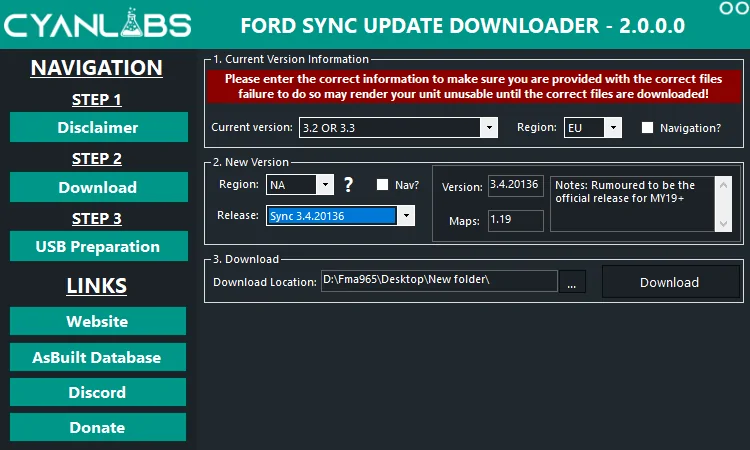
To clarify i had no legal issues with ford at all but it was technically their IP and could be liable. i decided it was best to remove the packages, and instead link to ford's own hosted files on azure. the reformat tool is hosted elsewhere not affiliated with meand MD5 checked to ensure integrity


Excellent write up :)


I would love to know this also


Yes although my guide/tool is mostly for 3.0 and older, it can be used on newer but there is technically no need. or retrofitted cars.

follow the manual guide on my website ;)


oh ALSO added 20136 to FordSyncDownloader
1592659338873.png

1592659263386.png
Thanks for the positive feedback, and thanks for your cyanlabs.net tutorials to enable the beta testers to be on the leading, bleeding edge, but now much safer with your Windows tool and well documented manual steps.

A pleasant surprise to discover the 20136 Build available this morning, creating my Sync update drive to upgrade from 20021 to 20136. Thanks!
 

BHunted

Well-Known Member
First Name
John
Joined
Sep 26, 2019
Threads
13
Messages
615
Reaction score
858
Location
Sumner County, TN
Vehicle(s)
2019 Ford Ranger Lariat, 2019 Ford Mustang
Occupation
Retired
Vehicle Showcase
1

Texas Scout

Well-Known Member
First Name
Pablo
Joined
Oct 22, 2019
Threads
0
Messages
48
Reaction score
44
Location
Merritt Island
Vehicle(s)
2019 Ford Ranger Lariat, White Platinum
interesting there are 21 themes listed in 3.4. There are 13 Ford and 8 Lincoln, Looks like all the Fords are the same and not sure about the Lincolns. Some of them mess up the screen aspect ratio as they are for the 10" screen. I kind of like the audio screen layout on the Lincoln themes better then the Ford ones. It's less blocky and a smoother look.

Now to figure out how to make them stick. Doesn't look like the "visual Design Variants" setting in Forscan does much of anything anymore. Maybe more testing, just need to keep my backups handy.

On a side note, it seems I get a "Testing Settings button on my main settings screen. Funny thing is it seems to come and go when I change themes. When it's there it is kind of nice not to have to hold the track skip buttons and listen to the speaker test until I can cancel it.
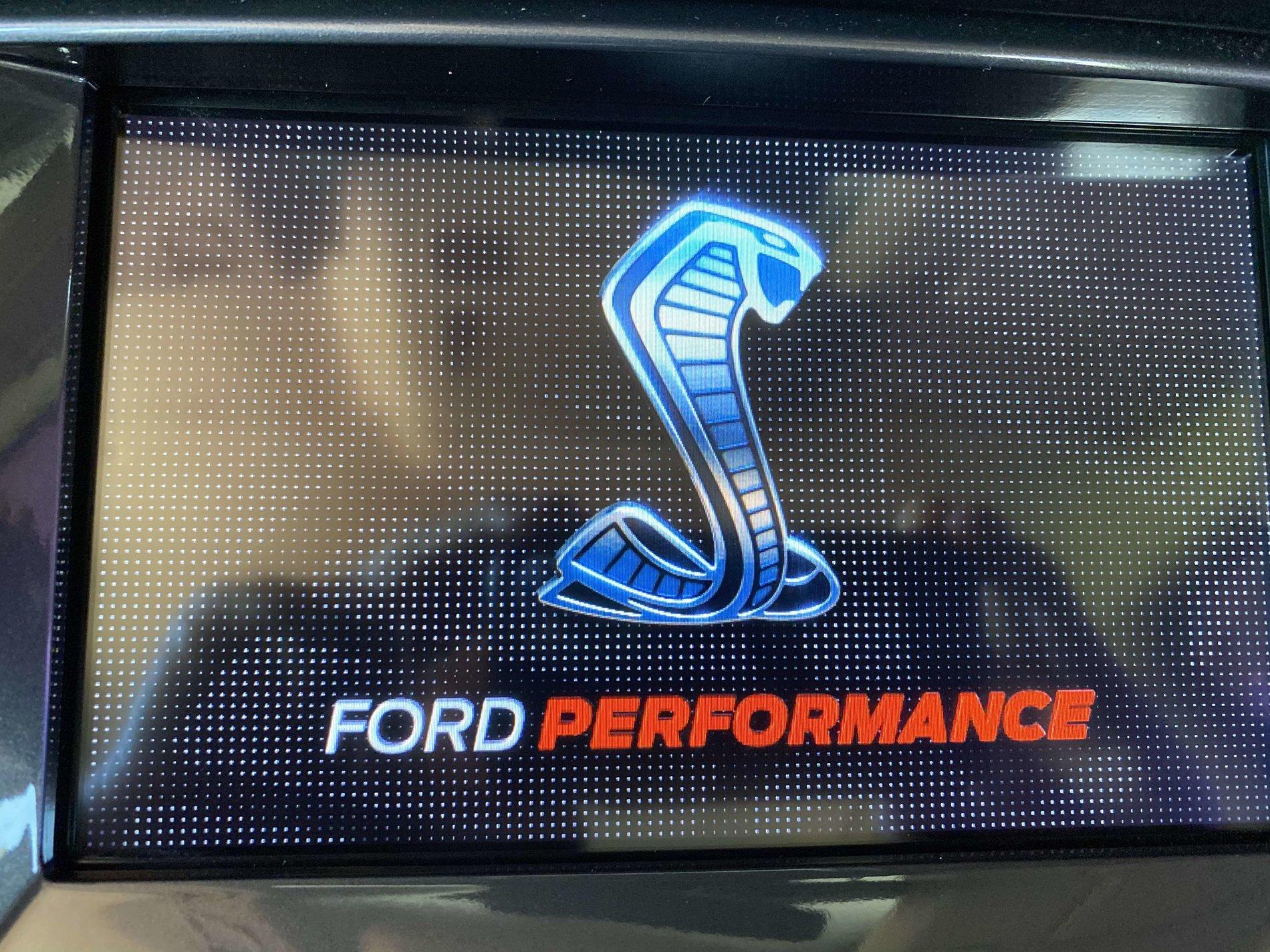
I found this splash screen back in March when I used FORScan and my OBD II adapter to restore my Climate controls.
I had watched Ford v Ferrari for the first time a few weeks before, and I liked this one because of the "EcoBEAST" in "S" when you floor it. Just makes me smile while I am enjoying the Ford Performance.
Cobra Splash.jpg
 

Texas Scout

Well-Known Member
First Name
Pablo
Joined
Oct 22, 2019
Threads
0
Messages
48
Reaction score
44
Location
Merritt Island
Vehicle(s)
2019 Ford Ranger Lariat, White Platinum
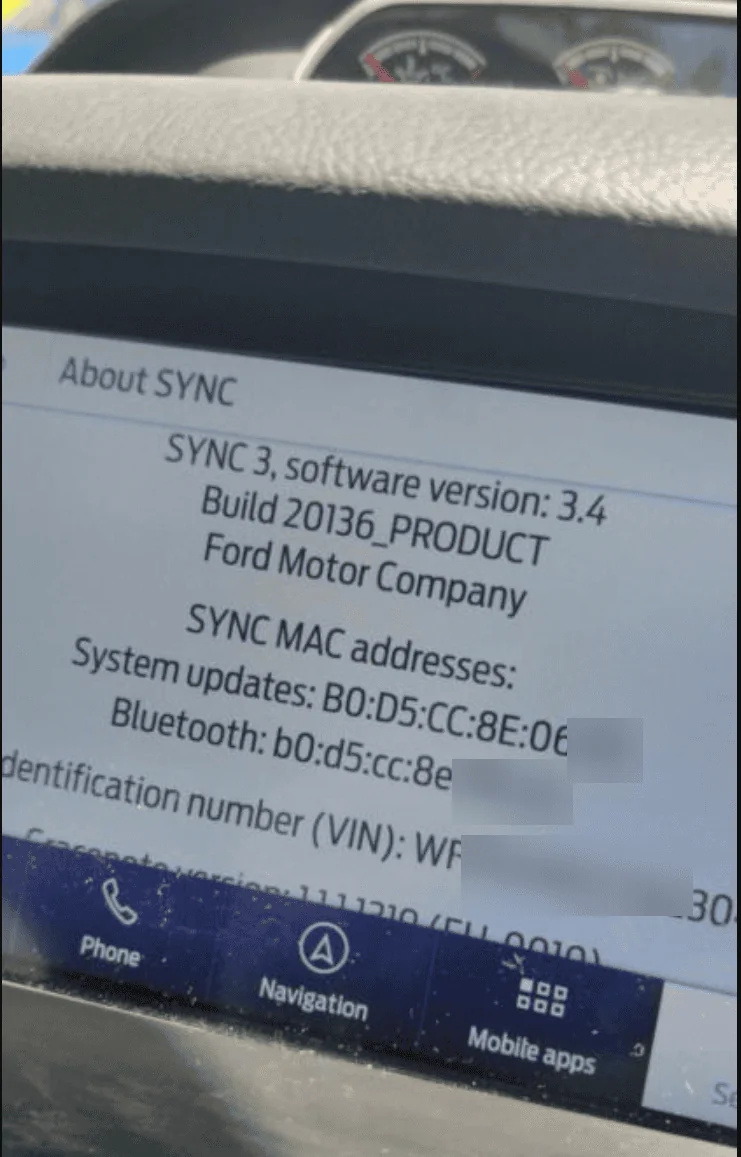
Successfully updated my Sync Build from 20021 to 20136 this morning. After doing a Master Reset I have restored all of my settings, Phones, FordPass, and SiriusXM. Every things looks great so far, and I did not "lose" Climate controls on my display, but that appeared to be resolved in the 20021 build.

There is an updated 2.0 version of the Cyanlabs.net Ford Sync Update Downloader tool.
If you have already downloaded and installed an earlier version of the tool you can update to V2.0 right in the app.

Since my build level was at 20021 I had to "downgrade" my Sync build level below 19274 to be able to use the tool to upgrade to 20136. I decided to try the new version of the tool in my Windows 7 virtual machine via VMware Fusion on my Mac, and this time around the tool worked great for me.

I created two USB drives, one to execute the Sync level downgrade, and one to execute the Sync upgrade to 20136. I decided to create two keys rather than reuse the same key because I prefer to be driving when doing the Sync software update rather than sitting in park idling in my driveway.

The Sync downgrade used only 1GB of space on the USB drive, and the execution time of the downgrade was 6 minutes 45 seconds.

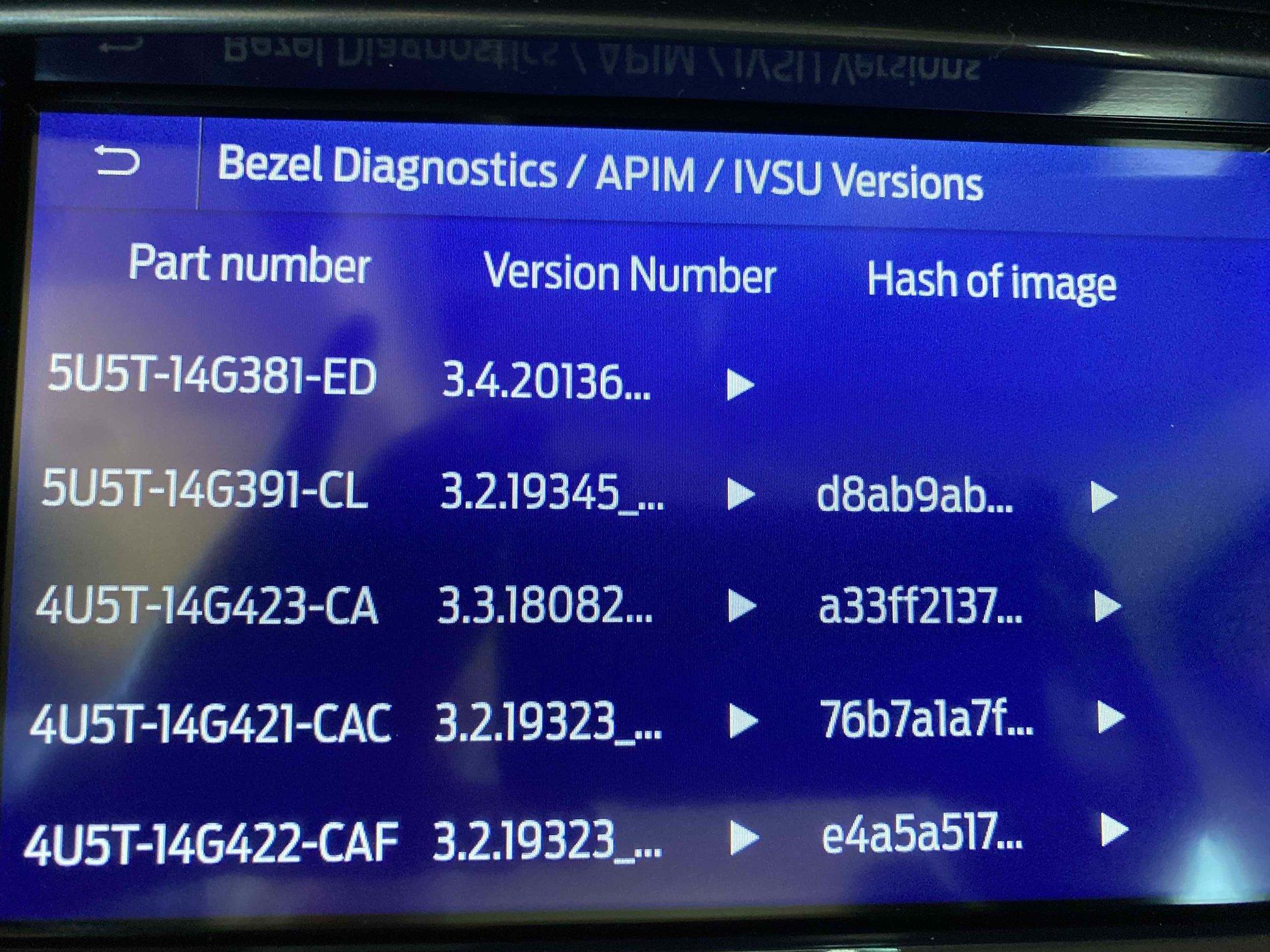
The Sync 20136 upgrade used 14.42GB of space on the USB drive, and the execution time of the upgrade was 28 minutes. I do have the Nav package.

20136 Build.jpg


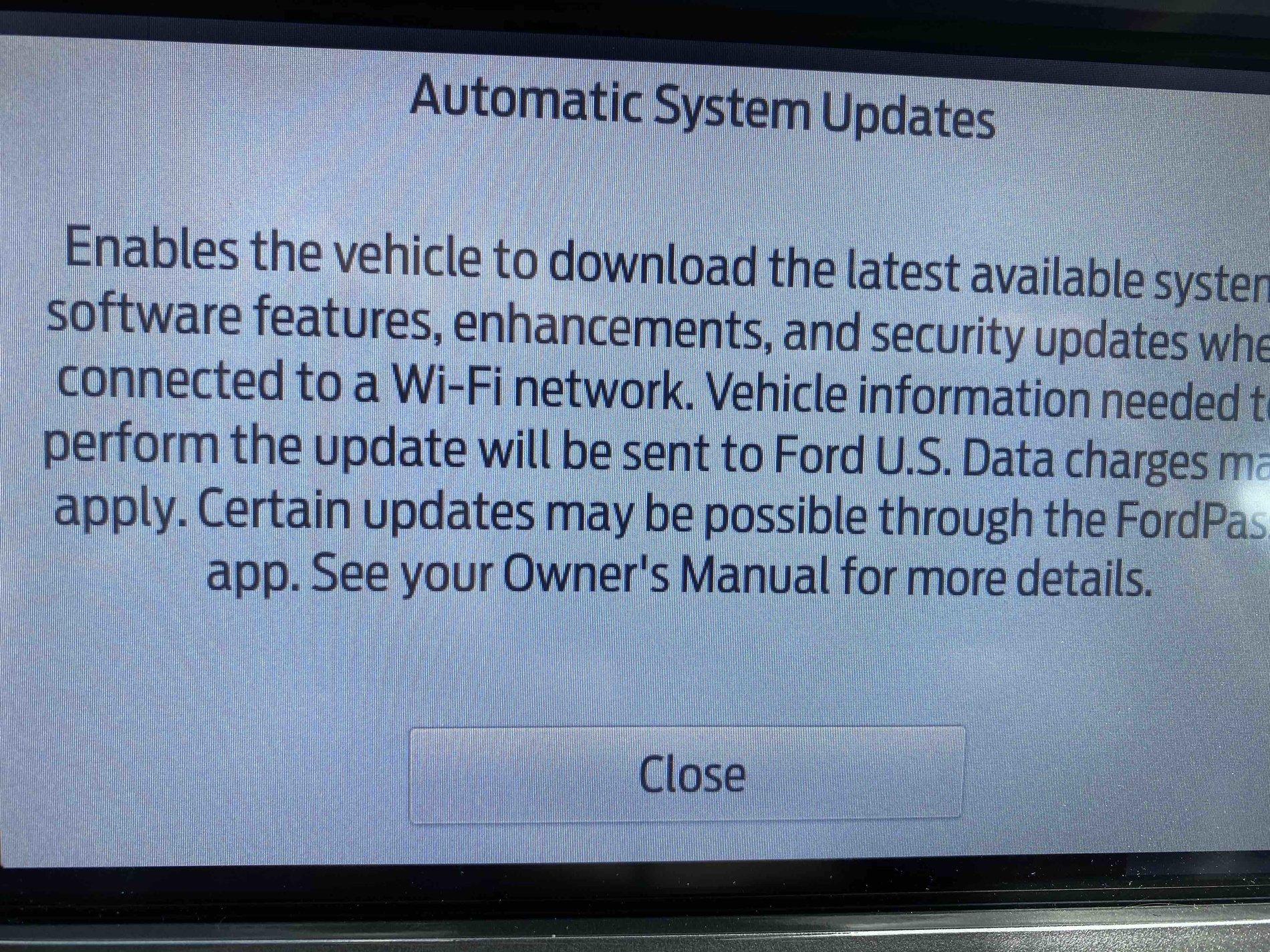
Based on the "Automatic System Updates" panel and info it would seem this "could" be the last time I have to update my Sync App or other software using a USB drive.

The new info states the latest available software updates are enabled via a Wi-Fi network, while certain updates may be possible via the FordPass app.

Auto Updates.jpg


Ready for my future Sync updates to be wireless via my home network.

Many thanks to Cyanlabs and UofMEngineer for their information on Ford Sync software.
 
Last edited:

Dennis Esler

Active Member
First Name
Dennis
Joined
Oct 18, 2019
Threads
8
Messages
43
Reaction score
20
Location
Smyrna, GA
Vehicle(s)
2019 Ford Ranger, Lariat
Occupation
Retired
I just installed 20021 using Cyanlad the other day . Everything went fine except that Climate Control doesn't show. I just downloaded 20136. When I tried to install it I get an error LS0008. I downloaded the files again and tried to install it and got the same error.
 

Texas Scout

Well-Known Member
First Name
Pablo
Joined
Oct 22, 2019
Threads
0
Messages
48
Reaction score
44
Location
Merritt Island
Vehicle(s)
2019 Ford Ranger Lariat, White Platinum
I just installed 20021 using Cyanlad the other day . Everything went fine except that Climate Control doesn't show. I just downloaded 20136. When I tried to install it I get an error LS0008. I downloaded the files again and tried to install it and got the same error.
There is a consistent pattern when one loses the "Climate controls" on the display after an update, the only way to restore them is using FORScan and a OBD II adapter.

Your vehicle info claims a "BMW" rather than a Ford vehicle, so not exactly sure what data or history of prior "Ford Sync app" updates occurred where the Climate controls were removed from the display screen.

This forum needs more information from your previous attempts to upgrade your Ford Sync app software to provide any useful suggestions
Sponsored


Top