Sponsored

Just updated to Sync 3.4 on my Ranger 2019

UofMEngineer

Well-Known Member
Joined
Apr 19, 2019
Threads
1
Messages
516
Reaction score
334
Location
Michigan
Vehicle(s)
20' Escape Hybrid,18' Fusion Hybrid
Now that we have new info based on an official release, I expect most folks will just wait for the announced Build 20136 in July.
It's always the best idea to wait for the Ford updaters in case there's some other background activity that should be done in an update, etc. Also, then dealers will have access to it in case something comes up.
Sponsored


Kyre

Member
Joined
Mar 18, 2019
Threads
0
Messages
14
Reaction score
28
Location
Vista, CA
Vehicle(s)
2019 Ranger, Lariat
My USB was not blank, worked fine with the automated tool.

What I read in other forums and got an answer from in Discord was that the USB issues was related to mp3 playback problems.
I just tried and mine is not blank either. However, I noticed that they released a version at around 1pm today. It still says USB issues but it seems to write to USB now.
 

Mandelbloom

Well-Known Member
First Name
Adam
Joined
Apr 21, 2020
Threads
3
Messages
48
Reaction score
30
Location
North Carolina
Vehicle(s)
2019 Ranger XLT
Got my climate controls back! Only issue I have now is I am missing some not all station logos in XM. For example Highway is just words, anyone else have that?
 

weasel1

Well-Known Member
First Name
Derek
Joined
Sep 14, 2019
Threads
8
Messages
566
Reaction score
726
Location
Pembroke, Ontario
Vehicle(s)
19 Ranger Lighting Blue FX4 w/302A
Occupation
Nuclear Operator
I am a long time macOS person, all computers in the house are macOS, but I use VMware Fusion running a Windows 7 Pro virtual machine when I "need" Windows to run an application like the FordSyncDownload tool.

Highly possible my virtual Windows 7 environment impacted my USB results in running the tool where it did not write to the USB drive.

Hopefully folks read through all of this post activity before they decide to do a Sync upgrade.

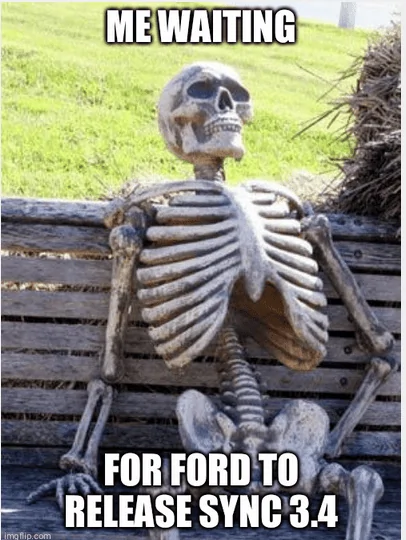
Now that we have new info based on an official release, I expect most folks will just wait for the announced Build 20136 in July.

Cyanlab upgrade activity will resume in August if the July 3.4 upgrade release is rescheduled once again.
Waiting for 2019 Ranger Sync 34.png
Hey! You store my meme :giggle:
 

Big Blue

Well-Known Member
First Name
Lee
Joined
May 5, 2020
Threads
16
Messages
3,927
Reaction score
9,352
Location
Wisconsin
Vehicle(s)
2019 Ford Ranger XLT FX4 Supercrew lighting blue
Occupation
Retired mechanical designer
interesting there are 21 themes listed in 3.4. There are 13 Ford and 8 Lincoln, Looks like all the Fords are the same and not sure about the Lincolns. Some of them mess up the screen aspect ratio as they are for the 10" screen. I kind of like the audio screen layout on the Lincoln themes better then the Ford ones. It's less blocky and a smoother look.

Now to figure out how to make them stick. Doesn't look like the "visual Design Variants" setting in Forscan does much of anything anymore. Maybe more testing, just need to keep my backups handy.

On a side note, it seems I get a "Testing Settings button on my main settings screen. Funny thing is it seems to come and go when I change themes. When it's there it is kind of nice not to have to hold the track skip buttons and listen to the speaker test until I can cancel it.


Big Blue

Well-Known Member
First Name
Lee
Joined
May 5, 2020
Threads
16
Messages
3,927
Reaction score
9,352
Location
Wisconsin
Vehicle(s)
2019 Ford Ranger XLT FX4 Supercrew lighting blue
Occupation
Retired mechanical designer
How do we choose the themes ??
Go to the settings menu and swipe left to go all the way to the right of the menu. In my case that is where the "testing settings" button showed up. If it is not there then press and hold the skip forward buttons on both the dash and steering wheel at the same time. After a few seconds it will start the speaker test. Cancel this and you will get a list of items. One will be testing settings, select that. At the top will be a drop-down with the theme selections. Stay away from the ones with a "10" in them. They are for a 10" screen and don't work on ours. If you get into one that messes up your screen just cycle the ignition switch and it will boot up to you original settings. The theme are only until the next ignition cycle. I need to find the Forscan setting, if there is one yet to make the themes stick between ignition cycles.

Side note:
If you go to the Display settings in the settings menu you can select from a few different backgrounds for both the day and night screens and select Day, Night or AUTO for your display. These do stick between ignition cycles
 

SafetyDan

Well-Known Member
First Name
Dan
Joined
Apr 28, 2019
Threads
36
Messages
388
Reaction score
473
Location
Oxnard, CA
Vehicle(s)
2019 V2 - Ranger Lariat, FX4, 501A, Trailer Tow (Lightning Blue), V1- Lariat, FX4, 500A, Trailer Tow (Ingot Silver) <Epic Fail - Lemon>
Vehicle Showcase
1
I am a long time macOS person, all computers in the house are macOS, but I use VMware Fusion running a Windows 7 Pro virtual machine when I "need" Windows to run an application like the FordSyncDownload tool.

Highly possible my virtual Windows 7 environment impacted my USB results in running the tool where it did not write to the USB drive.

Hopefully folks read through all of this post activity before they decide to do a Sync upgrade.

Now that we have new info based on an official release, I expect most folks will just wait for the announced Build 20136 in July.

Cyanlab upgrade activity will resume in August if the July 3.4 upgrade release is rescheduled once again.
Waiting for 2019 Ranger Sync 34.png
I am a Mac user as well, so I get to sit back and watch.
 

Ranger 4 Play

Active Member
First Name
Michael
Joined
Apr 28, 2020
Threads
0
Messages
29
Reaction score
34
Location
FL
Vehicle(s)
2019 Ranger Lariat FX4
Occupation
Engineer
Vehicle Showcase
1
Go to the settings menu and swipe left to go all the way to the right of the menu. In my case that is where the "testing settings" button showed up. If it is not there then press and hold the skip forward buttons on both the dash and steering wheel at the same time. After a few seconds it will start the speaker test. Cancel this and you will get a list of items. One will be testing settings, select that. At the top will be a drop-down with the theme selections. Stay away from the ones with a "10" in them. They are for a 10" screen and don't work on ours. If you get into one that messes up your screen just cycle the ignition switch and it will boot up to you original settings. The theme are only until the next ignition cycle. I need to find the Forscan setting, if there is one yet to make the themes stick between ignition cycles.

Side note:
If you go to the Display settings in the settings menu you can select from a few different backgrounds for both the day and night screens and select Day, Night or AUTO for your display. These do stick between ignition cycles
I noticed this in FORSCAN as well. 2019 ranger no nav. It seems like if i wanted to change the theme and have it stick, I had to change the splash screen to a "compatible" one. Ex. I can have a lincoln splash screen with some of the lincoln themes and it works. But i cannot have raptor or ford splash screen with a lincoln theme.
I settled on Ford GT splash and theme because it was better and I watched Ford vs Ferrari the night before I used Forscan the first time lol
 

Ranger 4 Play

Active Member
First Name
Michael
Joined
Apr 28, 2020
Threads
0
Messages
29
Reaction score
34
Location
FL
Vehicle(s)
2019 Ranger Lariat FX4
Occupation
Engineer
Vehicle Showcase
1
What combo made the Lincoln theme stick can’t seem to nail
It ?
I wish I could remember. There were like 5 splash and 5 themes ish. Youll have to systematically change the combinations. Now that i think about it, order might matter too ?
 

Porpoise Hork

Well-Known Member
First Name
Bret
Joined
Apr 28, 2020
Threads
19
Messages
1,316
Reaction score
2,366
Location
Houston
Vehicle(s)
2022 F150 XLT Powerboost FX4 302A Oxford White
Occupation
IT
I updated from 19200 to 20021 about two weeks ago. The downloader tool worked perfectly on a 64GB MicroCenter USB 3 drive. Took about 20 or so minuets to download and write all the files onto the drive and another 25ish to update the system. Once updated it took another 5 for everything like Sirius icons to display correctly. Since then it's been flawless.

interesting there are 21 themes listed in 3.4. There are 13 Ford and 8 Lincoln, Looks like all the Fords are the same and not sure about the Lincolns. Some of them mess up the screen aspect ratio as they are for the 10" screen. I kind of like the audio screen layout on the Lincoln themes better then the Ford ones. It's less blocky and a smoother look.

Now to figure out how to make them stick. Doesn't look like the "visual Design Variants" setting in Forscan does much of anything anymore. Maybe more testing, just need to keep my backups handy.

On a side note, it seems I get a "Testing Settings button on my main settings screen. Funny thing is it seems to come and go when I change themes. When it's there it is kind of nice not to have to hold the track skip buttons and listen to the speaker test until I can cancel it.
You have to use Forscan to set the theme permanently, but not all of them work. Just be sure to backup the stock module settings and make a list of all the changes you make so you can reset back to the change you made or to stock if needed.
 
Last edited:

Mandelbloom

Well-Known Member
First Name
Adam
Joined
Apr 21, 2020
Threads
3
Messages
48
Reaction score
30
Location
North Carolina
Vehicle(s)
2019 Ranger XLT
If anyone has a set that works please let us know your settings I have tried many combos ?
 

Big Blue

Well-Known Member
First Name
Lee
Joined
May 5, 2020
Threads
16
Messages
3,927
Reaction score
9,352
Location
Wisconsin
Vehicle(s)
2019 Ford Ranger XLT FX4 Supercrew lighting blue
Occupation
Retired mechanical designer
Went out and played with Forscan a little more this morning. And yes you can get the Lincoln theme to stick. Notice I say theme not themes, as there appears to be only one Lincoln and one Ford right now.

I had to change the "Brand" to Lincoln (7D0-01-02 8xxx-xxxx-xxxx) and set a Lincoln splash screen. (7D0-02-01 xxxx-x3xx-xxxx) Then the Lincoln Timeless "Visual Design Variant" (7D0-03-01 xxxx-x2xx-xxxx) would stick. Don't really want a Lincoln splash screen in my Ranger. This also does NOT give access to all the themes listed in the Testing Settings menu. I guess I will just need to live with my Raptor splash screen and the basic blue Ford theme for now. At least I can set it to night mode and change the background.

Maybe with the official 3.4 release Ford will have some other themes for the place holders the obviously programmed in. ? Why would they list 13 different Ford themes if they were all going to be the same?
Sponsored


Top