Sponsored

FORScan Modifications

RedlandRanger

Moderator
First Name
Rob
Joined
Nov 14, 2018
Threads
42
Messages
5,111
Reaction score
11,105
Location
Oregon
Vehicle(s)
2019 Ford Ranger Lariat FX4, 1973 Mercury Capri
Vehicle Showcase
1
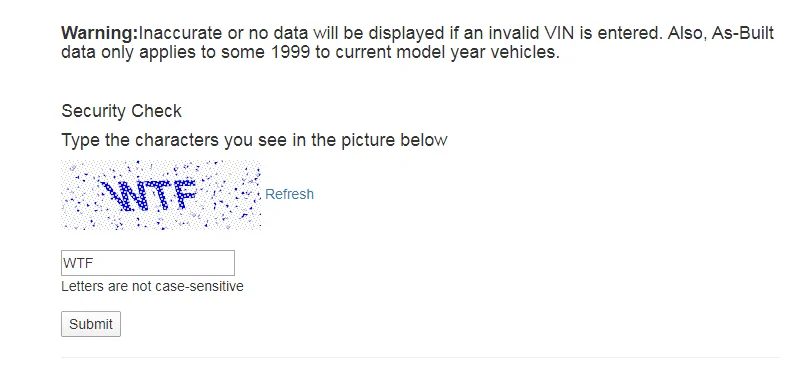
Use https://www.motorcraftservice.com/asbuilt/ -- on first use, the site will ask for language then toggle to login. Reload https://www.motorcraftservice.com/asbuilt/ enter your vin and answer the robo blocker and you'll get a full list of the data. There's a download tab so you can save off the data.

But... Ford and FORScan use different formats so you can't just download from Ford and apply using FORScan.
Thank you! I guess it was that refresh that was tripping me up. I was able to download all my asbuilt data.
Sponsored


RedlandRanger

Moderator
First Name
Rob
Joined
Nov 14, 2018
Threads
42
Messages
5,111
Reaction score
11,105
Location
Oregon
Vehicle(s)
2019 Ford Ranger Lariat FX4, 1973 Mercury Capri
Vehicle Showcase
1
I just did this, I thought the Robo locker was funny?

1587329607193.png
Too funny! I develop software for a living and I say this almost every day!!! :)

So much garbage software is developed these days and it seems to be getting worse.
 

moredneck

Member
First Name
Corey
Joined
Mar 31, 2020
Threads
1
Messages
22
Reaction score
65
Location
Missouri
Vehicle(s)
2019 Ranger Lariat FX4 500A Hot Pepper Red 3/27/20
Finally got the auto start/stop disabled today, had to change the hex writing in the as built, easy change didn’t work.


quangdog

Well-Known Member
First Name
Kimball
Joined
Mar 31, 2020
Threads
36
Messages
735
Reaction score
2,513
Location
Meridian, Idaho
Website
www.youtube.com
Vehicle(s)
2019 Ranger Lariat FX4
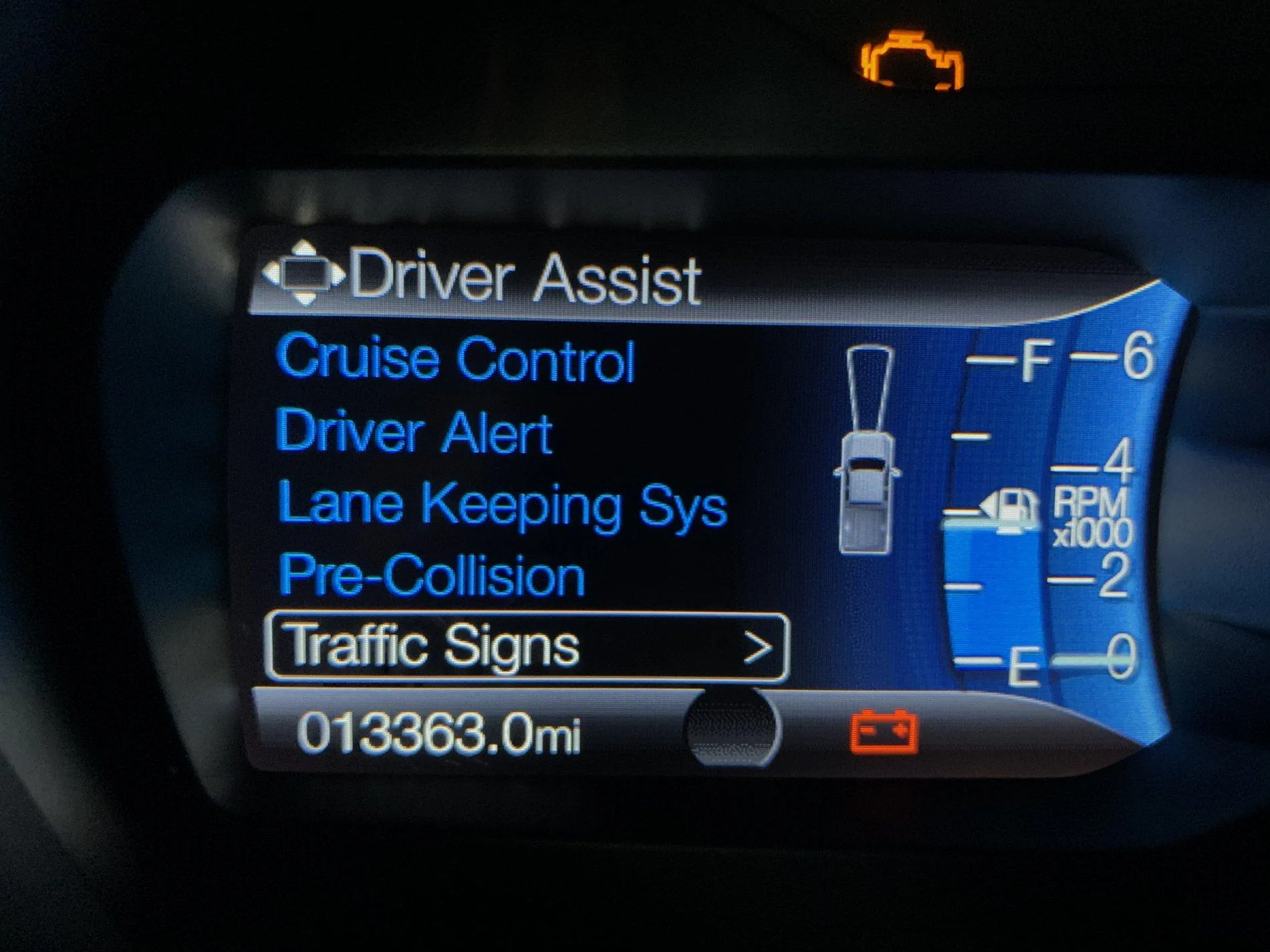
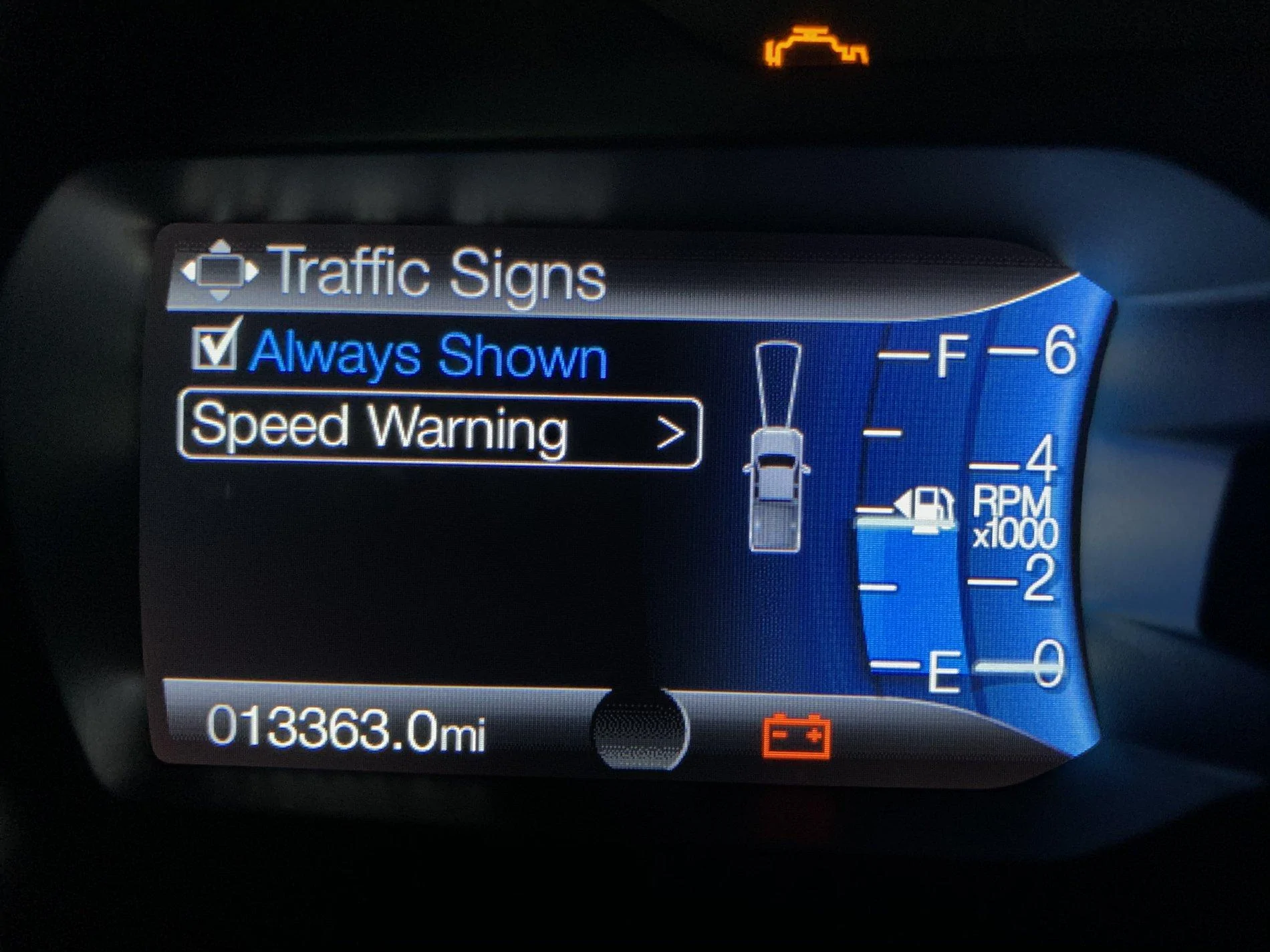
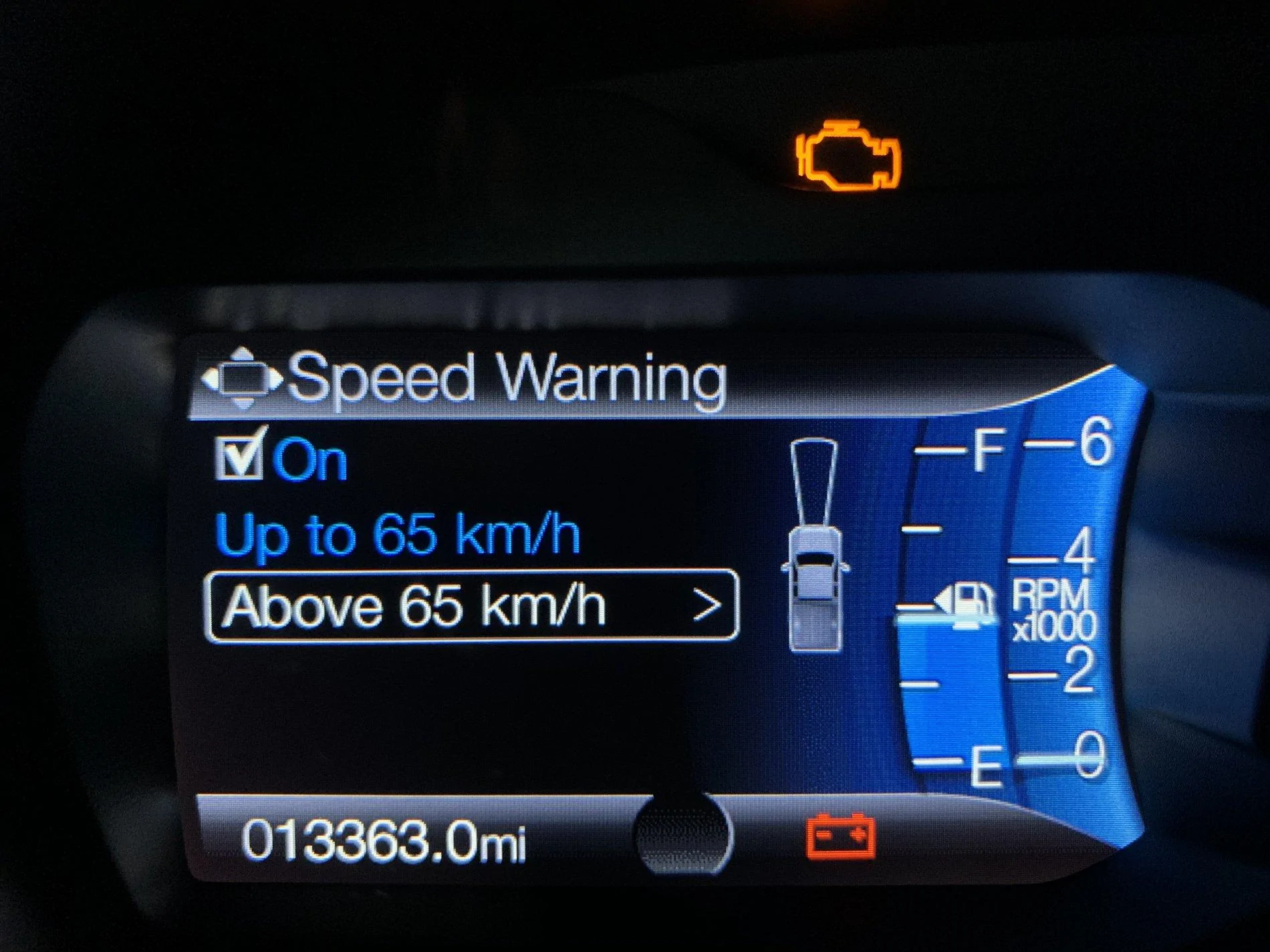
I did however get the Traffic Signs option to display. I’ll test it out here in a few.
F58DE3CA-5E31-4815-8F64-26D4DDFEC35C.jpeg
6DFA8CFF-A538-459F-8AB7-228B6F807381.jpeg
144DAC01-44B1-464A-B052-CBB6D37C4F67.jpeg
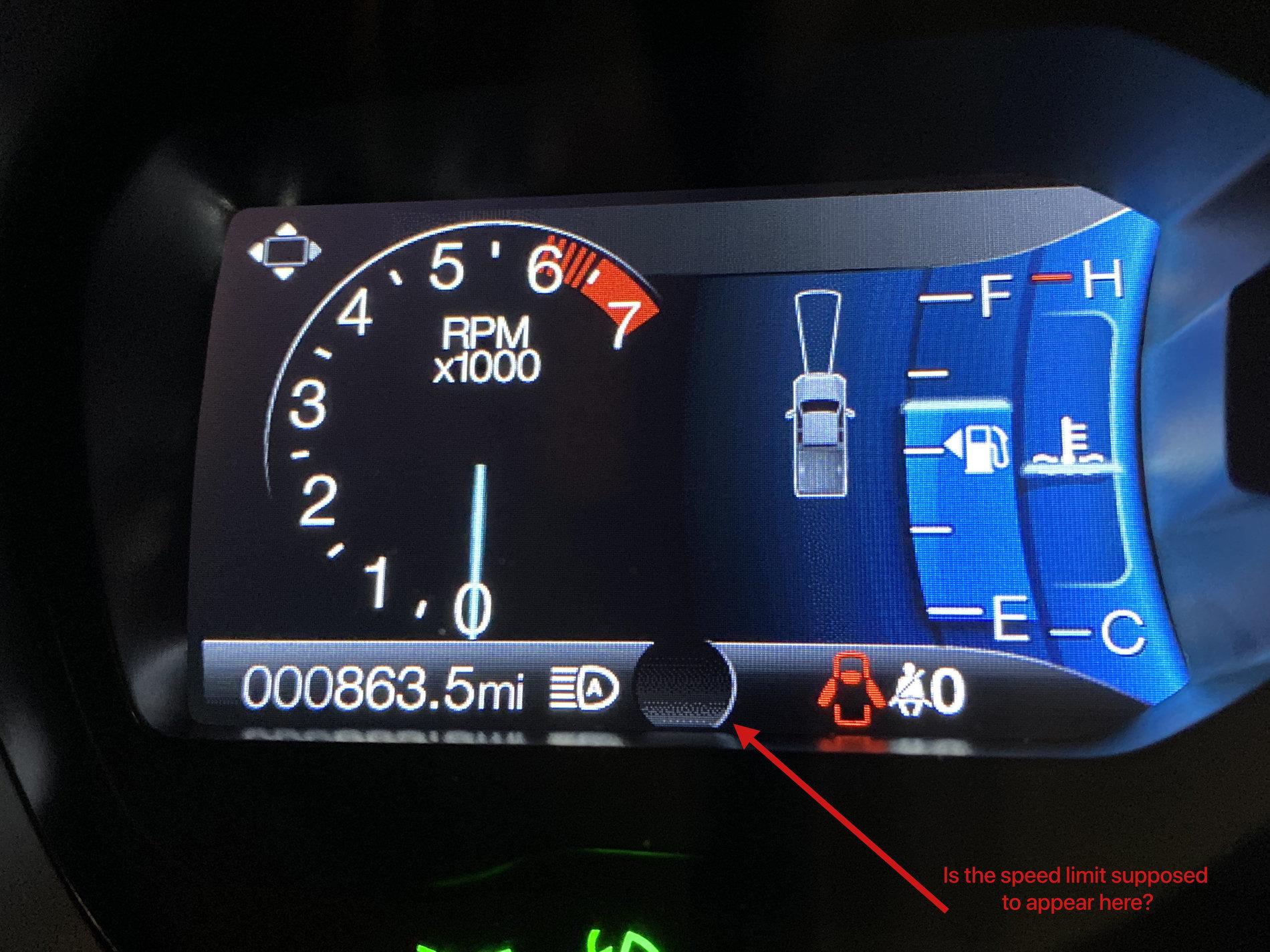
I have the same option enabled now, but it does not seem to actually do anything. It added the small round area to the lower portion of the left hand screen, but no speed limit ever shows up there, and even with all the warnings turned on the truck could not care less if I exceed the speed limit. I really want to know if this truck can actually read the street signs as I pass them. Prior to enabling this feature today, I've intermittently had a speed limit indicator present on the navigation screen, but that seems to come out of GPS data, not actual posted speed limit. Sometimes it's been off.

Can a 2019 Lariat actually read speed limit signs?

Here is the bit that turns on when I enable the "Traffic Signs" system.... but no icon or anything ever appears down there. Just a black circle:

IMG_3253.jpg
 

RCMUSTANG

Well-Known Member
First Name
Ray
Joined
Jan 22, 2019
Threads
22
Messages
1,867
Reaction score
2,191
Location
Los Angeles
Vehicle(s)
2017 Fusion 1995 Ranger
I have the same option enabled now, but it does not seem to actually do anything. It added the small round area to the lower portion of the left hand screen, but no speed limit ever shows up there, and even with all the warnings turned on the truck could not care less if I exceed the speed limit. I really want to know if this truck can actually read the street signs as I pass them. Prior to enabling this feature today, I've intermittently had a speed limit indicator present on the navigation screen, but that seems to come out of GPS data, not actual posted speed limit. Sometimes it's been off.

Can a 2019 Lariat actually read speed limit signs?

Here is the bit that turns on when I enable the "Traffic Signs" system.... but no icon or anything ever appears down there. Just a black circle:

IMG_3253.jpg
Only works for outside North America. Most likely Europe.
 

Andy

Well-Known Member
First Name
Andy
Joined
Oct 23, 2018
Threads
33
Messages
735
Reaction score
1,293
Location
Colorado
Vehicle(s)
2019 Ford Ranger Lariat / 2019 Volvo XC60 T6 Inscription
It seemed like a non-US option to me and never worked.
 

lawrench

Well-Known Member
First Name
Harry
Joined
May 1, 2020
Threads
10
Messages
771
Reaction score
4,401
Location
55346
Vehicle(s)
2019 Ford Ranger Lariat SCrew FX4 Lightning Blue
Vehicle Showcase
1

lawrench

Well-Known Member
First Name
Harry
Joined
May 1, 2020
Threads
10
Messages
771
Reaction score
4,401
Location
55346
Vehicle(s)
2019 Ford Ranger Lariat SCrew FX4 Lightning Blue
Vehicle Showcase
1
I have the same option enabled now, but it does not seem to actually do anything. It added the small round area to the lower portion of the left hand screen, but no speed limit ever shows up there, and even with all the warnings turned on the truck could not care less if I exceed the speed limit. I really want to know if this truck can actually read the street signs as I pass them. Prior to enabling this feature today, I've intermittently had a speed limit indicator present on the navigation screen, but that seems to come out of GPS data, not actual posted speed limit. Sometimes it's been off.

Can a 2019 Lariat actually read speed limit signs?

Here is the bit that turns on when I enable the "Traffic Signs" system.... but no icon or anything ever appears down there. Just a black circle:

IMG_3253.jpg
Try enabling Navigation on the Right screen. It shows some speed limit signs but not all.
 

RangerRaptor

Well-Known Member
First Name
Rob
Joined
Sep 22, 2019
Threads
3
Messages
156
Reaction score
196
Location
Denver
Vehicle(s)
2019 Ford Ranger Lariat (previously 2012 Ford SVT Raptor)
Hey guys! I got me OBDLink EX yesterday, installed FORScan, and got the unit paired with my Ranger. So without reading every thread, is there a simple guide to using FORScan? I know there's spreadsheets and codes to make specific changes, but I can't find how/where to make the changes.
 
OP
OP

t4thfavor

Well-Known Member
First Name
Chance
Joined
Feb 5, 2019
Threads
32
Messages
2,607
Reaction score
2,357
Location
Michigan
Vehicle(s)
2019 Ranger XLT FX4 Fox 2.0, 2011 Ford Edge Sport
Hey guys! I got me OBDLink EX yesterday, installed FORScan, and got the unit paired with my Ranger. So without reading every thread, is there a simple guide to using FORScan? I know there's spreadsheets and codes to make specific changes, but I can't find how/where to make the changes.
There’s really not... first you have to make sure you are not in demo mode. I think that is under settings.

second when you connect, it’s going to ask you to confirm the vehicle details.
Next you can navigate through the buttons on the left side of the screen to find the one that lets you modify asbuilt or perform service actions.
Spend some time looking through the forscan crowdsourced wiki, and the other forscan thread with tons of pages before you start making changes.
 

DHMag

Well-Known Member
First Name
Dale
Joined
Oct 25, 2018
Threads
24
Messages
655
Reaction score
663
Location
San Antonio, TX
Vehicle(s)
2019 Ranger XLT Crew cab, 22 Wrangler Willys
Hey guys! I got me OBDLink EX yesterday, installed FORScan, and got the unit paired with my Ranger. So without reading every thread, is there a simple guide to using FORScan? I know there's spreadsheets and codes to make specific changes, but I can't find how/where to make the changes.
Before you do A N Y T H I N G, create a backup of all the modules. It's explained on the forscan forum.
 

Big Blue

Well-Known Member
First Name
Lee
Joined
May 5, 2020
Threads
16
Messages
3,927
Reaction score
9,352
Location
Wisconsin
Vehicle(s)
2019 Ford Ranger XLT FX4 Supercrew lighting blue
Occupation
Retired mechanical designer
Before you do A N Y T H I N G, create a backup of all the modules. It's explained on the forscan forum.
Cannot emphasize this enough. I have have had to restore from my saved as-builts more than once. I'm sure many on this forum have also.
Sponsored


Top