Sponsored

MYSTERY SOLVED: Odd Image on 4” Non-touchscreen Display

DukeCanBuildit

Well-Known Member
First Name
Duke
Joined
Jul 27, 2020
Threads
66
Messages
9,657
Reaction score
46,184
Location
Kitchener, Ontario
Vehicle(s)
2019 XLT SuperCab - FTW!
Occupation
Retired (P/T) Caregiver (F/T)
Vehicle Showcase
1
SOLVED: See page 3, post #45


My 2019 XLT has the 300A package (4” non-touchscreen display). It shows typical infotainment stuff including backup camera image and parking sensor warnings.

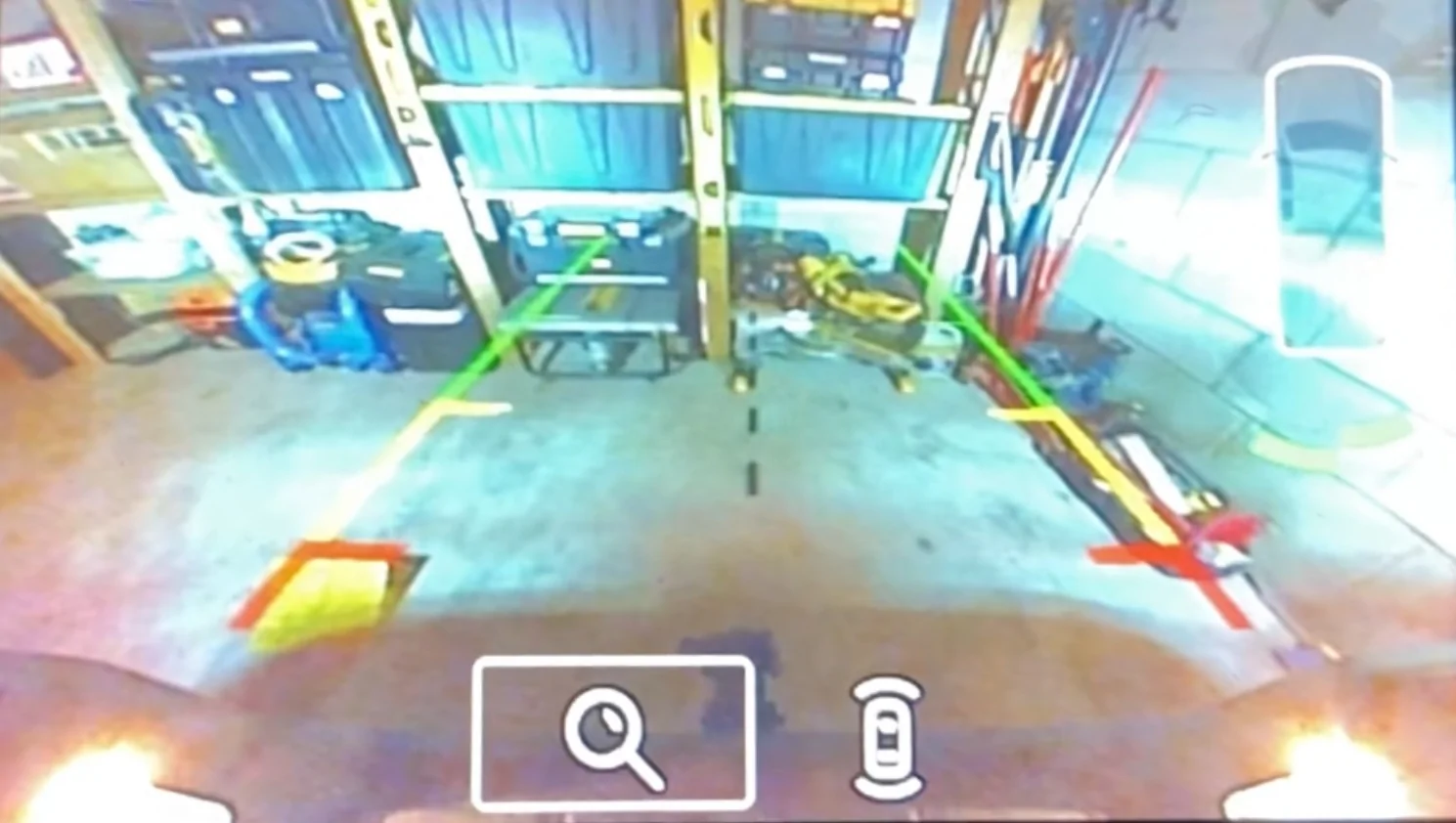
When the backup camera image is displayed, there are small icons on the lower left of the screen. They have a real purpose and are interactive - you can use them and arrow buttons to toggle between regular view and a closeup on the hitch receiver area when backing up to a trailer. Handy, right?

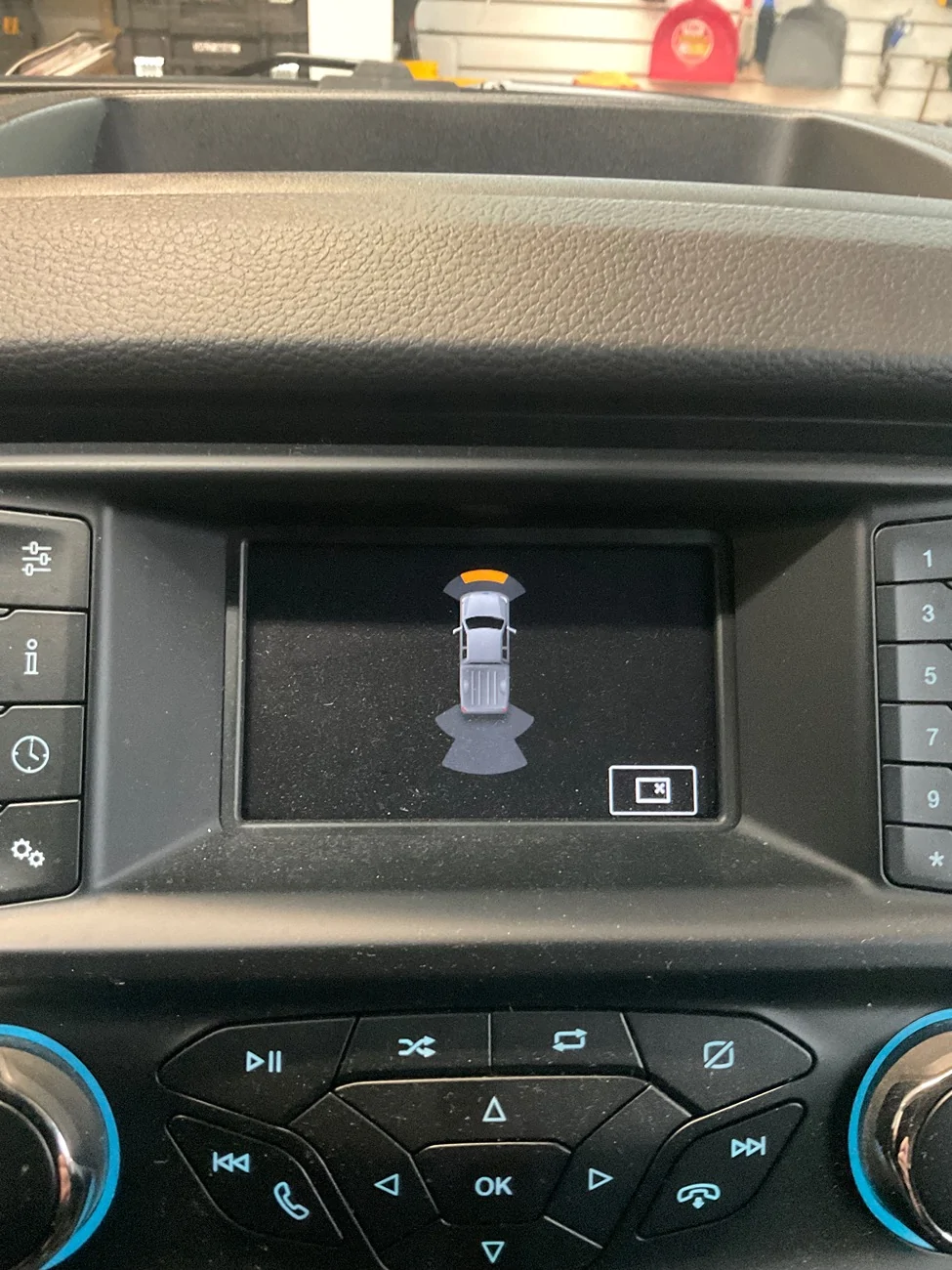
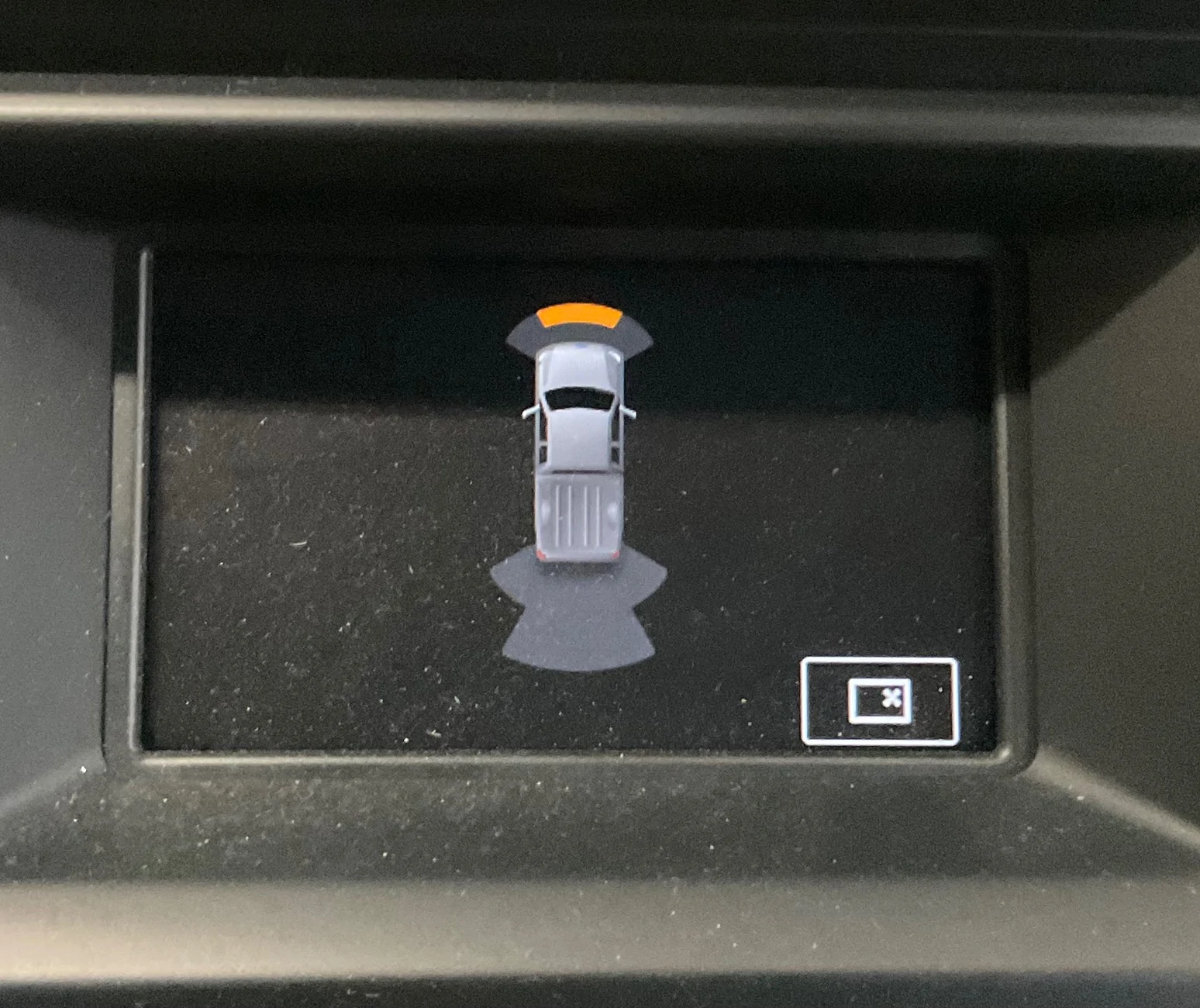
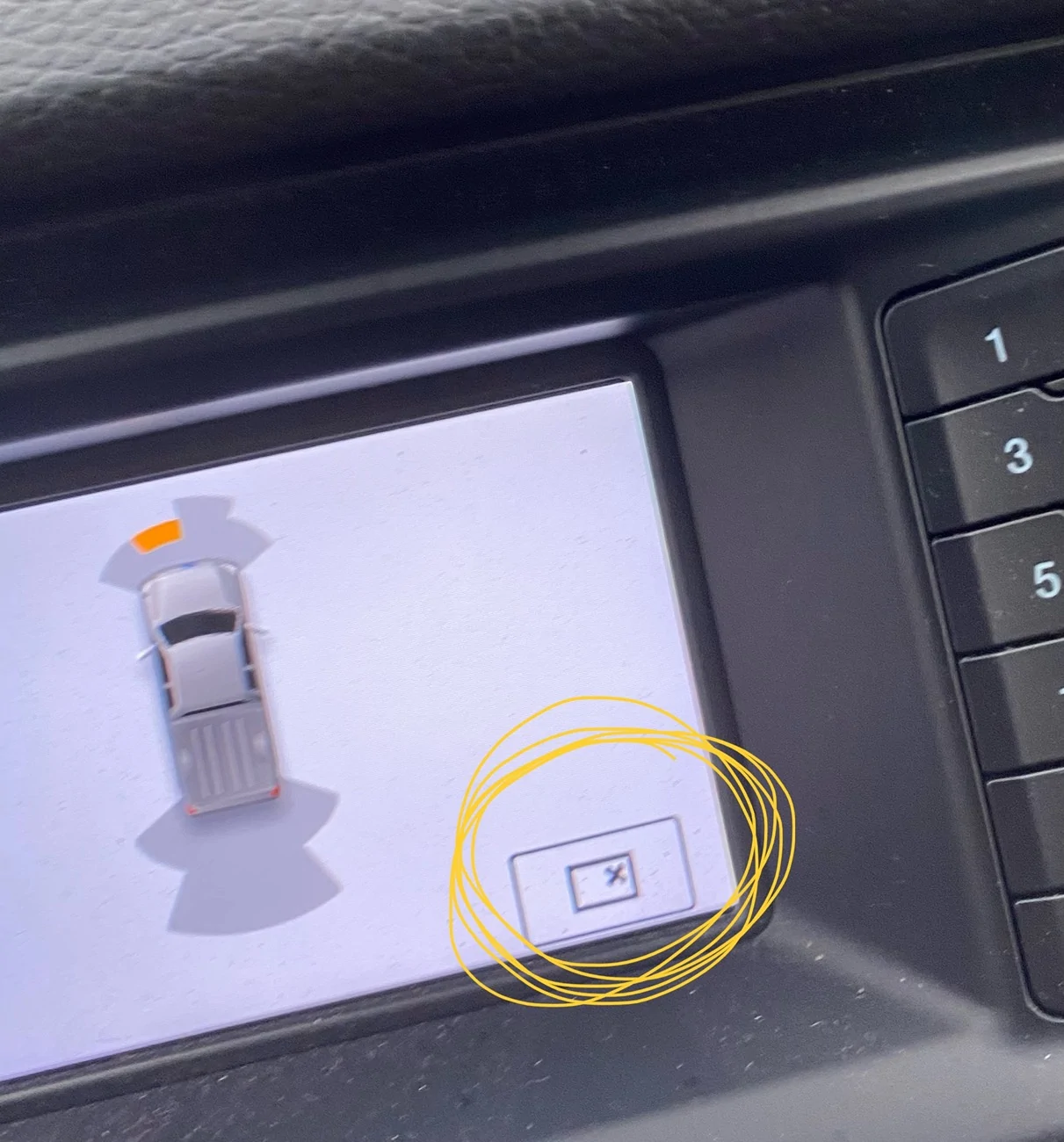
When the parking sensors detect an object, an image of the truck is displayed with graphics showing which sensors are pinging. On the bottom right of the display, there is a small icon. As with the backup camera icons, I expected it to have some sort of meaning and to be interactive.

IMG_5712.webp


Instead, it just appears like an online image that can’t be located and just has that goofy “x”. And, yes, like a dumbass, I tried pressing it with my finger. 🤦‍♂️

Any ideas? 🤷‍♂️

On a positive note, the image of the truck is a SuperCab, unlike the SuperCrew image for Lane Keeping Assist and Door Ajar on the instrument cluster.
Sponsored

 
Last edited:

IdahoRanger

Well-Known Member
First Name
Steve
Joined
Sep 26, 2019
Threads
12
Messages
4,330
Reaction score
21,513
Location
Idaho
Vehicle(s)
2019 Lariat SuperCrew FX4
Occupation
RETIRED
My 2019 XLT has the 300A package (4” non-touchscreen display). It shows typical infotainment stuff including backup camera image and parking sensor warnings.

When the backup camera image is displayed, there are small icons on the lower left of the screen. They have a real purpose and are interactive - you can use them and arrow buttons to toggle between regular view and a closeup on the hitch receiver area when backing up to a trailer. Handy, right?

When the parking sensors detect an object, an image of the truck is displayed with graphics showing which sensors are pinging. On the bottom right of the display, there is a small icon. As with the backup camera icons, I expected it to have some sort of meaning and to be interactive.
IMG_5712.webp


Instead, it just appears like an online image that can’t be located and just has that goofy “x”. And, yes, like a dumbass, I tried pressing it with my finger. 🤦‍♂️

Any ideas? 🤷‍♂️

On a positive note, the image of the truck is a SuperCab, unlike the SuperCrew image for Lane Keeping Assist and Door Ajar on the instrument cluster.
That is the eject button. You can enable it with Forscan. :facepalm: 🤪 :crackup:

Honestly, I rarely look at the display close enough to notice. :blush:
 

Chris M

Well-Known Member
First Name
Chris
Joined
Jun 11, 2020
Threads
21
Messages
4,499
Reaction score
19,805
Location
Surprise, AZ
Vehicle(s)
2021 Ranger XLT Sport 4X4
Occupation
Security Supervisor

Blue Streak

Well-Known Member
First Name
Larry
Joined
Jul 11, 2019
Threads
38
Messages
1,314
Reaction score
5,047
Location
New Location still in Missouri
Vehicle(s)
2019 Ranger XL STX FX 2021 Honda CR V
Occupation
Retired
Vehicle Showcase
1
My 2019 XLT has the 300A package (4” non-touchscreen display). It shows typical infotainment stuff including backup camera image and parking sensor warnings.

When the backup camera image is displayed, there are small icons on the lower left of the screen. They have a real purpose and are interactive - you can use them and arrow buttons to toggle between regular view and a closeup on the hitch receiver area when backing up to a trailer. Handy, right?

When the parking sensors detect an object, an image of the truck is displayed with graphics showing which sensors are pinging. On the bottom right of the display, there is a small icon. As with the backup camera icons, I expected it to have some sort of meaning and to be interactive.

IMG_5712.webp


Instead, it just appears like an online image that can’t be located and just has that goofy “x”. And, yes, like a dumbass, I tried pressing it with my finger. 🤦‍♂️

Any ideas? 🤷‍♂️

On a positive note, the image of the truck is a SuperCab, unlike the SuperCrew image for Lane Keeping Assist and Door Ajar on the instrument cluster.
I may be wrong, but is that not the symbol for someone wanting a for sale sign. :lipssealed: :wink:


OP
OP
DukeCanBuildit

DukeCanBuildit

Well-Known Member
First Name
Duke
Joined
Jul 27, 2020
Threads
66
Messages
9,657
Reaction score
46,184
Location
Kitchener, Ontario
Vehicle(s)
2019 XLT SuperCab - FTW!
Occupation
Retired (P/T) Caregiver (F/T)
Vehicle Showcase
1
I may be wrong, but is that not the symbol for someone wanting a for sale sign. :lipssealed: :wink:
I gotta admit, it really is my own fault that I’m likely never going to get a serious answer to this question. 😆😆
 

Blue Streak

Well-Known Member
First Name
Larry
Joined
Jul 11, 2019
Threads
38
Messages
1,314
Reaction score
5,047
Location
New Location still in Missouri
Vehicle(s)
2019 Ranger XL STX FX 2021 Honda CR V
Occupation
Retired
Vehicle Showcase
1
I gotta admit, it really is my own fault that I’m likely never going to get a serious answer to this question. 😆😆
Sorry Duke. My truck is a cheaper model, don't have all those sensors. I do have plenty of signs ready.
 
OP
OP
DukeCanBuildit

DukeCanBuildit

Well-Known Member
First Name
Duke
Joined
Jul 27, 2020
Threads
66
Messages
9,657
Reaction score
46,184
Location
Kitchener, Ontario
Vehicle(s)
2019 XLT SuperCab - FTW!
Occupation
Retired (P/T) Caregiver (F/T)
Vehicle Showcase
1
Sorry Duke. My truck is a cheaper model, don't have all those sensors. I do have plenty of signs ready.
Don’t forget to grab a bunch of these…

IMG_5644.webp
 

PltFX4

Well-Known Member
First Name
Richard
Joined
Jan 29, 2020
Threads
26
Messages
692
Reaction score
1,269
Location
Minneapolis, MN
Vehicle(s)
2019 Ranger Lariat FX4
I gotta admit, it really is my own fault that I’m likely never going to get a serious answer to this question. 😆😆
@DukeCanBuildit

Actually, it a zoom in button, or at least it is on my Lariat... I just noticed it a couple months ago after 5 years of ownership. I guess it was/is intended for when trying to hook up to a trailer...

Page 181 of Owners manual
Manual Zoom
WARNING
: When manual zoom
is on, the full area behind your vehicle
may not show. Be aware of your
surroundings when using the manual
zoom feature.

Note: Manual zoom is only available when
the transmission is in reverse (R).
Note: Only the centerline shows when you
enable manual zoom.

Selectable settings for this feature are
zoom in (+) and zoom out (-). Press the
symbol on the camera screen to change
the view. The default setting is zoom off.
This allows you to get a closer view of an
object behind your vehicle. The zoomed
image keeps the bumper in the image to
provide a reference. The zoom is only
active while the transmission is in reverse
(R).

Rear Camera Delay
Selectable settings for this feature are on
and off. The default setting for the rear
camera delay is OFF.
When shifting the transmission out of
reverse (R) and into any gear other than
park (P), the camera image remains in the
display until your vehicle speed reaches
6 mph (10 km/h). This occurs when the
rear camera delay feature is on.
181
 
Last edited:

airline tech

Well-Known Member
Joined
Aug 24, 2022
Threads
28
Messages
4,461
Reaction score
8,529
Location
Midwest - KS
Vehicle(s)
2022 Ranger Lariat-Super Crew, Cactus Gray
Occupation
Aircraft Tech
That is the eject button. You can enable it with Forscan. :facepalm: 🤪 :crackup:

Honestly, I rarely look at the display close enough to notice. :blush:
Just to confirm - This screen is the (Reverse Back-Up) Camera screen and when the parking sensors trigger - the back-up cam image disappears, and you see this screen.

If you are in drive - and the park sensor triggers - do you see the same (X)?

For the Lariat 8in screen, both the rear camera and truck image (upper RH Corner) with the park sensors are combined in the same screen.
When in drive - you get the windowed screen like you have posted (park sensors-trigger)

If this is the rear cam view and park sensor trigger, I would say it is supposed to be a way to (x) close the screen and back to the rear camera view.
Someone else with the same 4in screen may be able to confirm.
 
OP
OP
DukeCanBuildit

DukeCanBuildit

Well-Known Member
First Name
Duke
Joined
Jul 27, 2020
Threads
66
Messages
9,657
Reaction score
46,184
Location
Kitchener, Ontario
Vehicle(s)
2019 XLT SuperCab - FTW!
Occupation
Retired (P/T) Caregiver (F/T)
Vehicle Showcase
1
Thanks folks!

@DukeCanBuildit

Actually, it a zoom in button, or at least it is on my Lariat... I just noticed it a couple months ago after 5 years of ownership. I guess it was/is intended for when trying to hook up to a trailer...
@airline tech

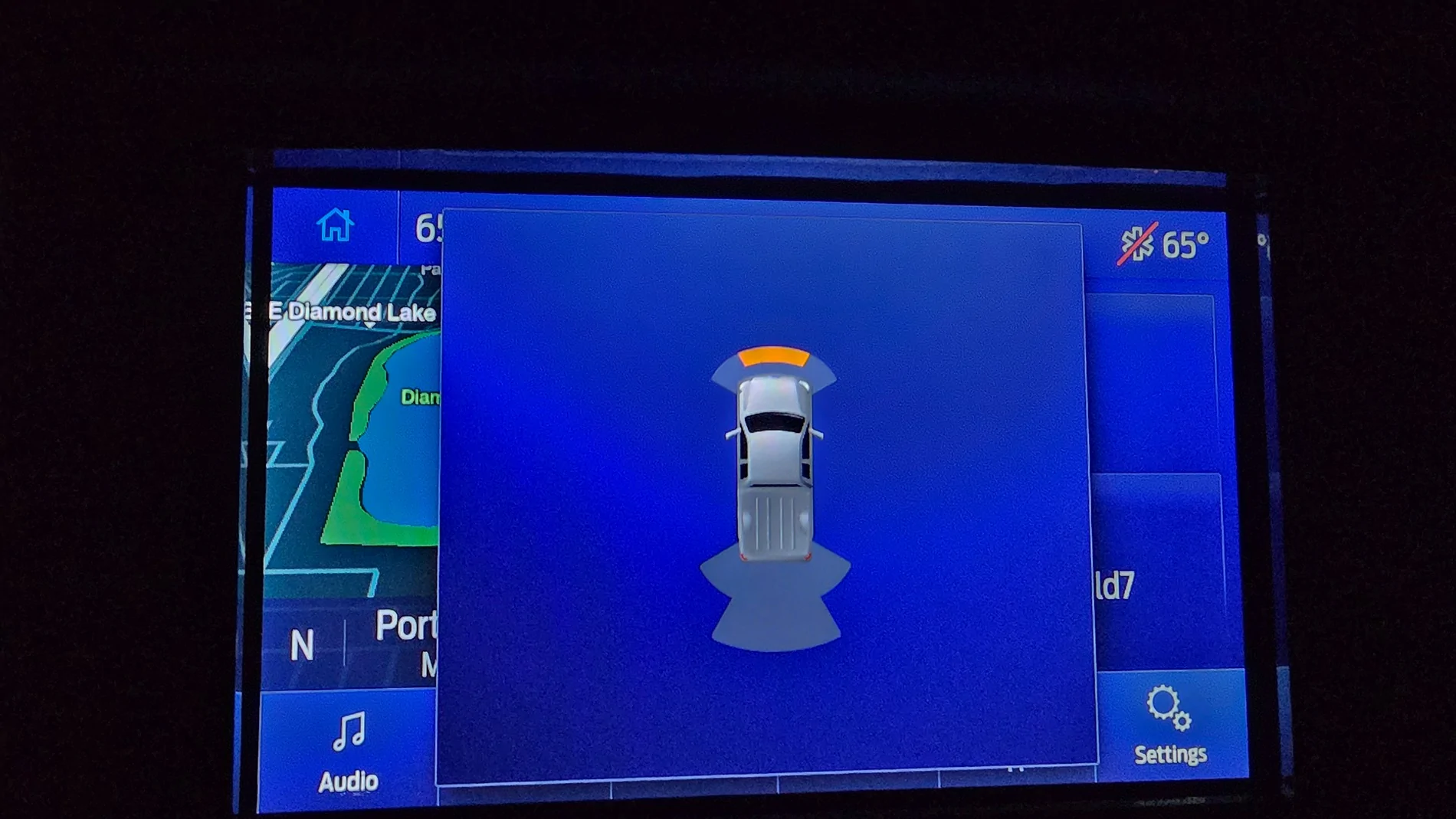
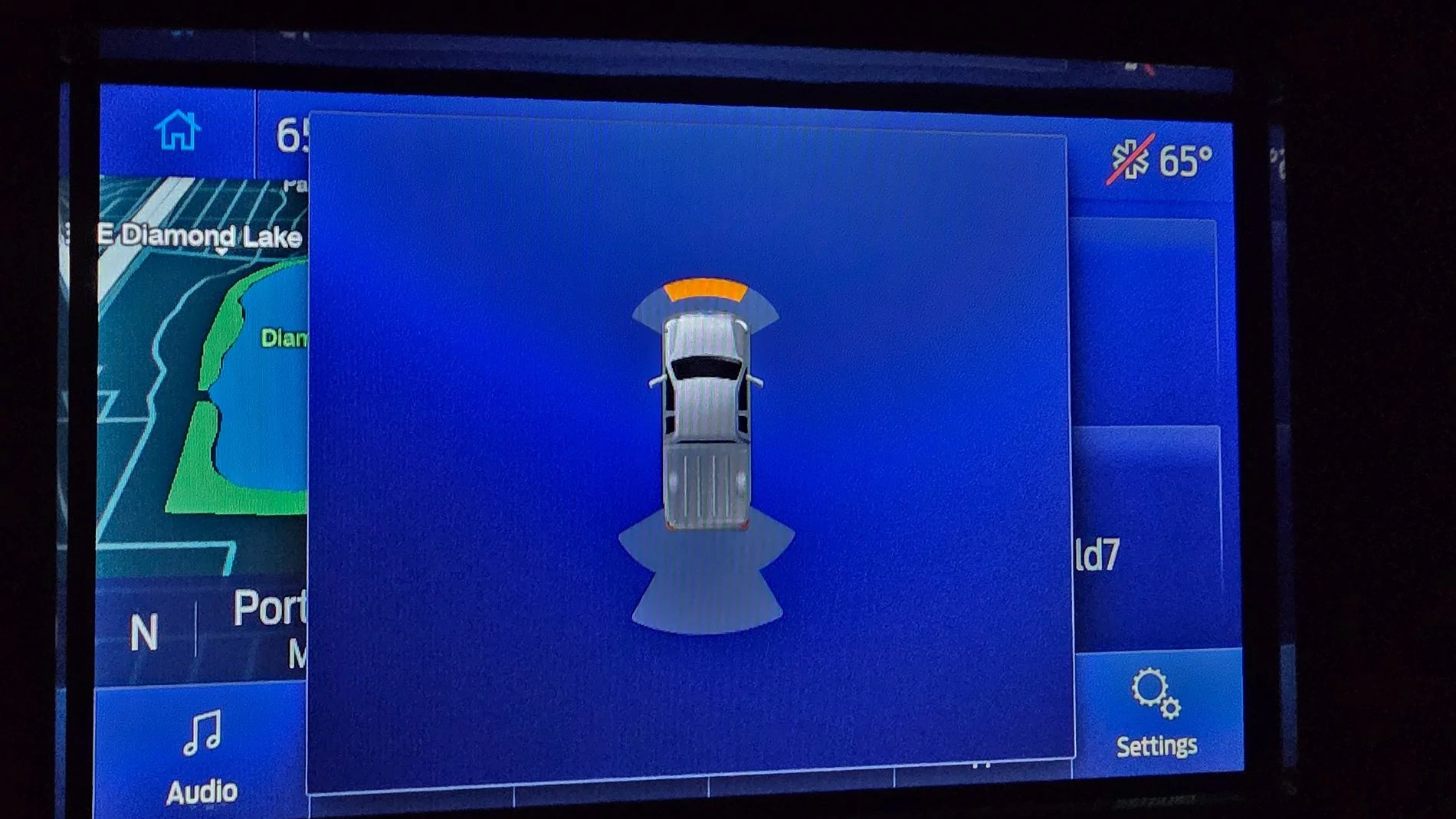
The above picture is not the backup screen - it is the screen that shows when in drive and nearing an object in front of the truck.

As I mentioned in my original post, my backup screen has the manual zoom icons. To confirm ATs point, the reverse parking aid image appears in the upper RH corner of the screen - just like on the 8” screen. See here…

IMG_0179.webp


The backup screen image is not the issue. It works just fine and because it has the manual toggle icons, I expected the icon in my forward parking aid screen image to be interactive, or at least informative.

Here’s a better shot of the forward parking aid screen…

IMG_0182.webp


On your Lariats, do you have that rectangular icon in the bottom RH corner? Nothing? Something else?

EDIT: Taking the picture was bad enough but at the very real risk of driving into my workbench, I tried the OK and arrow buttons to see if they had any affect - they did not.

Also, I did not achieve “full missile lock” and smash into anything.
 
Last edited:
OP
OP
DukeCanBuildit

DukeCanBuildit

Well-Known Member
First Name
Duke
Joined
Jul 27, 2020
Threads
66
Messages
9,657
Reaction score
46,184
Location
Kitchener, Ontario
Vehicle(s)
2019 XLT SuperCab - FTW!
Occupation
Retired (P/T) Caregiver (F/T)
Vehicle Showcase
1

PltFX4

Well-Known Member
First Name
Richard
Joined
Jan 29, 2020
Threads
26
Messages
692
Reaction score
1,269
Location
Minneapolis, MN
Vehicle(s)
2019 Ranger Lariat FX4
I gotta admit, it really is my own fault that I’m likely never going to get a serious answer to this question. 😆😆
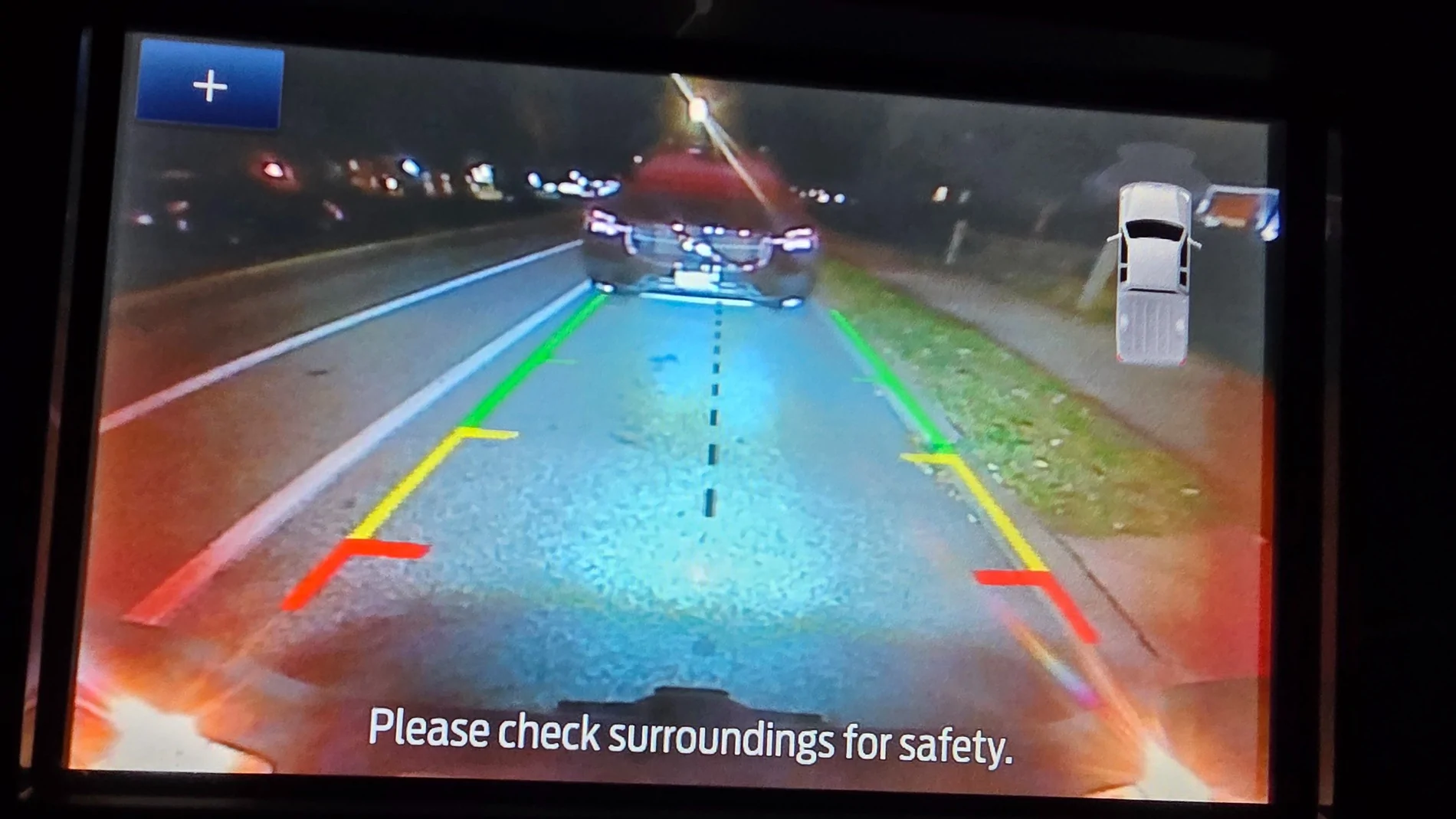
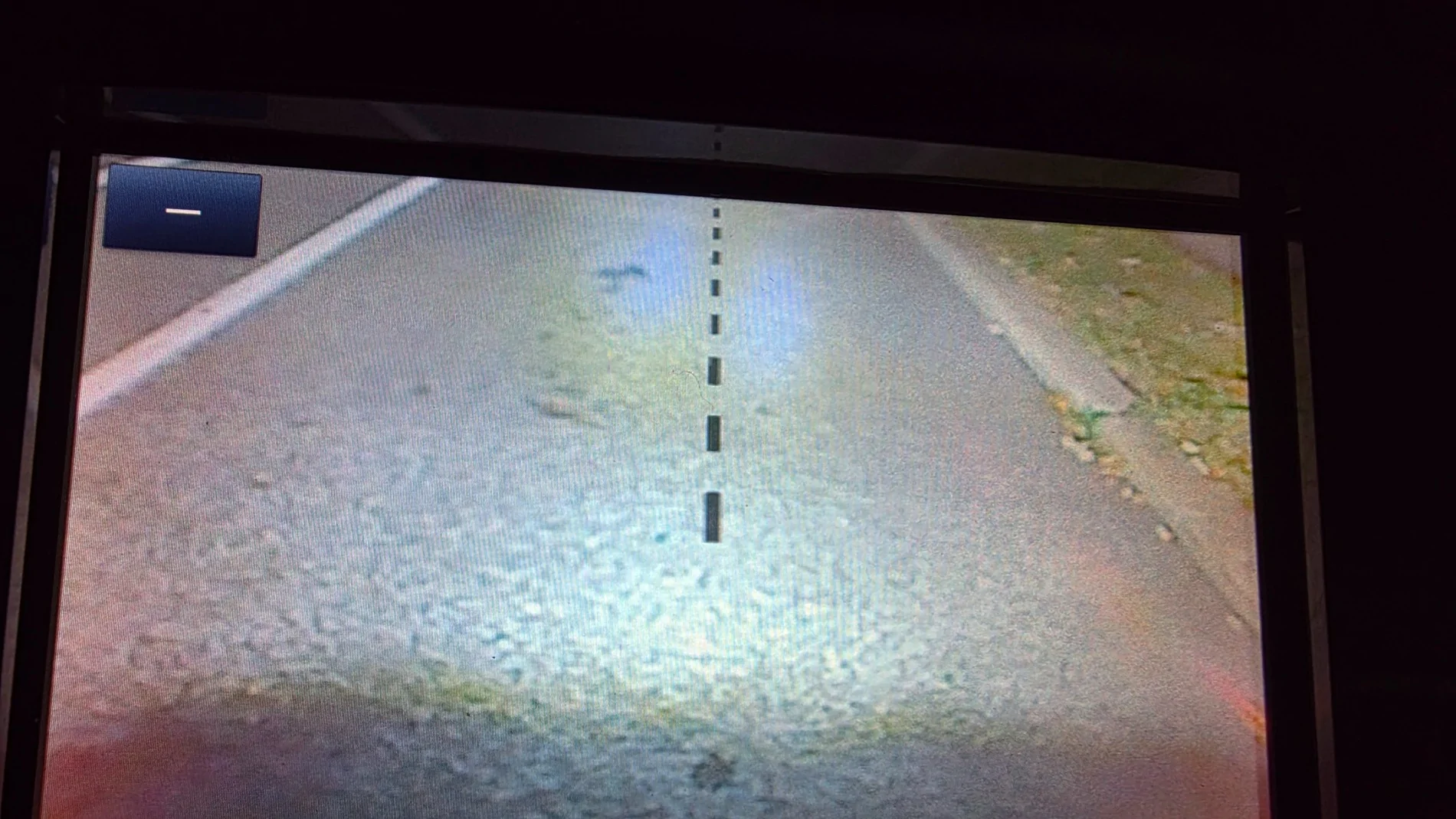
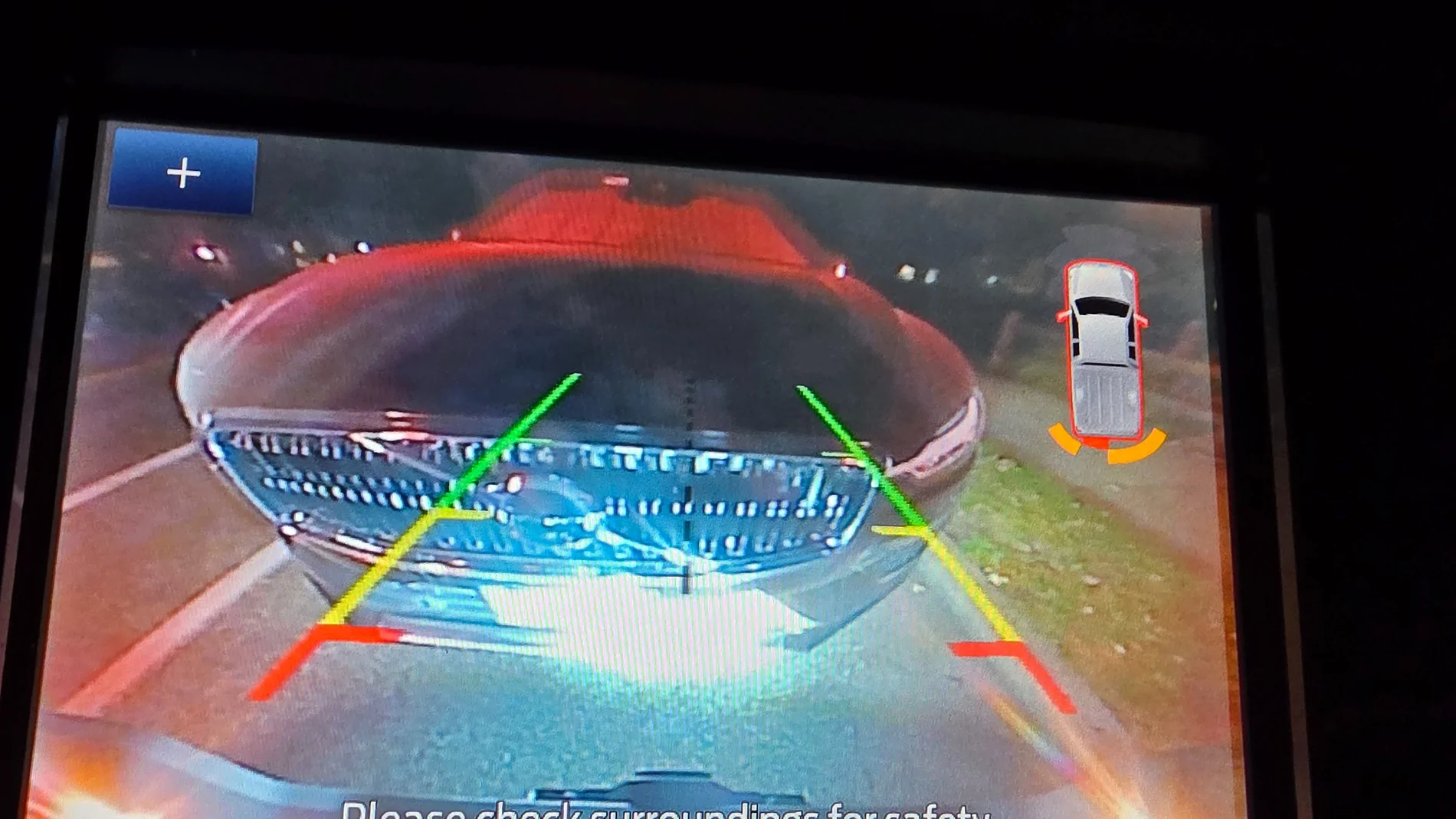
@DukeCanBuildit and @airline tech ... let me try again... 2019 Lariat FX4 with the Bose audio system (if that matters). No front camera, only on tailgate. (was a front camera an option??)

Photos in order taken:
Plan revise - nothing close:
20251017_192857.webp


In reverse and pressed the + in the top left corner of the previous photo:
20251017_192908.webp


Backed up and got closed to my wife's SUV:
20251017_192945.webp


Drove forward to get close to the car in front: Some beeping till I stopped and a few seconds the notice went away.

20251017_193012.webp


Drove forward to get even closer to the car in front: More intense beeping till I stopped and a few seconds the notice went away. No real change in display message however (like the orange turning to red and such).
20251017_193022.webp


So the 4" display does have significantly different messages.
 
OP
OP
DukeCanBuildit

DukeCanBuildit

Well-Known Member
First Name
Duke
Joined
Jul 27, 2020
Threads
66
Messages
9,657
Reaction score
46,184
Location
Kitchener, Ontario
Vehicle(s)
2019 XLT SuperCab - FTW!
Occupation
Retired (P/T) Caregiver (F/T)
Vehicle Showcase
1
@DukeCanBuildit and @airline tech ... let me try again... 2019 Lariat FX4 with the Bose audio system (if that matters). No front camera, only on tailgate. (was a front camera an option??)

Drove forward to get close to the car in front: Some beeping till I stopped and a few seconds the notice went away.

20251017_193012.webp


So the 4" display does have significantly different messages.
Thanks Richard.

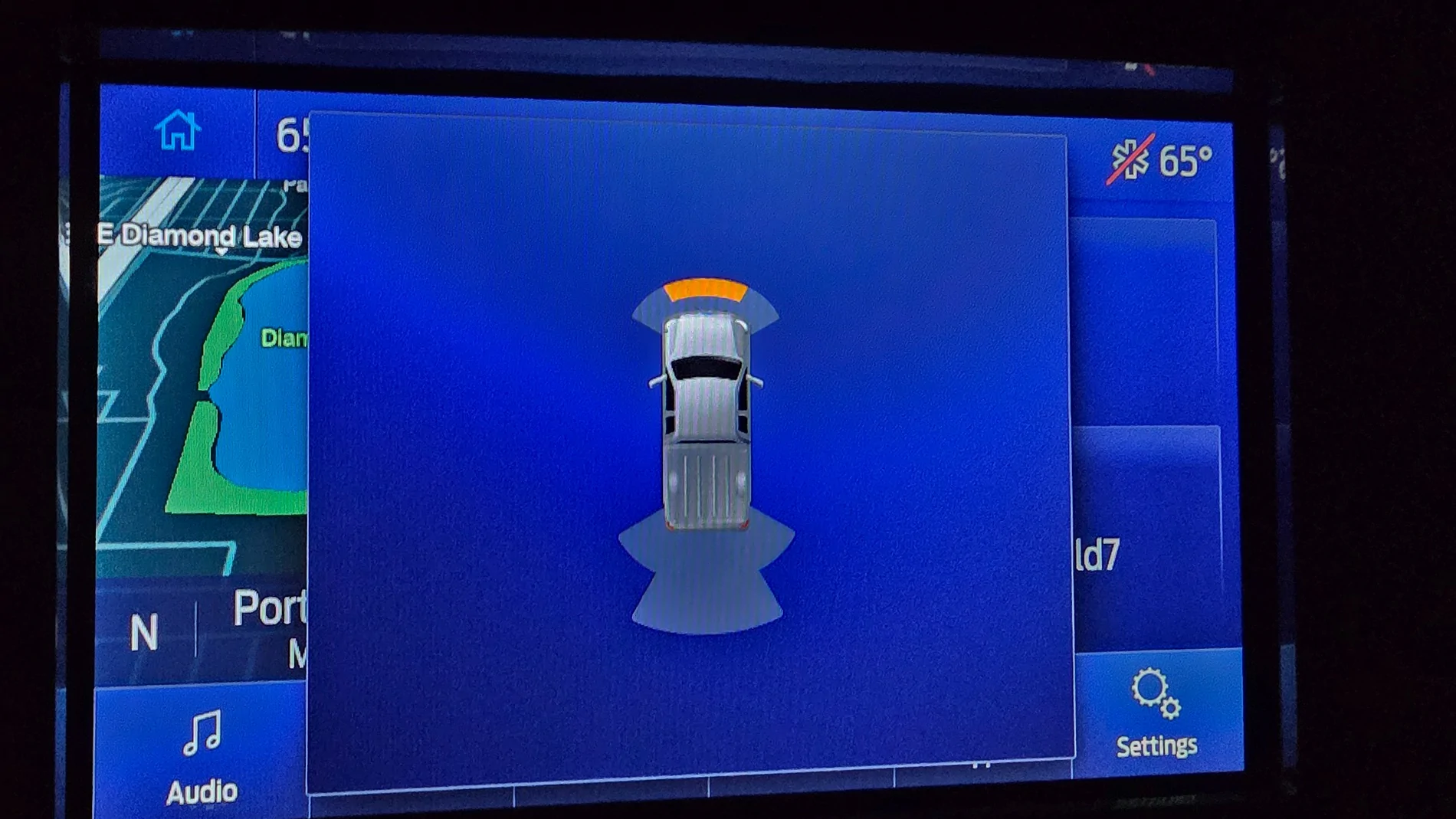
It seems the forward parking aid screen image of the larger infotainment system doesn’t have anything but the truck image and distance indicators.

i.e., no mystery icon like in the bottom RH corner of my screen

IMG_0184.webp


IMG_0180.webp
Sponsored


Top