Sponsored

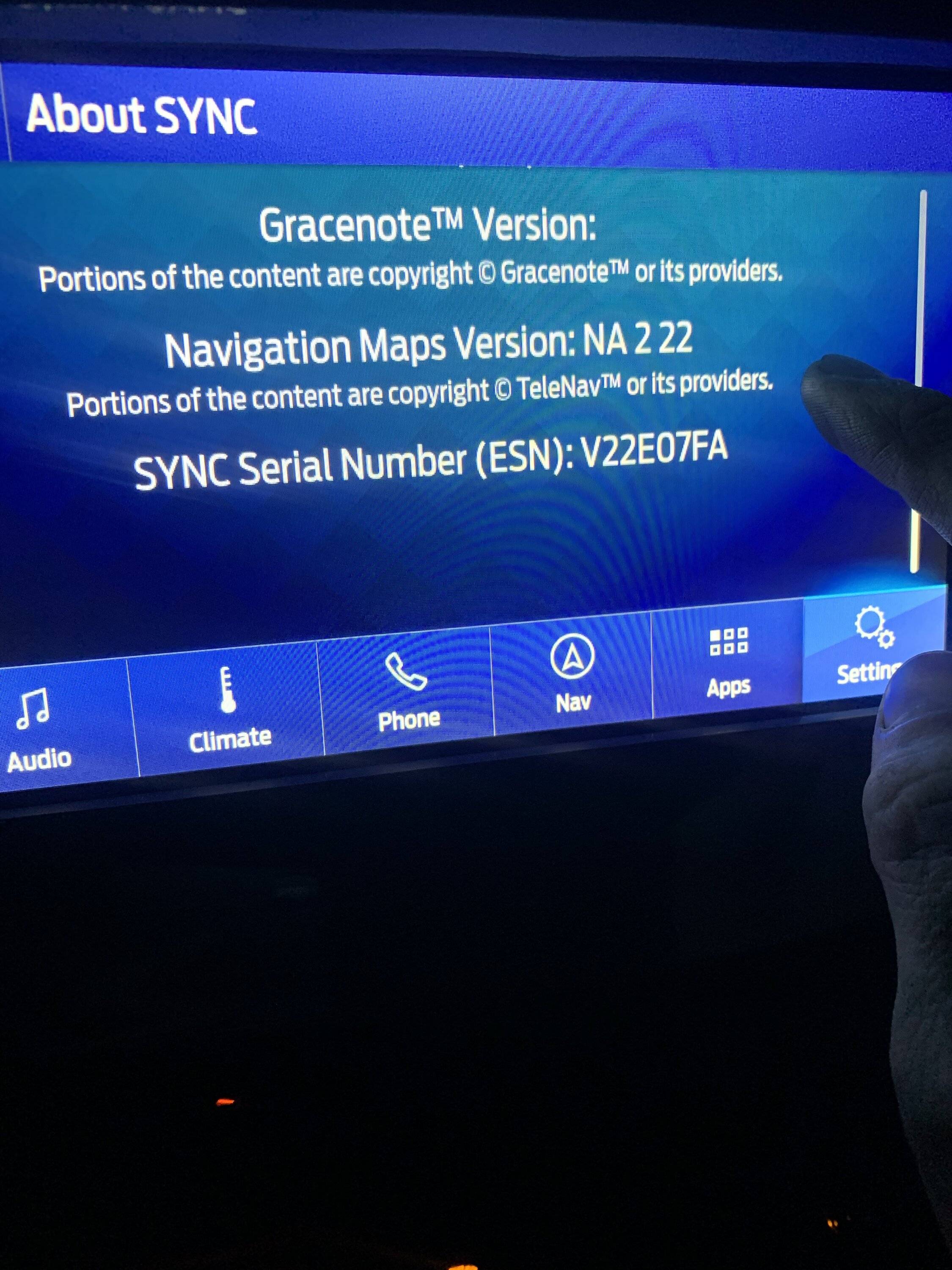
If you're using SYNC 3.4, Build 23188 with Navigation Maps Version NA 2 22 I could sure use your help

CJohnStanchina

Active Member
First Name
CJohn
Joined
Mar 2, 2020
Threads
2
Messages
43
Reaction score
51
Location
Maple Grove, MN
Vehicle(s)
2019 Ford Ranger Lariat 4x4 SuperCab
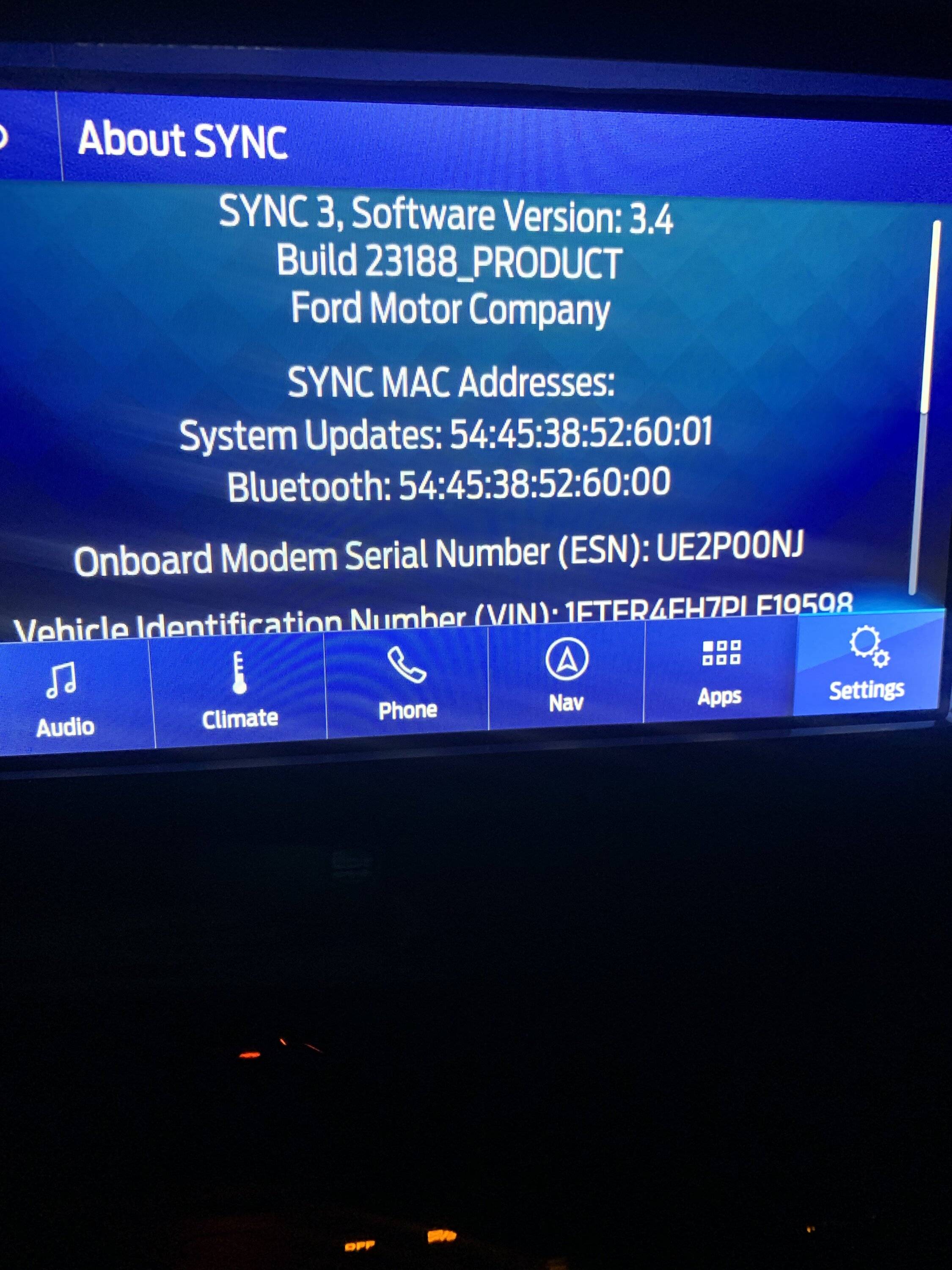
I recently tried to update my maps to NA 2 22 and got the dreaded MEM_ERR01 error message just moments after plugging in my USB drive. However, my About SYNC screen shows my current Navigation Maps Version as NA 2 22. During my attempted update, no screens changed, no restarts occurred, and the USB wasn't plugged in for anywhere close to the 60 minutes Ford claims the update will take.

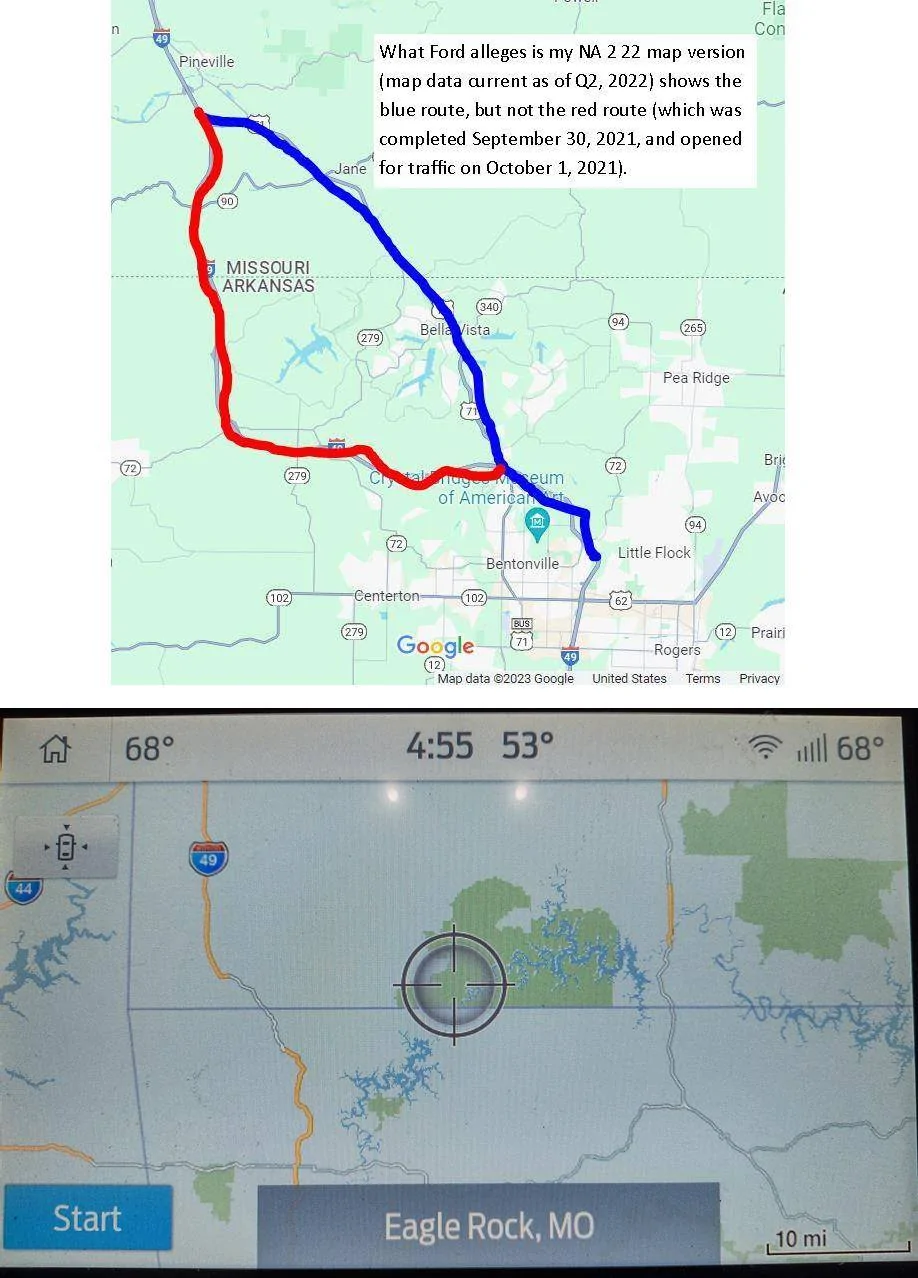
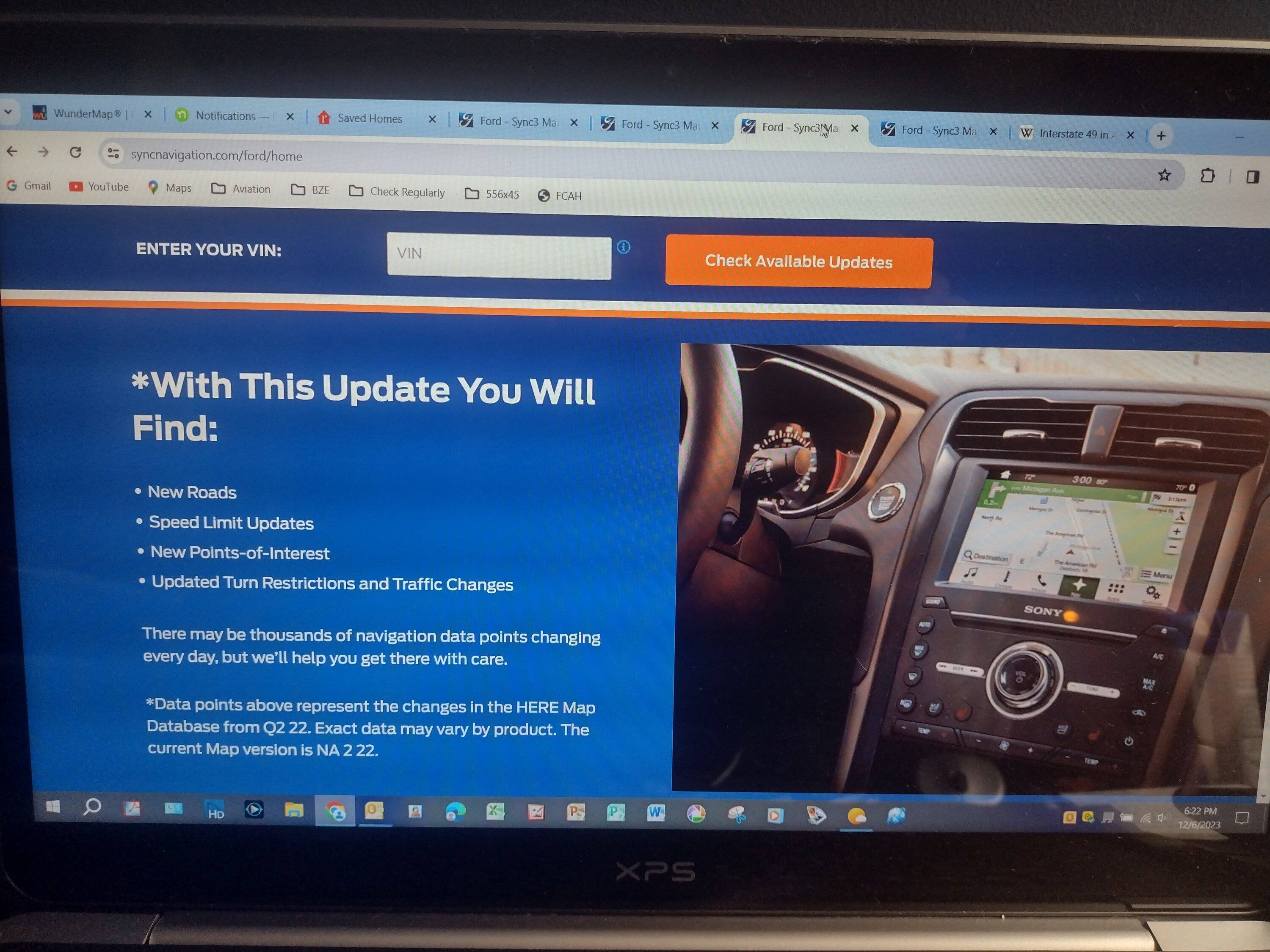
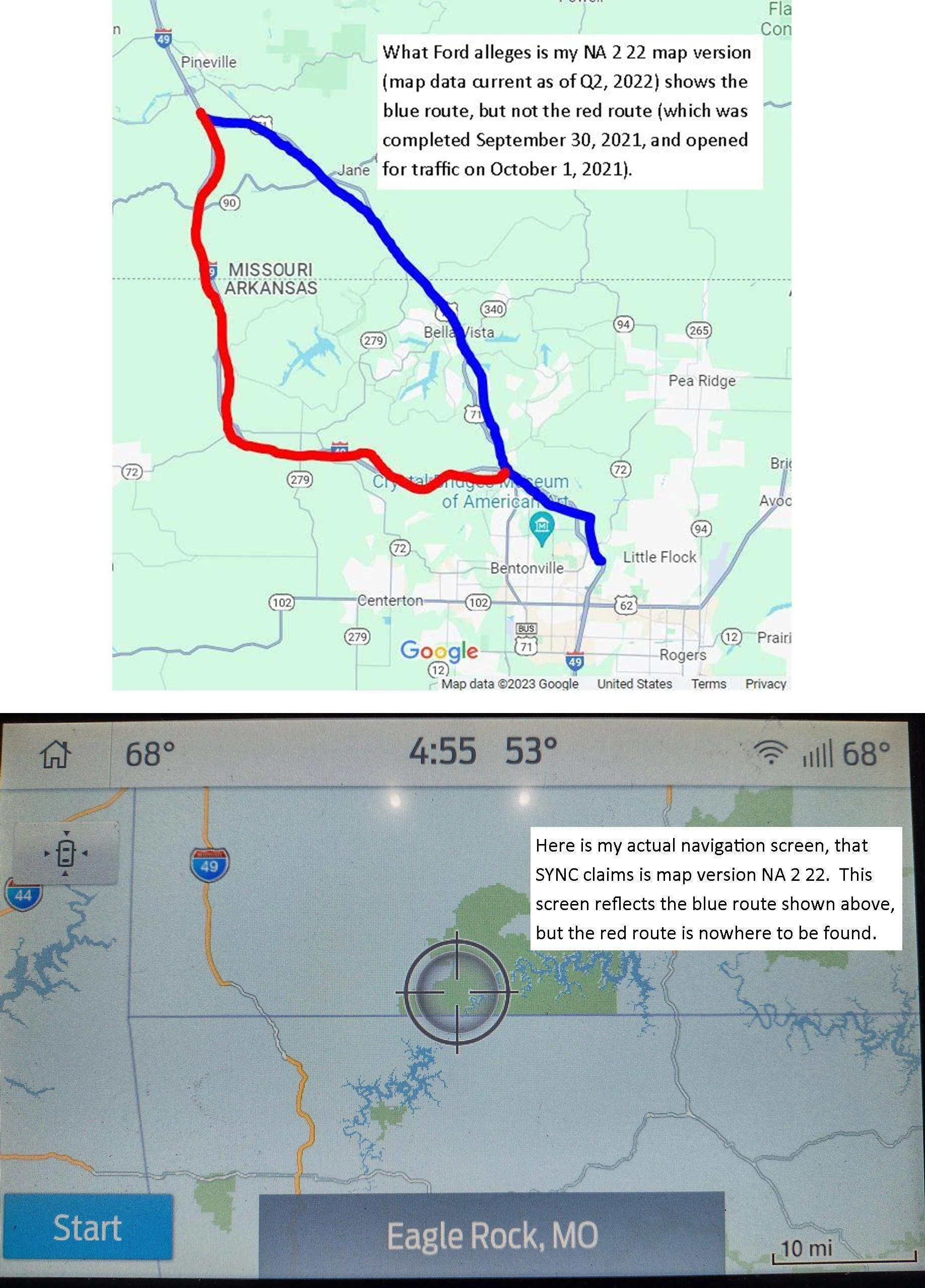
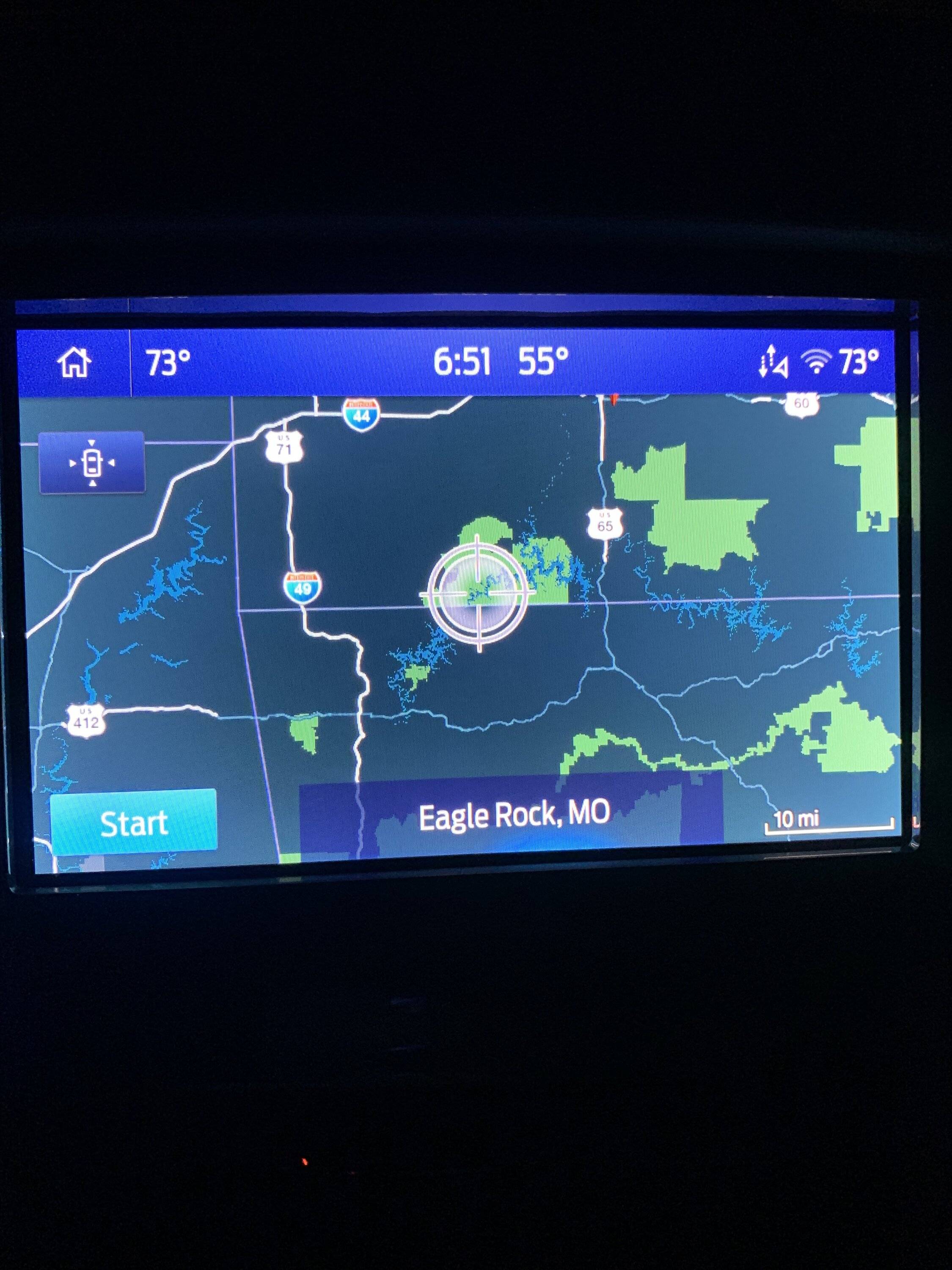
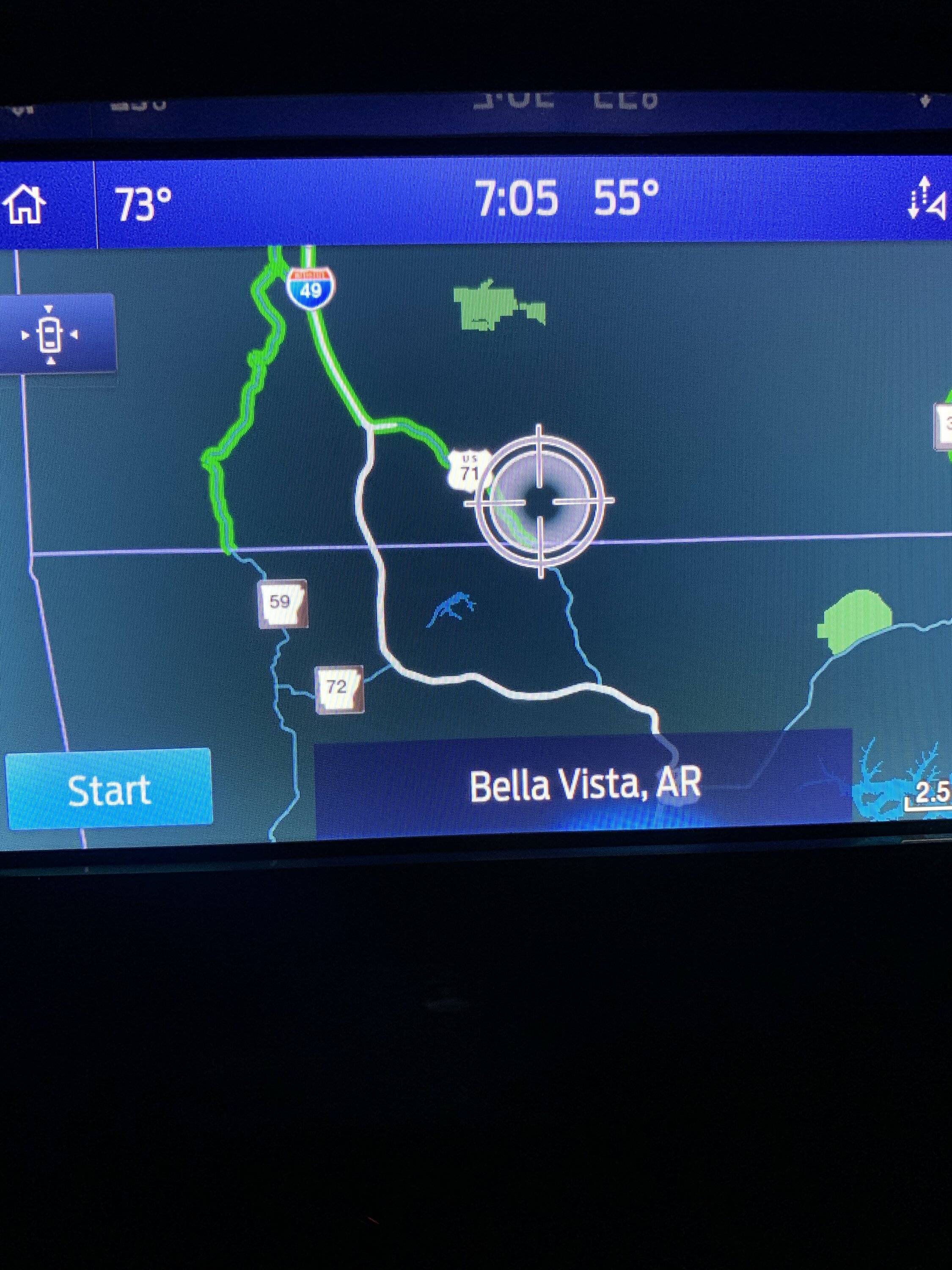
Ford's CRC claims that the update must have completed on its own. Here's the problem with that: ALOM (the company that provides the map updates) claims that NA 2 22 reflects map data that are current as of Quarter 2, 2022 (see attached screen photo). Yet when I drag my navigation screen to NW AR, it doesn't show the I-49 Bella Vista Bypass which was completed on September 30, 2021, and opened to traffic the very next day (also see attached screen photos of my Navigation screen compared with an annotated Google Maps screen photo).

So what I'm asking is this: If you're running SYNC 3.4, Build 23188 with Navigation Maps Version NA 2 22, could you please drag your Navigation screen to show NW AR and take a picture of it for me? If your screen shows the I-49 Bella Vista Bypass, then I will have confirmation that Ford CRC's assertion that my update completed successfully is WRONG, and that they need to do something about it.

Thanks in advance for your help!

MapDiscrepancy.webp


NA222MapUpdate.jpg
Sponsored


Andrew27

Well-Known Member
First Name
Andrew
Joined
Aug 24, 2022
Threads
3
Messages
93
Reaction score
401
Location
Missouri
Vehicle(s)
23 Ford Ranger, 95 Ford Explorer, 98 Ford Ranger
Occupation
Auto Technician
I recently tried to update my maps to NA 2 22 and got the dreaded MEM_ERR01 error message just moments after plugging in my USB drive. However, my About SYNC screen shows my current Navigation Maps Version as NA 2 22. During my attempted update, no screens changed, no restarts occurred, and the USB wasn't plugged in for anywhere close to the 60 minutes Ford claims the update will take.

Ford's CRC claims that the update must have completed on its own. Here's the problem with that: ALOM (the company that provides the map updates) claims that NA 2 22 reflects map data that are current as of Quarter 2, 2022 (see attached screen photo). Yet when I drag my navigation screen to NW AR, it doesn't show the I-49 Bella Vista Bypass which was completed on September 30, 2021, and opened to traffic the very next day (also see attached screen photos of my Navigation screen compared with an annotated Google Maps screen photo).

So what I'm asking is this: If you're running SYNC 3.4, Build 23188 with Navigation Maps Version NA 2 22, could you please drag your Navigation screen to show NW AR and take a picture of it for me? If your screen shows the I-49 Bella Vista Bypass, then I will have confirmation that Ford CRC's assertion that my update completed successfully is WRONG, and that they need to do something about it.

Thanks in advance for your help!

MapDiscrepancy.webp


NA222MapUpdate.jpg
Here are my current versions and map of the area. Hope this helps!
IMG_4571.jpeg
IMG_4572.jpeg
IMG_4574.jpeg
IMG_4575.jpeg
 
Last edited:

airline tech

Well-Known Member
Joined
Aug 24, 2022
Threads
28
Messages
4,456
Reaction score
8,519
Location
Midwest - KS
Vehicle(s)
2022 Ranger Lariat-Super Crew, Cactus Gray
Occupation
Aircraft Tech
Just curious, when you downloaded the MAP file - Where did you put the license file?
It needs to be (INSIDE) the Sync My Ride (FOLDER) not just the USB file itself
This I believe is the reason for your error msg
 
OP
OP
CJohnStanchina

CJohnStanchina

Active Member
First Name
CJohn
Joined
Mar 2, 2020
Threads
2
Messages
43
Reaction score
51
Location
Maple Grove, MN
Vehicle(s)
2019 Ford Ranger Lariat 4x4 SuperCab
Here are my current versions and map of the area. Hope this helps!
IMG_4571.jpeg
IMG_4572.jpeg
IMG_4574.jpeg
IMG_4575.jpeg
Super helpful, Andrew! Thank you. That pretty much proves that while my software version screen shows I am using NA 2 22, I clearly am not.


OP
OP
CJohnStanchina

CJohnStanchina

Active Member
First Name
CJohn
Joined
Mar 2, 2020
Threads
2
Messages
43
Reaction score
51
Location
Maple Grove, MN
Vehicle(s)
2019 Ford Ranger Lariat 4x4 SuperCab
Just curious, when you downloaded the MAP file - Where did you put the license file?
It needs to be (INSIDE) the Sync My Ride (FOLDER) not just the USB file itself
This I believe is the reason for your error msg
Thanks so much for your feedback. Yes, I followed Ford's download instructions to the "T". As I understand it, the MEM_ERR01 code signifies that there is not enough memory to complete the upload, which I think means that I need to clear SYNC's memory with a Master Reset. But that is such BS.

And, hey, thanks for what you do. I have my Commercial certificate, AMEL, ASEL, Instrument Airplane, and I couldn't have done what I have done unless folks like you do what you do.
 

Andrew27

Well-Known Member
First Name
Andrew
Joined
Aug 24, 2022
Threads
3
Messages
93
Reaction score
401
Location
Missouri
Vehicle(s)
23 Ford Ranger, 95 Ford Explorer, 98 Ford Ranger
Occupation
Auto Technician
Just curious, when you downloaded the MAP file - Where did you put the license file?
It needs to be (INSIDE) the Sync My Ride (FOLDER) not just the USB file itself
This I believe is the reason for your error msg
This was the issue I had with mine. I had to drag the licensing file over to the Sync folder and had no more error message.
Sponsored


Top