airline tech
Well-Known Member
- Joined
- Aug 24, 2022
- Threads
- 28
- Messages
- 4,464
- Reaction score
- 8,542
- Location
- Midwest - KS
- Vehicle(s)
- 2022 Ranger Lariat-Super Crew, Cactus Gray
- Occupation
- Aircraft Tech
- Thread starter
- #1
Can we get these settings posted to the ForScan Spreadsheet?
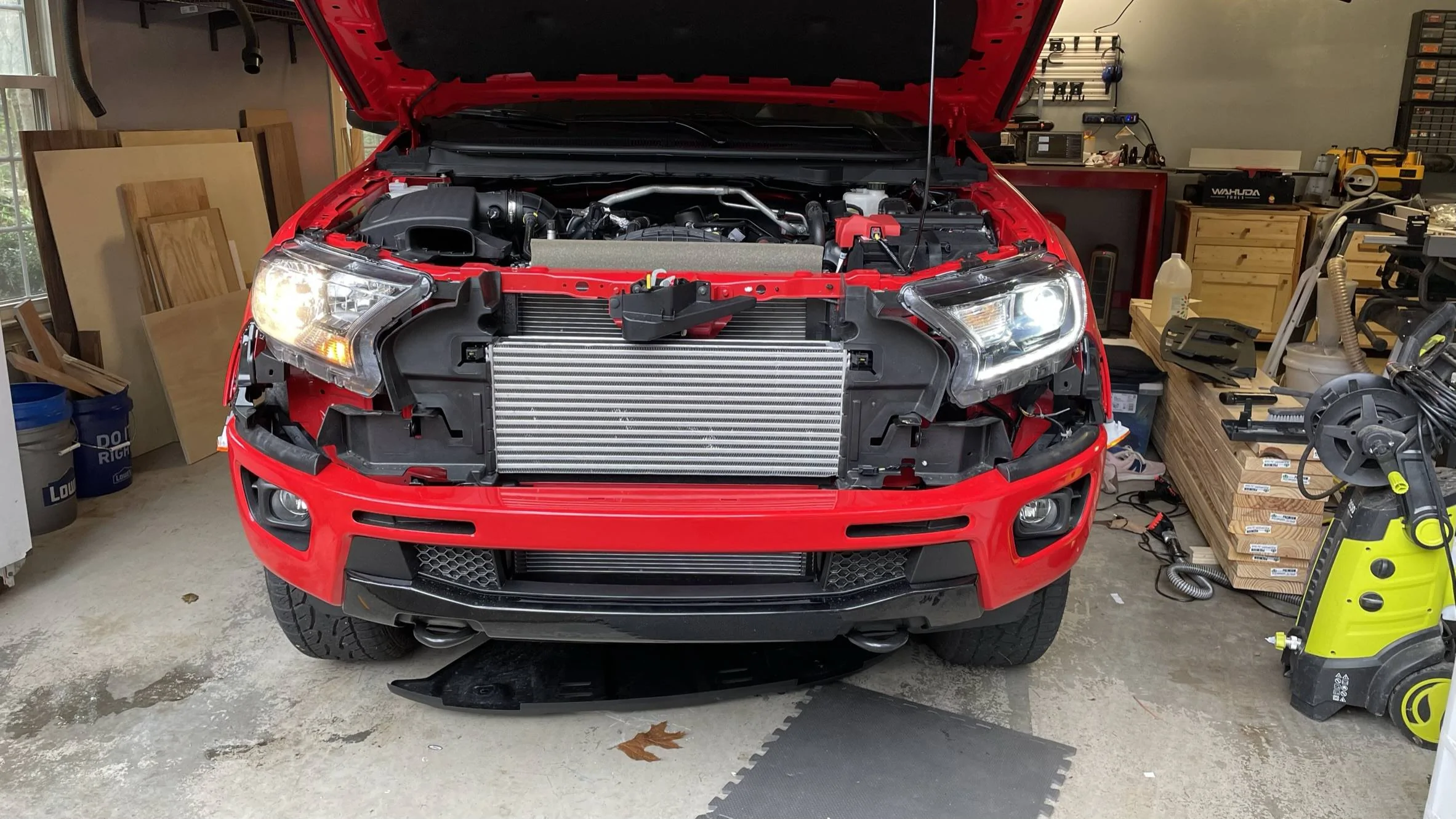
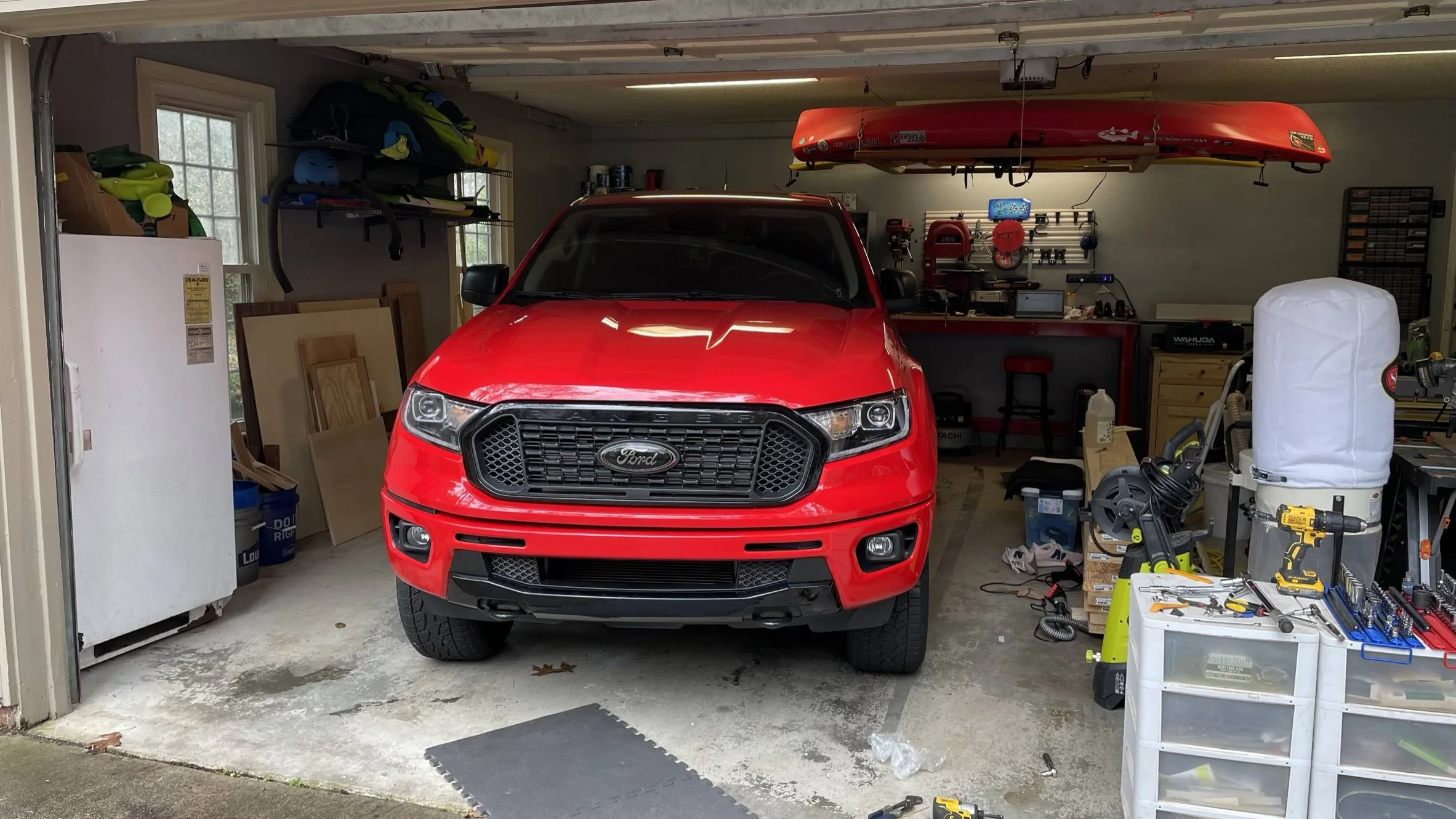
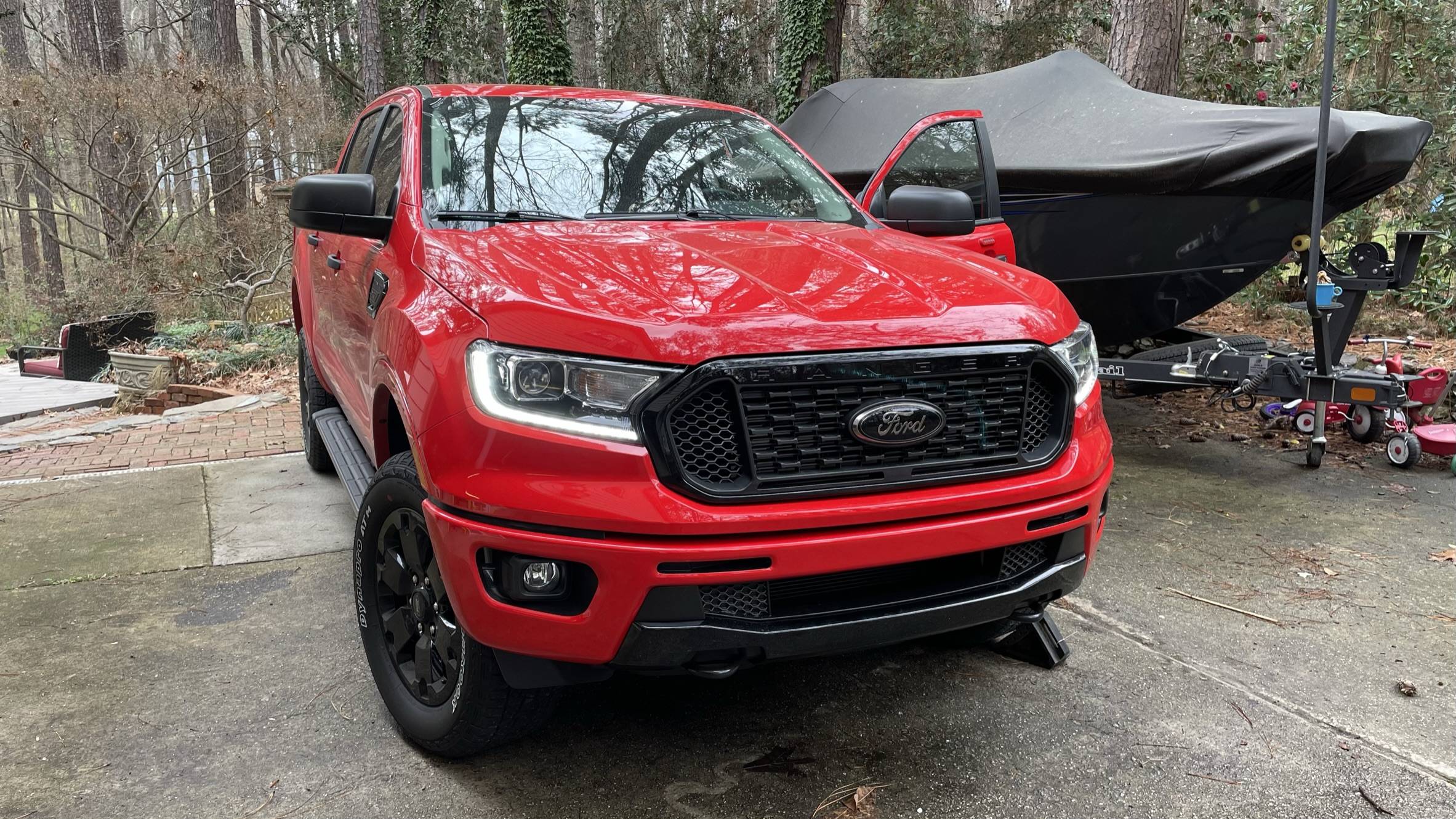
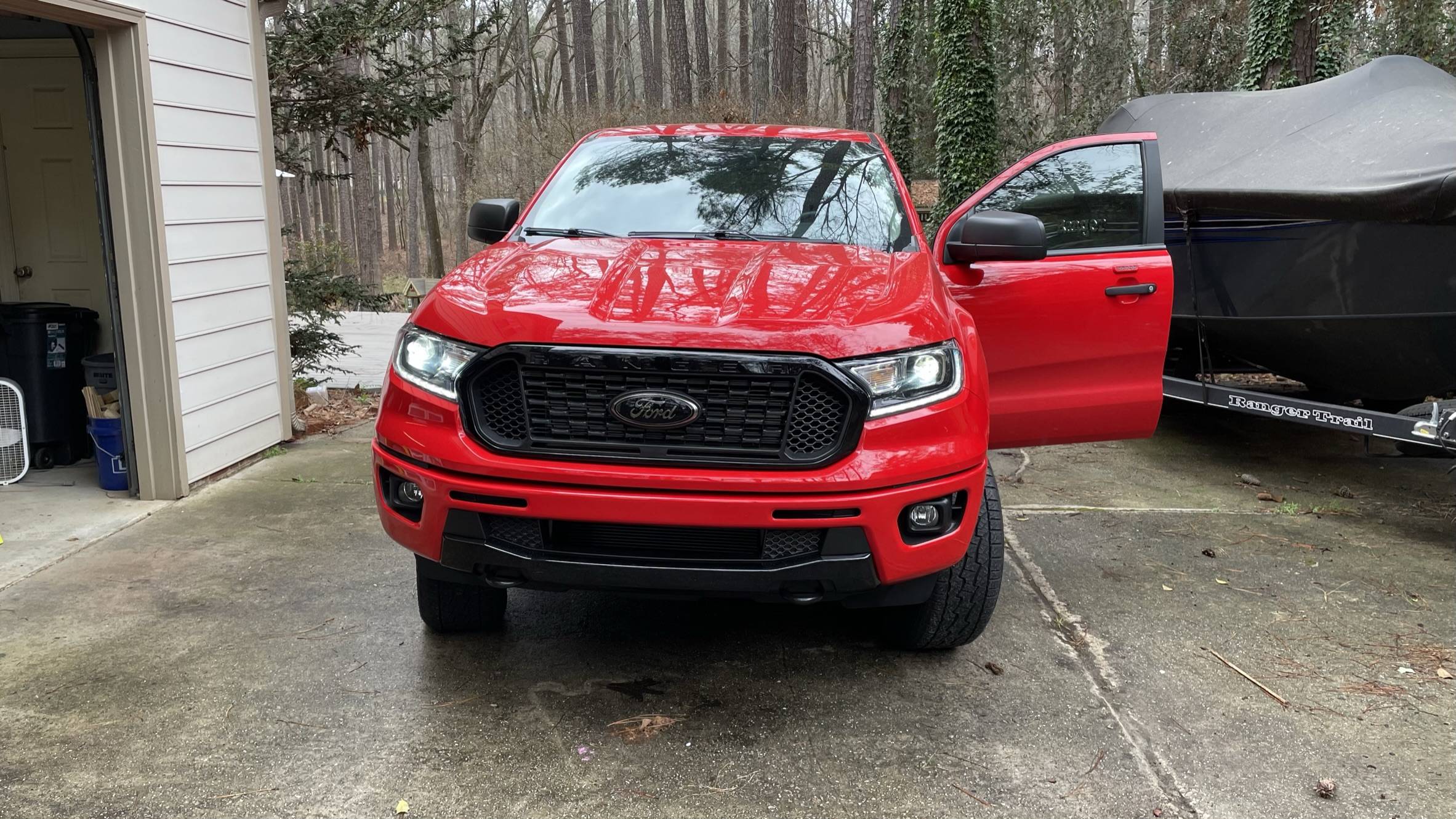
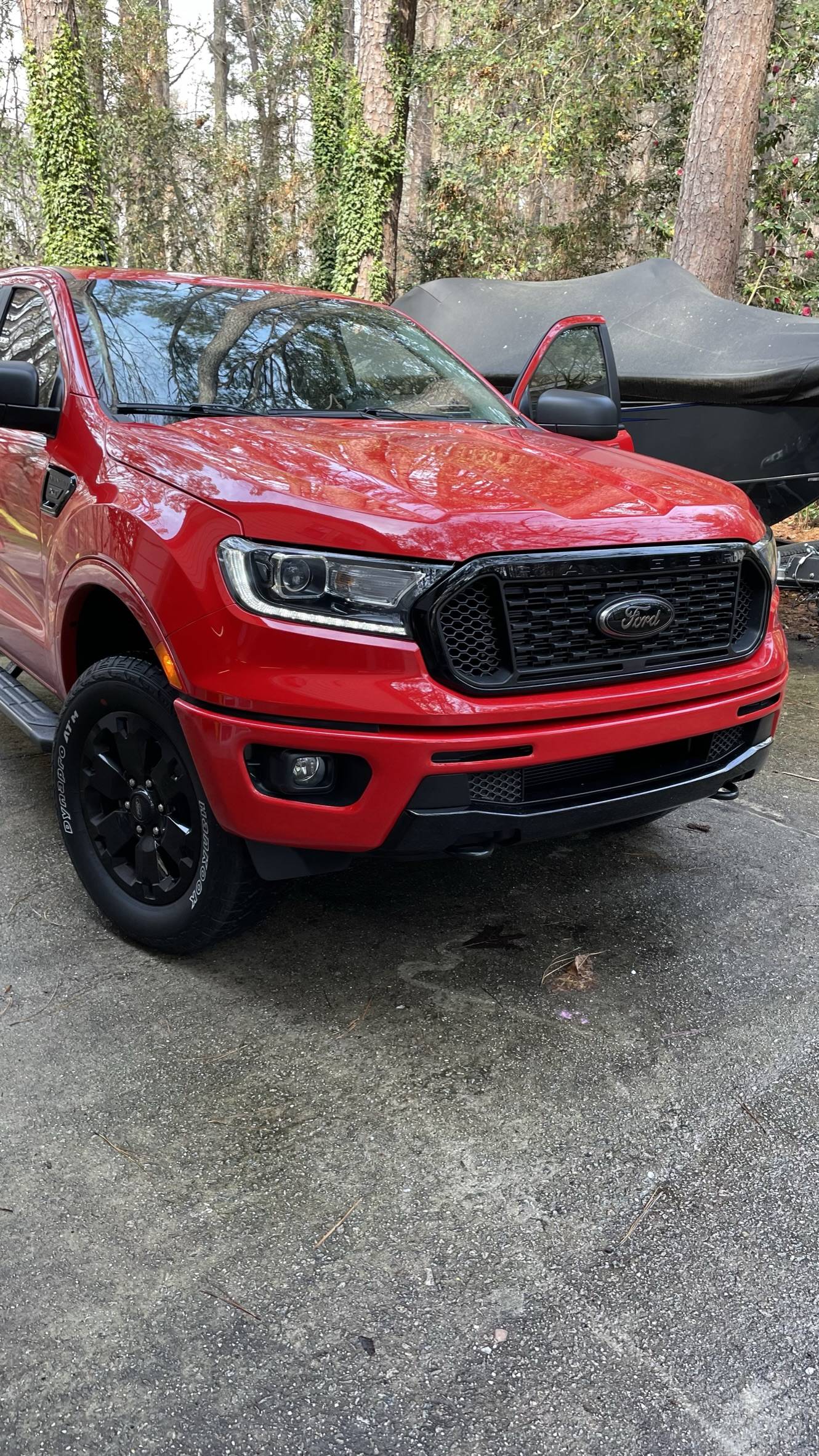
I have completed my Lariat - Factory LED Downgrade back to AS-Ordered - Now the truck is HAPPY, Bye-Bye Halo's
i had searched through the posts here and found some conflicting info on the correct settings for ForScan after the swap
I compared 3 Lariat's (As-Built) data, and these are the settings that they all have.
Lariat As-Built Compare (From 3 Trucks) (All Match these settings) (With Factory LED's)
BCM
726-26-02 - 0000-0001-0056
726-45-01 - 0A01-1000-008E
726-50-01 - 108E
The various posts state an array of options on these setting but to get it to Factory LED (The LED Strip) as your DRL these are my findings
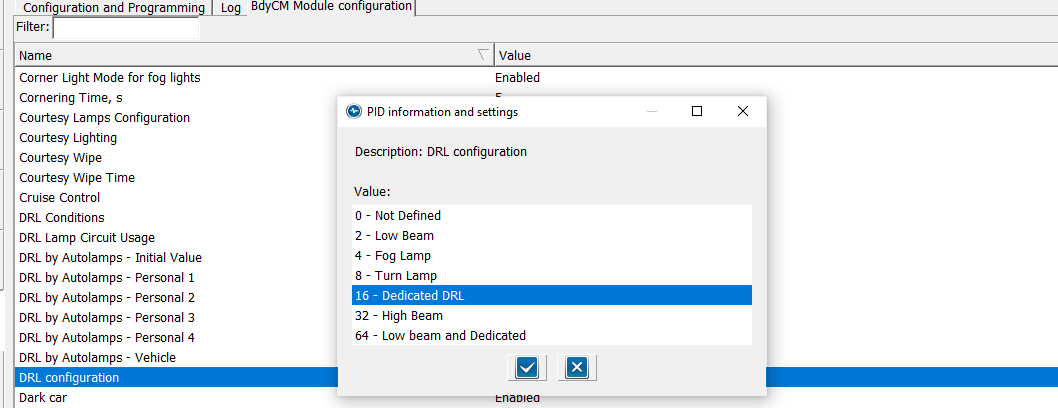
DRL Configuration to (Dedicated DRL)

Set this option to (16) Dedicated DRL - this will automatically set 2-Lines of Hex Code for you.
NOTE: the (16) is a Binary code that is converted to HEX (Inside of the As-Built) Files
Here are the 2-Lines of Codes it sets
BCM
726-26-02 - 0000-0001-0056 (Matches my Lariat compare search-As-Built)
726-50-01 - 108E (Matches my Lariat compare search - As-Built)
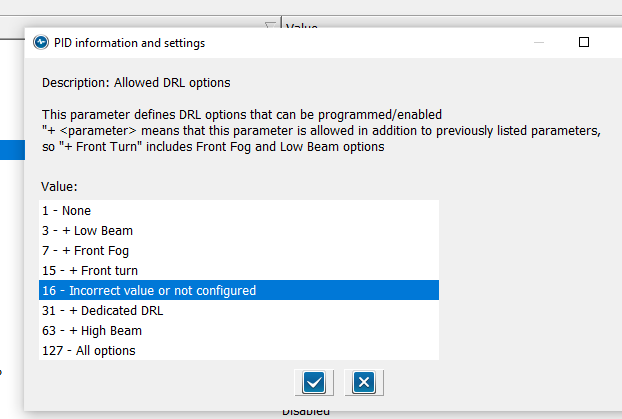
Now set Allowed DRL Options:

NOTE: The Paragraph at the top
If you have only (1) option for DRL, such as Factory LED Headlights, this will show due to the fact that it matches the (16) Binary code you set in DRL Configuration PLUS
This option ONLY modifies (In addition) (Plus) the standard factory DRL.
So, this normal - As I have not added any special (extra) DRL options to the configuration
So, with this selected, here is the last Hex Line of code that is changed (Automatically)
726-45-01 - 0A01-1000-008E (Matches my Lariat compare search-As-Built)
If you do not see this option (highlighted) then go into the As-Built File and manually change it, then when you go back to the (Module) Easy way, this will be shown
If you select (31) (+) Dedicated DRL here, you will see the As-Built Hex Line change to this
726-45-01 - 0A01-1F00-008E - ----This does not match factory settings
Others have posted that you need to set it to this, and it does work, as I have operational checked the Headlight's and DRL's using this one (1F00) and (1000)
Edit:
Note: US Version Trucks - DRL's only operate with Headlamp Switch in (Auto)
and US Version Trucks (DRL's) only operate (On & Bright) in any (Gear) position except Park and as long as Headlamps have not been turned on due to low light conditions from (Auto Headlamps), to ops check in your driveway, place truck in Neutral and set Parking Brake on a bright sunny day.
I added this little note as some have not read the fine print of the owner's manual and creates confusion on proper operation.
If you want your DRL's to be always on (Including with Headlamp Switch in (OFF) like our Candian Neighbors are required to have, then make one other change in Forscan and that is in easy mode - DRL Conditions , when you select a change here you will have (2) options (A or B) , As of this writing I cannot remember what the US Version is set at, I believe Option (B), so change to Option (A)
Rangers have 2 types of DRL (Conditions)
Conventional - (Always On - Even with switch off - (option A) - I think (Candian Trucks)
Configurable - Only (On) with Headlamp switch in (Auto) - option B - I think. (US Trucks)
Without hooking up Forscan, I may have the options ( A & B) backwards
Operational Check:
1. LED Strip - On and Bright
a. With Headlight switch in Auto (Daylight) - So DRL Mode
2. LED Strip - On and Dim
a. Headlight switch in (Headlight) and (Auto - Nighttime)
b. Headlight Switch in Park Lights
c. Activation of Entry / Exit Lights along with Park Lights, Bed Lights, Puddle Lights, Door Locks Activation Etc.
I know there have been quite a few posts on this subject and I wanted to pass along my findings
to clear it up
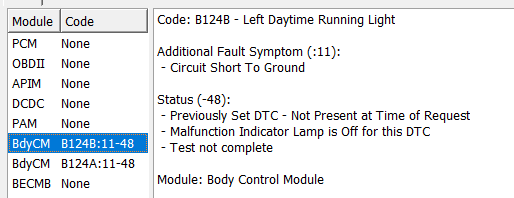
These are the confirmed settings for the Lariat Factory LED Upgrade, now it should also clear it up for those who have installed the (aftermarket) options. With the attached pics, you can see it more clearly and visualize what changes you want to make
Here are the changes each selection makes to the Hex Line
726-45-01 - (0A01-XXXX-008E)
None: 0100
All Options: 7F00
Low Beam: 0300
Hi-Beam: 3F00
Ft Fog: 0700
Ft Turn: 0F00
Dedicated DRL: 1F00
Incorrect Value or Not Configured - 1000 (Factory Lariat Setting (LED)
Hope this helps
22 Ranger Lariat Screw Cactus Gray
Edit: Jan 18, 2025
Since there are numerous reports of Aftermarket LED Lighting issues due to the manufacture requirement to (Add) Tapped Power for the (DRL) Circuit. I believe this tapped power is creating the issues and how the BCM reacts to the tapped power.
I believe the reason for the Aftermarket (side) for adding a tapped power source is to (eliminate) the perceived need for any Forscan changes.
They cannot market (Headlights) if it requires a (Forscan) change to operate properly.
So they add tapped power as a work around.
The problem is (I do not think the BCM) likes the tapped power source and it is still trying to power the headlamps as (Halo's) - The BCM does not know that you have LED's installed unless you tell the BCM that they are installed.
This is the reason for Forscan changes.
I do not have (Aftermarket) lights as I have factory LED
I cannot see exactly how the Aftermarkets are wired internally and the reasoning or requirement for adding Tapped power.
It MAY be possible to eliminate that tapped power and only make Forscan changes and still get the full functionality of them or still use the Tapped power and just make changes with Forscan.
It is sad and frustrating that some are having issues, it should be a Plug & Play and walk away with NO ISSUES, thats not the case. So all I can do is offer some possible solutions for the issues and hope that we hit the (Golden Nugget) for a fix.
I have found some additional settings that (MAY) change any (operational) issues you are having with any Aftermarket - Assembly and the following lines need to be checked to see how they are set.
By changing the following to match (Factory-LED) settings MAY fix the issues.
I found 3 As-Built files that may tie into the issues for the Aftermarket Lights
IDK - If any of these are tied to the (Easy Way) Config Settings and may not be getting touched or changed if you are only using the (Easy Way)
Check these Files:
BCM:
726-24-01
0000-00C0-D0E2 (Factory - Halo)
0000-0000-D022 (Factory - LED)
Specific's - DRL DTC (Inhibit or Normal)
xCxx = C-Inhibit ----X0xx (Normal)
So, for the factory Halo's it is set to inhibit and with LED is set to normal.
726-29-01
0000-0000-0259 (Factory - Halo)
0000-0000-0158 (Factory - LED)
Specific's - VRMS Target Configure
x2xx - Type 2 -- 01xx - Type 1
So, Type 2 = Halos Installed & Type 1 = LED's Installed
So, this is a voltage supply setting but not clear what light circuit it is actually for.
Headlights or DRL Circuit or Park & Turn
726-61-02
1600-0000-01A7 (Factory - Halo)
1601-0100-01A9 (Factory - LED)
Specific's - LF & RF DRL Lamp Circuit Configure
xxx0-x0xx (Not Used) ---- xxx1-x1xx (Used)
So, it may be possible that one if not all of these As-Built files may fix the issues you are having with the Aftermarket Headlamp Assemblies, it's going to be a TRY THIS setting until someone posts hey this (FIXED) the issue or (NO HELP)
So, if you are swapping from Halo's to any LED assembly and are having issues with them, check the above files and change to the (Factory-LED) settings if they are not already set.
Hopefully, this might help resolve the issues.
I have completed my Lariat - Factory LED Downgrade back to AS-Ordered - Now the truck is HAPPY, Bye-Bye Halo's
i had searched through the posts here and found some conflicting info on the correct settings for ForScan after the swap
I compared 3 Lariat's (As-Built) data, and these are the settings that they all have.
Lariat As-Built Compare (From 3 Trucks) (All Match these settings) (With Factory LED's)
BCM
726-26-02 - 0000-0001-0056
726-45-01 - 0A01-1000-008E
726-50-01 - 108E
The various posts state an array of options on these setting but to get it to Factory LED (The LED Strip) as your DRL these are my findings
DRL Configuration to (Dedicated DRL)
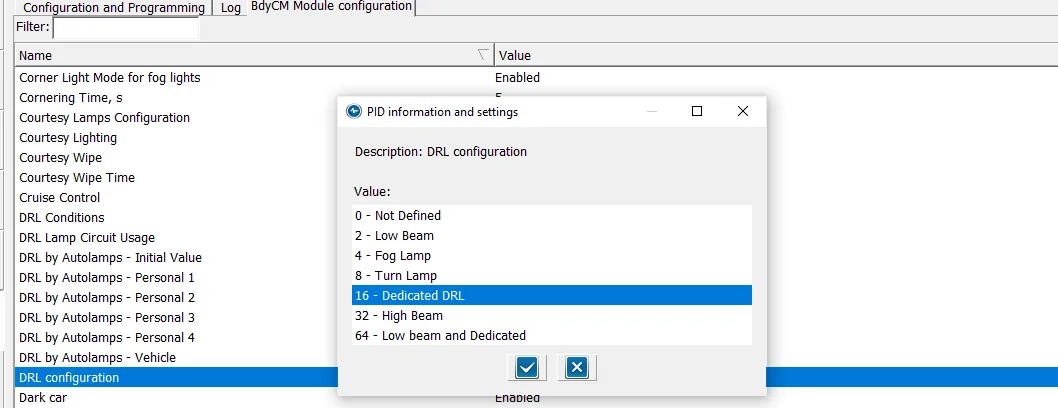
Set this option to (16) Dedicated DRL - this will automatically set 2-Lines of Hex Code for you.
NOTE: the (16) is a Binary code that is converted to HEX (Inside of the As-Built) Files
Here are the 2-Lines of Codes it sets
BCM
726-26-02 - 0000-0001-0056 (Matches my Lariat compare search-As-Built)
726-50-01 - 108E (Matches my Lariat compare search - As-Built)
Now set Allowed DRL Options:
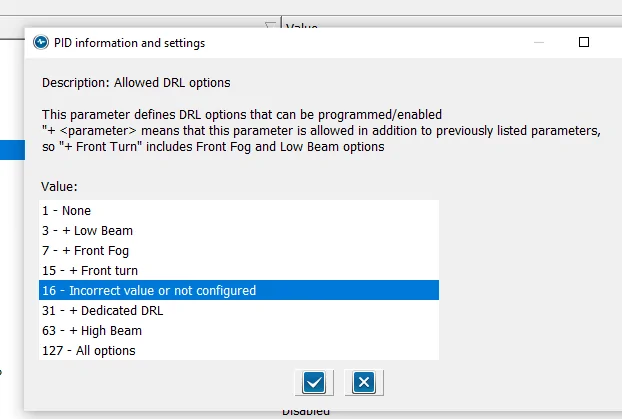
NOTE: The Paragraph at the top
If you have only (1) option for DRL, such as Factory LED Headlights, this will show due to the fact that it matches the (16) Binary code you set in DRL Configuration PLUS
This option ONLY modifies (In addition) (Plus) the standard factory DRL.
So, this normal - As I have not added any special (extra) DRL options to the configuration
So, with this selected, here is the last Hex Line of code that is changed (Automatically)
726-45-01 - 0A01-1000-008E (Matches my Lariat compare search-As-Built)
If you do not see this option (highlighted) then go into the As-Built File and manually change it, then when you go back to the (Module) Easy way, this will be shown
If you select (31) (+) Dedicated DRL here, you will see the As-Built Hex Line change to this
726-45-01 - 0A01-1F00-008E - ----This does not match factory settings
Others have posted that you need to set it to this, and it does work, as I have operational checked the Headlight's and DRL's using this one (1F00) and (1000)
Edit:
Note: US Version Trucks - DRL's only operate with Headlamp Switch in (Auto)
and US Version Trucks (DRL's) only operate (On & Bright) in any (Gear) position except Park and as long as Headlamps have not been turned on due to low light conditions from (Auto Headlamps), to ops check in your driveway, place truck in Neutral and set Parking Brake on a bright sunny day.
I added this little note as some have not read the fine print of the owner's manual and creates confusion on proper operation.
If you want your DRL's to be always on (Including with Headlamp Switch in (OFF) like our Candian Neighbors are required to have, then make one other change in Forscan and that is in easy mode - DRL Conditions , when you select a change here you will have (2) options (A or B) , As of this writing I cannot remember what the US Version is set at, I believe Option (B), so change to Option (A)
Rangers have 2 types of DRL (Conditions)
Conventional - (Always On - Even with switch off - (option A) - I think (Candian Trucks)
Configurable - Only (On) with Headlamp switch in (Auto) - option B - I think. (US Trucks)
Without hooking up Forscan, I may have the options ( A & B) backwards
Operational Check:
1. LED Strip - On and Bright
a. With Headlight switch in Auto (Daylight) - So DRL Mode
2. LED Strip - On and Dim
a. Headlight switch in (Headlight) and (Auto - Nighttime)
b. Headlight Switch in Park Lights
c. Activation of Entry / Exit Lights along with Park Lights, Bed Lights, Puddle Lights, Door Locks Activation Etc.
I know there have been quite a few posts on this subject and I wanted to pass along my findings
to clear it up
These are the confirmed settings for the Lariat Factory LED Upgrade, now it should also clear it up for those who have installed the (aftermarket) options. With the attached pics, you can see it more clearly and visualize what changes you want to make
Here are the changes each selection makes to the Hex Line
726-45-01 - (0A01-XXXX-008E)
None: 0100
All Options: 7F00
Low Beam: 0300
Hi-Beam: 3F00
Ft Fog: 0700
Ft Turn: 0F00
Dedicated DRL: 1F00
Incorrect Value or Not Configured - 1000 (Factory Lariat Setting (LED)
Hope this helps
22 Ranger Lariat Screw Cactus Gray
Edit: Jan 18, 2025
Since there are numerous reports of Aftermarket LED Lighting issues due to the manufacture requirement to (Add) Tapped Power for the (DRL) Circuit. I believe this tapped power is creating the issues and how the BCM reacts to the tapped power.
I believe the reason for the Aftermarket (side) for adding a tapped power source is to (eliminate) the perceived need for any Forscan changes.
They cannot market (Headlights) if it requires a (Forscan) change to operate properly.
So they add tapped power as a work around.
The problem is (I do not think the BCM) likes the tapped power source and it is still trying to power the headlamps as (Halo's) - The BCM does not know that you have LED's installed unless you tell the BCM that they are installed.
This is the reason for Forscan changes.
I do not have (Aftermarket) lights as I have factory LED
I cannot see exactly how the Aftermarkets are wired internally and the reasoning or requirement for adding Tapped power.
It MAY be possible to eliminate that tapped power and only make Forscan changes and still get the full functionality of them or still use the Tapped power and just make changes with Forscan.
It is sad and frustrating that some are having issues, it should be a Plug & Play and walk away with NO ISSUES, thats not the case. So all I can do is offer some possible solutions for the issues and hope that we hit the (Golden Nugget) for a fix.
I have found some additional settings that (MAY) change any (operational) issues you are having with any Aftermarket - Assembly and the following lines need to be checked to see how they are set.
By changing the following to match (Factory-LED) settings MAY fix the issues.
I found 3 As-Built files that may tie into the issues for the Aftermarket Lights
IDK - If any of these are tied to the (Easy Way) Config Settings and may not be getting touched or changed if you are only using the (Easy Way)
Check these Files:
BCM:
726-24-01
0000-00C0-D0E2 (Factory - Halo)
0000-0000-D022 (Factory - LED)
Specific's - DRL DTC (Inhibit or Normal)
xCxx = C-Inhibit ----X0xx (Normal)
So, for the factory Halo's it is set to inhibit and with LED is set to normal.
726-29-01
0000-0000-0259 (Factory - Halo)
0000-0000-0158 (Factory - LED)
Specific's - VRMS Target Configure
x2xx - Type 2 -- 01xx - Type 1
So, Type 2 = Halos Installed & Type 1 = LED's Installed
So, this is a voltage supply setting but not clear what light circuit it is actually for.
Headlights or DRL Circuit or Park & Turn
726-61-02
1600-0000-01A7 (Factory - Halo)
1601-0100-01A9 (Factory - LED)
Specific's - LF & RF DRL Lamp Circuit Configure
xxx0-x0xx (Not Used) ---- xxx1-x1xx (Used)
So, it may be possible that one if not all of these As-Built files may fix the issues you are having with the Aftermarket Headlamp Assemblies, it's going to be a TRY THIS setting until someone posts hey this (FIXED) the issue or (NO HELP)
So, if you are swapping from Halo's to any LED assembly and are having issues with them, check the above files and change to the (Factory-LED) settings if they are not already set.
Hopefully, this might help resolve the issues.
Sponsored
Last edited:
 and not paying attention to the paragraph at the top of the Allowed DRL Options screen.