Sponsored

Do "we" know how the reverse camera feed is trigger?

OP
OP
Canuckian

Canuckian

Well-Known Member
Joined
Jan 10, 2022
Threads
3
Messages
134
Reaction score
356
Location
Canada
Vehicle(s)
2022 Ranger Crew Cab Lariat Blackout
I gave up on integrating an after market camera because I was only willing to go as far as the rear harness to get it operating. I am sure I could get it working further if I was willing to go all the way to the head unit and convert something there.

But I'm not.

Down the road I will simply design a project box that better fits the factory camera more cleanly, or just go with a whole separate third party system.

In a nut shell, there is more at play than just wiring a third party camera to the factory rear harness. It doesn't work, the best I could get was a video with extremely bad quality.
Fair enough. I am still going to give a try and connecting in at the back of the Sync screen, otherwise I will at a second camera screen.
Sponsored


Matthew Szymanski

New Member
First Name
Matthew
Joined
Dec 22, 2022
Threads
0
Messages
3
Reaction score
0
Location
21921
Vehicle(s)
2022 Ford Ranger Lariat Tremor
Occupation
Special Systems Designer
My thinking is that if the power is the controlling mechanism, all SYNC knows is that it is connect to an RCA feed. If that RCA feed was split to multiple cameras, but a selector switch was controlling which camera is powered, the SYNC system would not need to be modified. Whether the speed limiter in SYNC is also controlled by power, or within the sync system is a potential confounding factor.

Would be interesting to know if powering the reverse camera when the truck is not in reverse, would sync display the video?

I am thinking the same exact thing. Splice a front camera into the rca connector (or 2 other cables that act as the rca coaxial) and connect the power to the upfitter switch. If reverse power kicks on, rear camera is active, and if in drive and turn the upfitter on and the front camera actives.

Anyone try it, i may try it very soon, this week....if it doesnt rain all damn week.
 
OP
OP
Canuckian

Canuckian

Well-Known Member
Joined
Jan 10, 2022
Threads
3
Messages
134
Reaction score
356
Location
Canada
Vehicle(s)
2022 Ranger Crew Cab Lariat Blackout
I am thinking the same exact thing. Splice a front camera into the rca connector (or 2 other cables that act as the rca coaxial) and connect the power to the upfitter switch. If reverse power kicks on, rear camera is active, and if in drive and turn the upfitter on and the front camera actives.

Anyone try it, i may try it very soon, this week....if it doesnt rain all damn week.
Let me know how it goes. I keep saying I am going to try it, have all the parts to try it, and keep getting distracted. Will def give it a shot when my Prinsu is installed as I have a bunch of othe wiring to do then.
 

Matthew Szymanski

New Member
First Name
Matthew
Joined
Dec 22, 2022
Threads
0
Messages
3
Reaction score
0
Location
21921
Vehicle(s)
2022 Ford Ranger Lariat Tremor
Occupation
Special Systems Designer
Let me know how it goes. I keep saying I am going to try it, have all the parts to try it, and keep getting distracted. Will def give it a shot when my Prinsu is installed as I have a bunch of othe wiring to do then.

Will do.


Matthew Szymanski

New Member
First Name
Matthew
Joined
Dec 22, 2022
Threads
0
Messages
3
Reaction score
0
Location
21921
Vehicle(s)
2022 Ford Ranger Lariat Tremor
Occupation
Special Systems Designer
Let me know how it goes. I keep saying I am going to try it, have all the parts to try it, and keep getting distracted. Will def give it a shot when my Prinsu is installed as I have a bunch of othe wiring to do then.
I like doing my homework. After studying some of the wiring diagrams, I think I have this thing figured out. I will give the secret sauce away after a test run, but I am pretty confident, (or I would have tried it before even saying this). My plan would allow for as many cameras as you want, camera selection is where it would get tricky, but, seeing what I see now, I think it would just be a couple of cables to intercept for turn signals to capture, but for a front camera, 1 upfitter switch would work quite nicely, or if you wanted a bed cam, 2 upfitters, but if you wanted triggered cameras when the turn signal is applied (I didn't think people used these things anymore) you don't want to flip a switch.

The override on the speed limit may end up being the devil in the plan. Have to check my forscan stuff. Could be a deal breaker, they don't want video on your screen driving, wonder how many backdoors it allows?
 
OP
OP
Canuckian

Canuckian

Well-Known Member
Joined
Jan 10, 2022
Threads
3
Messages
134
Reaction score
356
Location
Canada
Vehicle(s)
2022 Ranger Crew Cab Lariat Blackout
Finally go around to investigating the inputs behind the radio. Looks like the pic I saw showing a video rca connector in the dash must have been for an aftermarket system. I can confirm there is no such connector on the lariat screen or controller. I figured that was to easy to be true.
 
OP
OP
Canuckian

Canuckian

Well-Known Member
Joined
Jan 10, 2022
Threads
3
Messages
134
Reaction score
356
Location
Canada
Vehicle(s)
2022 Ranger Crew Cab Lariat Blackout
Some more progress but no love. You can absolutely tie into the connector under the tail gate and connect any camera (incl cheap rca cameras) by connecting the video source (rca center post) to the white/green and the rca outer ground to the blue/grey. This would work for mounting a backup camera up on a rack like @OFC Ranger wanted. You can power the camera separately with any 12v (or appropriate aux) power source.

My other hypothesis that the display of the camera on screen was controlled by power to the camera proved false. I hoped they may have engineered it this way to avoid failures, so that anytime the camera is power by the BCM the reverse camera should be displayed, even if the sync system isn’t fully booted up yet. Alas this is not the case.

I think that puts a nail on the coffin of trying to integrate multiple cameras to be displayed on the built in display. To do so would require overriding the sync system, which is likely how the rostra rig worked. This is beyond my capabilities and enthusiasm.

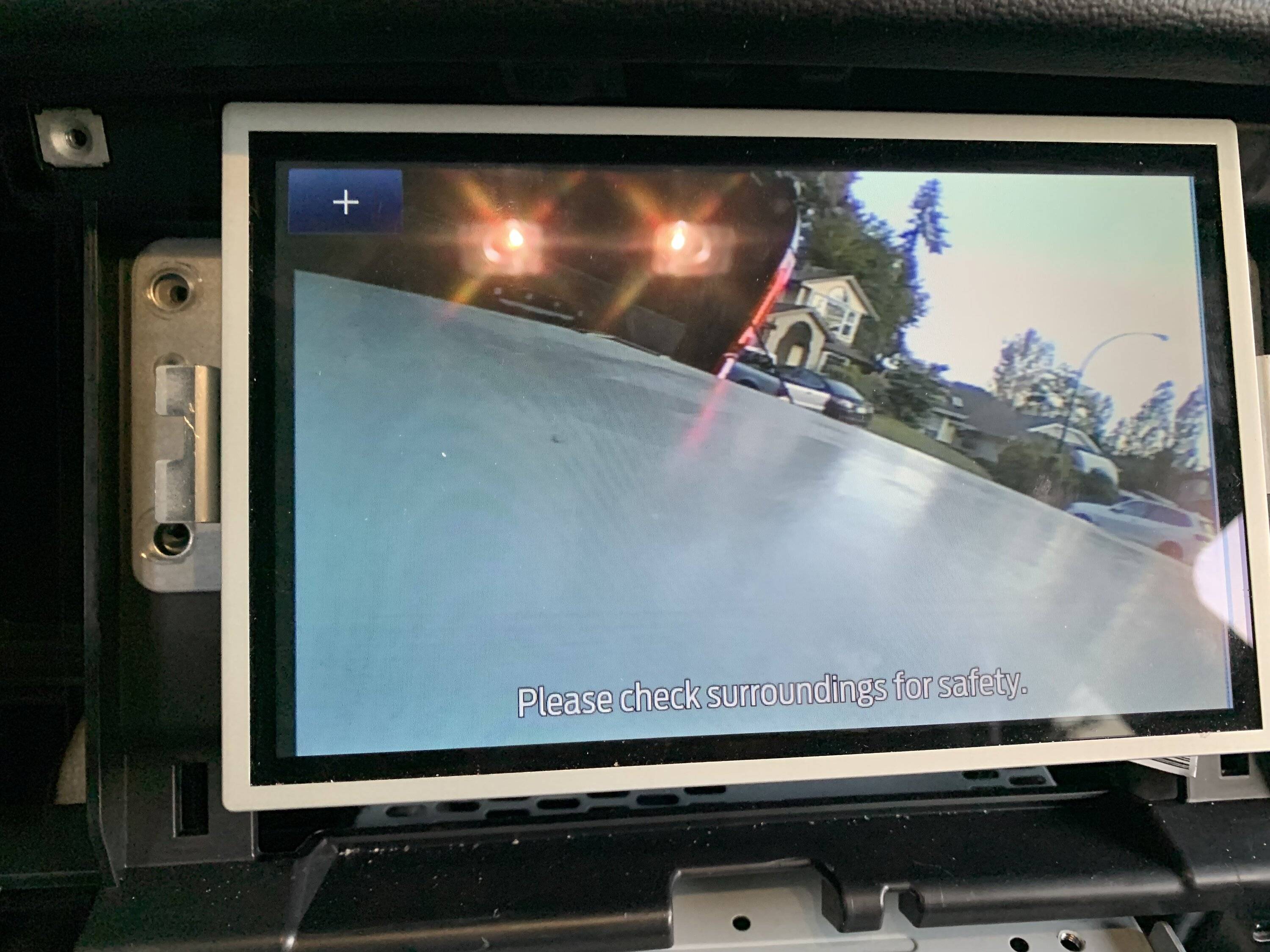
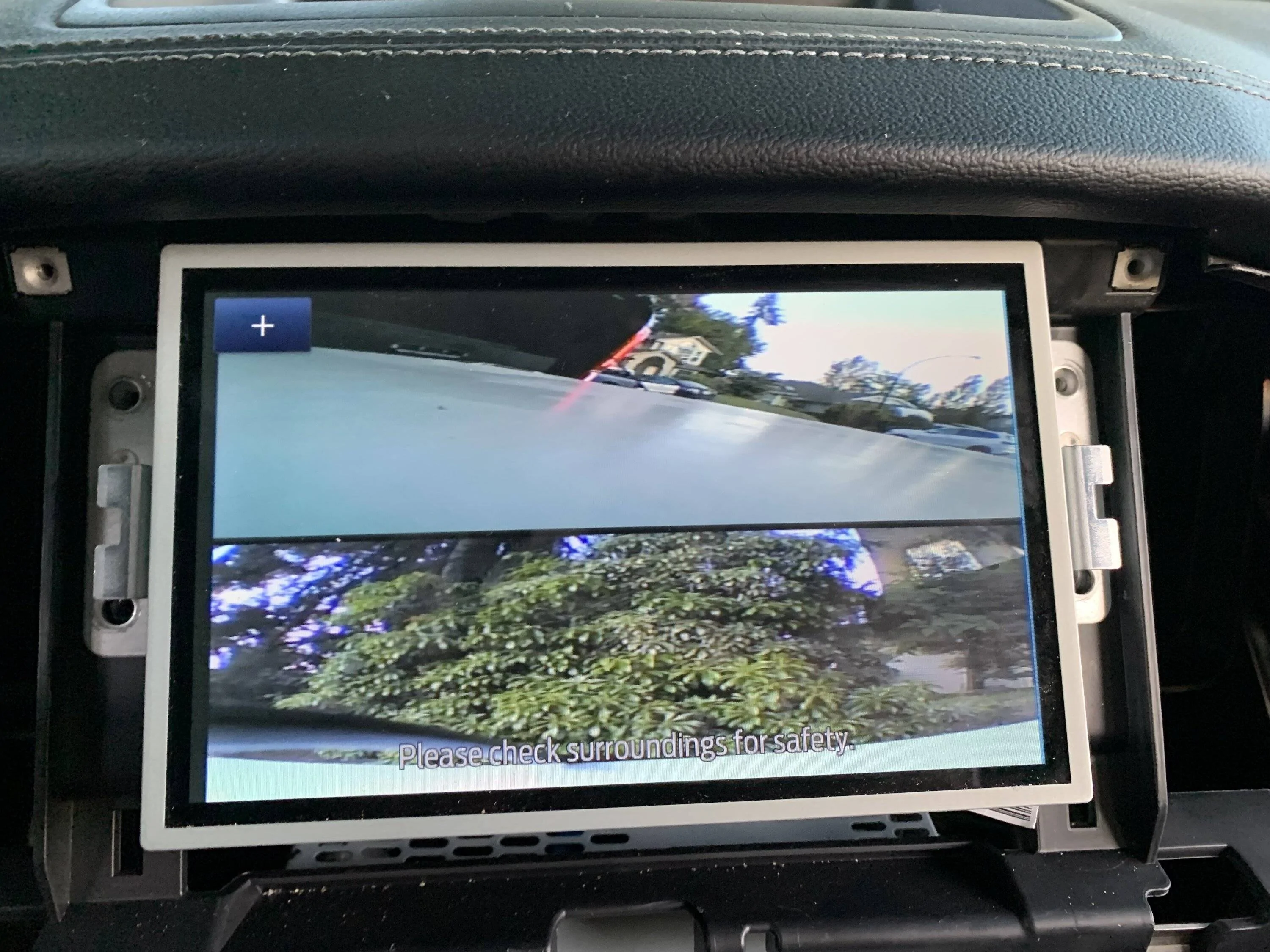
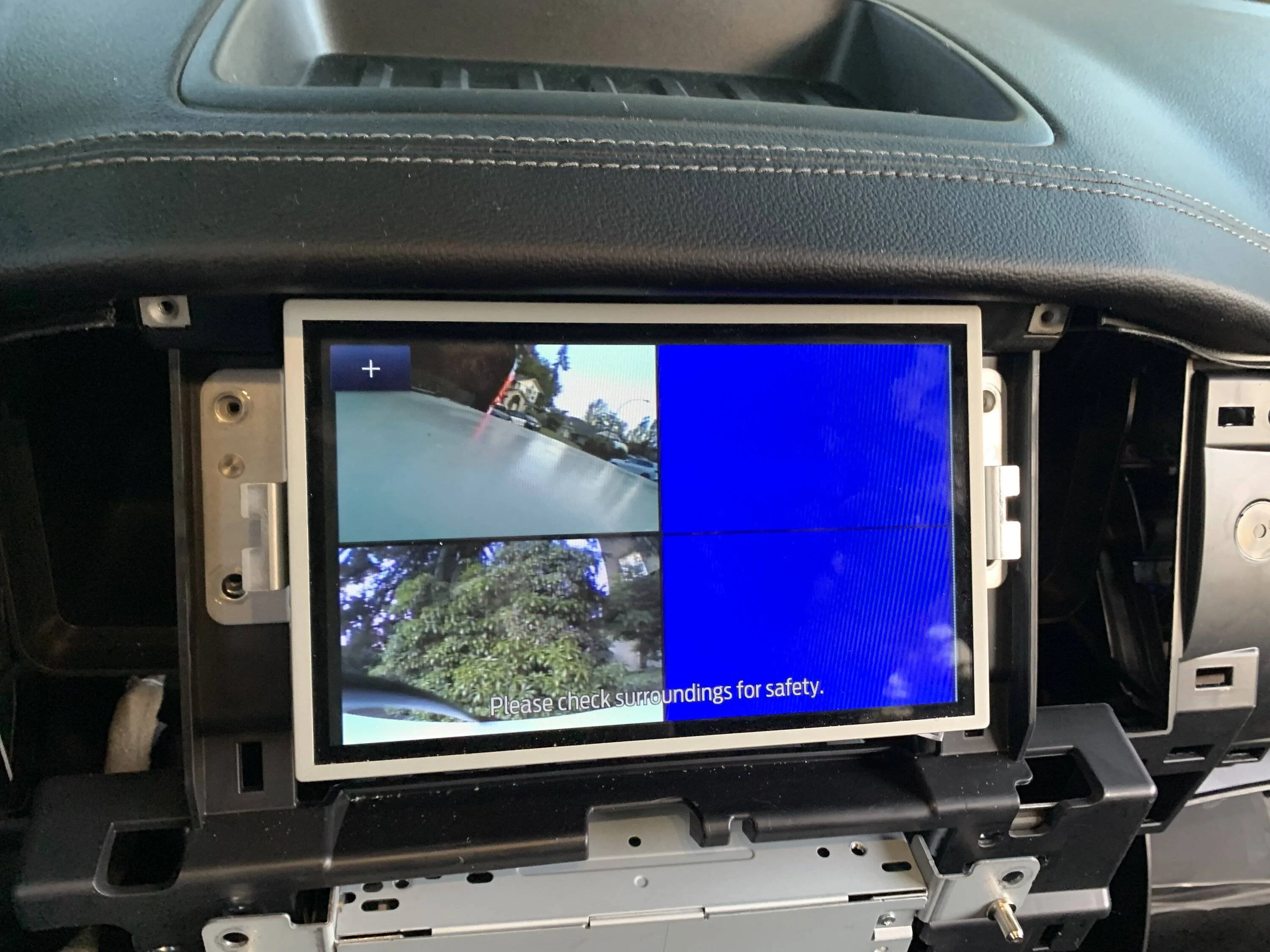
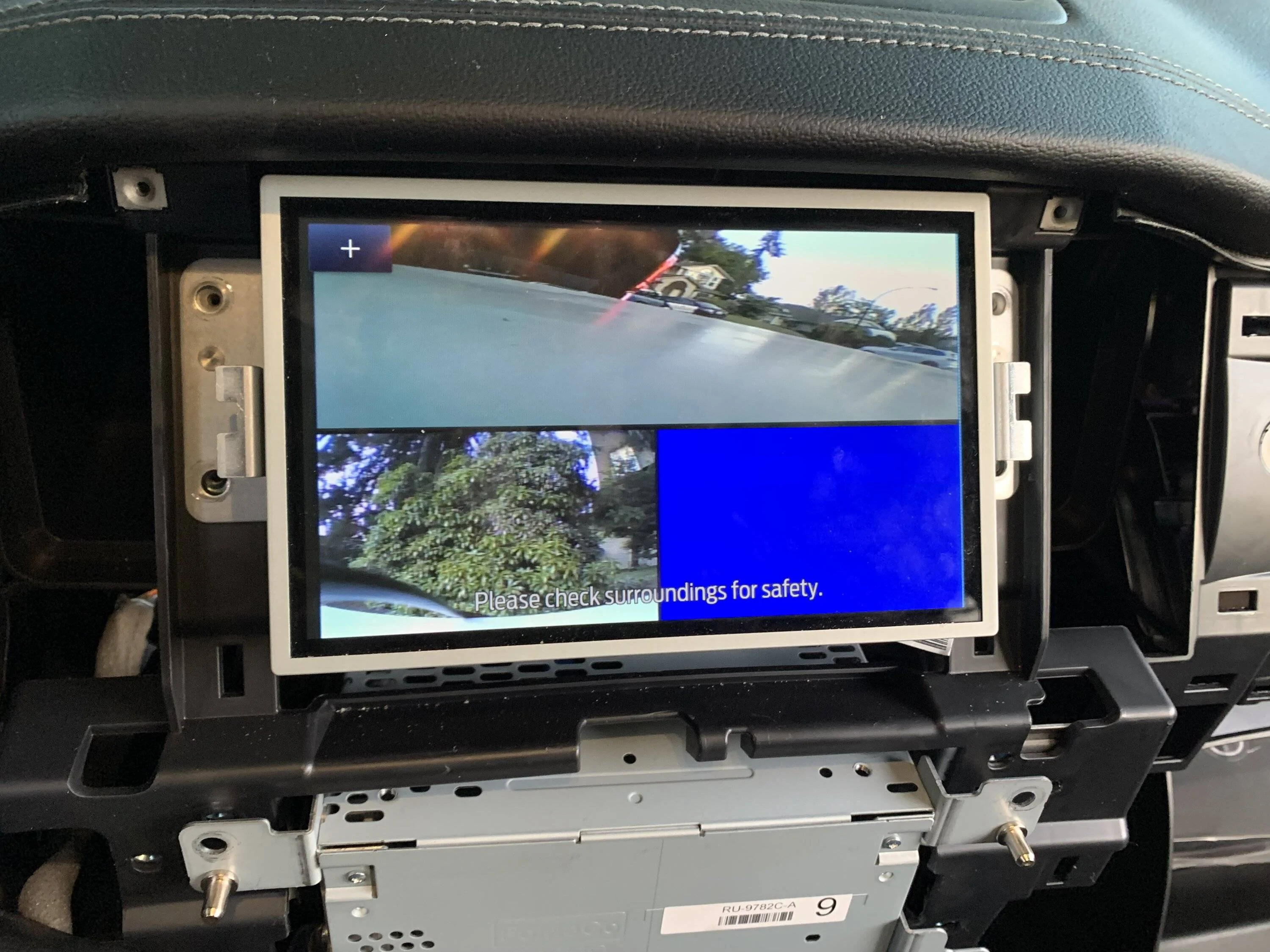
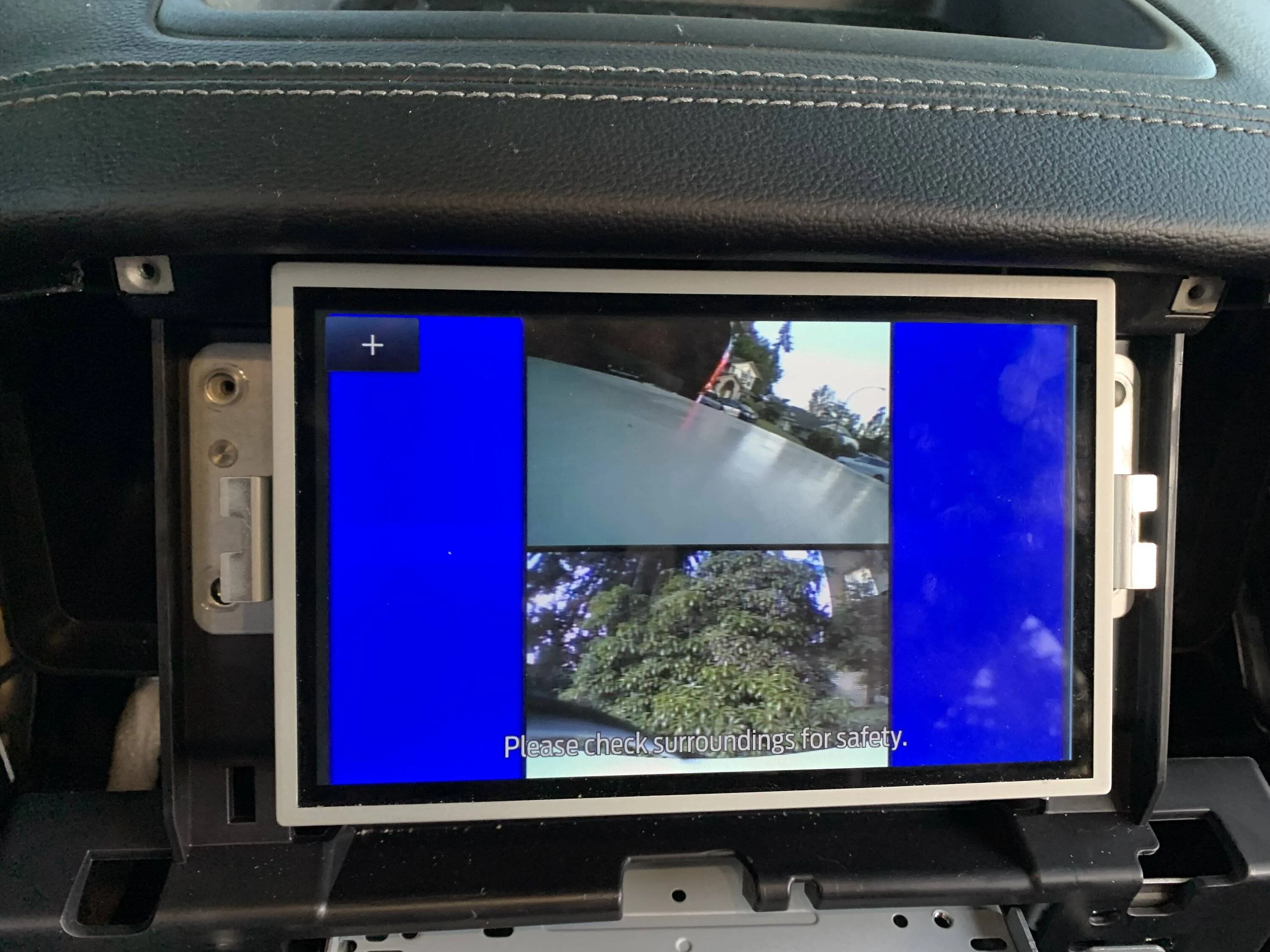
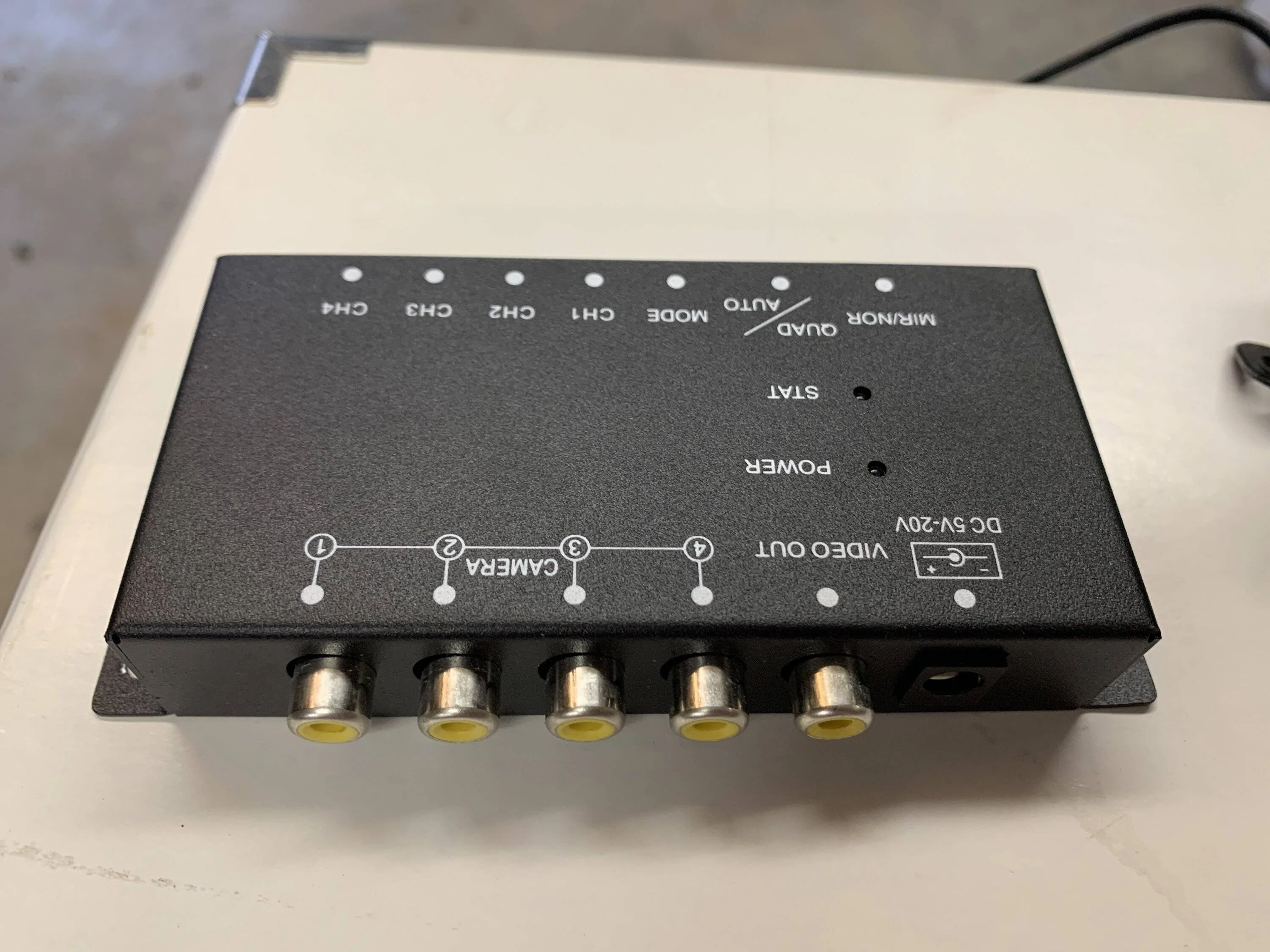
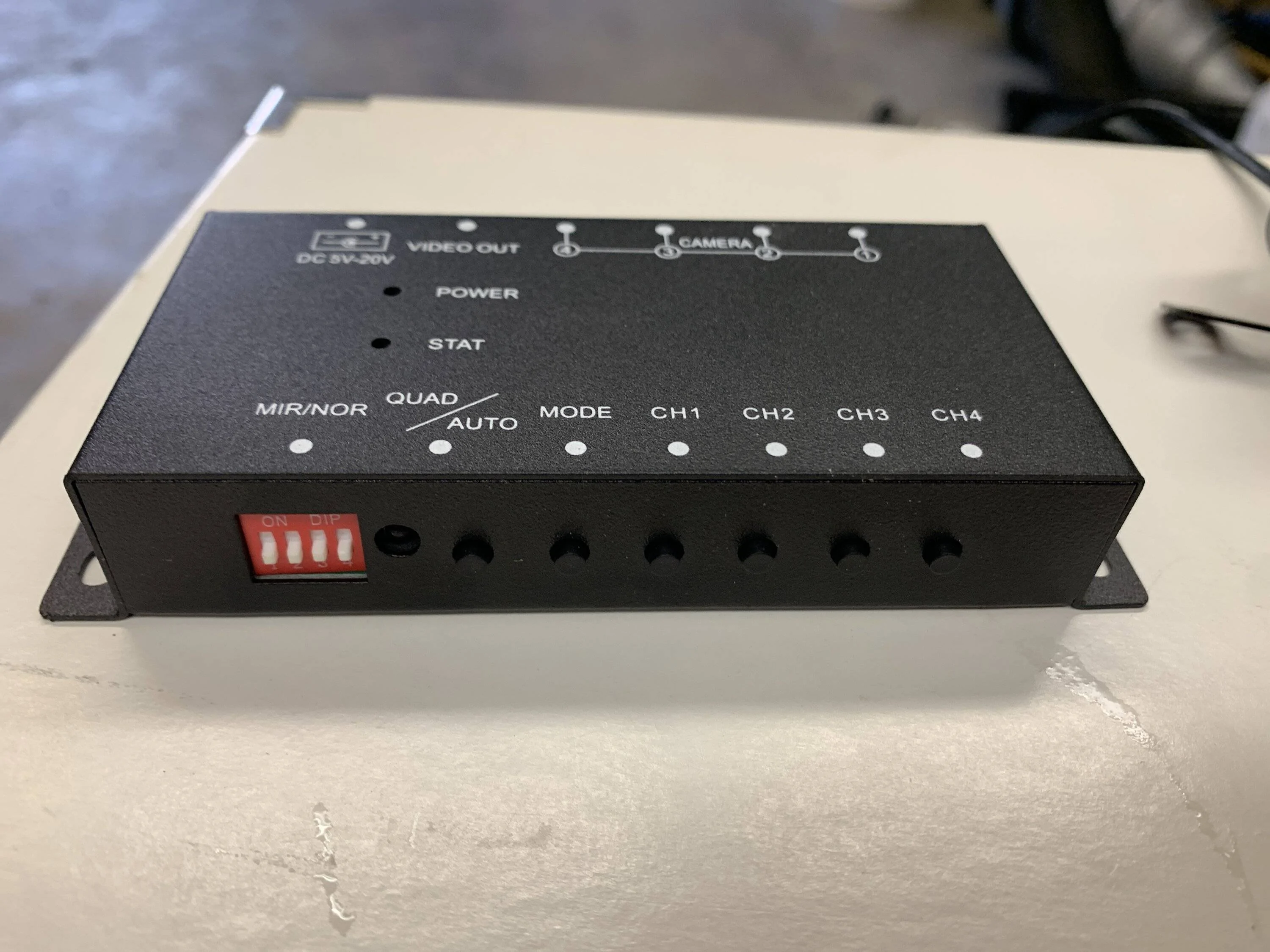
On the plus side, the RCA switching box I got off amazon worked well. It allows you to hook up up to 4 cameras and toggle between them, or display any 2, 3, or 4 cameras on split screen. I think I will try to use it with an external screen to make a custom multicam setup for off-road. I’m thinking front cam, downward side cams (under mirror or off roof rack), and a rear axle cam for clearance. Shared some pics of the split screen modes, though I only had 2 cameras connected.

IMG_5813.jpeg


IMG_5811.webp


IMG_5816.webp


IMG_5815.webp


IMG_5814.webp
 
OP
OP
Canuckian

Canuckian

Well-Known Member
Joined
Jan 10, 2022
Threads
3
Messages
134
Reaction score
356
Location
Canada
Vehicle(s)
2022 Ranger Crew Cab Lariat Blackout
Some more progress but no love. You can absolutely tie into the connector under the tail gate and connect any camera (incl cheap rca cameras) by connecting the video source (rca center post) to the white/green and the rca outer ground to the blue/grey. This would work for mounting a backup camera up on a rack like @OFC Ranger wanted. You can power the camera separately with any 12v (or appropriate aux) power source.

My other hypothesis that the display of the camera on screen was controlled by power to the camera proved false. I hoped they may have engineered it this way to avoid failures, so that anytime the camera is power by the BCM the reverse camera should be displayed, even if the sync system isn’t fully booted up yet. Alas this is not the case.

I think that puts a nail on the coffin of trying to integrate multiple cameras to be displayed on the built in display. To do so would require overriding the sync system, which is likely how the rostra rig worked. This is beyond my capabilities and enthusiasm.

On the plus side, the RCA switching box I got off amazon worked well. It allows you to hook up up to 4 cameras and toggle between them, or display any 2, 3, or 4 cameras on split screen. I think I will try to use it with an external screen to make a custom multicam setup for off-road. I’m thinking front cam, downward side cams (under mirror or off roof rack), and a rear axle cam for clearance. Shared some pics of the split screen modes, though I only had 2 cameras connected.

IMG_5813.jpeg


IMG_5811.webp


IMG_5816.webp


IMG_5815.webp


IMG_5814.webp
BTW, here it the Amazon RCA switcher I mentioned.

image.webp


image.webp
 

Fawnbuster

Well-Known Member
First Name
Mike
Joined
Jul 14, 2019
Threads
62
Messages
2,416
Reaction score
8,970
Location
Indiana
Vehicle(s)
2019 Ranger
Occupation
Retired 34 years as LEO
Vehicle Showcase
1
Does the Ranger5G community possess this knowledge? I am thinking specifically about how the rear camera is triggered to show on the SYNC screen. I have this ill formed impression that it is the power to the camera that is controlled by the reverse selector or one of the modules and that when powered SYNC defaults to the camera feed. Not sure where I got that impression. Maybe in @OFC Ranger's posts when he was looking at relocating the rear camera?

My reason for asking is because if this was the case it might open the way for an improvised custom multi-camera system without the need for a system like the Rostra box that has been discontinued.
I had an add on reverse camera installed on my Durango, you gained power via the backup light wire, then the video feed was bluetoothed to my Garmin GPS. My guess Ford has a video cable that plugs into the dash display.
 

airline tech

Well-Known Member
Joined
Aug 24, 2022
Threads
28
Messages
4,448
Reaction score
8,499
Location
Midwest - KS
Vehicle(s)
2022 Ranger Lariat-Super Crew, Cactus Gray
Occupation
Aircraft Tech
The answer to the Question - What is the trigger?

I have the answer.


The Camera always has power and a video image - Power from DC/DC Convertor
The camera is just sitting there waiting to display the image, thus when the gear is in reverse.

The Trigger for reverse if looking at the Data Com Bus (Only) attached.

The PCM sends the (Reverse) status via HS Can

This signal that the gear is in Reverse.

1. Tells the APIM (Sync) module - To open the video feed for display.
2. Tells the BCM, to close the microswitch (Internal) once the microswitch closes, it allows communication to the Camera (Via Lin Circuit). (PIN 2 of the camera connector)
The Lin circuit is a checkpoint for camera operation and also allows for zoom control of the camera.
3. Tells the DC/DC convertor - The camera is displaying the image as well as the gear is in reverse.
4. Tells the Batt Energy Cont Mod - Gear in Reverse (For Airbags)
5. The diagram above does not show it, but the continuation of the module run goes to the Gateway Module. (14-1)

To sum it up: With a Signal from the PCM (Reverse)

Via the HS1-Can Bus
The trigger to turn the image feed on is at the APIM (Sync Module)
The trigger for image zoom and customization from the touch screen is at the (BCM)

and look at the Rear Camera Feed Diagram attached

While looking at the Rear Camera Diagram - You will see (Sync Module) APIM
Those (2) Data HS1 lines are the input from the Gear in Reverse, to open the Image Feed to the display (The Trigger) (I assume a micro-relay) or switch

and if you look at the BCM - You will see the same HS1 Data Lines , thus creating the (LIN4) connection to the camera for - Interactive zoom and it also is a validation communication that the camera is working, this also inputs the grid lines as you turn the steering wheel

https://www.ranger5g.com/forum/attachments/navigation-rear-camera-circuit-pdf.159727/

https://www.ranger5g.com/forum/attachments/rear-cam-mod-comm-pdf.159731/
 
Last edited:
OP
OP
Canuckian

Canuckian

Well-Known Member
Joined
Jan 10, 2022
Threads
3
Messages
134
Reaction score
356
Location
Canada
Vehicle(s)
2022 Ranger Crew Cab Lariat Blackout
I have your answer for the Rear Camera - Trigger
See post #43
Thanks. Sadly that does not seem particularly exploitable. But at least now we know.
Sponsored


Top