Sponsored

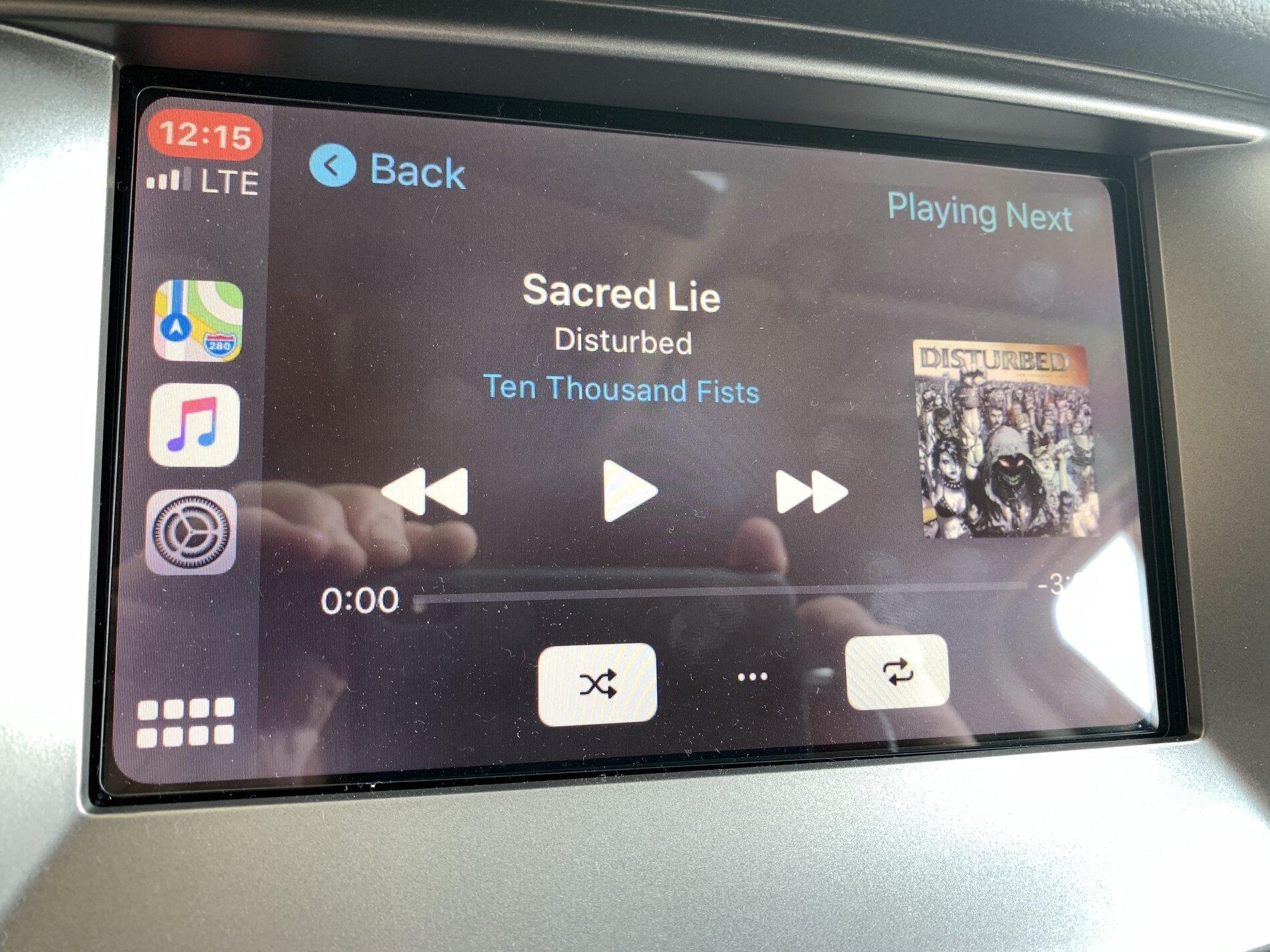
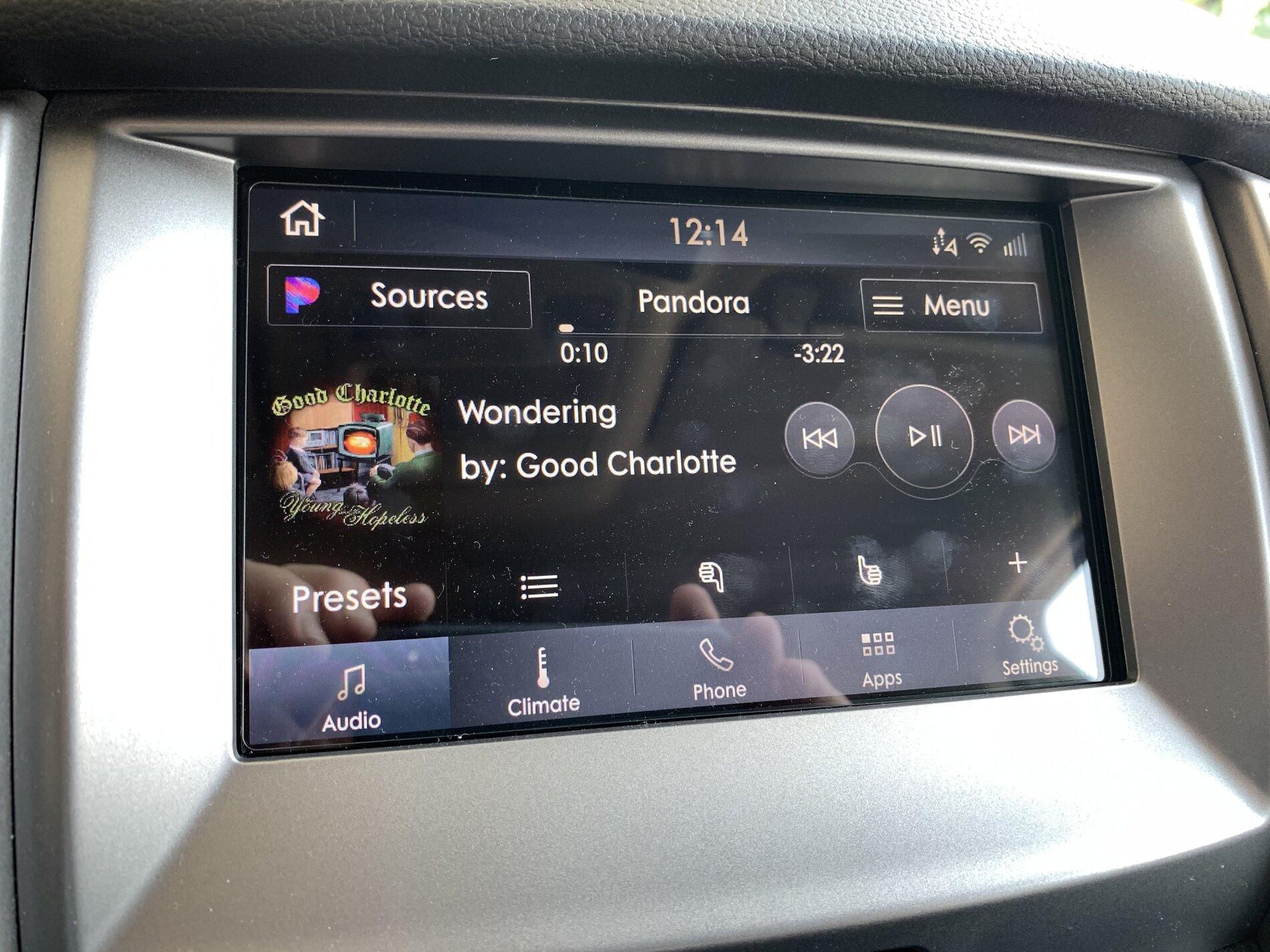
Just updated to Sync 3.4 on my Ranger 2019

Ace Holliday

Well-Known Member
First Name
Scott K
Joined
Apr 19, 2020
Threads
5
Messages
405
Reaction score
890
Location
South Kalifornikstan
Vehicle(s)
2019 Ranger XLT Super Crew
Occupation
Aerospace Machinist/CNC Programmer - Retired

Ace Holliday

Well-Known Member
First Name
Scott K
Joined
Apr 19, 2020
Threads
5
Messages
405
Reaction score
890
Location
South Kalifornikstan
Vehicle(s)
2019 Ranger XLT Super Crew
Occupation
Aerospace Machinist/CNC Programmer - Retired
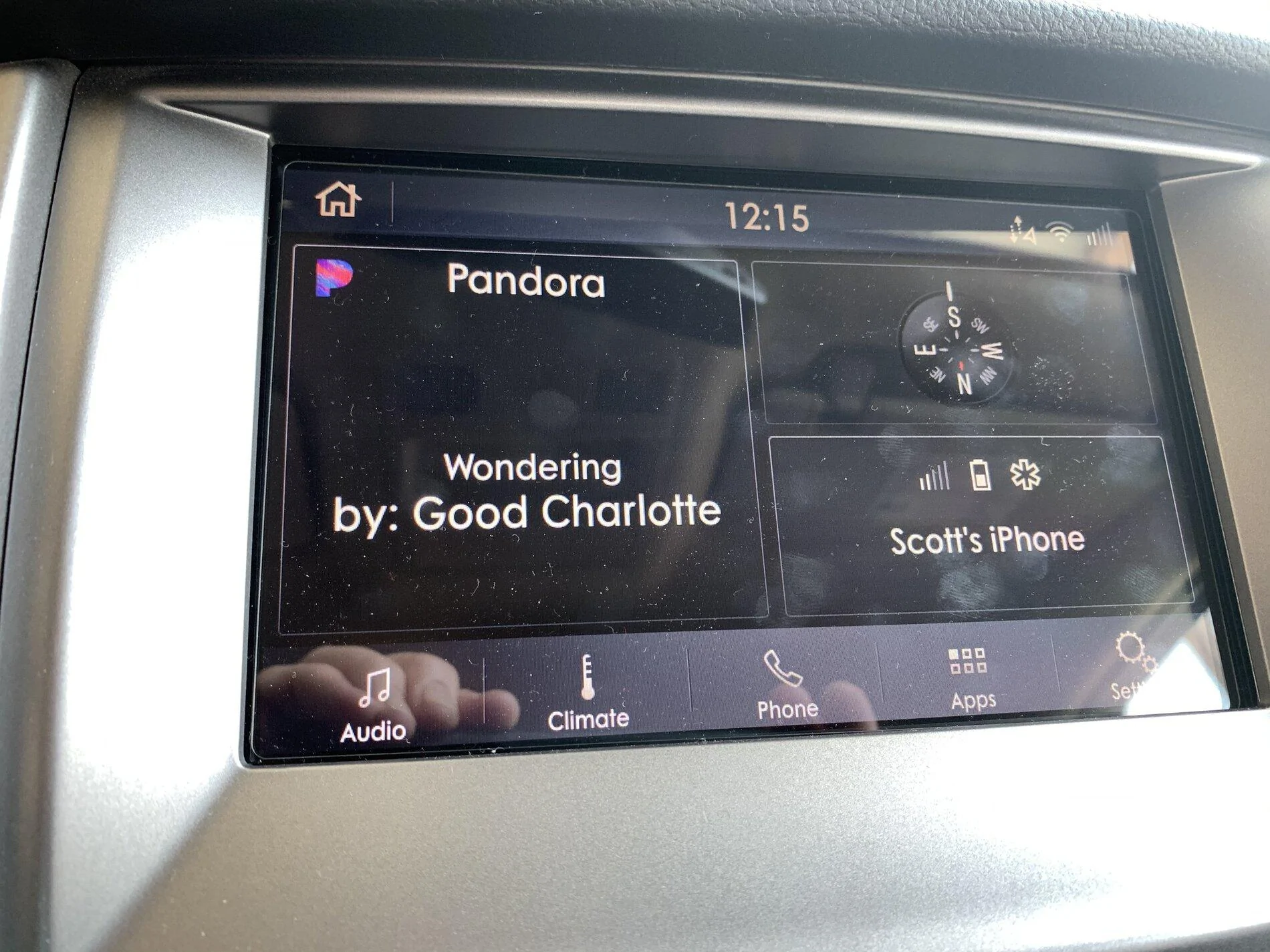
Thanks for the pics.

Is the Climate control screen layout different ?

Other than being dark like these no. I can get a pic later. We are heading out the door right now.
 

Rp930

Well-Known Member
First Name
Rick
Joined
Nov 19, 2018
Threads
20
Messages
1,794
Reaction score
3,514
Location
Denver
Vehicle(s)
‘19 Ford Ranger Lariat, ‘23 Macan,’21 Shelby GT500
Occupation
Retired
Curious what the Lincoln daytime setting looks like.
 

SILK

Well-Known Member
First Name
Ty
Joined
Aug 21, 2020
Threads
8
Messages
282
Reaction score
474
Location
Eastern Pennsylvania
Vehicle(s)
2019 XLT Crew Cab Sport, 2018 Santa Cruz Tallboy
Occupation
IT Director
So I got the 3.4 update onto my XLT w/ Nav successfully. I'm on the non-climate list of folks. My issue now is that the NA119 map update didn't fully install. I didn't want my truck idling for two hours so I let it in the "Run" position and apparently it shuts itself off after a certain amount of time. I learned that after I had the bright idea to do a master reset of my system, re-format my flash drive, clean out my downloads folder, redownload the 3.4 update in an attempt to do a clean, solid install. The 3.4 went through without issue. But when I went to do the same thing with the NA119 update, the Ford webpage no longer gives me the option to download it for free since I already had downloaded it. As I said I reformatted my drive and also cleared out my downloads to make sure I got a clean, fresh download and install. So I don't have the NA119 files nor the license required to perform the installation. My only option on Ford's website is to pay the $40 for the drive to be mailed to me. Is there another place to download NA119? How can I obtain another license?


PalmettoRanger

Active Member
Joined
Jun 11, 2020
Threads
2
Messages
40
Reaction score
44
Location
Upstate South Carolina
Vehicle(s)
2019 4x4 Magnetic Ranger XLT SuperCrew with STX package
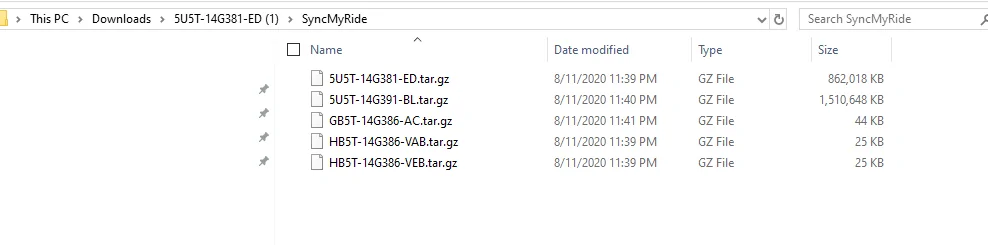
I was planning on moving forward with the update and use Forscan to fix the climate issue. But the site says that I should have 8 to 11 files in the SyncMyRide file, but I only have five. I used 7-zip to redo the extraction and got the same thing. Does this look right?

sync.webp
 

UofMEngineer

Well-Known Member
Joined
Apr 19, 2019
Threads
1
Messages
516
Reaction score
334
Location
Michigan
Vehicle(s)
20' Escape Hybrid,18' Fusion Hybrid
I was planning on moving forward with the update and use Forscan to fix the climate issue. But the site says that I should have 8 to 11 files in the SyncMyRide file, but I only have five. I used 7-zip to redo the extraction and got the same thing. Does this look right?

sync.PNG
Yes, the site is just an example.
 

DavidR

Well-Known Member
First Name
David
Joined
Jul 22, 2019
Threads
4
Messages
389
Reaction score
328
Location
Eastern CA
Vehicle(s)
2019 Ranger XLT Supercab Saber FX4
Occupation
Engineer
Not really. While moving, browse gives you the current playlist. You can use voice, but you'll still be limited in the number of pages you can scroll so your mileage may vary on how well that works for you. And, if you hit the back button it'll kick you out of the browse menu.

I played around with this a bit today. On the good side, the voice control works pretty well for the commands that are implemented. You cannot use it to browse the folder hierarchy, but you can browse by artist, album, genre, or playlist. Most of the time that should be good enough. The problem, though, is that the scrolling depth seems really short while driving.

If you know the exact names of all of the albums, artists and playlists on your 16GB USB stick, you can access anything by voice, but I have several large USB sticks with enough on them that I don't always remember what albums and playlists are on what sticks without being able to scroll them.

This could become a big limitation in some cases. People driving on city freeways can't safely and legally stop without completely exiting the freeway. People driving 70MPH on long road trips will not want to have to always stop to browse and remember what albums they have on their 16GB sticks. I hope Ford comes up with a solution for this. Making a large portion of someone's music unavailable to them while driving on city freeways because they don't remember the exact names of all the albums or playlists on a 16GB USB stick is not a good solution, and I've never seen this much browsing limitation on any vehicle we've had with USB support.

As a workaround, I might just resort to rearranging my music onto more but smaller USB sticks with few enough albums and playlists that they can be scrolled within Ford's limitations :/
 

Hirnlego

Well-Known Member
First Name
Jason
Joined
Jan 24, 2020
Threads
1
Messages
82
Reaction score
50
Location
SC
Vehicle(s)
2019 Ford Ranger XLT 302A
I played around with this a bit today. On the good side, the voice control works pretty well for the commands that are implemented. You cannot use it to browse the folder hierarchy, but you can browse by artist, album, genre, or playlist. Most of the time that should be good enough. The problem, though, is that the scrolling depth seems really short while driving.

If you know the exact names of all of the albums, artists and playlists on your 16GB USB stick, you can access anything by voice, but I have several large USB sticks with enough on them that I don't always remember what albums and playlists are on what sticks without being able to scroll them.

This could become a big limitation in some cases. People driving on city freeways can't safely and legally stop without completely exiting the freeway. People driving 70MPH on long road trips will not want to have to always stop to browse and remember what albums they have on their 16GB sticks. I hope Ford comes up with a solution for this. Making a large portion of someone's music unavailable to them while driving on city freeways because they don't remember the exact names of all the albums or playlists on a 16GB USB stick is not a good solution, and I've never seen this much browsing limitation on any vehicle we've had with USB support.

As a workaround, I might just resort to rearranging my music onto more but smaller USB sticks with few enough albums and playlists that they can be scrolled within Ford's limitations :/

I was also testing things out in v3.4 this weekend and this USB music lockout is by far the most annoying thing in the new version. I use a large 128GB USB drive with lots of music and can’t recall all that is on the drive and would like to see the list of choices. I like the old way it was set up as I was planning to use a 500GB micro drive for my music collection. The voice controls do work nice if you know exactly what you want to listen to, but does not control browsing.

This lockout has reduced a large format USB drive to a single CD player. I also noticed that at the end of a album it just repeats the album whereas before it would ask to browse media and make a selection at the end of an album.

Ironically that for safety they locked browsing in this version but you can still fully use the phone options in the APIM. I also noticed for some reason the contacts defaults to a key board that is functional while driving instead of a list of contacts (there is a button for access to a list). Would keyboard use not be more a driver distraction than browsing music.

I tested a few options for music from the phone like Pandora a Spotify which are functional, however, I would prefer my own music from a large USB drive.

Lets hope if and when Ford creates an update for the climate controls they do away with this annoyance with the USB music.
 

UofMEngineer

Well-Known Member
Joined
Apr 19, 2019
Threads
1
Messages
516
Reaction score
334
Location
Michigan
Vehicle(s)
20' Escape Hybrid,18' Fusion Hybrid
I played around with this a bit today. On the good side, the voice control works pretty well for the commands that are implemented. You cannot use it to browse the folder hierarchy, but you can browse by artist, album, genre, or playlist. Most of the time that should be good enough. The problem, though, is that the scrolling depth seems really short while driving.

If you know the exact names of all of the albums, artists and playlists on your 16GB USB stick, you can access anything by voice, but I have several large USB sticks with enough on them that I don't always remember what albums and playlists are on what sticks without being able to scroll them...
I hear you. I'm one of the niche USB media listeners. Only time I browse is to remember what I even have on the drive. I doubt there will be much change to this though. The USB media browsing was always sort of exempted from the NHTSA rules until recently. If they wanted to add the alpha jump like phone contact browsing, they probably would have already. From a voice perspective, we're just pushing to the standard UI.

Hot off the press from Oasis...

Capture.JPG
Better late than never. I was hoping they would blast something out a while ago. :(


Top