DukeCanBuildit
Well-Known Member
- First Name
- Duke
- Joined
- Jul 27, 2020
- Threads
- 66
- Messages
- 9,653
- Reaction score
- 46,171
- Location
- Kitchener, Ontario
- Vehicle(s)
- 2019 XLT SuperCab - FTW!
- Occupation
- Retired (P/T) Caregiver (F/T)
- Vehicle Showcase
- 1
- Thread starter
- #1
Wolfbox G900 Tripro Mirror Camera Review
First Impressions
Unboxing the Wolfbox G900 Tripro gave me my first impressions of the mirror camera. All components are top quality - nothing cheap or flimsy about anything in the package.
It was reassuring to see how well everything was packaged and labeled. Since I would be performing the installation myself, having things well-organized and identified was a plus. The other thing that impressed me was the amount of extra camera mounting hardware and 3M mounting strips that were included - more than I needed but I'm sure I'll find a use for them. There were other useful items such as trim removal tools, zip-ties, and cable routing fasteners that all came in handy. The unboxing section of my installation thread, linked below, provides more details. Top marks for packaging.
Flexibility
You can mount the mirror camera on a regular manual-dimming mirror or onto a much bigger auto-dimming mirror - retention straps for both are included. There is also a universal mirror stalk that can be attached to the windshield (the Ranger is not suited for this approach).
The Wolfbox gives you two choices for running power to the unit - use a 12V socket or hard-wire it to the fuse box. Both cables are included.
Multiple mounting points can be considered depending on your use case. Wolfbox provides extra mounting hardware to help with this. The software also allows you to flip images vertically or horizontally to help with this as well. My external cameras are mounted such that one is "upside down" and the other is "right side up".
Not everyone's use case is the same so top marks here as well.
The Technology
The most impressive thing about the Wolfbox is the technology used in the mirror camera. There might even be more tech built into it than needed, if that's possible. The resolution of the images is really something and the user interface is much better than I expected. The touchscreen features include swipe capability and there is voice command as well as Wifi. The settings menu is very robust and allows you to set up the Wolfbox in a way that works for you - very customizable. You aren't stuck with a bunch of default settings and can turn features on or off as needed.
Touchscreen Features
Touching the camera activates a menu bar of the most used features such as camera selection, screen brightness, snapshot, start/stop recording, settings, and others. Pressing a specific icon or swiping left or right changes your camera selection. Pressing the settings icon brings up a very comprehensive menu of settings - it's a few "pages" long and easily navigated by scrolling like you would on your phone or tablet. The icon choices make sense so t's all very intuitive and easily learned.
Using Wifi
Using Wifi to download video or screenshots is so handy - it works much like a DSLR with Wifi capabilities, so it was a familiar process to download to the Wolfbox app and then save to my mobile device. It certainly beats having to tether a USB cable to a laptop or bother with SD cards.
The Voice Command feature is helpful and the list of commands is limited to those things that are likely to be used often - start/stop recording, take picture, turn on/off screen, show rear/front/bumper camera, etc. Voice command also uses a wakeup phrase just like a smart speaker - "Hey Wolf" followed by a tone, lets you use a voice command. I use it mostly to switch camera views and to take photos.
Voice Command
Capturing still photographs is very easy and can be done for all camera views. Video is recorded and stored for each camera but still shots are taken by touch or voice command for the currently displayed screen on the mirror. These are stored in the device in a separate "napshot" file, so you don't have to wade through all the automatically generated videos to find that picture you took. Nice.
Photo Capture
Installation
Installation is really what you make of it yourself and can range from moderately difficult to extremely challenging. Because the G900 Tripro has two additional cameras, it's more that just running power to the camera from a 12V cigarette lighter and calling it a day. You're running 12V power, a GPS module, a front camera, and a rear camera, including rear camera power through the reverse light. The cameras are likely to be external and that means fishing cables through the firewall and the rear wall of the cab. You're also going to be running cables from the roof to the floor of the cab. These things mean that a lot of trim panels must be removed and that requires patience and creativity. You'll likely also want to hard-wire the 12V power, and you could be limited in how this is achieved based on trim level (XL/XLT/Lariat). However, even the most detailed installation can be handled by someone other than a professional car audio technician. But they'll need certain skills, knowledge, and confidence. Some ingenuity would also be helpful.
Some folks choose to modify or change out their existing mirror rather than strap the Wolfbox onto their OEM mirror. I have the slimmer manual-dimming mirror so strapping the Wolfbox to the mirror works for me.
My installation thread
https://www.ranger5g.com/forum/threads/wolfbox-g900-tripro-mirror-installation.40920/
Daily User Experience
Using the Wolfbox in the wild is fairly seamless except for the traditional rearview mirror being replaced by a screen/monitor. When that screen is turned off, it defaults to a mirror - a bit dimmer that a regular mirror but essentially the same. I find that raising brightness to maximum provides the best viewing image in the daytime and at night, I prefer to turn the monitor off and simply rely on the mirror.
Screen Brightness & Mirror
Running power from the reverse light, allows the Wolfbox to function like our Ranger's parking assist screen when the truck is placed in Reverse. The camera view automatically changes to rear parking mode, gridlines appear, and the view can be zoomed in or out for connecting a trailer. I still rely on the Ranger's parking assist screen because of how it works with our steering but this feature would be very helpful in a vehicle without our technology.
Parking Assist
Because I have a canopy, my view from the OEM rearview mirror was always very limited and dark because of the tinted rear window glass on the truck and the topper. With my rear camera mounted on my roof rack, above the canopy's third brake light, my field of vision in the mirror camera is amazing. I can even see portions of vehicles beside me that are in the side mirror's blind spot. The resolution is 4K so the image is incredible. Top marks in this field as well.
Overall
I haven't had that much real world experience with the Wolfbox and I don't expect to have much on a regular basis. Like other dashcams. it's a passive device. However, the uniqueness of the mirror/monitor makes it so much more. I really wanted it for the enhanced rearview mirror capabilities and the front grille camera for recording any adventures I might go on.
The packaging, quality of the components, technology, and video resolution are all top notch - just as I expected from an up-market product. The install was only as complicated as I made it (hard-wired, Braided PET on cables, modified pre-collision cover, roof rack mounted camera, a tricky grille mount, etc.) but I'm glad I went that route.
The rearview monitor is the only real learning curve but it doesn't take long for it to become second nature. As vehicles approach me from in front and pass alongside, they are picked up in the camera much in the same way as they would be in a conventional mirror. I was expecting there to be a bit of an "Objects in the mirror appear closer.. " issue but it isn't very pronounced. Once you get past no longer seeing headrests, C Pillars, and rear window defroster lines in the mirror, you really start to appreciate the unobstructed view out the back.
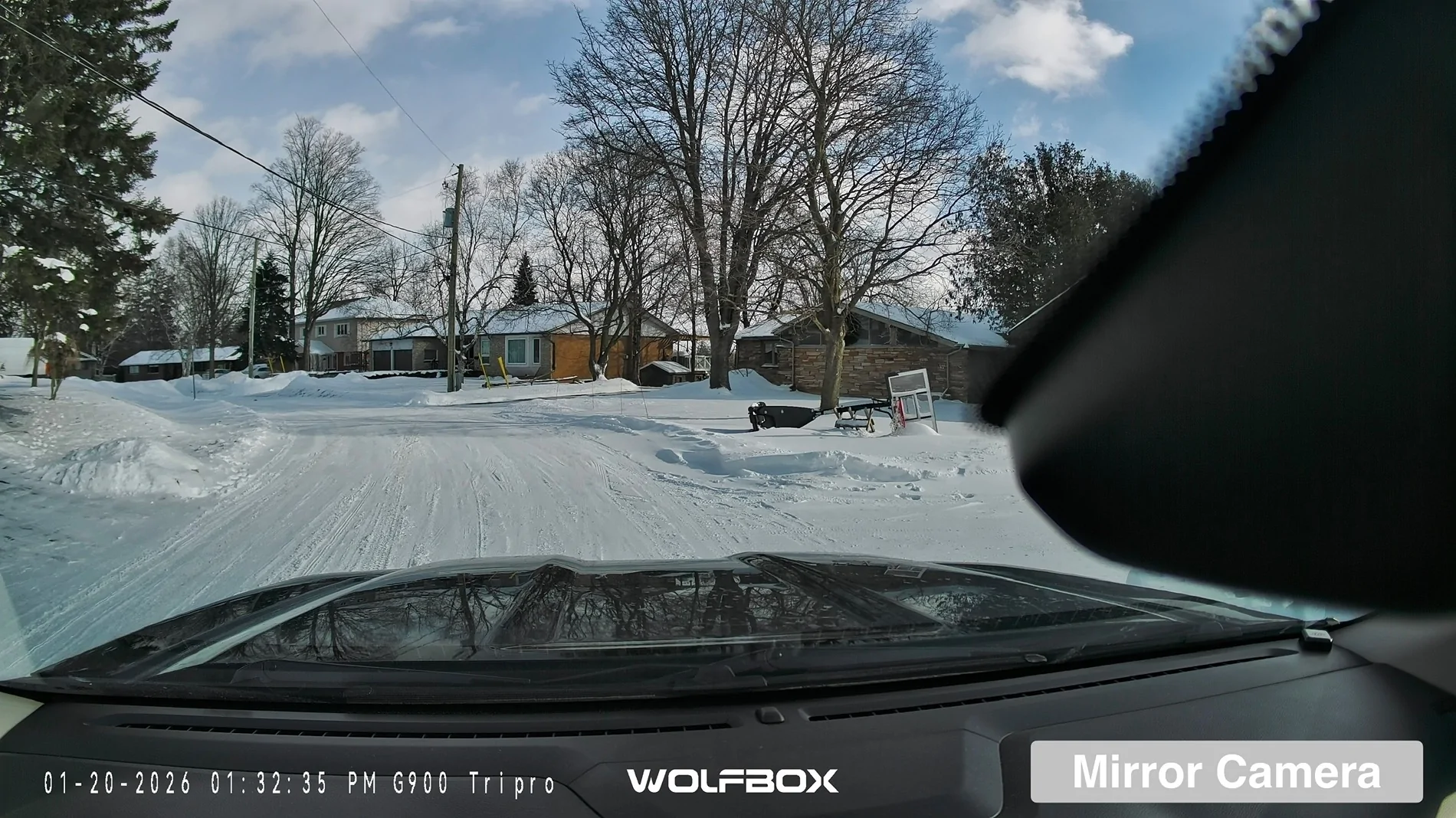
Some folks have commented on how the mirror dashcam view is partly blocked by the Ranger's pre-collision system cover on the right hand side of the screen. That's really a Ranger issue more than a product design issue. It doesn't seem to block much that you might want to use forensically and if folks are relying on it to see where they're going, they really should be looking out the windshield.
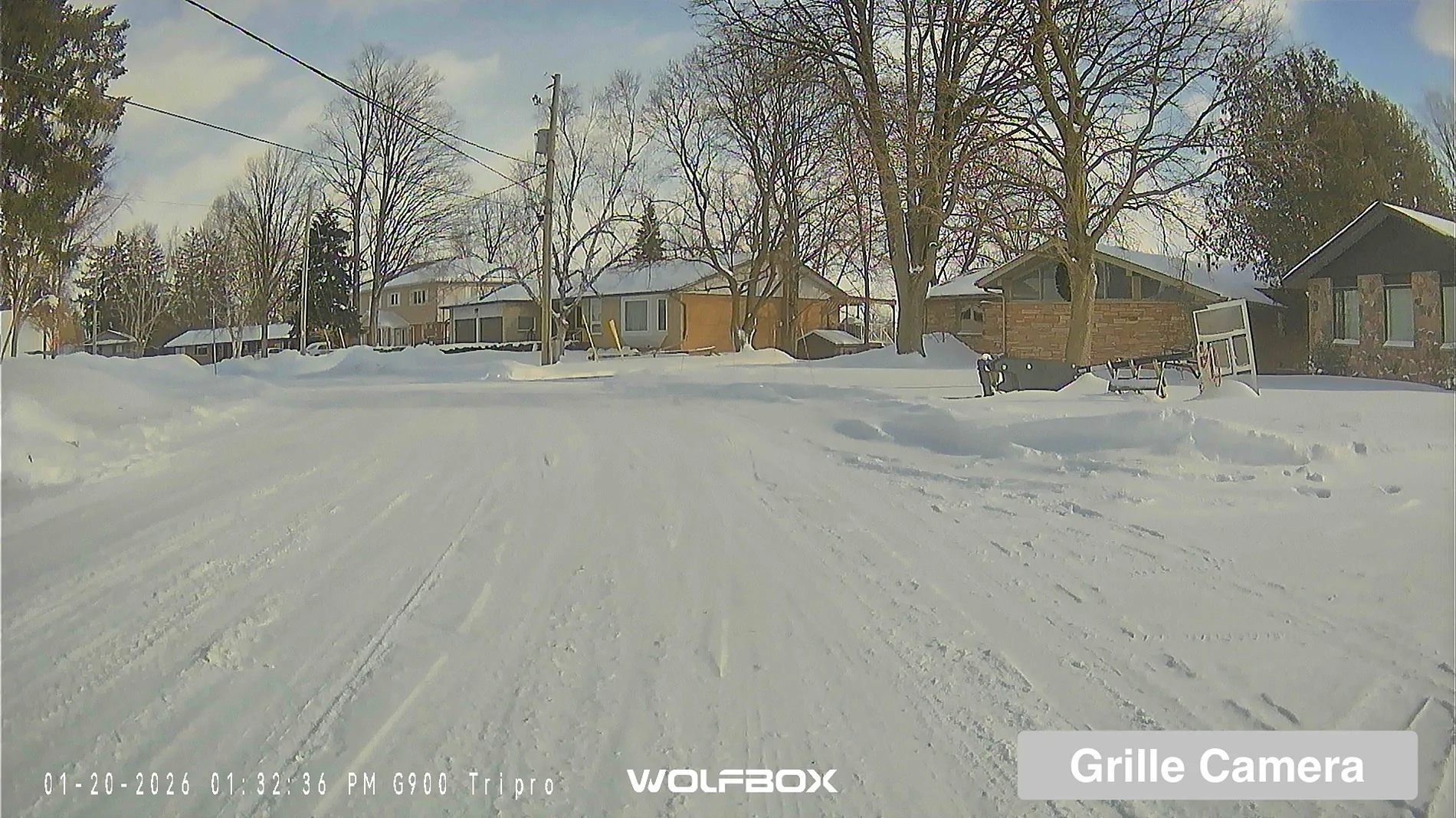
I don't use my front camera for off-road purposes but the video from that angle has a great perspective. Mine is mounted in the grille, above the bumper - perfect for my instance. It can be helpful when parking, especially when there's no pull-through. I can certainly see how others would want to use it to see just what's in front of them when crawling through rocks or climbing a steep incline.
So far, I'm diggin' it.
The Three Camera Views

Video Examples
I'm looking forward to using the cameras for recording adventures but hope I never have to rely on its forensic capabilities.
What I'd like to see...
More detailed installation instructions - this is difficult because every vehicle is different but they could be more detailed
——————————————————————
FULL DISCLOSURE: The folks at Wolfbox sent me their G900 Tripro dashcam to install and review. I wasn’t paid and I hope I’ve done my best to give a fair and honest review of the product and user experience.
First Impressions
Unboxing the Wolfbox G900 Tripro gave me my first impressions of the mirror camera. All components are top quality - nothing cheap or flimsy about anything in the package.
It was reassuring to see how well everything was packaged and labeled. Since I would be performing the installation myself, having things well-organized and identified was a plus. The other thing that impressed me was the amount of extra camera mounting hardware and 3M mounting strips that were included - more than I needed but I'm sure I'll find a use for them. There were other useful items such as trim removal tools, zip-ties, and cable routing fasteners that all came in handy. The unboxing section of my installation thread, linked below, provides more details. Top marks for packaging.
Flexibility
You can mount the mirror camera on a regular manual-dimming mirror or onto a much bigger auto-dimming mirror - retention straps for both are included. There is also a universal mirror stalk that can be attached to the windshield (the Ranger is not suited for this approach).
The Wolfbox gives you two choices for running power to the unit - use a 12V socket or hard-wire it to the fuse box. Both cables are included.
Multiple mounting points can be considered depending on your use case. Wolfbox provides extra mounting hardware to help with this. The software also allows you to flip images vertically or horizontally to help with this as well. My external cameras are mounted such that one is "upside down" and the other is "right side up".
Not everyone's use case is the same so top marks here as well.
The Technology
The most impressive thing about the Wolfbox is the technology used in the mirror camera. There might even be more tech built into it than needed, if that's possible. The resolution of the images is really something and the user interface is much better than I expected. The touchscreen features include swipe capability and there is voice command as well as Wifi. The settings menu is very robust and allows you to set up the Wolfbox in a way that works for you - very customizable. You aren't stuck with a bunch of default settings and can turn features on or off as needed.
Touchscreen Features
Touching the camera activates a menu bar of the most used features such as camera selection, screen brightness, snapshot, start/stop recording, settings, and others. Pressing a specific icon or swiping left or right changes your camera selection. Pressing the settings icon brings up a very comprehensive menu of settings - it's a few "pages" long and easily navigated by scrolling like you would on your phone or tablet. The icon choices make sense so t's all very intuitive and easily learned.
Using Wifi
Using Wifi to download video or screenshots is so handy - it works much like a DSLR with Wifi capabilities, so it was a familiar process to download to the Wolfbox app and then save to my mobile device. It certainly beats having to tether a USB cable to a laptop or bother with SD cards.
The Voice Command feature is helpful and the list of commands is limited to those things that are likely to be used often - start/stop recording, take picture, turn on/off screen, show rear/front/bumper camera, etc. Voice command also uses a wakeup phrase just like a smart speaker - "Hey Wolf" followed by a tone, lets you use a voice command. I use it mostly to switch camera views and to take photos.
Voice Command
Capturing still photographs is very easy and can be done for all camera views. Video is recorded and stored for each camera but still shots are taken by touch or voice command for the currently displayed screen on the mirror. These are stored in the device in a separate "napshot" file, so you don't have to wade through all the automatically generated videos to find that picture you took. Nice.
Photo Capture
Installation
Installation is really what you make of it yourself and can range from moderately difficult to extremely challenging. Because the G900 Tripro has two additional cameras, it's more that just running power to the camera from a 12V cigarette lighter and calling it a day. You're running 12V power, a GPS module, a front camera, and a rear camera, including rear camera power through the reverse light. The cameras are likely to be external and that means fishing cables through the firewall and the rear wall of the cab. You're also going to be running cables from the roof to the floor of the cab. These things mean that a lot of trim panels must be removed and that requires patience and creativity. You'll likely also want to hard-wire the 12V power, and you could be limited in how this is achieved based on trim level (XL/XLT/Lariat). However, even the most detailed installation can be handled by someone other than a professional car audio technician. But they'll need certain skills, knowledge, and confidence. Some ingenuity would also be helpful.
Some folks choose to modify or change out their existing mirror rather than strap the Wolfbox onto their OEM mirror. I have the slimmer manual-dimming mirror so strapping the Wolfbox to the mirror works for me.
My installation thread
https://www.ranger5g.com/forum/threads/wolfbox-g900-tripro-mirror-installation.40920/
Daily User Experience
Using the Wolfbox in the wild is fairly seamless except for the traditional rearview mirror being replaced by a screen/monitor. When that screen is turned off, it defaults to a mirror - a bit dimmer that a regular mirror but essentially the same. I find that raising brightness to maximum provides the best viewing image in the daytime and at night, I prefer to turn the monitor off and simply rely on the mirror.
Screen Brightness & Mirror
Running power from the reverse light, allows the Wolfbox to function like our Ranger's parking assist screen when the truck is placed in Reverse. The camera view automatically changes to rear parking mode, gridlines appear, and the view can be zoomed in or out for connecting a trailer. I still rely on the Ranger's parking assist screen because of how it works with our steering but this feature would be very helpful in a vehicle without our technology.
Parking Assist
Because I have a canopy, my view from the OEM rearview mirror was always very limited and dark because of the tinted rear window glass on the truck and the topper. With my rear camera mounted on my roof rack, above the canopy's third brake light, my field of vision in the mirror camera is amazing. I can even see portions of vehicles beside me that are in the side mirror's blind spot. The resolution is 4K so the image is incredible. Top marks in this field as well.
Overall
I haven't had that much real world experience with the Wolfbox and I don't expect to have much on a regular basis. Like other dashcams. it's a passive device. However, the uniqueness of the mirror/monitor makes it so much more. I really wanted it for the enhanced rearview mirror capabilities and the front grille camera for recording any adventures I might go on.
The packaging, quality of the components, technology, and video resolution are all top notch - just as I expected from an up-market product. The install was only as complicated as I made it (hard-wired, Braided PET on cables, modified pre-collision cover, roof rack mounted camera, a tricky grille mount, etc.) but I'm glad I went that route.
The rearview monitor is the only real learning curve but it doesn't take long for it to become second nature. As vehicles approach me from in front and pass alongside, they are picked up in the camera much in the same way as they would be in a conventional mirror. I was expecting there to be a bit of an "Objects in the mirror appear closer.. " issue but it isn't very pronounced. Once you get past no longer seeing headrests, C Pillars, and rear window defroster lines in the mirror, you really start to appreciate the unobstructed view out the back.
Some folks have commented on how the mirror dashcam view is partly blocked by the Ranger's pre-collision system cover on the right hand side of the screen. That's really a Ranger issue more than a product design issue. It doesn't seem to block much that you might want to use forensically and if folks are relying on it to see where they're going, they really should be looking out the windshield.
I don't use my front camera for off-road purposes but the video from that angle has a great perspective. Mine is mounted in the grille, above the bumper - perfect for my instance. It can be helpful when parking, especially when there's no pull-through. I can certainly see how others would want to use it to see just what's in front of them when crawling through rocks or climbing a steep incline.
So far, I'm diggin' it.
The Three Camera Views
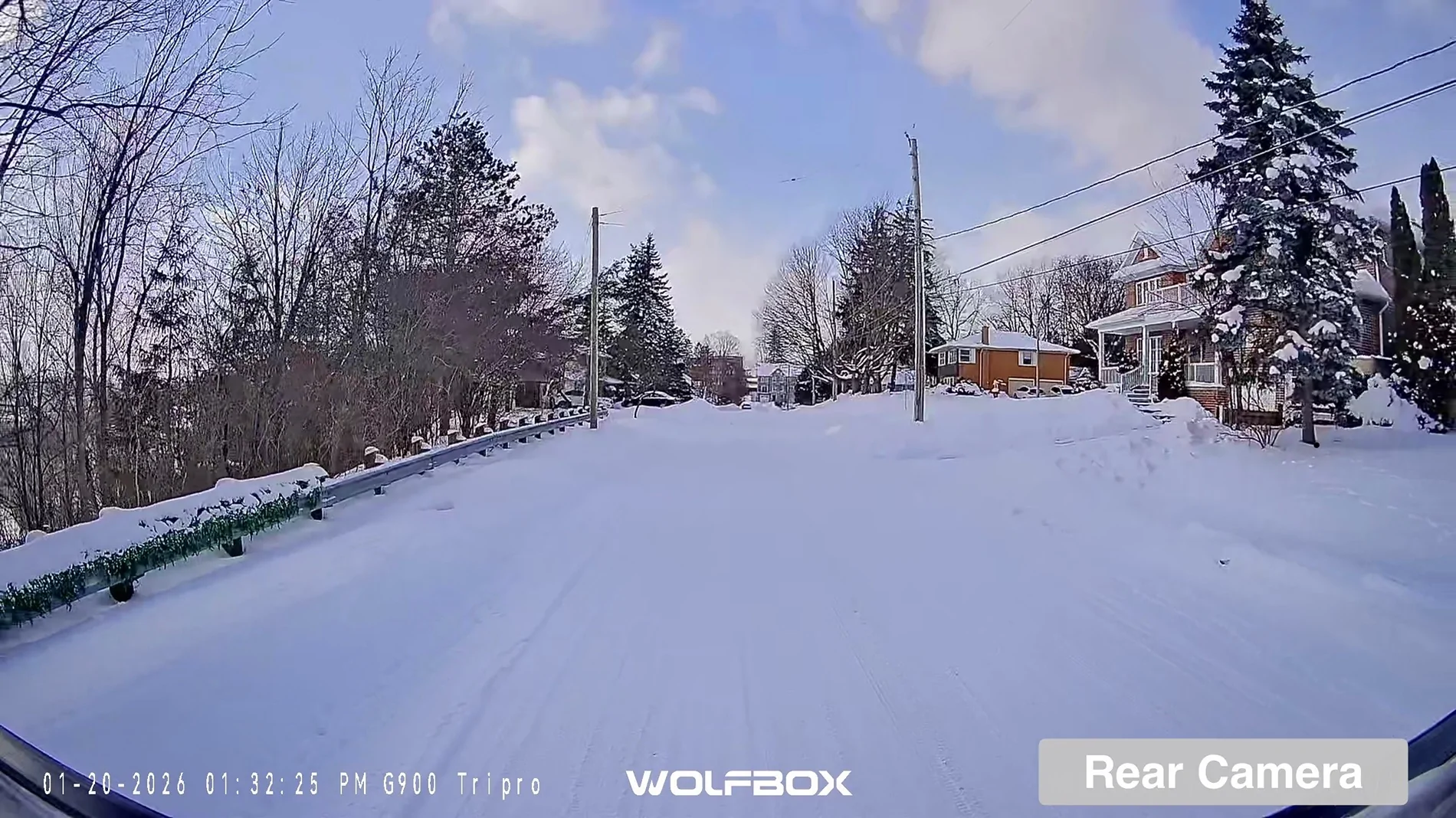
Video Examples
I'm looking forward to using the cameras for recording adventures but hope I never have to rely on its forensic capabilities.
What I'd like to see...
More detailed installation instructions - this is difficult because every vehicle is different but they could be more detailed
——————————————————————
FULL DISCLOSURE: The folks at Wolfbox sent me their G900 Tripro dashcam to install and review. I wasn’t paid and I hope I’ve done my best to give a fair and honest review of the product and user experience.
Sponsored
Last edited:
 I tucked the bracket under the gas tank strapping and then snugged it back up, so it’s very secure and still sits higher than the frame.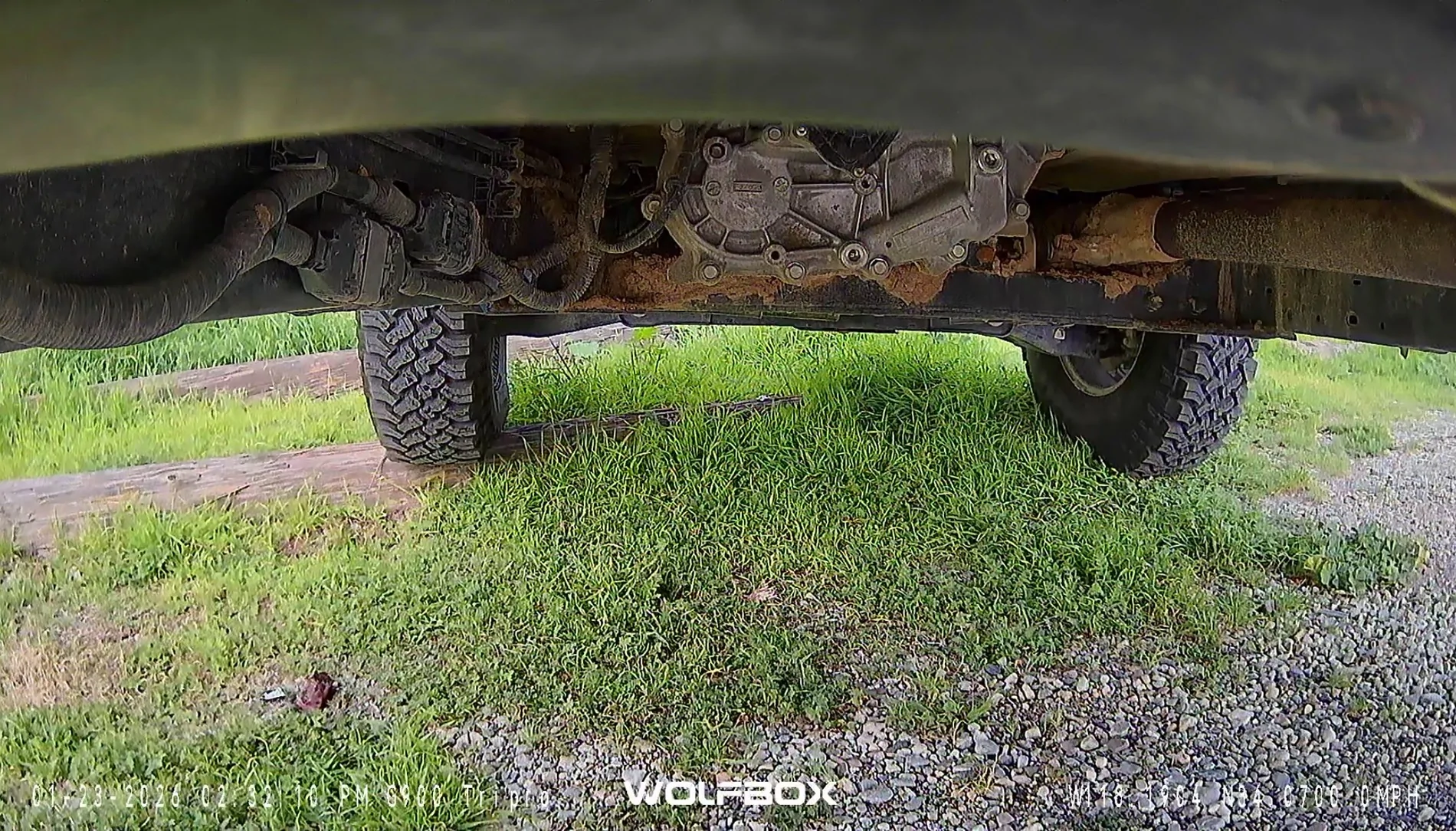

 save me ? An alert
  maybe ? I was hit from the side so I doubt any of the cameras would see it but an alert would be especially helpful....
 ), the auto-dimming stalk's ball socket requires a bit of MacGuyvering to work with the Wolfbox mount, and the manual-dimming stalk's suitability is still not known - feel free to sacrifice your mirror because I'm dying to know.
  to market it !!! The Wolfbox "HOWL"