Sponsored

MYSTERY SOLVED: Odd Image on 4” Non-touchscreen Display

RangerBill

Well-Known Member
First Name
Bob
Joined
Jun 8, 2022
Threads
3
Messages
1,613
Reaction score
2,144
Location
PA
Vehicle(s)
2019 Ford Ranger Lariat Super Crew FX4
Occupation
retired
Hey Bob,

It’s been there for a long time - has likely always been there. It was simply never an issue - still isn’t but I’ve been curious about it.

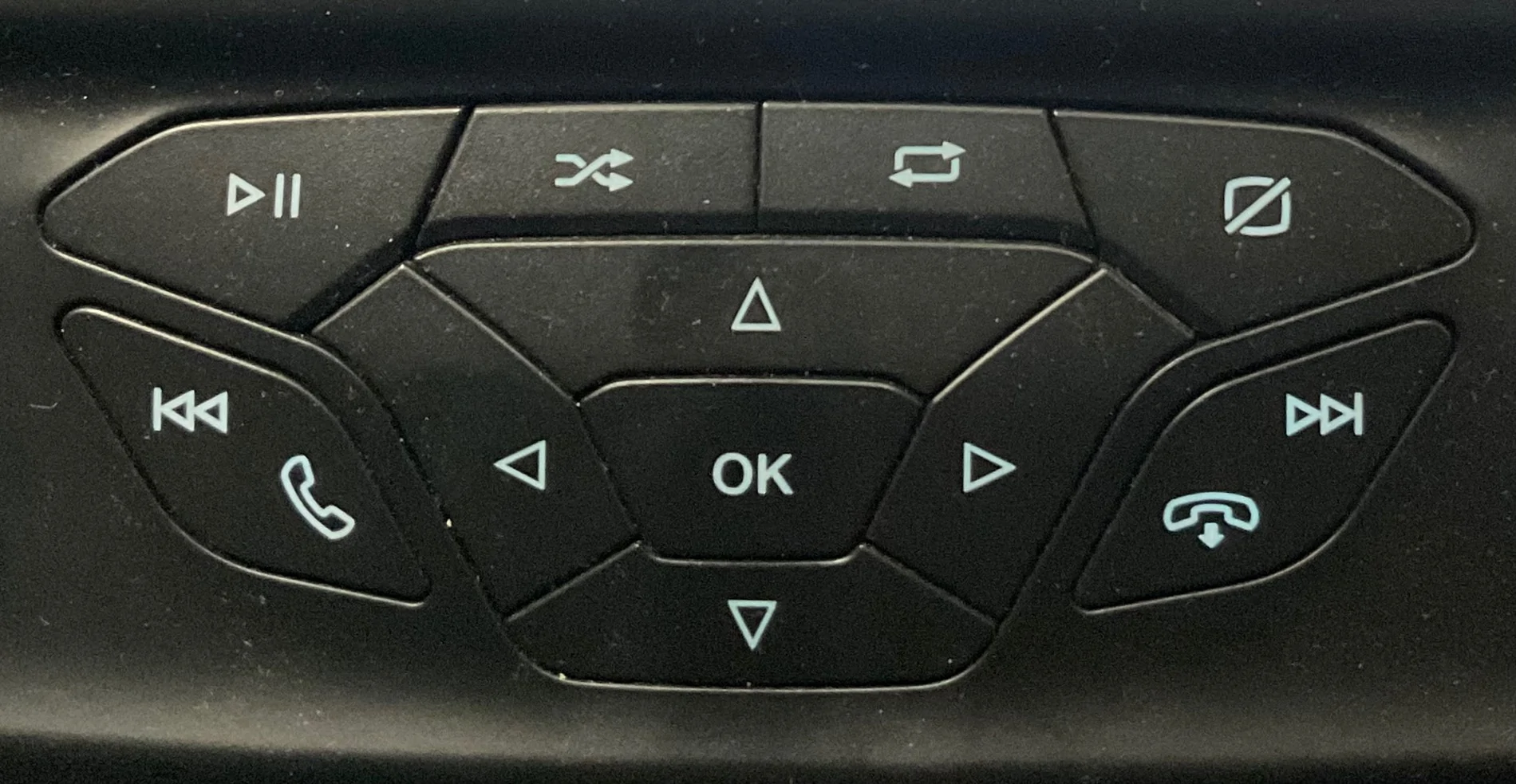
At first, I chalked it up to being something that was available on the larger touchscreens but simply wasn’t active on my smaller non-touchscreen. It was the same with the zoom in-out toggle feature on the reverse screen. I just thought it didn’t apply to my truck until I started pressing dash buttons and learned that it worked. I figured I’d eventually stumble upon what the mystery icon on the parking aid screen does, just as I do with so many new features when my phone gets an update.

Now that I’m retired, I can fuss about it full-time. :D
I hope someone comes along that has the answer. I have the 8 inch screen, so I can't help.
Sponsored


LaBalbe

Well-Known Member
Joined
Dec 14, 2021
Threads
18
Messages
2,190
Reaction score
13,383
Location
Ontario / part-time NC
Vehicle(s)
2020 Ranger Lariat
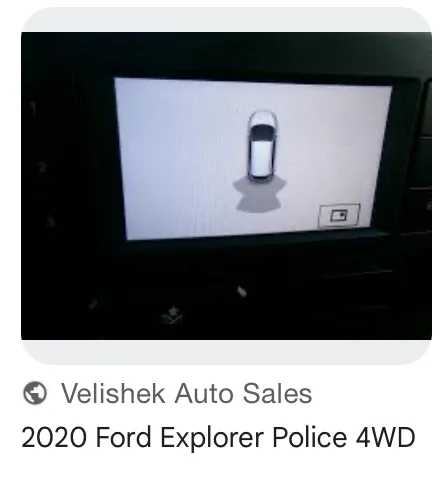
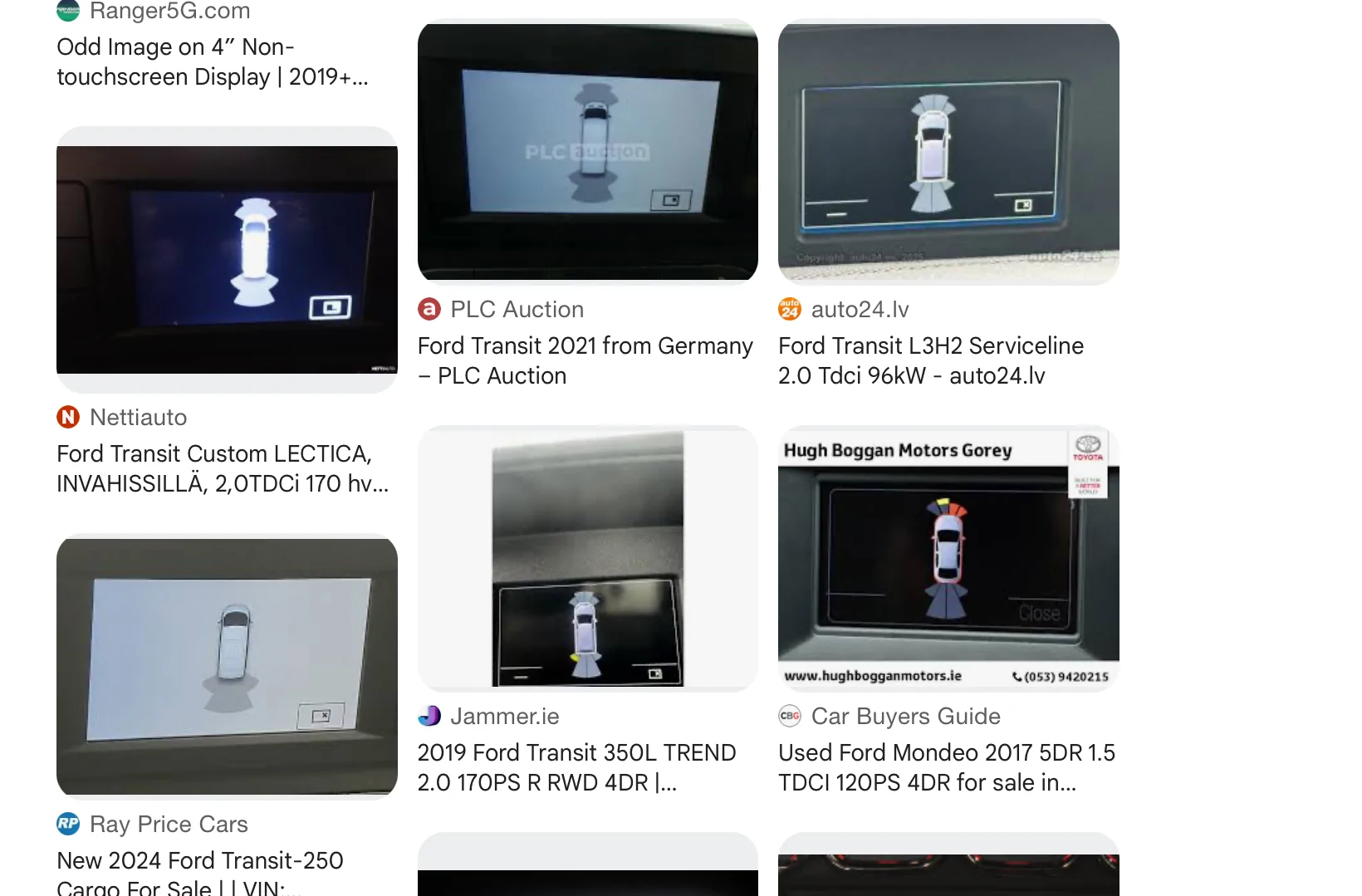
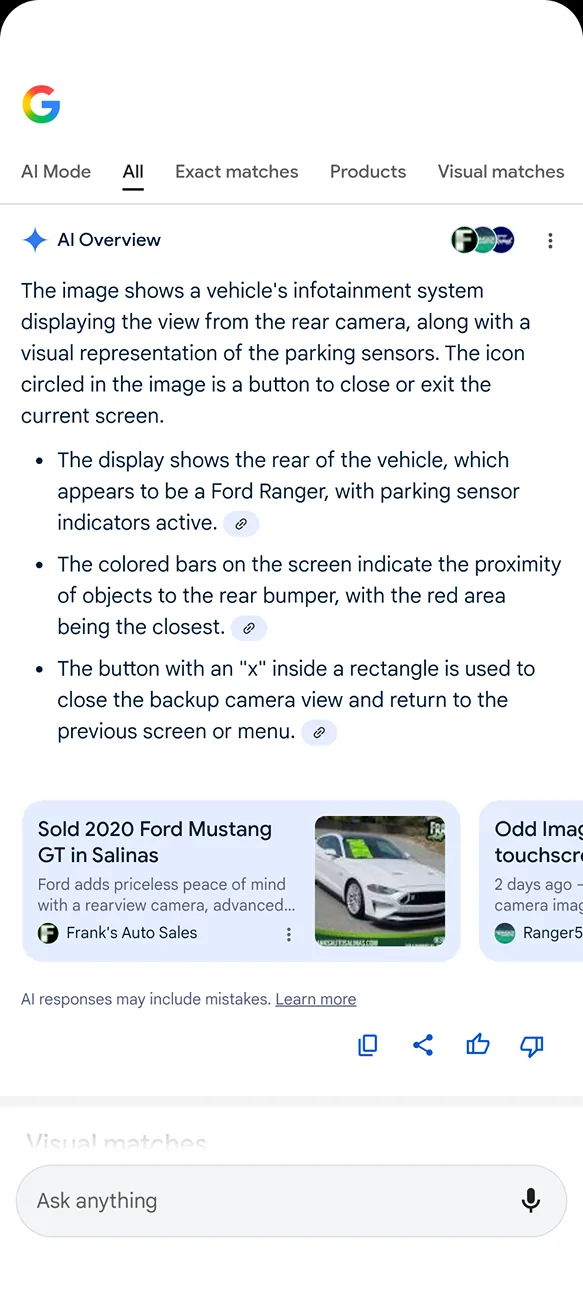
I did a reverse image search and the result was interesting…


IMG_0202.webp


IMG_0201.webp


Ford Transit and Explorer show the same thing.
I guess it's something that you're not alone, but that doesn't really get you much closer to an answer, either.
 
OP
OP
DukeCanBuildit

DukeCanBuildit

Well-Known Member
First Name
Duke
Joined
Jul 27, 2020
Threads
66
Messages
9,666
Reaction score
46,218
Location
Kitchener, Ontario
Vehicle(s)
2019 XLT SuperCab - FTW!
Occupation
Retired (P/T) Caregiver (F/T)
Vehicle Showcase
1
I guess it's something that you're not alone, but that doesn't really get you much closer to an answer, either.
Nope, but on the bright side, it’s not critical to operating the truck.

It’s not a situation like @Chris M finds himself in - his truck just died…….on the weekend and he won’t have an answer for a while. :(
 
OP
OP
DukeCanBuildit

DukeCanBuildit

Well-Known Member
First Name
Duke
Joined
Jul 27, 2020
Threads
66
Messages
9,666
Reaction score
46,218
Location
Kitchener, Ontario
Vehicle(s)
2019 XLT SuperCab - FTW!
Occupation
Retired (P/T) Caregiver (F/T)
Vehicle Showcase
1
I forgot to add to the post above…….it’s even worse than I stated. He had to rent a truck and all they had was a Taco! Just shoot me.
 

Figarou

Well-Known Member
Joined
Mar 22, 2019
Threads
25
Messages
2,408
Reaction score
13,793
Location
Texas
Vehicle(s)
2022 Ford Edge ST, 2019 Ford Ranger Lariat
Just to confirm - This screen is the (Reverse Back-Up) Camera screen and when the parking sensors trigger - the back-up cam image disappears, and you see this screen.

If you are in drive - and the park sensor triggers - do you see the same (X)?

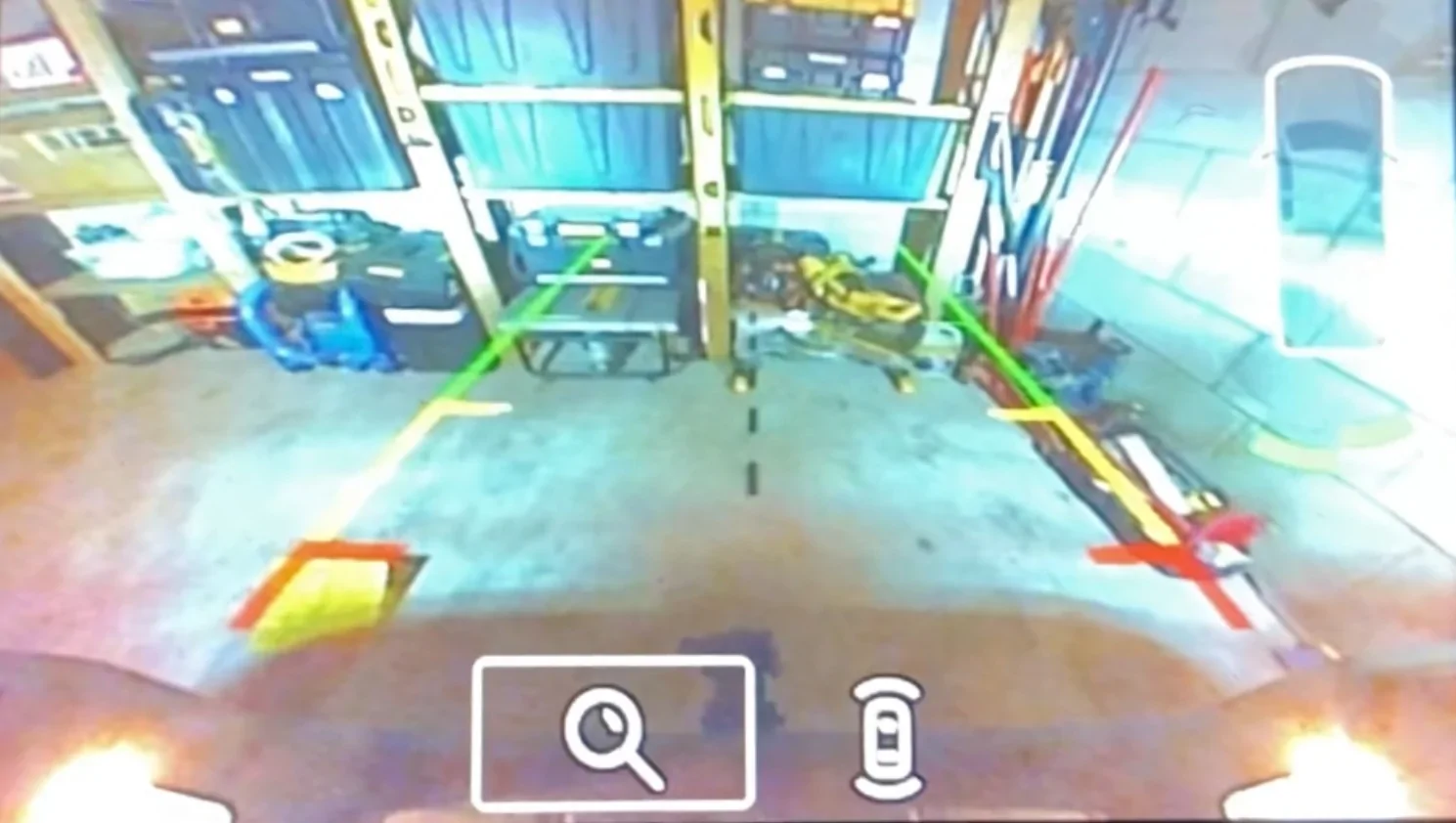
For the Lariat 8in screen, both the rear camera and truck image (upper RH Corner) with the park sensors are combined in the same screen.
When in drive - you get the windowed screen like you have posted (park sensors-trigger)

If this is the rear cam view and park sensor trigger, I would say it is supposed to be a way to (x) close the screen and back to the rear camera view.
Someone else with the same 4in screen may be able to confirm.

Ding Ding Ding! You are absolutely correct!

Screenshot_20251018-195351.webp


OP
OP
DukeCanBuildit

DukeCanBuildit

Well-Known Member
First Name
Duke
Joined
Jul 27, 2020
Threads
66
Messages
9,666
Reaction score
46,218
Location
Kitchener, Ontario
Vehicle(s)
2019 XLT SuperCab - FTW!
Occupation
Retired (P/T) Caregiver (F/T)
Vehicle Showcase
1
Ding Ding Ding! You are absolutely correct!

Screenshot_20251018-195351.webp
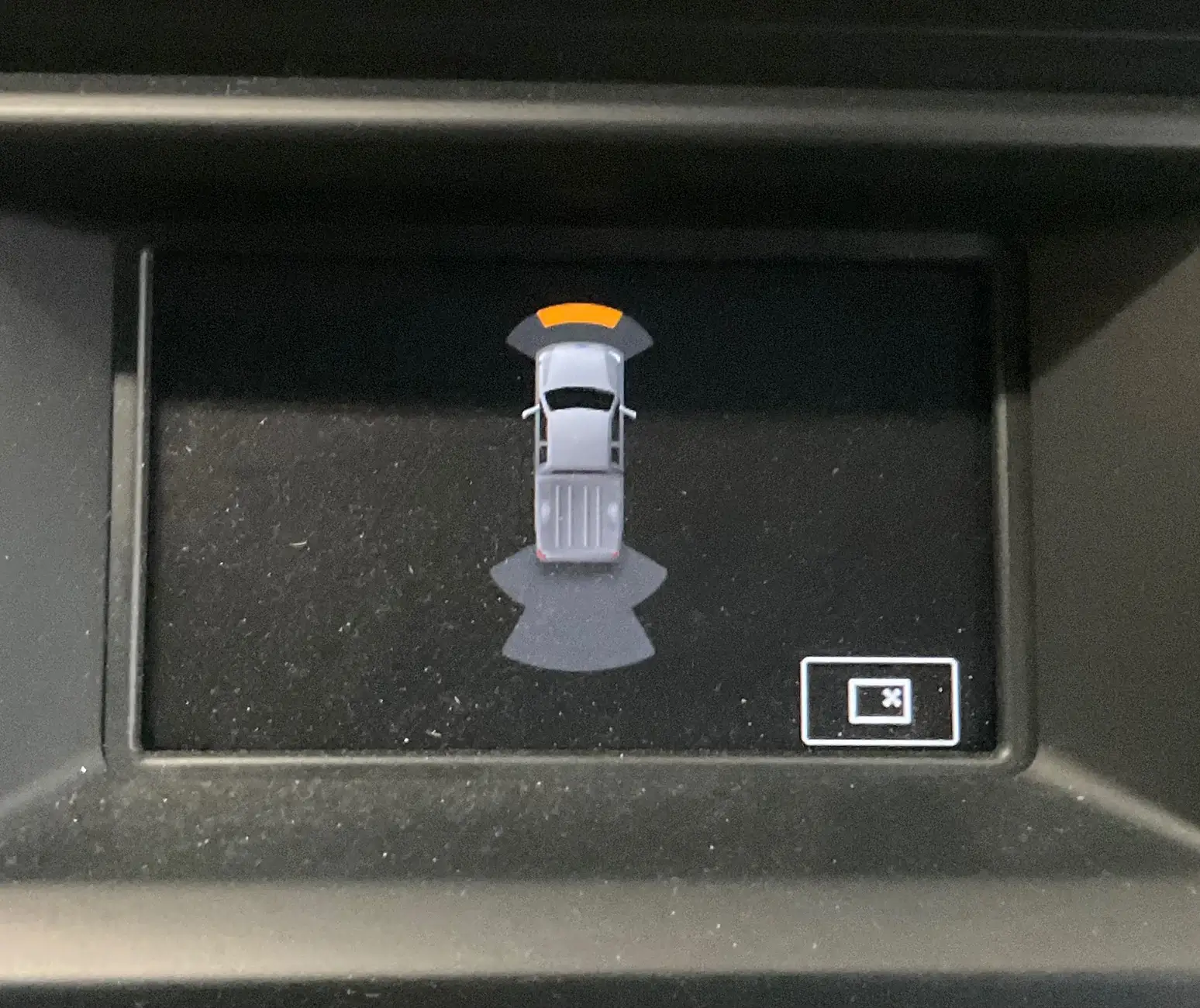
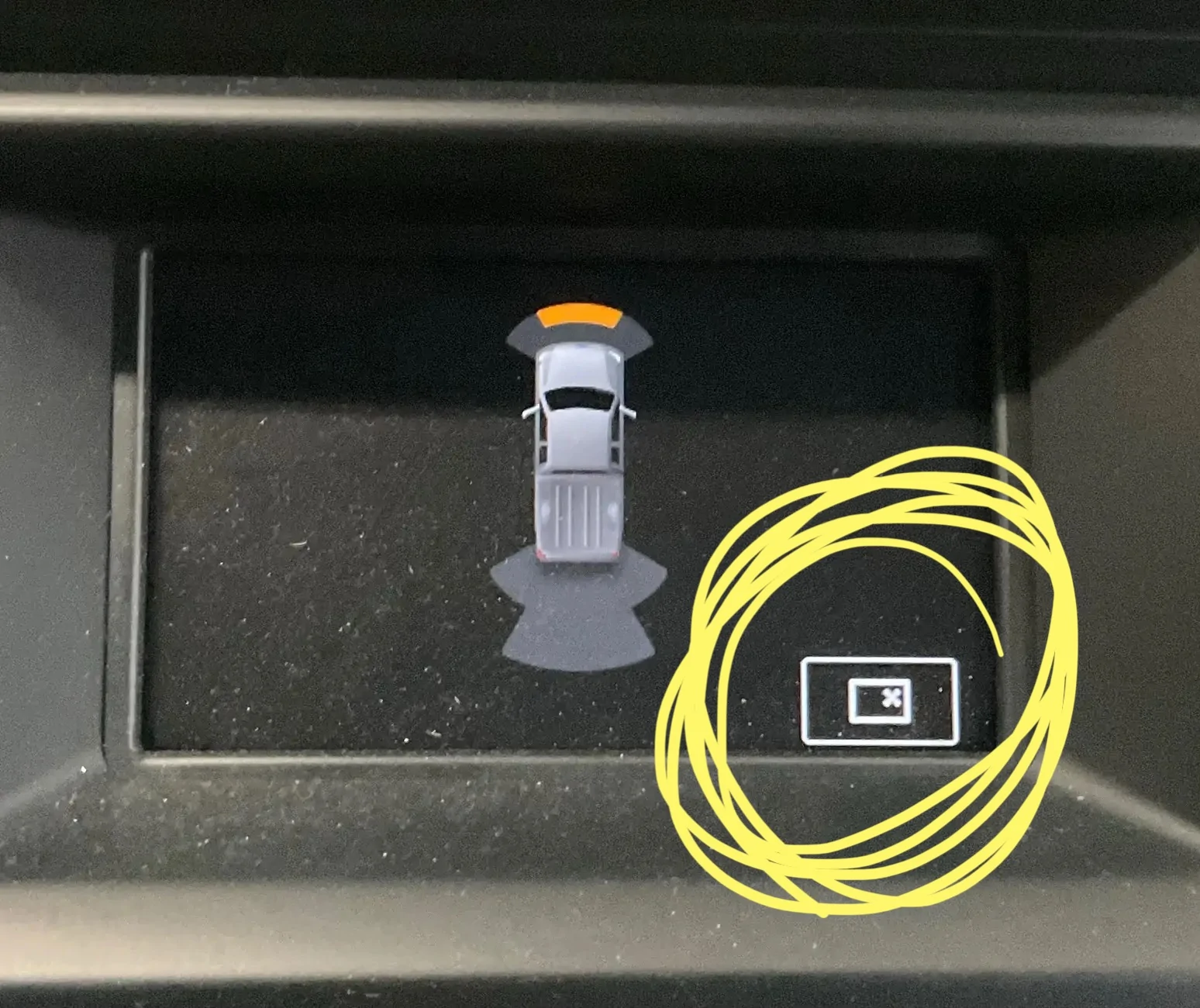
That’s all well and good, I love your enthusiasm, and it would be correct if it was the rear camera image. However the image in question is this…

IMG_0206.webp


which is the vehicle’s infotainment system displaying the front parking aid screen with forward parking sensors activated.

Which image did you ask AI to review?

This one?

IMG_0207.webp


If so, AI is correct (except for the third bullet that is just completely wrong) but that is not the image and icons I have questions about. That one toggles as expected by selecting either of the two icons using arrow buttons and the OK button on the dash.

What I’m trying to figure out is what this icon on the forward parking aid screen is for.……

IMG_0206.webp


What image did AI review?
 
OP
OP
DukeCanBuildit

DukeCanBuildit

Well-Known Member
First Name
Duke
Joined
Jul 27, 2020
Threads
66
Messages
9,666
Reaction score
46,218
Location
Kitchener, Ontario
Vehicle(s)
2019 XLT SuperCab - FTW!
Occupation
Retired (P/T) Caregiver (F/T)
Vehicle Showcase
1
The one where you have it circled. AI mentioned the circle.
Well, a small truck graphic with activated sensors shows up in the upper RH corner of the rear camera view screen (see above) but it doesn’t include that icon - it includes two others.

I think AI might be confused. That icon can’t close the backup camera view when it’s not in backup camera mode. This happens when I’m in a forward gear.
 

LaBalbe

Well-Known Member
Joined
Dec 14, 2021
Threads
18
Messages
2,190
Reaction score
13,383
Location
Ontario / part-time NC
Vehicle(s)
2020 Ranger Lariat
Last edited:
OP
OP
DukeCanBuildit

DukeCanBuildit

Well-Known Member
First Name
Duke
Joined
Jul 27, 2020
Threads
66
Messages
9,666
Reaction score
46,218
Location
Kitchener, Ontario
Vehicle(s)
2019 XLT SuperCab - FTW!
Occupation
Retired (P/T) Caregiver (F/T)
Vehicle Showcase
1

Chris M

Well-Known Member
First Name
Chris
Joined
Jun 11, 2020
Threads
21
Messages
4,500
Reaction score
19,809
Location
Surprise, AZ
Vehicle(s)
2021 Ranger XLT Sport 4X4
Occupation
Security Supervisor

Figarou

Well-Known Member
Joined
Mar 22, 2019
Threads
25
Messages
2,408
Reaction score
13,793
Location
Texas
Vehicle(s)
2022 Ford Edge ST, 2019 Ford Ranger Lariat
Well, a small truck graphic with activated sensors shows up in the upper RH corner of the rear camera view screen (see above) but it doesn’t include that icon - it includes two others.

I think AI might be confused. That icon can’t close the backup camera view when it’s not in backup camera mode. This happens when I’m in a forward gear.

You're probably right.
 
OP
OP
DukeCanBuildit

DukeCanBuildit

Well-Known Member
First Name
Duke
Joined
Jul 27, 2020
Threads
66
Messages
9,666
Reaction score
46,218
Location
Kitchener, Ontario
Vehicle(s)
2019 XLT SuperCab - FTW!
Occupation
Retired (P/T) Caregiver (F/T)
Vehicle Showcase
1
You're probably right.
In the backup camera view, I can use the arrow and OK buttons to zoom the camera in and out or toggle the little truck image on and off. But on that forward screen, the arrow and OK button do nothing.

IMG_0210.webp


Stumped!
 
OP
OP
DukeCanBuildit

DukeCanBuildit

Well-Known Member
First Name
Duke
Joined
Jul 27, 2020
Threads
66
Messages
9,666
Reaction score
46,218
Location
Kitchener, Ontario
Vehicle(s)
2019 XLT SuperCab - FTW!
Occupation
Retired (P/T) Caregiver (F/T)
Vehicle Showcase
1
Thanks Ranger5g community - for the insights, pointing me in the right direction, helping me think outside the box, and of course for the laughs and jabs - this forum never disappoints!

@airline tech and @Figarou both mentioned something that was really narrowing it down for me. This led me to do more troubleshooting this morning - I wanted to do it last night after Figarou’s post but Mrs. DukeCanBuildit already thinks I’m nuts and the neighbours must think the same. What, with all the repetitive backing out of and driving into the garage and all the leaf bag testing in the driveway, etc.

The normal course of events for the screen is as follows…
  1. Truck approaches an object
  2. Forward Parking Aid screen is displayed
  3. Brakes are applied - truck comes to a stop
  4. The screen automatically closes after one or two seconds or if the gear selector is moved to “Park”
Figarou and airline tech both suggested it closed a screen. They were referencing the backup camera screen and the forward screen closes on its own so I wasn’t thinking of that functionality.

HOWEVER, what if there are times when the Forward Parking Aid screen does not automatically close? It would be nice to turn it off and that icon does look like it stands for “Close Screen”.

So, there I was…out in my garage again this morning…..back and forth, back and forth…..in and out of my driveway, until the screen did not automatically turn off. I didn’t have full missile lock but I had a solid tone for a second - the tone stopped but the screen was not closing. Pressing the OK button closed the screen.

Nothing fun, super helpful or informative like on the backup screen - just a way to close the screen for those times when it doesn’t close on its own and you’re not putting it in Park. I was hoping for so much more.

Now, to figure out what the conditions are that prevent the screen from closing automatically.

Sponsored

 
Last edited:


Top