Sponsored

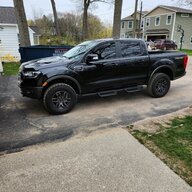
2021 Ranger Lariat Tremor radio works, screen is black/ambient lights wont work

jbytorw

New Member
First Name
John
Joined
Dec 30, 2022
Threads
1
Messages
2
Reaction score
0
Location
Michigan
Vehicle(s)
2021 Ford Ranger Lariat Tremor
Occupation
Engineer
I have a 2021 Ranger Lariat Tremor with 60,000 miles and the radio works, reverse camera works but the screen is black and I can't do anything with the settings through the touch screen, the ambient lights quit also. I have tried the reset with the power and seek radio buttons, the volume down and seek steering wheel buttons and I disconnected the battery for an half hour. Anyone experiencing similar problems with the black touch screen?
Sponsored


 

underwhelmed

Well-Known Member
Joined
Jan 29, 2023
Threads
27
Messages
1,095
Reaction score
6,166
Location
GSMs
Vehicle(s)
2019 Ranger SC XLT FX4, 1998 Jeep Cherokee XJ
Occupation
Retired Military
Vehicle Showcase
1
I have a 2021 Ranger Lariat Tremor with 60,000 miles and the radio works, reverse camera works but the screen is black and I can't do anything with the settings through the touch screen, the ambient lights quit also. I have tried the reset with the power and seek radio buttons, the volume down and seek steering wheel buttons and I disconnected the battery for an half hour. Anyone experiencing similar problems with the black touch screen?
I had similar issue, but was able to reset and get screen back. After that I updated my software through WiFi and haven’t had issue again. That was last September.
 

airline tech

Well-Known Member
Joined
Aug 24, 2022
Threads
28
Messages
4,463
Reaction score
8,537
Location
Midwest - KS
Vehicle(s)
2022 Ranger Lariat-Super Crew, Cactus Gray
Occupation
Aircraft Tech
Things to try:

Hold Seek-Up and Pwr Button for 10-Seconds.

Pull (BCM Fuse 32) for 1-Minute.

Open & Close (All-Doors) - Do the Overhead (Dome) Lights come on and go out? and is there any response to the Sync Screen?

Scan for Codes and Clear (If any)

Perform a BCM - (Self-Test) - Reset
FCIM - (Self-Test) - Reset

The Sync Screen appears that it is not receiving (Ignition Status) input - to power up, If you can get it to power up - Check for Sync Version and Update it to version (23188)
 
OP
OP
jbytorw

jbytorw

New Member
First Name
John
Joined
Dec 30, 2022
Threads
1
Messages
2
Reaction score
0
Location
Michigan
Vehicle(s)
2021 Ford Ranger Lariat Tremor
Occupation
Engineer
The Ford logo come on the screen when starting the truck. The BCM and FCIM test I have done, the dome light comes on and goes off. I have downloaded the updates to a flash drive, but I don't have a way to install with the screen being blank. I plugged the flash drive into the USB port hopping the truck would install automatically. I will try fuse (32)
 

airline tech

Well-Known Member
Joined
Aug 24, 2022
Threads
28
Messages
4,463
Reaction score
8,537
Location
Midwest - KS
Vehicle(s)
2022 Ranger Lariat-Super Crew, Cactus Gray
Occupation
Aircraft Tech
The Ford logo come on the screen when starting the truck. The BCM and FCIM test I have done, the dome light comes on and goes off. I have downloaded the updates to a flash drive, but I don't have a way to install with the screen being blank. I plugged the flash drive into the USB port hopping the truck would install automatically. I will try fuse (32)
If Fuse 32, does not help, Try a APIM (Self-Test) as well.
another off the wall think to try is:
Try starting the truck with the Driver's Door (Open)

Being that you are getting the (Splash Screen - Ford Logo) shows it is getting power, just not booting.

I do not remember if you have to actually hit (OK) when doing a Sync Update, I think it was all automatic via USB Stick

Start Truck, give it some time for a normal (Boot) and screen should be booted.
Insert USB Stick and let the truck idle for as much as 30-Minutes.
Normal Sync Update - Time frame is 10 to 30 minutes - To complete.

Note: The wording of the message on the Sync Screen can be confusing, It says something like Update Complete, the system will reboot:
If you pull the USB at this point, the update will FAIL - The USB must stay inserted until the screen gives you the message to (Remove the USB)

If you have (Automatic - OTA (Over the air) Updates selected (Option) then it is quite possible that the truck is in (Process) of performing an update and stuck, if this is the case, drive the truck for a day of so and see if the screen comes back.


awd.nv

Well-Known Member
First Name
Anthony
Joined
Apr 26, 2021
Threads
30
Messages
1,257
Reaction score
2,366
Location
Las Vegas, NV
Vehicle(s)
'21 Ranger XLT Tremor
Occupation
Computers
Ford had to replace my head unit maybe 6 months ago? Mine would freeze and sometimes black out. The manual reset where you press and hold some of the buttons always worked for me thankfully. Might just be time to take it into Ford.

This exact reason is why I am hesitant on new trucks when I see so many manufacturers putting more controls on a touch screen. I would not want to be out on a trail and all of a sudden not be able to access certain drivetrain controls.
 

Vagabond102

Member
First Name
Tracy
Joined
Mar 28, 2022
Threads
2
Messages
23
Reaction score
86
Location
Portland, OR
Vehicle(s)
2021 Ford Ranger Lariat (Tremor)
Hate to necro a thread, but relevant. I have been having this issue for some time, but didn't look it up to see any of the reset options, just dealt with it. It always came back after letting the truck sit and go into low power mode.

This is an issue. I received a notice from Ford titled " Notification for Certain 2018-2024 Ford Vehicles With SYNC® 3 "

They do not call it a recall:


Customer Satisfaction Program for Certain 2018-2024 Ford Vehicles With SYNC® 3
Program Number: xxxxx
VIN: Blah blah blah


Hi Tracy,

Building vehicles you can count on is one of our most important jobs. Which is why we've issued a Customer Satisfaction Program for some 2018-2024 Ford vehicles with SYNC® 3.

Affected vehicles may be impacted by a SYNC software instability that could result in multiple concerns, including a black touchscreen, incorrect language setting, and/or erased or unsaved radio presets.

We’re ready to make this right. Please book your appointment in the FordPass® App, online, or by calling an authorized Ford Dealer. Complimentary Ford Pickup & Delivery* or Ford Mobile Service** may be provided at participating dealers.

For questions or concerns about Customer Satisfaction Program 24B47, please call us at 1-866-436-7332. A Ford recall team member will be happy to assist you.

As always, thank you for being a Ford Owner.
 

Big Blue

Well-Known Member
First Name
Lee
Joined
May 5, 2020
Threads
16
Messages
3,927
Reaction score
9,352
Location
Wisconsin
Vehicle(s)
2019 Ford Ranger XLT FX4 Supercrew lighting blue
Occupation
Retired mechanical designer
Hate to necro a thread, but relevant. I have been having this issue for some time, but didn't look it up to see any of the reset options, just dealt with it. It always came back after letting the truck sit and go into low power mode.

This is an issue. I received a notice from Ford titled " Notification for Certain 2018-2024 Ford Vehicles With SYNC® 3 "

They do not call it a recall:


Customer Satisfaction Program for Certain 2018-2024 Ford Vehicles With SYNC® 3
Program Number: xxxxx
VIN: Blah blah blah


Hi Tracy,

Building vehicles you can count on is one of our most important jobs. Which is why we've issued a Customer Satisfaction Program for some 2018-2024 Ford vehicles with SYNC® 3.

Affected vehicles may be impacted by a SYNC software instability that could result in multiple concerns, including a black touchscreen, incorrect language setting, and/or erased or unsaved radio presets.

We’re ready to make this right. Please book your appointment in the FordPass® App, online, or by calling an authorized Ford Dealer. Complimentary Ford Pickup & Delivery* or Ford Mobile Service** may be provided at participating dealers.

For questions or concerns about Customer Satisfaction Program 24B47, please call us at 1-866-436-7332. A Ford recall team member will be happy to assist you.

As always, thank you for being a Ford Owner.
First question is what version of SYNC are you running? If it is anything lower than 23188 you need to update it. The prior version was full of bugs and caused a lot of strange problems. That is probably the SYNC software update they are talking about.
 

Vagabond102

Member
First Name
Tracy
Joined
Mar 28, 2022
Threads
2
Messages
23
Reaction score
86
Location
Portland, OR
Vehicle(s)
2021 Ford Ranger Lariat (Tremor)
First question is what version of SYNC are you running? If it is anything lower than 23188 you need to update it. The prior version was full of bugs and caused a lot of strange problems. That is probably the SYNC software update they are talking about.
Not in the truck now, but when I've checked, it's stated it's up to date. I have it set to connect to my home wifi and update when needed. Good question!

I'm pretty sure this started AFTER being updated. For the first 2 years it was just fine.
Sponsored


Top