Sponsored

Sync 12/22

Beez

Well-Known Member
First Name
Wayne
Joined
Dec 14, 2022
Threads
2
Messages
103
Reaction score
181
Location
Hawaii
Vehicle(s)
'19 Lariat, DIY BOV, 2.5 Leveler, MBRP 3" Exhaust
Occupation
Just another incredibly super average dude
Well, I was hoping to not stand out as the dumbest person on this thread, and sorry to seem like such a "newb", but where (or who) in the crap are you getting the emails from for the update? Ford? I'm assuming I'll need to sign up? Also, I've combed over this thread, and possibly have still somehow missed it, but is there a link to access the sync files update, that someone could maybe shoot to a brother?
Sponsored

 

AzScorpion

Moderator
First Name
Dave
Joined
Jul 25, 2019
Threads
335
Messages
26,236
Reaction score
132,091
Location
Back Home In AZ!
Vehicle(s)
2023 Ford Ranger Tremor
Occupation
Retired...Full Time Slacker
Well, I was hoping to not stand out as the dumbest person on this thread, and sorry to seem like such a "newb", but where (or who) in the crap are you getting the emails from for the update? Ford? I'm assuming I'll need to sign up? Also, I've combed over this thread, and possibly have still somehow missed it, but is there a link to access the sync files update, that someone could maybe shoot to a brother?
Just go into your settings, look for sync than updates. There's a place to have auto updates so you won't have to remember to update them next time.

Here's an article that might help you through it.

https://www.ford.com/support/how-tos/search/update sync/
 

Fawnbuster

Well-Known Member
First Name
Mike
Joined
Jul 14, 2019
Threads
62
Messages
2,416
Reaction score
8,970
Location
Indiana
Vehicle(s)
2019 Ranger
Occupation
Retired 34 years as LEO
Vehicle Showcase
1
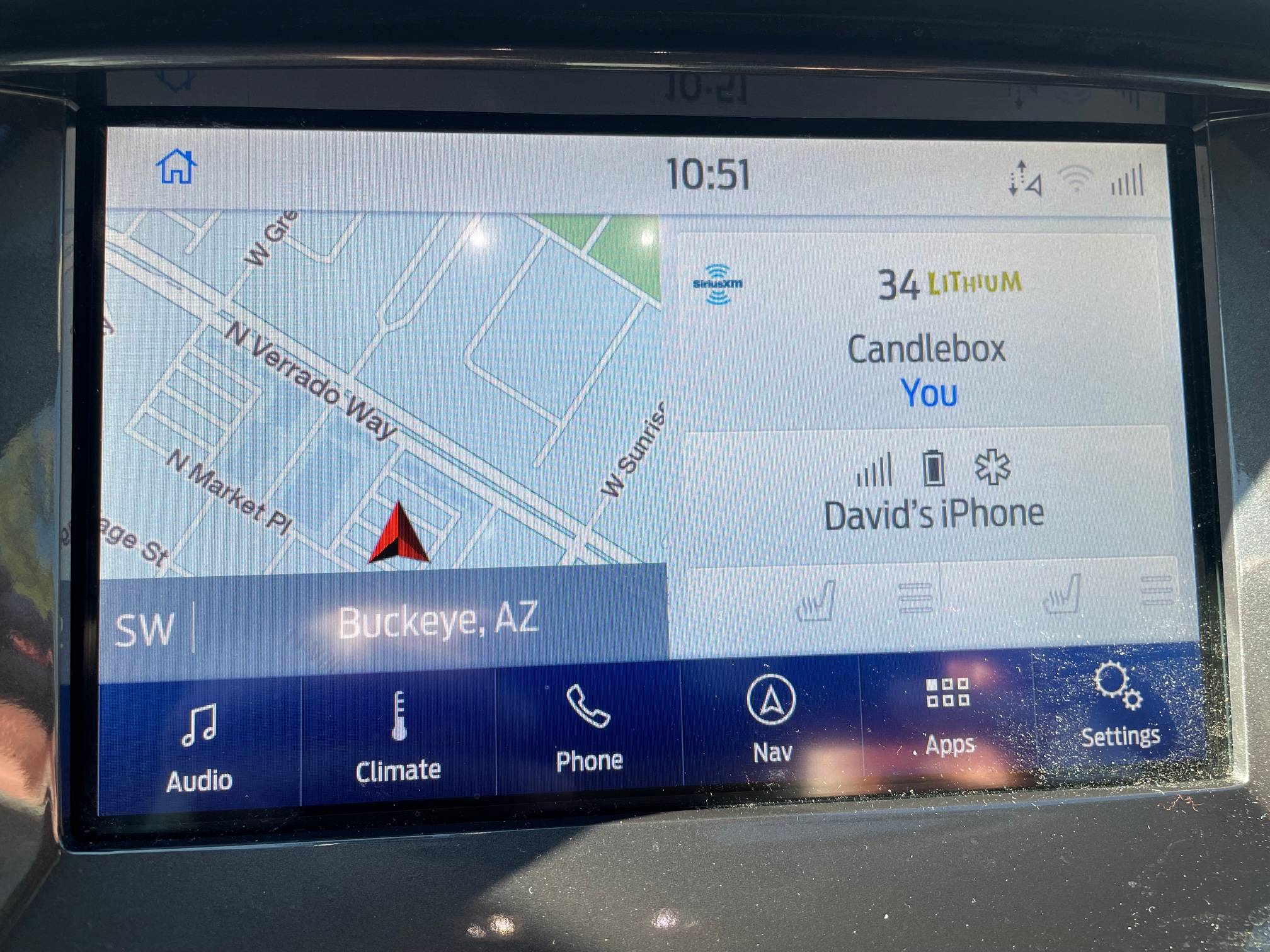
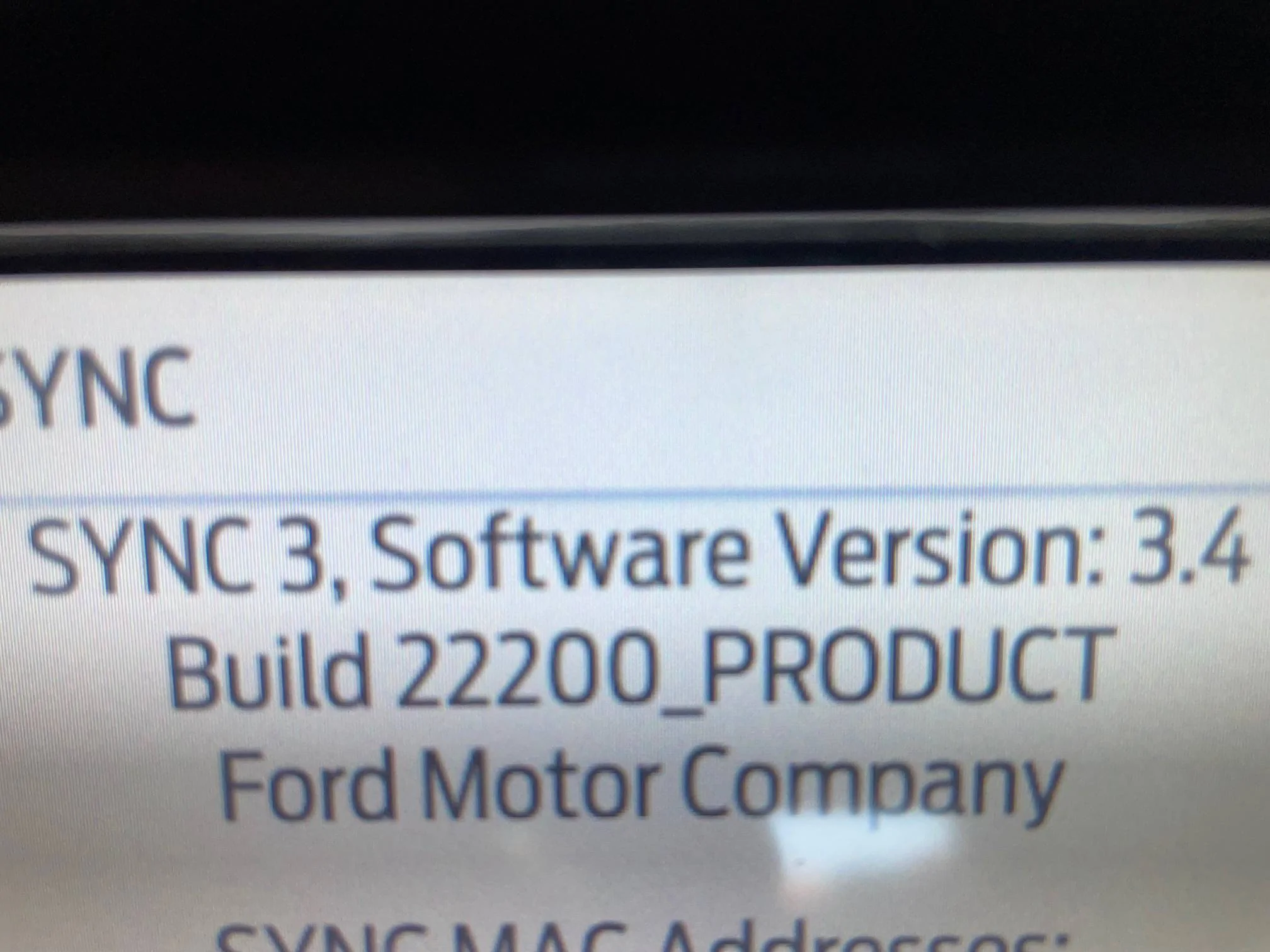
It finally updated. I went out to do a small job this morning and it was still on the old version and when I went to leave it was updated. Only problem now is my phone won't connect. It connected when I started the truck up but half way home it disconnected. It's showing on the phone tab and I touch it to connect but it doesn't. I'll probably try deleting it and re syncing the phone.

Maybe my Ranger's mad that it's not original anymore? ?

IMG_8119.jpg


IMG_8120.jpg
I have not.checked my version but it did a big long update 2 days ago, i had to restart my truck 3 times to make sure it went thru
 

Beez

Well-Known Member
First Name
Wayne
Joined
Dec 14, 2022
Threads
2
Messages
103
Reaction score
181
Location
Hawaii
Vehicle(s)
'19 Lariat, DIY BOV, 2.5 Leveler, MBRP 3" Exhaust
Occupation
Just another incredibly super average dude
I have not.checked my version but it did a big long update 2 days ago, i had to restart my truck 3 times to make sure it went thru
Mike - I've experienced the same frig'n problem. I got my Lariat to finally upload the latest sync update from a thumb drive after nearly 25 minutes, but (for whatever reason) it now will not recognize my cell phone. I've tied everything short of doing a master reset. I deleted my phone from the Ranger and tried re-adding, but it seems like the bluetooth can't even find it. I get the "Failed to connect" message, but I know it's not my phone. Also tried to load up my wife's cell, but 'nada".. Still get the same gay message... It's maddening. I'm the dude that never has good experiences with "updates" and always has download remorse. After several hours of deleting, resetting, repeated attempts to scan and link and wasting a 1/3 of a tank of fuel, I finally gave up... Let me know if you have any better luck.

(I've had thought of calling Ford and telling them, that I have a loaded 38 sitting on my lap... You've got 5 minutes to talk me out of it.)
 

Fawnbuster

Well-Known Member
First Name
Mike
Joined
Jul 14, 2019
Threads
62
Messages
2,416
Reaction score
8,970
Location
Indiana
Vehicle(s)
2019 Ranger
Occupation
Retired 34 years as LEO
Vehicle Showcase
1
Mike - I've experienced the same frig'n problem. I got my Lariat to finally upload the latest sync update from a thumb drive after nearly 25 minutes, but (for whatever reason) it now will not recognize my cell phone. I've tied everything short of doing a master reset. I deleted my phone from the Ranger and tried re-adding, but it seems like the bluetooth can't even find it. I get the "Failed to connect" message, but I know it's not my phone. Also tried to load up my wife's cell, but 'nada".. Still get the same gay message... It's maddening. I'm the dude that never has good experiences with "updates" and always has download remorse. After several hours of deleting, resetting, repeated attempts to scan and link and wasting a 1/3 of a tank of fuel, I finally gave up... Let me know if you have any better luck.

(I've had thought of calling Ford and telling them, that I have a loaded 38 sitting on my lap... You've got 5 minutes to talk me out of it.)
Beez, mine did fine, it remembered my phone and recognized my thumb drive usb and plays the music as normal. I have yet to try and use the navigation but on my home screen while I drive it at least knows where I am. The 2nd time my truck was about to shut off (due to idling timer) I got in and put the truck in drive and then back into park. The 3rd time I went to check on it, it was installing the update . Just save that .38 round for the sync module ONLY! I still don't know if this update is the same one I got the email about regarding paying for it , maybe one is a new operating system and one I got is just an update for what i am running. I haven't checked to see which version I have on board but when I go to out to update my wife's Lincoln I will look.


ControlNode

Well-Known Member
First Name
John
Joined
Nov 29, 2021
Threads
16
Messages
1,709
Reaction score
3,641
Location
Eastern NC
Vehicle(s)
84 Civic "2000S"/16 Focus RS/21 Ranger XLT
Occupation
Computers
Haven't done the upgrade - restriction were insane. As I recall, you needed to abandon your truck for several hours to let the download happen. Or, they'd be happy to sell you a CD version for an outrageous price and let you go on your own. I don't have that much patience and I'm stingy with my cash. No thanks. :frown:
You have a CD drive in yours?!?

I'm trying the update now, but it's really slow thru Wifi. I'm going to do the USB thing thru the Ford Site SYNC.

Edit: FYI The download is about 2.4 GB.
Odd, my update file for NU5T-14G381-AA (3.4.22200) is only 1.3GB download.

We were fighting a hacker and changing passwords daily when I got my truck. No it has my WiFi password and I am up to date.
Lock down the wireless mac addresses to only your known devices and block the rest. Then even if they sniff the passwords they can't connect unless they have hardware that allows them to spoof the mac address, but that may make it annoying enough for them to move on to softer targets.

The Sync updates are free it's the Nav updates that they charge for. That's why I just use my phone for the Nav as I refuse to pay and the phone works much better in most instances.
You get 1 free map update, that is why I'm going to wait as long as I possibly can to do the map update. Using Waze, and GM where I'm offline, makes that Sync map update not that important to me.
 
Last edited:

Beez

Well-Known Member
First Name
Wayne
Joined
Dec 14, 2022
Threads
2
Messages
103
Reaction score
181
Location
Hawaii
Vehicle(s)
'19 Lariat, DIY BOV, 2.5 Leveler, MBRP 3" Exhaust
Occupation
Just another incredibly super average dude
You have a CD drive in yours?!?


Odd, my update file for NU5T-14G381-AA (3.4.22200) is only 1.3GB download.


Lock down the wireless mac addresses to only your known devices and block the rest. Then even if they sniff the passwords they can't connect unless they have hardware that allows them to spoof the mac address, but that may make it annoying enough for them to move on to softer targets.


You get 1 free map update, that is why I'm going to wait as long as I possibly can to do the map update. Using Waze, and GM where I'm offline, makes that Sync map update not that important to me.
You have made a wise decision.... Allow my life to be a warning to you.
 

Gary

Active Member
First Name
Gary
Joined
Jan 2, 2022
Threads
0
Messages
30
Reaction score
82
Location
Amarillo, Tx
Vehicle(s)
2020 Ford Ranger XLT
Occupation
Retired
Haven't done the upgrade - restriction were insane. As I recall, you needed to abandon your truck for several hours to let the download happen. Or, they'd be happy to sell you a CD version for an outrageous price and let you go on your own. I don't have that much patience and I'm stingy with my cash. No thanks. :frown:
It only took mine a few minuets to do the upgrade. No problems yet.
 

Shortstuff116

Member
First Name
Steve
Joined
Nov 5, 2021
Threads
6
Messages
14
Reaction score
55
Location
Massachusetts
Vehicle(s)
2021 Ford Ranger Lariat 4x4
Occupation
Retired Marine
Can someone tell me what (if anything) that appears on your screen to show that the update is being done? Should I see anything telling me % done or update in progress or anything at all? I have a '21 Lariat and tried the October update and sat for almost an hour and gave up. Nothing to indicate it was even updating.
 

AzScorpion

Moderator
First Name
Dave
Joined
Jul 25, 2019
Threads
335
Messages
26,236
Reaction score
132,091
Location
Back Home In AZ!
Vehicle(s)
2023 Ford Ranger Tremor
Occupation
Retired...Full Time Slacker
Can someone tell me what (if anything) that appears on your screen to show that the update is being done? Should I see anything telling me % done or update in progress or anything at all? I have a '21 Lariat and tried the October update and sat for almost an hour and gave up. Nothing to indicate it was even updating.
I never saw anything when updating over wifi. I started mine on Wednesday (late morning) and when I drove to work on Thursday morning I still had the same old version on my screen. 4 hours later when I left work it finally finished updating to the current version. Now mine has never been updated since new (3+ years) so it took a lot longer. Honestly besides the ugly blue accents on the main screen I see nothing different.
 

Beez

Well-Known Member
First Name
Wayne
Joined
Dec 14, 2022
Threads
2
Messages
103
Reaction score
181
Location
Hawaii
Vehicle(s)
'19 Lariat, DIY BOV, 2.5 Leveler, MBRP 3" Exhaust
Occupation
Just another incredibly super average dude
Can someone tell me what (if anything) that appears on your screen to show that the update is being done? Should I see anything telling me % done or update in progress or anything at all? I have a '21 Lariat and tried the October update and sat for almost an hour and gave up. Nothing to indicate it was even updating.
Mine had a banner across the top of the screen that said, "Update In Process". Maybe it depends on the method of the update? I had downloaded mine to a thumbdrive, then plugged it in after I started the car. It accepted it immediately to begin the process, but it took every bit of 20 minutes to finish. At the end, it then changed the message to Update Complete, then automatically cycled off and came back up..... Have had nothing but problems since. - Good luck!
 

Frogracer

New Member
Joined
Dec 11, 2022
Threads
0
Messages
1
Reaction score
1
Location
U.S.A.
Vehicle(s)
2019 Ford Ranger
Only issue with the latest version and my 2019 XLT is the latest version is very slow to react when buttons are pushed.
Seems 3.3 - 3.4.22200 has really taxes out the sync computer processor in the truck.
 

Trigganometry

Well-Known Member
First Name
Rick
Joined
Dec 4, 2020
Threads
153
Messages
5,833
Reaction score
25,359
Location
Massachusetts
Vehicle(s)
20 XLT scab 301A/tow 4X4 magnetic w/sport blackout
Occupation
Engineering
Mike - I've experienced the same frig'n problem. I got my Lariat to finally upload the latest sync update from a thumb drive after nearly 25 minutes, but (for whatever reason) it now will not recognize my cell phone. I've tied everything short of doing a master reset. I deleted my phone from the Ranger and tried re-adding, but it seems like the bluetooth can't even find it. I get the "Failed to connect" message, but I know it's not my phone. Also tried to load up my wife's cell, but 'nada".. Still get the same gay message... It's maddening. I'm the dude that never has good experiences with "updates" and always has download remorse. After several hours of deleting, resetting, repeated attempts to scan and link and wasting a 1/3 of a tank of fuel, I finally gave up... Let me know if you have any better luck.

(I've had thought of calling Ford and telling them, that I have a loaded 38 sitting on my lap... You've got 5 minutes to talk me out of it.)
I did a phone restart and then resyc’d with the head unit. If it hiccups for the first few days then I just switched positions on the sync USB connect point. Been fine since then. I use Waze exclusively so it boots to that screen automatically after startup and handshake with my phone.
 

Tra1969

Well-Known Member
Joined
Jan 30, 2018
Threads
4
Messages
198
Reaction score
280
Location
Michigan
Vehicle(s)
2022 Ford Ranger Lariat Tremor 501A and Tow
Occupation
Senior Manufacturing Supervisor
Vehicle Showcase
2
Can someone tell me how long the Nav 2 21 took to install via USB? Don’t have any long trips planned and was wondering how long my truck would have to idle to get it done.
Sponsored


Top