Sponsored

Show your aftermarket LED headlights

Aphron

Member
Joined
Jan 9, 2024
Threads
1
Messages
16
Reaction score
23
Location
Ohio
Vehicle(s)
2020 FX4 Ranger
Occupation
Surviving
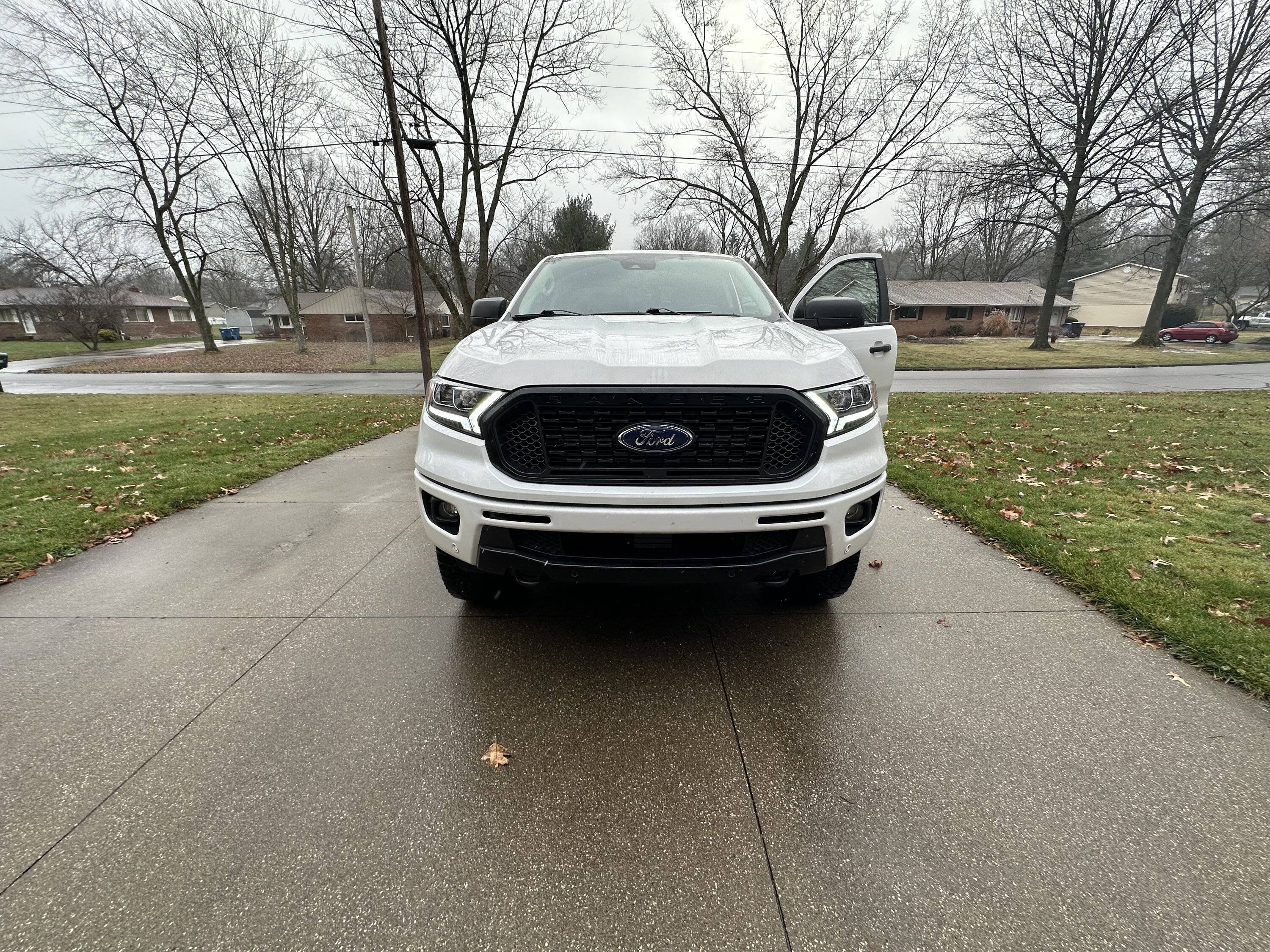
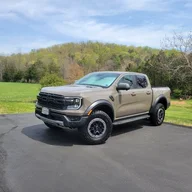
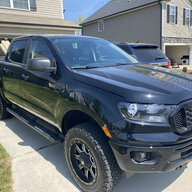
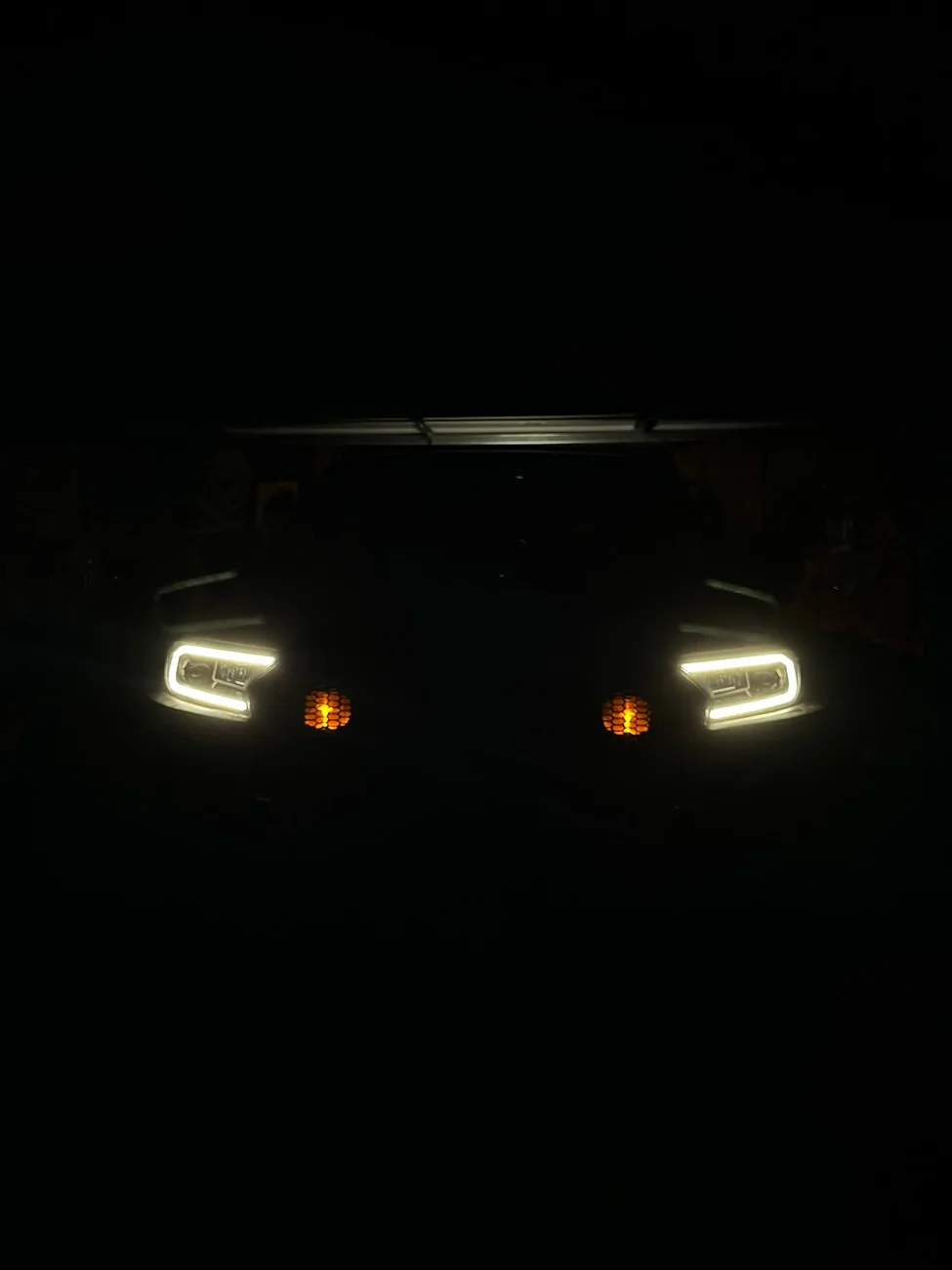
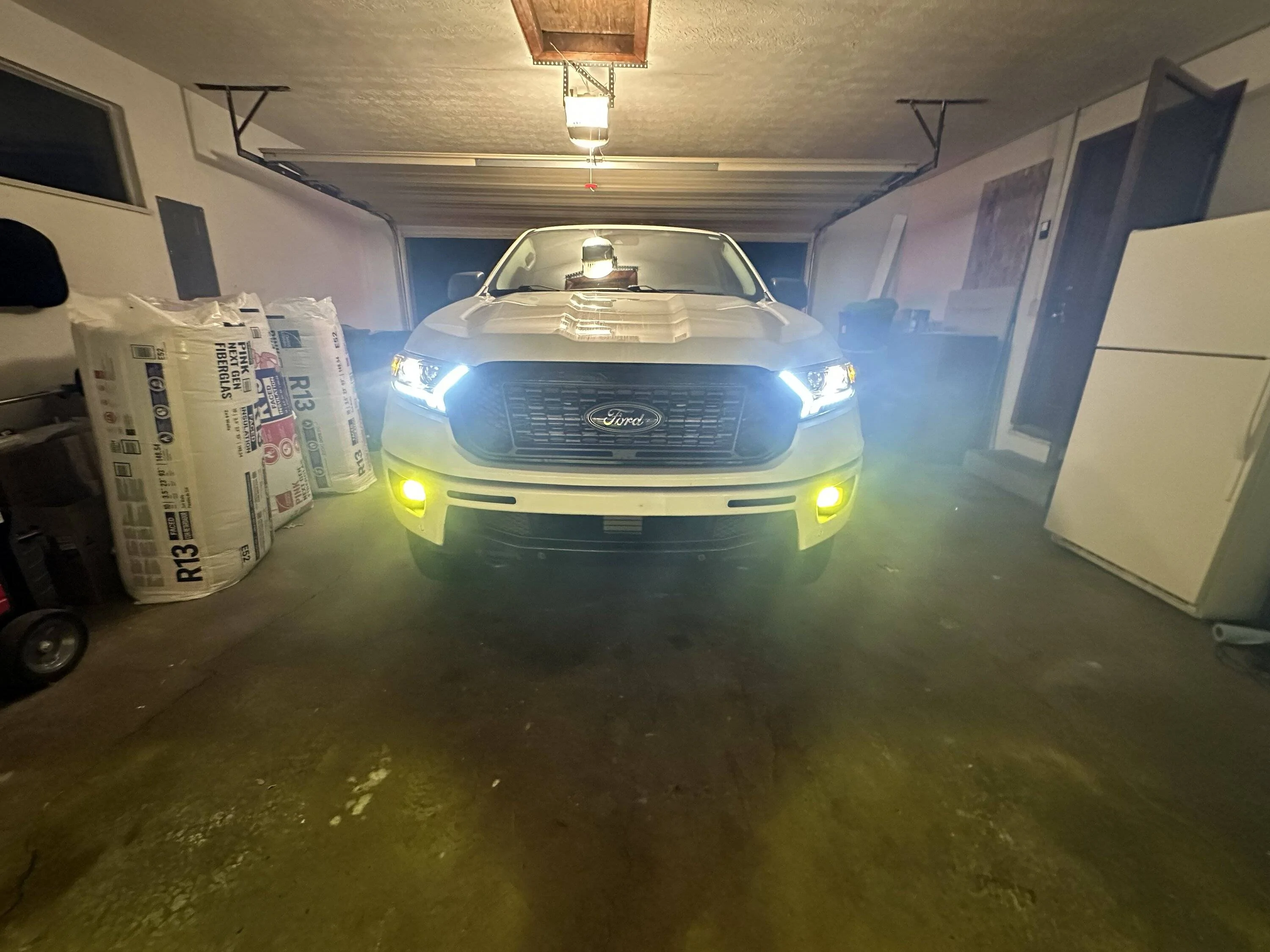
Not leds as they were permanent in the Alpha Rex Luxx. I got the Alpharex Pros so I can change bulbs if need be. Using halogen in the projectors but can switch to led as well. Apparently they use the same projector housing for luxx and pro. After installing them I’m glad they’re not coming back out lol!

Edit: Well worth the install, the light output and cutoff is much better even with just halogens. Although it wouldn’t take much. Stock xlt lights were atrocious.

IMG_1255.jpeg


IMG_1248.jpeg
Sponsored


airline tech

Well-Known Member
Joined
Aug 24, 2022
Threads
28
Messages
4,447
Reaction score
8,498
Location
Midwest - KS
Vehicle(s)
2022 Ranger Lariat-Super Crew, Cactus Gray
Occupation
Aircraft Tech
To clarify install of aftermarket headlamp assemblies:

You should never have to cut into the wiring harness to power them.

Some notes: Normal Operation = Constant Power, if there is a voltage anomaly then the FET - Field Effect Transistor trips - This is internal to the BCM, and its purpose is to protect the internal circuit of the BCM. It cuts power off the circuit.
If there enough FET Trips the BCM is bricked and requires replacement.
So, a power cut is normal only if there is a problem on the circuit.
In your case you have (2) power sources trying to power the Lo-Beam LED

Note: All Ranger trims have the same wire harness to the headlamp assembly
where they differ is internal (wiring of the headlamp itself)

The reason for Lo Beam - power faults
The OE Halo design - uses the Lo-Beam Lights for the DRL

Factory LED and Aftermarket - moves that power feed for DRL from the Lo-Beam to a dedicated DRL light strip.

So, the reason for (Auto) not working correctly is due to the DRL light source power has not been changed and you still have power being fed to the Lo-Beam (Led Headlamp) when they should be off (if daylight) and only the DRL Strip should be powered.

When swapping from Halo's to LED - you must change how the BCM provides the power output using the existing OE wiring - This is done with Forscan

What this does is moves the DRL power from the Lo-Beam to a dedicated DRL strip and this allows full operation of the Lo/Hi Beam Headlights

These are the settings for Factory LED swap from the Halo's, since my LEDs were deleted from the factory - I put it back to the way it should have been delivered as ordered with them installed.

I spent some time playing with these settings and they match the As-Built files for all Lariat Rangers with the Factory Led option.

My Posted results from an eariler thread below:

Can we get these settings posted to the ForScan Spreadsheet?

I have completed my Lariat - Factory LED Downgrade back to AS-Ordered - Now the truck is HAPPY, Bye-Bye Halo's

i had searched through the posts here and found some conflicting info on the correct settings for ForScan after the swap
I compared 3 Lariat's (As-Built) data, and these are the settings that they all have.

Lariat As-Built Compare (From 3 Trucks) (All Match these settings) (With Factory LED's)

BCM
726-26-02 - 0000-0001-0056
726-45-01 - 0A01-1000-008E
726-50-01 - 108E

The various posts state an array of options on these setting but to get it to Factory LED (The LED Strip) as your DRL these are my findings


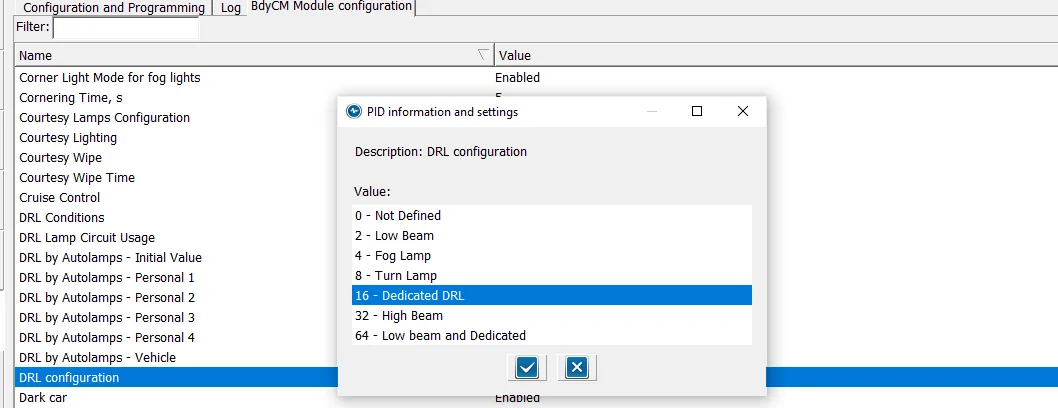
DRL Configuration to (Dedicated DRL)

drl-config-2-png-png.png


Set this option to (16) Dedicated DRL - this will automatically set 2-Lines of Hex Code for you.
NOTE: the (16) is a Binary code that is converted to HEX (Inside of the As-Built) Files

Here are the 2-Lines of Codes it sets

BCM
726-26-02 - 0000-0001-0056 (Matches my Lariat compare search-As-Built)
726-50-01 - 108E (Matches my Lariat compare search - As-Built)

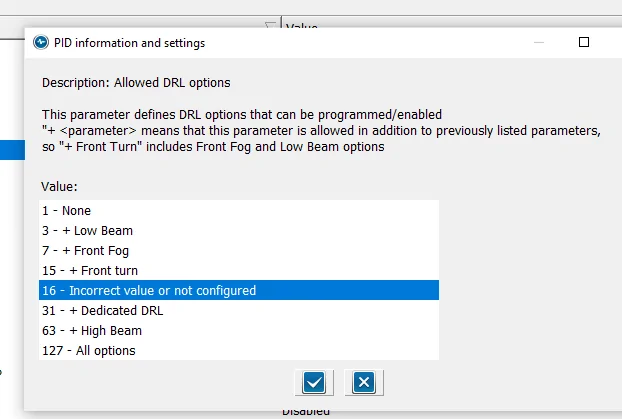
Now set Allowed DRL Options:

alowed-drl-options-png-png.png

NOTE: The Paragraph at the top
If you have only (1) option for DRL, such as Factory LED Headlights, this will show due to the fact that it matches the (16) Binary code you set in DRL Configuration PLUS
This option ONLY modifies (In addition) (Plus) the standard factory DRL.
So, this normal - As I have not added any special (extra) DRL options to the configuration


So, with this selected, here is the last Hex Line of code that is changed (Automatically)

726-45-01 - 0A01-1000-008E (Matches my Lariat compare search-As-Built)

If you do not see this option (highlighted) then go into the As-Built File and manually change it, then when you go back to the (Module) Easy way, this will be shown


If you select (31) (+) Dedicated DRL here, you will see the As-Built Hex Line change to this

726-45-01 - 0A01-1F00-008E - ----This does not match factory settings
Others have posted that you need to set it to this, and it does work, as I have operational checked the Headlight's and DRL's using this one (1F00) and (1000)

Edit:
Note: US Version Trucks - DRL's only operate with Headlamp Switch in (Auto)
and US Version Trucks (DRL's) only operate (On & Bright) in any (Gear) position except Park and as long as Headlamps have not been turned on due to low light conditions from (Auto Headlamps), to ops check in your driveway, place truck in Neutral and set Parking Brake on a bright sunny day.
I added this little note as some have not read the fine print of the owner's manual and creates confusion on proper operation.

If you want your DRL's to be always on (Including with Headlamp Switch in (OFF) like our Candian Neighbors are required to have, then make one other change in Forscan and that is in easy mode - DRL Conditions , when you select a change here you will have (2) options (A or B) , As of this writing I cannot remember what the US Version is set at, I believe Option (B), so change to Option (A)
Rangers have 2 types of DRL (Conditions)
Conventional - (Always On - Even with switch off - (option A) - I think (Candian Trucks)
Configurable - Only (On) with Headlamp switch in (Auto) - option B - I think. (US Trucks)
Without hooking up Forscan, I may have the options ( A & B) backwards


Operational Check:

1. LED Strip - On and Bright
a. With Headlight switch in Auto (Daylight) - So DRL Mode

2. LED Strip - On and Dim
a. Headlight switch in (Headlight) and (Auto - Nighttime)
b. Headlight Switch in Park Lights
c. Activation of Entry / Exit Lights along with Park Lights, Bed Lights, Puddle Lights, Door Locks Activation Etc.

I know there have been quite a few posts on this subject and I wanted to pass along my findings
to clear it up
These are the confirmed settings for the Lariat Factory LED Upgrade, now it should also clear it up for those who have installed the (aftermarket) options. With the attached pics, you can see it more clearly and visualize what changes you want to make

Here are the changes each selection makes to the Hex Line

726-45-01 - (0A01-XXXX-008E)
None: 0100
All Options: 7F00
Low Beam: 0300
Hi-Beam: 3F00
Ft Fog: 0700
Ft Turn: 0F00
Dedicated DRL: 1F00
Incorrect Value or Not Configured - 1000 (Factory Lariat Setting (LED)


Hope this helps

22 Ranger Lariat Screw Cactus Gray


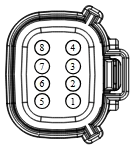
To visualize what Forscan does, it changes the power to the pins at the headlamp assembly
and moves the power source to the correct pins

1705446187708.png


Open In New Tab Zoom/Print​
Terminal Part Number
Service Part Number
Size
7C3T-14474-EADU2Z-14474-DA1.50
7C3T-14474-DA-2132208-
BU5T-14474-UADU2Z-14474-DA1.50
Pin
Circuit
Gauge
Circuit Function
Qualifier
Terminal Part Number
1​
GD125 (BK)​
14​
GROUND - FENDER FRONT RIGHT # 3RD POINT​
7C3T-14474-EA​
2​
CLF04 (BN-BU)​
16​
CTRL MOD. - BEAM LOW LEFT​
7C3T-14474-DA​
3​
CLF02 (GY-BN)​
16​
CTRL MOD. - BEAM HIGH LEFT​
7C3T-14474-DA​
4​
GD121 (BK-YE)​
16​
GROUND - FENDER FRONT LEFT # 2ND POINT​
7C3T-14474-DA​
5​
CLS06 (GN-OG)​
20​
CTRL MOD. - PARK FRONT LEFT OR FRONT/REAR LEFT​
BU5T-14474-UA​
6​
CLF61 (GY-BU)​
20​
CTRL MOD. - DAYTIME RUNNING LIGHT LEFT​
BU5T-14474-UA​
7​
CLS21 (BU-GN)​
20​
CTRL MOD. - TURN LAMP LEFT FRONT​
BU5T-14474-UA​
8​
GD121 (BK-YE)​
16​
GROUND - FENDER FRONT LEFT # 2ND POINT​
7C3T-14474-DA​

Available Pigtail Kits


To sum it up, if you just Plug & Play with the aftermarket LED swap, you will have lighting and power issues. You MUST make changes with Forscan to get them powered and working correctly.
Cutting into the harness should not be required for this simple swap. It just needs programed source changes from the BCM
 
Last edited:

got3fords

Well-Known Member
First Name
James
Joined
Apr 12, 2021
Threads
131
Messages
5,319
Reaction score
13,794
Location
22973
Vehicle(s)
2026 Marsh Gray Ranger Raptor, 1995 Harley XLH1200
Occupation
Mom Joke Professional


To sum it up, if you just Plug & Play with the aftermarket LED swap, you will have lighting and power issues. You MUST make changes with Forscan to get them powered and working correctly.
Cutting into the harness should not be required for this simple swap. It just needs programed source changes from the BCM
Dude knows his shit, and is much appreciated!
 

dknut28

New Member
First Name
Dan
Joined
Mar 7, 2024
Threads
0
Messages
1
Reaction score
0
Location
New York
Vehicle(s)
2021 XLT Tremor
To clarify install of aftermarket headlamp assemblies:

You should never have to cut into the wiring harness to power them.

Some notes: Normal Operation = Constant Power, if there is a voltage anomaly then the FET - Field Effect Transistor trips - This is internal to the BCM, and its purpose is to protect the internal circuit of the BCM. It cuts power off the circuit.
If there enough FET Trips the BCM is bricked and requires replacement.
So, a power cut is normal only if there is a problem on the circuit.
In your case you have (2) power sources trying to power the Lo-Beam LED

Note: All Ranger trims have the same wire harness to the headlamp assembly
where they differ is internal (wiring of the headlamp itself)

The reason for Lo Beam - power faults
The OE Halo design - uses the Lo-Beam Lights for the DRL

Factory LED and Aftermarket - moves that power feed for DRL from the Lo-Beam to a dedicated DRL light strip.

So, the reason for (Auto) not working correctly is due to the DRL light source power has not been changed and you still have power being fed to the Lo-Beam (Led Headlamp) when they should be off (if daylight) and only the DRL Strip should be powered.

When swapping from Halo's to LED - you must change how the BCM provides the power output using the existing OE wiring - This is done with Forscan

What this does is moves the DRL power from the Lo-Beam to a dedicated DRL strip and this allows full operation of the Lo/Hi Beam Headlights

These are the settings for Factory LED swap from the Halo's, since my LEDs were deleted from the factory - I put it back to the way it should have been delivered as ordered with them installed.

I spent some time playing with these settings and they match the As-Built files for all Lariat Rangers with the Factory Led option.

My Posted results from an eariler thread below:

Can we get these settings posted to the ForScan Spreadsheet?

I have completed my Lariat - Factory LED Downgrade back to AS-Ordered - Now the truck is HAPPY, Bye-Bye Halo's

i had searched through the posts here and found some conflicting info on the correct settings for ForScan after the swap
I compared 3 Lariat's (As-Built) data, and these are the settings that they all have.

Lariat As-Built Compare (From 3 Trucks) (All Match these settings) (With Factory LED's)

BCM
726-26-02 - 0000-0001-0056
726-45-01 - 0A01-1000-008E
726-50-01 - 108E

The various posts state an array of options on these setting but to get it to Factory LED (The LED Strip) as your DRL these are my findings


DRL Configuration to (Dedicated DRL)

drl-config-2-png-png.png


Set this option to (16) Dedicated DRL - this will automatically set 2-Lines of Hex Code for you.
NOTE: the (16) is a Binary code that is converted to HEX (Inside of the As-Built) Files

Here are the 2-Lines of Codes it sets

BCM
726-26-02 - 0000-0001-0056 (Matches my Lariat compare search-As-Built)
726-50-01 - 108E (Matches my Lariat compare search - As-Built)

Now set Allowed DRL Options:

alowed-drl-options-png-png.png

NOTE: The Paragraph at the top
If you have only (1) option for DRL, such as Factory LED Headlights, this will show due to the fact that it matches the (16) Binary code you set in DRL Configuration PLUS
This option ONLY modifies (In addition) (Plus) the standard factory DRL.
So, this normal - As I have not added any special (extra) DRL options to the configuration


So, with this selected, here is the last Hex Line of code that is changed (Automatically)

726-45-01 - 0A01-1000-008E (Matches my Lariat compare search-As-Built)

If you do not see this option (highlighted) then go into the As-Built File and manually change it, then when you go back to the (Module) Easy way, this will be shown


If you select (31) (+) Dedicated DRL here, you will see the As-Built Hex Line change to this

726-45-01 - 0A01-1F00-008E - ----This does not match factory settings
Others have posted that you need to set it to this, and it does work, as I have operational checked the Headlight's and DRL's using this one (1F00) and (1000)

Edit:
Note: US Version Trucks - DRL's only operate with Headlamp Switch in (Auto)
and US Version Trucks (DRL's) only operate (On & Bright) in any (Gear) position except Park and as long as Headlamps have not been turned on due to low light conditions from (Auto Headlamps), to ops check in your driveway, place truck in Neutral and set Parking Brake on a bright sunny day.
I added this little note as some have not read the fine print of the owner's manual and creates confusion on proper operation.

If you want your DRL's to be always on (Including with Headlamp Switch in (OFF) like our Candian Neighbors are required to have, then make one other change in Forscan and that is in easy mode - DRL Conditions , when you select a change here you will have (2) options (A or B) , As of this writing I cannot remember what the US Version is set at, I believe Option (B), so change to Option (A)
Rangers have 2 types of DRL (Conditions)
Conventional - (Always On - Even with switch off - (option A) - I think (Candian Trucks)
Configurable - Only (On) with Headlamp switch in (Auto) - option B - I think. (US Trucks)
Without hooking up Forscan, I may have the options ( A & B) backwards


Operational Check:

1. LED Strip - On and Bright
a. With Headlight switch in Auto (Daylight) - So DRL Mode

2. LED Strip - On and Dim
a. Headlight switch in (Headlight) and (Auto - Nighttime)
b. Headlight Switch in Park Lights
c. Activation of Entry / Exit Lights along with Park Lights, Bed Lights, Puddle Lights, Door Locks Activation Etc.

I know there have been quite a few posts on this subject and I wanted to pass along my findings
to clear it up
These are the confirmed settings for the Lariat Factory LED Upgrade, now it should also clear it up for those who have installed the (aftermarket) options. With the attached pics, you can see it more clearly and visualize what changes you want to make

Here are the changes each selection makes to the Hex Line

726-45-01 - (0A01-XXXX-008E)
None: 0100
All Options: 7F00
Low Beam: 0300
Hi-Beam: 3F00
Ft Fog: 0700
Ft Turn: 0F00
Dedicated DRL: 1F00
Incorrect Value or Not Configured - 1000 (Factory Lariat Setting (LED)


Hope this helps

22 Ranger Lariat Screw Cactus Gray


To visualize what Forscan does, it changes the power to the pins at the headlamp assembly
and moves the power source to the correct pins

1705446187708.png


Open In New Tab Zoom/Print​
Terminal Part Number
Service Part Number
Size
7C3T-14474-EADU2Z-14474-DA1.50
7C3T-14474-DA-2132208-
BU5T-14474-UADU2Z-14474-DA1.50
Pin
Circuit
Gauge
Circuit Function
Qualifier
Terminal Part Number
1​
GD125 (BK)​
14​
GROUND - FENDER FRONT RIGHT # 3RD POINT​
7C3T-14474-EA​
2​
CLF04 (BN-BU)​
16​
CTRL MOD. - BEAM LOW LEFT​
7C3T-14474-DA​
3​
CLF02 (GY-BN)​
16​
CTRL MOD. - BEAM HIGH LEFT​
7C3T-14474-DA​
4​
GD121 (BK-YE)​
16​
GROUND - FENDER FRONT LEFT # 2ND POINT​
7C3T-14474-DA​
5​
CLS06 (GN-OG)​
20​
CTRL MOD. - PARK FRONT LEFT OR FRONT/REAR LEFT​
BU5T-14474-UA​
6​
CLF61 (GY-BU)​
20​
CTRL MOD. - DAYTIME RUNNING LIGHT LEFT​
BU5T-14474-UA​
7​
CLS21 (BU-GN)​
20​
CTRL MOD. - TURN LAMP LEFT FRONT​
BU5T-14474-UA​
8​
GD121 (BK-YE)​
16​
GROUND - FENDER FRONT LEFT # 2ND POINT​
7C3T-14474-DA​

Available Pigtail Kits


To sum it up, if you just Plug & Play with the aftermarket LED swap, you will have lighting and power issues. You MUST make changes with Forscan to get them powered and working correctly.
Cutting into the harness should not be required for this simple swap. It just needs programed source changes from the BCM
Theoretically, if you were to enable the parking lights as DRL option in Forscan, would it potentially enable you to make the turn signals also act as a DRL?
 

Dubbzy

New Member
First Name
Orrin
Joined
Oct 25, 2021
Threads
0
Messages
4
Reaction score
2
Location
United States
Vehicle(s)
2019 Ranger XLT
Theoretically, if you were to enable the parking lights as DRL option in Forscan, would it potentially enable you to make the turn signals also act as a DRL?
Yes actually. That's what I've done. I don't remember all the settings I tweaked but I have a 2019 XLT with the stock halogens and I've got it set up to use just the amber turn signals as DRLs when the headlights are set to auto mode.

I love the look but I've been considering buying thos AKKON headlights from further up in the thread so I might be back into Forscan sooner rather than later.
 

TopoRanger

Well-Known Member
First Name
Brad
Joined
Nov 22, 2020
Threads
10
Messages
423
Reaction score
1,390
Location
Missoula, Montana
Vehicle(s)
2020 Ranger XLT FX4
Occupation
Mechanic
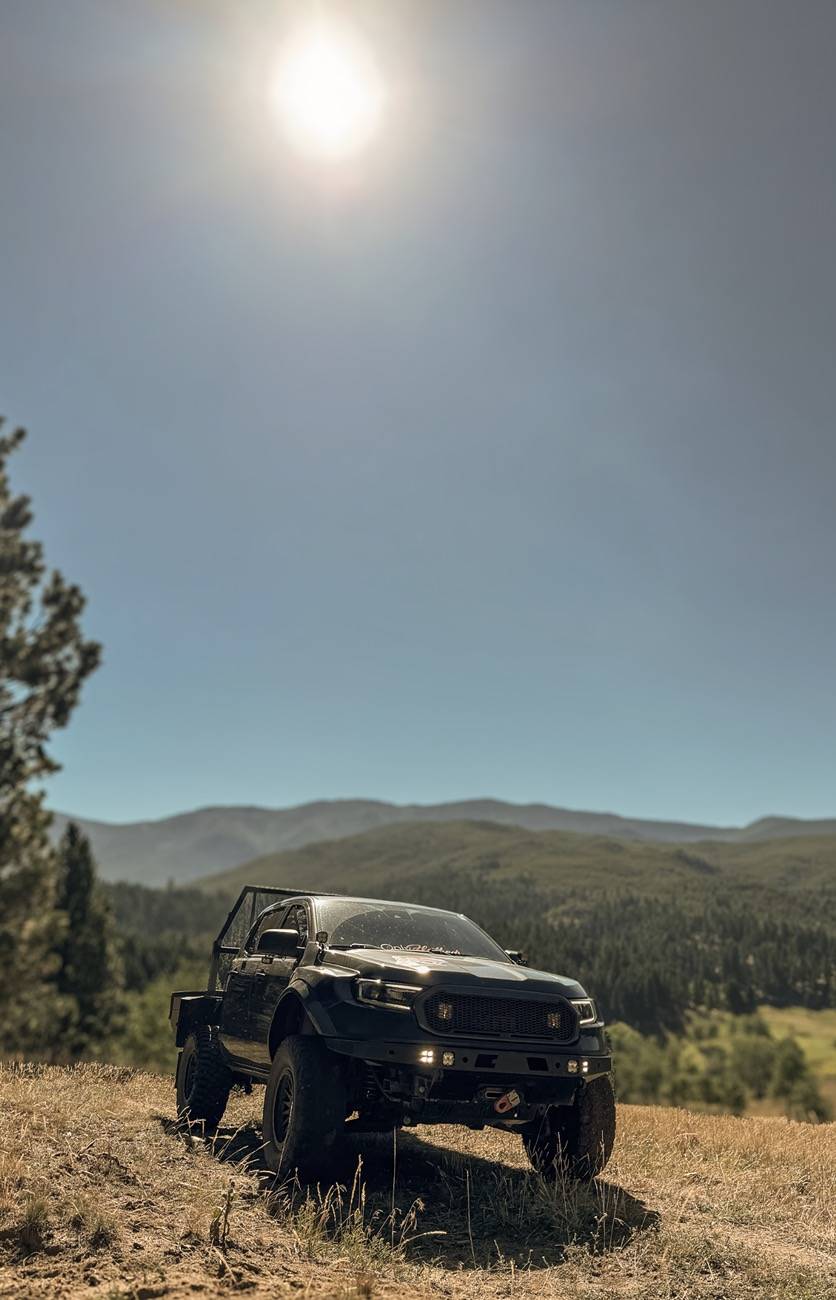
Anzo USA headlights are super nice! Love how bright they are at night. The Amber light up pattern isn’t as bright as the white pattern on the AlphaRex headlights I had. I actually prefer it that way too!
IMG_2745.jpeg
IMG_2682.webp
Sponsored


Top