Sponsored

Identifying truck on home wifi network

Rangerguy

Well-Known Member
Joined
Apr 13, 2020
Threads
4
Messages
170
Reaction score
538
Location
Canada
Vehicle(s)
2019 XLT SuperCrew
2019 Ranger. No problem connecting truck to home wifi from driveway. But not clear which device it is when looking at the router's information in the house using the wifi interface app on my phone. I identified it as "localhost" made by Texas Instruments by turning the wifi off and on in the truck and watching that device drop off and return in the home wifi interface on my phone. But the MAC address the truck shows for the wifi connection is different from the MAC address listed for it in the home wifi interface. Also the MAC ID the truck gave me a week ago is different from the one it is giving me today. But the MAC ID the home wifi interface gives me for the device was the same today as a week ago. Any thoughts?

Update: turns out the MAC ID shown in the truck’s settings under wifi is the MAC for the Eero router, not the truck. I haven’t confirmed the MAC for the truck yet by a source in the truck itself: don’t know where to find it. So I assume the truck’s MAC ID is the one shown in the Eero app for the device “localhost” because that device goes off and on in sync with me turning wifi off and on in the truck. The OUI is 38:0B:3C (Texas Instruments).
Sponsored

 
Last edited:

halligan1201

Well-Known Member
First Name
John
Joined
Jan 23, 2021
Threads
37
Messages
1,566
Reaction score
3,567
Location
Byron, IL
Vehicle(s)
2020 Ranger
Occupation
Emergency Management
Vehicle Showcase
1
While for years MAC addresses have traditionally been static, even on different networks, MAC randomization is increasingly a thing. It's to increase privacy by making it more difficult to be able to track a specific device or spoof that device. Android has exclusively moved to MAC randomization since version 10.

As to whether or not you can force the truck to use a static MAC address so you can easily identify it on the network or not - IDK.
 

lawrench

Well-Known Member
First Name
Harry
Joined
May 1, 2020
Threads
10
Messages
771
Reaction score
4,401
Location
55346
Vehicle(s)
2019 Ford Ranger Lariat SCrew FX4 Lightning Blue
Vehicle Showcase
1
I am happy to hear someone can connect their Ranger to their WiFi. I have to turn my phone into a hotspot to get my Ranger to connect, must be because of the encryption algorithm...
 

Chris M

Well-Known Member
First Name
Chris
Joined
Jun 11, 2020
Threads
21
Messages
4,499
Reaction score
19,805
Location
Surprise, AZ
Vehicle(s)
2021 Ranger XLT Sport 4X4
Occupation
Security Supervisor
I am happy to hear someone can connect their Ranger to their WiFi. I have to turn my phone into a hotspot to get my Ranger to connect, must be because of the encryption algorithm...
Mine connects to home wifi when it's parked normally in the garage. I've got it set to automatically update software, and can only assume it does so when necessary. No issues so far with it.
 

JesseS

Well-Known Member
First Name
Jesse
Joined
May 26, 2021
Threads
19
Messages
1,755
Reaction score
4,824
Location
NorCal (Roseville)
Vehicle(s)
2021 Ranger XLT FX4, Jayco 26' Class A
Occupation
Retired, work is a four letter word.
Same here, connects to home wi-fi when in range, and can use phone hotspot if needed. But I did purchase one year of at&t data just to see if it helped cut my phone data usage, not a big enough difference to make it cost effective in my case.


PltFX4

Well-Known Member
First Name
Richard
Joined
Jan 29, 2020
Threads
26
Messages
692
Reaction score
1,269
Location
Minneapolis, MN
Vehicle(s)
2019 Ranger Lariat FX4
While for years MAC addresses have traditionally been static, even on different networks, MAC randomization is increasingly a thing. It's to increase privacy by making it more difficult to be able to track a specific device or spoof that device. Android has exclusively moved to MAC randomization since version 10.

As to whether or not you can force the truck to use a static MAC address so you can easily identify it on the network or not - IDK.
I learned about this the hard way... I use MAC Authentication to get connected to my network which means you put the list of MACs into the router and say only these are allowed. With randomized MACs you can't know all the MACs the device will be using during the authentication process.
I was unaware that Android was doing that. IOS has the option to turn randomization off and use a static MAC... Don't know if Android offers that option.

PS: Yes randomization can be turned off on Android devices.
 
Last edited:

PltFX4

Well-Known Member
First Name
Richard
Joined
Jan 29, 2020
Threads
26
Messages
692
Reaction score
1,269
Location
Minneapolis, MN
Vehicle(s)
2019 Ranger Lariat FX4
I learned about this the hard way... I use MAC Authentication to get connected to my network which means you put the list of MACs into the router and say only these are allowed. With randomized MACs you can't know all the MACs the device will be using during the authentication process.
I was unaware that Android was doing that. IOS has the option to turn randomization off and use a static MAC... Don't know if Android offers that option.

PS: Yes randomization can be turned off on Android devices.
LOL... Reply to my own message...

MAC randomization relative to the Ranger: So I have the private network with MAC Authentication and a public guest network without MAC Authentication. So the randomization of the Ranger's MAC has to use the Guest network... The Guest network can not see the private networks but can access the Internet and local network shared resources (printer, NAS and such but not the other PC/iPads/Android phones, servers and such). Only way I could get it to connect.
 

Dahveed

Well-Known Member
First Name
David
Joined
Aug 9, 2020
Threads
9
Messages
497
Reaction score
1,148
Location
Central Kansas
Vehicle(s)
2020 Ranger XLT 4x4 / 2020 Ford Edge ST-Line
Occupation
Pharmacy Consultant
My Eero router has no problem identifying my Ranger. I saved it ages ago and it says it last connected today. Mine is also identified as being manufactured by Texas Instruments. MAC OUI is 78:db:2f.

I'm not using MAC filtering on my network, however. It is a very insecure method of "locking down" your home network. Spoofing a MAC address on many devices is quite easy.
 

PltFX4

Well-Known Member
First Name
Richard
Joined
Jan 29, 2020
Threads
26
Messages
692
Reaction score
1,269
Location
Minneapolis, MN
Vehicle(s)
2019 Ranger Lariat FX4
My Eero router has no problem identifying my Ranger. I saved it ages ago and it says it last connected today. Mine is also identified as being manufactured by Texas Instruments. MAC OUI is 78:db:2f.

I'm not using MAC filtering on my network, however. It is a very insecure method of "locking down" your home network. Spoofing a MAC address on many devices is quite easy.
Hummm interesting... seems MAC Authentication is old school method which is no longer particularly effective (I am using it on top of WPA2 with a very long password.) Guess I will disable it.
 

Dahveed

Well-Known Member
First Name
David
Joined
Aug 9, 2020
Threads
9
Messages
497
Reaction score
1,148
Location
Central Kansas
Vehicle(s)
2020 Ranger XLT 4x4 / 2020 Ford Edge ST-Line
Occupation
Pharmacy Consultant
Hummm interesting... seems MAC Authentication is old school method which is no longer particularly effective (I am using it on top of WPA2 with a very long password.) Guess I will disable it.
It’s fine to use it alongside encryption, but it’s just kind a lot of extra setup that isn’t doing a whole lot for you.
 

lawrench

Well-Known Member
First Name
Harry
Joined
May 1, 2020
Threads
10
Messages
771
Reaction score
4,401
Location
55346
Vehicle(s)
2019 Ford Ranger Lariat SCrew FX4 Lightning Blue
Vehicle Showcase
1
Mine connects to home wifi when it's parked normally in the garage. I've got it set to automatically update software, and can only assume it does so when necessary. No issues so far with it.
I have a mesh WiFi, I use Deco from TP-Link. My Ranger has never been able to connect since the first day I brought it home. My encryption is WPA2-PSK [AES]. And my WiFi is WiFi6 for the added stuff it brings to the party. For grins, I turned off all encryption and it would still not connect. But use my cell phone as a WiFi hotspot, and there is not a problem even though the encryption level is the same. My only thing is that maybe the Ranger cannot handle the password for my home WiFi... Who knows, it is just annoying.
 

rparge

Well-Known Member
First Name
Rick
Joined
Jun 1, 2020
Threads
2
Messages
85
Reaction score
219
Location
Oregon
Vehicle(s)
2019 Lariat 4x4 Crew Cab
Occupation
Retired.
2019 Ranger. No problem connecting truck to home wifi from driveway. But not clear which device it is when looking at the router's information in the house using the wifi interface app on my phone. I identified it as "localhost" made by Texas Instruments by turning the wifi off and on in the truck and watching that device drop off and return in the home wifi interface on my phone. But the MAC address the truck shows for the wifi connection is different from the MAC address listed for it in the home wifi interface. Also the MAC ID the truck gave me a week ago is different from the one it is giving me today. But the MAC ID the home wifi interface gives me for the device was the same today as a week ago. Any thoughts?

Update: turns out the MAC ID shown in the truck’s settings under wifi is the MAC for the Eero router, not the truck. I haven’t confirmed the MAC for the truck yet by a source in the truck itself: don’t know where to find it. So I assume the truck’s MAC ID is the one shown in the Eero app for the device “localhost” because that device goes off and on in sync with me turning wifi off and on in the truck. The OUI is 38:0B:3C (Texas Instruments).

I use this great utility to see the entire network, and you can then spot the Ranger on the list:

https://www.nirsoft.net/utils/wireless_network_watcher.html
 
OP
OP
Rangerguy

Rangerguy

Well-Known Member
Joined
Apr 13, 2020
Threads
4
Messages
170
Reaction score
538
Location
Canada
Vehicle(s)
2019 XLT SuperCrew
This makes my head hurt!?
To summarize:

This thread isn't relevant to most users. All I had to do to get our Ranger onto our home wifi two years ago was sit in the truck with it running in the driveway, go to Settings/Wifi on the truck's screen, select our home wifi and enter the password. The truck connected no problem and looked for a Sync update which it found and installed over wifi. In the past two years the truck's wifi connection has not been a problem, and still works fine. Like most people, we have a basic wifi setup installed by our Internet service provider.

Others have had difficulties connecting their trucks, owing to either issues unique to their service provider's setup, or because they dug into their wifi systems and made custom changes that most people don't need to worry about.

All I was doing was identifying all the devices connected to our home wifi. Identifying the truck's wifi connection in the home wifi network was difficult for me because the service provider's app I was using only identified the truck as generic "localhost", and I could not find the truck's MAC address in the menu system to confirm. My workaround was to disconnect/reconnect wifi in the truck and watch that device turn off/on in the service provider's app on my phone. Most users probably don't need to worry about doing this, but the internet still is the Wild West. A rogue device could cause security problems.
 

Stevie Gee

Well-Known Member
First Name
Steve
Joined
Nov 5, 2018
Threads
5
Messages
387
Reaction score
1,106
Location
Rancho Santa Margarita (Orange County),CA
Vehicle(s)
2019 Ranger Lariat SuperCrew FX4
Occupation
Retired Fed - H.U.D. (Housing and Urban Development)
Vehicle Showcase
1
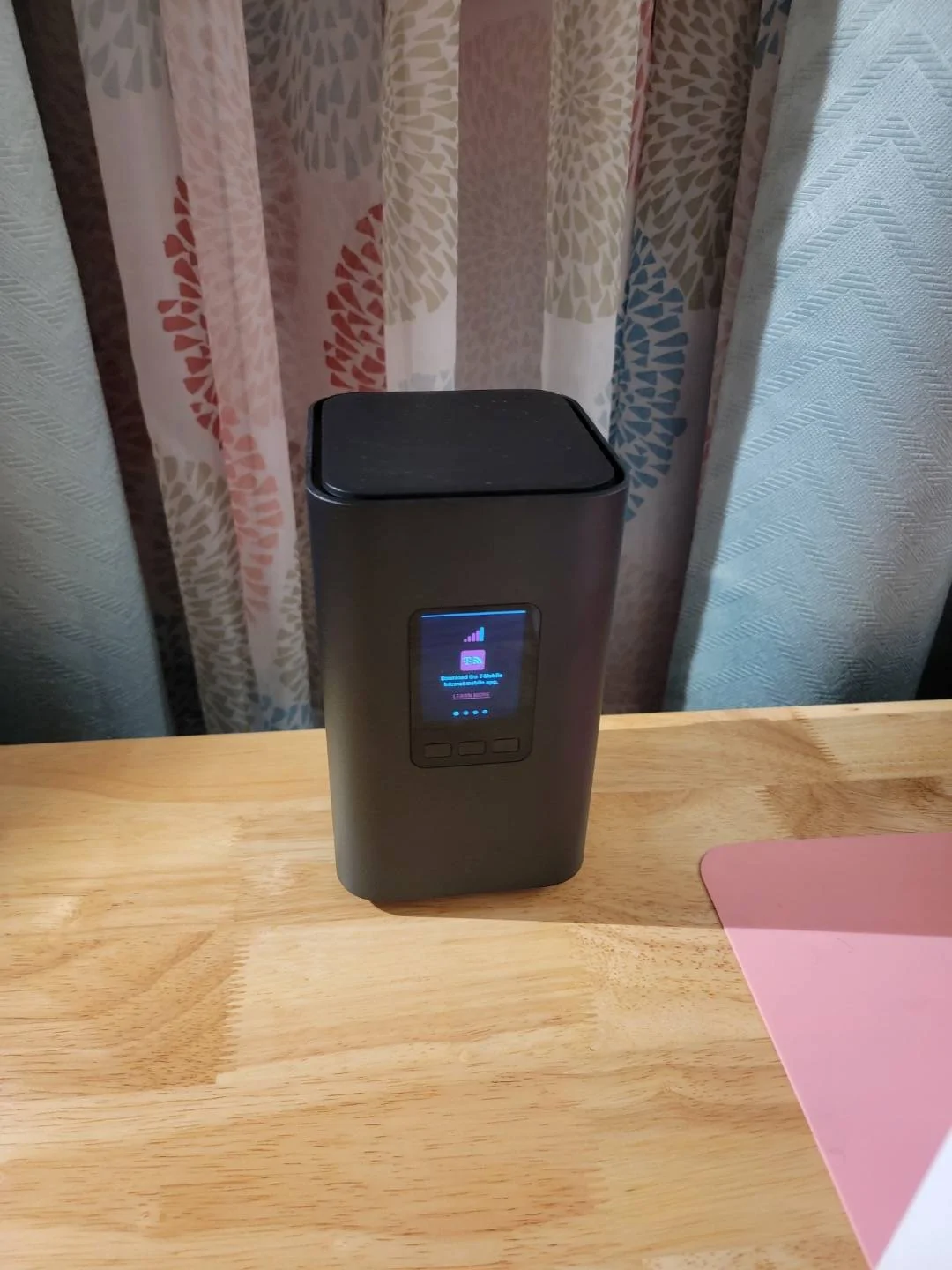
Since my Ranger was new, I easily connected to my home WiFi (Cox cabled-internet) I recently changed to T-Mobile's 5G Home Internet and while the truck finds the WiFi network in the list of available networks...no matter what Ido , it will NOT connect. I keep getting he message on the screen "PASSWORD REJECTED".

The WiFi password is being entered correctly every time. (Also...the WiFi box does not have a WPS button.)

Any ideas?
Resized_20221210_184154.webp
h
Sponsored


Top