Sponsored

Front Parking Sensors Not Working Properly Due To Grille Guard

Msfitoy

Well-Known Member
First Name
Sid
Joined
Mar 5, 2019
Threads
67
Messages
9,200
Reaction score
28,387
Location
North Carolina
Vehicle(s)
2019 Ranger, 2003 MINI Cooper S, 2021 Honda CT125
Occupation
NWO Robot Polisher
Vehicle Showcase
1
What is the difference between having the sensors active or off if they won't give you a warning when you get too close to something?
What Airlinetech is saying is the sensors are always working when power is on...they send signal to the speaker for audible feedback...so turning off the speakers don't turn off the sensors...same as putting on ear plugs...you don't hear the feedback sound anymore, but the signal is still there...
Sponsored

 
OP
OP
RangerGuy55

RangerGuy55

Member
Joined
Oct 7, 2025
Threads
2
Messages
20
Reaction score
3
Location
WA State
Vehicle(s)
2019 Ford Ranger Supercrew Lariat FX4
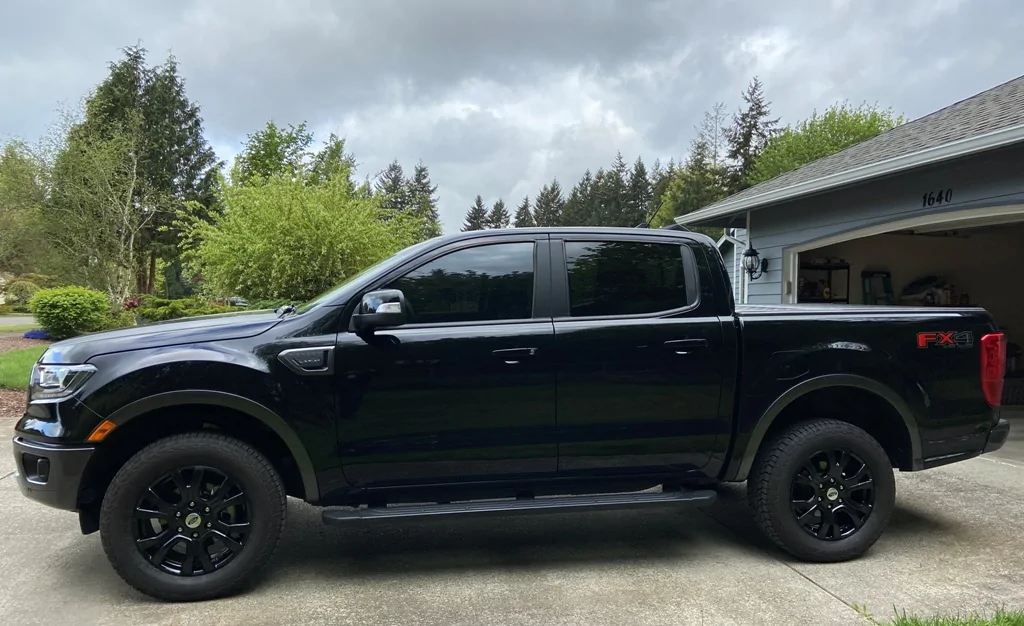
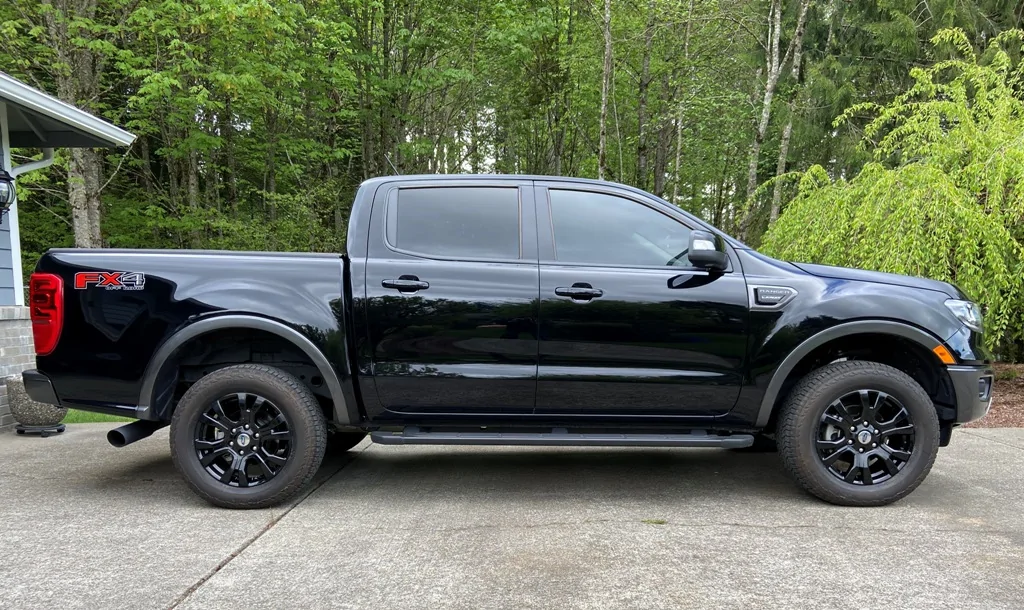
Off topic... could not find a suitable forum. I would like to post some pics of my Ranger in the Vehicle Showcase but when I hit the upload I get this message... "The uploaded file does not have an allowed extension. The following extensions are allowed: .zip, .txt, .pdf, .png, .jpg, .jpeg, .jpe, .gif"

My extension is "jpg" - makes no sense! Any ideas? Thanks.
 

Big Blue

Well-Known Member
First Name
Lee
Joined
May 5, 2020
Threads
16
Messages
3,932
Reaction score
9,376
Location
Wisconsin
Vehicle(s)
2019 Ford Ranger XLT FX4 Supercrew lighting blue
Occupation
Retired mechanical designer
What Airlinetech is saying is the sensors are always working when power is on...they send signal to the speaker for audible feedback...so turning off the speakers don't turn off the sensors...same as putting on ear plugs...you don't hear the feedback sound anymore, but the signal is still there...
We are talking a matter of semantics here.

I and most people could care less if the sensors are powered all the time. Their not doing anything 99% of the time anyway. Another one of those phantom power draws.

When I push the button I basically turn the parking sensor system OFF. The system is only active between 0 and approximately 5 mph anyway.
 

Msfitoy

Well-Known Member
First Name
Sid
Joined
Mar 5, 2019
Threads
67
Messages
9,200
Reaction score
28,387
Location
North Carolina
Vehicle(s)
2019 Ranger, 2003 MINI Cooper S, 2021 Honda CT125
Occupation
NWO Robot Polisher
Vehicle Showcase
1
Off topic... could not find a suitable forum. I would like to post some pics of my Ranger in the Vehicle Showcase but when I hit the upload I get this message... "The uploaded file does not have an allowed extension. The following extensions are allowed: .zip, .txt, .pdf, .png, .jpg, .jpeg, .jpe, .gif"

My extension is "jpg" - makes no sense! Any ideas? Thanks.
can you post your files full name + extension here so we can see what it looks like?


airline tech

Well-Known Member
Joined
Aug 24, 2022
Threads
28
Messages
4,482
Reaction score
8,551
Location
Midwest - KS
Vehicle(s)
2022 Ranger Lariat-Super Crew, Cactus Gray
Occupation
Aircraft Tech
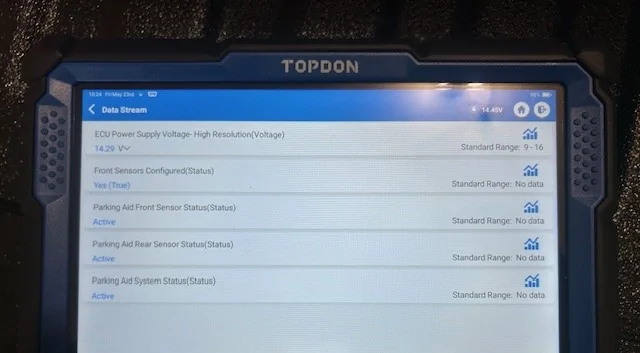
I wanted to clarify something and needed to take a drive with the scan tool hooked up.
I wanted to see (if the sensors deactivate) at speed and turn off.
They do indeed (deactivate) but the switch has nothing to do with it - it's the speed input parameter.
To clarify, they are always active when speed is below 5 MPH

So, the Ref of the switch (off or on), only turns off the feedback indication and alert when the speed is below (5 MPH Fronts & 3 MPH Rears)

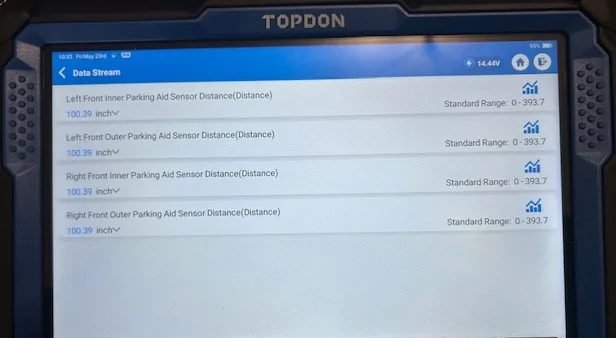
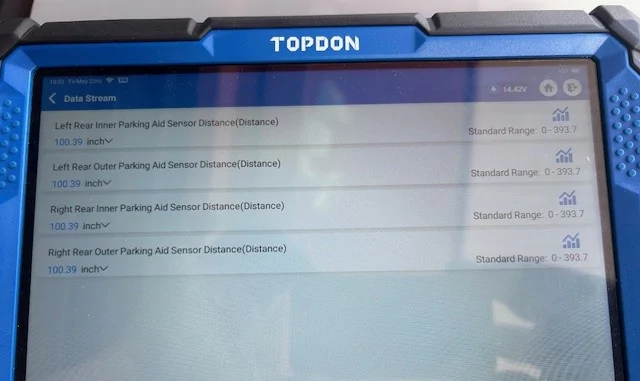
All 8 sensors are still picking up (proximity) and are active & powered
They are never (disabled) by the switch and the only thing that is disabled is the - Visual & Audible aids you see and hear.

This is proven by my scan tool test PID, as selecting the switch to (off) provided no change in the sensor status

So, all manuals (owners & service) which state that the system can be turned off, is incorrect and misleading as long as the BCM has Power feeding the PAM Module they cannot be turned off, however they will auto deactivate at speed.

So, if we reference the OP's issue, he is selecting the switch off (to rid the annoying) park aid warning he is getting from the front sensors picking up the bar as an object (proximity)
if we were to hook up the scan tool, with that switch On or Off those inner sensors are still providing feedback to the PAM module to generate an alert.
With the switch off - that alert is turned off, that's all that is turned off.

Park Status.webp


Front Distance.webp


Rear Distance.webp
 

Rrrr-Anger19

Well-Known Member
First Name
Ryan
Joined
Jun 5, 2025
Threads
2
Messages
47
Reaction score
61
Location
Illinois
Vehicle(s)
2019 Ford Ranger
Occupation
Unemployed
I had an issue in late winter early spring when its wet 99% of the time my sensors going off when nothing was in front of me?!? Mostly from humidity wetness as I never hit any puddles in my travels. Made me crazy as it would fire off every few minutes!

Took smallest zip-lock my kitchen had cutting holes just large enough for the connectors after blowing them dry with a heat gun on low to fit through then hot glued the holes over the wires. Never had that issue since.
 
OP
OP
RangerGuy55

RangerGuy55

Member
Joined
Oct 7, 2025
Threads
2
Messages
20
Reaction score
3
Location
WA State
Vehicle(s)
2019 Ford Ranger Supercrew Lariat FX4
I wanted to clarify something and needed to take a drive with the scan tool hooked up.
I wanted to see (if the sensors deactivate) at speed and turn off.
They do indeed (deactivate) but the switch has nothing to do with it - it's the speed input parameter.
To clarify, they are always active when speed is below 5 MPH

So, the Ref of the switch (off or on), only turns off the feedback indication and alert when the speed is below (5 MPH Fronts & 3 MPH Rears)

All 8 sensors are still picking up (proximity) and are active & powered
They are never (disabled) by the switch and the only thing that is disabled is the - Visual & Audible aids you see and hear.

This is proven by my scan tool test PID, as selecting the switch to (off) provided no change in the sensor status

So, all manuals (owners & service) which state that the system can be turned off, is incorrect and misleading as long as the BCM has Power feeding the PAM Module they cannot be turned off, however they will auto deactivate at speed.

So, if we reference the OP's issue, he is selecting the switch off (to rid the annoying) park aid warning he is getting from the front sensors picking up the bar as an object (proximity)
if we were to hook up the scan tool, with that switch On or Off those inner sensors are still providing feedback to the PAM module to generate an alert.
With the switch off - that alert is turned off, that's all that is turned off.

Park Status.webp


Front Distance.webp


Rear Distance.webp
 
OP
OP
RangerGuy55

RangerGuy55

Member
Joined
Oct 7, 2025
Threads
2
Messages
20
Reaction score
3
Location
WA State
Vehicle(s)
2019 Ford Ranger Supercrew Lariat FX4
Great research and write-up! Thanks.
 
OP
OP
RangerGuy55

RangerGuy55

Member
Joined
Oct 7, 2025
Threads
2
Messages
20
Reaction score
3
Location
WA State
Vehicle(s)
2019 Ford Ranger Supercrew Lariat FX4
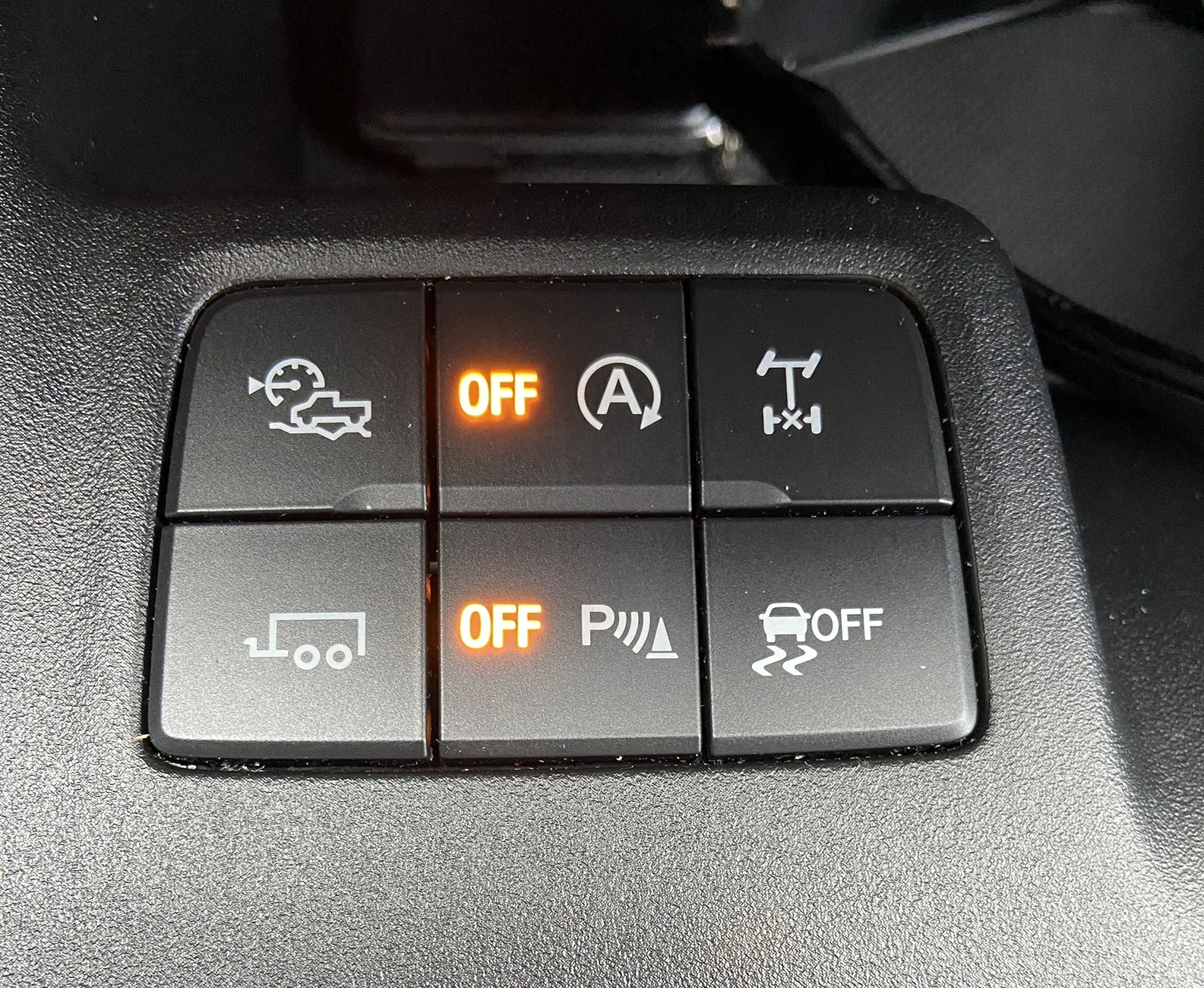
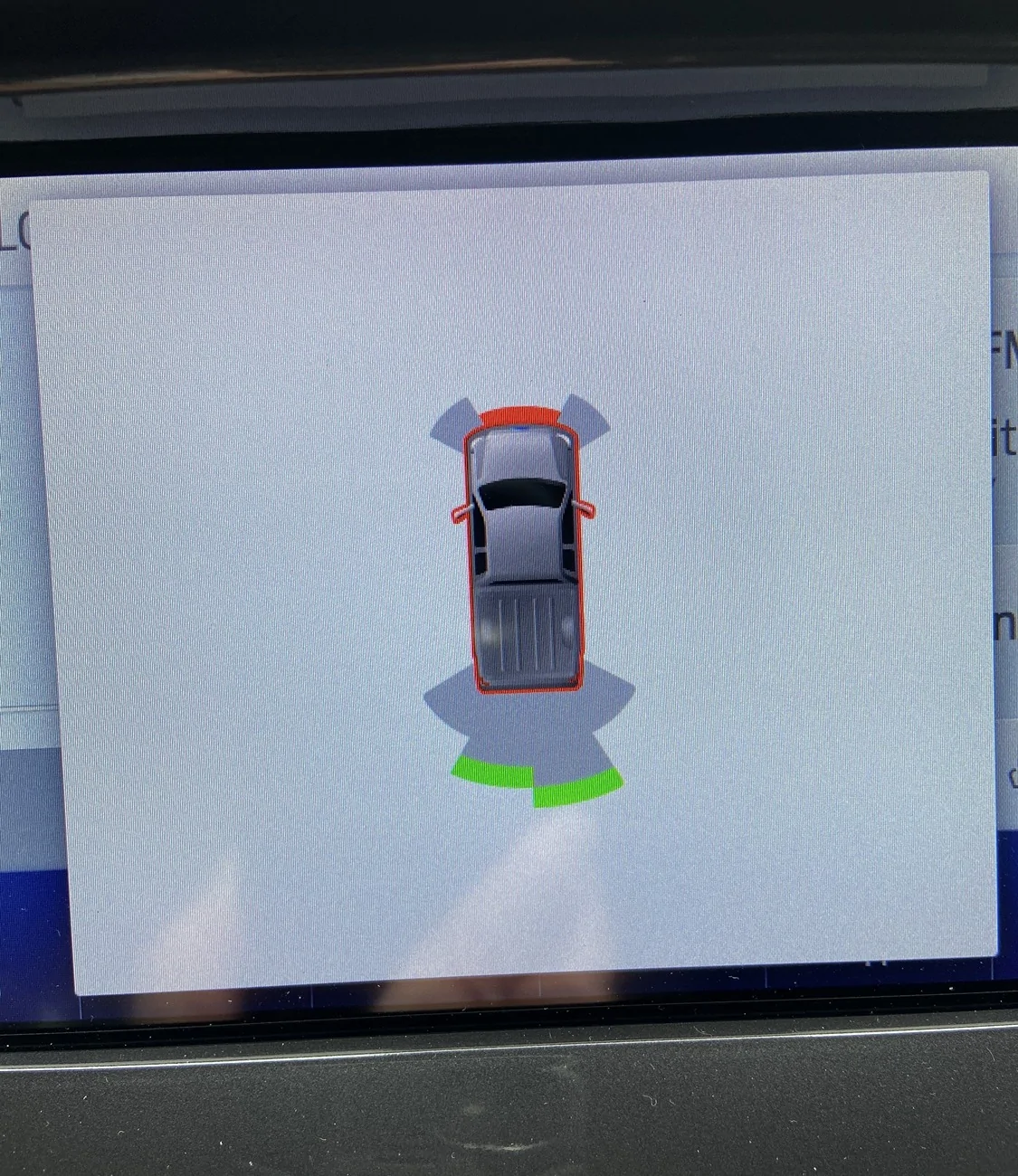
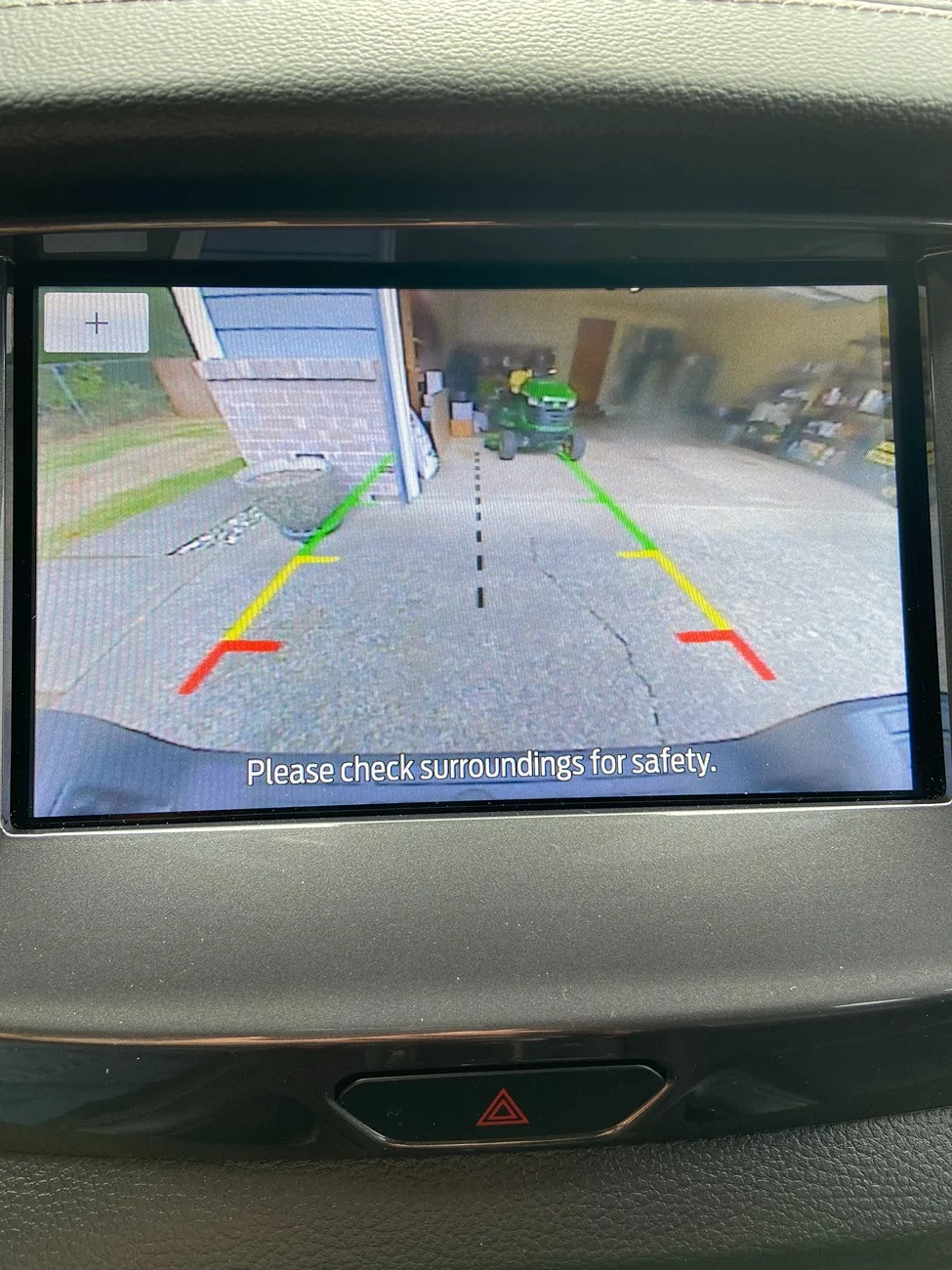
So, here are some pics of what's going on specifically when the ignition is ON, and parking assist switch on or off... will explain.

When ignition is ON, PA switch is ON, and in DRIVE - Nothing seen or heard from front sensors. Pic of various center console switches.

When ignition is ON, PA switch is OFF, and in DRIVE - Audible alarm and what is displayed in pic of truck on screen.

When ignition is ON, PA switch is ON or OFF, and in REVERSE - No audible alarm and what is displayed in pic of reverse travel.

I conclude that only the two inner front PA sensors are picking up the lower bar and likely the front lower parts of upright bars of the grille guard.

IMG_4120.webp


IMG_4122.webp


IMG_4121.webp
IMG_4120.webp
IMG_4122.webp
IMG_4121.webp
IMG_4120.webp
IMG_4122.webp
IMG_4121.webp
Sponsored

 
Last edited:


Top