Sponsored

Bluetooth Contact Sync 3 Issue

Daviathon

Member
First Name
David
Joined
Sep 15, 2020
Threads
1
Messages
7
Reaction score
3
Location
Orlando, FL
Vehicle(s)
2019 Ford Ranger XLT
Occupation
Home Automation System Designer
I suppose this issue happened after updating to iOS 14.2, or maybe auto update on my truck went to Sync 3.3. I am not sure as I just set up System Wifi on my truck a few days ago and not sure if it updated from a previous Sync Version. As I never noted the version prior to this issue.

I am able to successfully pull text messages to my vehicle, and have verified that Contacts are allowed on the Ford Ranger device.

Troubleshooting steps:
Deleted Bluetooth devices from vehicle. Deleted CarPlay devices from vehicle. Removed Bluetooth profile from iPhone.
Rebooted iPhone.
Re-Added to CarPlay and Bluetooth.

I ca use the “Dial” command as well, but there is no way for me to dial by contact...as it can’t download contacts.

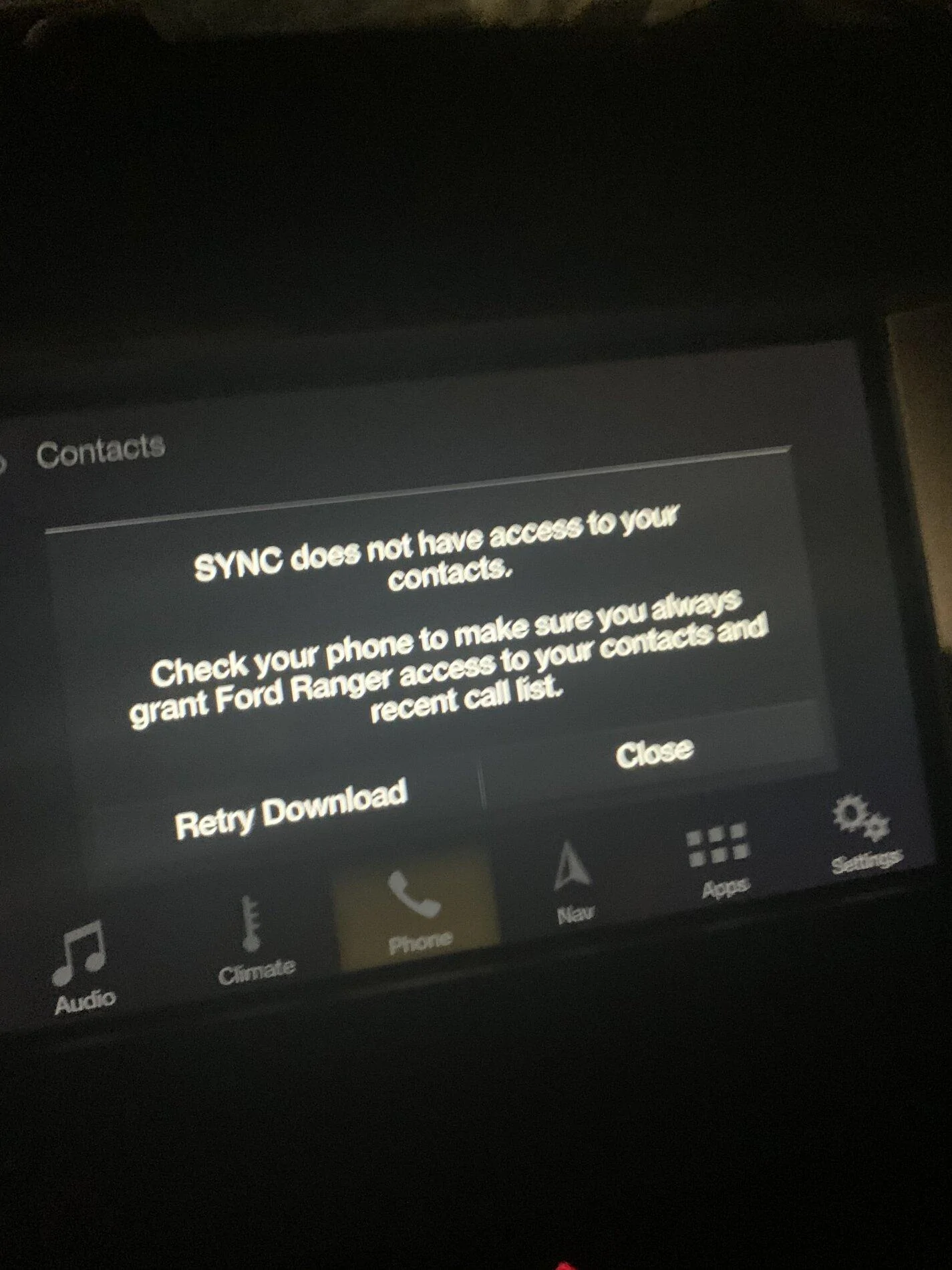
The exact error is attached.

Thanks for any help.

413412DA-4248-415A-8A67-AF81B4883CCF.webp
Sponsored

 
OP
OP

Daviathon

Member
First Name
David
Joined
Sep 15, 2020
Threads
1
Messages
7
Reaction score
3
Location
Orlando, FL
Vehicle(s)
2019 Ford Ranger XLT
Occupation
Home Automation System Designer
Maybe I should ask, anyone have an iPhone running iOS 14.2 and Sync 3.3 able to download contacts as expected?
 

alcohenusa

Well-Known Member
First Name
Alan
Joined
Jul 22, 2020
Threads
12
Messages
478
Reaction score
727
Location
CO
Vehicle(s)
2020 Ranger Lariat 4x4
Occupation
Retired
Maybe I should ask, anyone have an iPhone running iOS 14.2 and Sync 3.3 able to download contacts as expected?
I have 14.2 on our iphones but my Ranger is on Sync 3.4 with no issues.

Have you looked in the bluetooth settings for the Ranger on the phone to make sure that Sync Contacts is on? (Select the ‘i’ and you will see all the options.)
 
OP
OP

Daviathon

Member
First Name
David
Joined
Sep 15, 2020
Threads
1
Messages
7
Reaction score
3
Location
Orlando, FL
Vehicle(s)
2019 Ford Ranger XLT
Occupation
Home Automation System Designer
Thank you for the reply. I have verified that Contacts is enabled under the Bluetooth settings for the device “Ford Ranger.”

If you don’t mind me asking, Do you have the official 3.4 Sync update?
 

alcohenusa

Well-Known Member
First Name
Alan
Joined
Jul 22, 2020
Threads
12
Messages
478
Reaction score
727
Location
CO
Vehicle(s)
2020 Ranger Lariat 4x4
Occupation
Retired
Thank you for the reply. I have verified that Contacts is enabled under the Bluetooth settings for the device “Ford Ranger.”

If you don’t mind me asking, Do you have the official 3.4 Sync update?
I have a 2020 which came with 3.4.19274. There is an update available for me to take it to v20136 but I decided to hold off updating since everything is working well. Also thinking there may be another update coming for everyone soon when they fix the disappearing climate screen issue on some 2019s.

If 3.4 is not available for your 2019 it has most likely been pulled back by Ford as yours may be one affected by the disappearing climate screen.


OP
OP

Daviathon

Member
First Name
David
Joined
Sep 15, 2020
Threads
1
Messages
7
Reaction score
3
Location
Orlando, FL
Vehicle(s)
2019 Ford Ranger XLT
Occupation
Home Automation System Designer
Okay. I suppose I will just have to wait until 3.4 is officially released then. As I do have climate controls on 3.3 and all is working well, except contact downloads via Bluetooth.

A minor first world problem to say the least.

If anyone else has suggestions I am open to them, and appreciate the help so far.
 

geophb

Well-Known Member
Joined
Aug 3, 2020
Threads
4
Messages
530
Reaction score
750
Location
Wisconsin
Vehicle(s)
2019 Ranger
Occupation
Mechanical Engineer
I have android.
But the message says "....access to contacts AND recent call list". Are those both enabled? or is that the same setting?
 

Georgia Jon

Member
First Name
Jon
Joined
Oct 17, 2020
Threads
2
Messages
15
Reaction score
39
Location
Atlanta, GA
Vehicle(s)
2019 Ranger Lariat FX4
Occupation
Field Service Rep
I had the same issue a couple weeks ago.
I had to go to the setting on Sync and hit “show contact” after the latest iPhone update.

Everything worked well after that.
 
OP
OP

Daviathon

Member
First Name
David
Joined
Sep 15, 2020
Threads
1
Messages
7
Reaction score
3
Location
Orlando, FL
Vehicle(s)
2019 Ford Ranger XLT
Occupation
Home Automation System Designer
I have android.
But the message says "....access to contacts AND recent call list". Are those both enabled? or is that the same setting?
on iPhone, Bluetooth has 2 options, “Show Notifications” and “Sync Contacts.”
You can also specify which groups of contacts you want to sync, but I have all set to sync.

That being said, I am not sure if there is a nested setting elsewhere is iOS 14, but if there is I can’t find it.

I had the same issue a couple weeks ago.
I had to go to the setting on Sync and hit “show contact” after the latest iPhone update.

Everything worked well after that.
Where can I find this setting, and are you on Sync 3.3 and iOS 14?

Thank you to all for your help.
 

alcohenusa

Well-Known Member
First Name
Alan
Joined
Jul 22, 2020
Threads
12
Messages
478
Reaction score
727
Location
CO
Vehicle(s)
2020 Ranger Lariat 4x4
Occupation
Retired
on iPhone, Bluetooth has 2 options, “Show Notifications” and “Sync Contacts.”
You can also specify which groups of contacts you want to sync, but I have all set to sync.

That being said, I am not sure if there is a nested setting elsewhere is iOS 14, but if there is I can’t find it.


Where can I find this setting, and are you on Sync 3.3 and iOS 14?

Thank you to all for your help.
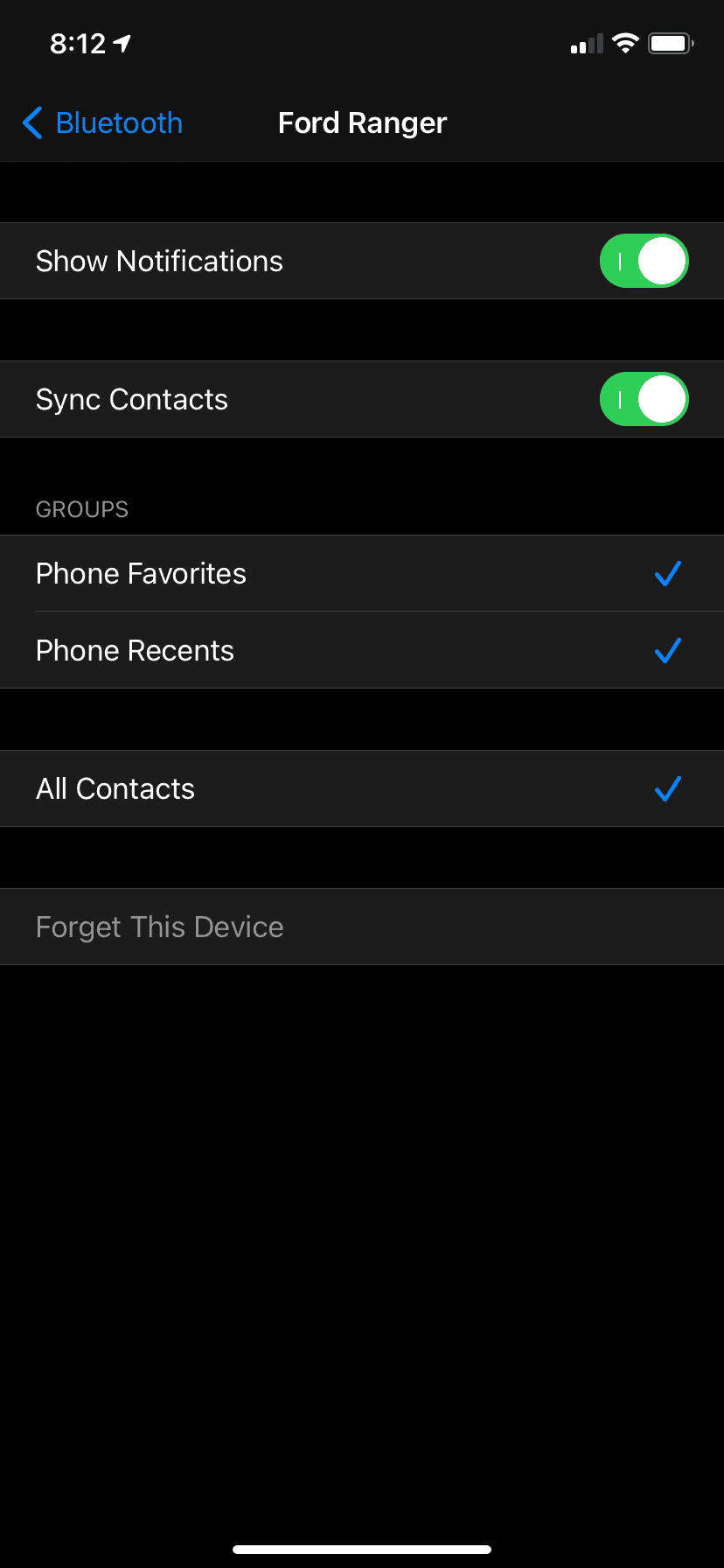
Here is what my Bluetooth settings look like for the Ranger. All 5 options are on.
319DC305-C74E-49EF-9E89-8F55A25EBA78.png
 
Last edited:
OP
OP

Daviathon

Member
First Name
David
Joined
Sep 15, 2020
Threads
1
Messages
7
Reaction score
3
Location
Orlando, FL
Vehicle(s)
2019 Ford Ranger XLT
Occupation
Home Automation System Designer
*Update*

I have since resolved this issue.

After updating to the official Sync 3.4 Build_20282 via USB, I thought this would resolve the issue. It did not resolve it. Next I attempted a full factory reset of my phone. Still didn’t resolve it.

Having thought I had done a Master Reset prior, I had not tried this again. However, being out of options, and wanting to leave no stone unturned, I performed the Master Reset.

Wouldn’t you know it, I can now download my contacts. Seems removing the Bluetooth profile on sync isn’t absolute.

But definitely loving the 3.4 interface. So it wasn’t for nothing.
Sponsored


Top