Sponsored

Android Auto Screen to Sirius?

Diver4242

Active Member
First Name
Bill
Joined
Sep 20, 2023
Threads
12
Messages
35
Reaction score
31
Location
Bethlehem, PA
Vehicle(s)
2021 Ford Ranger XLT
New to Ford Ranger (just bought 2021 XLT used). When I'm driving, I usually have Android Auto on the screen for navigation. Often I want to temporarily switch back to my Sirius XM screen on the truck display to pick a new channel. I can't see how to switch back and forth. Thanks in advance for any help.
Sponsored
 

mtbikernate

Well-Known Member
Joined
Apr 13, 2020
Threads
11
Messages
1,174
Reaction score
2,636
Location
NC
Vehicle(s)
2019 Ranger XLT 4x4
Fastest way is through the steering wheel control "Home" screen. Some software update somewhere made that button finally take you back to the Sync3 home screen and not the Android Auto home screen. From the Sync3 home screen, you can access the truck's audio functions.
 
OP
OP
Diver4242

Diver4242

Active Member
First Name
Bill
Joined
Sep 20, 2023
Threads
12
Messages
35
Reaction score
31
Location
Bethlehem, PA
Vehicle(s)
2021 Ford Ranger XLT
Thanks! I'll try it when I'm in the vehicle later today. Will it also take me back to Android Auto if I press a second time? If not, what's the best way to do that?
 

mtbikernate

Well-Known Member
Joined
Apr 13, 2020
Threads
11
Messages
1,174
Reaction score
2,636
Location
NC
Vehicle(s)
2019 Ranger XLT 4x4
Thanks! I'll try it when I'm in the vehicle later today. Will it also take me back to Android Auto if I press a second time? If not, what's the best way to do that?
I haven't tried a double press. But there are 2 touchscreen buttons on the Sync3 screen that'll work. Assuming you lack built-in nav like I do, you can tap "Map" to go to your preferred map app, or "Android Auto" to get back to the main AA menu.
 
  • Like
Reactions: EJH

TVRangerSTX

Well-Known Member
First Name
Trevor
Joined
Oct 3, 2019
Threads
4
Messages
749
Reaction score
3,655
Location
PA
Vehicle(s)
2019 Ranger Supercab XLT; 1969 Mercury Cougar convertible; Honda 500XL
Occupation
Bethlehem Steel/Self-Employed Metallurgist
Yeah, this is the worst thing about my truck, getting it to AA and Waze or Sirius. The AA dongle I bought, over $100 wasted, and had to wait months for delivery is a piece of crap. In for a few seconds, then back to Ford screens, repeat, repeat. And using USB cable...same thing...tried multiple cables, $$$, and still unreliable. Very poor functionality and interfacing.


samsd

Well-Known Member
First Name
Dan
Joined
May 2, 2019
Threads
0
Messages
351
Reaction score
1,500
Location
62401
Vehicle(s)
2019 Ranger Lariat 4x4 HPR, 2016 Town and Country, 2004 Road King Custom
Occupation
Retired
I found that if I use the tune knob just a ckick or two, a blue menu bar appears at the top and will take me back to the Sync 3 home screen.
 

mtbikernate

Well-Known Member
Joined
Apr 13, 2020
Threads
11
Messages
1,174
Reaction score
2,636
Location
NC
Vehicle(s)
2019 Ranger XLT 4x4
Yeah, this is the worst thing about my truck, getting it to AA and Waze or Sirius. The AA dongle I bought, over $100 wasted, and had to wait months for delivery is a piece of crap. In for a few seconds, then back to Ford screens, repeat, repeat. And using USB cable...same thing...tried multiple cables, $$$, and still unreliable. Very poor functionality and interfacing.
you've got something else going on. how old is your phone? IME, when I used an older phone, it was less reliable with AA than a newer one.

I'm using the AA Wireless dongle and it works pretty well. I had to figure out some things, though. Doesn't work so well in combination with a charging pad. It'd drop out the connection with my phone, especially on longer road trips. Not sure if it was interference or what, but it happened sometimes. Problem went away when I got rid of the charging pad and used a charging-only cable when I need to top up my battery.

the only things I really need to think about with it now are getting back to the Sync3 interface to change to the audio input I want. There's a button on the steering wheel that will cycle through them, but there are several banks of AM and FM channels to cycle through in order to circle back around and it can be annoying to deal with. So I usually prefer to just change the input directly to the one I want (for me, I go between FM and USB mostly).

That, and the annoying lapses in the Google voice commands to search destinations or use hands-free calling when the signal drops out momentarily. happens often in my area because reception is pretty spotty. but also happens when I'm moving out of wifi range at home or work. takes a minute for the cellular radio to pick up the slack and reconnect.

even less often (but it still happens), it will refuse to pick up my voice correctly and it will search for the wrong thing. so then I have to pull over, put it in park, and type it in. passenger can't even type it in when I have one.
 

TVRangerSTX

Well-Known Member
First Name
Trevor
Joined
Oct 3, 2019
Threads
4
Messages
749
Reaction score
3,655
Location
PA
Vehicle(s)
2019 Ranger Supercab XLT; 1969 Mercury Cougar convertible; Honda 500XL
Occupation
Bethlehem Steel/Self-Employed Metallurgist
you've got something else going on. how old is your phone? IME, when I used an older phone, it was less reliable with AA than a newer one.

I'm using the AA Wireless dongle and it works pretty well. I had to figure out some things, though. Doesn't work so well in combination with a charging pad. It'd drop out the connection with my phone, especially on longer road trips. Not sure if it was interference or what, but it happened sometimes. Problem went away when I got rid of the charging pad and used a charging-only cable when I need to top up my battery.

the only things I really need to think about with it now are getting back to the Sync3 interface to change to the audio input I want. There's a button on the steering wheel that will cycle through them, but there are several banks of AM and FM channels to cycle through in order to circle back around and it can be annoying to deal with. So I usually prefer to just change the input directly to the one I want (for me, I go between FM and USB mostly).

That, and the annoying lapses in the Google voice commands to search destinations or use hands-free calling when the signal drops out momentarily. happens often in my area because reception is pretty spotty. but also happens when I'm moving out of wifi range at home or work. takes a minute for the cellular radio to pick up the slack and reconnect.

even less often (but it still happens), it will refuse to pick up my voice correctly and it will search for the wrong thing. so then I have to pull over, put it in park, and type it in. passenger can't even type it in when I have one.
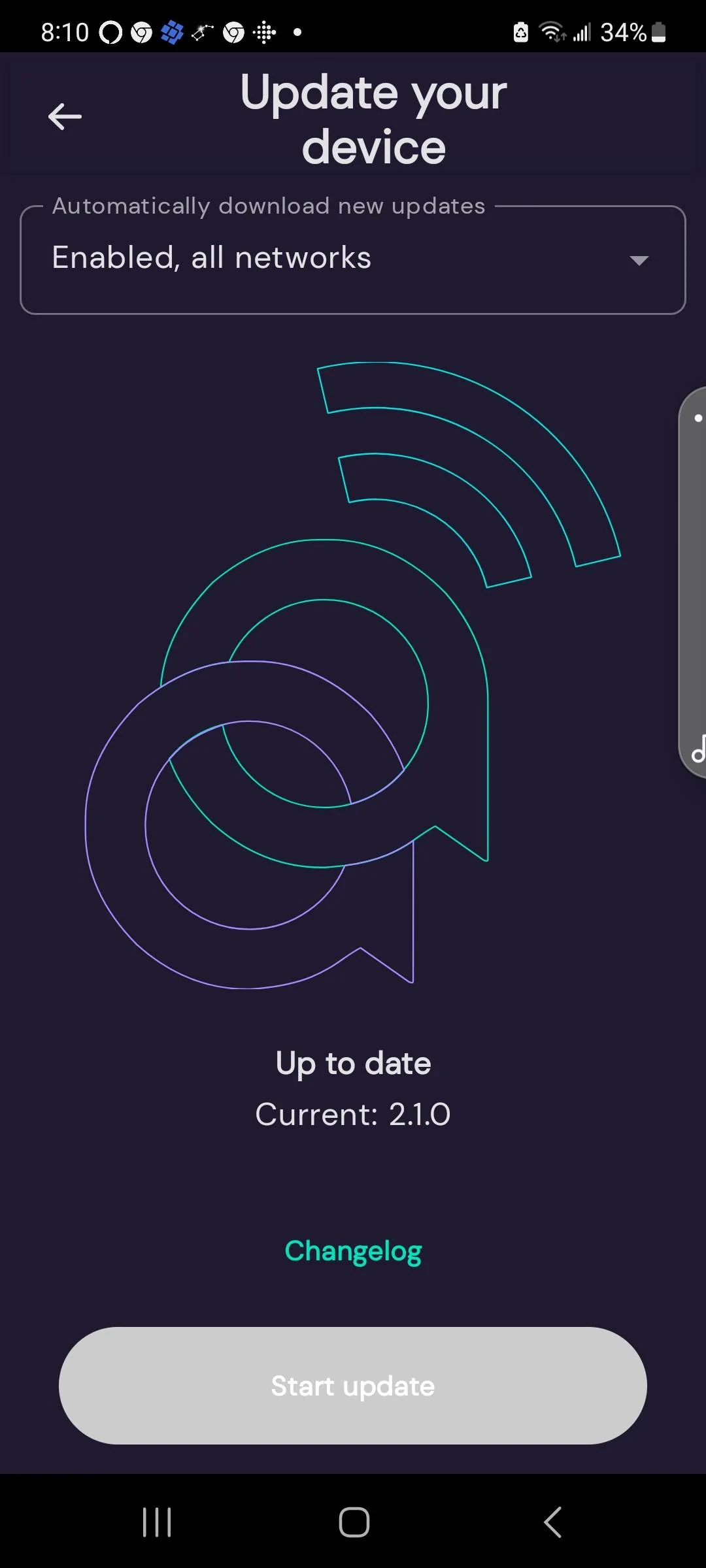
Yeah I just think my unit is bad. Samsung S21 phone, the AA Wireless thing worked for a few months, and I started having problems. Even sitting stationary in the truck, it will cycle blue light (ok) then green and blinking green, then blue a few seconds, then....so Sirius and Waze are workikg, then not, then...can't rely on it for directions for sure! I think the software is up to date, and I don't use my charging holder, that's why I got the AA device, so I can leave my phone in the drink holder, or my pocket!! Very disappointing, this Igor guy who created this, or whatever his name is, was supposed to be some genius...

Screenshot_20230930_201001_AAWireless.webp
 

got3fords

Well-Known Member
First Name
James
Joined
Apr 12, 2021
Threads
131
Messages
5,323
Reaction score
13,834
Location
22973
Vehicle(s)
2026 Marsh Gray Ranger Raptor, 1995 Harley XLH1200
Occupation
Mom Joke Professional
I agree the interface is weird and not intuitive. I don't know why there has to be such a difference between what happens when connected via Blutooth vs. being connected via USB cable. I was having major connection issues when I first got my truck, tried multiple cables. But then I upgraded my phone and the connection issue is now a non-issue. But still a whole different experience when just connected via Blutooth.
 
OP
OP
Diver4242

Diver4242

Active Member
First Name
Bill
Joined
Sep 20, 2023
Threads
12
Messages
35
Reaction score
31
Location
Bethlehem, PA
Vehicle(s)
2021 Ford Ranger XLT
Ok, OP here. We took a trip yesterday and got it all figured out, thanks also to the help here! Correct, pressing the Home (house) button on the steering wheel takes you back to the Sync screen and Sirius.

On that screen is an Android Auto button to get back to AA, and you can just press the map icon to pull your navigation back up. Also, as someone said, rotating the Tune wheel on the dash will show a temporary banner at the top with the station names, so you don't have to leave AA at all.

Also you can press the music note button on the steering wheel to switch between FM, Sirius, Bluetooth, etc.
 

Hmcbmet

New Member
First Name
Blake
Joined
May 31, 2023
Threads
1
Messages
4
Reaction score
7
Location
Delaware
Vehicle(s)
2023 Ranger Lariat Tremor
Occupation
Engineer
New to Ford Ranger (just bought 2021 XLT used). When I'm driving, I usually have Android Auto on the screen for navigation. Often I want to temporarily switch back to my Sirius XM screen on the truck display to pick a new channel. I can't see how to switch back and forth. Thanks in advance for any help.
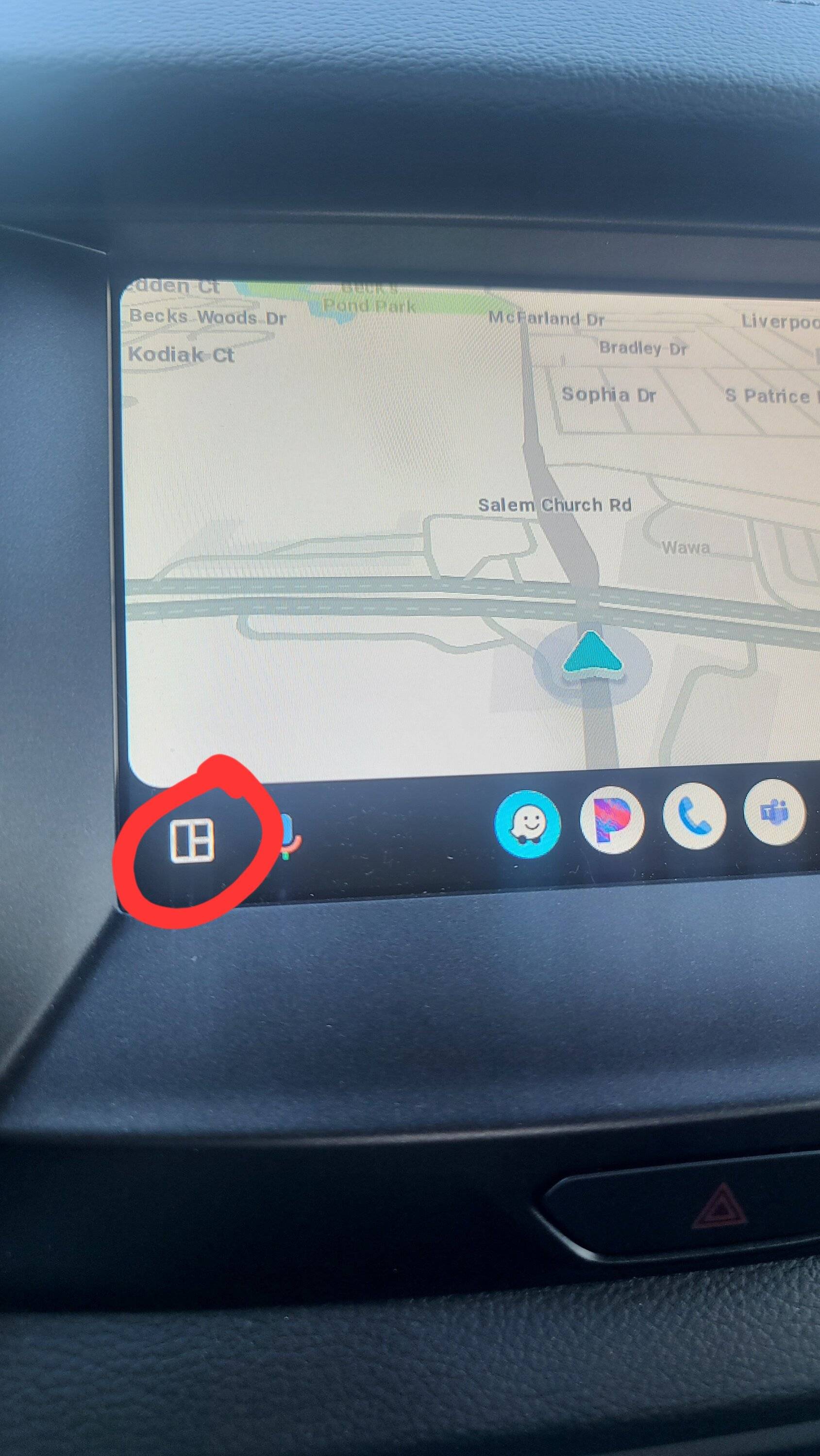
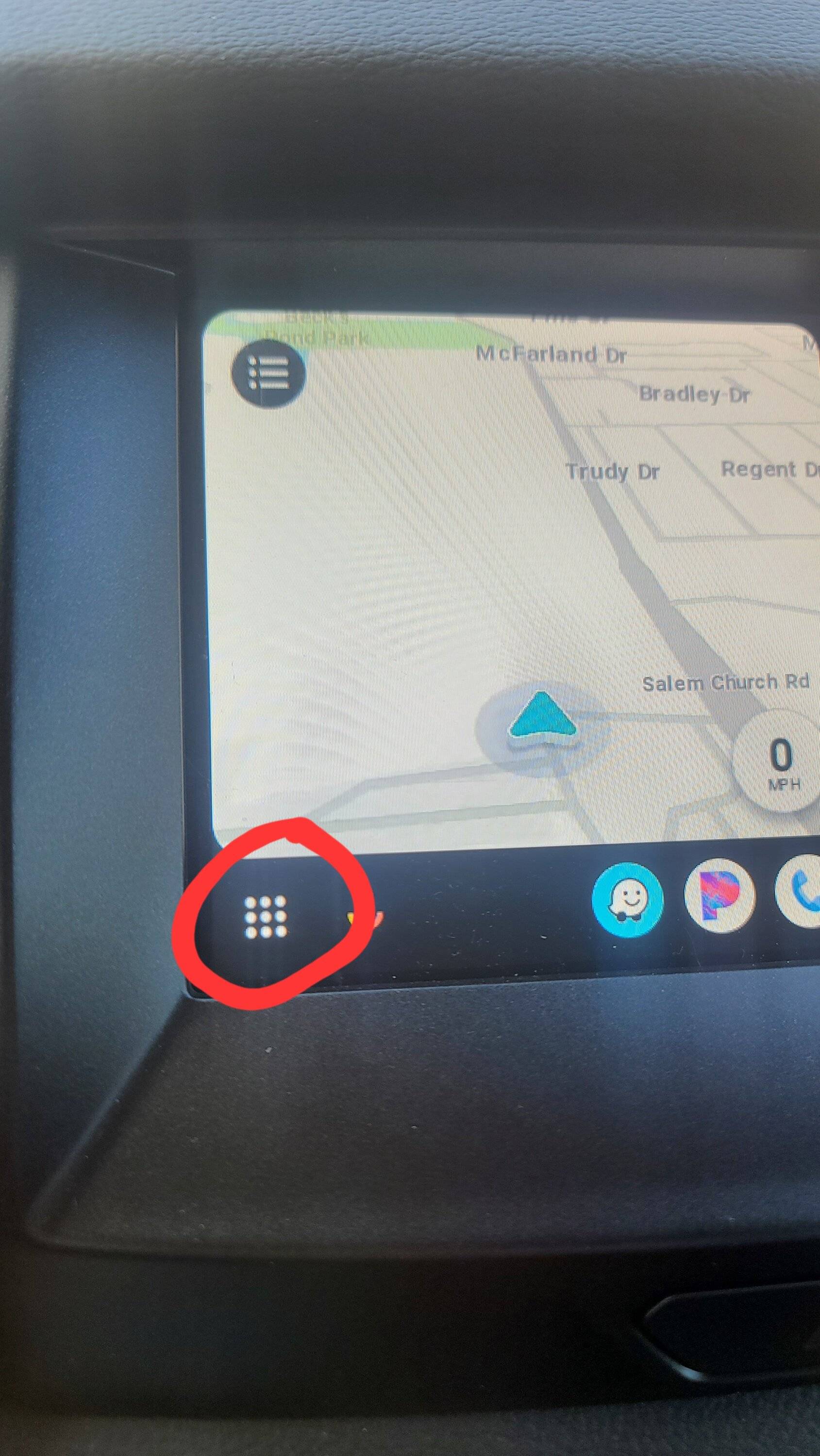
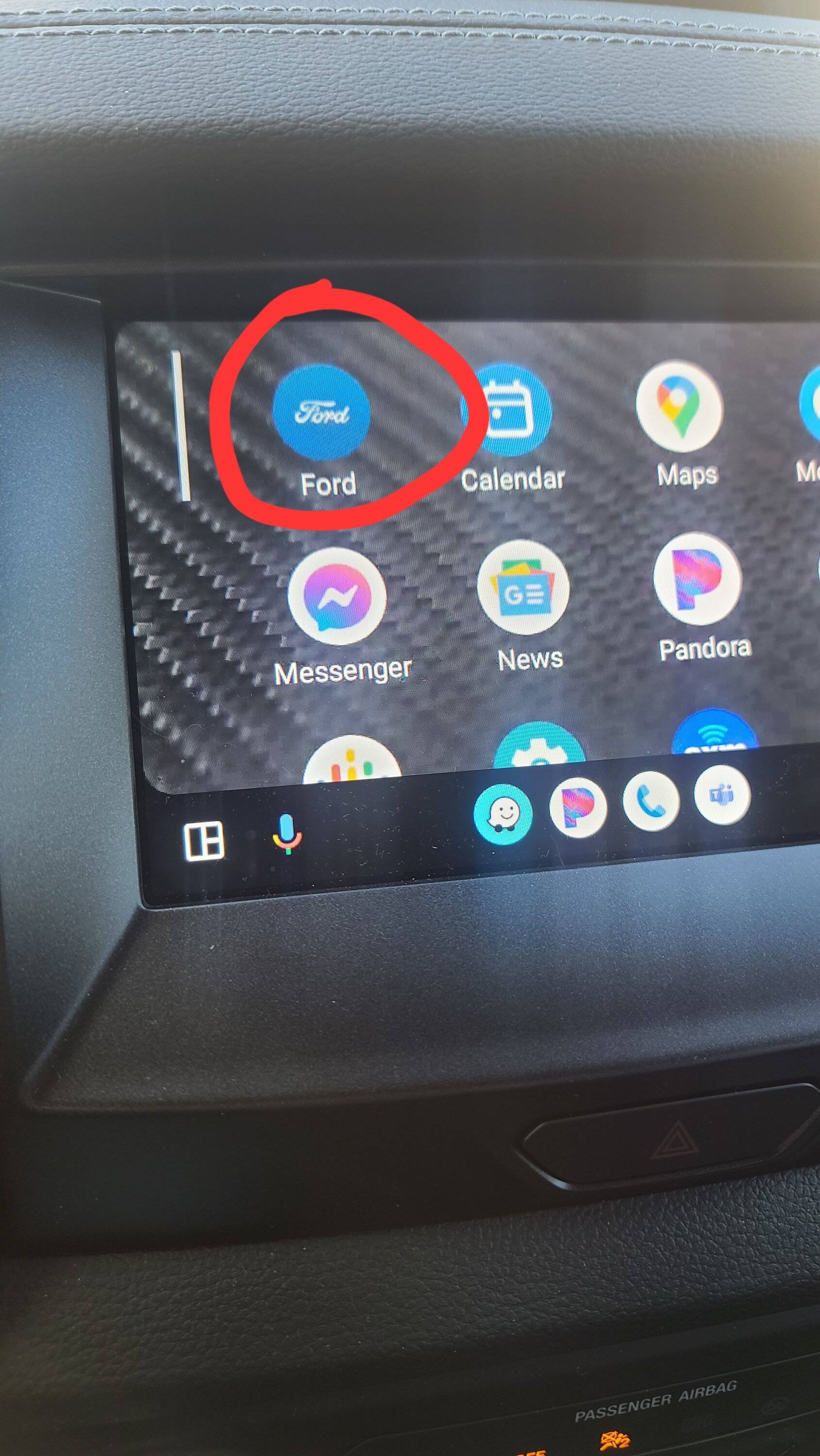
Hit these 3 buttons

20231001_101416.jpg


20231001_101500.jpg


20231001_101511.jpg
Sponsored


Top