Sponsored

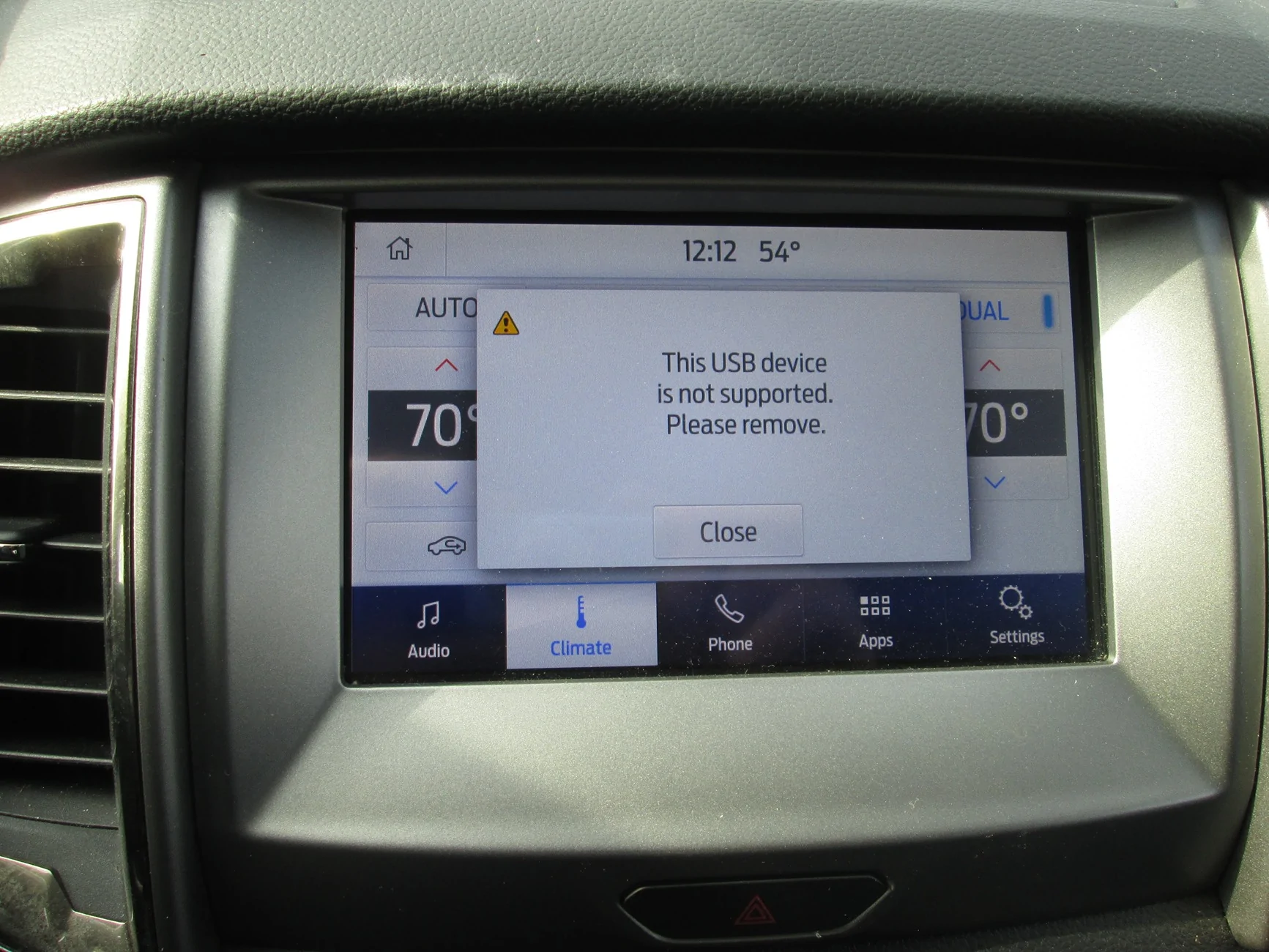
Any way to get this off the screen ?

jltrent

Member
First Name
John
Joined
Nov 7, 2025
Threads
1
Messages
15
Reaction score
33
Location
Virginia
Vehicle(s)
2020 Ford Ranger
Occupation
Self Employeed
It comes on and stays after the truck is started. There is nothing in the USB device at the bottom of the dash or at the back of the console. I have tried to reset, unhook battery, put something in each usb, wifi update and nothing helps. Recon it could be reflashed to fix. I bought the truck used like this and I believe an Apple product was hooked to it that caused this, maybe. It is a 2020 Ford Ranger XLT 2.3

IMG_9103.webp


IMG_9103.webp
Sponsored


RangerBill

Well-Known Member
First Name
Bob
Joined
Jun 8, 2022
Threads
3
Messages
1,608
Reaction score
2,128
Location
PA
Vehicle(s)
2019 Ford Ranger Lariat Super Crew FX4
Occupation
retired
It comes on and stays after the truck is started. There is nothing in the USB device at the bottom of the dash or at the back of the console. I have tried to reset, unhook battery, put something in each usb, wifi update and nothing helps. Recon it could be reflashed to fix. I bought the truck used like this and I believe an Apple product was hooked to it that caused this, maybe. It is a 2020 Ford Ranger XLT 2.3
IMG_9103.webp


IMG_9103.webp
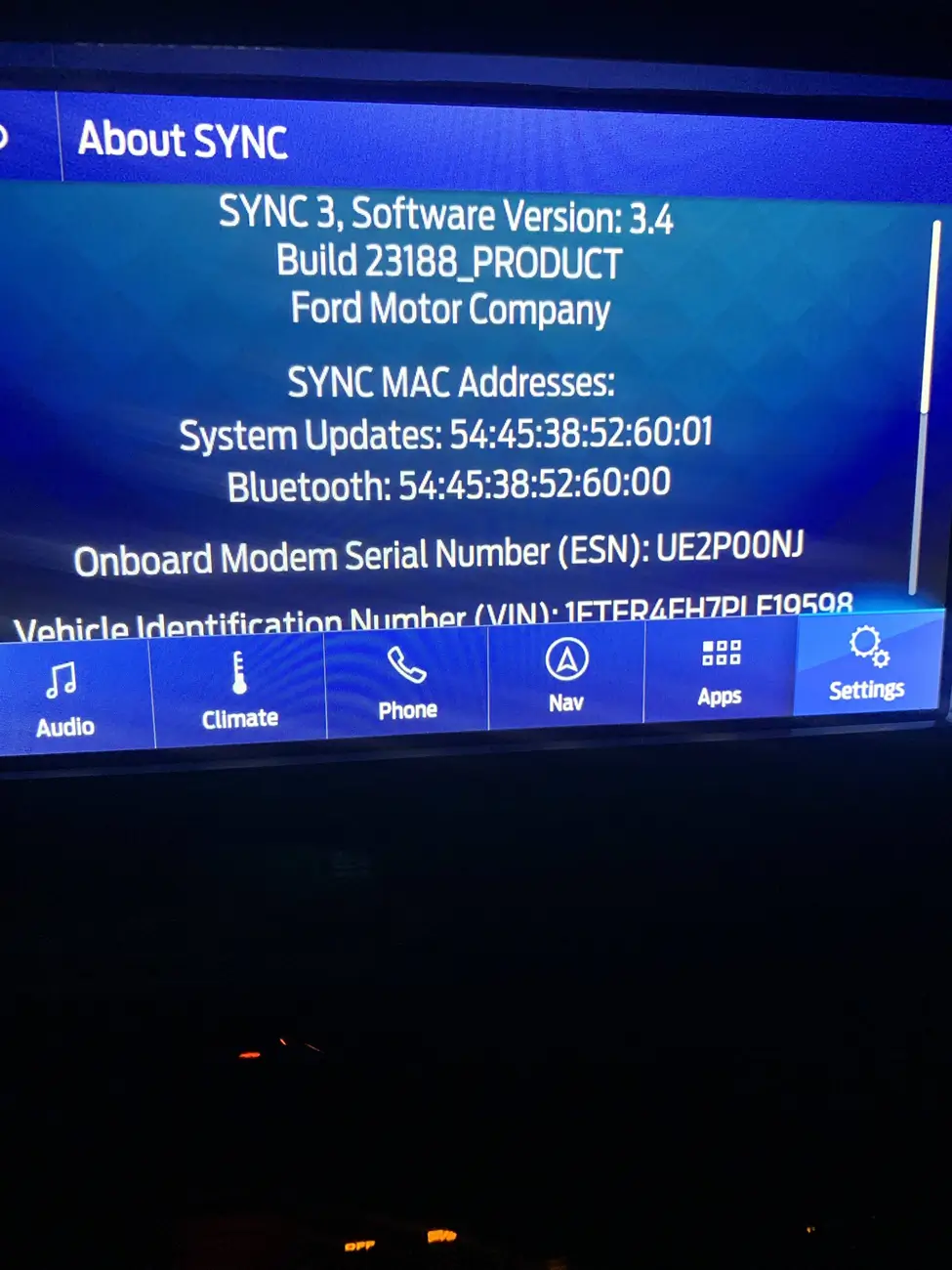
Have you tried a hardware reset found in the Sync menus? It is supposed to revert Sync to factory settings. What version of Sync 3 are you on? Version 3.4 23188 is the latest.
 

airline tech

Well-Known Member
Joined
Aug 24, 2022
Threads
28
Messages
4,451
Reaction score
8,507
Location
Midwest - KS
Vehicle(s)
2022 Ranger Lariat-Super Crew, Cactus Gray
Occupation
Aircraft Tech
So, if you tap - Close, it stays on the screen?
Or is the screen (Frozen) with that pop-up?

Try pulling Fuse 31 - BCM Fuse Box for 5-Minutes and Re-Install.
Fuse 31 powers the APIM (Sync) - Sync Powers the USB Hub
If it will let you into the settings - remove any saved media, phones etc. from the menu. I suspect this is a test drive (locked) in memory issue (Forget Device)
as suggested previously.
Settings - and find Master Reset if it will let you select anything.
another is Hold Power & Seek Fwd (Together for 5-Seconds) until screen blanks out then release (Soft Reset)

If you can - Check your Sync Version (About Sync) - ensure its 23188
anything prior to this version was plagued with issues, and to get to version 23188, sometimes requires the USB (Update) as the OTA (Wi-Fi) update will not work.
There is an open recall for this reason to ensure it updated to the current version. (23188)

If the above does not work - it may require a (Self-Test) Reset with a scan tool.
 

crispycream

New Member
First Name
Ted
Joined
Jun 27, 2025
Threads
1
Messages
4
Reaction score
3
Location
Seekonk, Ma
Vehicle(s)
2019 Ford Ranger Lariat
Occupation
IT
OP, you mentioned you reconnected but did you try starting up the truck with the usb hub disconnected? If the error goes away - try replacing the hub?

https://a.co/d/8lIwfK6


Grandaccess

Well-Known Member
First Name
Robert
Joined
Jul 8, 2023
Threads
5
Messages
1,095
Reaction score
2,459
Location
Binghamton, N.Y
Vehicle(s)
2021 Ford Ranger XLT FX4
Occupation
Computer Consultant
I have seen that a few times in the last 2 years if I start the truck and my Android is already plugged in, I unplug it and plug it back in and it goes away....
 
OP
OP

jltrent

Member
First Name
John
Joined
Nov 7, 2025
Threads
1
Messages
15
Reaction score
33
Location
Virginia
Vehicle(s)
2020 Ford Ranger
Occupation
Self Employeed
Have you tried a hardware reset found in the Sync menus? It is supposed to revert Sync to factory settings. What version of Sync 3 are you on? Version 3.4 23188 is the latest.
Thanks for the info. I did a reset that took a while to do I found in the menu if that is what you mean and it did not get it off the screen. Where do you find the version Sync as that is above my head? Thanks for the info.
 
OP
OP

jltrent

Member
First Name
John
Joined
Nov 7, 2025
Threads
1
Messages
15
Reaction score
33
Location
Virginia
Vehicle(s)
2020 Ford Ranger
Occupation
Self Employeed
So, if you tap - Close, it stays on the screen?
Or is the screen (Frozen) with that pop-up?

Try pulling Fuse 31 - BCM Fuse Box for 5-Minutes and Re-Install.
Fuse 31 powers the APIM (Sync) - Sync Powers the USB Hub
If it will let you into the settings - remove any saved media, phones etc. from the menu. I suspect this is a test drive (locked) in memory issue (Forget Device)
as suggested previously.
Settings - and find Master Reset if it will let you select anything.
another is Hold Power & Seek Fwd (Together for 5-Seconds) until screen blanks out then release (Soft Reset)

If you can - Check your Sync Version (About Sync) - ensure its 23188
anything prior to this version was plagued with issues, and to get to version 23188, sometimes requires the USB (Update) as the OTA (Wi-Fi) update will not work.
There is an open recall for this reason to ensure it updated to the current version. (23188)

If the above does not work - it may require a (Self-Test) Reset with a scan tool.
Thanks very much for the info as I will copy and try. I will try to find the version and see if it is correct. When I tap the screen it goes away and then comes right back on.
 

mtsoxfan

Well-Known Member
Joined
Apr 25, 2020
Threads
50
Messages
822
Reaction score
1,675
Location
NEK VT
Vehicle(s)
2019 Ranger Lariat
Everytime I plug in my Android I get that message. I just click close and it goes away. Not sure if it bothers me enough to look into, but if it was an easy fix, I'd try...
 
OP
OP

jltrent

Member
First Name
John
Joined
Nov 7, 2025
Threads
1
Messages
15
Reaction score
33
Location
Virginia
Vehicle(s)
2020 Ford Ranger
Occupation
Self Employeed
OP, you mentioned you reconnected but did you try starting up the truck with the usb hub disconnected? If the error goes away - try replacing the hub?

https://a.co/d/8lIwfK6
That hub looks like the same one that is in front and back. I can buy one and swap out both and see what happens. Thanks as I would have never found that.

From the picture it looks like I can get it out without taking the dash a part. Thanks again.
 

airline tech

Well-Known Member
Joined
Aug 24, 2022
Threads
28
Messages
4,451
Reaction score
8,507
Location
Midwest - KS
Vehicle(s)
2022 Ranger Lariat-Super Crew, Cactus Gray
Occupation
Aircraft Tech
That hub looks like the same one that is in front and back. I can buy one and swap out both and see what happens. Thanks as I would have never found that.

From the picture it looks like I can get it out without taking the dash a part. Thanks again.
Negative, The Front Hub is Charge & Data, it has 2-part numbers depending on trim level.
Single or Dual (Port)
The Rear is only (Charge)

NOTE: The Part Number Linked Above - Is not correct by the Ford Parts Diagrams
Its HC3Z-19A387-F
So, this is due to actual size of the module and possibly pinouts

For a Ref to what to look at: Sync Version

1762693547029-ih.webp


To remove the Hub Assy w/o pulling trim you can carefully (using a trim tool) slightly pry out on the hub and depress the holding tabs around the edges of it - also if I recall you have just enough room to reach up through the passenger side and get you hand on the back side of it to push it out.
 
OP
OP

jltrent

Member
First Name
John
Joined
Nov 7, 2025
Threads
1
Messages
15
Reaction score
33
Location
Virginia
Vehicle(s)
2020 Ford Ranger
Occupation
Self Employeed
Some good information thanks everybody. It is sync 3 software version 3.4 build 23188 product. I did a Master Reset and the message popped back up that is in the OP so I think I will order a new front hub assembly and see if that with fix the problem. I will update if that is the fix when I get and have installed. Thanks again. I put a data/charge hub HC3Z-19A387-F on order. The guy has sold a lot so they must be troublesome.

The truck was like this when I bought so no history of what may have caused this.

Genuine Ford Control Module HC3Z19A387F | eBay
 
Last edited:
OP
OP

jltrent

Member
First Name
John
Joined
Nov 7, 2025
Threads
1
Messages
15
Reaction score
33
Location
Virginia
Vehicle(s)
2020 Ford Ranger
Occupation
Self Employeed
I put the new control module in, and it is fixed now. Thanks again everybody and all the trouble airline tech for posting the picture and info which was wonderful help. Thanks................
Sponsored

 
Last edited:


Top