
TJC
Well-Known Member
- First Name
- Tony
- Joined
- Aug 28, 2020
- Threads
- 45
- Messages
- 3,942
- Reaction score
- 9,895
- Location
- North Carolina
- Vehicle(s)
- 93 Miata, 05 Ranger 4x4, 20 Ranger 4x4, 23 CX-5
- Thread starter
- #1
For those of use who value privacy, did you know that you can request Google to blur your home from street view. When blurred, you zoom across the address that is blurred to the next residence that is not blurred.
Here is my street with 2 homes blurred, note that there are blurred resident areas. No looking through the trees! Or at my front yard from road frontage.

To blur your home on Google Maps,
View attachment 241341
Here is my street with 2 homes blurred, note that there are blurred resident areas. No looking through the trees! Or at my front yard from road frontage.
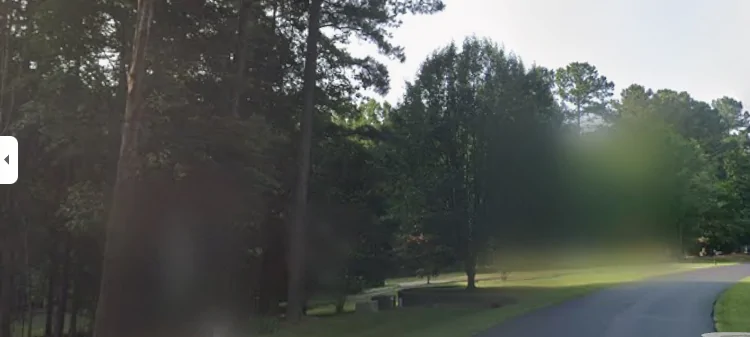
To blur your home on Google Maps,
- find your address in Google Maps,
- open the Street View image,
- and click "Report a problem" in the bottom-right corner.
- From there, complete the form, select "My home" as the reason, and provide your email address to submit the permanent request for blurring.
- This request is cannot be undone.
View attachment 241341
Sponsored
Attachments
-
0 bytes Views: 0
Last edited:



 If it looks like a good target you could have someone else make an appointment with a realtor to see it and walk through and case it out. I always hated that when selling my properties and make it clear that no one can come through that hasn't been pre-qualified and especially NO open houses. This helps but here's never a fool proof way.


