Sponsored

How to change start up screen

dmeyer302

Well-Known Member
First Name
Daniel
Joined
Feb 18, 2019
Threads
21
Messages
686
Reaction score
1,648
Location
Carthage, MO
Vehicle(s)
2016 Odyssey, 2021 F-150
Occupation
Mechanical Engineer
Vehicle Showcase
1
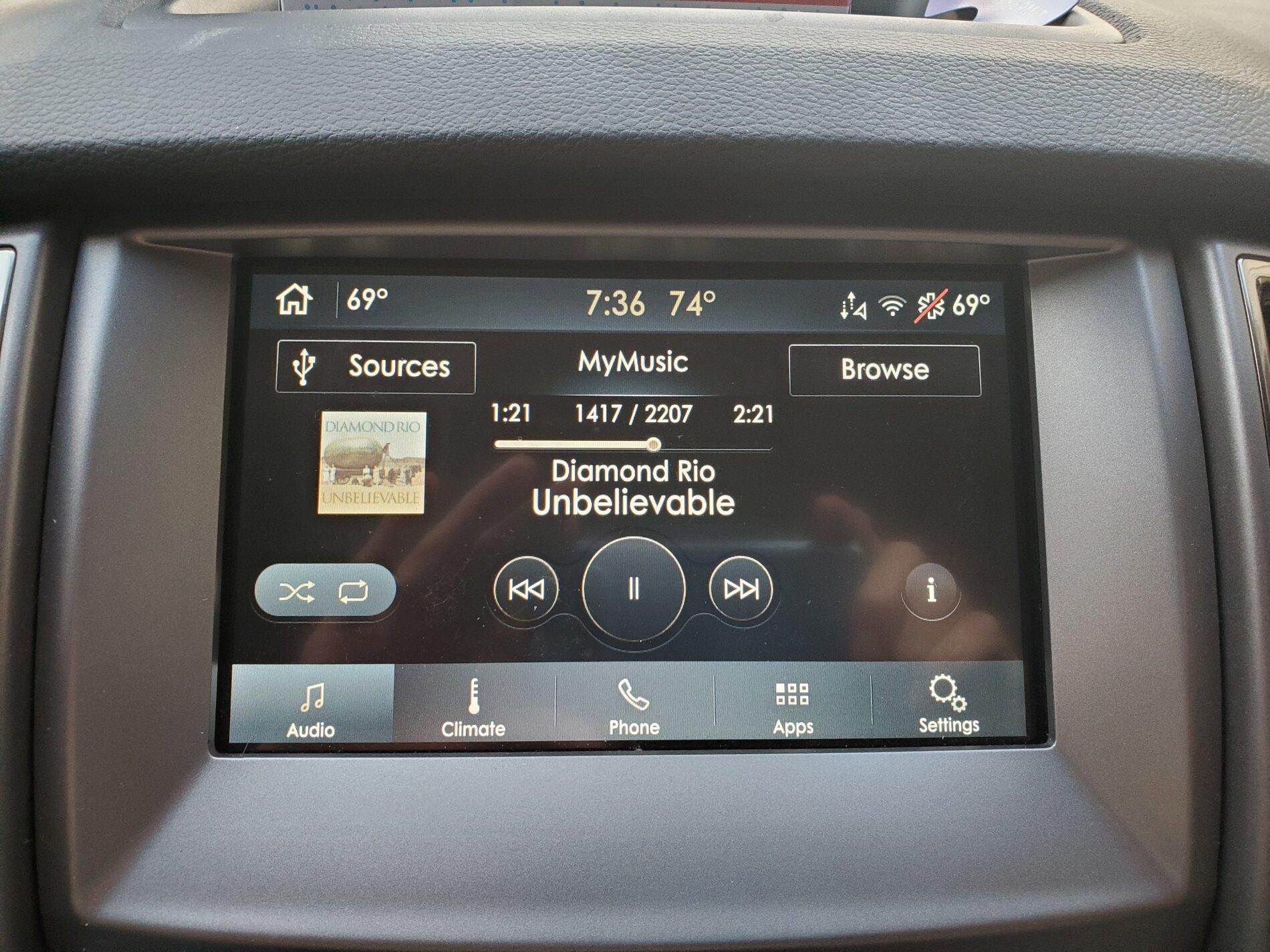
I'm having trouble finding how to get these light and dark modes. Can you tell me where to find them in forscan? Thanks!
I'm not in my truck at the moment, but I'm 95% sure this is an on-screen setting rather than a Forscan thing.
 

Yellowtoy

Well-Known Member
First Name
John
Joined
May 26, 2020
Threads
0
Messages
103
Reaction score
203
Location
Australia
Vehicle(s)
2019. Ranger Wildtrack
Occupation
Crane Operator
I'm having trouble finding how to get these light and dark modes. Can you tell me where to find them in forscan? Thanks!
Bud you will find day and night mode in the settings section of your centre info screen..
 

geophb

Well-Known Member
Joined
Aug 3, 2020
Threads
4
Messages
530
Reaction score
750
Location
Wisconsin
Vehicle(s)
2019 Ranger
Occupation
Mechanical Engineer
Few weeks ago I changed mine with the lincoln theme and "Black Label" splash screen. Much better.
 

Mr Adventures

Well-Known Member
First Name
Tyler
Joined
May 9, 2020
Threads
11
Messages
81
Reaction score
148
Location
Washington
Vehicle(s)
2019 Lariat FX4
I'm not in my truck at the moment, but I'm 95% sure this is an on-screen setting rather than a Forscan thing.
I more mean the specific theme you have with the light and dark mode. When I change to the Lincoln one it's just brown, not blue or black like the theme you have pictured. Can't get any of the other Lincoln themes working with the Raptor splash screen.


dmeyer302

Well-Known Member
First Name
Daniel
Joined
Feb 18, 2019
Threads
21
Messages
686
Reaction score
1,648
Location
Carthage, MO
Vehicle(s)
2016 Odyssey, 2021 F-150
Occupation
Mechanical Engineer
Vehicle Showcase
1
I more mean the specific theme you have with the light and dark mode. When I change to the Lincoln one it's just brown, not blue or black like the theme you have pictured. Can't get any of the other Lincoln themes working with the Raptor splash screen.
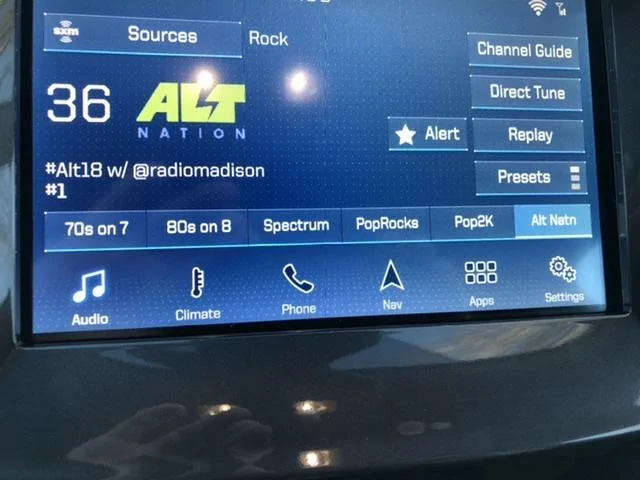
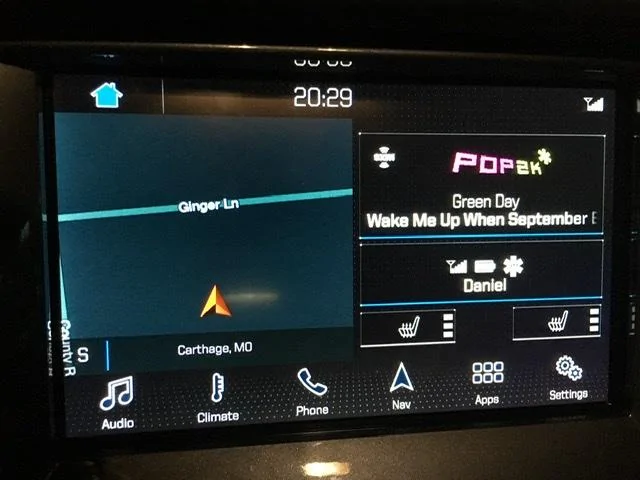
My pics are of the Ford GT theme. It’s not clear to me if you can mix and match splash screens with nonmatching skins. I’m also using the GT splash screen.
 

Big Blue

Well-Known Member
First Name
Lee
Joined
May 5, 2020
Threads
16
Messages
3,927
Reaction score
9,352
Location
Wisconsin
Vehicle(s)
2019 Ford Ranger XLT FX4 Supercrew lighting blue
Occupation
Retired mechanical designer
I more mean the specific theme you have with the light and dark mode. When I change to the Lincoln one it's just brown, not blue or black like the theme you have pictured. Can't get any of the other Lincoln themes working with the Raptor splash screen.
What version of SYNC are you running, 3.3 or 3.4? 3.4 has some additional options from 3.3. This is the screen I'm running with 3.4.
Lincoln SYNC Screen.jpg

I'm running the "Lincoln timeless" "Visual Design Variants" (theme). Also Had to set the "Brand" to "Lincoln" and I am running the "Raptor" "Splash Screen". These are all settings in Forscan, in the APIM Configuration. I then went into Screen Settings in SYNC and set it to Night mode all the time and picked the darkest background color of the four available.

With 3.4 There are a number of new Splash Screens available. Haven't tried the GT splash and theme lately. I think they may need to be used together, or may not work in 3.4
 

RobmJ

Well-Known Member
First Name
Rob
Joined
Apr 22, 2020
Threads
8
Messages
48
Reaction score
18
Location
Austin
Vehicle(s)
2019 Ford Ranger XLT SuperCrew
Hey guys , I tried doing this today and it kept saying “interrupted” when trying to execute or “write” this action.. any thoughts ? I noticed their was 2 splash screen selections and I tried changing both of them . I was able to fix my missing climate controls and made my fog lights my DRL but I can’t change my splash screen .
Sponsored


Top