Sponsored

Forscan Help

dozxab

Well-Known Member
First Name
Dave
Joined
Sep 14, 2024
Threads
17
Messages
661
Reaction score
2,183
Location
Prescott AZ
Vehicle(s)
2022 Ford Ranger XLT FX4, 2014 Jeep Wrangler JK
Occupation
Retired
I just installed a new H7 battery and was trying to change it from H6 and reset BMS. That failed but I did the reset with the lights and brakes. Now, when I go into Forscan, I get this. I did "Restore All" but I still can't get past this. What should I do?

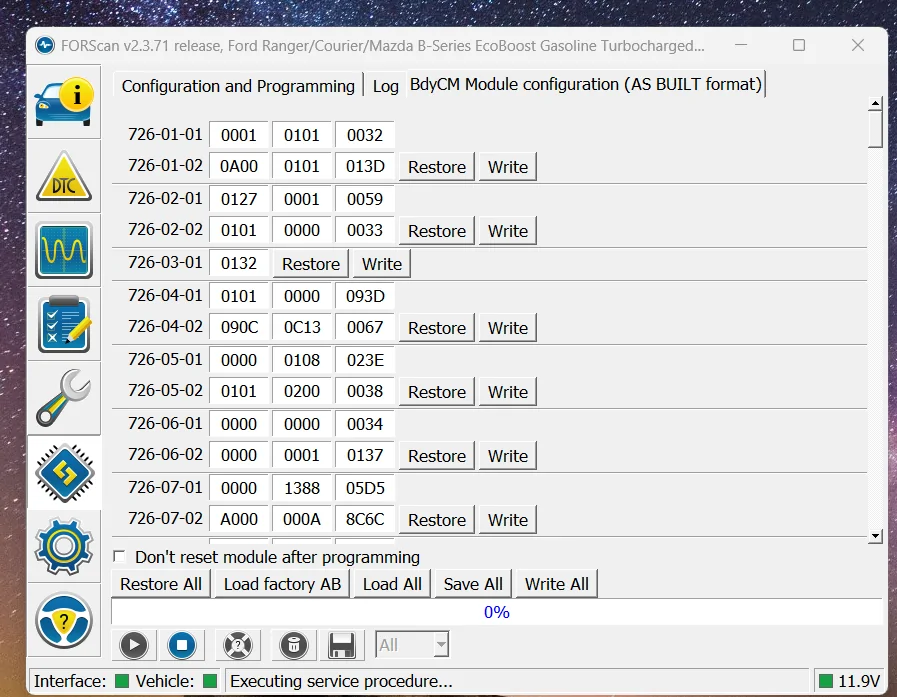
Forscan.webp
Sponsored

 
Last edited:

airline tech

Well-Known Member
Joined
Aug 24, 2022
Threads
28
Messages
4,661
Reaction score
8,935
Location
Midwest - KS
Vehicle(s)
2022 Ranger Lariat-Super Crew, Cactus Gray
Occupation
Aircraft Tech
You have (2) options

1. Change Line
726-04-01 - (0101-0000-093D)
Change it to (0201-0000-093E) - click (WRITE) and then move down to the (Arrow) in the lower left comer and click it - the arrow button is also know as the (play) button

Note: For every (Write) Tab - covers all lines above it:
For this example- Lines 726-04-01 and 726-04-02 are covered under the same write tab.

2. Go to the (easy) menu screen - BCM (Module Configuration) and select
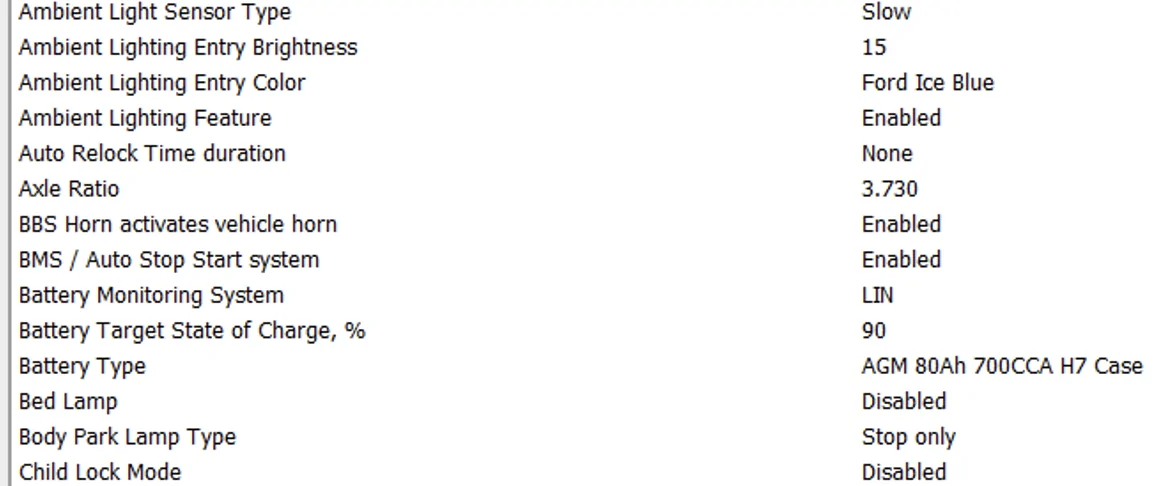
AGM 80Ahr 700CCA H7 Case - from the drop down menus.
Note: There is not a -perfect match to - H7 Case / CCA from this menu, but to match the Lariat As-Built file - selecting this will automatically change the (Hex Line) to x2xx (or 0201)

All Lariat Trims with the H7 Case has this line as - (0201-0000-093E)
The (2) in this line is the battery type.
Changing this line - will automatically reset the BMS (Time since install) of the battery date.

Note: The last 2 (hex data) on any line = the check sum of the line - its a validation of (is every parameter on the line a valid entry)
So even if you only change (0101 to 0201) the line will automatically change the (checksum) to 3E - you will note a pop-up message about check sum, but if you select (execute) or the arrow in the lower left comer - after the write is completed - you will note it automatically changed

Battery Type.webp
 
OP
OP
dozxab

dozxab

Well-Known Member
First Name
Dave
Joined
Sep 14, 2024
Threads
17
Messages
661
Reaction score
2,183
Location
Prescott AZ
Vehicle(s)
2022 Ford Ranger XLT FX4, 2014 Jeep Wrangler JK
Occupation
Retired
You have (2) options

1. Change Line
726-04-01 - (0101-0000-093D)
Change it to (0201-0000-093E) - click (WRITE) and then move down to the (Arrow) in the lower left comer and click it - the arrow button is also know as the (play) button

Note: For every (Write) Tab - covers all lines above it:
For this example- Lines 726-04-01 and 726-04-02 are covered under the same write tab.

2. Go to the (easy) menu screen - BCM (Module Configuration) and select
AGM 80Ahr 700CCA H7 Case - from the drop down menus.
Note: There is not a -perfect match to - H7 Case / CCA from this menu, but to match the Lariat As-Built file - selecting this will automatically change the (Hex Line) to x2xx (or 0201)

All Lariat Trims with the H7 Case has this line as - (0201-0000-093E)
The (2) in this line is the battery type.
Changing this line - will automatically reset the BMS (Time since install) of the battery date.

Note: The last 2 (hex data) on any line = the check sum of the line - its a validation of (is every parameter on the line a valid entry)
So even if you only change (0101 to 0201) the line will automatically change the (checksum) to 3E - you will note a pop-up message about check sum, but if you select (execute) or the arrow in the lower left comer - after the write is completed - you will note it automatically changed

Battery Type.webp
EDIT: I think I got it. Had to run to the store and take a break. When I came back and tried again, I worked. Never had issues with Forscan before. Been using it since my 2013 Mustang. I tried changing to 1 to a 2 still only gave me the option to "Write All". I only use the Easy Menu, so that was new to me. Thank you!

The problem is, this is the only screen I get when I connect. I got some sort of error when I tried to make the change to a new battery . I can't get to either menu. I don't know how to get out of it.
Sponsored

 
Last edited:


Top