
Sponsored

Factory Navigation with Sirius XM Traffic and Travel Link vs Garmin Tread Overland GPS

Frenchy

Well-Known Member
First Name
Chris
Joined
Mar 15, 2020
Threads
166
Messages
7,572
Reaction score
10,790
Location
Elizabeth, Colorado
Vehicle(s)
2012 Nissan Frontier, 1994 F150 XL, 2022 Ford Transit
Occupation
Field Service Technician
So this thread will be about the Factory Navigation using Sirius XM Traffic and Travel Link vs the Garmin Tread Overland. I will not be including Android Auto and Apple Car Play what so ever. Those who want to try and discuss the Android Auto and Apple Car Play may start their own thread.

IMG_20250320_190816738_HDR.webp


Now of course I do not have my Ranger anymore and it didn't even have Factory Navigation. That said I do have my 2012 Frontier that now has a Factory Radio from a 2021 that came with Navigation. It did cost me a bit including my time to make a harness to adapt it. For those wondering why I did that and didn't just get an aftermarket Radio with Navigation? Simply for the fact I wanted a Factory Radio and wanted to get Sirius XM Radio(completely different than XM and Sirius Radio from the past). Thankfully I was able to achieve this while taking the advantage of having the Factory Backup Camera, Bluetooth Audio, Factory Navigation(it can be useful) and USB Audio if I so choose. It's also designed to work with my Factory Stereo Equipment.

Before getting this Radio installed I already had the Garmin Tread Overland. That particular GPS I have had for a little over a year now and it has been a great GPS so far. It has quite a few different tools meant for OffRoad use when traveling Off Grid. That can include marking Tracks to save to your library for future use, being able to make your own routes that will take you off the beaten path and of course look at weather in your nearby area as long as certain conditions are meet(we will get to this soon). It even has the Built-in InReach by Garmin(Satellite Communication Device primarily for Emergency use) and you can add the Group Ride Radio(this will allow you to not only communicate with others using this radio, but also see where they are on the GPS map). You can also pair a Garmin Power Switch and control it from the GPS as needed(no a Garmin GPS is not required for that function).

Now to get down to business.

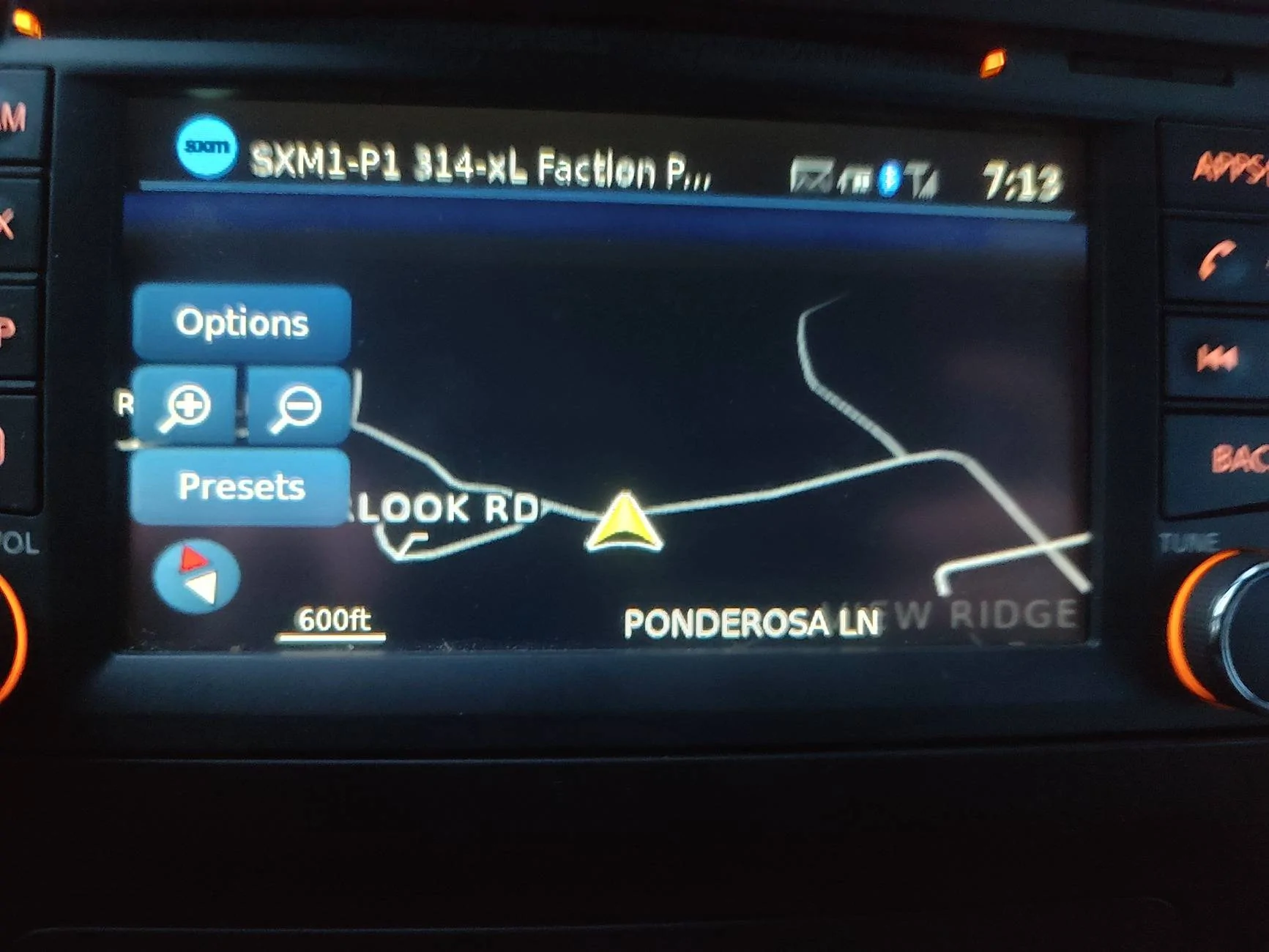
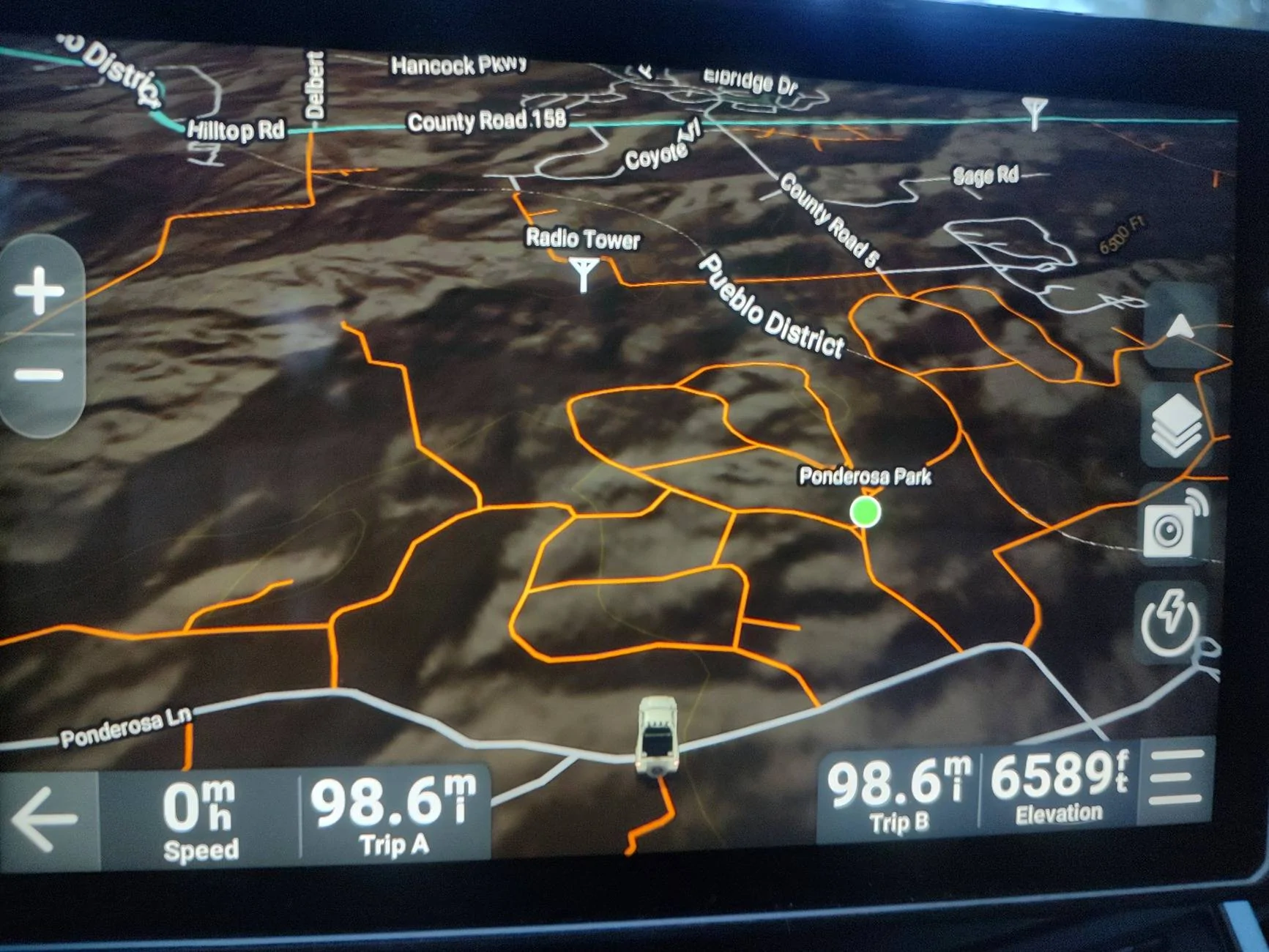
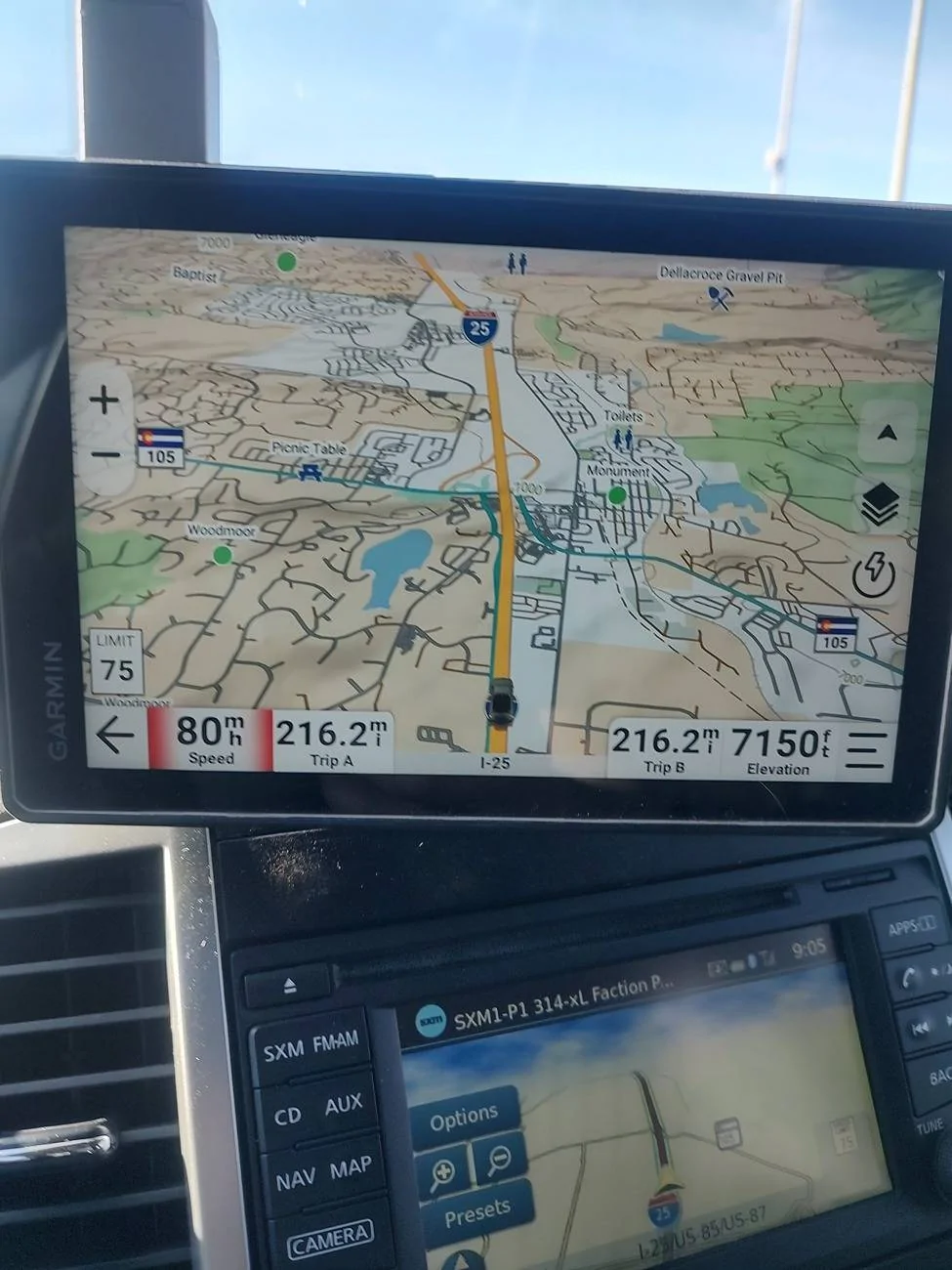
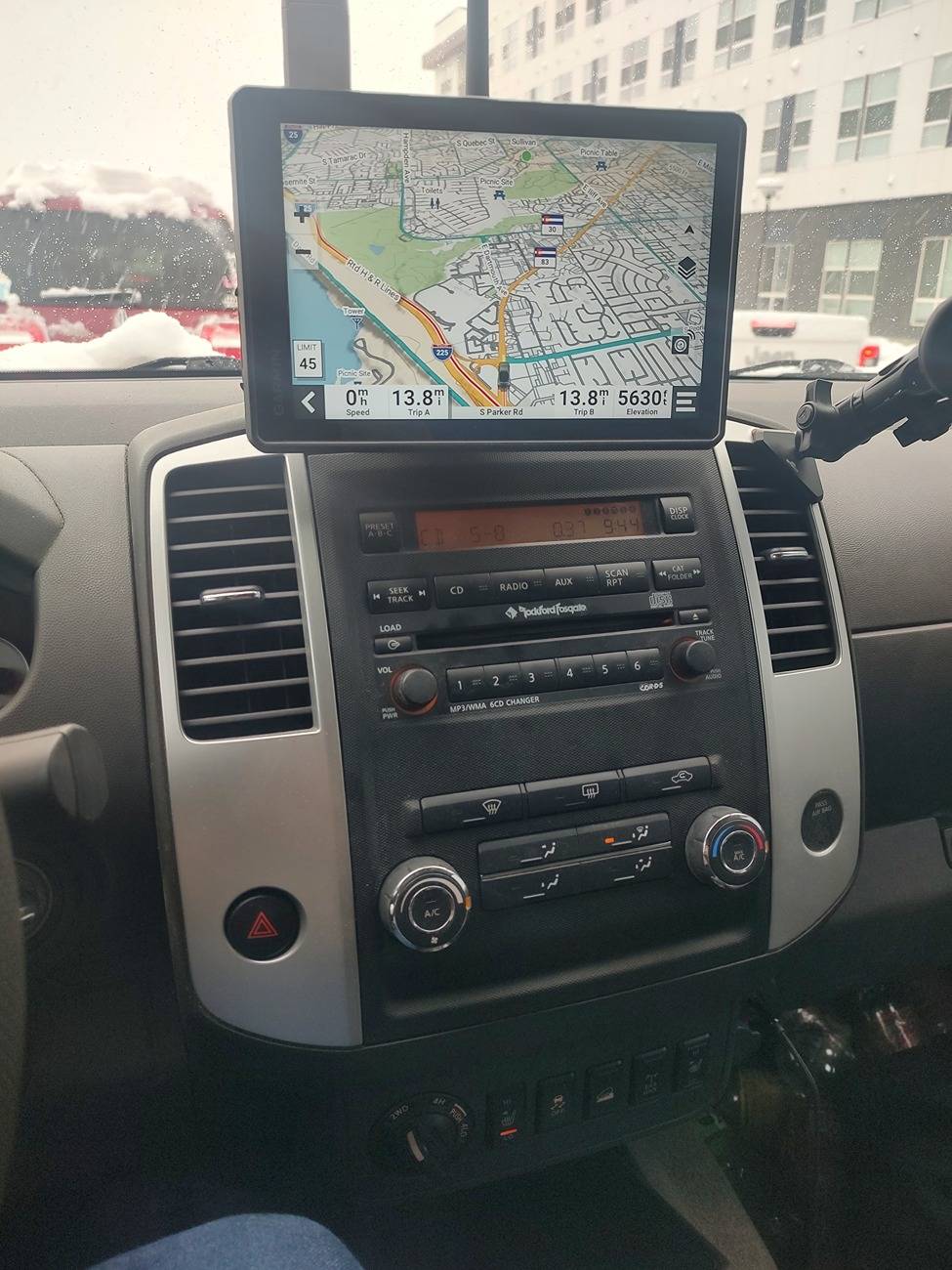
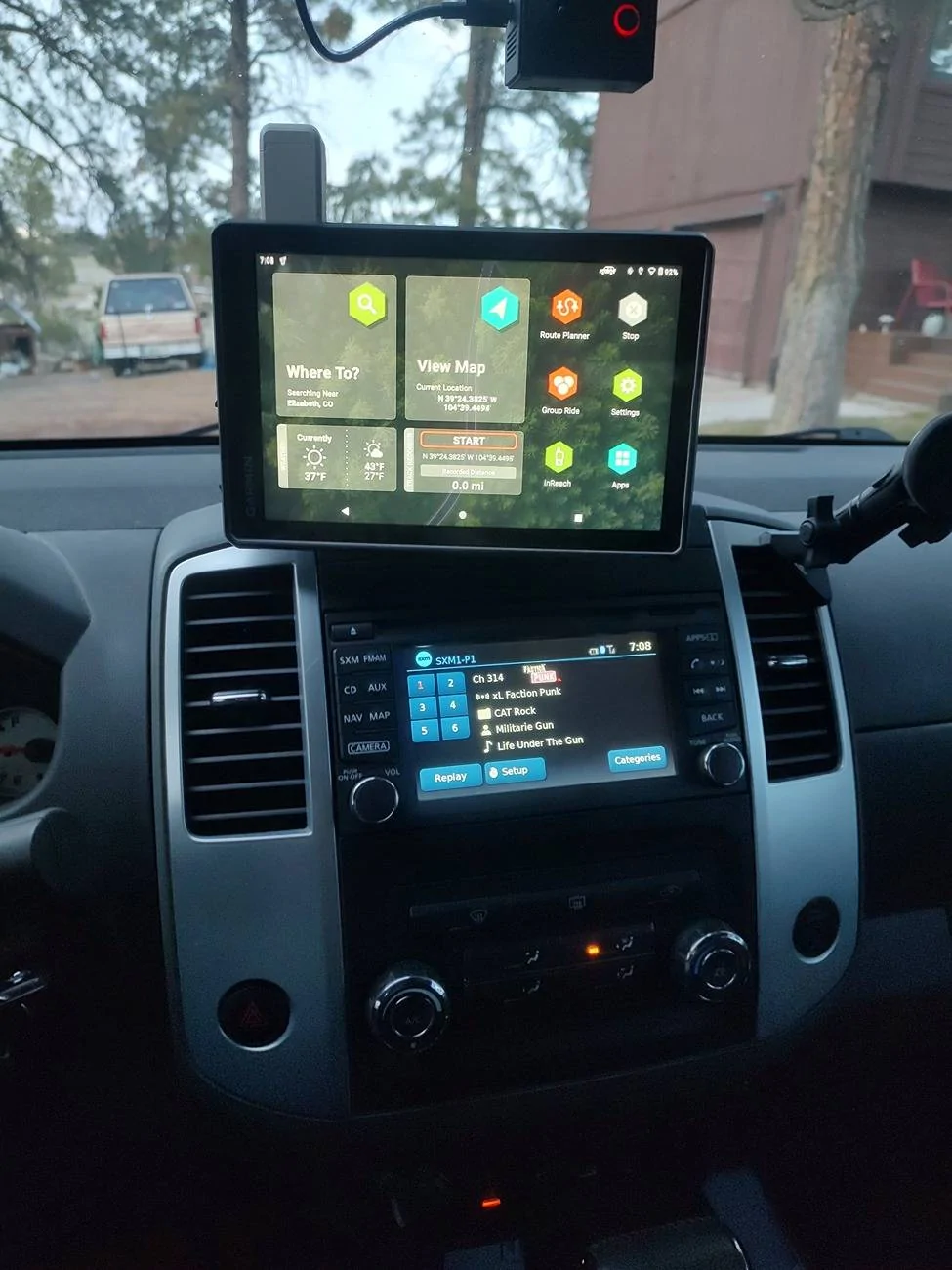
For basic comparison, here are the two units when looking at the maps. Between the two I personally like the way the Garmin is thanks to the screen size. If I remember correctly the Ford Screen is closer to the Garmin and the Garmin is an 8 inch display. I think the Nissan Radio is a 5 or 6 inch?(EDIT: it is a 5.8 inch screen and I'm pretty sure the Ford Navigation Screen is much bigger) Not too sure on that and I will have to verify later. Thanks to the screen size of the Garmin, it makes it much easier for me to took at what's around me if I want to make my own re-route for fun or traffic as needed. The Factory Nav kinda limits me there for reasons. We will come back at a later time for the Traffic as I need to go have fun getting stuck and see how the two compare.

IMG_20250320_191351891_HDR.webp

Nissan Factory

IMG_20250320_191356562_HDR.webp

Garmin Tread Overland

Part two we shall talk about Weather, so hang tight.
Sponsored

 
Last edited:
OP
OP
Frenchy

Frenchy

Well-Known Member
First Name
Chris
Joined
Mar 15, 2020
Threads
166
Messages
7,572
Reaction score
10,790
Location
Elizabeth, Colorado
Vehicle(s)
2012 Nissan Frontier, 1994 F150 XL, 2022 Ford Transit
Occupation
Field Service Technician
This will be part 1 of the Weather Section. This is due to how many pictures I have and how many I can add.

Part 1 is going to talk about the Garmin Tread and how it can do the Weather stuff and how it can be both helpful and a pain.

Now one of the Features on the Garmin Tread Overland that I like is the Weather Function. There are two ways of doing this. You have the way through the Built-in InReach and you have the Tread App Section. These two different quite a bit. The InReach is Satellite Based. You are required to have a InReach Subscription through Garmin to get Weather Updates and use the Communication Function (for those that like to go to Remote Places, it is well worth having!). The Tread App will require you to download the Garmin Tread App on your Phone and connect the Phone to the GPS VIA Bluetooth. When you are in an area that has Cell Service, you can use the Tread Weather just fine. The moment you loose Cell Service, you are SOL and can't use this function until you get service again.

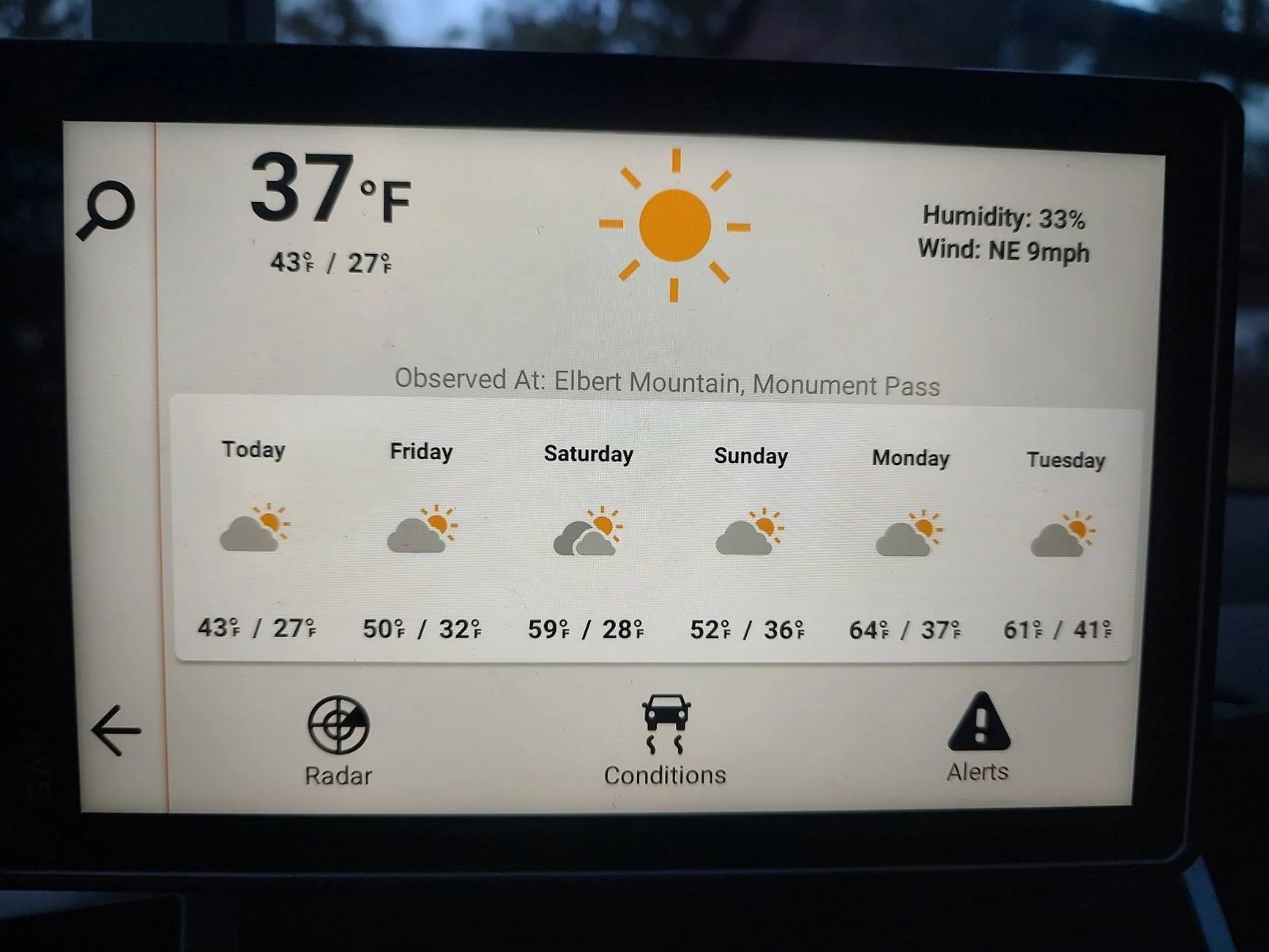
When you click the Garmin Tread Weather app, the following screen will pop up. The search icon will let you choose the current location(what I leave it too) and search for another location that you want for fun. It also gives you the general Weather Forecast for the week(yes you can click each day to get more details)

IMG_20250320_190854756_HDR.webp


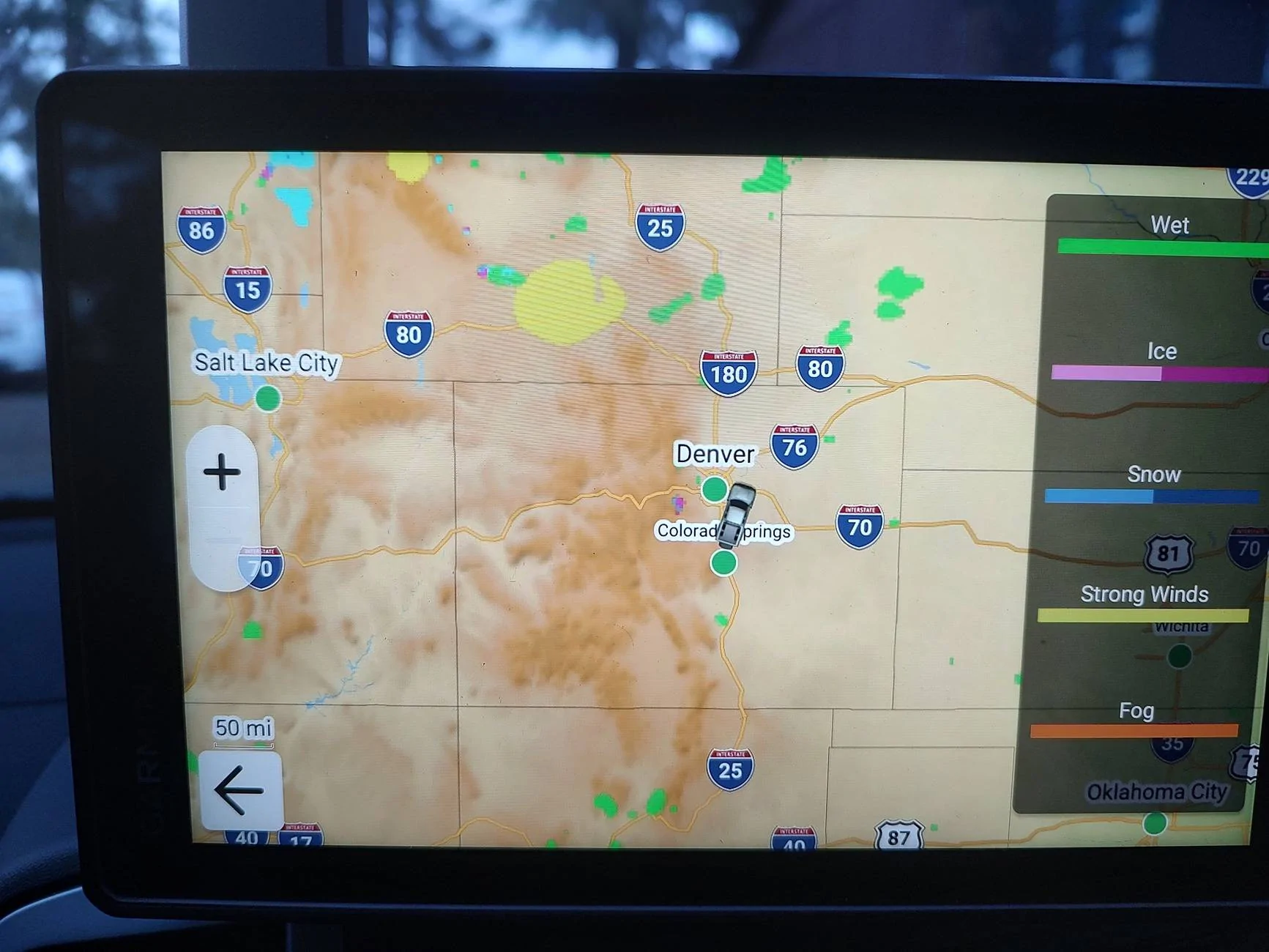
Next you have the Radar Screen. This screen will show you the current weather in the area on the Map with you at the center. You can move the map around if you want, but I don't see the point there.

IMG_20250320_190905557_HDR.webp


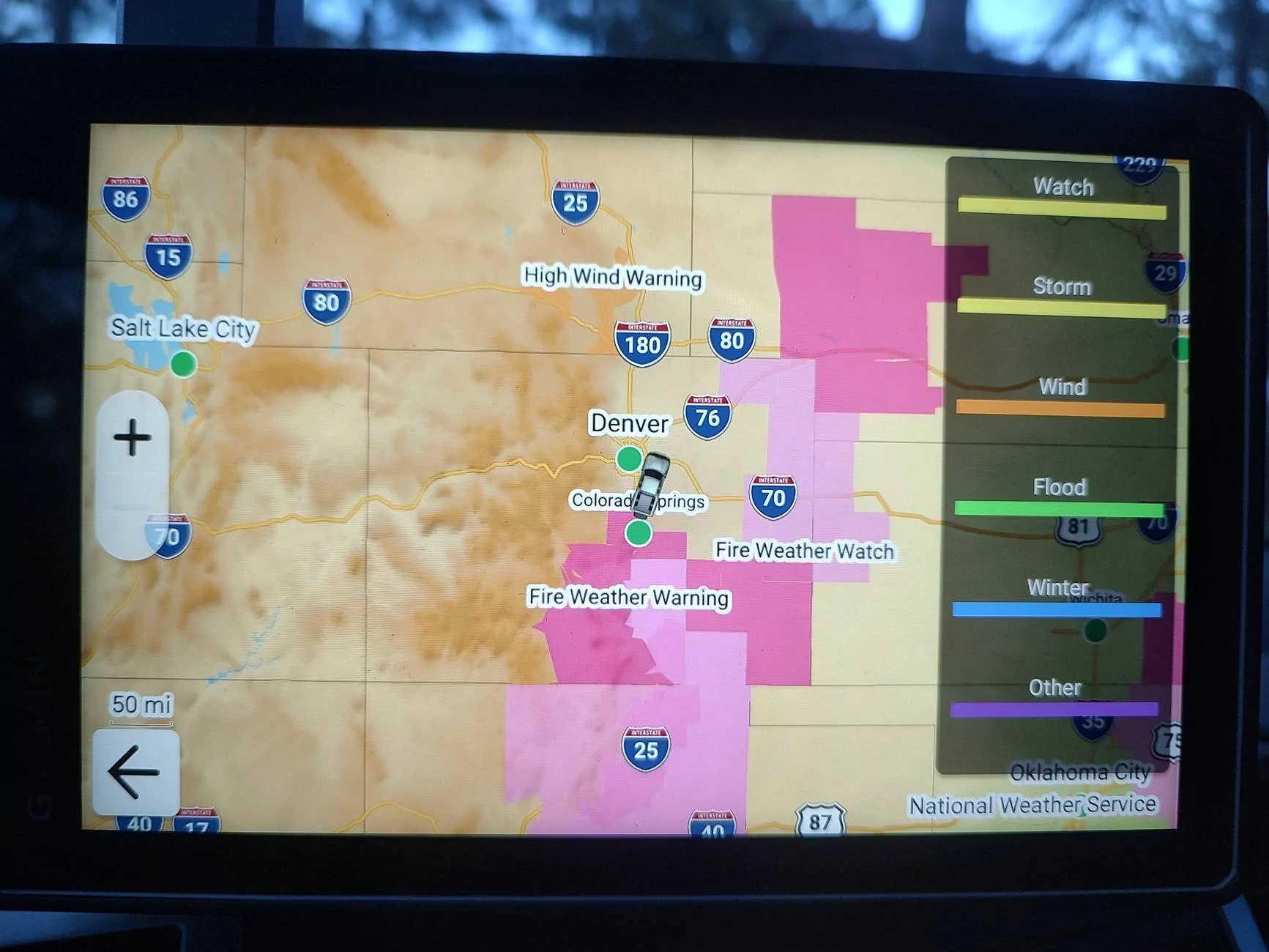
Next you have the Conditions screen. This will give you the General Conditions for different areas that will include Snow and High Winds. Though I think it may be off a bit as Wyoming and Kansas should clearly be covered in Yellow for high winds(if you know, you know)

IMG_20250320_190915031_HDR.webp


After that we have the Alerts Screen. This will give you general Alerts for different areas on the map for different things as needed. Right now I think it has to do with a mix of high wind and cold weather.

IMG_20250320_191008131_HDR.webp


With that little bit, it's kinda like having The Weather Channel on the GPS without having to get the Phone Out! Too bad it only works if you have Cell Service.

Now to the InReach Weather!

Again as mentioned before, you have to have the Subscription through Garmin for InReach Service to use this function. If you do not travel remote, the. I have a hard time seeing you justify it. I myself can justify it as I like to travel remote.

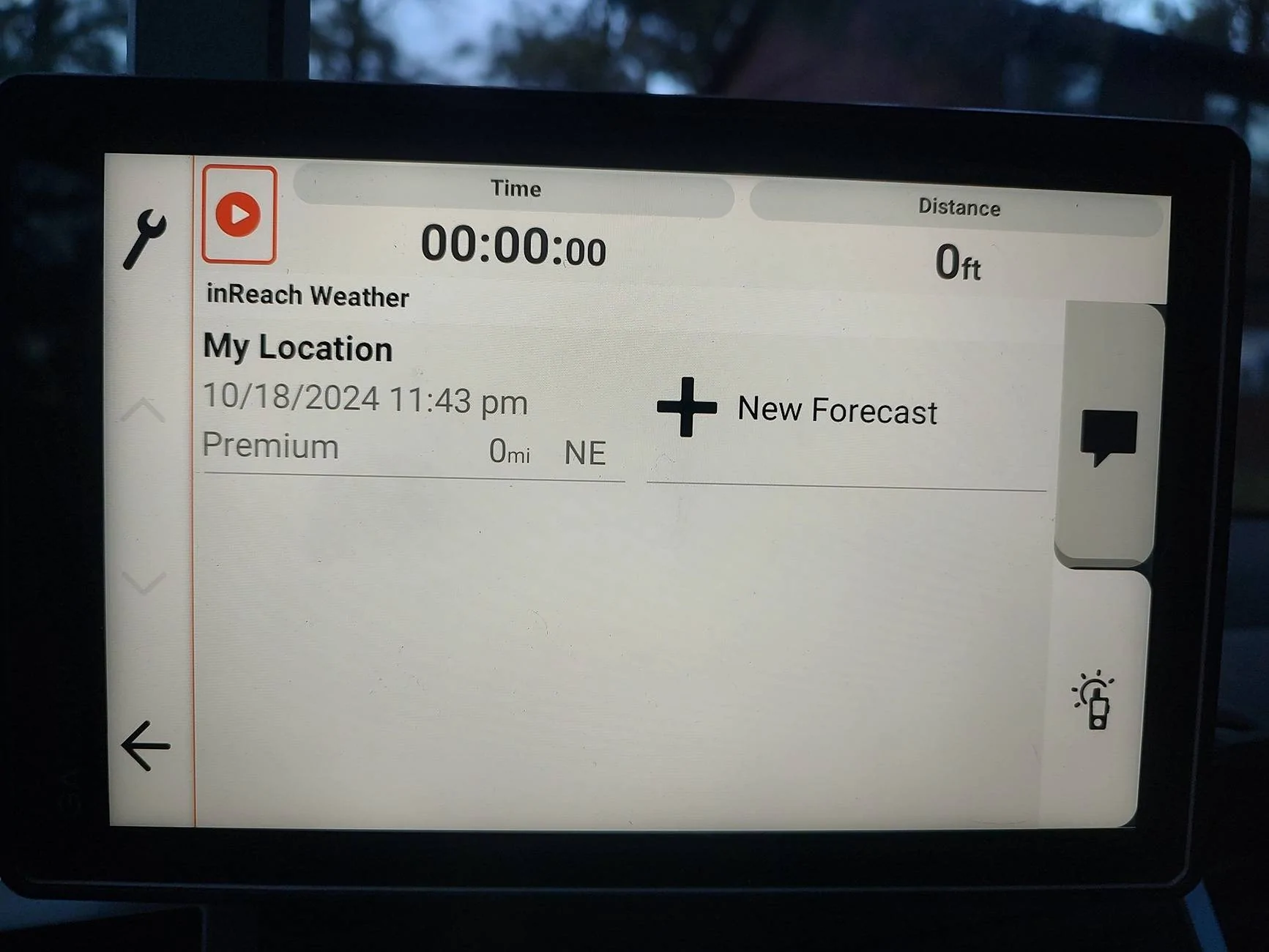
When you go into the InReach Screen, you have the option for messaging and Weather. One update on Weather will cost 1 Text Message. Depending on the plan you have, it may be included in the cost of the plan.

IMG_20250320_191027223_HDR.webp


IMG_20250320_191032887_HDR.webp


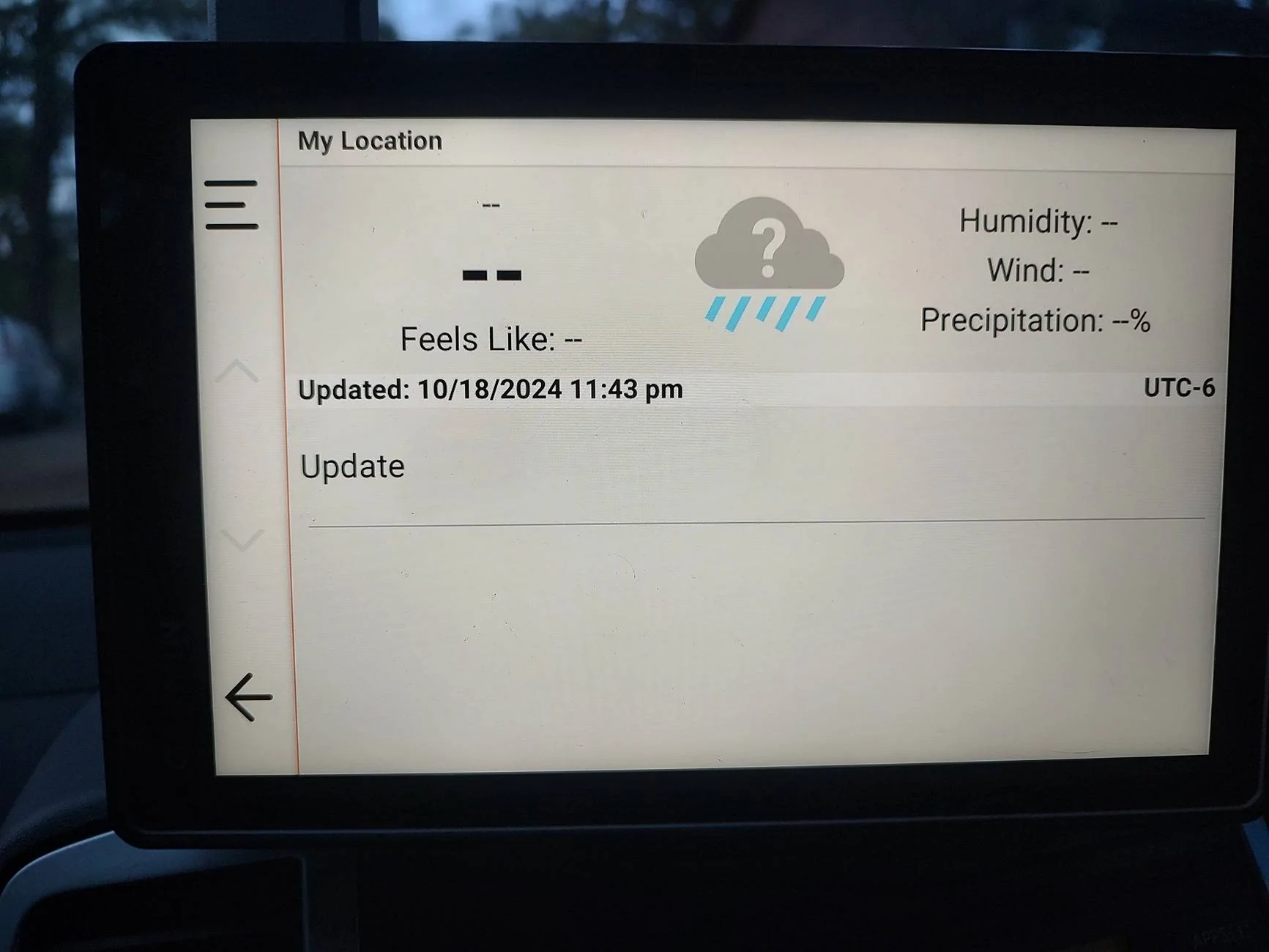
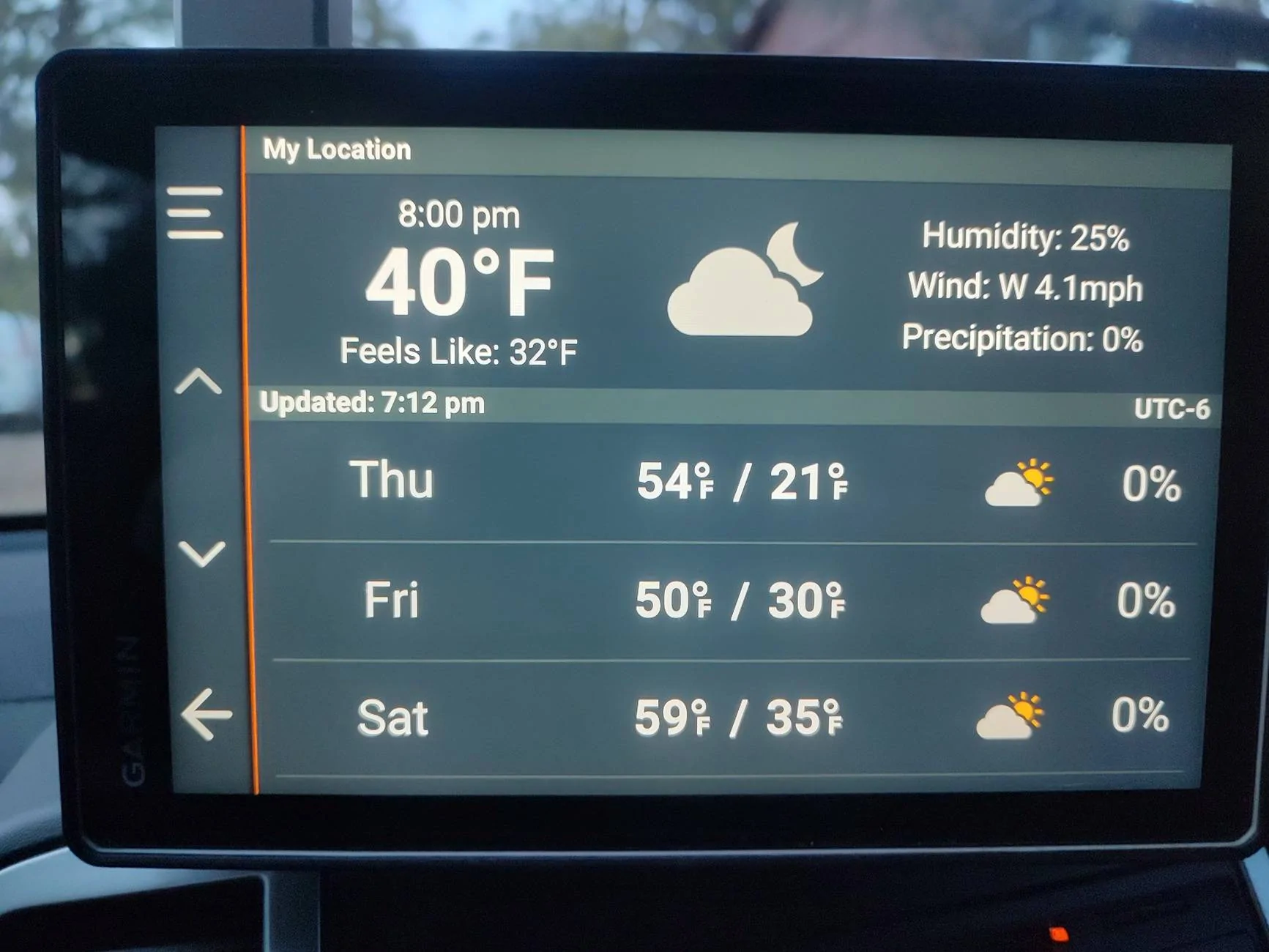
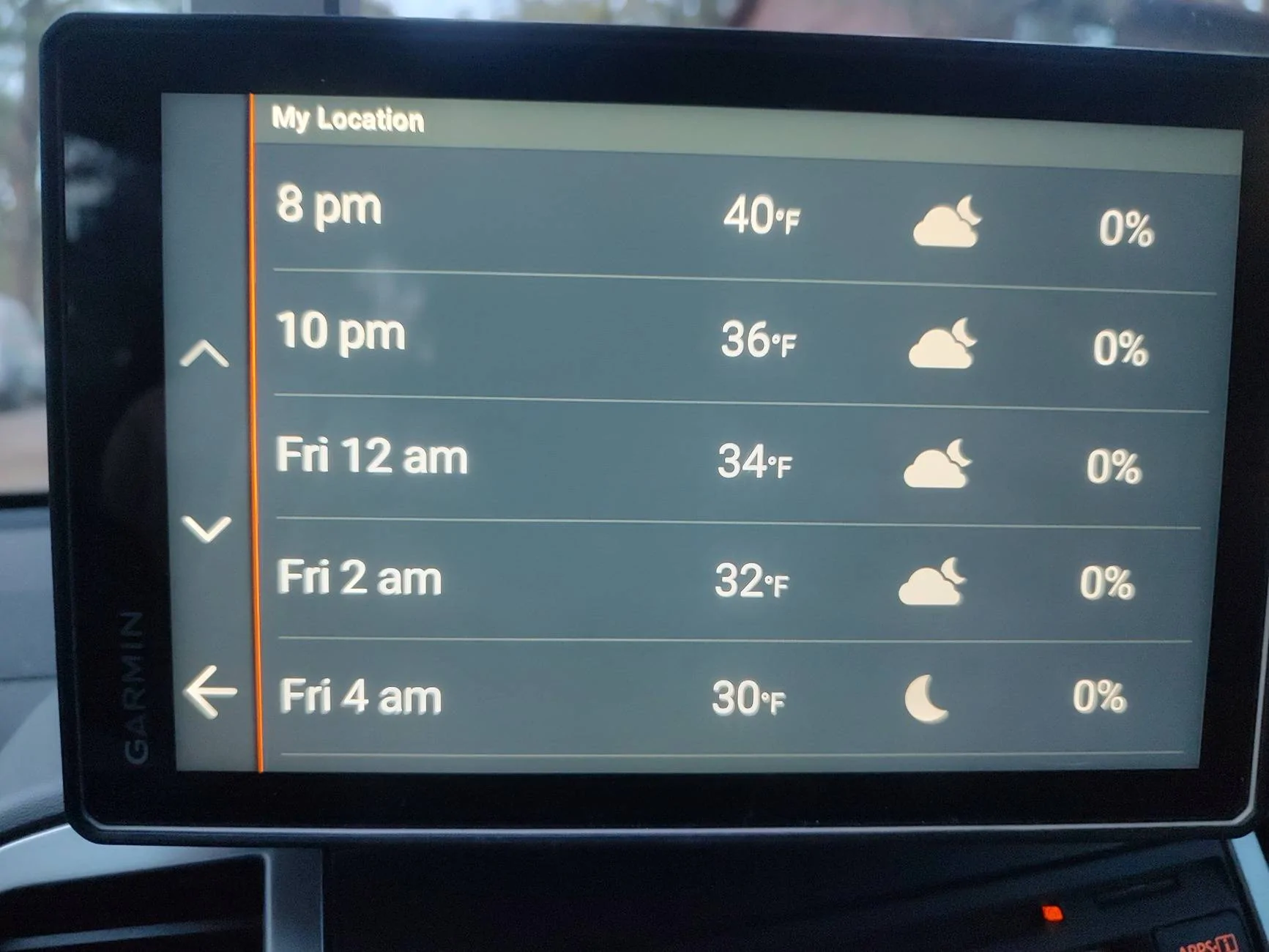
After you click to update the Weather, it will take a few minutes to get the update(you are using Satellite Service and it may take up to 15 minutes to get a response). After you get the update, it will look something like this. It's a bit basic even for Premium, but it gets the job done.

IMG_20250320_191234266_HDR.webp


For further information on the Weather with this, simply click the day you want and you get a family decent idea of what the hourly forecast will be!

IMG_20250320_191238877_HDR.webp


Again this does require a Subscription through Garmin for the InReach Service to work.

Having both the Tread Weather and the InReach Weather can be very helpful for those that do a bunch of travel. Definitely worth looking into if you like to get off grid like me.

Next is the second part of the Weather Section, so hang Tight.
 
OP
OP
Frenchy

Frenchy

Well-Known Member
First Name
Chris
Joined
Mar 15, 2020
Threads
166
Messages
7,572
Reaction score
10,790
Location
Elizabeth, Colorado
Vehicle(s)
2012 Nissan Frontier, 1994 F150 XL, 2022 Ford Transit
Occupation
Field Service Technician
Part 2 of the Weather Bits! This will cover the Sirius XM Travel Link used on Factory Radios. Though this will be on my Nissan Frontier, the same idea should still apply to the Ranger.

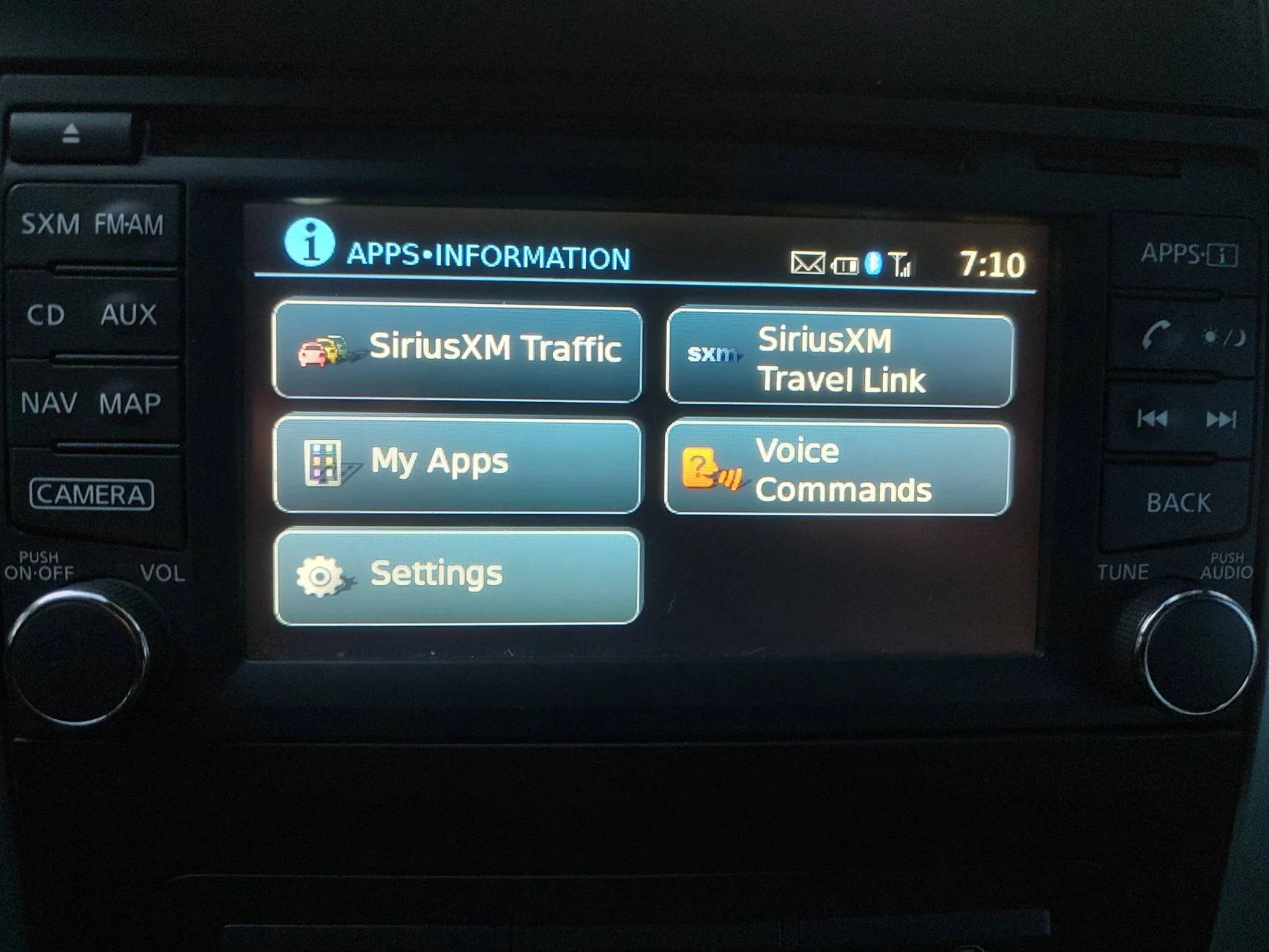
For me to access the Travel Link Section, I have to hit the Apps Button on the Radio(mine is still a physical button BTW and I like it!). Once I do that I can simply press the Travel Link and it takes me to a Menu.

IMG_20250320_191053378_HDR.webp


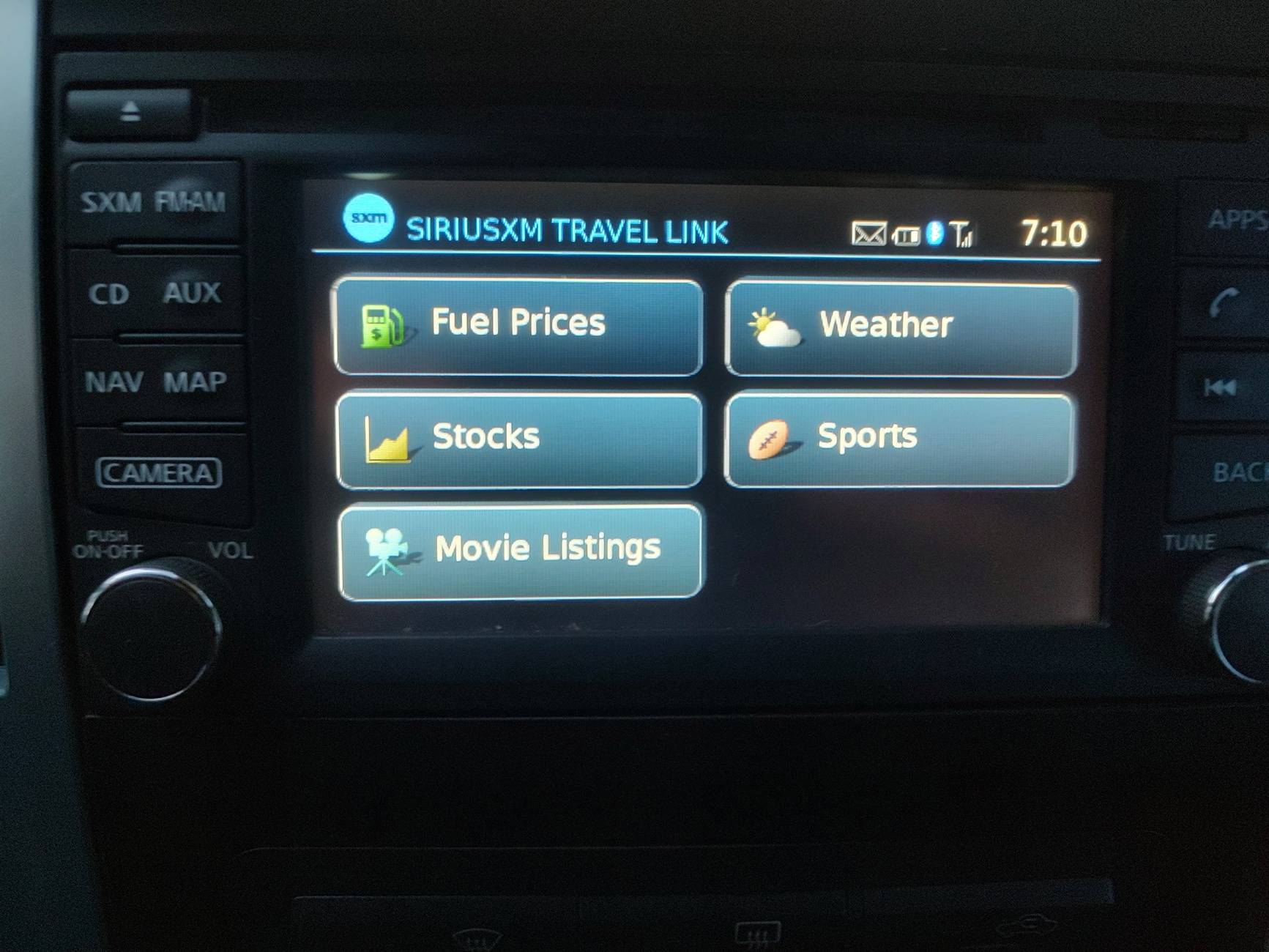
The Menu that comes up will give you the options of Weather(what we shall talk about today), Fuel Prices(current up to date BTW and the Garmin can do the same thing, but requires Cell Service through the Tread App), Stocks(for those want to see how much Tesla Falls), Sports(if that is your thing) and current movies playing nearby because you refuse to go on AMC's website.

IMG_20250320_191058525_HDR.jpg


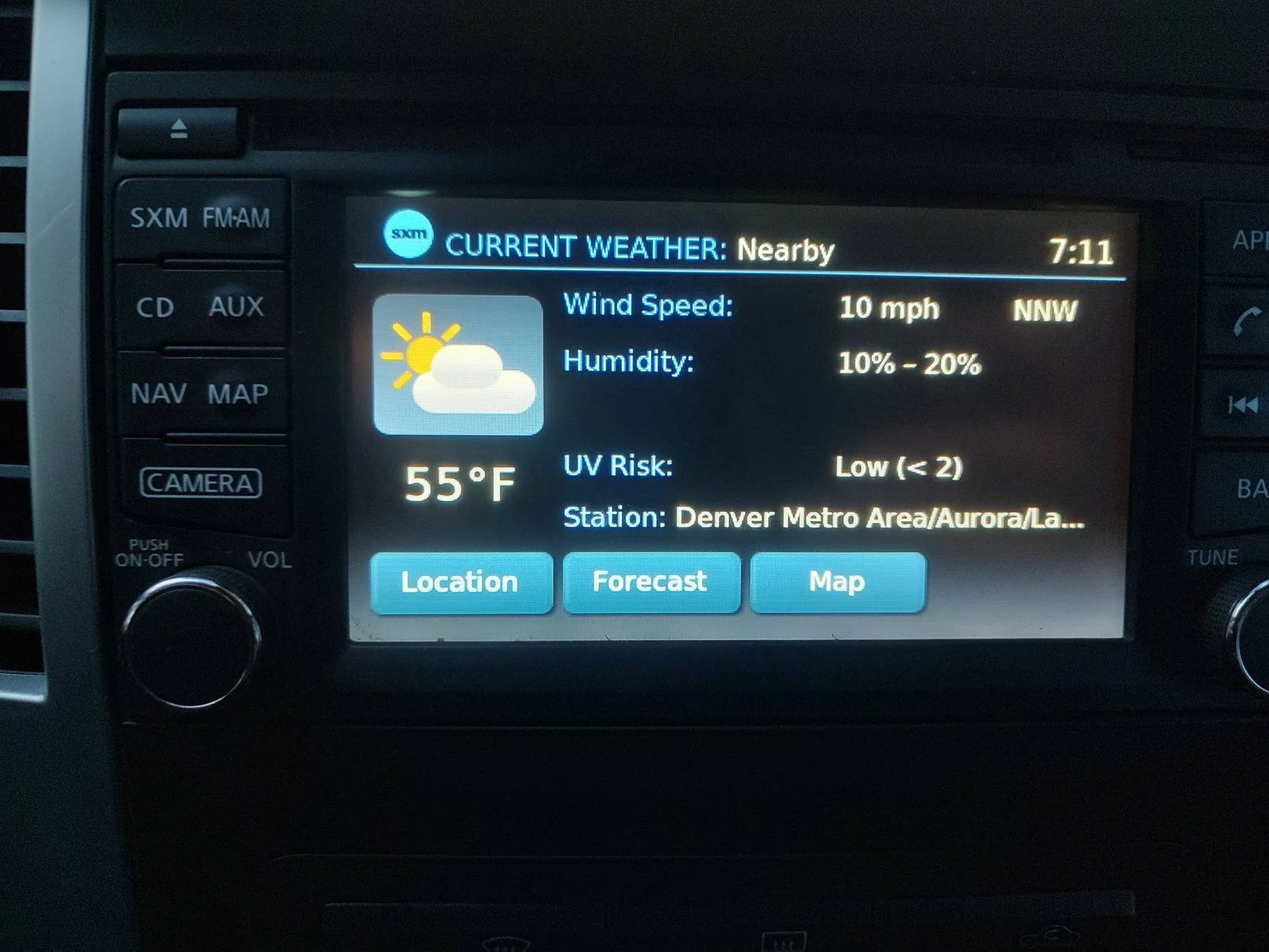
When you go into the Weather Screen, you get a family detailed Weather bit for the current time and location that you choose. it will include Temperature, Humidity, Wind Speed(with direction) and UV Radiation. You can also select different places for fun just to be curious.

IMG_20250320_191103845_HDR.webp


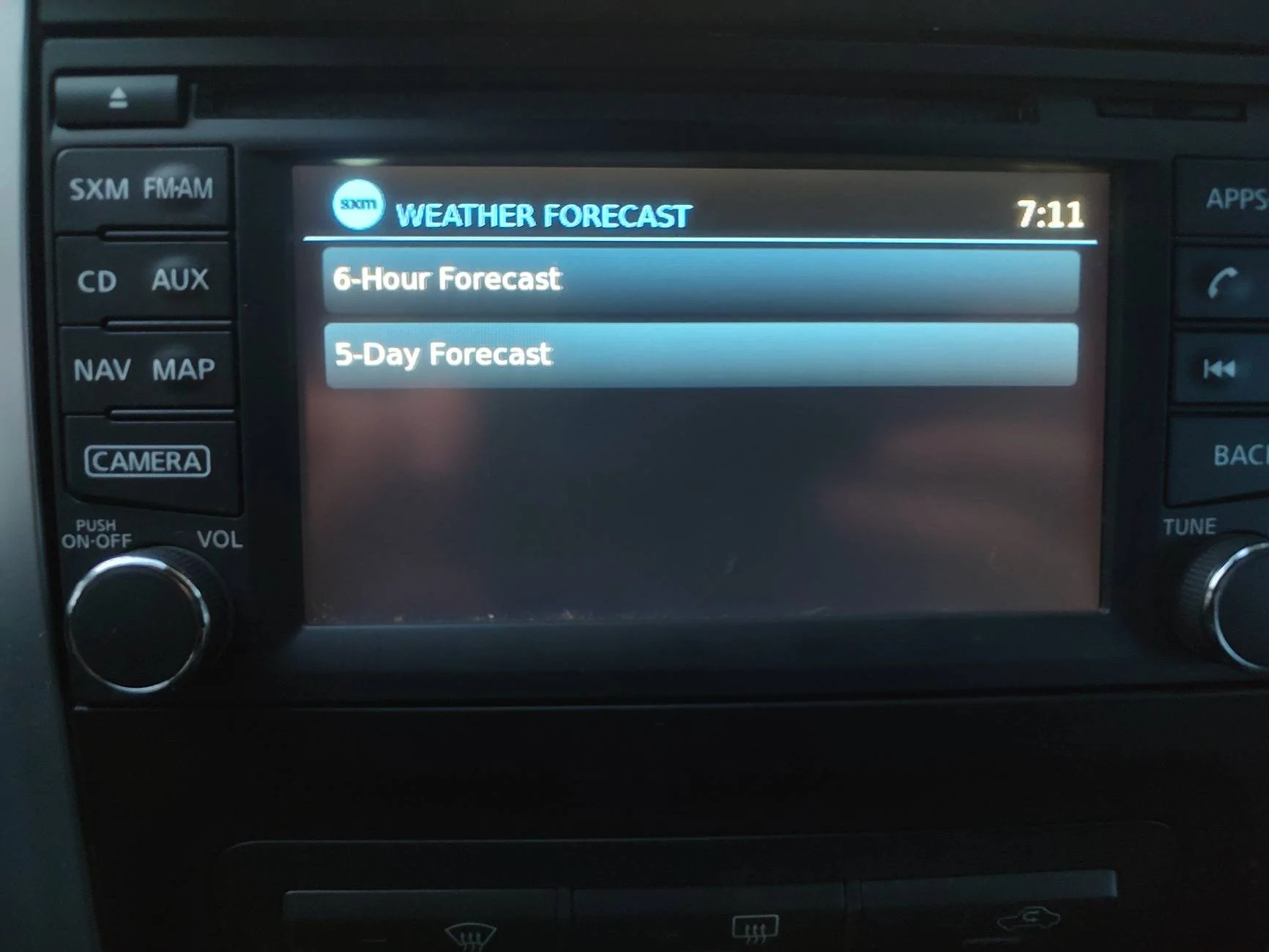
If you click on the Forecast, it will give you the option of 6 hour or 5 days forecast.

IMG_20250320_191107632_HDR.webp


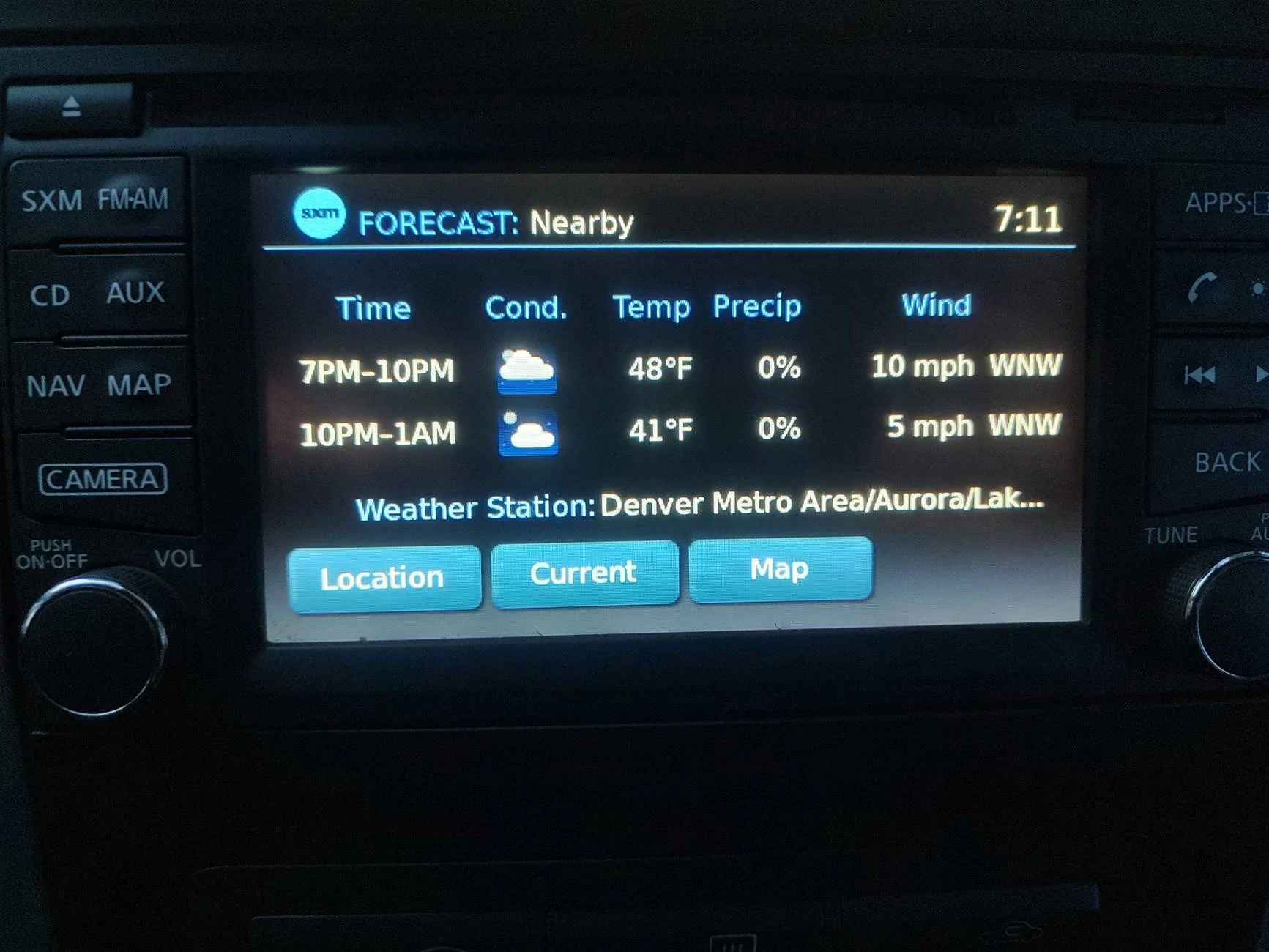
The 6 hour Forecast will have a little less detail as the current Forecast, but still good enough for a general idea.

IMG_20250320_191111490_HDR.webp


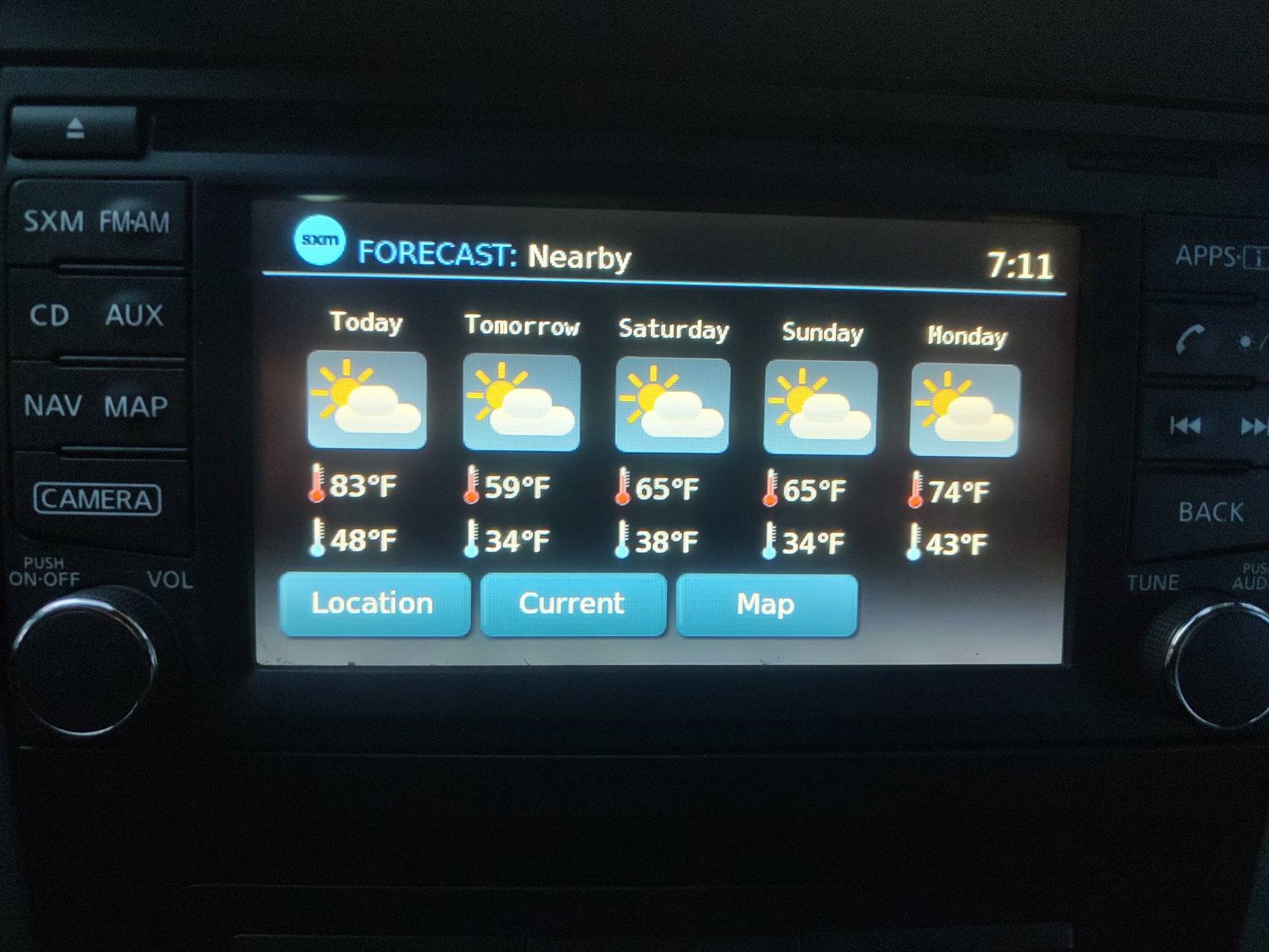
The 5 day Forecast will give you basic Highs and Lows for the Temperature for the 5 Days in the area you have selected(including Nearby).

IMG_20250320_191117067_HDR.jpg


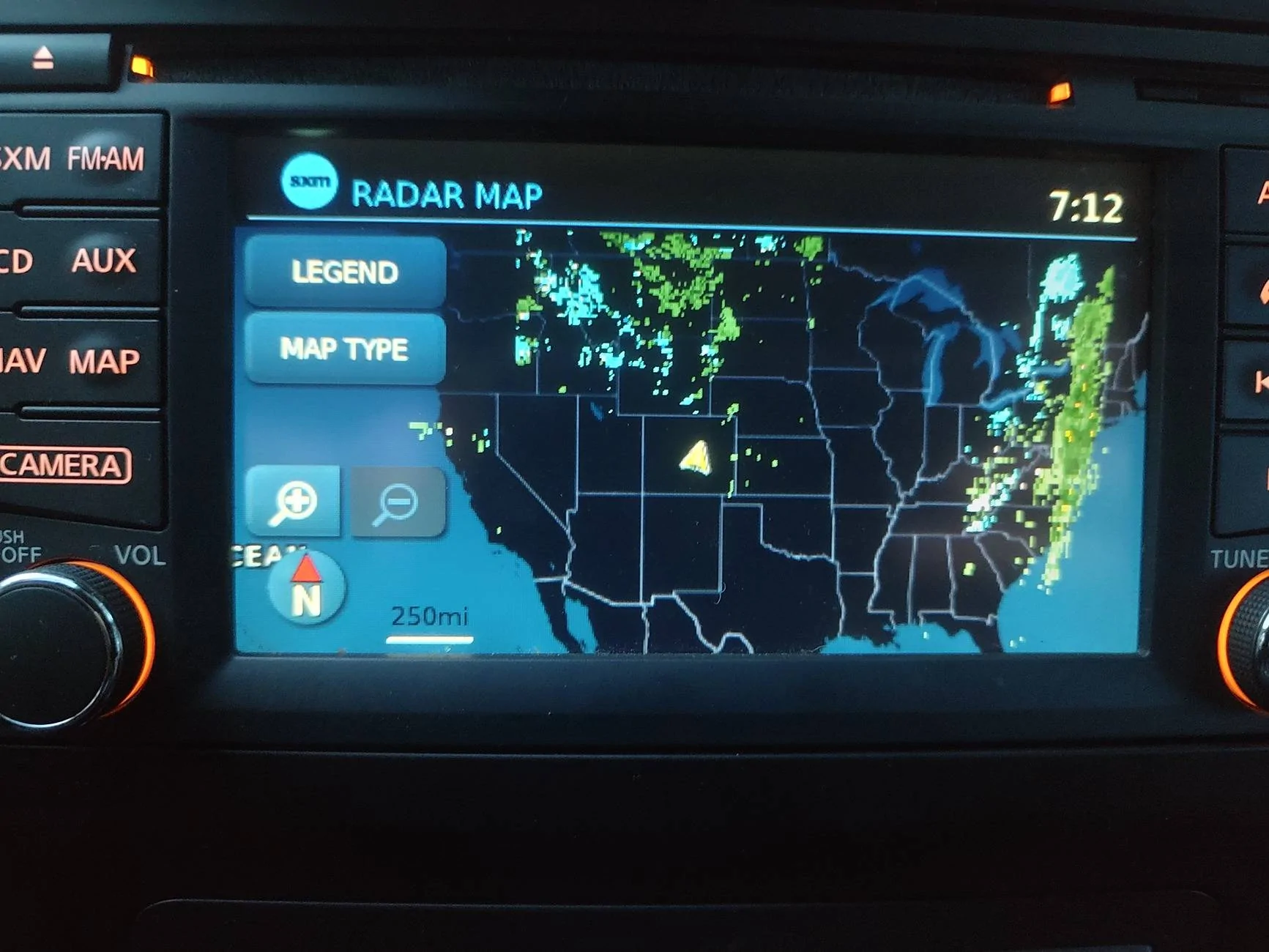
Next is the Map Section. This particular feature I like over the Garmin Tread Overland due to the fact it simply uses Satellite Communication to get the information. On the Nissan Radio it starts off by showing the entire USA with you at the Center(it may show Mexico or Canada more depending on your location). After a minute or two it will also show you the current weather radar with Rain and Snow.

IMG_20250320_191229432_HDR.webp


Of course you can zoom in on yourself or look around to see what other parts are being affected.

IMG_20250320_191144170_HDR.webp


With this information here, it would be neat to see someone else that has the Travel Link still active on their Ranger to a test like what I just did and post it here. This would allow for fair comparison of the two manufacturers on how it's done and to help others.

Now as for which one I like best when it comes to the Weather? It's a bit of a mix. If I have Cell Service, I prefer the Tread. If I don't have Cell Service and I need to know what the Weather is doing right by me, I'm going with the Sirius XM Travel Link. I may still use the InReach to get the Forecast for better accuracy on Temperature and and Wind for the upcoming hours.

Now give me some time and I will try to have Part 3 up this weekend with Traffic. I want a true comparison so those can see the advantages of the Sirius XM Traffic and the Garmin Tread Traffic.
 
OP
OP
Frenchy

Frenchy

Well-Known Member
First Name
Chris
Joined
Mar 15, 2020
Threads
166
Messages
7,572
Reaction score
10,790
Location
Elizabeth, Colorado
Vehicle(s)
2012 Nissan Frontier, 1994 F150 XL, 2022 Ford Transit
Occupation
Field Service Technician
Well if anything I'm a little surprised on how many view did come in with a short time. That said I will have another update tomorrow for the Traffic between the two. Also for certain reasons I personally will be dropping the Sirius XM Traffic, but will be keeping the Travel Link. My reasoning will be stated tomorrow.

Regardless I will state that both can be good to have depending on what it is you normally do. For me it primarily has to do with the equipment I already have and what I will be doing as well.

If we could get someone else here with a Ranger with Factory Navigation that still has the Active Travel Link, it would be nice to have you drop by and post some pictures to see how it is shown on the Ford Screen. Regardless it should be similar at the least.
 
OP
OP
Frenchy

Frenchy

Well-Known Member
First Name
Chris
Joined
Mar 15, 2020
Threads
166
Messages
7,572
Reaction score
10,790
Location
Elizabeth, Colorado
Vehicle(s)
2012 Nissan Frontier, 1994 F150 XL, 2022 Ford Transit
Occupation
Field Service Technician
Well I do have some input on the Sirius XM Traffic, but unfortunately I wasn't able to get the information I wanted to share as the Traffic I dealt with was light today.

Now for starters, Sirius XM Traffic is simply a Subscription Based program that is available for Factory Navigation on vehicles with Sirius XM from the Factory. In a way it can be very nice. At the same time it can be a pain and I will explain.

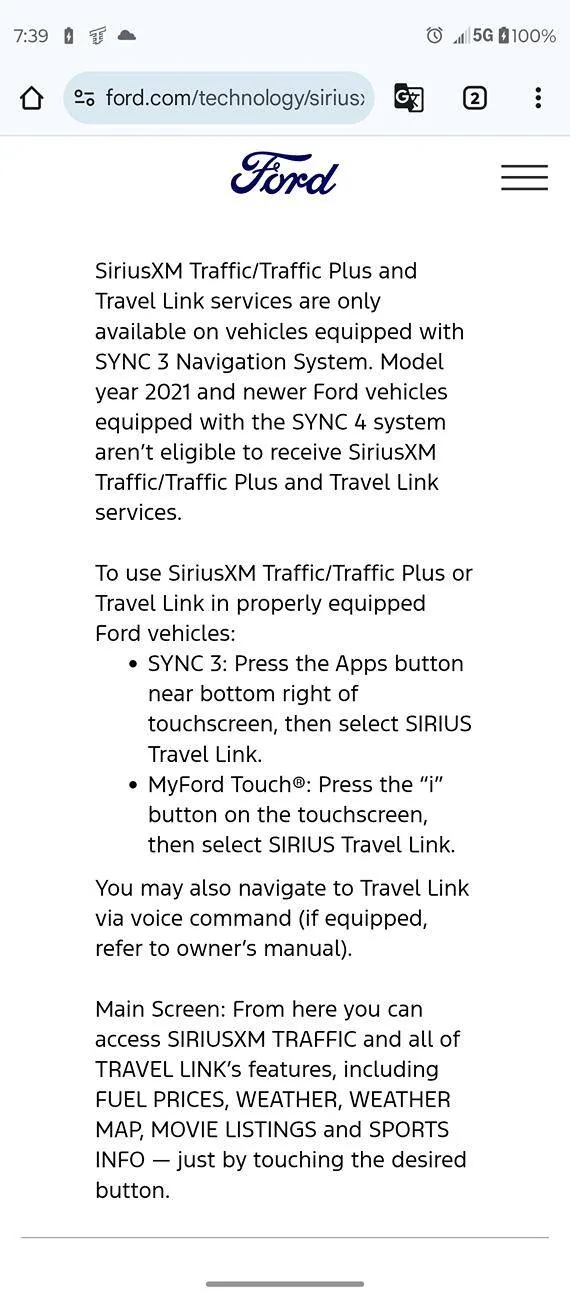
For starters with a Ford Product like the Ranger, it is only available on Sync 3. Sync 1 and 2 might have it available, but after that it is no longer available. That is strait from Ford. So if you have a Sync 4 Radio, good luck.

Screenshot_20250320-073910.webp


For general Traffic indication, you will find this to be available on US Highways and Interstates only. Unfortunately it will not help on a side road. If you do a bunch of driving on the Highway and Interstate, then it can be worth having. If you stick to the City and Back Roads, then it is hard to justify.

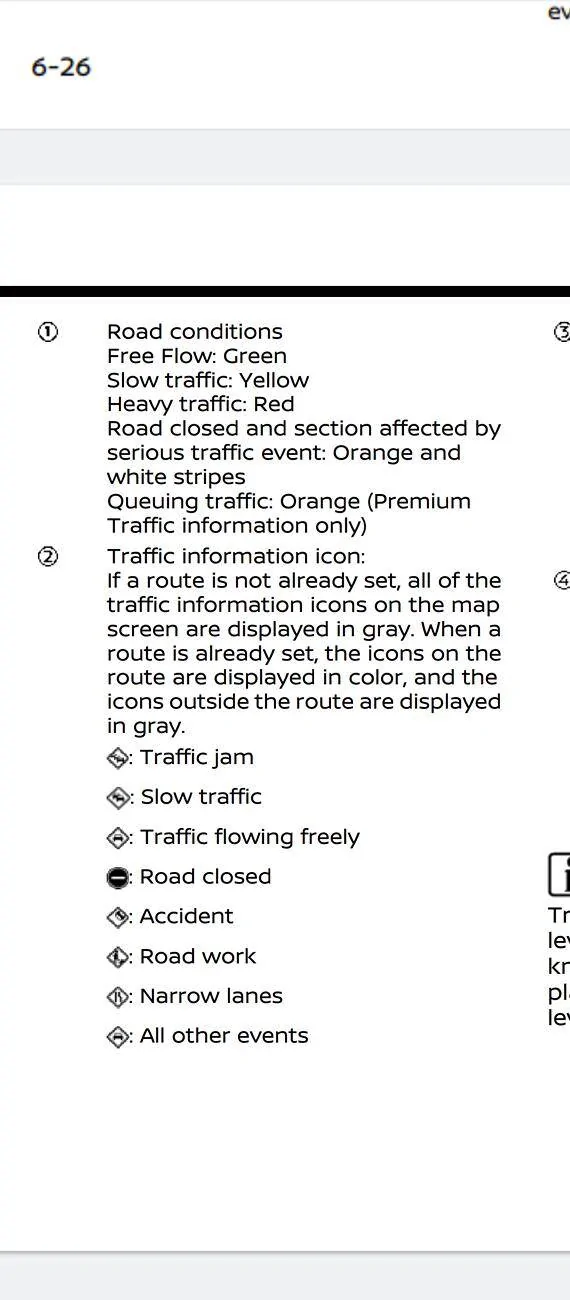
How to identify the general road conditions when it's active? Well you will see a colored line next to road you are on. Specifically the Highway and Interstate. If it is Green, then all is good for the most part. Yellow means things are a bit congested, but at least you are moving. Red means it is slow and just about to be a parking lot. There are other indicators if you go for Sirius XM Traffic Premium. The list below from Nissan will explain.

Screenshot_20250320-114008.webp


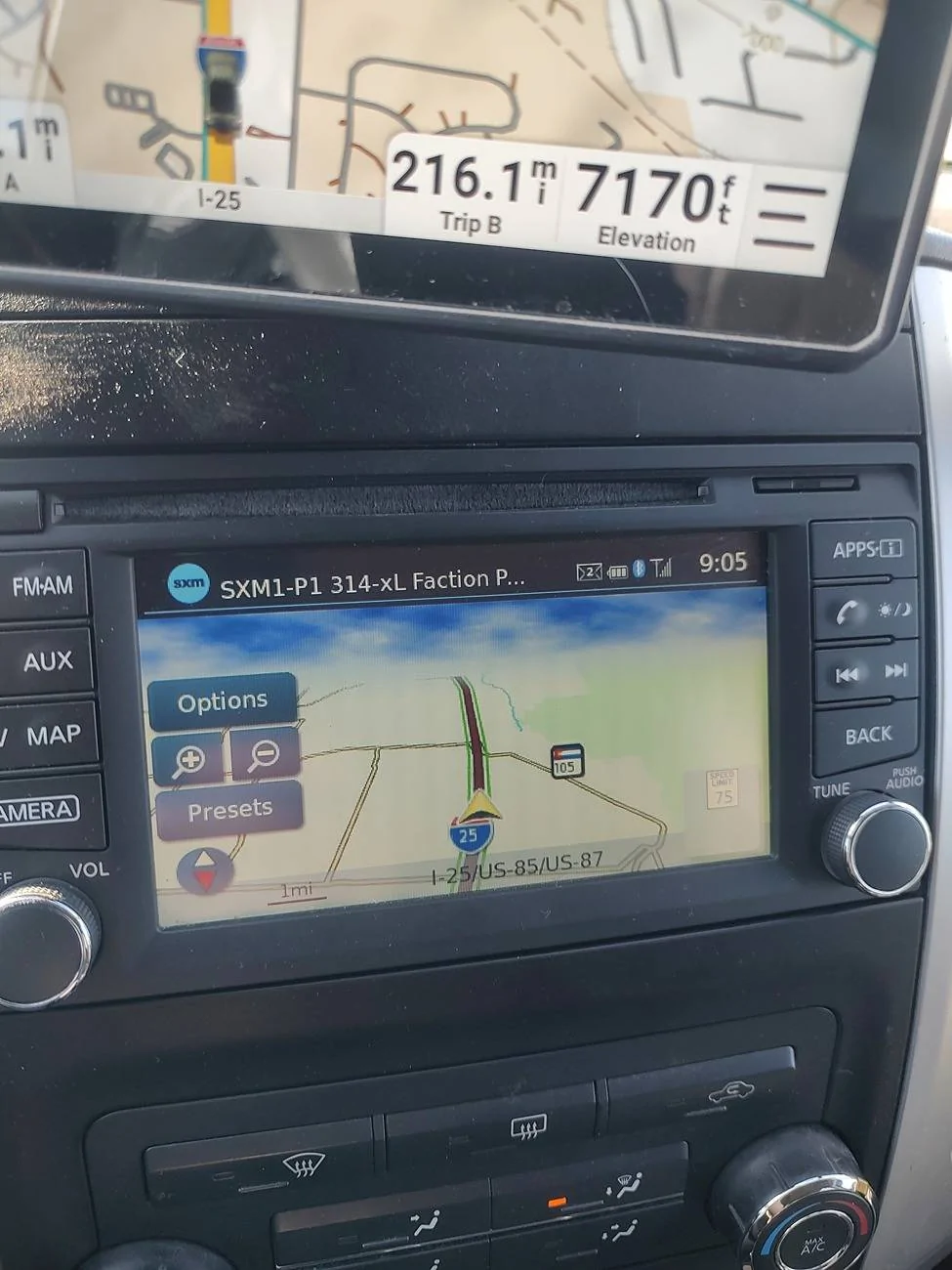
As you look at this screen here, you can see that the Highway is basically ok at this time. Simply indicator to say keep going. If I was able to get a different indicator later I would show it, but it is what I have

IMG_20250323_090533140_HDR.webp


Now for the Garmin Tread.

For the Tread Units to show you Traffic Conditions, Garmin made it so wonderful that it relies heavily on your Phone in order to get Traffic Information. This means that if you are going to a far away town where you can loose Cell Service easily, you can loose Traffic information when you need it the most(yes you can get a slow down in the middle of nowhere too!). Don't get me wrong as it's still better than having nothing, but I feel it could be a lot better.

How does it show the Traffic Conditions? Well for starters if things are working, no Traffic will simply not show any different as you are driving. Below is a great example from right after I took a picture of the Factory Nav. Simply just keep going.

IMG_20250323_090537389_HDR.webp


Now when things start to get rough, it will show Yellow for starting to get slow and Red for Parking Lot status. If the road is closed, it will have no problems showing a road closed and reroute you as needed.

Here is from a few months ago when we got snow in Denver and everyone forgot how to drive.

IMG_20241107_094331242_HDR.jpg


Now even though I would prefer to have the Sirius XM Traffic due to it being Satellite based and not Cell Based, unfortunately I can't justify it enough since I like to take Back Roads a lot and hit sixty streets plenty as well. For me I'm going to stick with the Garmin Traffic.

With that said I will still keep the Sirius XM Travel Link. Having that Weather Map Function while Off Grid is certainly a helpful tool! Also for the super small cost, how can you not justify it?

For those with the Factory Navigation in your Ranger that still have the Sirius XM Traffic and Travel Link active, please show some pictures so we can see what it looks like. It would be awesome to have that added for comparison!

To all those that are considering the subscription for Sirius XM Traffic and Travel Link, hopefully this has been helpful enough to help you make the correct choice for your needs.
 
OP
OP
Frenchy

Frenchy

Well-Known Member
First Name
Chris
Joined
Mar 15, 2020
Threads
166
Messages
7,572
Reaction score
10,790
Location
Elizabeth, Colorado
Vehicle(s)
2012 Nissan Frontier, 1994 F150 XL, 2022 Ford Transit
Occupation
Field Service Technician
Coming back to update this a bit.

So I did a quick getaway trip this weekend into the Mountains and it was needed. While I was up there I knew I was going to run into some love rain eventually. At the time I was unable to get anything through the Garmin Tread due to not having Cell Reception(unfortunately it is required for Tread Weather, but not InReach Weather).

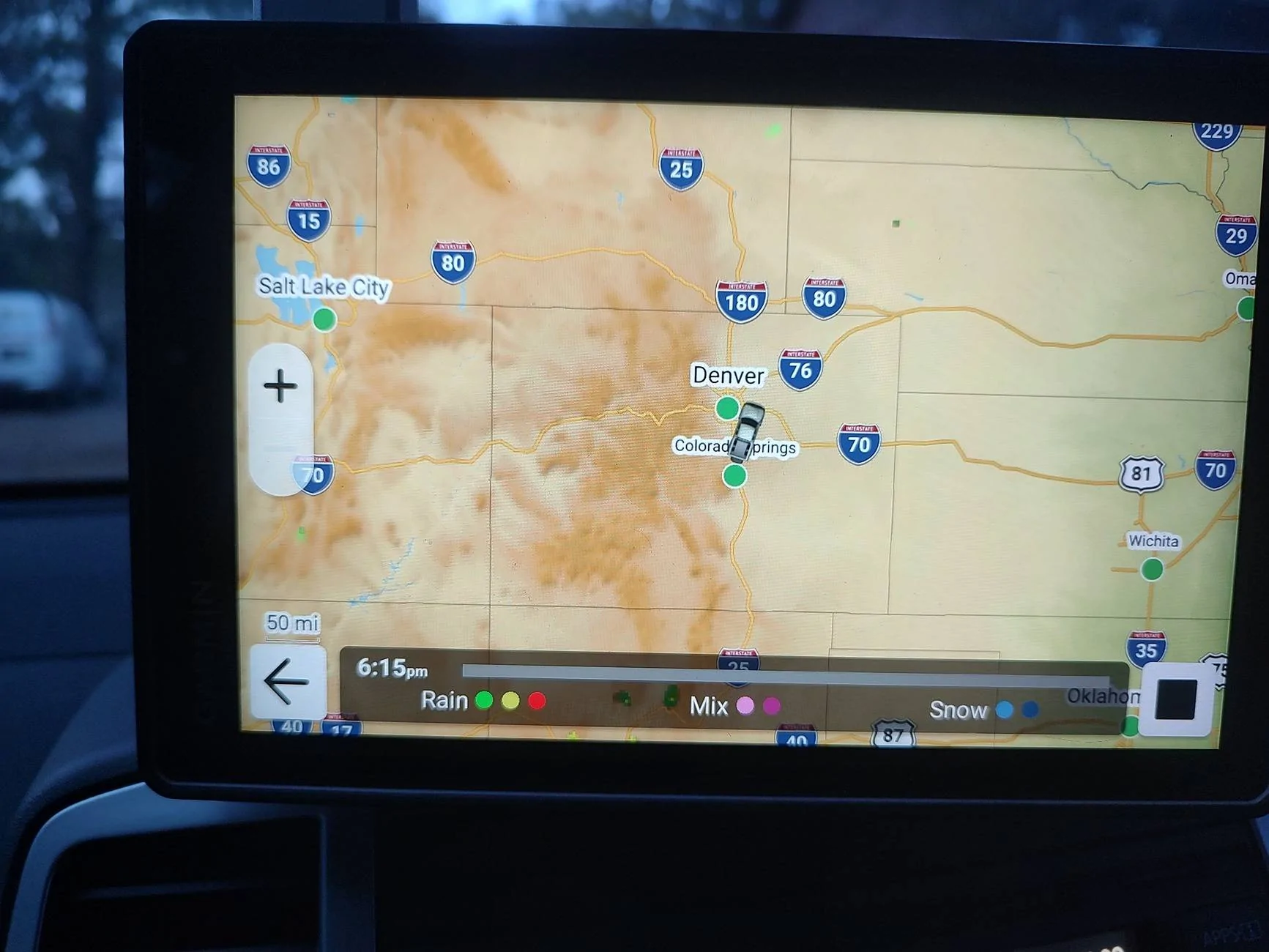
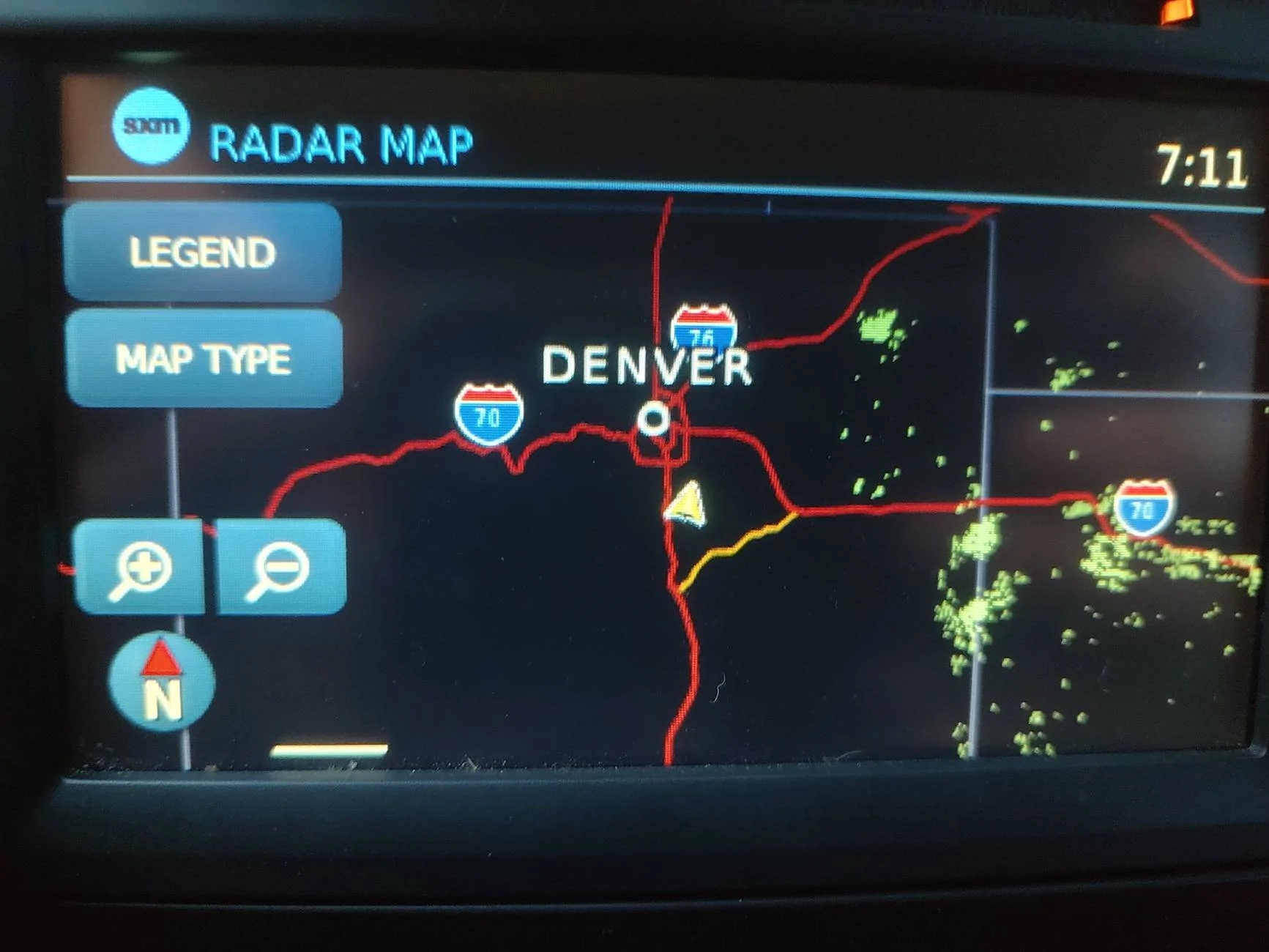
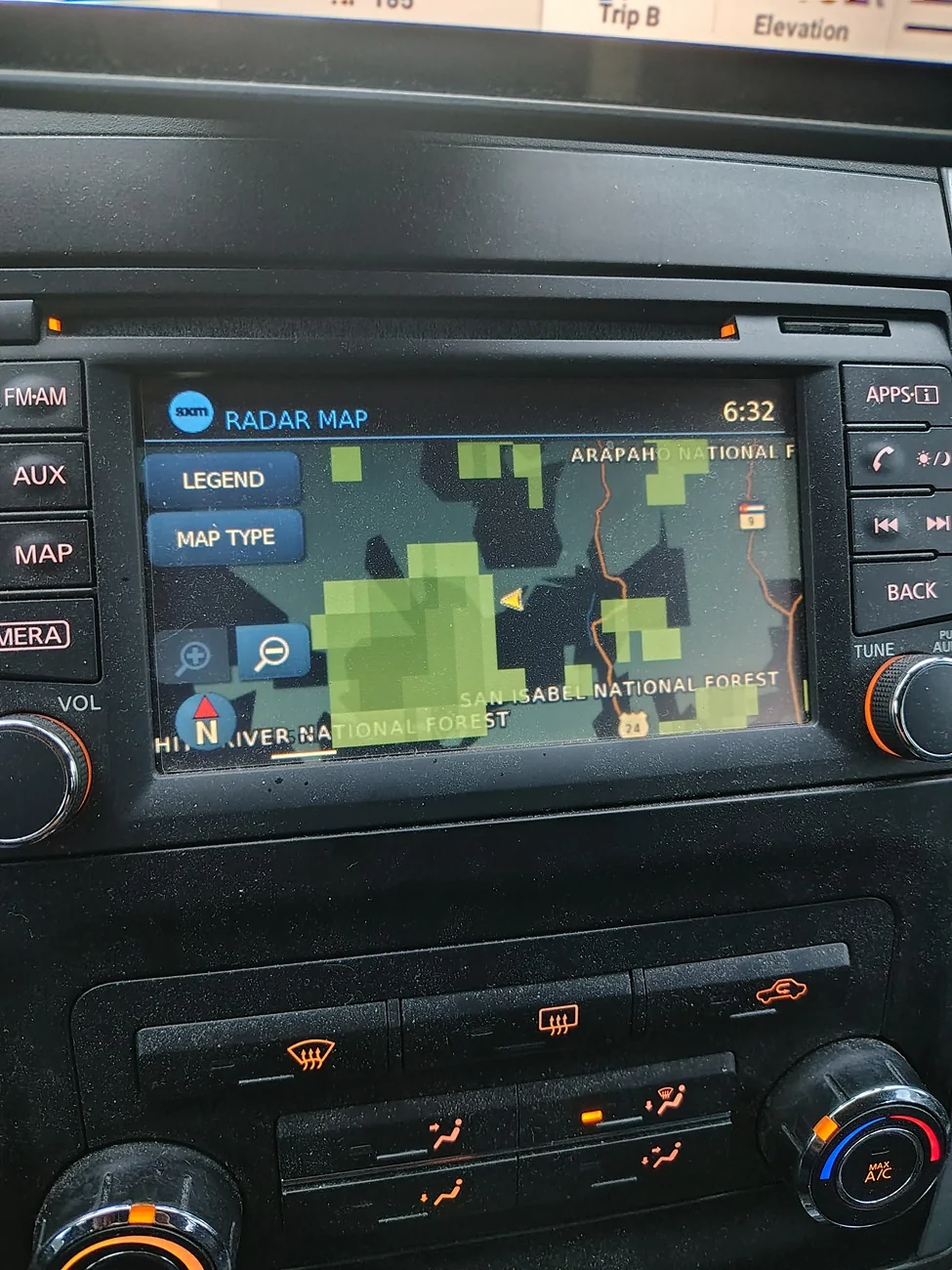
Because of this I went to the Factory Nav and opened up Travel Link Weather. In the maps below you can see my relative position and the weather doing it's thing. In the dark map, that was Friday as I was getting ready to make camp(found a site and was headed back). At the same time I could see the clouds, but I was unable to determine where they were going. The Sirius XM Travel Link Weather helped be get an idea where it was and where it was going and I was able to dodge the rain!

IMG_20251003_183249090_HDR.webp


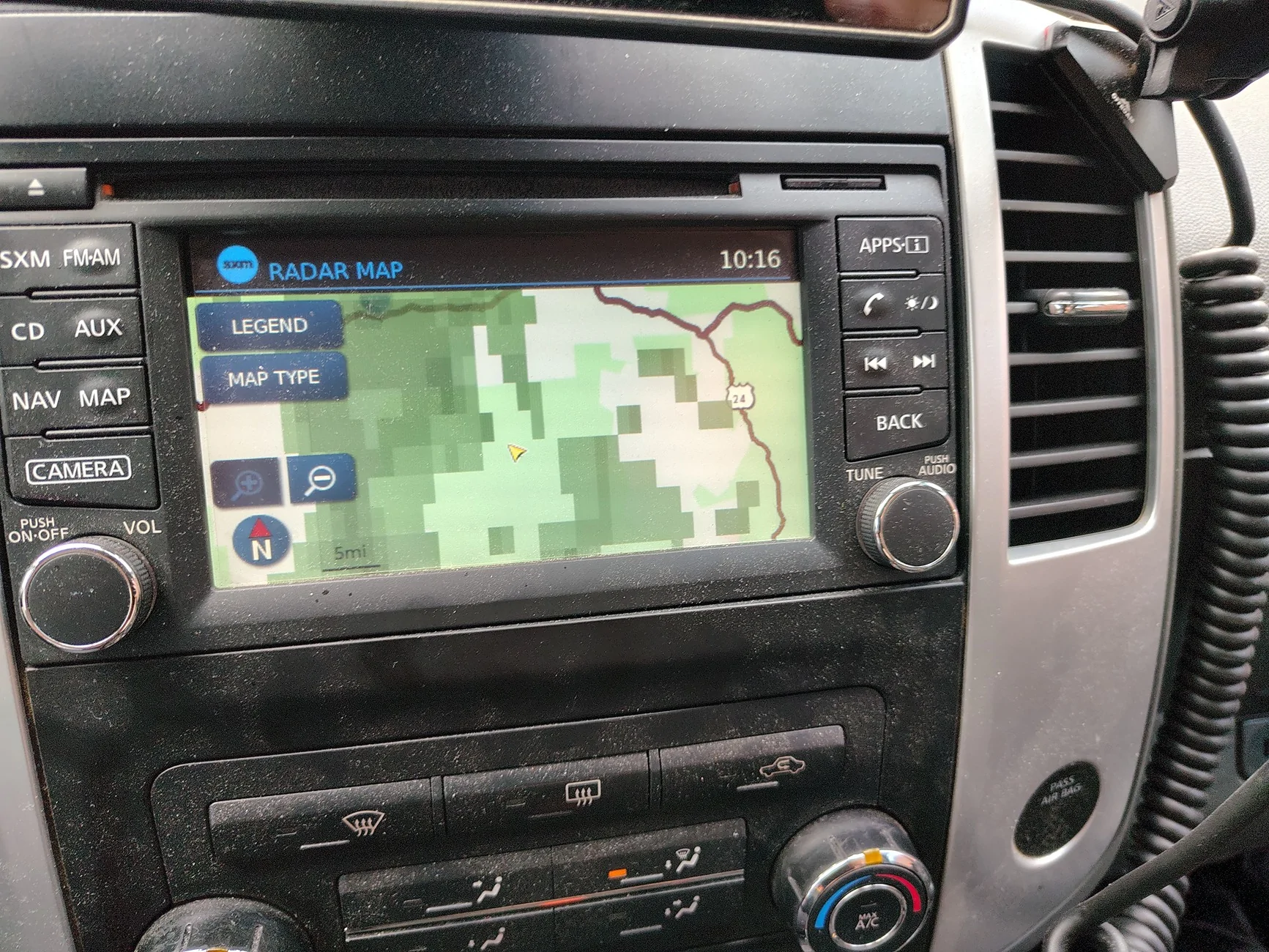
The following morning after breaking camp I continued on the trail. I ended up coming upto a sign that mentioned not to bother if it was wet. Thankfully it was dry at the time and I started to watch Travel Link again. Again I was able to see where the weather was and I could gauge where it was on the trail looking at the map and my GPS(the Tread sitting above it). This helped me determine that I should be ok for the most part(and I was).

IMG_20251004_101652352_HDR.webp


With all that said, I have to say that I'm actually impressed with the Sirius XM travel link. I know some might question the small fee a month of $1.99 just to be able to use it, but being able to see what the weather is doing when you are off grid and your phone's not going to be able to pick up anything because it relies on cell service it's kind of important to consider. I also suspect some might ask about my gmrs radio. Wouldn't I be able to get some kind of weather information off of it? As much as I would like to say I could, there were no stations nearby for me to try and pick up. A bit unfortunate but the truth.

Regardless all in all I can say that the Sirius XM travel link is something you should get if you are one to travel off grid and your vehicle came with the factory nav with Sirius XM.
Sponsored


Top