Sponsored

2.3" productivity screen

Floyd

Well-Known Member
Joined
Jan 6, 2019
Threads
38
Messages
2,064
Reaction score
3,132
Location
illinois
Vehicle(s)
'19 Ranger SCab,'16 Connect,'95 MustangGT,'50 Ford
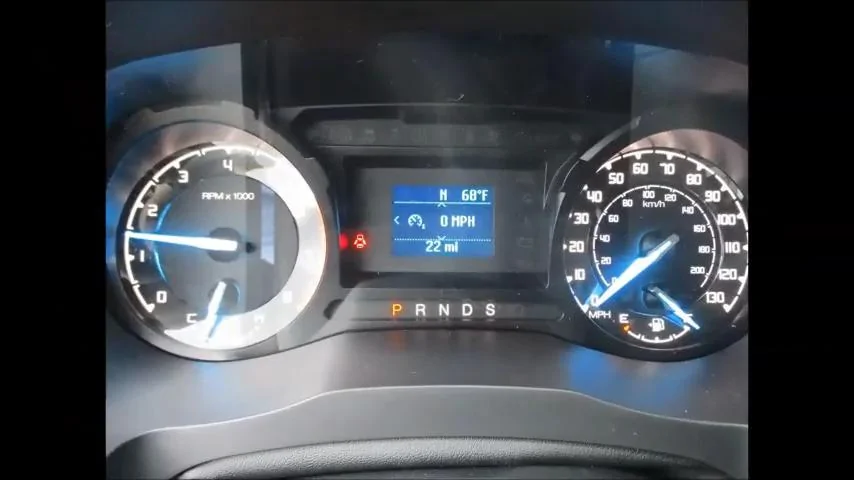
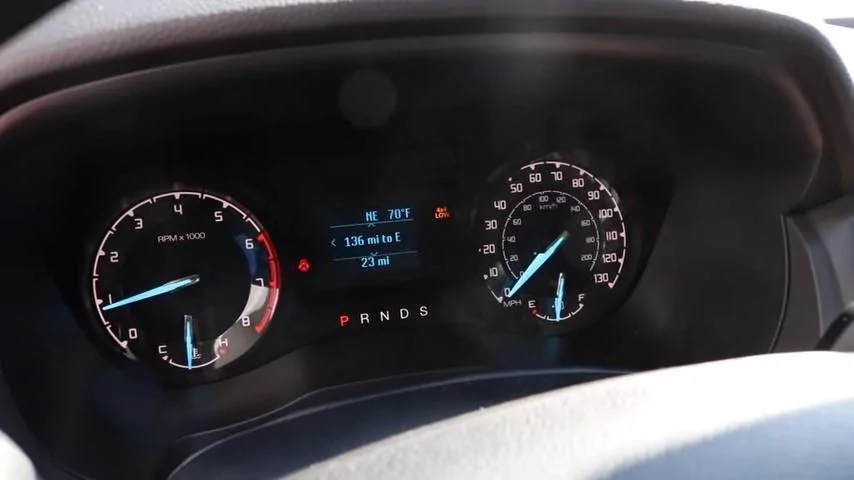
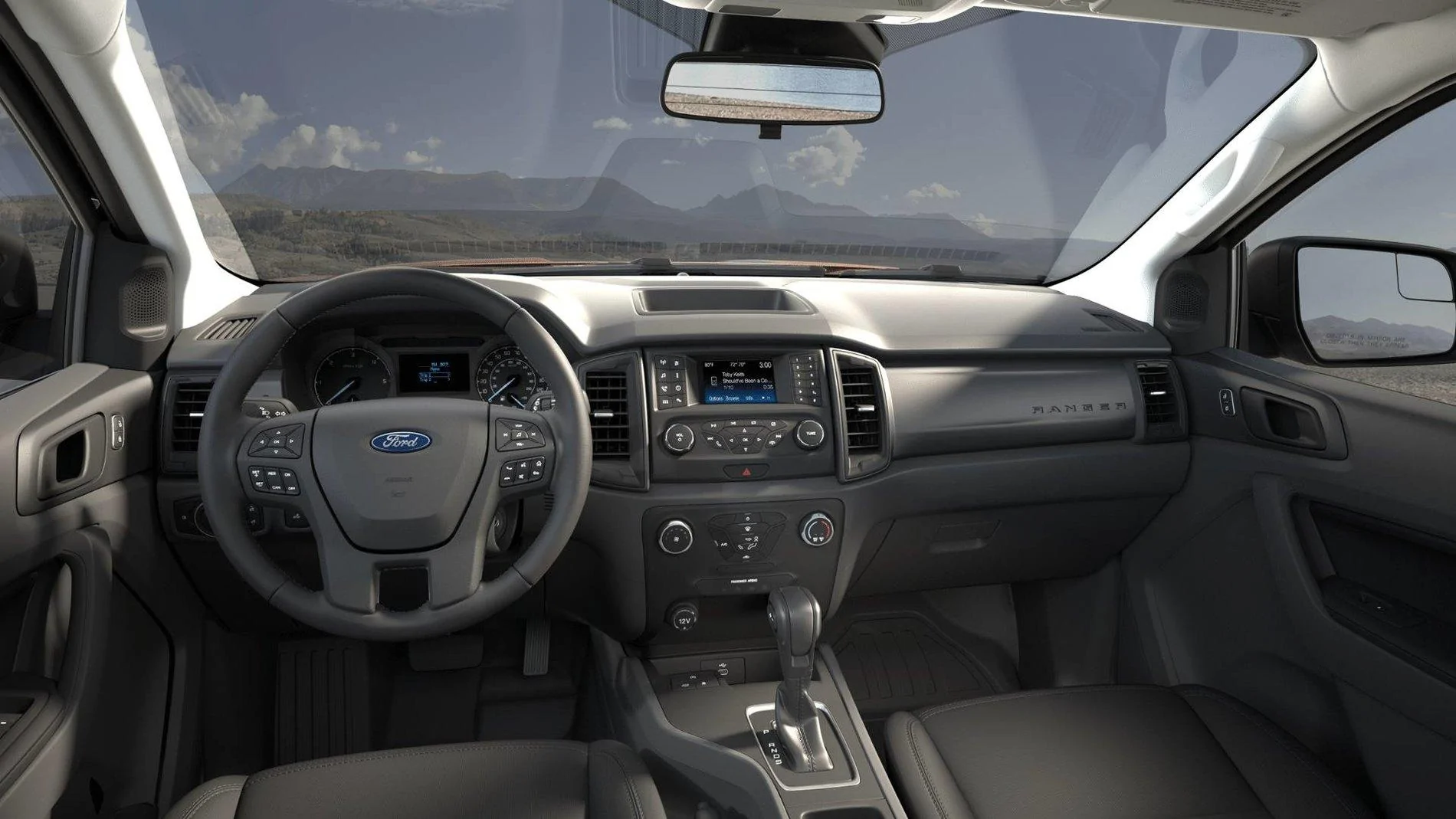
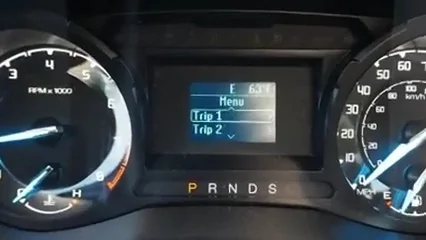
There seems to be almost no information about the 2.3" productivity screen anywhere to be found.
Does anyone know where there is a video tutorial, good photos, or even a good functional description of this screen in the Ranger?
Is it visually and functionally identical to the one in the F-150?
Sponsored
 

DrRoger

Well-Known Member
First Name
Roger
Joined
Mar 16, 2019
Threads
3
Messages
386
Reaction score
322
Location
Dallas, TX
Vehicle(s)
2011 Taurus, 2019 Ranger XL (May 20)
Occupation
Retired
There seems to be almost no information about the 2.3" productivity screen anywhere to be found.
Does anyone know where there is a video tutorial, good photos, or even a good functional description of this screen in the Ranger?
Is it visually and functionally identical to the one in the F-150?
Good question. I also would like to have a reply to this one. I am getting the 101A package, so my screen might be a little larger.
 
OP
OP
Floyd

Floyd

Well-Known Member
Joined
Jan 6, 2019
Threads
38
Messages
2,064
Reaction score
3,132
Location
illinois
Vehicle(s)
'19 Ranger SCab,'16 Connect,'95 MustangGT,'50 Ford
Good question. I also would like to have a reply to this one. I am getting the 101A package, so my screen might be a little larger.
I'm getting the 101A package as well and it comes with the 2.3" screen.
You get the larger screen like on the XLT only if you order the "Copilot 360" option.
That is not listed as part of the option but I have seen it on an STX with Copilot 360 on a YouTube video so it may or may not... Ford doesn't say except in the owners manual with a footnote referring to "type two" instrument cluster function.
I do know that the 101A package does not include the larger screen.
Ford does not even post a picture of the 2.3" screen in its sales literature AFAIK.
 
Last edited:


rangerdanger

Well-Known Member
Joined
Oct 9, 2018
Threads
194
Messages
3,487
Reaction score
2,659
Location
SF Bay Area
Vehicle(s)
2019 Ford Ranger SuperCrew XLT FX4
Vehicle Showcase
1
Thank you ...It does.
No info on function or appearance of those functions.
I guess I should show what i have so far...
upload_2019-4-30_11-0-5.webp

upload_2019-4-30_11-1-22.webp

upload_2019-4-30_11-2-27.webp

upload_2019-4-30_11-3-21.webp
What it does should be in the owners manual.
 
OP
OP
Floyd

Floyd

Well-Known Member
Joined
Jan 6, 2019
Threads
38
Messages
2,064
Reaction score
3,132
Location
illinois
Vehicle(s)
'19 Ranger SCab,'16 Connect,'95 MustangGT,'50 Ford
What it does should be in the owners manual.
It sorta does, I was just hoping for a video or tutorial like every other feature on this truck.
I did confirm what type 1&2 are (of course without anything resembling illustrations or video.
Ford has video tutorials on everything, probably even how to insert the key, but INTENTIONALLY nothing on the 2.3" screen. Apparently they are ashamed of using it .

I have a blend date of tomorrow anyway, which I understand has already been moved.
I guess all they sell are "grab bags"... I have always hated grab bags, but I guess I'll know what I bought a few weeks after my check clears.
It is literally impossible for Ford to live up to the vacant promises they made... I only hope the truck will live up to my expectations. Assuming they fulfill the promise (so far unkept) of actually building and delivering it.

(Place rant here)

 
Last edited:

mike

Well-Known Member
First Name
Mike
Joined
Nov 8, 2018
Threads
11
Messages
287
Reaction score
221
Location
Hawaii
Vehicle(s)
2019 Ranger Lariat Supercab, Nissan Rogue
There seems to be almost no information about the 2.3" productivity screen anywhere to be found.
Does anyone know where there is a video tutorial, good photos, or even a good functional description of this screen in the Ranger?
Is it visually and functionally identical to the one in the F-150?
Floyd,

I provided a link to the video in your other thread: https://www.ranger5g.com/forum/threads/warning-for-stx-and-xl-buyers.2493/#post-31943

It's not super intensive, but it does show all of the functions.

It's kind of screwy to access. The Ranger is not listed, just pick something. Even then, you might get some kind of error message and then it puts you on another screen. Just hit the back button and the video will be there.
 
Last edited:
OP
OP
Floyd

Floyd

Well-Known Member
Joined
Jan 6, 2019
Threads
38
Messages
2,064
Reaction score
3,132
Location
illinois
Vehicle(s)
'19 Ranger SCab,'16 Connect,'95 MustangGT,'50 Ford
Floyd,

I provided a link to the video in your other thread: https://www.ranger5g.com/forum/threads/warning-for-stx-and-xl-buyers.2493/#post-31943

It's not super intensive, but it does show all of the functions.

It's kind of screwy to access. The Ranger is not listed, just pick something. Even then, you might get some kind of error message and then it puts you on another screen. Just hit the back button and the video will be there.
Thanks for your help. I'm about to drive 125 miles just to see the closest XL!
My patience is wearing thin today.:crazy:.. but what's a few more weeks after all these months!:facepalm:
 
OP
OP
Floyd

Floyd

Well-Known Member
Joined
Jan 6, 2019
Threads
38
Messages
2,064
Reaction score
3,132
Location
illinois
Vehicle(s)
'19 Ranger SCab,'16 Connect,'95 MustangGT,'50 Ford
Floyd,

I provided a link to the video in your other thread: https://www.ranger5g.com/forum/threads/warning-for-stx-and-xl-buyers.2493/#post-31943

It's not super intensive, but it does show all of the functions.

It's kind of screwy to access. The Ranger is not listed, just pick something. Even then, you might get some kind of error message and then it puts you on another screen. Just hit the back button and the video will be there.
Thanks, I tried every possible way I could conger. No luck.
The link simply gives me "Bad Request"
 

mike

Well-Known Member
First Name
Mike
Joined
Nov 8, 2018
Threads
11
Messages
287
Reaction score
221
Location
Hawaii
Vehicle(s)
2019 Ranger Lariat Supercab, Nissan Rogue

Khakiforever

Active Member
First Name
Frank
Joined
Dec 21, 2020
Threads
0
Messages
36
Reaction score
88
Location
Ontario
Vehicle(s)
2020 Ranger, 2016 Renegade Trailhawk, 1990 F150
Occupation
Police Officer
I hate to revive a looong dead post but..... I didn’t want to start a new one. I have a 2020 XL with the 100A package and the 2.3ā€ productivity screen. I have checked this site, numerous other Ford product sites as well as ā€œgoogledā€ and still can’t find my answer. The question is, should my truck have a compass in the display ? All the pictures of a 2.3ā€ screen I have seen have a compass including the ones on this thread. I know my google-foo is very weak and I still don’t know how to set the clock on my VCR but I did read the vehicles manual and I couldn’t find anything about a compass on the small screen. I almost wore out the buttons on the steering wheel trying to find a compass setting somewhere. I may have been high on new vehicle smells when I was test driving it but Iā€˜m pretty sure I saw a compass display. I just noticed the other day while on the Lake that there was no compass display. I did play around with the buttons on the steering wheel prior to my big discovery but don’t think I could have deleted anything ? If anyone has an idea of what I need to do to get it back or if the 100 A package never had it (And I was indeed swayed by the various factory glues) it would be very much appreciated.
Sponsored


Top