Sponsored

Adding 360 Birdseye camera

Phlfwd22

Well-Known Member
Joined
Jul 2, 2021
Threads
12
Messages
45
Reaction score
64
Location
USA
Vehicle(s)
2021 Ford Ranger
Has anyone looked into or added additional front/side cameras to their truck for a full 360 or Birdseye view?
From what I’ve read the sync 3 system is compatible with it.
i found a few on Amazon but the most promising looks like rostra.com, although I don’t see on there How to order.
anybody try this yet?

http://rostra.com/search.php
Sponsored
 

mtbikernate

Well-Known Member
Joined
Apr 13, 2020
Threads
11
Messages
1,174
Reaction score
2,636
Location
NC
Vehicle(s)
2019 Ranger XLT 4x4
I haven't looked in depth yet, but I've definitely considered it once I saw that Sync3 can supposedly accept additional cameras. I see some benefit for sure to having a wide angle camera up front when negotiating really tight spots.
 

Bludrok

Well-Known Member
First Name
Jason
Joined
Feb 4, 2021
Threads
27
Messages
551
Reaction score
1,237
Location
Acampo, California
Website
www.ranger5g.com
Vehicle(s)
2021 Ford Ranger Lariat Tremor
I have the rostra installed, but only front and drivers side cameras so far. Need to make time to install the others.

It has an input labeled for 360, but I haven't looked into it too much.
 

Palibouss

Active Member
First Name
Tony
Joined
Dec 20, 2020
Threads
4
Messages
37
Reaction score
75
Location
Tampa
Vehicle(s)
2020 Ford ranger
Has anyone looked into or added additional front/side cameras to their truck for a full 360 or Birdseye view?
From what I’ve read the sync 3 system is compatible with it.
i found a few on Amazon but the most promising looks like rostra.com, although I don’t see on there How to order.
anybody try this yet?

http://rostra.com/search.php
Hey bud I’m having rostra system installed on Monday, I do know it’s 360 capable I didn’t buy 360 camrea I am adding 2 side views when blink they turn on and front grill, also has hdmi for mirroring phone. Went with nakita camrea as they had the highest quality according to reviews.
 

Bludrok

Well-Known Member
First Name
Jason
Joined
Feb 4, 2021
Threads
27
Messages
551
Reaction score
1,237
Location
Acampo, California
Website
www.ranger5g.com
Vehicle(s)
2021 Ford Ranger Lariat Tremor
Hey bud I’m having rostra system installed on Monday, I do know it’s 360 capable I didn’t buy 360 camrea I am adding 2 side views when blink they turn on and front grill, also has hdmi for mirroring phone. Went with nakita camrea as they had the highest quality according to reviews.
Those are the cameras I have. Some advice for the side view wire routing:

1. Remove the whole mirror, then route through the hole there, down the inside of the door the door and out where the factory grommet comes out. You'll also need to remove the door panel.

2. Drill the hole into the mirror far back enough that the plastics inside the mirror are not in the way of installing the nut.

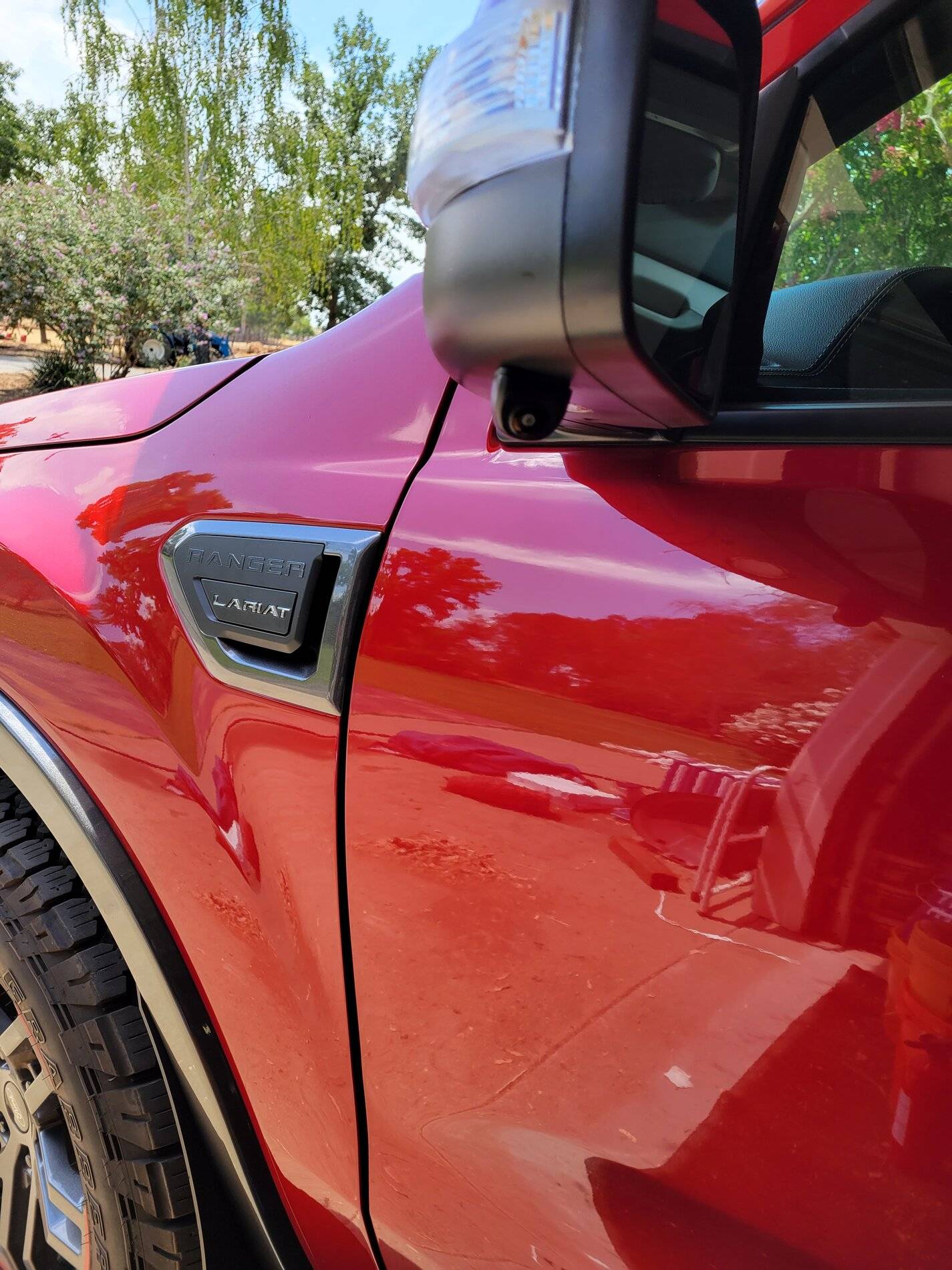
Here is my drivers side camera:

20210703_122753.jpg


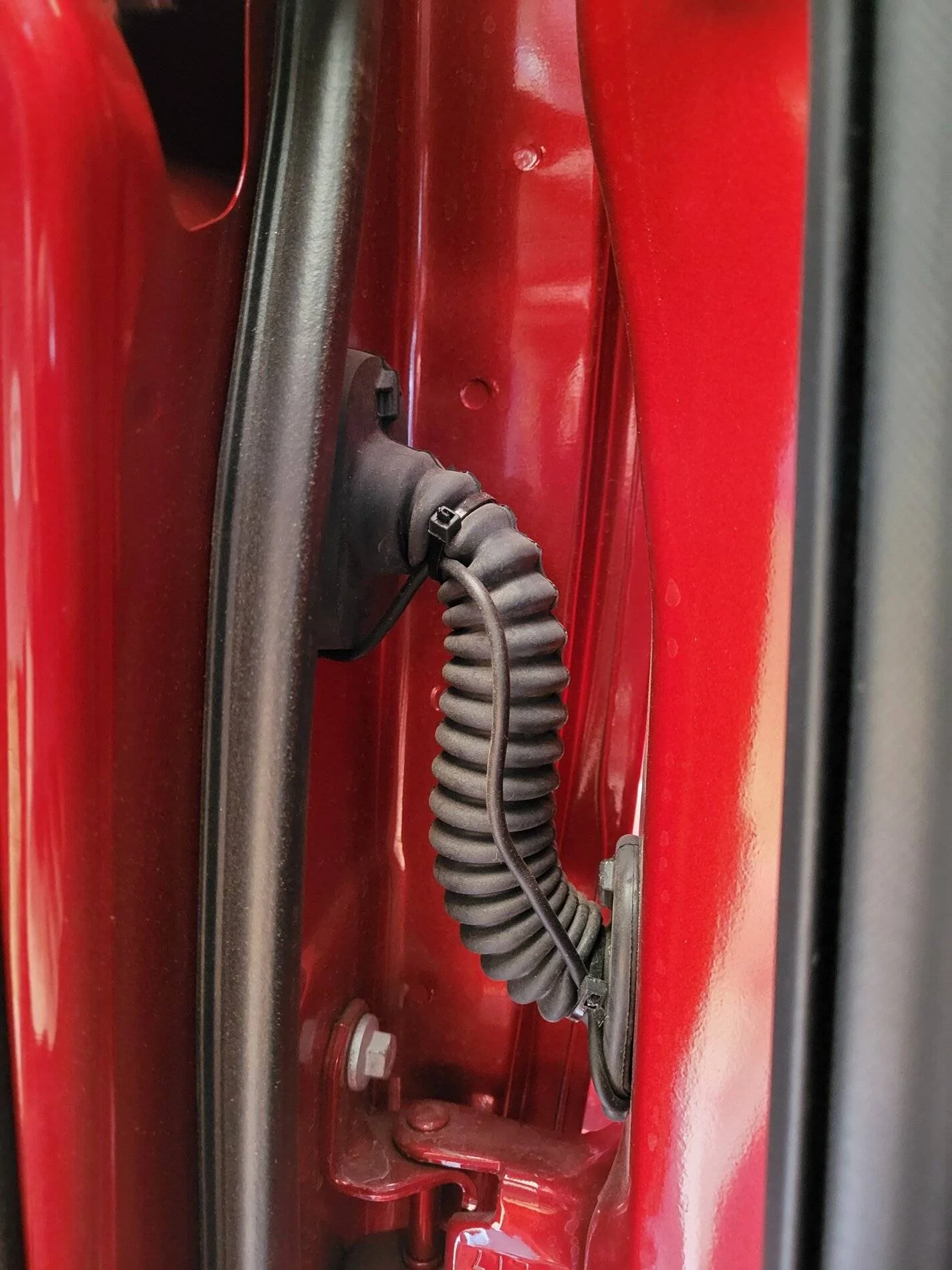
Here is the wiring for the camera. I was not able to get it inside the factory loom:

20210703_122805.webp


Good luck to you. There are a few things that annoy me about the system, but definitely better than nothing at all.


spartan0078

Well-Known Member
Joined
Feb 12, 2021
Threads
6
Messages
198
Reaction score
419
Location
Ontario
Vehicle(s)
2021 Ford Ranger lariat
Occupation
Railroader
That's pretty damn interesting. I found a video of someone installing the Rostra system in a 2019 F150 with sync 3. Might offer some insight into it working on our trucks.


jblc

Well-Known Member
First Name
JB
Joined
Nov 15, 2020
Threads
75
Messages
749
Reaction score
644
Location
USA
Vehicle(s)
2021 XLT FX2 supercab
See my build thread for install of the Rostra system and cameras.
One of those is mounted above the canopy, and has a close to 360 view.
 

Palibouss

Active Member
First Name
Tony
Joined
Dec 20, 2020
Threads
4
Messages
37
Reaction score
75
Location
Tampa
Vehicle(s)
2020 Ford ranger
Those are the cameras I have. Some advice for the side view wire routing:

1. Remove the whole mirror, then route through the hole there, down the inside of the door the door and out where the factory grommet comes out. You'll also need to remove the door panel.

2. Drill the hole into the mirror far back enough that the plastics inside the mirror are not in the way of installing the nut.

Here is my drivers side camera:

20210703_122753.jpg


Here is the wiring for the camera. I was not able to get it inside the factory loom:

20210703_122805.jpg


Good luck to you. There are a few things that annoy me about the system, but definitely better than nothing at all.
Oh boy hood info. Thanks for the heads up very much appreciated.

what are the annoying things lol. How do you like the quality of the vid?
 

Bludrok

Well-Known Member
First Name
Jason
Joined
Feb 4, 2021
Threads
27
Messages
551
Reaction score
1,237
Location
Acampo, California
Website
www.ranger5g.com
Vehicle(s)
2021 Ford Ranger Lariat Tremor
Quality is good enough, not the best ever, but not bad.

As to my complaints:

1. The setting for auto front camera should be from 0-10mph, instead its 5-15mph, making it useless.

2. There is no way to turn off the camera when auto activated by blinker. I dont need the camera when stopped at a red light making a left turn for instance. If you hold the voice button to turn it off, it comes right back on.

3. The settings are not adjustable. When I turn off my blinker, I want the camera to turn off immediately, but it has a built in 2 second delay that cant be changed. I even called Rostra tech to confirm.

I think there are 1 or 2 other small things as well, all similar to those listed. Nothing major, but if they allowed more customization, it would really be a suburb product. As it is, it is acceptable, but could be better.
 

Bludrok

Well-Known Member
First Name
Jason
Joined
Feb 4, 2021
Threads
27
Messages
551
Reaction score
1,237
Location
Acampo, California
Website
www.ranger5g.com
Vehicle(s)
2021 Ford Ranger Lariat Tremor
Hey bud I’m having rostra system installed on Monday, I do know it’s 360 capable I didn’t buy 360 camrea I am adding 2 side views when blink they turn on and front grill, also has hdmi for mirroring phone. Went with nakita camrea as they had the highest quality according to reviews.
You gave me to motivation I needed to complete my passenger side camera install. Here is a thorough writeup of the process I used, which will save you tons of time and headache. This is on a Lariat with Tremor package, so yours may differ slightly.

Start by removing the colored panel from the top of the mirror. Just grab it with both hands and pull towards the front of the truck.

Next remove the tweeter above the door panel. It is held in place by 2 tabs. Diconnect the cable and set the tweeter aside.

Next, remove the door panel. You need to remove the trim panel on the side on the arm rest, and the one behind the door handle. Then there are 2x screws at the bottom, 2x behind the arm rest trim, and one behind the door handle trim for a total of 5 screws. All are T20. Pull the panel away from the door starting at the bottom. Once all tabs are removed, the panel lifts off the door, but you need to disconnect the wiring first, and the door handle mechanism. Nothing too difficult here.

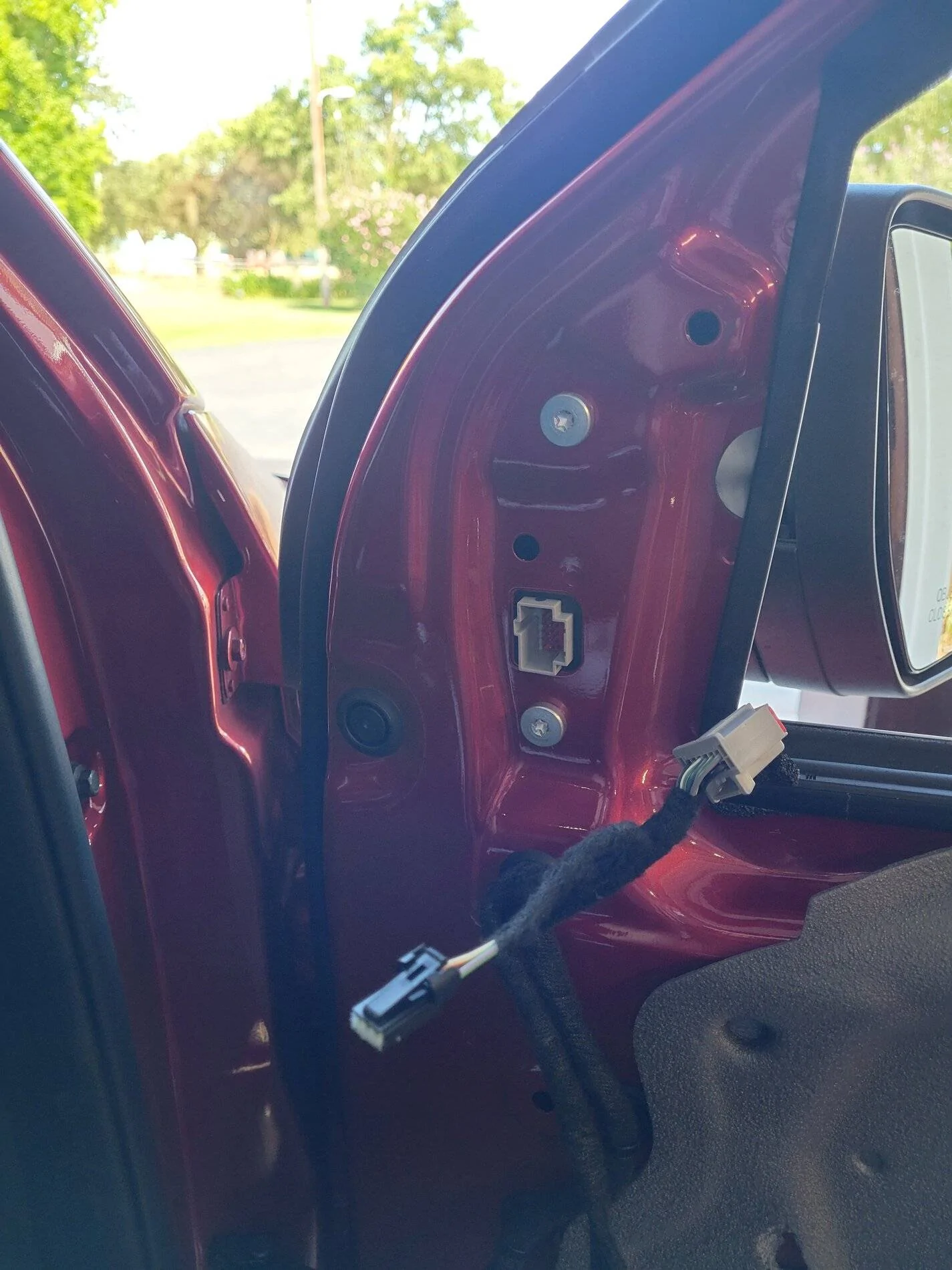
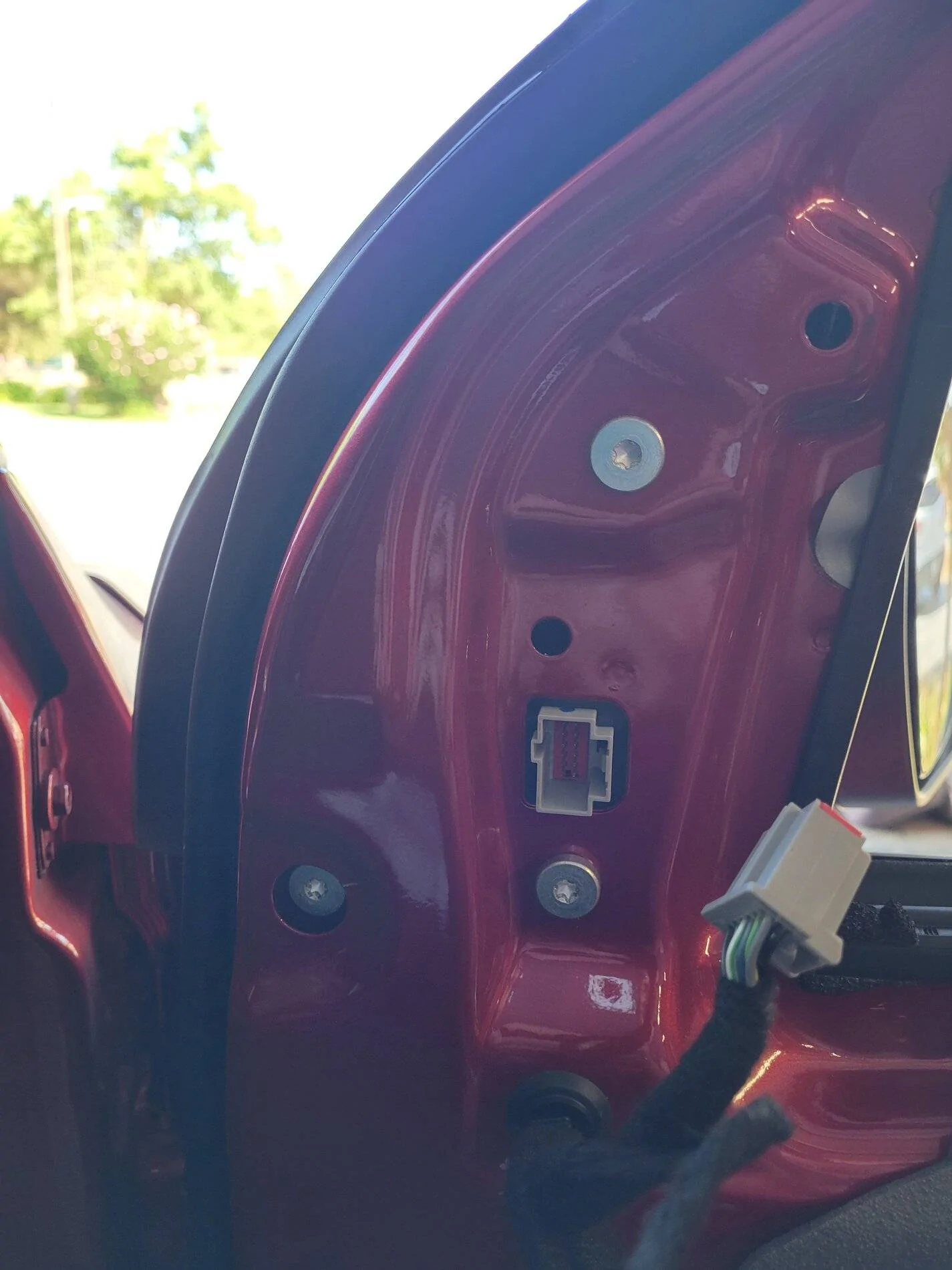
Now unplug the power mirror plug. Your door will look like this:
20210703_165115.jpg


Now remove the black rubber plug that covers the 3rd bolt holding the mirror:
20210703_165136.jpg


Remove the 3x T30 bolts that hold the mirror. Remove the mirror:
20210703_165658.jpg


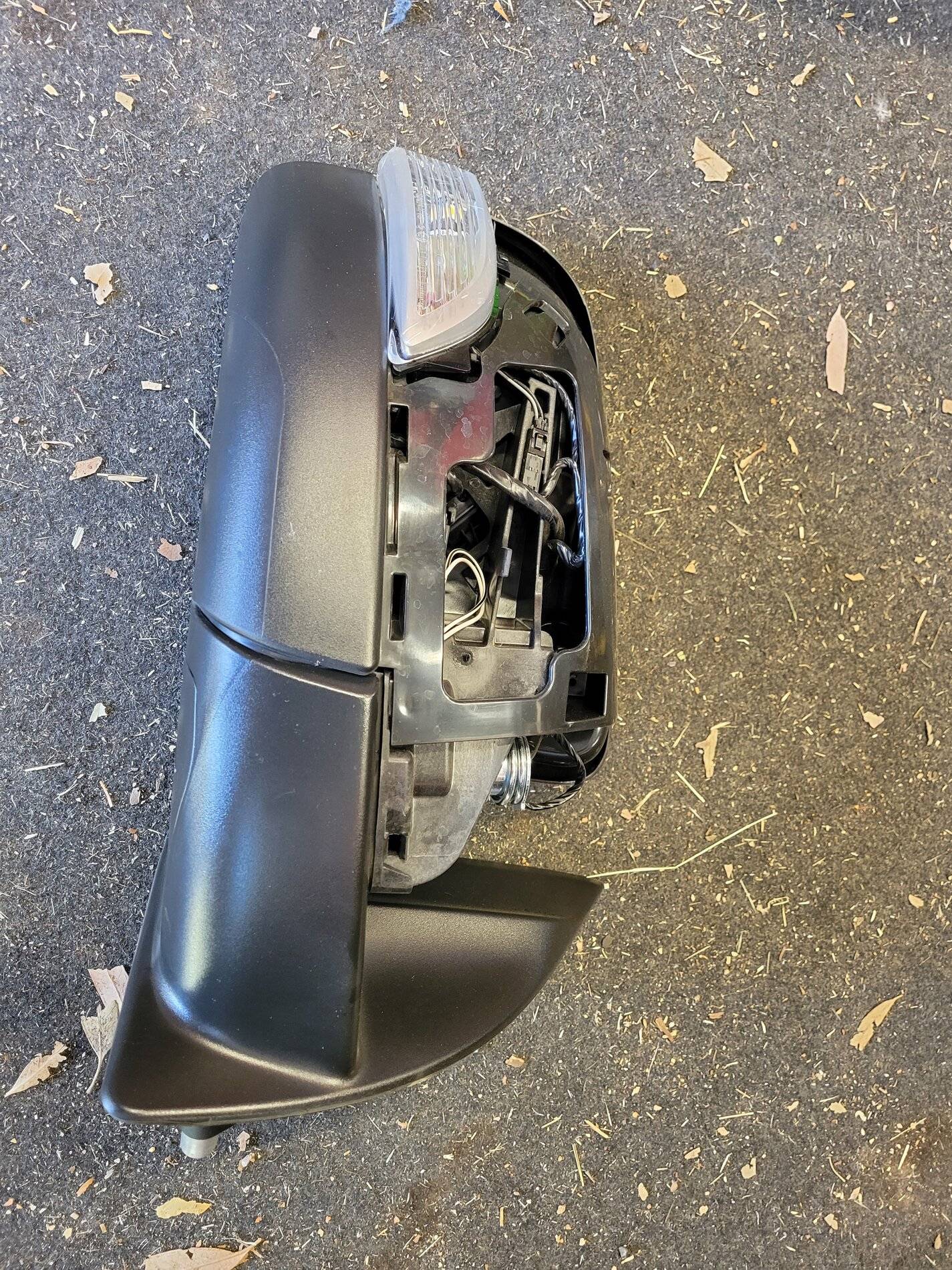
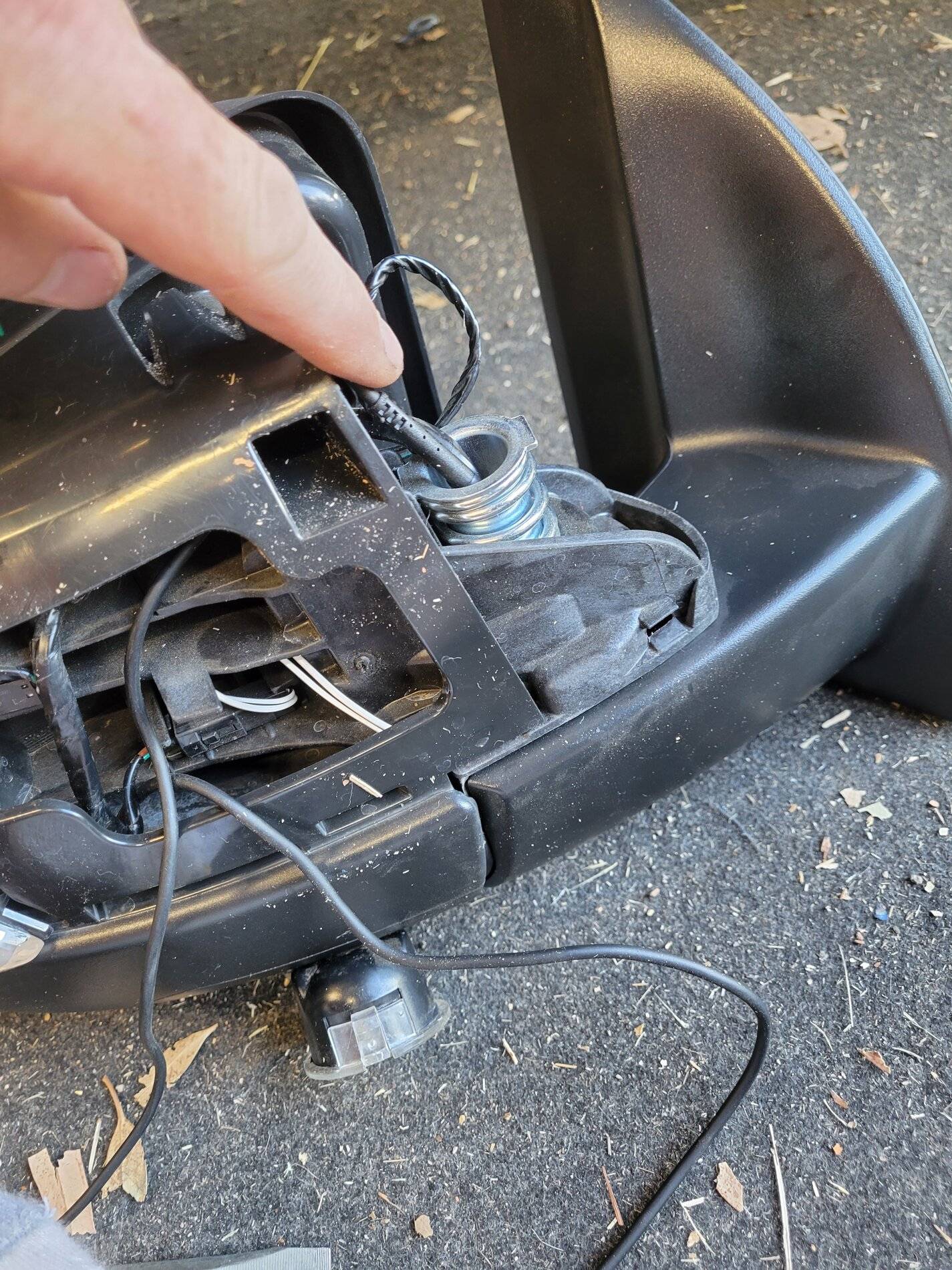
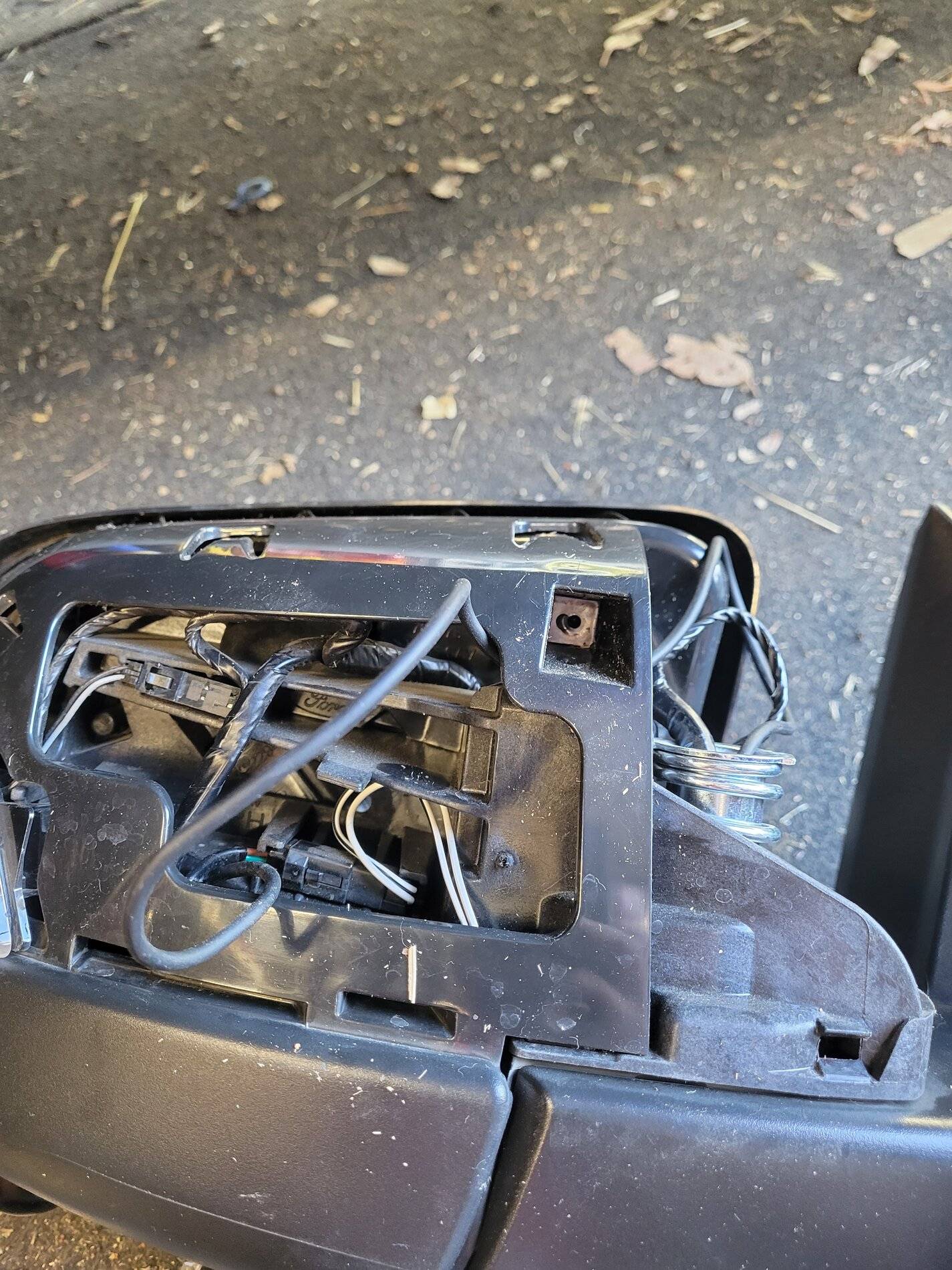
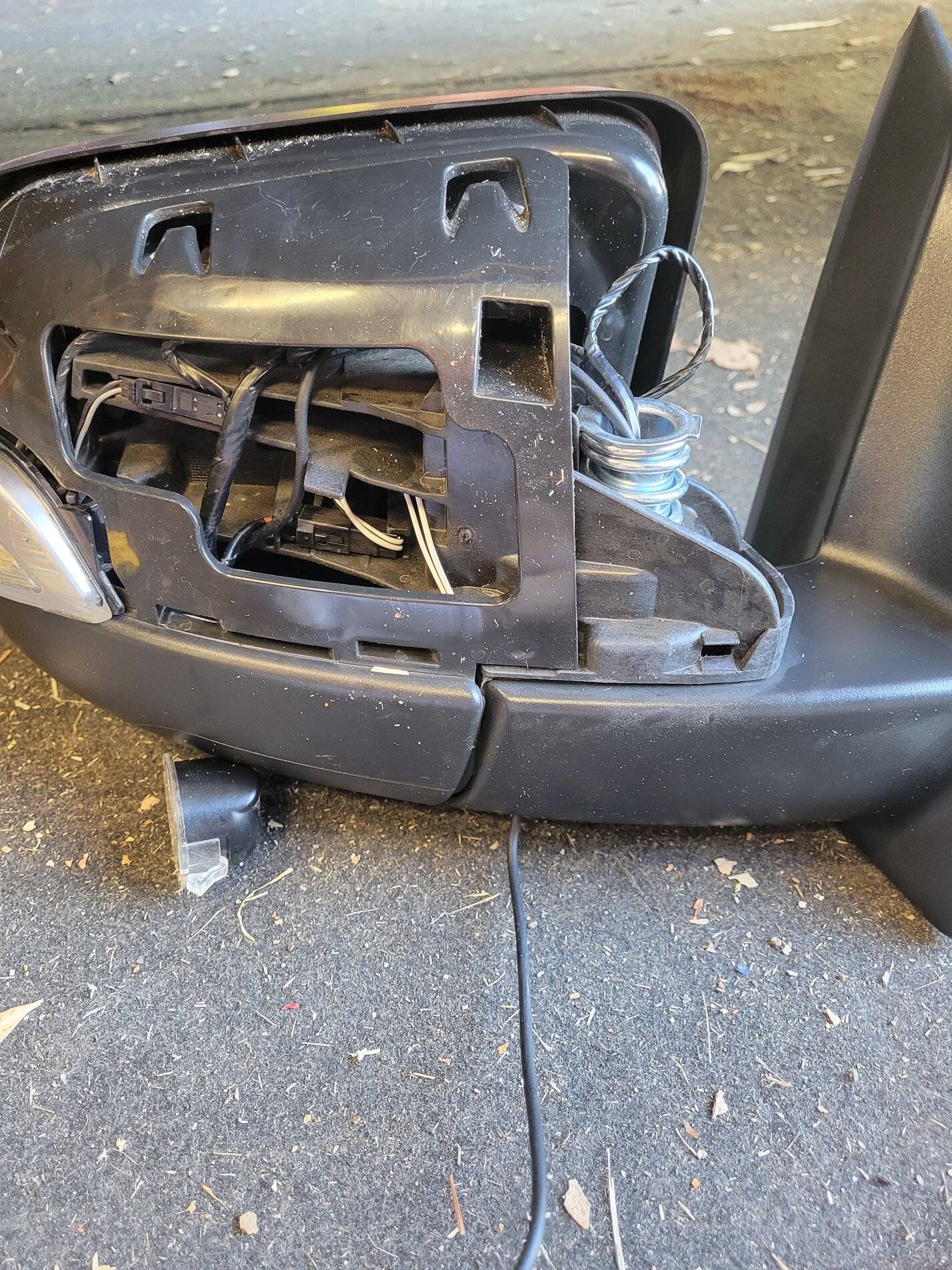
This is what the removed mirror should look like:
20210703_165747.jpg


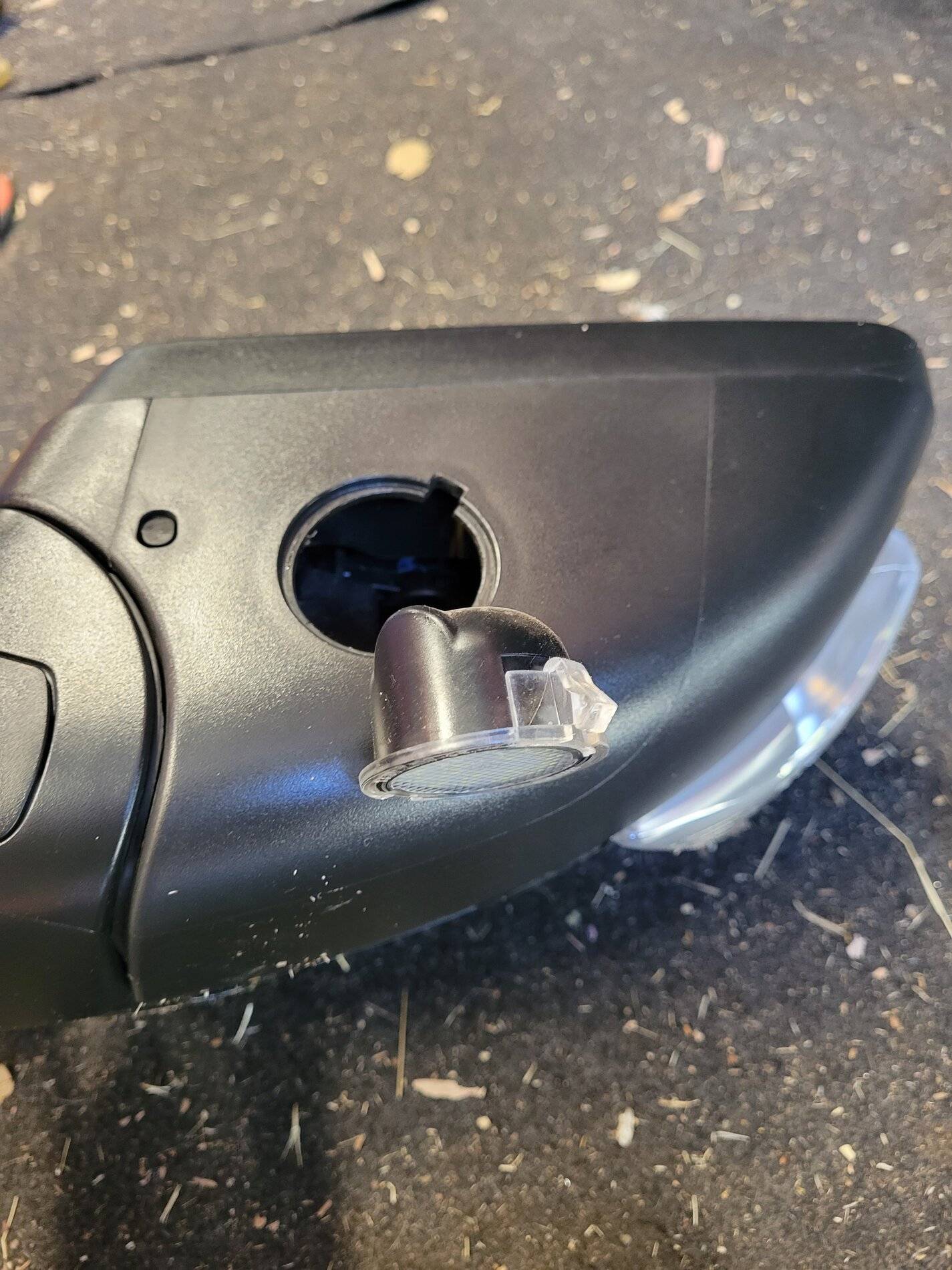
Remove the puddle light. You don't need to disconnect the wiring, just set it aside as shown:
20210703_165848.jpg


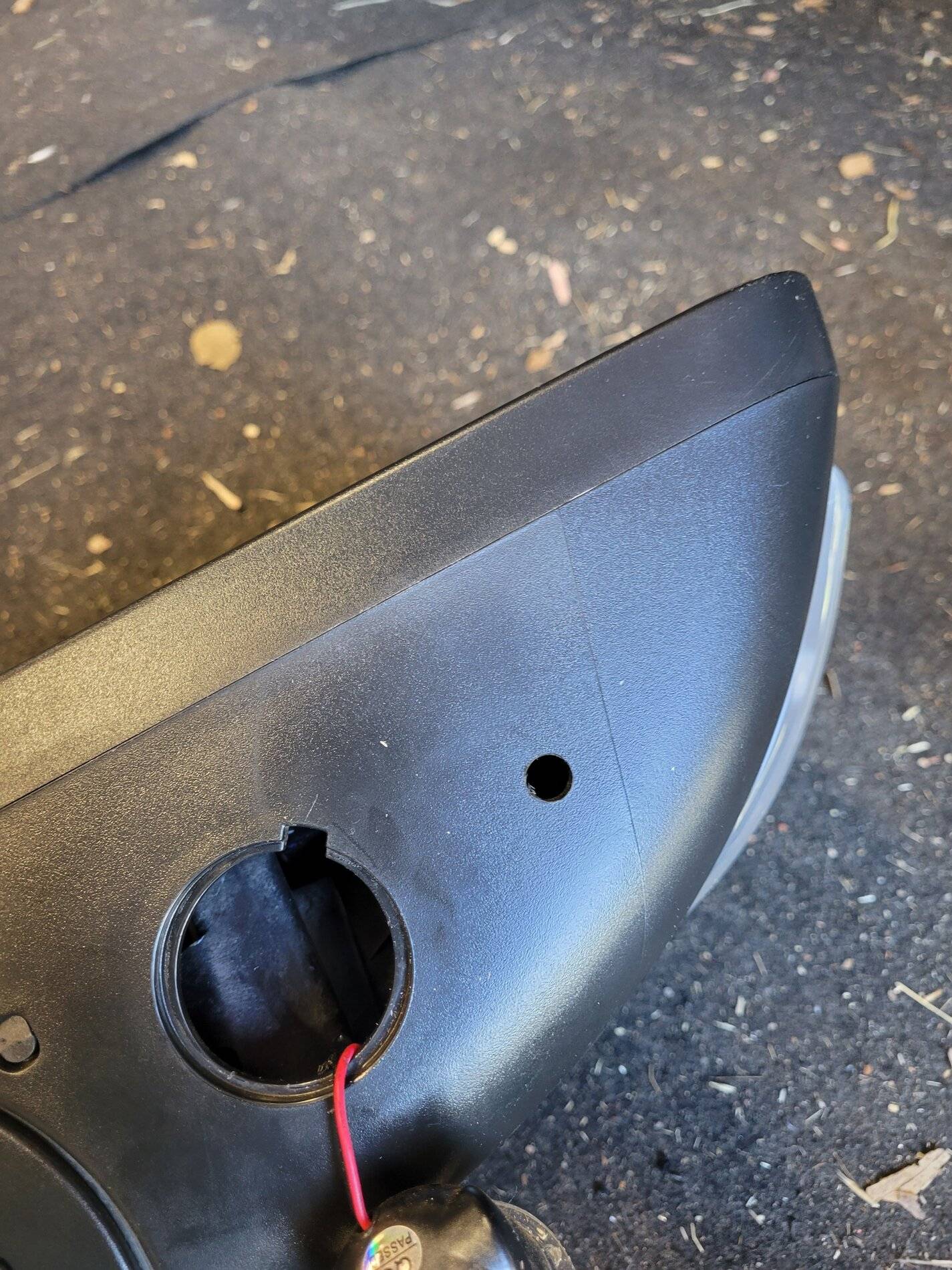
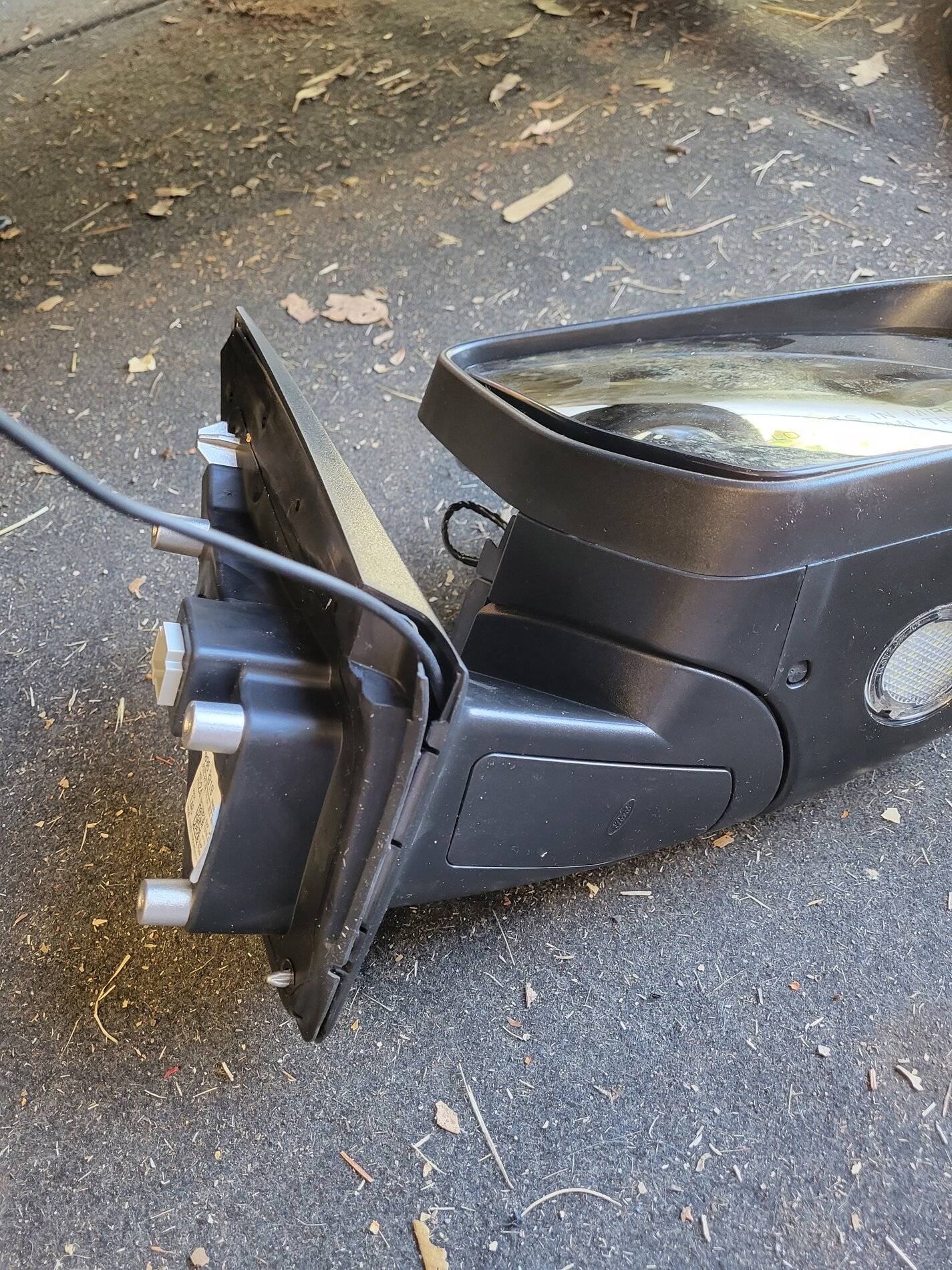
Use your finger to feel inside the mirror cavity. Find a free area with no obstructions. Make sure you will have clearance for the nut that will be installed to hold the camera. Drill a 5/16" hole. Use a good drill bit that won't run around as you start. Or, if you dont have a good one, start with a 1/8" pilot hole, followed by the 5/16".
20210703_170419.jpg


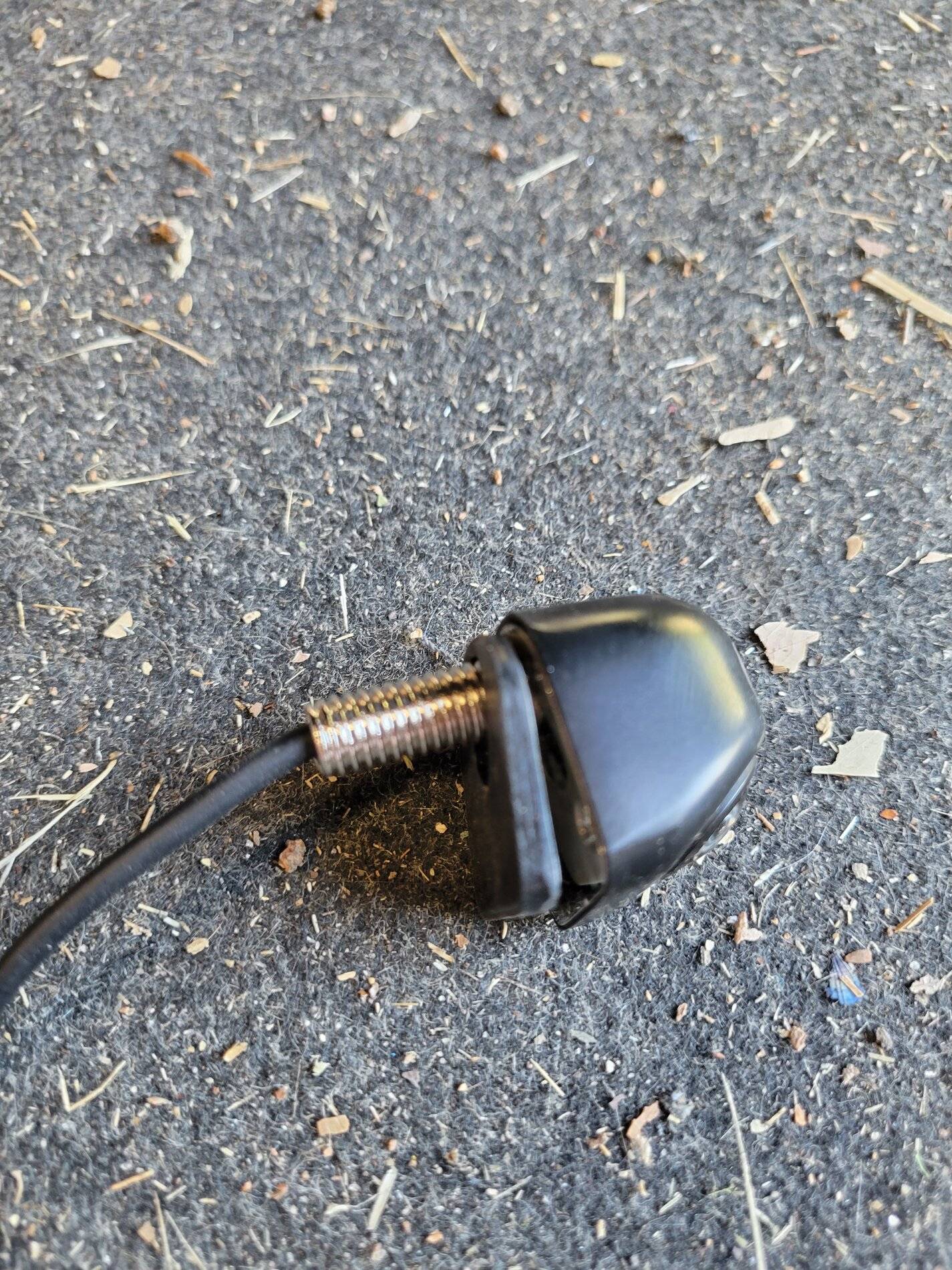
Attach the smallest spacer that comes with the Nakita camera. Do not use the adhesive until you dry fit it and verify everything fits well:
20210703_170429.jpg


Run the camera wire into the hole you drilled. Make sure everything fits well. If it does, remove the adhesive backing from the spacer and attach to the camera. Re-run the camera wire in the hole:
20210703_170950.jpg


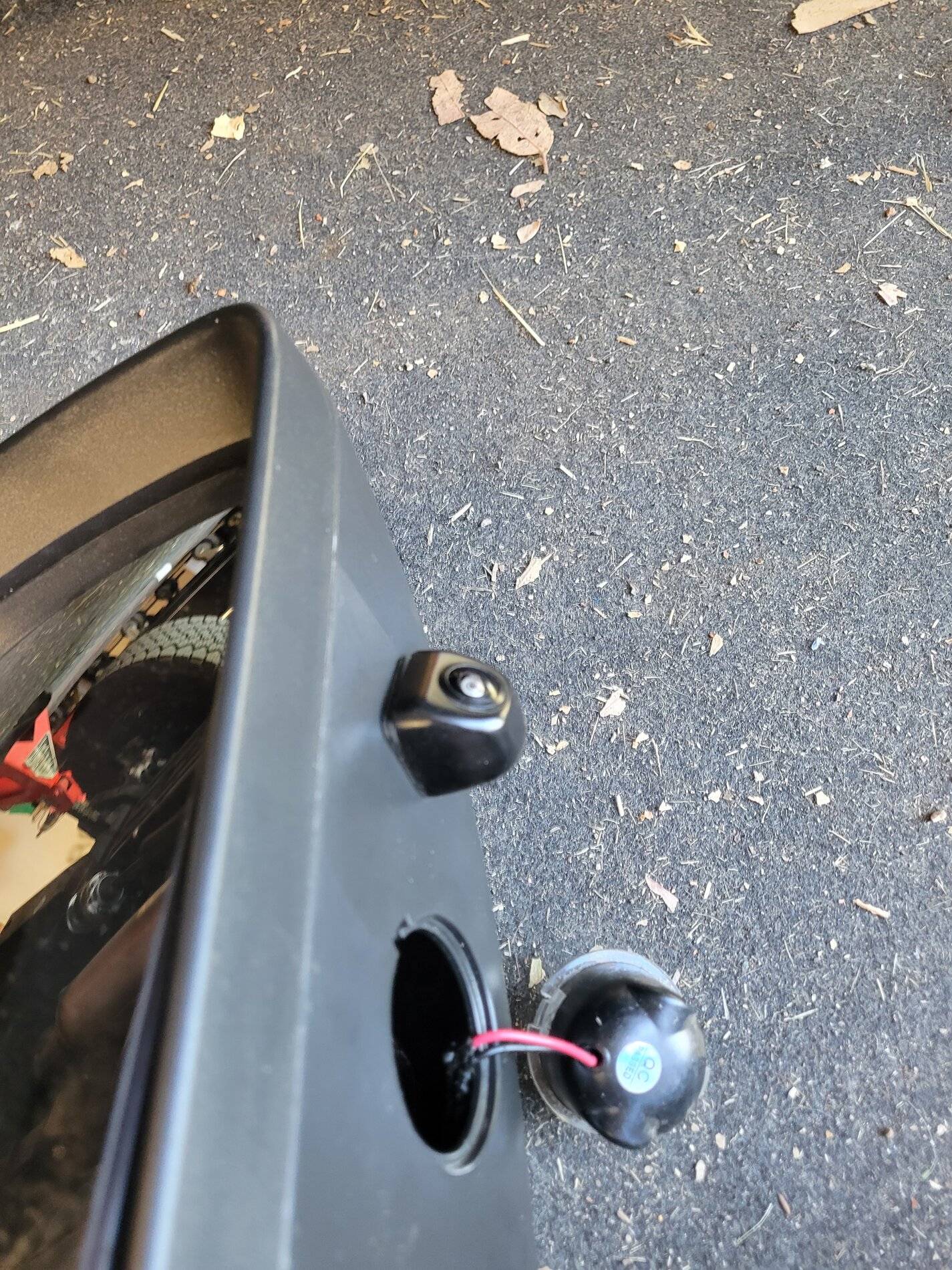
Attach the camera with the provided nut. Take care not to damage the camera cable in the process. Tighten the camera by holding the nut and turning the camera. Get it as tight as you can. Then run the camera wire as shown in the following pictures:
20210703_171020.jpg


20210703_171150.jpg


20210703_171218.jpg


Now remove the small plastic cover at the bottom of the mirror.

Route the cable out of the mirror as shown. Re-attach the plastic cover as well as the puddle light:
20210703_171418.jpg


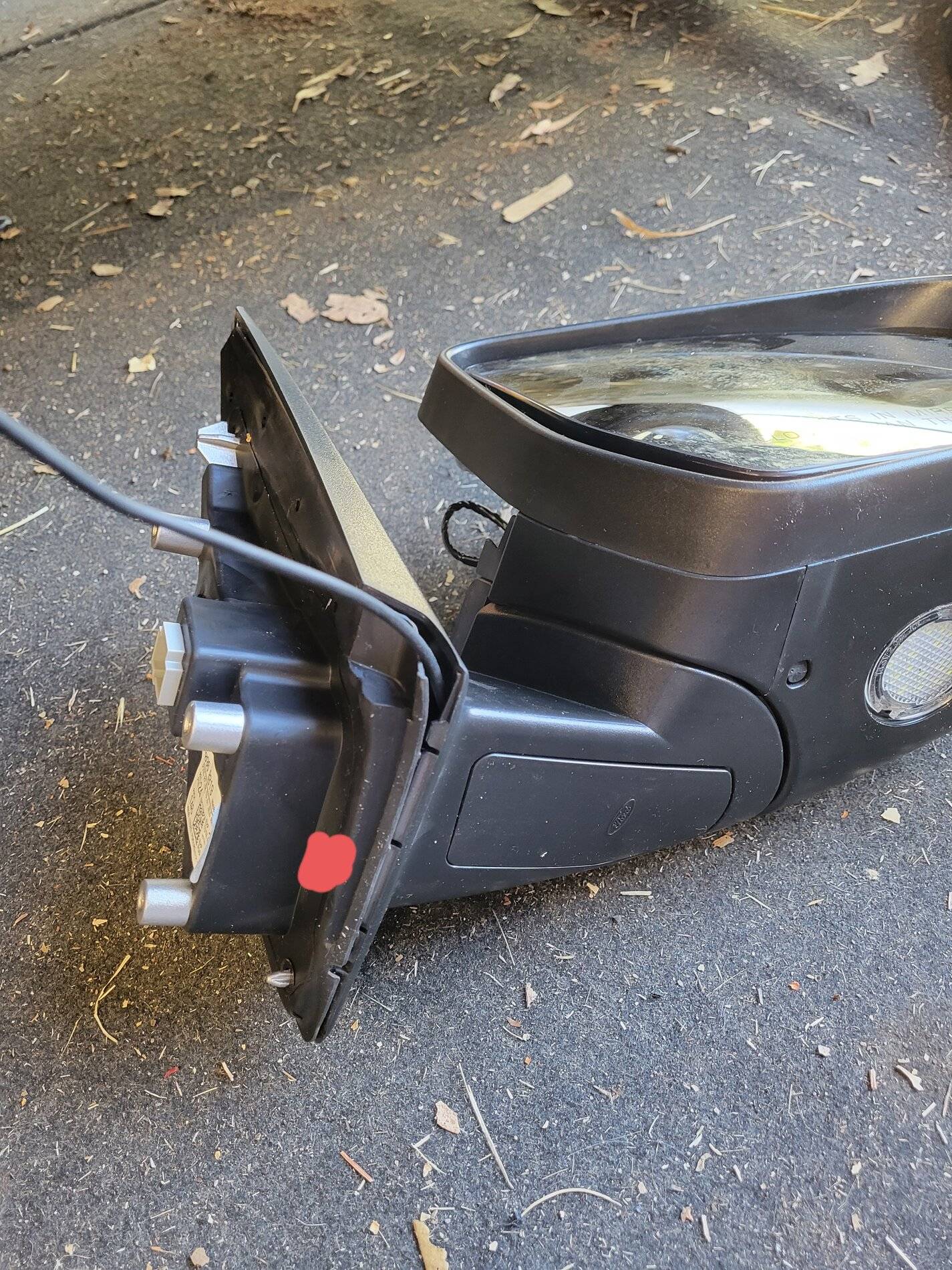
Next, cut a very small access hole in the rubber weather stripping and feed the cable through the hole. I didn't take a picture, but the red dot shows approximately where I put the hole. Re-attach the weather stripping to the mirror.
20210703_203136.jpg


Drop the camera cable into the mirror cavity in the door. Re-attach the mirror to the door. Attach all 3x T30 bolts loosely at first, then tighten. Re-attach the rubber plug you previously removed.

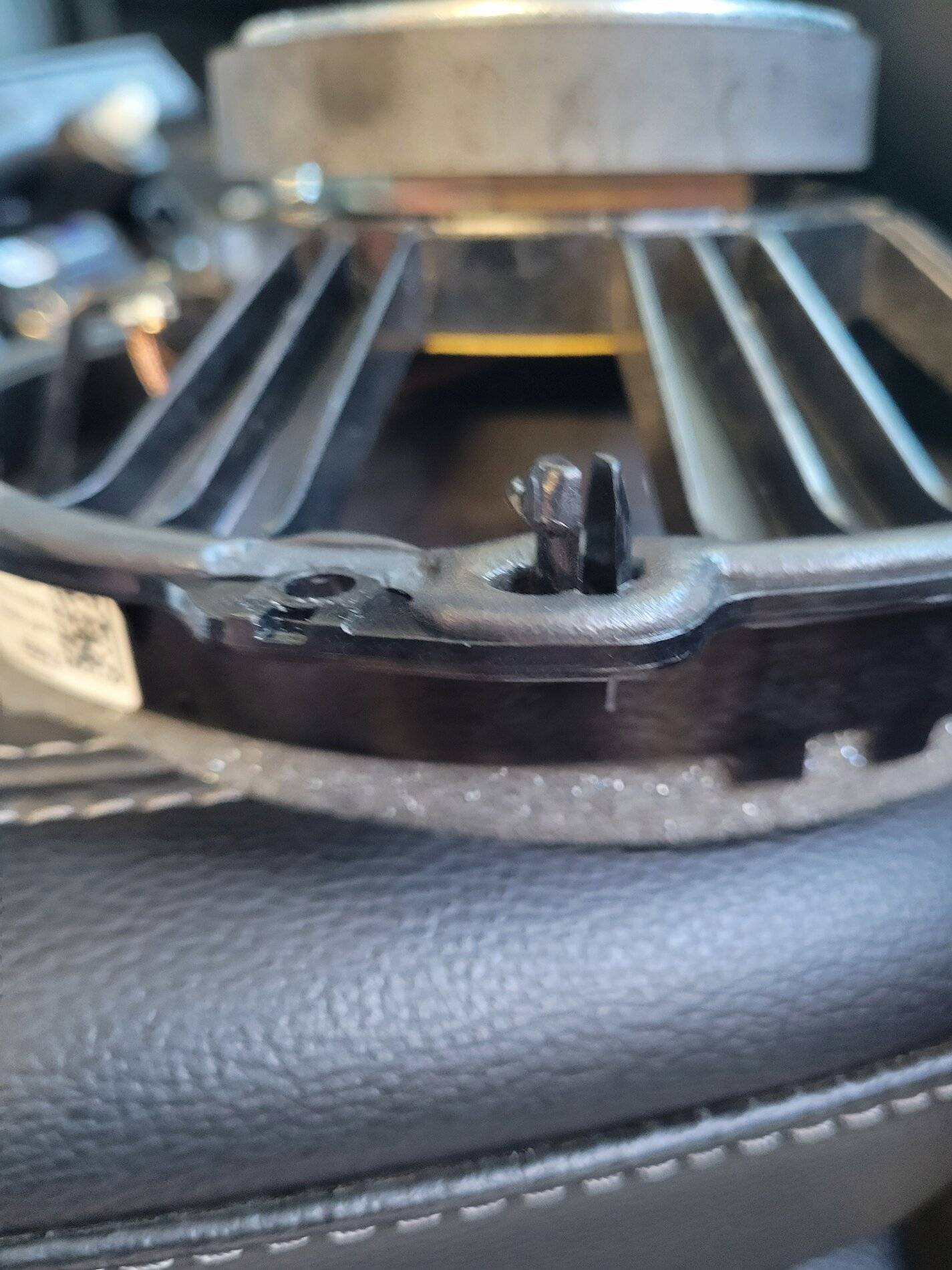
On the inside of the door, remove the speaker. There are 3x T7 screws, as well as 2 tabs that hold the speaker in. The 2 tabs are at the top of the speaker, near the screws that you remove. One of the tabs is shown here:
20210703_172418.jpg


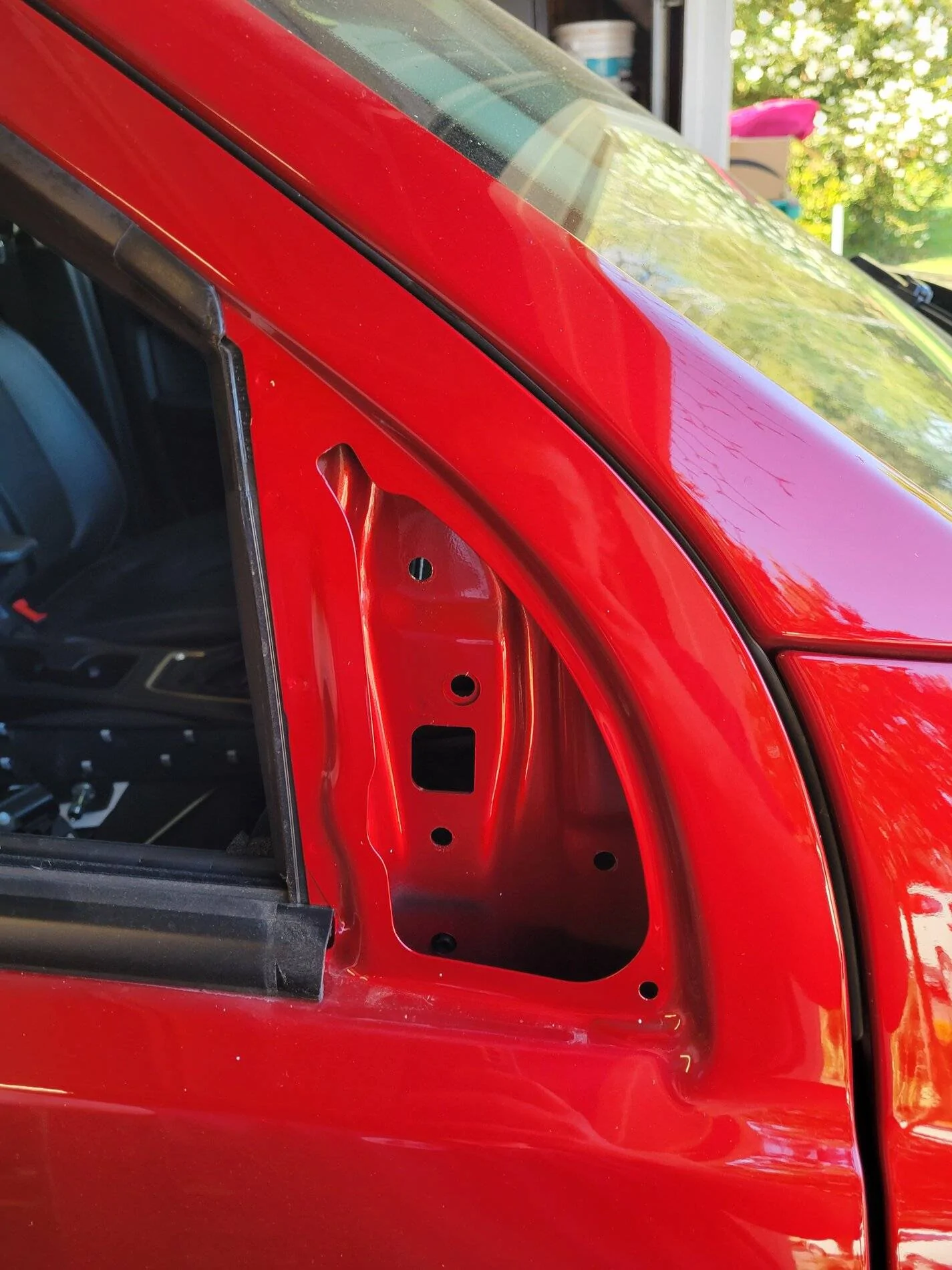
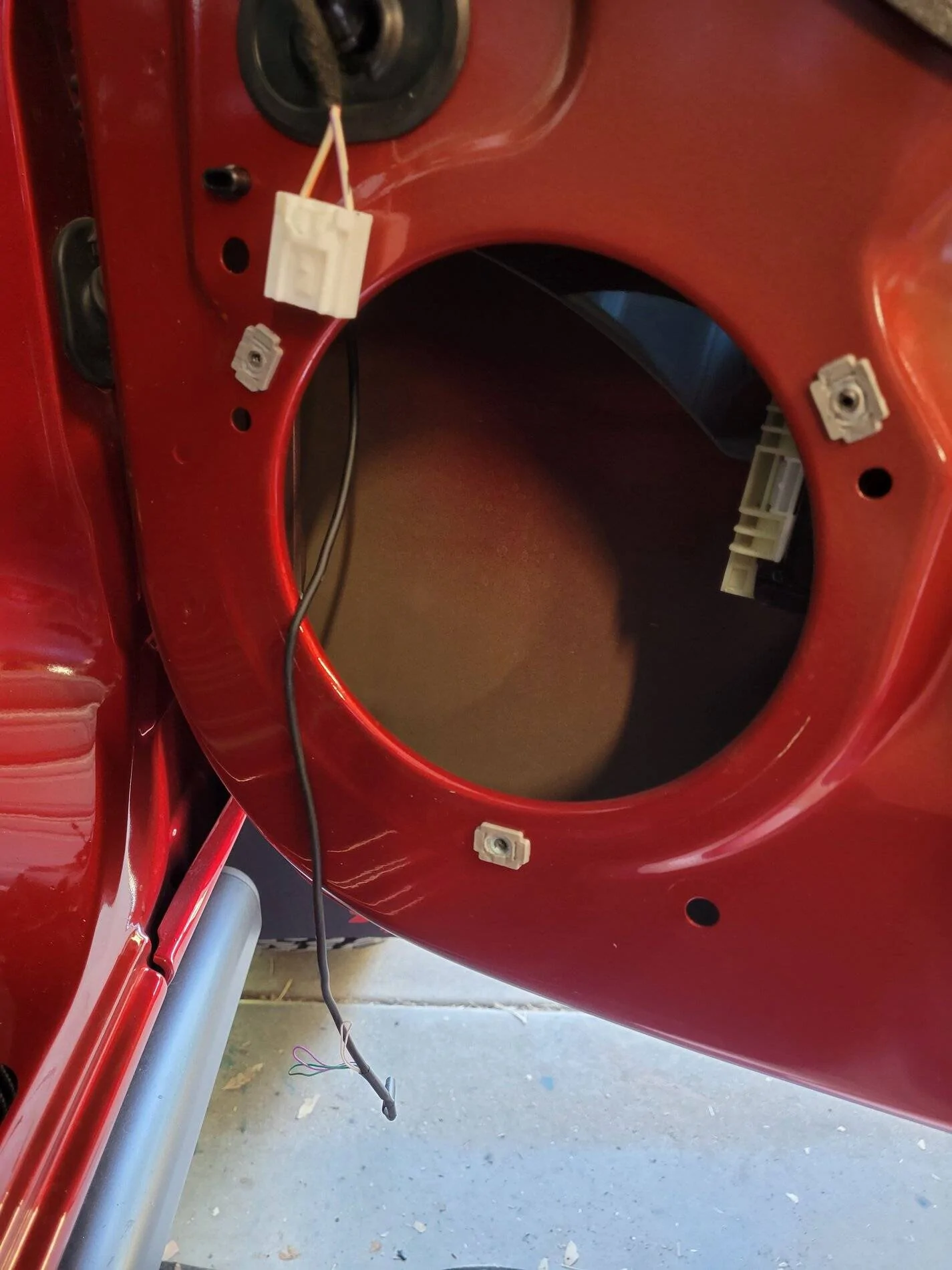
With the speaker removed, you door will look like shown. Reach into the opening and grab the camera cable you previously dropped in the door:
20210703_172444.jpg


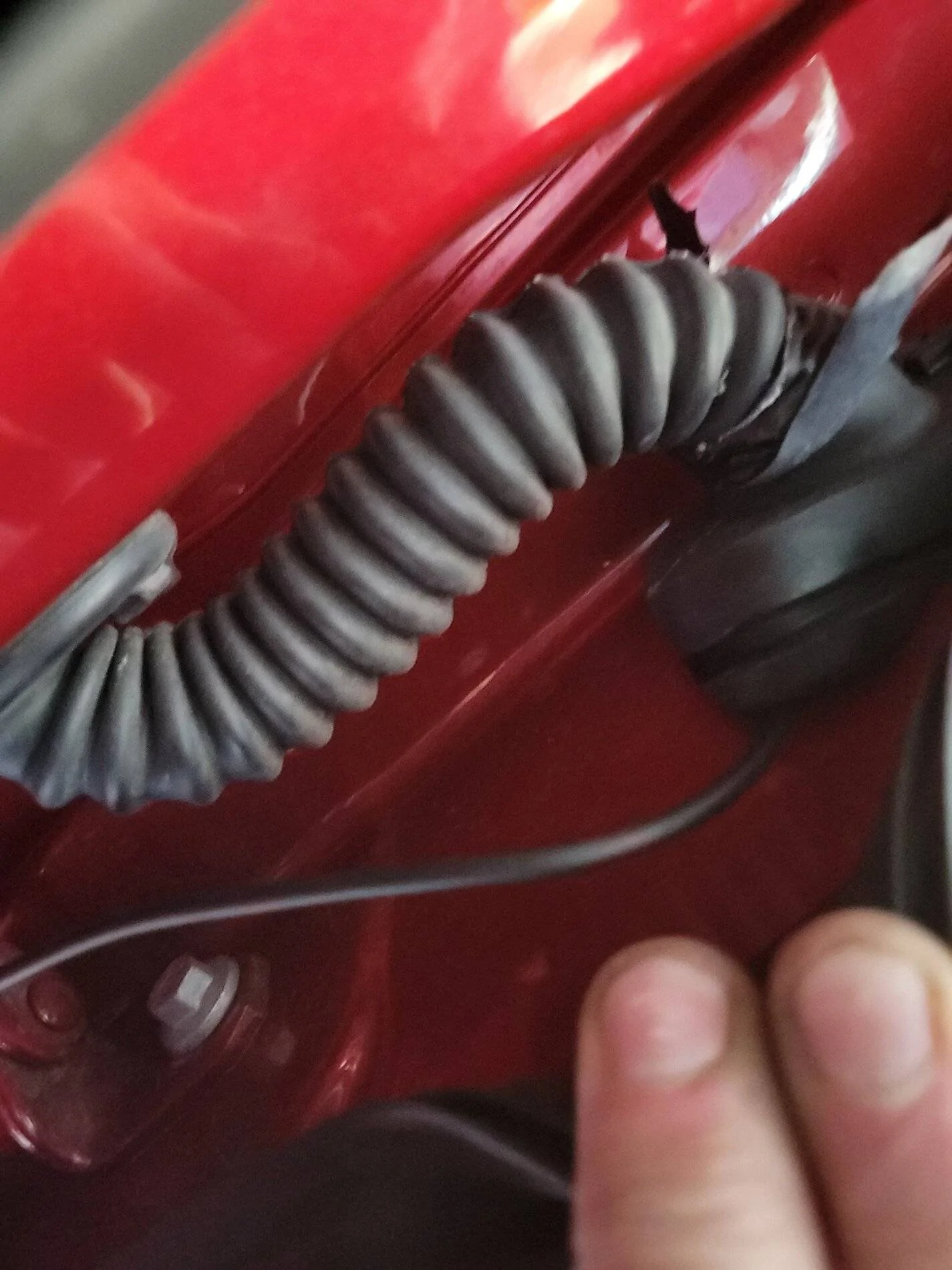
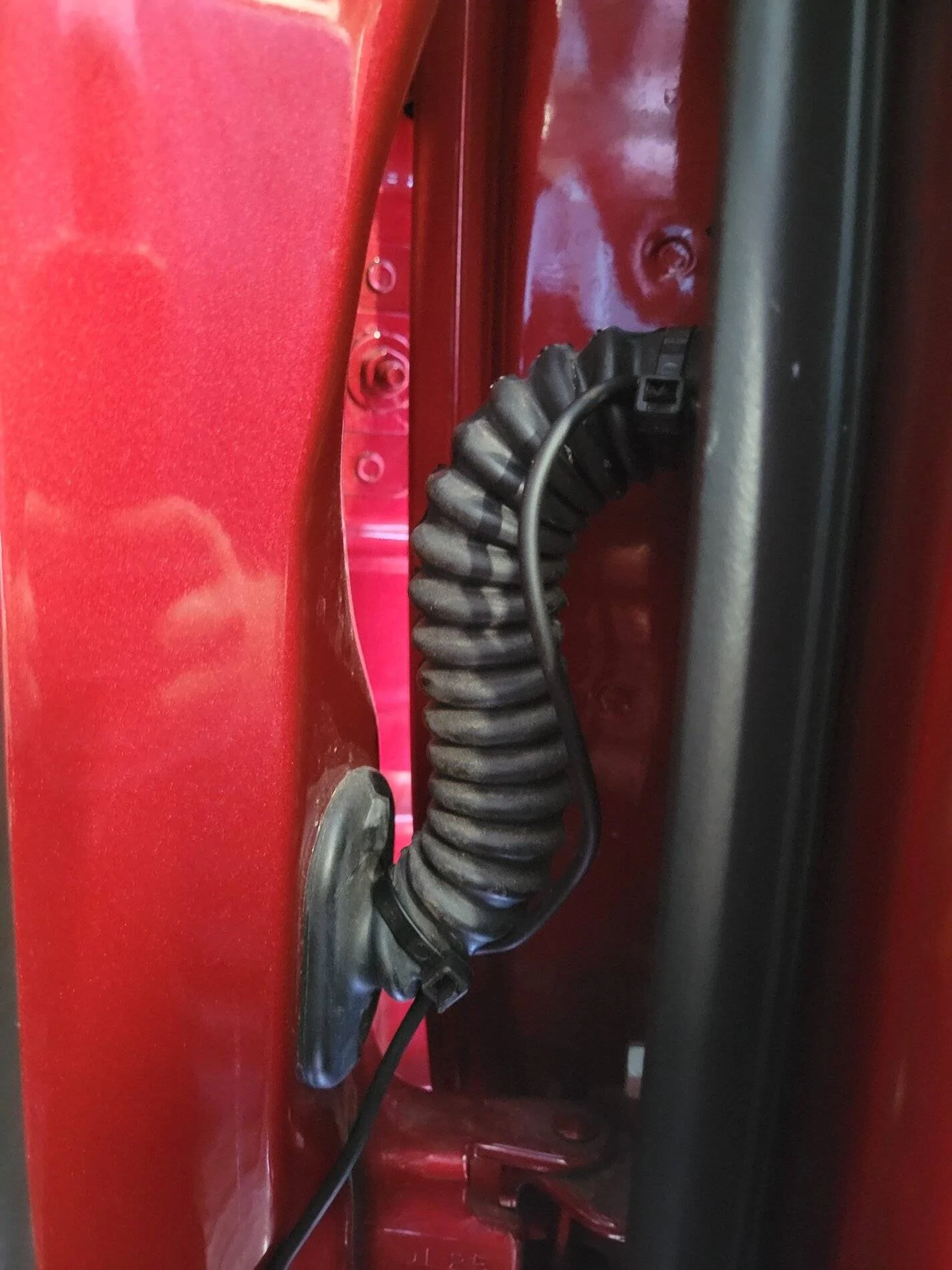
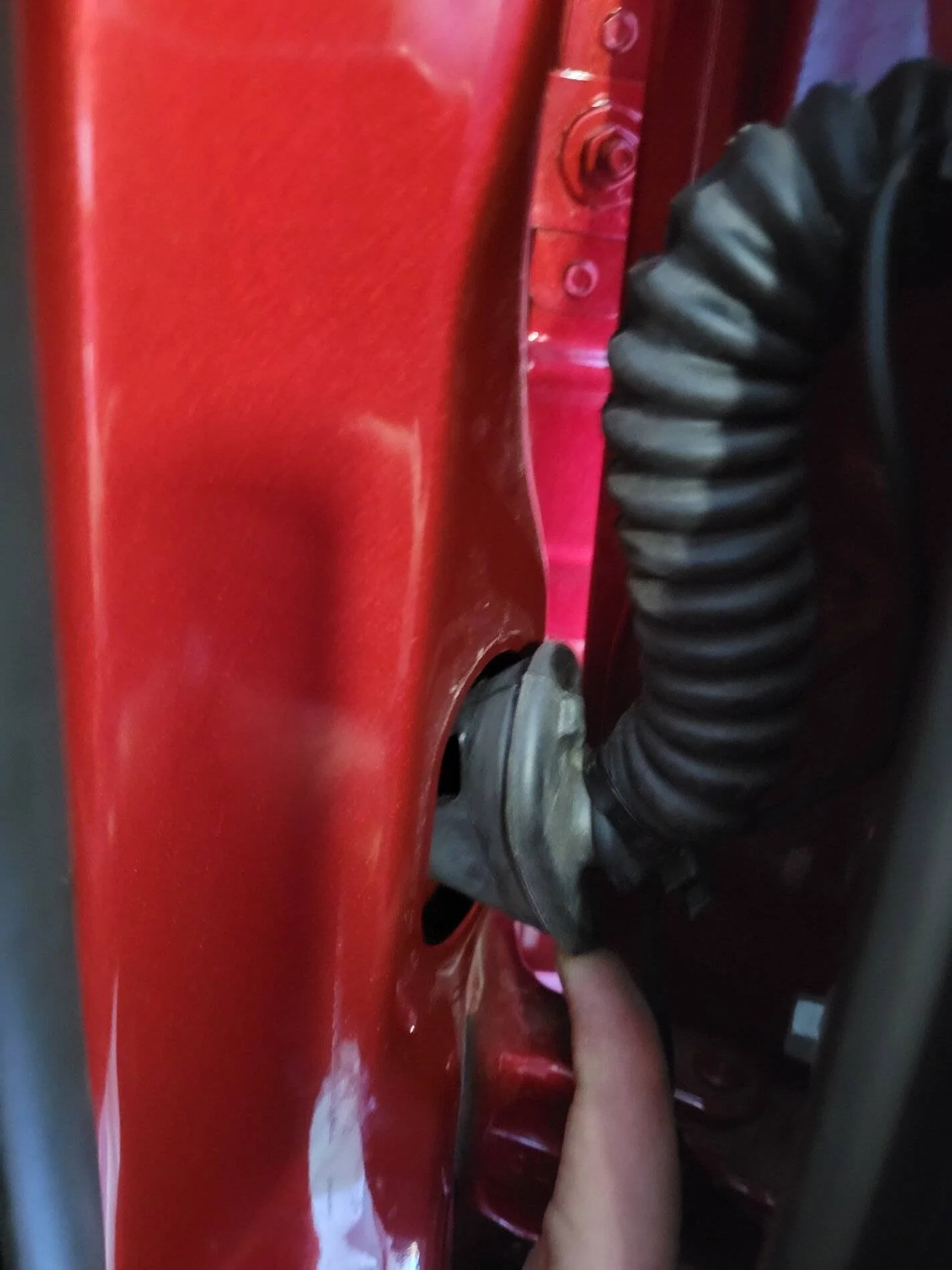
On the hinge side of the door, remove the rubber grommet for the factory wiring enough to feed the camera wire as shown:
20210703_172553.jpg


Use zip ties to attach the camera cable to the factory loom. Make sure there is some slack and try to have the cable roughly follow the factory loom as shown:
20210703_172802.jpg


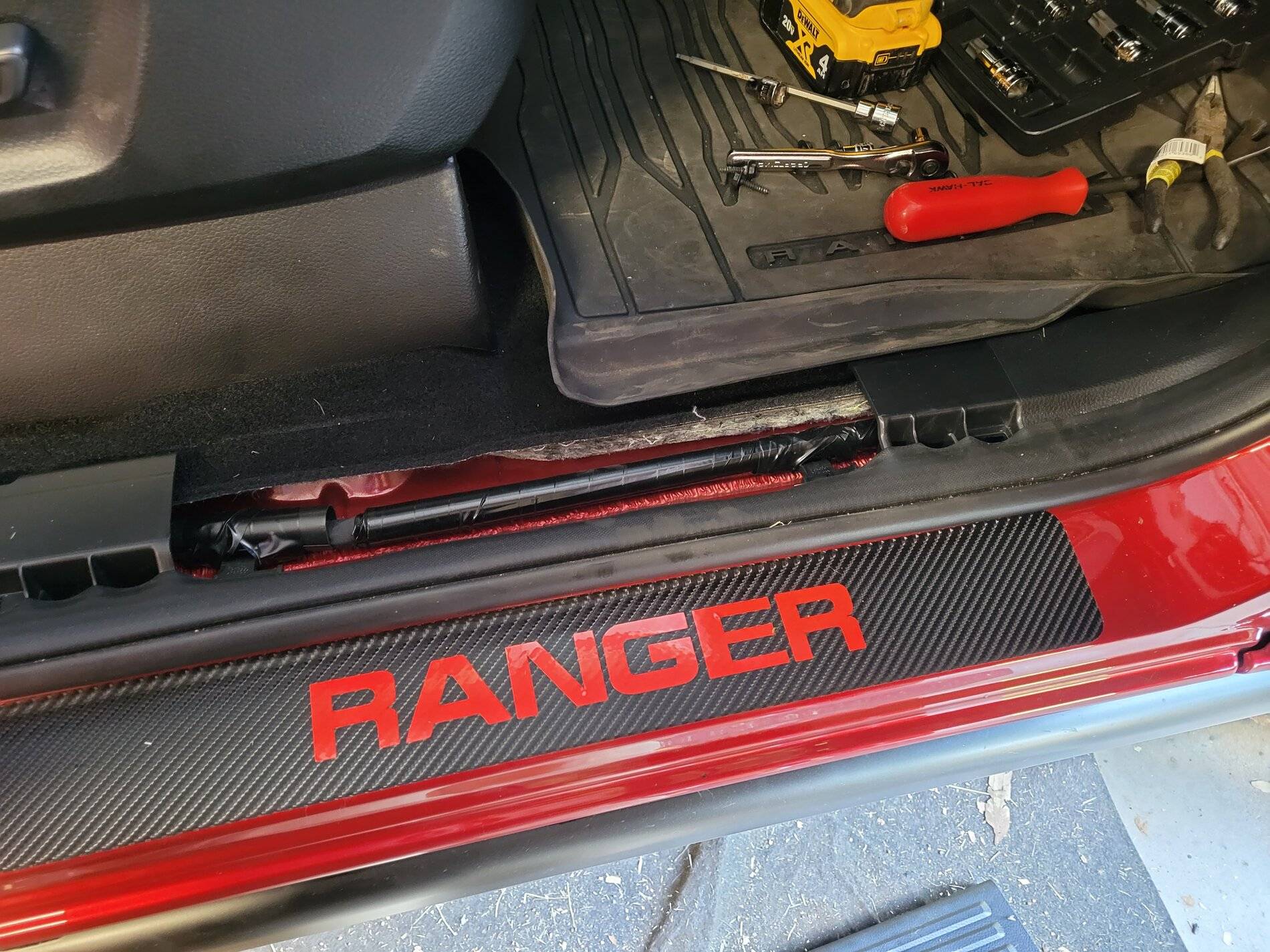
Remove the kick plate trim panel by lifting straight up. Only tabs hold it in place:
20210703_172843.jpg


(Stop to admire your Ranger Door Sill Trim ?)

Pull back the weather stripping enough to remove the foot panel trim plate:
20210703_172854.jpg


Remove the foot panel trim plate. It is held in by 2 tabs. One pointed down, and one pointed towards the front of the truck:
20210703_172920.jpg


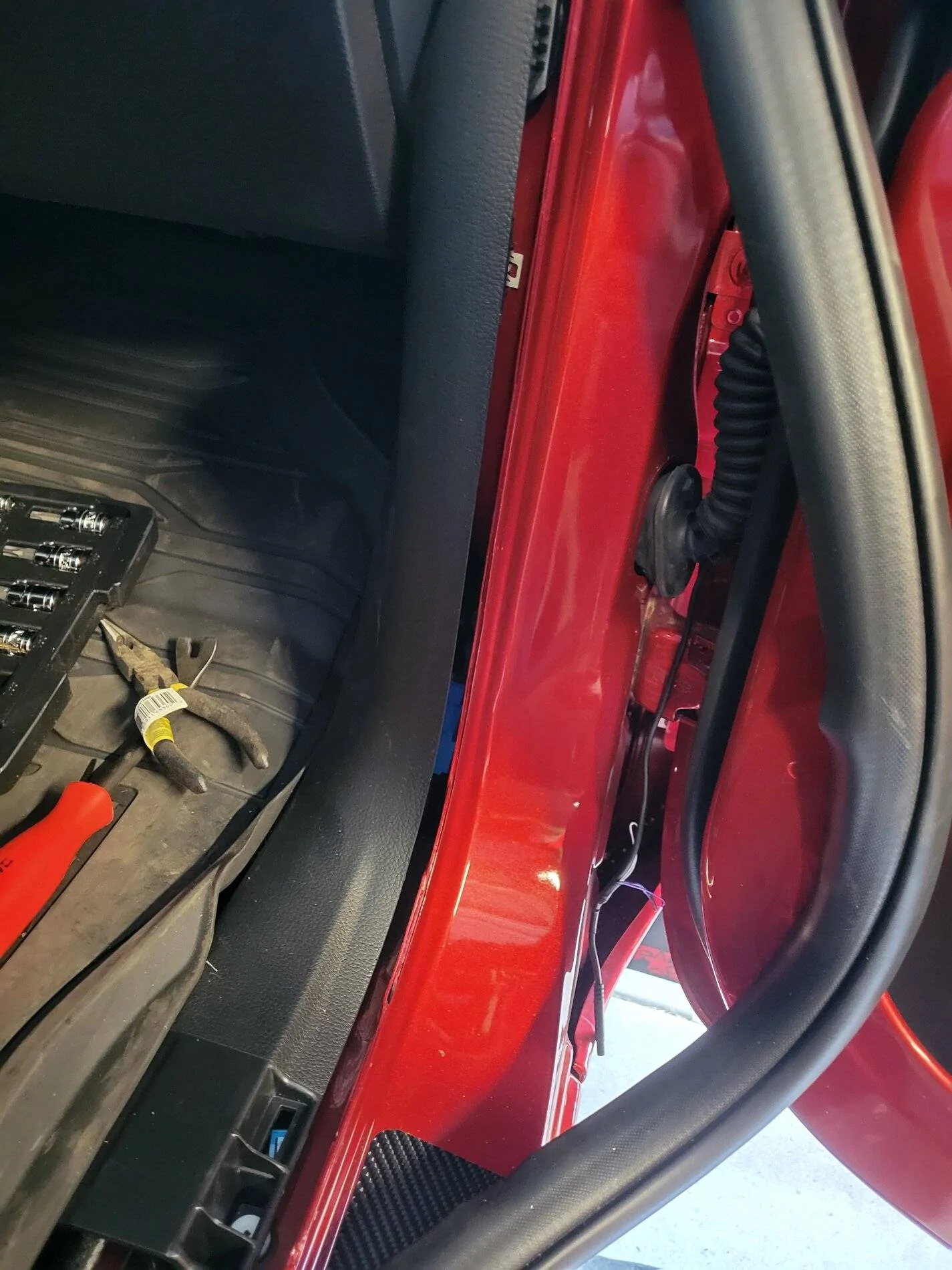
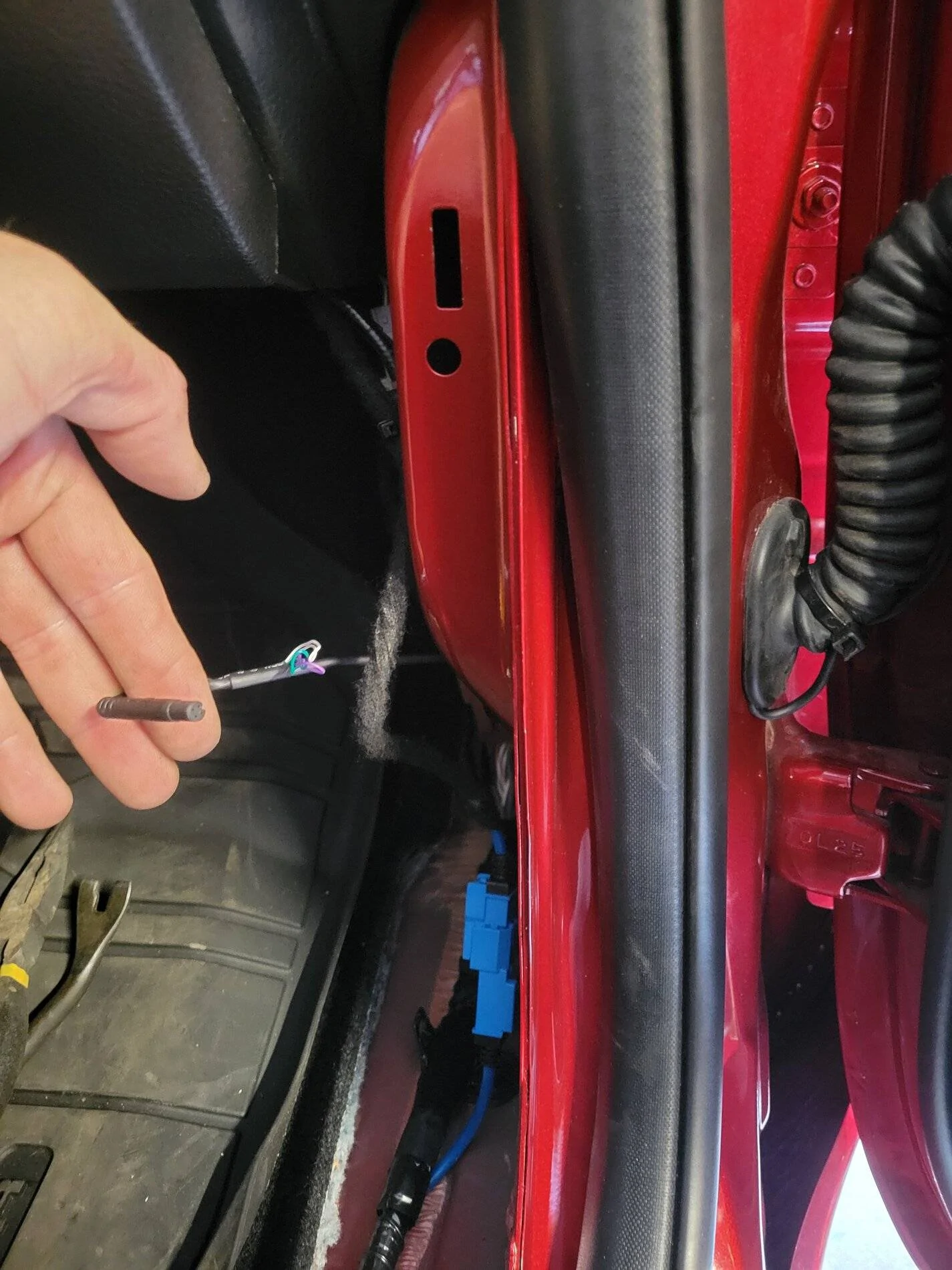
Remove enough of the rubber grommet going into the truck to feed the camera wire. Once the wire is fed, push both grommets back into their holes. Be sure to have the camera wire at the bottom to reduce the risk of water getting in:
20210703_172815.jpg


The wire should look like this when pulled through and the grommet pushed back into place:
20210703_173034.jpg


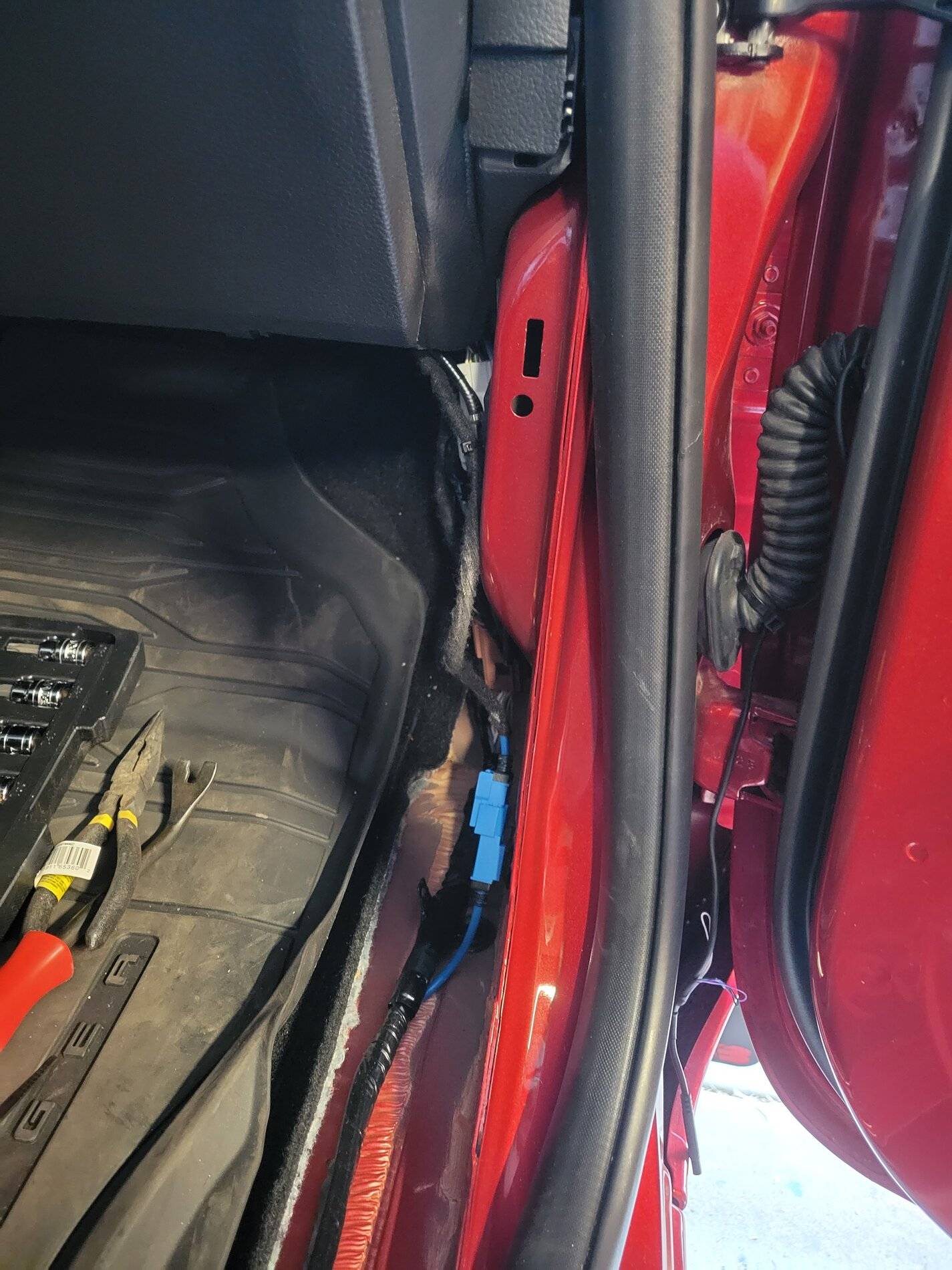
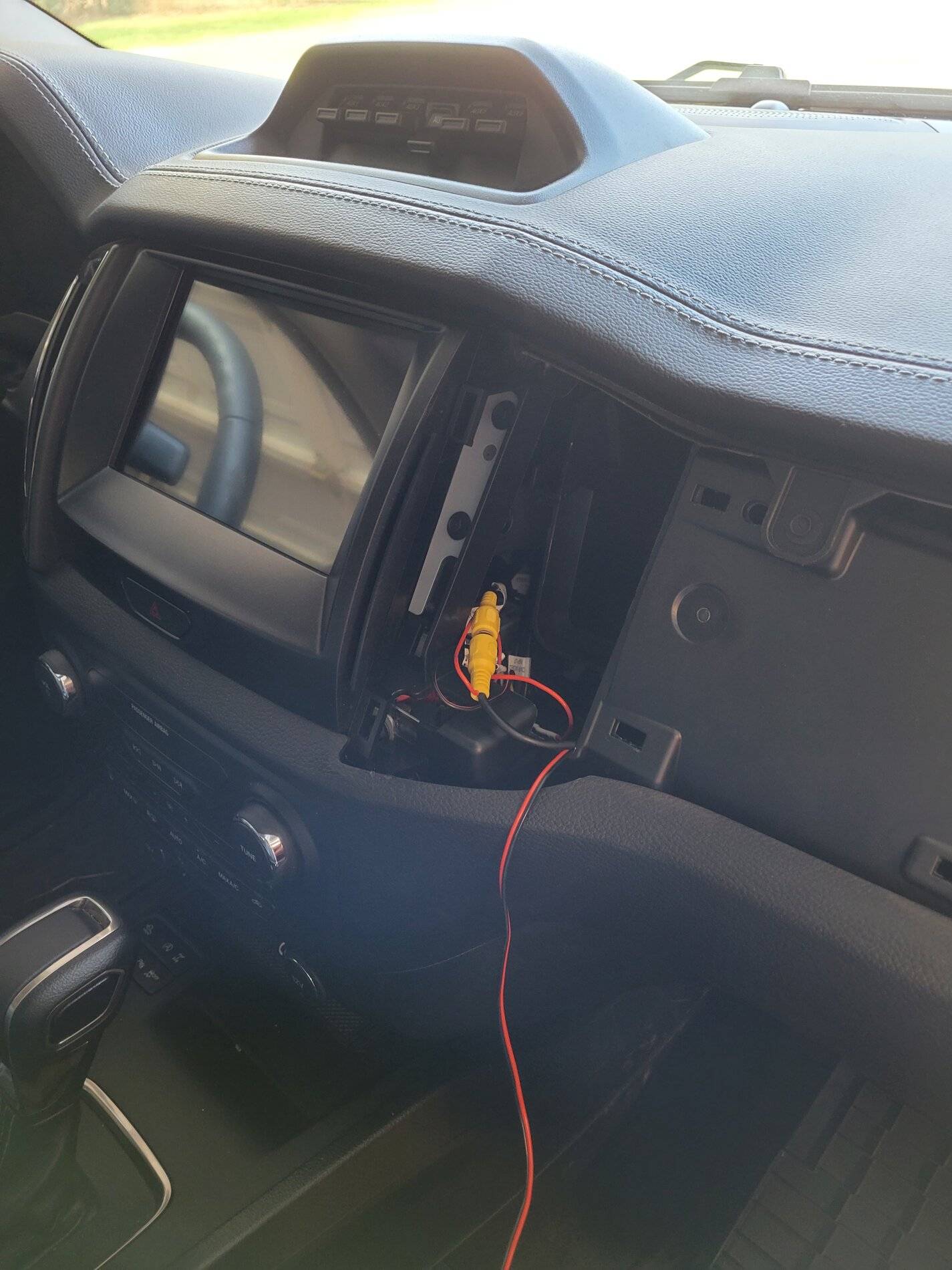
From here it is just a matter of running the camera cable up to the connector on the Rostra, and connecting the power and ground cables.

Notice how I put the camera cables so that I only have to remove the 1 dash trim with the ranger letters. I also have power and ground wires with enough slack here to tap them right there:
20210703_175212.jpg


Re-attach the trim and weather stripping that was removed, button everything up and enjoy a nice cold beer.

The entire process took me longer to document than to actually do. It took about 30 minutes in all. The first one I did on the drivers side took probably 4-5 hours trying to figure out the above information.


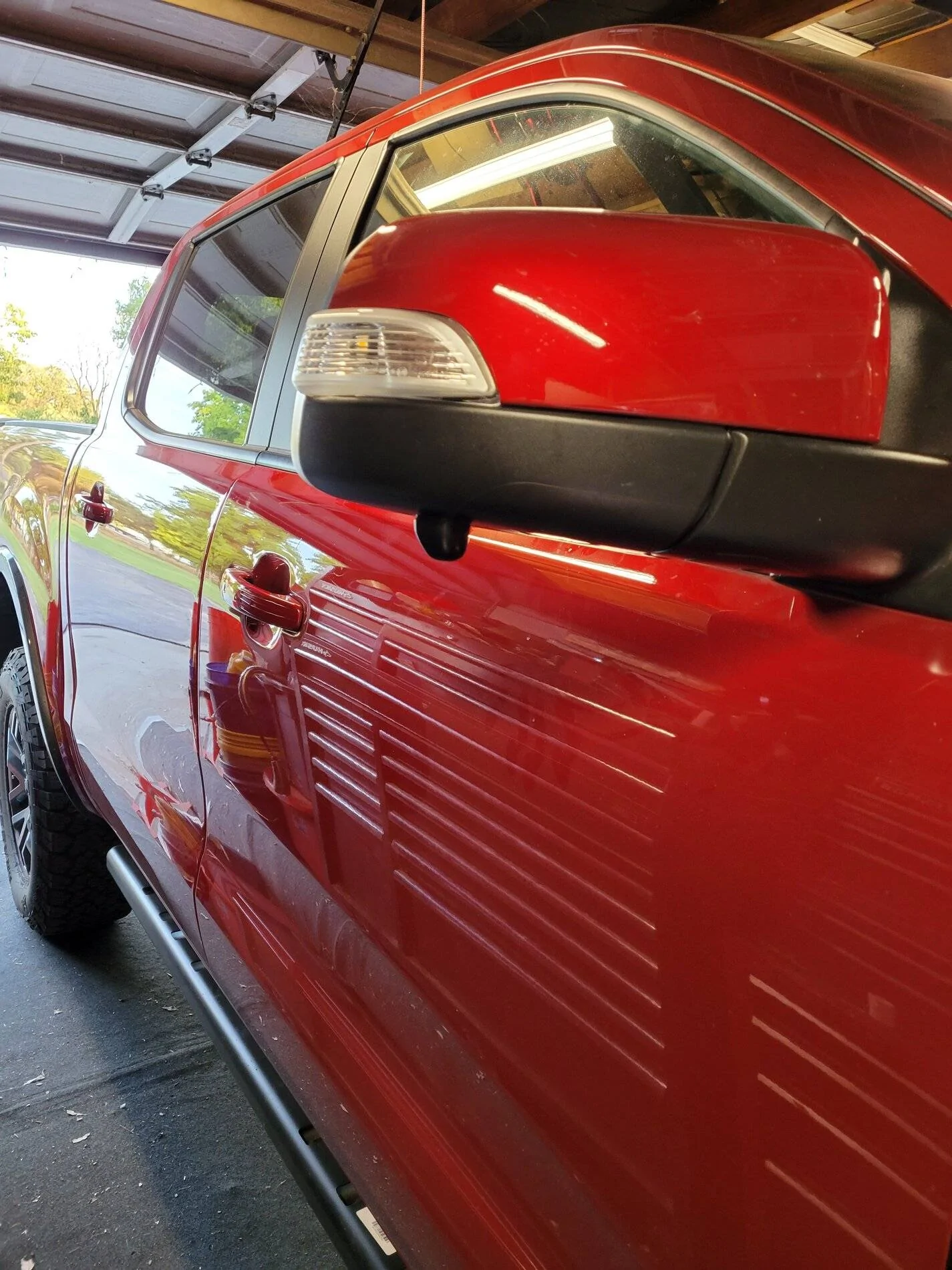
Here is the finished result:
20210703_194547.jpg


Hit me up for any questions.
 
Last edited:

Palibouss

Active Member
First Name
Tony
Joined
Dec 20, 2020
Threads
4
Messages
37
Reaction score
75
Location
Tampa
Vehicle(s)
2020 Ford ranger
You gave me to motivation I needed to complete my passenger side camera install. Here is a thorough writeup of the process I used, which will save you tons of time and headache. This is on a Lariat with Tremor package, so yours may differ slightly.

Start by removing the colored panel from the top of the mirror. Just grab it with both hands and pull towards the front of the truck.

Next remove the tweeter above the door panel. It is held in place by 2 tabs. Diconnect the cable and set the tweeter aside.

Next, remove the door panel. You need to remove the trim panel on the side on the arm rest, and the one behind the door handle. Then there are 2x screws at the bottom, 2x behind the arm rest trim, and one behind the door handle trim for a total of 5 screws. All are T20. Pull the panel away from the door starting at the bottom. Once all tabs are removed, the panel lifts off the door, but you need to disconnect the wiring first, and the door handle mechanism. Nothing too difficult here.

Now unplug the power mirror plug. Your door will look like this:
20210703_165115.jpg


Now remove the black rubber plug that covers the 3rd bolt holding the mirror:
20210703_165136.jpg


Remove the 3x T30 bolts that hold the mirror. Remove the mirror:
20210703_165658.jpg


This is what the removed mirror should look like:
20210703_165747.jpg


Remove the puddle light. You don't need to disconnect the wiring, just set it aside as shown:
20210703_165848.jpg


Use your finger to feel inside the mirror cavity. Find a free area with no obstructions. Make sure you will have clearance for the nut that will be installed to hold the camera. Drill a 5/16" hole. Use a good drill bit that won't run around as you start. Or, if you dont have a good one, start with a 1/8" pilot hole, followed by the 5/16".
20210703_170419.jpg


Attach the smallest spacer that comes with the Nakita camera. Do not use the adhesive until you dry fit it and verify everything fits well:
20210703_170429.jpg


Run the camera wire into the hole you drilled. Make sure everything fits well. If it does, remove the adhesive backing from the spacer and attach to the camera. Re-run the camera wire in the hole:
20210703_170950.jpg


Attach the camera with the provided nut. Take care not to damage the camera cable in the process. Tighten the camera by holding the nut and turning the camera. Get it as tight as you can. Then run the camera wire as shown in the following pictures:
20210703_171020.jpg


20210703_171150.jpg


20210703_171218.jpg


Now remove the small plastic cover at the bottom of the mirror.

Route the cable out of the mirror as shown. Re-attach the plastic cover as well as the puddle light:
20210703_171418.jpg


Next, cut a very small access hole in the rubber weather stripping and feed the cable through the hole. I didn't take a picture, but the red dot shows approximately where I put the hole. Re-attach the weather stripping to the mirror.
20210703_203136.jpg


Drop the camera cable into the mirror cavity in the door. Re-attach the mirror to the door. Attach all 3x T30 bolts loosely at first, then tighten. Re-attach the rubber plug you previously removed.

On the inside of the door, remove the speaker. There are 3x T7 screws, as well as 2 tabs that hold the speaker in. The 2 tabs are at the top of the speaker, near the screws that you remove. One of the tabs is shown here:
20210703_172418.jpg


With the speaker removed, you door will look like shown. Reach into the opening and grab the camera cable you previously dropped in the door:
20210703_172444.jpg


On the hinge side of the door, remove the rubber grommet for the factory wiring enough to feed the camera wire as shown:
20210703_172553.jpg


Use zip ties to attach the camera cable to the factory loom. Make sure there is some slack and try to have the cable roughly follow the factory loom as shown:
20210703_172802.jpg


Remove the kick plate trim panel by lifting straight up. Only tabs hold it in place:
20210703_172843.jpg


(Stop to admire your Ranger Door Sill Trim ?)

Pull back the weather stripping enough to remove the foot panel trim plate:
20210703_172854.jpg


Remove the foot panel trim plate. It is held in by 2 tabs. One pointed down, and one pointed towards the front of the truck:
20210703_172920.jpg


Remove enough of the rubber grommet going into the truck to feed the camera wire. Once the wire is fed, push both grommets back into their holes. Be sure to have the camera wire at the bottom to reduce the risk of water getting in:
20210703_172815.jpg


The wire should look like this when pulled through and the grommet pushed back into place:
20210703_173034.jpg


From here it is just a matter of running the camera cable up to the connector on the Rostra, and connecting the power and ground cables.

Notice how I put the camera cables so that I only have to remove the 1 dash trim with the ranger letters. I also have power and ground wires with enough slack here to tap them right there:
20210703_175212.jpg


Re-attach the trim and weather stripping that was removed, button everything up and enjoy a nice cold beer.

The entire process took me longer to document than to actually do. It took about 30 minutes in all. The first one I did on the drivers side took probably 4-5 hours trying to figure out the above information.


Here is the finished result:
20210703_194547.jpg


Hit me up for any questions.
amazing job. Thank you. Will do.
 

U3270

Active Member
Joined
Mar 20, 2020
Threads
6
Messages
44
Reaction score
34
Location
SoCal
Vehicle(s)
2019 Lariat FX4
Has anyone looked into or added additional front/side cameras to their truck for a full 360 or Birdseye view?
From what I’ve read the sync 3 system is compatible with it.
i found a few on Amazon but the most promising looks like rostra.com, although I don’t see on there How to order.
anybody try this yet?

http://rostra.com/search.php
The link is no longer good. Any idea if another product on their site fits?
 

U3270

Active Member
Joined
Mar 20, 2020
Threads
6
Messages
44
Reaction score
34
Location
SoCal
Vehicle(s)
2019 Lariat FX4

ProtonDecay

Well-Known Member
First Name
Derek
Joined
Oct 4, 2020
Threads
11
Messages
174
Reaction score
385
Location
Bay Area, California
Vehicle(s)
'21 Ford Ranger XLT
Occupation
Retired


Top