Sponsored

A white cloudy spot appeared on my backup camera display screen

Tracy Bowman

Well-Known Member
First Name
Tracy
Joined
Apr 11, 2019
Threads
25
Messages
5,524
Reaction score
28,717
Location
Alabama
Vehicle(s)
2013 Hyundai Accent, 2001 Ford F-150, 2019 Ford Ranger FX4 Saber Lariat
Tracy,
Thanks for the photo. The configuration and image of your spot looks similar to mine. If your spot is also a cloudy white then it is very likely that this is the same problem. The reset which Ford recommened cleared off the spot completely and the camera has been working normally ever since. Try it and see if it solves your problem: Start the motor then shut it off, open the driver door then lock the door before closing it. After that close the door and in the process you will hear 2 beeps from the horn. Start the motor again and put it in reverse and see if the spot is gone. Let me know if that works.
The dealer told me today that I could make an appointment and they could run a scan to see if any codes appear. Even though the camera is working perfectly now, I have an appointment Thursday (since I'm still under warranty) to get the scan done just see if they come up with anything?
Thank you, Paul! It is gone right now, but it did look more cloudy white for a couple of days (different than the thumbprint pic I posted). If it comes back, I certainly will try this. I will say though, that my screen is not as clear as it was after my son updated everything. It looks the same as before the update.:shock:
Sponsored

 
OP
OP
OrangeStreak

OrangeStreak

Well-Known Member
First Name
Paul
Joined
Aug 18, 2020
Threads
32
Messages
3,195
Reaction score
13,997
Location
New Mexico
Vehicle(s)
2020 SCab STX 4X4 Towing Pkg. BFG K02's 265/70/17
Occupation
Retired. MTS. ANG veteran. 2nd Amendment supporter.
Thats a weird reset mentioned above?
The two honks is just a warning you're about to lock the door with the keys inside.
What else is it doing ?
Everything is just normal function. Nothing unique to force any kind of reset on software
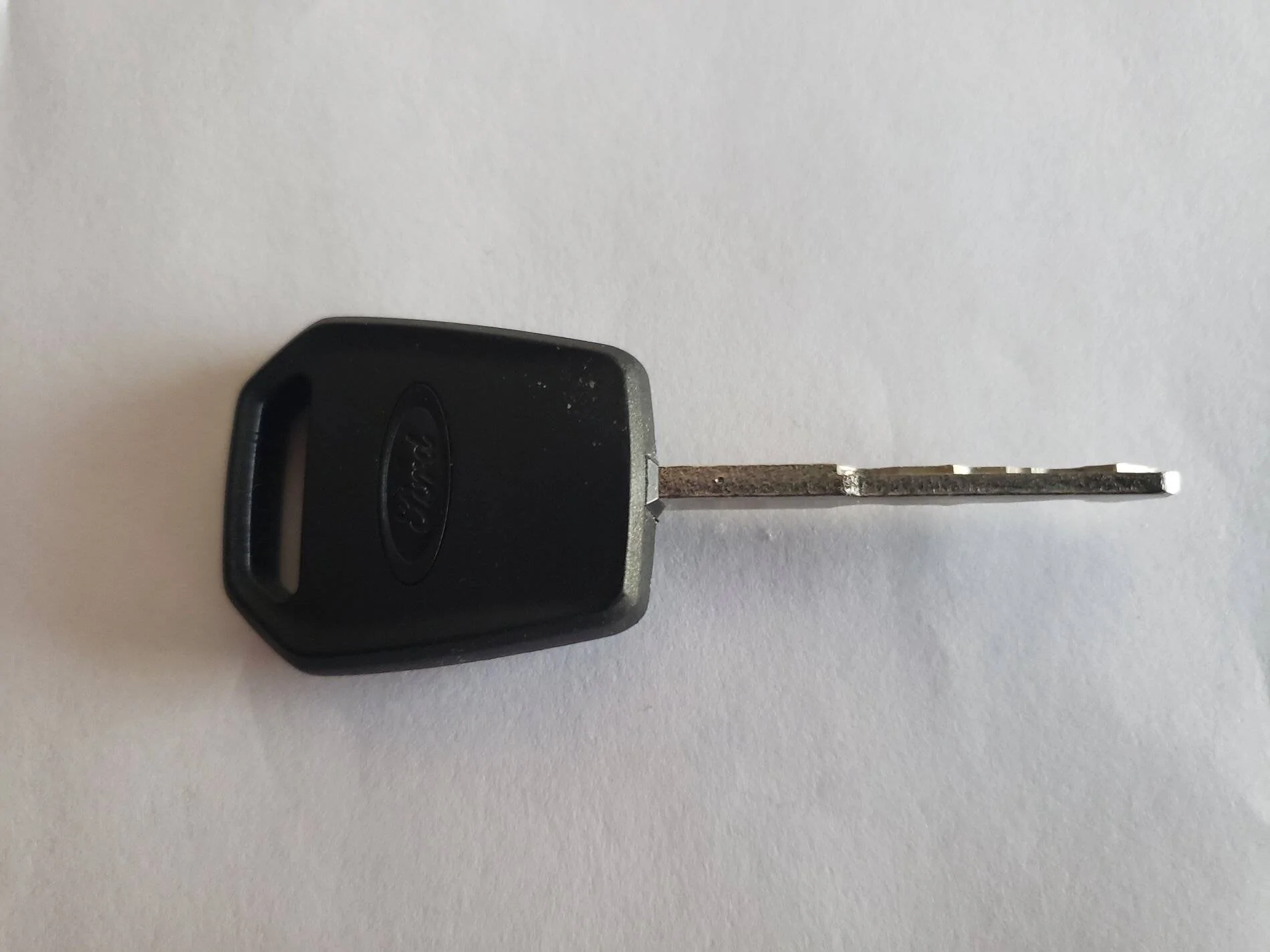
This is the procedure that Ford recommended when I contacted their dept. that troubleshoots SYNC3 issues. They also recommend it when doing some other needed resets to the SYNC 3 system such as update problems with this system. You're right about the key warning...I had an extra key made and the technician demonstrated this procedure also for that. Also this can be used to engage the alarm if you don't have the factory fob with the buttons on it. I'm not knowledgeable about electronics and don't understand how this procedure relates to these SYNC3 resets but thats how Ford directed me through some of these issues. I suspect that this procedure takes the SYNC3 modes back to the default settings. The spot has not re-occured since this procedure and everything on SYNC3 is working normally. But just to follow up, I called the Dealer about this spot issue and they are going to do a scan on this system Thursday to see if any codes popup. :)

Extra key.jpg
 
Last edited:
OP
OP
OrangeStreak

OrangeStreak

Well-Known Member
First Name
Paul
Joined
Aug 18, 2020
Threads
32
Messages
3,195
Reaction score
13,997
Location
New Mexico
Vehicle(s)
2020 SCab STX 4X4 Towing Pkg. BFG K02's 265/70/17
Occupation
Retired. MTS. ANG veteran. 2nd Amendment supporter.
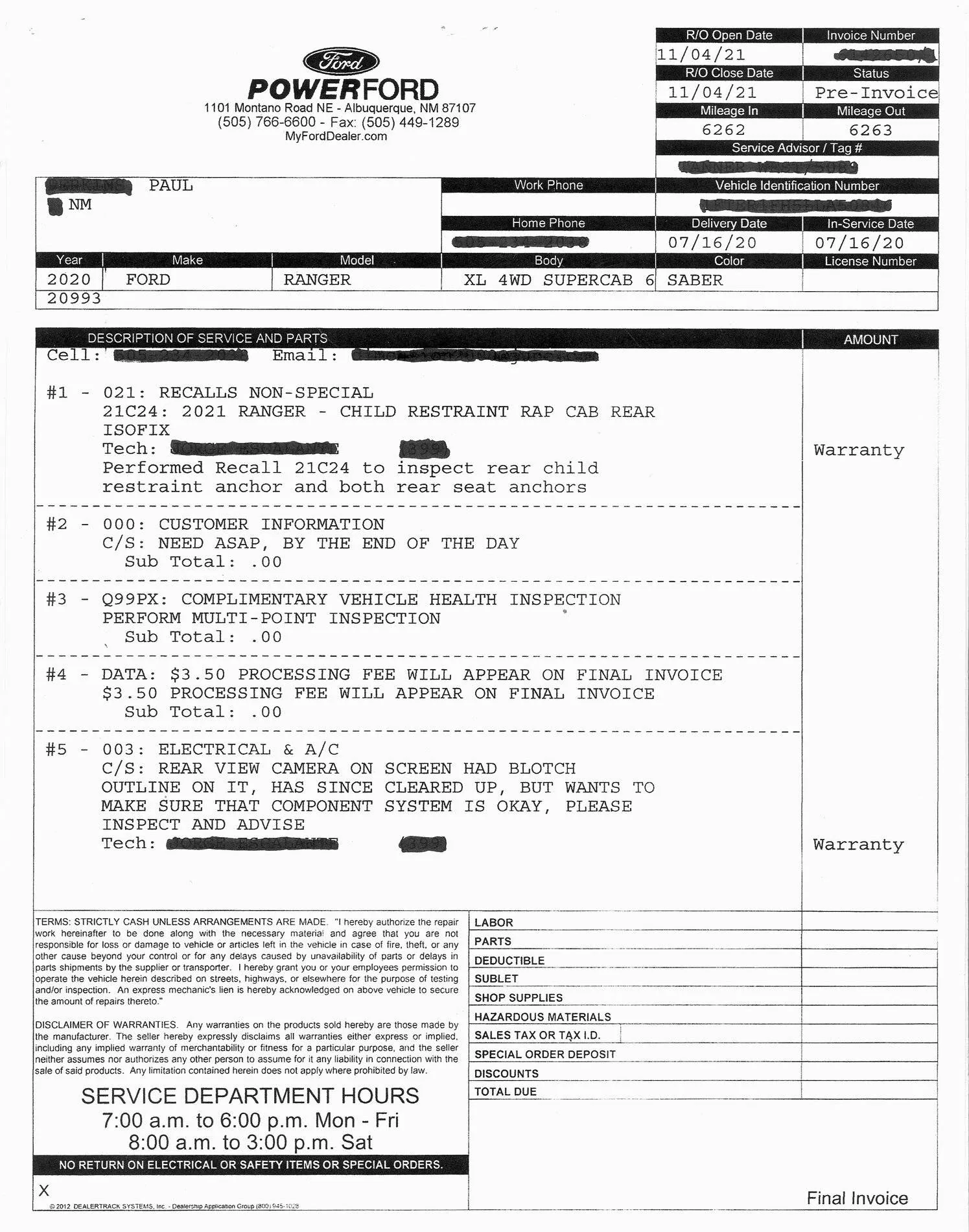
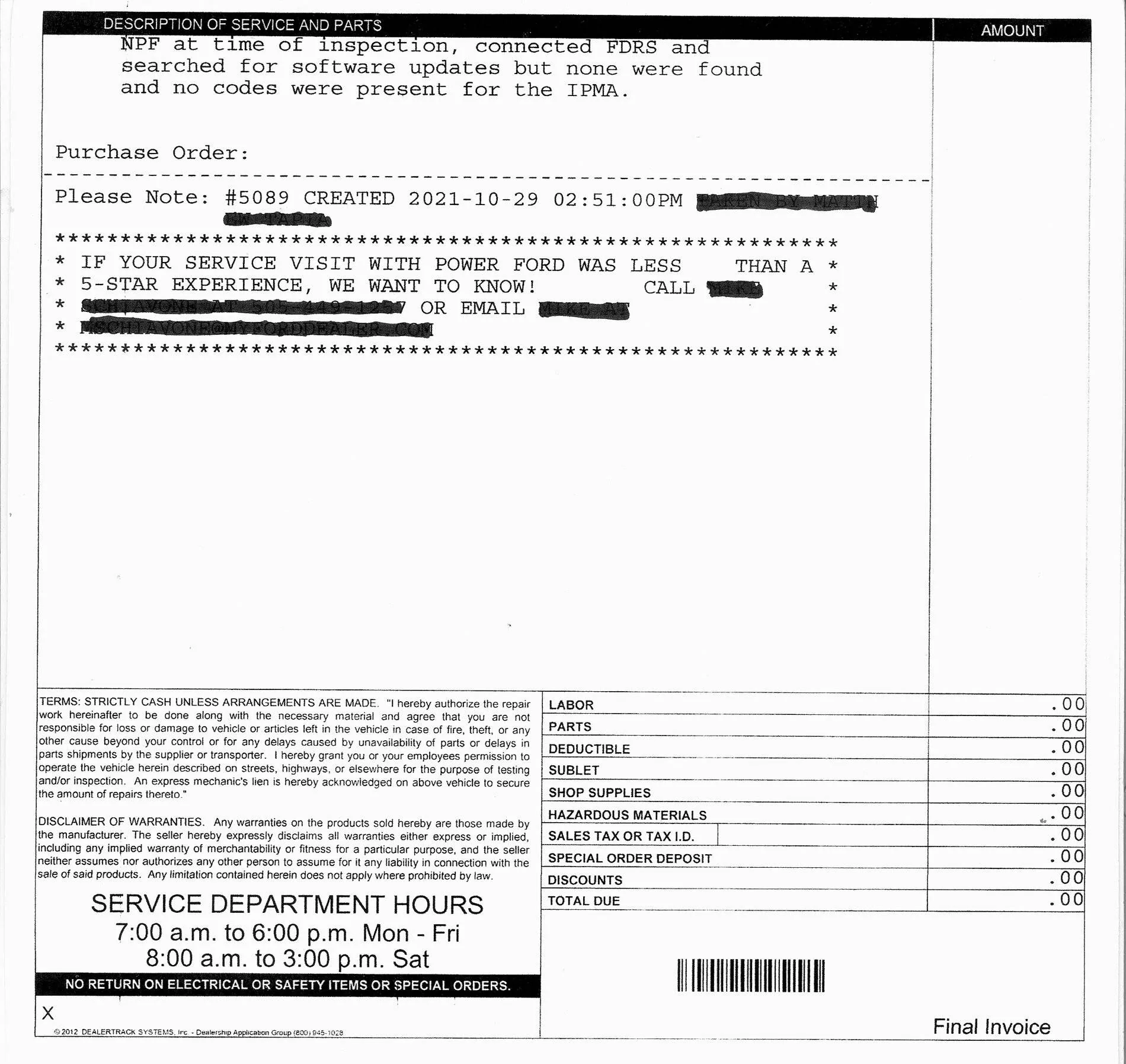
The dealer checked and did a scan on the Camera componet system and did not find any codes or issues relating to the spot that appeared on the screen. The service dept. said that with the latest wave of electronics they are seeing more frequent glitches like this. They feel that this will probably not occur again, but if so try to get it back to them when the spot is still showing to check it again.

Also had the 21C24 Recall completed.

Camera spot check & Recall 21C24 (pg.1).jpg


Camera spot check & Recall 21C24 (pg.2).jpg
Sponsored

 
Last edited:


Top